Open-source layout engine · v1.19.0
The programmable typesetter for the web
Postext takes semantic markdown and applies centuries-old editorial rules — Knuth-Plass justification, balanced columns, floats that know their place — to produce publication-grade pages in HTML, canvas or print-ready PDF.
Every page is computed in your browser
Postext
In short
Postext is free, open-source software that lays out the pages of books, magazines and reports. You write text with a few simple marks, and Postext turns it into finished pages, like the pages of a printed book. It follows rules that printers have used for centuries, so the text is easy to read. The pages can go on a website, in an app, or into a PDF ready to print. It is made for writers, publishers, designers and developers.
Transcript
Everything the narrator says, with a description of what appears on screen.
- 0:00
On screenA dark card reads “MAINZ · 1455” above a thin gold rule. Behind the headline “For five centuries, print learned to set a page.”, the year counts up from 1455 to 2026 in huge outline numerals, and printing terms land around it: Justification, Kerning, Widows, orphans, Balanced columns, Leading, Baseline grid, hy·phen·a·tion, Measure, Floats, Running heads, Rivers. The camera dives into the final full stop, which floods the screen with gold.
NarrationFor five centuries, print learned how to set a page.
- 0:05
On screenHeadline: “The web learned to lay out interfaces. It never learned to set a page.” A browser window at example.com/longform/article holds a three-column justified article, “Why the web can’t set a page”; red tags flag rivers of white space, a widow, an orphan, a picture landing on the text and an unbalanced last column. Beside it, a code chip reads “column-count: 3;”, then “…and little else.” and a crossed-out list of the same five faults. The window glitches and collapses.
NarrationThe web learned to lay out interfaces. Never pages. So long-form text still breaks: rivers, widows, orphans, collisions.
- 0:18
On screenAfter a white flash and a sweep of blue, gold and red stripes, the Postext logo and wordmark rise into place with the tagline “The programmable typesetter for the web”. Below it: OPEN SOURCE · MIT LICENCE · v1.7.0 · RUNS IN YOUR BROWSER.
NarrationMeet Postext: the programmable typesetter for the web.
- 0:24
On screenSection 01 of 07, “Content in”: “Markdown says what things are.” A Markdown file, 03-why-postext.md, types itself out: a part directive, the heading “Why Postext” with a lead, a paragraph that cites figure fig-flow with :ref, a ::resource line and a :::callout block. Next to it, config.ts calls buildDocument with a two-column layout, justified body text and hyphenation for en-us, under the line “Configuration decides how they look. Nothing about layout lives in the text.”
NarrationYou write semantic Markdown, which says what things are. A configuration decides how they look.
- 0:32
On screenSection 02, “Pretext measures”: “Measured without touching the DOM.” A heading, a paragraph and a callout are scanned one by one and dimension lines give their heights in points; a code panel shows prepare(text, '25px Lora') and layout(prepared, width, 38) returning a height and a line count. Two bars race through 10,000 paragraphs: “Browser reflow · DOM” barely moves while “Pretext · canvas metrics + arithmetic” fills at once, and a counter climbs to 600× above “faster text measurement than the DOM, so a whole book reflows as you type” and “Powered by @chenglou/pretext”.
NarrationEvery paragraph is measured without touching the DOM, up to six hundred times faster, thanks to Pretext, the library that made it possible.
- 0:42
On screenSection 03, “Postext decides”: “Every line placed before a pixel is drawn.” A ring of seven segments lights up in turn, Structure, Measure, Place, Float, Refine, Balance and Rhythm, each with a one-line description, while a two-column page of the Postext guide assembles beside it: labelled blocks fly into their columns, a figure slides into place under the note “:ref{id="fig-flow"} → column foot”, the opener band drops in, the lines appear, the columns level and a baseline grid sweeps down. The ring loops through iterations 1 to 3 and shows “Settled in 3 iterations” with a tick; a callout gives one line’s bounding box and baseline.
NarrationThen Postext decides. Seven passes place every line, float every figure and balance every column, looping until nothing moves.
- 0:54
On screenSection 04, “The virtual document”: “Change a word. Only what changed is set again.”, with the note “Like React’s virtual DOM, but for pages: the VDT, a virtual document tree.” Seven pages, p. 7 to p. 13, stand in a row; a caret marks an edit on p. 11, the rest of that column turns gold as DIRTY and a sliver spills onto p. 12, which gets a tick and SETTLED, while earlier pages read SKIPPED and later ones UNTOUCHED. Three bullets state the rule, and a panel headed renderToHtmlIndexed() marks the changed nodes of the document tree as PATCHED.
NarrationIt all lives in a virtual document, like React's virtual DOM. Change a word, and only what changed is set again.
- 1:03
On screen“A long document? Only what’s on screen gets painted.” A column of book pages scrolls through a gold frame labelled VIEWPORT, with a 200-pixel margin above and below: pages inside are drawn in full, pages outside are dashed outlines. A large counter shows how many of the 48 pages are painted at that moment (IntersectionObserver · +200 px), next to “Geometry: every page. Pixels: only what you see.”
NarrationAnd in a long book, only the pages on screen are ever painted.
- 1:10
On screenSection 05, “Knuth–Plass justification”: “Every way to break the paragraph. At once.” On the left, a paragraph about line breaking is set first-fit, as a browser does it, and its loosest lines turn red. Below, every word becomes a point on a line: red arcs mark the greedy breaks, faint blue arcs try every feasible break and a gold path picks the best set. On the right, the Knuth–Plass version is evenly spaced, with the badness of each line, the formula “(1 + badness + penalty)²” and a lower total of demerits.
NarrationA browser breaks lines greedily, one at a time. Postext uses Knuth–Plass, the algorithm behind TeX. It weighs every way to break the whole paragraph, and keeps the most even.
- 1:24
On screenSection 06, “One layout, five outputs”: “What you see is what goes to press.” Under the code line const vdt = buildDocument(content, config); one page splits into five. Canvas (renderToCanvas(), pixel-accurate bitmaps) gets a magnifier over its pixel grid; HTML (renderToHtml(), selectable, resize-aware) gets every block outlined and tagged <h1>, <p>, <figure> and so on; PDF (renderToPdf(), print-ready, PDF/UA, CMYK) has four colour plates sliding into register, then crop marks and a colour bar. EPUB 3 (renderToEpub(), e-book, fixed or reflowable) shows the page in an e-reader tagged “Fixed layout”; the screen narrows to the size of a phone, the text reflows and the tag changes to “Reflowable”. Folio (postext-folio, a 3D book, pages that turn) opens the page into a two-page spread and turns a leaf over the spine.
NarrationOne layout, five outputs: canvas, HTML, print-ready PDF, EPUB 3, fixed or reflowable, and a book in 3D. What you see is what goes to press.
- 1:41
On screenSection 07, “Why an open standard”: “LaTeX set the bar for print. Publishing now lives on every screen, too.” Two cards: LaTeX, 1984, with crosses against “Built for the printed page”, “Builds tied to one machine’s fonts & packages”, “Compile, wait, repeat” and “No editorial layout on the responsive web”; Postext, 2026, with ticks against “Web, print-ready PDF & EPUB 3 from one layout”, “One portable .postext file carries it all”, “Reflows live, as you type” and “Runs in any browser · zero servers · MIT”. The Postext card lights up.
NarrationLaTeX set the standard for print. But publishing now lives on every screen.
- 1:48
On screenKicker “One file, the whole book”, headline “An open standard for publishing, beyond where LaTeX reaches.” A .postext file icon bursts into five parts: preset.json (configuration & design), chapters/*.md (one Markdown file per chapter), fonts/*.woff2 (the typefaces themselves), images/ · SVG (every picture, embedded) and resources (tables, figures & captions). Caption: “A plain ZIP: open, documented, MIT-licensed. Any tool can read and write it.”
NarrationPostext is an open standard: one portable file, documented and MIT-licensed, that any tool can read and write.
- 1:58
On screen“The showcase · set by the real engine”: a wall of book pages recedes in perspective while a counter reaches 48 pages. Text: “12 chapters, 3 parts, a cover, laid out in about half a second. Every page of the Postext guide, computed in a browser by postext v1.7.0 for this film. Nothing placed by hand.” Tags follow: Textbooks, Magazines, Literary editions, Catalogues.
NarrationThat's why it can lay out books of hundreds of pages in tenths of a second.
- 2:05
On screenEnd card: the Postext logo with the tagline “The programmable typesetter for the web”, the address postext.dev, a terminal line that types “$ pnpm add postext”, and the footer “Open source · MIT · github.com/drnachio/postext”.
NarrationPostext. Open source, at postext.dev.
Chapter 1 · Why Postext
Editorial layout, computed for the web
Print typography spent five centuries learning how to set a page; browsers learned how to lay out an interface. Postext brings the first to the second.
CSS gives you responsive layout — flexbox, grid, columns. But it cannot balance columns, keep a heading with its paragraph, prevent widows and orphans, or float a figure to the head of the next column. These are editorial decisions, refined over centuries of print.
Postext bridges that gap. Feed it semantic markdown and a configuration object. It measures text 300–600× faster than the DOM using @chenglou/pretext (opens in a new tab), then computes the complete page geometry — every line, float and caption — and renders it through HTML, canvas or print-ready PDF backends.
Markdown in
:::part{number="I" title="Foundations"
  palette="band=#2b4acb"}
:::

# Why Postext {lead="Print typography
spent five centuries…"}

Postext is an **open-source layout
engine** that brings the craft of
print typography to the web, as
:ref{id="fig-flow"} shows.

:::callout{type="try"}
Change a word: the page sets
itself again.
:::
Pages out
In figures
- faster text measurement than the DOM, so a whole book reflows as you type
- 300–600×faster text measurement than the DOM, so a whole book reflows as you type
- outputs from one layout: HTML, canvas, print-ready PDF and EPUB 3
- 4outputs from one layout: HTML, canvas, print-ready PDF and EPUB 3
- tagged, accessible PDF output with bookmarks and CMYK colour
- PDF/UAtagged, accessible PDF output with bookmarks and CMYK colour
- servers: the engine runs entirely in the browser, MIT-licensed
- 0servers: the engine runs entirely in the browser, MIT-licensed
Chapter 2 · Capabilities
What print typesetters knew all along
Six things a page needs that CSS was never designed to decide — computed by the engine, the same way every time.
- 2.1
Knuth-Plass justification
The same optimal line-breaking algorithm TeX uses, with TeX-pattern hyphenation and orphan control — evenly set text blocks with no rivers of whitespace, beyond anything CSS can express.
Read in the docs - 2.2
Resources & cross-references
Figures, SVG diagrams and tables float to the top or bottom of columns and pages — the way print floats work — with typed numbering and :ref cross-references that always stay in sync.
Read in the docs - 2.3
Tables & captions
Tables set with independent body and header typography, split across pages with repeated headers, and captions that follow your configuration — numbered and placed alongside the resource they describe.
Read in the docs - 2.4
Single-ink diagrams
Recolor SVG diagrams to tints of one ink by luminance, so every illustration matches your design — ready for spot-colour printing.
Read in the docs - 2.5
LaTeX math
Inline and display equations written in LaTeX, measured and typeset by the engine so they sit on the baseline grid alongside the text.
Read in the docs - 2.6
Web, print-ready PDF & EPUB
One layout engine, four outputs. The same computed pages render to HTML, canvas, or print-ready PDF — with bookmarks, CMYK colour and tagged, accessible PDF/UA output — and go out as an EPUB 3 e-book, page for page or reflowable.
Read in the docs
Every page of the Postext guide — cover, contents, part dividers and all — is set by Postext, in your browser, as you read it.
Showcase
Real books, set in your browser
A textbook, a magazine, an annotated epic poem, an exhibition catalogue, a Chinese classic in 120 chapters, the Arabian Nights in Arabic, a Japanese novel set vertically. Open any of them in the Sandbox, change a rule and watch every page reflow.
- Open-source layout enginePostextEvery page is computed in your browser
The Postext guide
The built-in guide: 13 chapters, three parts, a cover

Feduchi Biochemistry · Chapter 1
A column-and-a-half biochemistry textbook, the main column at the spine and an outer column of figures, key concepts and activities

Deep Sky
A two-column astronomy magazine with full-bleed openers, boxes and pull quotes
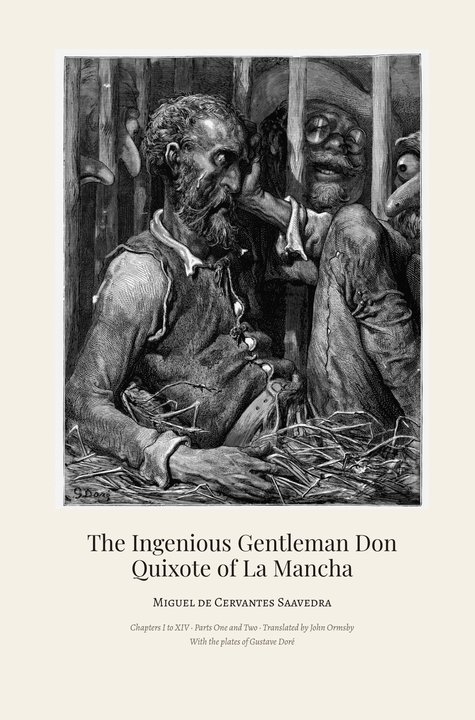
Don Quixote · Gustave Doré
A column-and-a-half literary edition with margin glosses and Doré's plates

Physics (OpenStax)
A column-and-a-half textbook with worked examples, checks, tables and formulas
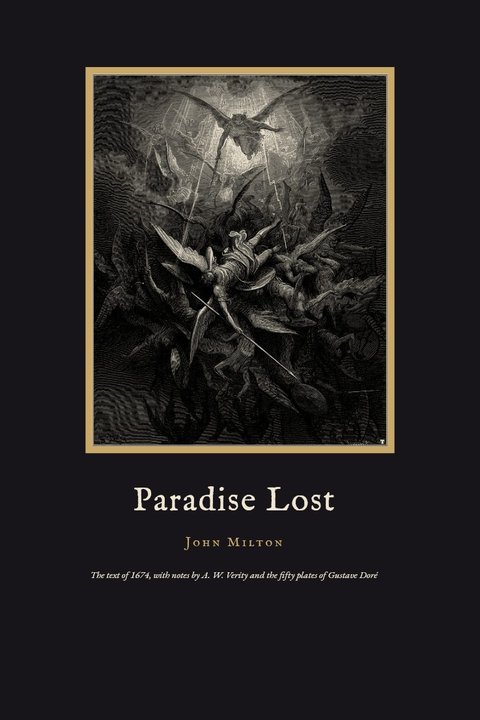
Paradise Lost · Gustave Doré
An annotated edition of Milton’s poem in twelve books: Verity’s notes at the foot of the page and Doré’s fifty plates. In English only
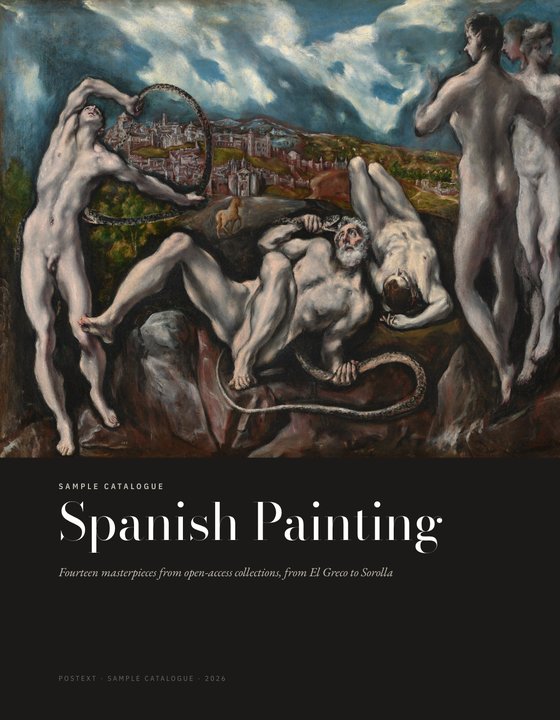
Spanish Painting
A single-column exhibition catalogue, entry and commentary facing the full-page plate
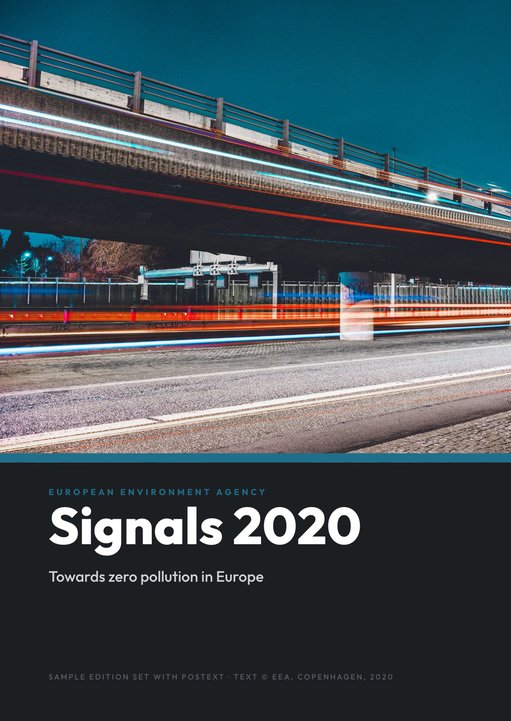
Signals 2020
A two-column EEA magazine with photo openers, boxes, pull quotes and data panels

One Thousand and One Nights · ألف ليلة وليلة
The whole Thousand and One Nights in Arabic, the Bulaq text: a classical Egyptian book bound on the right, each page in a double-ruled frame, the nights named in words and Sani ol-Molk’s watercolours. In Arabic only

Dream of the Red Chamber · 紅樓夢
A classic Chinese novel in 120 chapters, with the 1884 plates: the 1792 text in Traditional Chinese, set vertically and bound on the right, the same text in Simplified Chinese, and Joly’s English translation of the first 56 chapters

Kokoro · こころ
Natsume Sōseki’s 1914 novel in Japanese, set vertically and bound on the right after the Iwanami first edition, with the cover, endpapers and title page Sōseki designed, three of his paintings and furigana over the harder words. In Japanese only
Chapter 3 · Workflow
Three steps to publication-grade layout
Content in markdown, design in a configuration object, pages from one function call.
- 3.1
Write semantic markdown
Author your content in enriched markdown: headings, lists, tables, math, callouts and :ref cross-references to your figures. No layout concerns — just content.
- 3.2
Configure the layout rules
Define page size, columns, typography, heading designs, running heads and float placement in a PostextConfig object — or design it visually in the Sandbox.
- 3.3
Render to HTML, canvas or PDF
Call buildDocument and receive the complete layout geometry — then render it with the HTML, canvas or print-ready PDF backend.
API
One function, full control
Call buildDocument with your content and a configuration object. You get back the complete page geometry: draw any page as an image with renderPage, or set the whole book as a print-ready PDF with renderToPdf.
import { buildDocument, renderPage } from "postext";
import { renderToPdf } from "postext-pdf";

const doc = buildDocument(
  { markdown },
  {
    page: { sizePreset: "21x28" },
    layout: { layoutType: "double" },
    bodyText: {
      fontSize: { value: 12, unit: "pt" },
      textAlign: "justify",
      hyphenation: { enabled: true, locale: "en-us" },
    },
  }
);

// Every page as an image…
const cover = renderPage(doc.pages[0], doc);
cover.toBlob((png) => save(png, "cover.png"));

// …or the whole book as a print-ready PDF
// fontProvider: TTF bytes per family and weight (see the docs)
const pdf = await renderToPdf(doc, { fontProvider });Chapter 4 · Open format
One file, the whole book
A .postext file carries everything a document needs to be set again, on any machine: an open, editable format that anyone can adopt.
Most publishing formats scatter a project. A LaTeX build depends on the fonts and packages installed on one machine, and the native files of the major layout editors link to pictures and typefaces kept outside them. Move the project and something goes missing. We ran into those limits with LaTeX ourselves.
A .postext is a plain ZIP archive that anyone can open, read and edit: a JSON manifest, one Markdown file per chapter, and the font files and pictures themselves. The Sandbox exports it, the postext-port agent skill writes it, and postext/bundle opens it in any program to set the same pages again. The format is documented and MIT-licensed, ready for any tool to read and write.
- 4.1
preset.jsonConfiguration. Page, grid, typefaces, heading and paragraph styles, colours and running heads, as readable JSON.
- 4.2
chapters/<lang>/*.mdChapters. One Markdown file per chapter: 14 chapters in 2 languages here.
- 4.3
fonts/*.woff2Typefaces. The font files themselves, not just their names: 18 files of Lora, Fraunces, Geist, and Bricolage Grotesque.
- 4.4
preset.json › resourcesResources. Captions, numbering, placement and table content for the 26 figures and tables the text refers to.
- 4.5
resources/*.svgImages. The artwork itself, SVG or bitmap, with each language's version: 38 files.
Try it
Open the guide, get its pages
The Sandbox's first example, the Postext guide, is one .postext file. Open it in the browser and turn every page into an image: its typefaces, figures and tables come from the file itself.
Download the guidepostext-guide.postext · 846 KBimport { openBundle, loadBundleFonts, registerBundleImages,
buildBundle, renderPageToCanvas } from "postext";
// The Sandbox's guide: config, chapters, fonts and images
const file = await fetch("postext-guide.postext").then((r) => r.blob());
const book = await openBundle(file, { locale: "en" });
await loadBundleFonts(book); // its own typefaces
await registerBundleImages(book); // its own figures
// Every page of every chapter, as an image
for (const doc of buildBundle(book))
for (const page of doc.pages) {
const canvas = document.createElement("canvas");
renderPageToCanvas(page, doc, canvas, { scale: 0.5 });
document.body.append(canvas);
}Installation
Start in under a minute
One package, no server, no native dependencies. Add postext-pdf when you need print.
// Quick start
import { buildDocument, renderPage } from "postext";
import { renderToPdf } from "postext-pdf";

const doc = buildDocument({
  markdown: "# Hello World\n\nYour content here.",
});

// The first page, drawn on a canvas
document.body.append(renderPage(doc.pages[0], doc));

// The whole document as a PDF
const pdf = await renderToPdf(doc, { fontProvider });