باختصار
كتيّب تعليمات من سبع صفحات بالألمانية لغلاية كهربائية. يبيّن كيف تصنع صناديق تحذير للسلامة فيها مثلث تحذير، بالأحمر أو بالكهرماني حسب درجة الخطر.
ما الذي ستنضده
دليل تعليمات من سبع صفحات لـ Verra W1، وهي غلاية كهربائية متخيَّلة، بالألمانية على ورق A5. صفحة السلامة تنضّد درجتي الخطر صندوقين: شريط بلون الإشارة يجري على الجانب الأيسر ويحمل مثلث التحذير، وإطار رفيع من اللون نفسه يغلق الصندوق، أحمر لـ WARNUNG وكهرماني لـ VORSICHT. أما HINWEIS، وهي درجة الضرر الذي يصيب الجهاز، فتتخلّى عن الشريط والمثلث لصالح خلفية زرقاء مخضرة فاتحة بزوايا مدوّرة. الفقرة التي فوق الصناديق تنضّد كلمات الإشارة الثلاث شاراتٍ ممتلئة. في الصفحة 3 رسم للأجزاء بخطوط دلالة مرقّمة فوق مفتاحه، وفي الصفحة 4 أسماء المفاتيح شارات محددة الإطار بجانب أرقام خطوات كبيرة. جدول تحرّي الأعطال يمتد على الصفحتين 6 و7. التعليقات تقول Abbildung وTabelle، والجدول المقسوم يحمل كلمة Fortsetzung في الصفحتين.
تجيب هذه الوصفة عن
- كيف أصنع إطارات ملاحظة أو نصيحة أو تحذير بأيقونة وشريط ملوّن وزوايا مستديرة؟
- كيف أصنع شارات مضمّنة: مفاتيح لوحة المفاتيح، ووسوم، وبنوك كلمات للتمارين؟
- كيف أخصّص القوائم: نقاط لكل مستوى، وترقيم (a)/(i)، ومربعات اختيار للمهام، وتباعد يبقى على الشبكة؟
- كيف أضيف شكلًا بتعليق مرقّم وأحيل إليه في النص («انظر الشكل 3.2»)؟
- كيف أصنع جدولًا فيه صفوف رأس، وخلايا مدمجة، وعروض أعمدة، ومحاذاة لكل خلية؟
- كيف أقسّم جدولًا طويلًا عبر الصفحات مع تكرار الرأس وعلامة «تابع»؟
- كيف أحصل على تسميتي «شكل» و«جدول» بلغة مستندي؟
الجواب المختصر
const BAND = 8.5; // mm: a stripe on the side is the icon's column; the icon is centred on it
const [TITLE, TITLE_GAP] = [8.6, 2.4]; // pt; 1.4.1 sets a box title 1.2 times its size
const PAD_Y = (2 * LEAD - 1.2 * TITLE - TITLE_GAP) / 2; // pt: title and padding fill two lines
const notice = (id, hue, ink, icon) => ({ id, backgroundEnabled: false,
  stripe: { enabled: true, side: 'left', width: mm(BAND), color: col(hue) },
  border: { enabled: true, color: col(hue), width: pt(0.75) }, // closes the band into a frame
  icon: { kind: 'resource', resourceId: icon, size: mm(5.6), align: 'top' },
  padding: { top: pt(PAD_Y), right: mm(3.2), bottom: pt(PAD_Y), left: mm(3.2) },
  titleStyle: { fontFamily: DISPLAY, fontWeight: 800, fontSize: pt(TITLE), color: col(ink),
    textTransform: 'uppercase', letterSpacing: pt(1.3), gap: pt(TITLE_GAP) },
  body: { fontSize: pt(8.8), lineHeight: pt(LEAD) }, // on the grid: a box is whole lines tall
  lists: { color: col(ink), gap: mm(2) }, marginTop: pt(LEAD), marginBottom: pt(0) });
const calloutStyles = [
  notice('warnung', 'warning', 'warning', 'triangle-white'), // white triangle, red '!'
  notice('vorsicht', 'caution', 'ink', 'triangle-ink'), // amber type would fail contrast
  { ...notice('hinweis', 'brand', 'brand'), stripe: { enabled: false }, border: { enabled: false },
    backgroundEnabled: true, background: col('tint'), borderRadius: mm(2), // property damage:
    icon: { kind: 'resource', resourceId: 'info', size: mm(4.6) } }, // no band, an icon column
];
المكونات
- الميزات
- أيقونات الإطارات وشارات الزواياإطارات التنبيهأنواع موارد مخصّصةالشارات داخل السطراستشهادات تضع الأشكالأشكال في هذا الموضع بالضبطموضع الأشكالجداول من البياناتنمط الجدولجداول عبر الصفحاتالعناوين المرقّمةالقوائم المرقّمةالقوائم النقطية وقوائم التحققتقسيم الكلمات ولغة المستند«شكل» و«جدول» بلغتكصفحات افتتاح مصمَّمةأنماط العناوينالأغلفة وصفحات العنوان وبيانات النشرالترويسات وأرقام الصفحاتالنصوص والخطوط والمربعات في تصاميم الصفحة
- تستخدم أيضًا
- سمات العنوانفواصل الصفحات والأعمدةالترويسات بحسب دور الصفحةأنماط الفقراتالأشكال والجداول بوصفها مواردأنماط الجداول المسمّاةفصول بلا أرقام
- الخطوط
- Red Hat Text, Red Hat Display, Red Hat Mono (SIL OFL 1.1)
- الأصول
- لا شيء: كل صورة مرسومة بالكود
طريقة التحضير
#1 · شريط يحمل المثلث
الشيفرة في الجواب المختصر أعلاه. يرسم stripe الشريط على الحافة اليسرى. حين يكون للصندوق شريط جانبي، يضع الإصدار 1.4.1 الأيقونة في وسط الشريط بدل أن يعطيها عمودًا خاصًا بها (أنماط الإطارات)، ويجعل align: 'top' الحافة العليا للأيقونة على مستوى الحافة العليا للعنوان. وborder باللون نفسه يغلق الشريط في إطار؛ من دونه يقف نص الصندوق على الصفحة العارية بجانب عمود ملوّن. حُسب PAD_Y بحيث يكون مجموع العنوان وفجوته والحشوتين العليا والسفلى سطرين من الشبكة البالغة 12.8 pt. يحتفظ المتن بتباعد أسطر الشبكة، فيكون ارتفاع كل صندوق عددًا صحيحًا من الأسطر (WARNUNG 10، VORSICHT 8)، ويترك marginTop: pt(LEAD) سطرًا واحدًا بالضبط بين الصندوقين في الصفحة 2. يحتفظ VORSICHT بالكهرماني للشريط والإطار، وينضّد عنوانه ونقاطه بالحبر: الكهرماني على الأبيض يبلغ تباينه 2.0:1، والحروف الصغيرة تحتاج إلى 4.5:1. ويبدأ HINWEIS من الأساس نفسه (...notice(…)) ويطفئ الشريط والإطار، فتأخذ أيقونة المعلومات عمودًا خاصًا بها، ويدوّر borderRadius خلفية ملوّنة بسيطة.
#2 · أسماء ألمانية للأشكال والجداول
const counted = { numberingTemplate: '{n}', resetOn: 'never', counterFormat: 'decimal' }; // 1, 2…
const resourceTypes = [ // 1.4.1 names them in English or Spanish (gotcha: resource-types-locale)
  { id: 'figure', name: 'Abbildung', shortLabel: 'Abb.', captionPrefix: 'Abbildung', ...counted },
  { id: 'table', name: 'Tabelle', shortLabel: 'Tab.', captionPrefix: 'Tabelle', ...counted,
    captionStyle: { position: 'above' } }, // a table is captioned over its head
];
const tableStyle = { rules: 'horizontal', borderColor: col('rule'), borderWidth: pt(0.5),
  headerBackground: col('ink'), headerColor: col('paper'), headerFontFamily: MONO,
  headerFontSize: pt(7.6), bodyFontSize: pt(8.2), cellPadding: mm(1.3),
  continuedSuffix: '(Fortsetzung)', continuesMarker: 'Fortsetzung auf der nächsten Seite' };
يعطي locale: 'de' الدليلَ تقسيم الكلمات الألماني بالواصلة، لكن الإصدار 1.4.1 لا يحمل أسماء أنواع الموارد وملاحظات تتمة الجدول المقسوم إلا بالإنجليزية والإسبانية. من دون هذه الأسطر تقرأ التعليقات Figure 2.1 وTable 5.1، وتقول الملاحظة تحت الجزء الأول من الجدول المقسوم Continued. نوع المورد المكتوب يدويًا لا بد أن يذكر كل حقل، ومنها الترقيم. ويوفّره counted: فالقالب {n} مع resetOn: 'never' يعدّ عبر الدليل كله (Abbildung 1، Tabelle 1 إلى 3) بدل أن يبدأ من جديد في كل قسم. نوع الجدول وحده يضبط captionStyle.position: 'above'، فتأخذ الجداول تعليقها فوق رأسها، ويبقى تعليق الرسم تحته.
#3 · المفاتيح وكلمات الإشارة وأرقام الأجزاء شاراتٍ
const filled = (id, fill, ink) => ({ id, fontFamily: DISPLAY, bold: true, fontSize: em(0.82),
  background: col(fill), color: col(ink), borderWidth: pt(0), paddingX: em(0.45) }); // no outline
const chipStyles = [
  { id: 'taste', fontFamily: MONO, bold: true, fontSize: em(0.92), backgroundEnabled: false,
    borderColor: col('ink'), borderWidth: pt(0.6), borderRadius: pt(2.2), paddingX: em(0.4) },
  filled('warnung', 'warning', 'paper'), filled('vorsicht', 'caution', 'ink'),
  filled('hinweis', 'brand', 'paper'), { ...filled('nr', 'brand', 'paper'), fontSize: em(0.95),
    borderRadius: em(1) }, // a part number, round like the drawing's
];
يحيط taste اسم المفتاح بإطار بالخط الأحادي المسافة بلا تعبئة، كما تُطبع التسمية على الزر. شارات كلمات الإشارة ممتلئة بألوان صناديقها، والشارة الكهرمانية تنضّد كلمتها بالحبر، كما يفعل عنوان VORSICHT. ويعطي nr أرقام الأجزاء نصف قطر أكبر من نصف ارتفاعها، فتخرج أقراصًا تشبه الدوائر المرقّمة في الرسم. أحجام الشارات محددة بوحدة em من النص المحيط بها: المفتاح 8.6 pt في النص الجاري و7.5 pt في خلية جدول (أنماط الشارات).
#4 · أرقام الخطوات على خط الأساس
const orderedLists = { separator: '', fontFamily: DISPLAY, fontWeight: 800, color: col('brand'),
  numberFontSize: pt(15), gap: mm(3), itemSpacing: pt(5), marginTop: pt(LEAD / 2),
  marginBottom: pt(0), numberVerticalOffset: pt(-1) }; // gotcha: list-number-centred
const unorderedLists = { color: col('brand'), gap: mm(2), marginTop: pt(0), marginBottom: pt(0),
  levels: [{ level: 2, bulletChar: '–', indent: mm(6.5) }, // at a step's text: number + 3 mm gap
    { level: 3, bulletChar: '–', color: col('muted') }] }; // teal •, teal –, grey –
الخطوات قائمة مرقّمة، أرقامها بخط Red Hat Display 800 بحجم 15 pt، بالأزرق المخضر، بلا فاصل. يضع الإصدار 1.4.1 رقم القائمة في وسط سطرها الأول بدل أن يقيمه على خط الأساس، فيتدلّى الرقم ذو 15 pt بجانب نص ذي 9.3 pt نحو 1 pt تحت السطر. ويرفع numberVerticalOffset: pt(-1)، وهي قيمة مقيسة على الصفحة الملتقطة، قاعدته إلى خط الأساس. ويفصل itemSpacing بين الخطوات بـ 5 pt ليفسح مكانًا للأرقام الكبيرة. النقاط المتداخلة تحت خطوة تبدأ عند 6.5 mm، على مستوى نص الخطوة؛ وهي شرطات زرقاء مخضرة، وفي المستوى الثالث شرطات رمادية (القوائم المرقّمة).
#5 · أرقام الأقسام في لسان معكوس الألوان
const H1 = 14, TAB = 2 * LEAD - 3.6, PAD = (TAB - H1 * 1.2) / 2; // pt: a square 2 lines less 3.6
const face = { fontFamily: DISPLAY, fontWeight: 800, fontSize: pt(H1), lineHeight: 1.2 }; // both
const section = { level: 1, numberingTemplate: '{1}', // {number}: 1, 2, 3 …
  breakBefore: { enabled: false }, marginTop: pt(LEAD), marginBottom: pt(LEAD / 2), // run on
  advancedDesign: { enabled: true, slot: { elements: [
    { kind: 'text', id: 'tab', content: '{number}', ...face, color: col('paper'), align: 'center',
      box: { backgroundColor: col('brand'), padding: pad(PAD) },
      placement: pin('container', 'top-left', 0, 0, { width: pt(TAB) }) },
    { kind: 'text', id: 'title', content: '{titleText}', ...face, color: col('ink'),
      overflow: 'wrap', box: { padding: { top: pt(PAD) } }, placement: pin('#tab', 'right-of', 3) },
  ] } } };
كل قسم عنوان من المستوى الأول في العمود، يُرسم من خانة تصميم. يطبع اللسان {number} (الذي يملؤه numberingTemplate: '{1}') بالأبيض على مربع أزرق مخضر، ويبدأ العنوان على بعد 3 mm إلى يمينه. الرقم والعنوان يتشاركان حجمًا واحدًا وارتفاع سطر واحدًا، فتضعهما الحشوة العليا نفسها على خط أساس واحد. اللسان مربع ضلعه 22 pt، أي أقل بـ 3.6 pt من سطرين من الشبكة البالغة 12.8 pt، فيبقى العنوان ضمن سطرين من الشبكة. والغلاف عنوان من المستوى الأول أيضًا، منضّد بنمط عنوان بلا ترقيم، فيكون Sicherheitshinweise القسم 1.
#6 · جدول لتحرّي الأعطال بخلايا مدمجة ينقسم
function faultTable(tsv) { // parseTSV leaves the head row to you: headerRowCount
  let m = { ...parseTSV(tsv), headerRowCount: 1, columnWidths: [30, 34, 36] }; // weights
  for (let r = 2, top = 1; r < m.rows.length; r++) { // a rowspan per fault: no cut runs through it
    if (m.rows[r][0].content) top = r; // mergeCells hides what it covers: merged-cells-hiddenby
    else m = mergeCells(m, { start: { row: top, col: 0 }, end: { row: r, col: 0 } });
  }
  return m;
}
const fold = (rows, columnWidths) => ({ columnWidths, rows: rows.slice(0, rows.length / 2) // 2 up
  .map((row, k) => [...row, ...rows[k + rows.length / 2]]) });
const legend = fold(parseTSV(parts).rows.map(([chip, name]) => [{ ...chip, align: 'center' },
  name]), [7, 43, 7, 43]); // each part's number chip centred in its narrow column
const HERE = { placement: { position: 'here' } }; // at the resource's ::resource line
const table = (id, caption, model, styleId = 'bare', where = HERE) => ({ id, typeId: 'table',
  kind: 'table', caption, table: { model, styleId }, createdAt: 0, updatedAt: 0, ...where });
const tables = [table('legende', 'Teile des Verra W1', legend),
  table('daten', 'Kenndaten des VW-170', fold(parseTSV(data).rows, [20, 30, 20, 30])),
  table('stoerungen', 'Störungen und ihre Behebung', faultTable(faults), null, // the house style,
    { placement: { position: 'top' } })]; // a float, so it can split (gotcha: here-table-no-split)
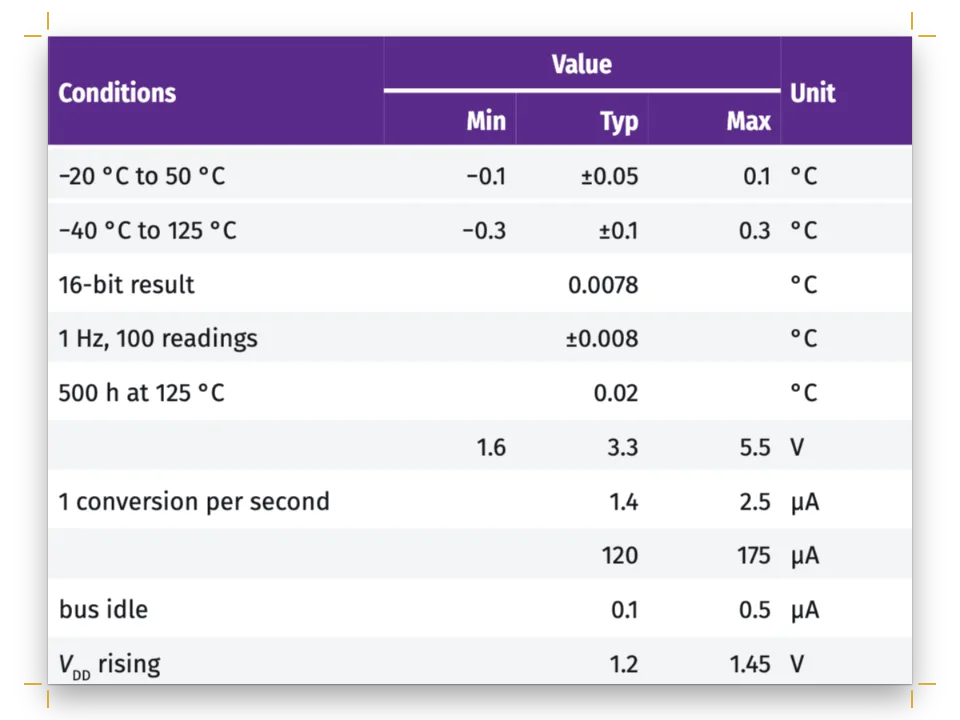
كل جدول بصيغة TSV في ملف محتوى خاص به. في بيانات تحرّي الأعطال، السطر الذي خليته الأولى فارغة ينتمي إلى العطل الذي فوقه، وتدمج mergeCells تلك الخلايا الأولى في خلية واحدة طويلة وتعلّم الخلايا التي تغطيها بأنها مخفية. لا تضبط parseTSV صف رأس، لذلك يصرّح به headerRowCount: 1، وذلك الصف هو الذي يتكرر في الصفحة 7. الجدول أطول من صفحة، وفي الإصدار 1.4.1 لا ينقسم إلا الجدول العائم، لذلك يجعله position: 'top' عنصرًا عائمًا. يقع القطع بين الصفوف ولا يمرّ أبدًا عبر خلية مدمجة، فيبقى كل عطل في الصفحة نفسها مع أسبابه (الجداول الأطول من الصفحة). يُستشهد به في الصفحة 5 ويتصدّر الصفحة 6، وهي أول صفحة بعد الاستشهاد به يستطيع عنصر عائم في الأعلى أن يأخذها. يضع fold نصفي قائمة جنبًا إلى جنب، للمفتاح وللبيانات التقنية، ويضع المفتاح شارات أرقامه في الوسط بـ align: 'center'.
الوصفة كاملة
// ═══ Postext Cookbook · Nº 050 · Product manual with safety notices ════════════════ // https://postext.dev/en/cookbook/product-manual-warnings // Code: MIT · Text: original, in German (CC BY 4.0) · Drawings: generated in code (CC BY 4.0) // Fonts: Red Hat Text, Red Hat Display, Red Hat Mono (SIL OFL 1.1) · Needs postext ≥ 1.4.1 import { buildDocument, renderPageToCanvas, clearMeasurementCache, registerResourceImage, parseTSV, mergeCells } from 'https://esm.sh/postext'; const LANG = 'en'; // @lang: the language of the sample document ('en' | 'es') const RECIPE = 'product-manual-warnings'; // ─── 1 · Design ───────────────────────────────────────────────────────────── const palette = { ink: '#1a1f24', paper: '#ffffff', // a blue-black on white brand: '#10727b', tint: '#e4f0f1', // the house teal (5.7:1 on white) and its pale tint warning: '#d62e1f', caution: '#f2a900', // the signal colours of WARNUNG and VORSICHT rule: '#cfd5da', muted: '#5b6570' }; // hairlines; running heads and notes // 1.4.1 design slots read the hex, not the id: col() writes both (gotcha: palette-skips-designs) const col = (id) => ({ hex: palette[id], model: 'hex', paletteId: id }); const colorPalette = Object.entries({ ...palette, 'main-color': palette.brand }) // the defaults .map(([id, hex]) => ({ id, name: id, value: { hex, model: 'hex' } })); const [TEXT, DISPLAY, MONO] = ['Red Hat Text', 'Red Hat Display', 'Red Hat Mono']; const PAGE = { w: 148, h: 210, top: 19, bottom: 19.4, inner: 17, outer: 13 }; // mm: A5, mirrored const LEAD = 12.8; // pt: the body's leading and baseline grid, 38 lines to the page const pin = (to, edge, x = 0, y = 0, size) => ({ anchor: { to, edge }, offset: { x: mm(x), y: mm(y) }, ...(size && { size }) }); const pad = (y, x = 0) => ({ top: pt(y), bottom: pt(y), left: pt(x), right: pt(x) }); // pt // #region answer: signal-word boxes: a band in the hazard's colour carries its triangle const BAND = 8.5; // mm: a stripe on the side is the icon's column; the icon is centred on it const [TITLE, TITLE_GAP] = [8.6, 2.4]; // pt; 1.4.1 sets a box title 1.2 times its size const PAD_Y = (2 * LEAD - 1.2 * TITLE - TITLE_GAP) / 2; // pt: title and padding fill two lines const notice = (id, hue, ink, icon) => ({ id, backgroundEnabled: false, stripe: { enabled: true, side: 'left', width: mm(BAND), color: col(hue) }, border: { enabled: true, color: col(hue), width: pt(0.75) }, // closes the band into a frame icon: { kind: 'resource', resourceId: icon, size: mm(5.6), align: 'top' }, padding: { top: pt(PAD_Y), right: mm(3.2), bottom: pt(PAD_Y), left: mm(3.2) }, titleStyle: { fontFamily: DISPLAY, fontWeight: 800, fontSize: pt(TITLE), color: col(ink), textTransform: 'uppercase', letterSpacing: pt(1.3), gap: pt(TITLE_GAP) }, body: { fontSize: pt(8.8), lineHeight: pt(LEAD) }, // on the grid: a box is whole lines tall lists: { color: col(ink), gap: mm(2) }, marginTop: pt(LEAD), marginBottom: pt(0) }); const calloutStyles = [ notice('warnung', 'warning', 'warning', 'triangle-white'), // white triangle, red '!' notice('vorsicht', 'caution', 'ink', 'triangle-ink'), // amber type would fail contrast { ...notice('hinweis', 'brand', 'brand'), stripe: { enabled: false }, border: { enabled: false }, backgroundEnabled: true, background: col('tint'), borderRadius: mm(2), // property damage: icon: { kind: 'resource', resourceId: 'info', size: mm(4.6) } }, // no band, an icon column ]; // #endregion // #region types: German names for figures and tables, and for a table's continuation const counted = { numberingTemplate: '{n}', resetOn: 'never', counterFormat: 'decimal' }; // 1, 2… const resourceTypes = [ // 1.4.1 names them in English or Spanish (gotcha: resource-types-locale) { id: 'figure', name: 'Abbildung', shortLabel: 'Abb.', captionPrefix: 'Abbildung', ...counted }, { id: 'table', name: 'Tabelle', shortLabel: 'Tab.', captionPrefix: 'Tabelle', ...counted, captionStyle: { position: 'above' } }, // a table is captioned over its head ]; const tableStyle = { rules: 'horizontal', borderColor: col('rule'), borderWidth: pt(0.5), headerBackground: col('ink'), headerColor: col('paper'), headerFontFamily: MONO, headerFontSize: pt(7.6), bodyFontSize: pt(8.2), cellPadding: mm(1.3), continuedSuffix: '(Fortsetzung)', continuesMarker: 'Fortsetzung auf der nächsten Seite' }; // #endregion // #region chips: keys in the mono face, outlined; signal words and part numbers filled const filled = (id, fill, ink) => ({ id, fontFamily: DISPLAY, bold: true, fontSize: em(0.82), background: col(fill), color: col(ink), borderWidth: pt(0), paddingX: em(0.45) }); // no outline const chipStyles = [ { id: 'taste', fontFamily: MONO, bold: true, fontSize: em(0.92), backgroundEnabled: false, borderColor: col('ink'), borderWidth: pt(0.6), borderRadius: pt(2.2), paddingX: em(0.4) }, filled('warnung', 'warning', 'paper'), filled('vorsicht', 'caution', 'ink'), filled('hinweis', 'brand', 'paper'), { ...filled('nr', 'brand', 'paper'), fontSize: em(0.95), borderRadius: em(1) }, // a part number, round like the drawing's ]; // #endregion // #region steps: big teal step numbers; teal dashes under them, grey at the third level const orderedLists = { separator: '', fontFamily: DISPLAY, fontWeight: 800, color: col('brand'), numberFontSize: pt(15), gap: mm(3), itemSpacing: pt(5), marginTop: pt(LEAD / 2), marginBottom: pt(0), numberVerticalOffset: pt(-1) }; // gotcha: list-number-centred const unorderedLists = { color: col('brand'), gap: mm(2), marginTop: pt(0), marginBottom: pt(0), levels: [{ level: 2, bulletChar: '–', indent: mm(6.5) }, // at a step's text: number + 3 mm gap { level: 3, bulletChar: '–', color: col('muted') }] }; // teal •, teal –, grey – // #endregion // #region section: the section number reversed out of a teal tab, the title beside it const H1 = 14, TAB = 2 * LEAD - 3.6, PAD = (TAB - H1 * 1.2) / 2; // pt: a square 2 lines less 3.6 const face = { fontFamily: DISPLAY, fontWeight: 800, fontSize: pt(H1), lineHeight: 1.2 }; // both const section = { level: 1, numberingTemplate: '{1}', // {number}: 1, 2, 3 … breakBefore: { enabled: false }, marginTop: pt(LEAD), marginBottom: pt(LEAD / 2), // run on advancedDesign: { enabled: true, slot: { elements: [ { kind: 'text', id: 'tab', content: '{number}', ...face, color: col('paper'), align: 'center', box: { backgroundColor: col('brand'), padding: pad(PAD) }, placement: pin('container', 'top-left', 0, 0, { width: pt(TAB) }) }, { kind: 'text', id: 'title', content: '{titleText}', ...face, color: col('ink'), overflow: 'wrap', box: { padding: { top: pt(PAD) } }, placement: pin('#tab', 'right-of', 3) }, ] } } }; // #endregion const words = (id, content, family, size, weight, color, placement, extra) => ({ kind: 'text', id, content, fontFamily: family, fontSize: pt(size), fontWeight: weight, color: col(color), align: 'left', overflow: 'wrap', placement, ...extra }); const ART = { x: 36, y: 52, w: 73 }; // mm: the cover's white kettle, on a teal wall and a worktop const COUNTER = ART.y + (ART.w * 119.4) / 112; // mm: its base's foot (row 119.4 of 112 wide) const cover = { id: 'cover', numbered: false, breakBefore: { enabled: false }, span: 'page', // in the column, 1.4.1 clips the design at the column top, 19 mm down the page advancedDesign: { enabled: true, minHeight: mm(PAGE.h - PAGE.top - PAGE.bottom), slot: { elements: [ { kind: 'box', id: 'wall', style: { backgroundColor: col('brand') }, placement: pin('page', 'top-left', 0, 0, { width: 'fill', height: mm(COUNTER) }) }, { kind: 'image', id: 'art', resourceId: 'kettle', placement: pin('page', 'top-left', ART.x, ART.y, { width: mm(ART.w) }) }, words('title', '{titleText}', DISPLAY, 48, 800, 'paper', pin('page', 'top-left', PAGE.inner - 0.6, 24), { lineHeight: 1 }), words('product', '{attr.product}', DISPLAY, 17, 500, 'tint', pin('#title', 'below', 0.4, 1)), words('manual', 'Bedienungsanleitung', DISPLAY, 15, 800, 'ink', pin('page', 'top-left', PAGE.inner, COUNTER + 12)), words('keep', 'Vor dem ersten Gebrauch lesen und aufbewahren.', TEXT, 8.6, 400, 'ink', pin('#manual', 'below', 0, 1)), words('lang', 'DE', DISPLAY, 11, 800, 'paper', pin('page', 'top-right', -PAGE.outer, COUNTER + 12), { box: { backgroundColor: col('brand'), padding: pad(3, 5) } }), words('model', '{attr.model}', MONO, 7.5, 500, 'muted', pin('page', 'bottom-left', PAGE.inner, -PAGE.bottom)), ] } } }; const head = (id, content, parity, edge, x) => words(id, content, MONO, 7.5, 500, 'muted', pin('page', edge, x, 10.5), { parity, pages: 'body', letterSpacing: pt(1.1), textTransform: 'uppercase', align: x > 0 ? 'left' : 'right' }); const folio = (parity, edge) => words(`folio-${parity}`, '{pageNumber}', DISPLAY, 9, 800, 'paper', pin('page', edge, 0, -9, { width: mm(11) }), { parity, pages: 'body', align: 'center', box: { backgroundColor: col('brand'), padding: pad(3.5) } }); const config = () => ({ // a factory: configs are cached by identity (gotcha: config-cache-identity) locale: 'de', resourceTypes, colorPalette, calloutStyles, chipStyles, tableStyle, orderedLists, tableStyles: [{ id: 'bare', cellPadding: mm(1.1) }], // the legend and the data: no head row unorderedLists, headingStyles: [cover], layout: { layoutType: 'single' }, page: { width: mm(PAGE.w), height: mm(PAGE.h), dpi: 150, margins: { top: mm(PAGE.top), bottom: mm(PAGE.bottom), left: mm(PAGE.inner), right: mm(PAGE.outer), mirror: true } }, bodyText: { fontFamily: TEXT, fontSize: pt(9.3), lineHeight: pt(LEAD), color: col('ink'), boldFontWeight: 600, boldColor: col('ink'), italicColor: col('ink'), referenceColor: col('ink'), referenceBold: false, firstLineIndent: pt(0), paragraphSpacing: true, minWordSpacing: 0.8, maxWordSpacing: 1.8, // from 0.6 and 2 maxRuntTracking: 0 }, // gotcha: runt-tracking-unpainted headings: { fontFamily: DISPLAY, fontWeight: 800, color: col('ink'), lineHeight: pt(LEAD), levels: [section, { level: 2, fontSize: pt(10.4), color: col('brand'), marginTop: pt(LEAD), marginBottom: pt(0), numberingTemplate: '{1}.{2}' }] }, // 3.1, 3.2 … captionStyle: { fontFamily: TEXT, fontSize: pt(8.2), labelColor: col('brand'), gap: mm(1.6) }, paragraphStyles: [{ id: 'colophon', fontFamily: TEXT, fontSize: pt(7), lineHeight: pt(9.6), color: col('muted'), textAlign: 'left', marginTop: pt(LEAD) }], header: { elements: [head('verso', '{title}', 'even', 'top-left', PAGE.outer), head('recto', 'Wasserkocher VW-170', 'odd', 'top-right', -PAGE.outer)] }, footer: { elements: [folio('odd', 'bottom-right'), folio('even', 'bottom-left')] }, // thumb }); // ─── 2 · Content ──────────────────────────────────────────────────────────── const markdown = String.raw`---نموذج Markdown · أسطر: 102 · content.en.md
title: "Verra W1 · Bedienungsanleitung" author: "Verra Haushaltsgeräte" --- # Verra W1 {style="cover" product="Wasserkocher" model="Modell VW-170 · 1,7 l · 220–240 V · 2200 W"} :::pagebreak # Sicherheitshinweise Lesen Sie diese Anleitung vor dem ersten Gebrauch ganz durch und bewahren Sie sie auf; wer das Gerät nach Ihnen benutzt, braucht sie auch. Der Verra W1 ist nur zum Erhitzen von Trinkwasser bestimmt. Milch, Instantgetränke und Suppen brennen am Heizboden an und schäumen über. Kinder ab 8 Jahren und Personen mit eingeschränkten körperlichen, sensorischen oder geistigen Fähigkeiten dürfen das Gerät unter Aufsicht benutzen, oder wenn sie in seinen sicheren Gebrauch eingewiesen wurden und die Gefahren verstehen. Kinder dürfen nicht mit dem Gerät spielen; reinigen dürfen sie es erst ab 8 Jahren und unter Aufsicht. Die Warnhinweise sind nach der Schwere der Gefahr gestuft: :chip[WARNUNG]{style="warnung"} warnt vor Lebensgefahr und schweren Verletzungen, :chip[VORSICHT]{style="vorsicht"} vor leichten Verletzungen und :chip[HINWEIS]{style="hinweis"} vor Sachschäden. Die Hinweise finden Sie bei den Arbeitsschritten, für die sie gelten. :::callout{type="warnung" title="Warnung · Stromschlag"} - Schließen Sie das Gerät nur an eine ordnungsgemäß installierte Schutzkontakt-Steckdose mit 220 bis 240 Volt an. - Tauchen Sie Kanne, Sockel und Netzkabel nie in Wasser, und ziehen Sie vor dem Reinigen den Netzstecker. - Stellen Sie den Sockel nicht neben die Spüle oder unter den Wasserhahn. Er muss trocken bleiben. - Benutzen Sie das Gerät nicht, wenn Netzkabel, Stecker oder Kanne beschädigt sind. Ein beschädigtes Kabel ersetzt nur der Kundendienst. ::: :::callout{type="vorsicht" title="Vorsicht · Verbrühungsgefahr"} - Füllen Sie höchstens bis zur Marke MAX. Aus einer zu vollen Kanne spritzt kochendes Wasser. - Öffnen Sie den Deckel nicht, solange das Wasser kocht, und fassen Sie die Kanne nur am Griff an. Die Wand aus Edelstahl wird beim Kochen heiß. - Stellen Sie das Gerät auf eine feste, ebene Fläche, und lassen Sie das Netzkabel nicht über die Tischkante hängen. ::: # Gerät im Überblick :ref{id="teile" style="full"} zeigt den Verra W1 von der Seite, :ref{id="legende" style="full"} nennt seine Teile. Die Nummern gelten in der ganzen Anleitung. ::resource{id="teile"} ::resource{id="legende"} Überschüssiges Netzkabel wickeln Sie unter dem Sockel auf und führen es durch eine der beiden Kerben nach außen, damit der Sockel eben steht. Prüfen Sie nach dem Auspacken, ob alle Teile vorhanden und unbeschädigt sind: - [ ] Kanne mit Deckel und Kalkfilter - [ ] Sockel mit Netzkabel - [ ] diese Bedienungsanleitung # Bedienung ## Vor dem ersten Gebrauch Entfernen Sie alle Aufkleber und Verpackungsreste. Kochen Sie zweimal eine volle Kanne Wasser auf und gießen Sie es jedes Mal weg; so spülen Sie Rückstände aus der Fertigung heraus. ## Wasser kochen 1. Heben Sie die Kanne ab und öffnen Sie den Deckel (1) mit der Taste (5). 2. Füllen Sie frisches, kaltes Leitungswasser ein, mindestens bis MIN (0,5 Liter) und höchstens bis MAX (1,7 Liter). Drücken Sie den Deckel zu, bis er einrastet. 3. Setzen Sie die Kanne auf den Sockel; sie passt in jeder Richtung. 4. Wählen Sie mit :chip[°C]{style="taste"} die Temperatur. Jeder Druck senkt sie um 10 Grad, eine Leuchte am Bedienfeld (4) zeigt die Wahl. 5. Drücken Sie :chip[EIN/AUS]{style="taste"}. Ist die Temperatur erreicht, ertönt ein Signal, und das Gerät schaltet sich ab. - Ein zweiter Druck auf :chip[EIN/AUS]{style="taste"} bricht vorher ab. - Mit :chip[WARM]{style="taste"} hält das Gerät die Temperatur danach 30 Minuten lang. - Ohne Kanne auf dem Sockel endet das Warmhalten nach 2 Minuten. :::callout{type="hinweis" title="Hinweis"} Schalten Sie das Gerät nie leer ein. Läuft es trocken, schaltet der Überhitzungsschutz ab, und die Leuchte blinkt rot. Lassen Sie es dann 10 Minuten abkühlen, bevor Sie Wasser einfüllen. ::: ## Die richtige Temperatur - 100 °C für schwarzen Tee und Kräutertee - 90 °C für Filterkaffee - 80 °C für weißen Tee und Oolong - 70 °C für grünen Tee # Reinigung und Entkalken Ziehen Sie vor dem Reinigen den Netzstecker und lassen Sie das Gerät abkühlen. Wischen Sie Kanne und Sockel außen mit einem feuchten Tuch ab. Den Kalkfilter im Ausgießer (2) ziehen Sie nach oben heraus und spülen ihn unter fließendem Wasser ab. Innen genügt es, die Kanne nach Gebrauch zu leeren und mit offenem Deckel trocknen zu lassen. Wie oft Sie entkalken, hängt von der Härte Ihres Wassers ab: bei hartem Wasser über 14 °dH jeden Monat, bei weichem Wasser unter 8,4 °dH etwa alle drei Monate. Den Härtegrad nennt Ihnen Ihr Wasserversorger. Spätestens wenn der Heizboden eine weiße Schicht zeigt oder das Gerät beim Aufheizen lauter wird, ist es Zeit. 1. Füllen Sie 1 Liter kaltes Wasser ein und lösen Sie 2 Esslöffel Zitronensäure (etwa 30 g) darin auf. 2. Lassen Sie die Lösung eine Stunde einwirken, ohne das Gerät einzuschalten. Erhitzte Zitronensäure bildet mit dem Kalk schwer lösliches Calciumcitrat. 3. Gießen Sie die Lösung weg und spülen Sie die Kanne zweimal gründlich aus. Kochen Sie einmal frisches Wasser auf und gießen Sie es ebenfalls weg. :::callout{type="hinweis" title="Hinweis"} Scheuermittel und Stahlwolle zerkratzen den Edelstahl. Essigessenz greift die Dichtung des Deckels an und darf nicht in die Kanne. Kanne und Sockel gehören nicht in die Spülmaschine. ::: # Störungen beheben Viele Störungen können Sie selbst beheben. Suchen Sie in :ref{id="stoerungen" style="full"} die Beschreibung, die zu Ihrem Fall passt, und prüfen Sie die Ursachen der Reihe nach; die häufigste steht jeweils oben. Hilft keine der Lösungen, wenden Sie sich an den Kundendienst und öffnen Sie das Gerät nicht selbst. Halten Sie dafür die Modellbezeichnung VW-170 bereit; sie steht auf dem Typenschild unter dem Sockel. Die Anschrift des Kundendienstes finden Sie auf der beiliegenden Garantiekarte. # Technische Daten ::resource{id="daten"} # Entsorgung Elektrogeräte gehören nicht in den Hausmüll. Geben Sie den ausgedienten Wasserkocher bei einer Sammelstelle für Elektroaltgeräte ab, etwa beim Wertstoffhof Ihrer Gemeinde. Auch Händler, die auf mindestens 400 m² Elektrogeräte verkaufen, nehmen Altgeräte kostenlos zurück. Die Verpackung besteht aus Pappe und gehört ins Altpapier. :::paragraphs{style="colophon"} Verra W1 · Bedienungsanleitung DE · Ausgabe 09/2026. Verra ist eine erfundene Marke; Gerät und Anleitung sind ein Beispiel aus dem Postext Cookbook. Gesetzt in Red Hat Text, Red Hat Display und Red Hat Mono (SIL OFL). Text und Zeichnungen: CC BY 4.0. :::`; // content.<lang>.md: the manual, in German const parts = String.raw`:chip[1]{style="nr"} Deckelنموذج Markdown · أسطر: 7 · content.teile.en.md
:chip[2]{style="nr"} Ausgießer mit Kalkfilter :chip[3]{style="nr"} Sockel :chip[4]{style="nr"} Bedienfeld: :chip[°C]{style="taste"} :chip[EIN/AUS]{style="taste"} :chip[WARM]{style="taste"} :chip[5]{style="nr"} Deckeltaste :chip[6]{style="nr"} Griff :chip[7]{style="nr"} Wasserstandsanzeige :chip[8]{style="nr"} Netzkabel mit Stecker`; // TSV: number chip, part; in the drawing's order const faults = String.raw`Störung Mögliche Ursache Abhilfeنموذج Markdown · أسطر: 15 · content.stoerungen.en.md
**Das Gerät lässt sich nicht einschalten.** Der Stecker steckt nicht, oder die Steckdose führt keinen Strom. Stecker einstecken; die Sicherung im Sicherungskasten prüfen. Die Kanne sitzt nicht richtig auf dem Sockel. Kanne abheben und gerade wieder aufsetzen. Der Überhitzungsschutz hat ausgelöst. Gerät 10 Minuten abkühlen lassen, dann Wasser einfüllen. **Die Leuchte blinkt rot.** Das Gerät wurde leer oder mit zu wenig Wasser eingeschaltet. Abkühlen lassen und mindestens bis MIN füllen. Die Elektronik meldet einen Fehler. Netzstecker für eine Minute ziehen. Blinkt die Leuchte weiter: Kundendienst. **Das Gerät schaltet ab, bevor das Wasser kocht.** Eine niedrigere Temperatur ist gewählt. Mit :chip[°C]{style="taste"} 100 °C wählen. Kalk bedeckt den Heizboden. Gerät entkalken, siehe Abschnitt 4. **Weiße Flocken schwimmen im Wasser.** Kalk aus hartem Wasser; er ist gesundheitlich unbedenklich. Gerät entkalken und den Kalkfilter ausspülen. **Beim Ausgießen läuft Wasser am Deckel vorbei.** Die Kanne ist über MAX gefüllt. Nur bis MAX füllen. Der Deckel ist nicht eingerastet. Deckel zudrücken, bis er hörbar einrastet. **Wasser steht auf dem Sockel.** Die Kanne war beim Aufsetzen außen nass. Netzstecker ziehen und den Sockel trocknen lassen. Die Kanne ist undicht. Gerät nicht mehr benutzen und den Kundendienst anrufen. **Das Wasser schmeckt nach Kunststoff.** Das Gerät ist neu. Zweimal Wasser aufkochen und weggießen. Das Wasser stand lange in der Kanne. Kanne nach Gebrauch leeren und stets frisches Wasser einfüllen. **Kein Signalton ertönt.** Der Signalton ist ausgeschaltet. :chip[WARM]{style="taste"} 3 Sekunden gedrückt halten, bis die Leuchte zweimal blinkt.`; // TSV: fault, cause, remedy const data = String.raw`**Modell** VW-170نموذج Markdown · أسطر: 7 · content.daten.en.md
**Nennspannung** 220–240 V ~, 50/60 Hz **Nennleistung** 2200 W **Füllmenge** 0,5 bis 1,7 Liter **Temperaturen** 70, 80, 90, 100 °C **Schutzklasse** I **Netzkabel** 75 cm **Gewicht** 1,2 kg mit Sockel`; // TSV: technical data, two columns // #region tables: a TSV per table; a blank first cell shares the fault above it function faultTable(tsv) { // parseTSV leaves the head row to you: headerRowCount let m = { ...parseTSV(tsv), headerRowCount: 1, columnWidths: [30, 34, 36] }; // weights for (let r = 2, top = 1; r < m.rows.length; r++) { // a rowspan per fault: no cut runs through it if (m.rows[r][0].content) top = r; // mergeCells hides what it covers: merged-cells-hiddenby else m = mergeCells(m, { start: { row: top, col: 0 }, end: { row: r, col: 0 } }); } return m; } const fold = (rows, columnWidths) => ({ columnWidths, rows: rows.slice(0, rows.length / 2) // 2 up .map((row, k) => [...row, ...rows[k + rows.length / 2]]) }); const legend = fold(parseTSV(parts).rows.map(([chip, name]) => [{ ...chip, align: 'center' }, name]), [7, 43, 7, 43]); // each part's number chip centred in its narrow column const HERE = { placement: { position: 'here' } }; // at the resource's ::resource line const table = (id, caption, model, styleId = 'bare', where = HERE) => ({ id, typeId: 'table', kind: 'table', caption, table: { model, styleId }, createdAt: 0, updatedAt: 0, ...where }); const tables = [table('legende', 'Teile des Verra W1', legend), table('daten', 'Kenndaten des VW-170', fold(parseTSV(data).rows, [20, 30, 20, 30])), table('stoerungen', 'Störungen und ihre Behebung', faultTable(faults), null, // the house style, { placement: { position: 'top' } })]; // a float, so it can split (gotcha: here-table-no-split) // #endregion const svgFile = (id, width = 240, height = 240) => ({ id, typeId: 'figure', kind: 'svg', svg: { fileId: `${id}.svg`, width, height }, createdAt: 0, updatedAt: 0 }); const resources = [ { ...svgFile('teile', 1180, 560), ...HERE, caption: 'Der Verra W1 von links, mit Kanne und ' + 'Sockel', altText: 'Wasserkocher von der Seite; acht Linien zeigen auf seine Teile.' }, ...tables, svgFile('kettle', 1120, 1300), svgFile('triangle-white'), svgFile('triangle-ink'), svgFile('info'), // never cited, so never placed: the cover and the boxes draw them by id ]; // #region art: the kettle, its parts diagram with embedded digits, and the three notice icons const n = (v) => +v.toFixed(2); const svg = (w, h, body, style = '') => `<svg xmlns="http://www.w3.org/2000/svg" ` + `width="${w * 10}" height="${h * 10}" viewBox="0 0 ${w} ${h}">${style}${body}</svg>`; const path = (d, fill, stroke = 'none', width = 0, extra = '') => `<path d="${d}" ` + `fill="${fill}" stroke="${stroke}" stroke-width="${width}" stroke-linejoin="round" ` + `stroke-linecap="round"${extra}/>`; const pill = (x, y, w, h, fill, stroke, sw) => `<rect x="${n(x)}" y="${n(y)}" width="${n(w)}" ` + `height="${n(h)}" rx="${n(h / 2)}" fill="${fill}" stroke="${stroke}" stroke-width="${sw}"/>`; // The kettle in profile, spout left, handle right, on a 112 × 128 grid. const K = { body: 'M23 106Q17.6 106 18 101L22.8 41H77.2L82 101Q82.4 106 77 106Z', collar: 'M22.4 34H77.6L77.2 41H22.8Z', lid: 'M24 34C31.5 25.8 68.5 25.8 76 34Z', spout: 'M22.4 35.2L8 29.4Q5.9 28.8 7 30.8Q14.6 42.4 21.9 47.8Z', handle: 'M77.6 35.2H93Q100.5 35.2 100.5 42.7V83.5Q100.5 91 93 91H81.7L81.1 83.6H89Q92.4 83.6' + ' 92.4 80.2V46.2Q92.4 42.8 89 42.8H77.3Z', release: 'M80.5 30.6H90.6Q92.6 30.6 92.6 32.6V35.2H78.6Z', base: 'M14 106.6H86Q90.6 106.6 90.6 111.2V113.8Q90.6 118.4 86 118.4H14Q9.4 118.4 9.4 113.8' + 'V111.2Q9.4 106.6 14 106.6Z', }; function kettle(line, fill, water, sw) { let out = ['body', 'collar', 'lid', 'handle', 'release', 'spout'] .map((k) => path(K[k], fill, line, sw)).join(''); out += path('M63.7 66H68.2L69.8 98H65Z', water) // water in the window + path('M62.5 47H67.3L69.8 98H65Z', 'none', line, sw * 0.8); for (const [y, w] of [[51, 3.2], [61, 1.8], [71, 1.8], [81, 1.8], [91, 3.2]]) { // MAX … MIN out += path(`M${n(60.4 - w)} ${y}H60.4`, 'none', line, sw * 0.7); } out += path('M11.8 32.4L18.9 35.4M13.4 35.6L19.6 38.2', 'none', line, sw * 0.6) // the filter + path('M30 45V98', 'none', water, sw * 1.6) // light on the steel + path(K.base, fill, line, sw) + path('M90.6 114C97.6 114.4 100.6 118.6 100.6 122.4S105 127 111 127', 'none', line, sw); for (const x of [33, 45, 57]) out += pill(x, 110.3, 9, 4.4, water, line, sw * 0.6); // keys return out; } function coverArt() { // a white kettle: its teal outline does not show on the teal wall const steam = [0, 1, 2].map((k) => path(`M${3.5 + k * 4.6} 24q-2.8-4.6 0-9.2t0-9.2`, 'none', palette.paper, 1.2, ' stroke-opacity=".6"')).join(''); return svg(112, 130, `<g transform="translate(0 1)">${kettle(palette.brand, palette.paper, palette.tint, 1.5)}${steam}</g>`); } // Parts diagram, 118 × 56 mm: the kettle at half size, numbered leaders in two columns. const [S, X0, Y0] = [0.5, 30, -8.5]; const PARTS = [ // a point on the kettle grid, then the leader's corners in mm; the disk ends it [[42, 28.6], [[X0 + 21, 2.5], [8, 2.5]]], [[15, 34], [[8, 14]]], [[13, 112.5], [[8, 42]]], [[37.5, 112.5], [[8, 52]]], [[87, 30.6], [[X0 + 43.5, 2.5], [110, 2.5]]], [[100.5, 58], [[110, 22]]], [[68.2, 94], [[110, 38.5]]], [[104, 125], [[110, 52]]]]; function partsArt(face) { // the digits need a face embedded in the SVG (gotcha: svg-no-webfonts) let out = `<g transform="translate(${X0} ${Y0}) scale(${S})">` + kettle(palette.ink, palette.paper, palette.tint, 1.4) + '</g>'; PARTS.forEach(([[x, y], corners], i) => { const pts = [[X0 + x * S, Y0 + y * S], ...corners]; const [dx, dy] = pts.at(-1); out += path(`M${pts.map(([px, py]) => `${n(px)} ${n(py)}`).join('L')}`, 'none', palette.brand, 0.3) + `<circle cx="${n(pts[0][0])}" cy="${n(pts[0][1])}" r="0.65" ` + `fill="${palette.brand}"/><circle cx="${dx}" cy="${dy}" r="2.5" fill="${palette.brand}"/>` + `<text x="${dx}" y="${n(dy + 1.2)}" text-anchor="middle" fill="${palette.paper}">` + `${i + 1}</text>`; }); return svg(118, 56, out, `<style>${face}text{font-family:N;font-size:3.3px}</style>`); } function triangle(fg, mark) { // a rounded safety alert triangle, its '!' in the band's colour return svg(24, 24, path('M12 2.4L22.6 20.6H1.4Z', fg, fg, 2.2) + path('M12 8.6V14.4', 'none', mark, 2.4) + `<circle cx="12" cy="17.6" r="1.35" fill="${mark}"/>`); } function info() { return svg(24, 24, `<circle cx="12" cy="12" r="11" fill="${palette.brand}"/>` + `<circle cx="12" cy="7.2" r="1.6" fill="${palette.paper}"/>` + path('M12 11V17.6', 'none', palette.paper, 2.8)); } async function embeddedFace(family, weight) { // a Fontsource file as a data URL const id = family.toLowerCase().replace(/\s+/g, '-'); const res = await fetch(`https://cdn.jsdelivr.net/npm/@fontsource/${id}@5/files/${id}-latin-` + `${weight}-normal.woff2`); if (!res.ok) throw new Error(`Font not found (${res.status}): ${family} ${weight}`); const bytes = new Uint8Array(await res.arrayBuffer()); let bin = ''; for (let i = 0; i < bytes.length; i += 8192) { bin += String.fromCharCode(...bytes.subarray(i, i + 8192)); } return `@font-face{font-family:N;src:url(data:font/woff2;base64,${btoa(bin)}) format('woff2')}`; } const drawings = async () => ({ 'kettle.svg': coverArt(), 'teile.svg': partsArt(await embeddedFace(DISPLAY, 700)), 'triangle-white.svg': triangle(palette.paper, palette.warning), 'triangle-ink.svg': triangle(palette.ink, palette.caution), 'info.svg': info() }); // #endregion // ─── 3 · Fonts ────────────────────────────────────────────────────────────── const FONTS = { 'Red Hat Text': ['400', '400i', '600'], // text, continuation notes, bold runs 'Red Hat Display': ['500', '600', '700', '800'], // heads, tabs and numbers; chips; the SVG 'Red Hat Mono': ['500', '600'] }; // running heads, keys, table heads (gotcha: fonts-first) // ─── 4 · Build & show ─────────────────────────────────────────────────────── const allText = [markdown, parts, faults, data].join('\n'); await Promise.all([loadFonts(FONTS, allText), ...Object.entries(await drawings()).map(([id, markup]) => loadSvg(id, markup))]); const doc = await buildWithFonts(() => buildDocument({ markdown, resources }, config()), allText); showPages(doc, { title: 'Verra W1 · Bedienungsanleitung' }); // the sample is German in bothالعُدّة · core, fonts, viewer, images: نفسها في كل وصفة · أسطر: 270
// ─── Kit ── helpers shared by every Cookbook recipe · postext.dev/cookbook ───── // ─── Kit · core v1 ── the same in every recipe · postext.dev/cookbook ───────── function mm(value) { return { value, unit: 'mm' }; } function pt(value) { return { value, unit: 'pt' }; } function em(value) { return { value, unit: 'em' }; } /** The sample language's string: t({ en: 'Figure', es: 'Figura' }). */ function t(strings) { return strings[LANG] ?? Object.values(strings)[0]; } /** A file in this recipe's assets folder, served from the Postext repo by jsDelivr. */ function asset(file) { return `https://cdn.jsdelivr.net/gh/drnachio/postext@main/cookbook/${RECIPE}/assets/${file}`; } // ─── Kit · fonts v1 ── the same in every recipe · postext.dev/cookbook ──────── // Postext measures text with the faces the browser has loaded, and caches the // widths, so every face must be ready before the first build. Faces come from // Fontsource: the same static files the PDF embeds, so screen and PDF agree. /** faces = { 'Family Name': ['400', '400i', '700'] }. `text` is the sample: * letters beyond Latin-1 (č, ł, ő…) also load the latin-ext files. With * `optional`, a face Fontsource does not ship is skipped instead of failing. * Resolves to the number of faces added. */ async function loadFonts(faces, text = '', { optional = false } = {}) { kitStatus('Loading fonts…'); const ranges = { latin: 'U+0000-00FF,U+0131,U+0152-0153,U+02BB-02BC,U+02C6,U+02DA,U+02DC,U+0304,U+0308,U+0329,' + 'U+2000-206F,U+20AC,U+2122,U+2191,U+2193,U+2212,U+2215,U+FEFF,U+FFFD', 'latin-ext': 'U+0100-02BA,U+02BD-02C5,U+02C7-02CC,U+02CE-02D7,U+02DD-02FF,U+0304,U+0308,U+0329,' + 'U+1D00-1DBF,U+1E00-1E9F,U+1EF2-1EFF,U+2020,U+20A0-20AB,U+20AD-20C0,U+2113,U+2C60-2C7F,U+A720-A7FF', }; const subsets = /[Ā-˿Ḁ-ỿ]/.test(text) ? ['latin', 'latin-ext'] : ['latin']; const jobs = []; let added = 0; for (const [family, specs] of Object.entries(faces)) { const id = fontsourceId(family); const meta = optional ? await fontsourceMeta(family) : null; for (const spec of new Set(specs)) { const weight = parseInt(spec, 10); const style = spec.endsWith('i') ? 'italic' : 'normal'; if (hasFace(family, weight, style)) continue; if (optional && !(meta?.weights.includes(weight) && meta.styles.includes(style))) continue; for (const subset of subsets) { const url = `https://cdn.jsdelivr.net/npm/@fontsource/${id}@5/files/${id}-${subset}-${weight}-${style}.woff2`; const face = new FontFace(family, `url(${url}) format('woff2')`, { weight: String(weight), style, unicodeRange: ranges[subset] }); jobs.push(face.load().then((ready) => { document.fonts.add(ready); added++; }, () => { if (subset === 'latin' && !optional) throw new Error(`Fontsource has no ${family} ${weight} ${style}`); })); } } } await Promise.all(jobs).catch((error) => { kitFail(error); throw error; }); return added; } /** Runs `build` (a buildDocument or buildBundle call) and checks the faces * the pages use. A regular face missing from FONTS is loaded with a warning; * bold and italic variants are loaded when the family ships them. Then the * measurement caches are cleared and the build runs again. */ async function buildWithFonts(build, text = '') { const tried = new Set(); for (let round = 0; round < 3; round++) { kitStatus('Laying out…'); await new Promise(requestAnimationFrame); // let the status paint first const result = await Promise.resolve().then(build).catch((error) => { kitFail(error); throw error; }); const wanted = { base: {}, variants: {} }; for (const { font, base } of [result].flat().flatMap(fontStringsOf)) { const { family, weight, style } = parseFont(font); const key = `${family}|${weight}|${style}`; if (tried.has(key) || hasFace(family, weight, style)) continue; tried.add(key); (wanted[base ? 'base' : 'variants'][family] ??= []).push(`${weight}${style === 'italic' ? 'i' : ''}`); } if (Object.keys(wanted.base).length) { console.warn(`[cookbook] FONTS does not list ${JSON.stringify(wanted.base)}: loading them.`); } const added = await loadFonts(wanted.base, text) + await loadFonts(wanted.variants, text, { optional: true }); if (added === 0) return result; clearMeasurementCache(); } throw new Error('The fonts did not settle after three builds.'); } /** Every font string of the layout. `base` marks a block's own face; its * bold, italic and bold-italic variants are listed whether or not used. */ function fontStringsOf(doc) { const found = new Map(); const walk = (node) => { if (!node || typeof node !== 'object') return; if (Array.isArray(node)) { node.forEach(walk); return; } for (const [key, value] of Object.entries(node)) { if (typeof value === 'string' && /fontString$/i.test(key)) { found.set(value, found.get(value) || key === 'fontString'); } else if (value && typeof value === 'object') walk(value); } }; walk(doc.pages); walk(doc.blocks); return [...found].map(([font, base]) => ({ font, base })); } /** '700 37.5px Open Sans' / 'italic 400 13px "Source Serif 4"' → { family, weight, style }. * A string with no weight ('95.8px Young Serif', from a design text) is 400. */ function parseFont(font) { const m = /^(?:(italic|oblique)\s+)?(?:small-caps\s+)?(?:(\d+|bold|normal)\s+)?[\d.]+px\s+(.+)$/.exec(font.trim()); if (!m) throw new Error(`Unexpected font string: ${font}`); const weight = m[2] === 'bold' ? 700 : !m[2] || m[2] === 'normal' ? 400 : Number(m[2]); return { family: m[3].replace(/^["']|["']$/g, ''), weight, style: m[1] ? 'italic' : 'normal' }; } /** True when a loaded FontFace covers exactly this family, weight and style * (document.fonts.check() is also true for families nobody declared). */ function hasFace(family, weight, style) { for (const face of document.fonts) { if (face.status !== 'loaded' || face.style !== style) continue; if (face.family.replace(/^["']|["']$/g, '') !== family) continue; const [low, high = low] = face.weight.split(' ').map(Number); if (weight >= low && weight <= high) return true; } return false; } /** Fontsource's id for a family: 'Source Serif 4' → 'source-serif-4'. */ function fontsourceId(family) { return family.toLowerCase().replace(/\s+/g, '-'); } /** The weights and styles a family ships ({ weights: [400, 700], styles: ['normal', 'italic'] }), or null. */ function fontsourceMeta(family) { fontsourceMeta.cache ??= new Map(); const id = fontsourceId(family); if (!fontsourceMeta.cache.has(id)) { fontsourceMeta.cache.set(id, fetch(`https://api.fontsource.org/v1/fonts/${id}`) .then((res) => (res.ok ? res.json() : null), () => null)); } return fontsourceMeta.cache.get(id); } // ─── Kit · viewer v1 ── the same in every recipe · postext.dev/cookbook ─────── /** Shows the pages as facing spreads on a dark desk: the first page is a * recto on its own, then verso | recto pairs, as in a bound book. Pages * are painted when they scroll near the screen. */ function showPages(docs, { title, width = 460 } = {}) { const root = viewer(title); const pages = [docs].flat().flatMap((doc) => doc.pages.map((page) => ({ doc, page, n: (doc.pageIndexOffset ?? 0) + page.index }))); const spreads = []; let verso = null; for (const p of pages) { if (p.n % 2 === 1) { if (verso) spreads.push([verso, null]); verso = p; } else { spreads.push([verso, p]); verso = null; } } if (verso) spreads.push([verso, null]); const density = Math.min(window.devicePixelRatio || 1, 2); showPages.painter?.disconnect(); const painter = new IntersectionObserver((entries) => { for (const { isIntersecting, target } of entries) { if (!isIntersecting) continue; painter.unobserve(target); const { doc, page } = target.postext; renderPageToCanvas(page, doc, target, { scale: (width * density) / page.width }); } }, { rootMargin: '800px' }); showPages.painter = painter; root.replaceChildren(...spreads.map((pair) => { const spread = document.createElement('div'); spread.className = 'pt-spread'; for (const p of pair) { const figure = document.createElement('figure'); if (p) { const label = p.page.pageLabel || String(p.n + 1); const canvas = document.createElement('canvas'); canvas.postext = p; canvas.style.aspectRatio = `${p.page.width} / ${p.page.height}`; canvas.setAttribute('role', 'img'); canvas.setAttribute('aria-label', `Page ${label}`); const folio = document.createElement('figcaption'); folio.textContent = label; figure.append(canvas, folio); painter.observe(canvas); } else figure.className = 'pt-blank'; spread.append(figure); } return spread; })); kitStatus(`${pages.length} ${pages.length === 1 ? 'page' : 'pages'}`); document.documentElement.dataset.postext = 'ready'; return pages.length; } /** The desk, the bar and the error reporting, created once. */ function viewer(title) { if (!document.getElementById('pt-kit')) { document.head.insertAdjacentHTML('beforeend', `<style id="pt-kit"> :root { color-scheme: dark; } body { margin: 0; background: #0e1014; color: #b9bcc4; font: 13px/1.45 system-ui, sans-serif; } #pt-bar { position: sticky; top: 0; z-index: 1; display: flex; flex-wrap: wrap; align-items: center; gap: 6px 16px; padding: 10px 16px; background: rgb(14 16 20 / .92); backdrop-filter: blur(6px); border-bottom: 1px solid #23262d; } #pt-bar strong { color: #f4f1ea; font-weight: 600; } #pt-actions { display: flex; gap: 12px; margin-left: auto; } #pt-actions a, #pt-actions button { color: #d8a21a; font: inherit; background: none; border: 0; padding: 0; cursor: pointer; } #pages { display: grid; justify-items: center; gap: 48px; padding: 32px 16px 72px; } .pt-spread { display: flex; } .pt-spread figure { margin: 0; width: min(460px, 44vw); } .pt-spread canvas { display: block; width: 100%; background: #fff; box-shadow: 0 1px 2px rgb(0 0 0 / .5), 0 22px 44px -16px rgb(0 0 0 / .8); } .pt-spread figure:first-child canvas { box-shadow: inset -14px 0 14px -14px rgb(0 0 0 / .18), 0 1px 2px rgb(0 0 0 / .5), 0 22px 44px -16px rgb(0 0 0 / .8); } .pt-spread figcaption { margin-top: 10px; text-align: center; font: 600 10px/1 system-ui, sans-serif; letter-spacing: .18em; text-transform: uppercase; color: #6c7079; } .pt-blank { visibility: hidden; } @media (max-width: 760px) { .pt-spread { flex-direction: column; gap: 32px; } .pt-spread figure { width: min(460px, 92vw); } .pt-blank { display: none; } } </style>`); document.body.insertAdjacentHTML('afterbegin', '<header id="pt-bar"><strong id="pt-title"></strong><span id="pt-status" role="status"></span><span id="pt-actions"></span></header>'); document.getElementById('pt-title').textContent = document.title || 'Postext'; addEventListener('error', (event) => kitFail(event.error ?? event.message)); addEventListener('unhandledrejection', (event) => kitFail(event.reason)); } if (title) document.getElementById('pt-title').textContent = title; return document.getElementById('pages') ?? document.body.appendChild(Object.assign(document.createElement('main'), { id: 'pages' })); } function kitStatus(text) { viewer(); document.getElementById('pt-status').textContent = text; } function kitFail(error) { document.documentElement.dataset.postext = 'error'; kitStatus(`Error: ${error?.message ?? error}`); } // ─── Kit · images v1 ── recipes with pictures · postext.dev/cookbook ────────── /** Registers a photo or PNG for the canvas and keeps its bytes for the PDF. * fetch → ImageBitmap never taints the canvas (a plain cross-origin <img> would). */ async function loadImage(fileId, url) { const res = await fetch(url); if (!res.ok) throw new Error(`Image not found (${res.status}): ${url}`); const bytes = new Uint8Array(await res.arrayBuffer()); registerResourceImage(fileId, await createImageBitmap(new Blob([bytes]))); (loadImage.bytes ??= new Map()).set(fileId, bytes); } /** Registers SVG markup (drawn in code, or fetched) as a vector image. */ async function loadSvg(fileId, svg) { const img = new Image(); img.src = `data:image/svg+xml;charset=utf-8,${encodeURIComponent(svg)}`; await img.decode(); registerResourceImage(fileId, img); (loadImage.bytes ??= new Map()).set(fileId, new TextEncoder().encode(svg)); } /** renderToPdf({ resourceBytes: imageBytes }) */ function imageBytes(fileId) { return loadImage.bytes?.get(fileId); } /** renderToHtml({ resourceImageUrl: imageUrl }) */ function imageUrl(fileId) { const bytes = imageBytes(fileId); if (!bytes) return undefined; imageUrl.urls ??= new Map(); if (!imageUrl.urls.has(fileId)) { const type = /\.svg$/i.test(fileId) ? 'image/svg+xml' : /\.png$/i.test(fileId) ? 'image/png' : 'image/jpeg'; imageUrl.urls.set(fileId, URL.createObjectURL(new Blob([bytes], { type }))); } return imageUrl.urls.get(fileId); } // ─── /Kit ───────────────────────────────────────────────────────────────────────
يعمل ملف script.js المجمّع كما هو: الصقه في سكربت الوحدة (module) لأي صفحة، أو افتح الوصفة على CodePen. مجلد الوصفة على GitHub ↗ (يفتح في تبويب جديد)
تنويعات
#رقّم الأشكال والجداول حسب القسم
مع رقم القسم في القالب وإعادة العدّ عند كل قسم، يصير الرسم Abbildung 2.1 وجدول تحرّي الأعطال Tabelle 5.1.
-const counted = { numberingTemplate: '{n}', resetOn: 'never', counterFormat: 'decimal' }; // 1, 2…
+const counted = { numberingTemplate: '{h1}.{n}', resetOn: 'h1', counterFormat: 'decimal' };أخطاء شائعة
خطأ شائع
ترجم Figure/Table بـ defaultResourceTypes(locale)
يضبط locale في الإعداد تقسيمَ الكلمات بالواصلة، لا التعليقات: من دون resourceTypes تقول الأنواع المدمجة Figure وTable بالإنجليزية. مرّر resourceTypes: defaultResourceTypes('es') للإسبانية؛ ولأي لغة أخرى اكتب الأسماء بنفسك في resourceTypes. «شكل» و«جدول» بلغتك →
خطأ شائع
الجدول 'here' لا ينقسم أبدًا
لا تنقسم عبر الأعمدة والصفحات إلا الجداول العائمة؛ أما الجدول الموضوع 'here' فينتقل كاملًا. اجعل الجدول الطويل يطفو، أو أبقِ الجداول داخل النص قصيرة. جداول عبر الصفحات →
خطأ شائع
العنصر العائم 'top' لا يقع أبدًا في صفحة الإحالة إليه
لا يصعد العنصر العائم أبدًا فوق الإحالة إليه، فالعنصر العائم 'top' الممتد بعرض الصفحة والمُحال إليه في الصفحة N يفتتح الصفحة N+1. أحِل إليه في موضع أبكر، أو استخدم الموضع 'auto' أو 'bottom' الذي يمكنه أن يشغل أسفل صفحة الإحالة. موضع الأشكال →
خطأ شائع
رقم القائمة متمركز على سطره الأول، لا موضوع على خط الأساس
في postext 1.4.1 يُرسَم رقم القائمة المرقّمة بخط الأساس 'middle' في Canvas، على 0.3 em من النص فوق أول خط أساس للبند، فالرقم بخط آخر أو بقيمة numberFontSize أكبر يكبر صعودًا ونزولًا من هناك بدل أن يقف على السطر: يرتفع خط العرض، ويتدلى رقم الخطوة الكبير عبر السطر الأول. ضعه بـ orderedLists.numberVerticalOffset، وافحص النتيجة بالمقاس الكامل. القوائم المرقّمة →
خطأ شائع
النص داخل SVG في <img> لا يستطيع استخدام خطوط الويب
يُرسَم SVG صورةً، والصورة لا تصل إلى خطوط الويب في الصفحة، فتعود تسمياته إلى خط من النظام. حوّل النص إلى مسارات، أو ضمّن مجموعة فرعية بـ @font-face داخل SVG، أو انقل التسميات إلى التعليق. الأشكال والجداول بوصفها موارد →
خطأ شائع
لوحة الألوان المستبدلة لا تصل إلى عناصر التصميم ولا إلى لون الإحالة
يقرأ postext 1.4.1 الإعداد colorPalette في أنماط النص (المتن والعناوين والقوائم والتعليقات والجداول والإطارات) لكن لا في عناصر الترويسات والتذييلات والافتتاحيات وصفحات الأجزاء، ولا في bodyText.referenceColor: تحتفظ بالقيمة الست عشرية المكتوبة بجانب paletteId الخاص بها. حين تستبدل لوحة الألوان، لنسخة شاشة داكنة أو لإعادة تلوين، أعِد كتابة كل لون مرتبط من colorPalette قبل البناء. لوحة ألوان دلالية →
خطأ شائع
إصلاح الكلمة المعزولة قد يضيّق تتبّعًا لا يُرسَم أبدًا
في postext 1.4.1، حين تنتهي فقرة بكلمة معزولة في آخرها، يجعلها الإخراج أقصر بسطر: أولًا بتضييق المسافات بين الكلمات، ثم بتتبّع سالب يصل إلى maxRuntTracking من الألف من em. لكن مُخرِجَي Canvas وPDF لا يرسمان التتبّع إلا إذا كان فوق الصفر، فتُطبع الفقرة المتتبَّعة بلا تتبّع: تفقد أسطرها المضبوطة الفرق من مسافات كلماتها فتبدو مضغوطة، وقد يتجاوز سطرها الأخير عرض السطر فيُقصّ عند حافة العمود. اضبط bodyText.maxRuntTracking: 0، فيبقى إصلاح المسافات بين الكلمات، وأعد صياغة أي كلمة معزولة تعود. الأسطر الأرامل والأسطر اليتيمة والكلمات المعزولة →
- في الإصدار 1.4.1 يأخذ البند الذي يلي قائمة متداخلة المسافة
itemSpacingالخاصة بالقائمة المتداخلة، لا تلك الخاصة بقائمته هو. مع 5 pt بين الخطوات ولا شيء بين النقاط، كانت الخطوة التي تلي قائمة نقاط ستقع أقرب بـ 5 pt من غيرها، لذلك تتدلّى النقاط هنا من الخطوة الأخيرة وحدها. - موازنة الأعمدة تدفع الصندوق الذي يختم صفحة إلى آخر خط من شبكة الصفحة، فتنفتح أي مساحة باقية في الصفحة فوق الصندوق (موازنة الأعمدة). نص الصفحة 2 مضبوط ليملأ عموده تمامًا. احذف نقطة واحدة من VORSICHT فيبقى الصندوق منتهيًا في الأسفل، بينما تكبر الفجوة بين الصندوقين من 4.5 إلى 13.6 mm؛ ومع
headings: { balancing: { enabled: false } }يبقى الصندوق على بعد سطر واحد تحت WARNUNG وتنتهي الصفحة قبل نهايتها بسطرين.
الحقوق
- الوصفة
- Ignacio Ferro
- النص
- نص أصلي, CC BY 4.0
- الخطوط
- Red Hat Text (SIL OFL 1.1) · Red Hat Display (SIL OFL 1.1) · Red Hat Mono (SIL OFL 1.1)
- الكود
- MIT، مثل Postext
حرّر هذا الشرح ↗ (يفتح في تبويب جديد)مجلد الوصفة على GitHub ↗ (يفتح في تبويب جديد)