In short
A six-page travel story from a monthly magazine, set in three narrow columns. It shows how to place photos and a large quotation across two columns or the whole page, and a box of practical tips in one.
What you'll build
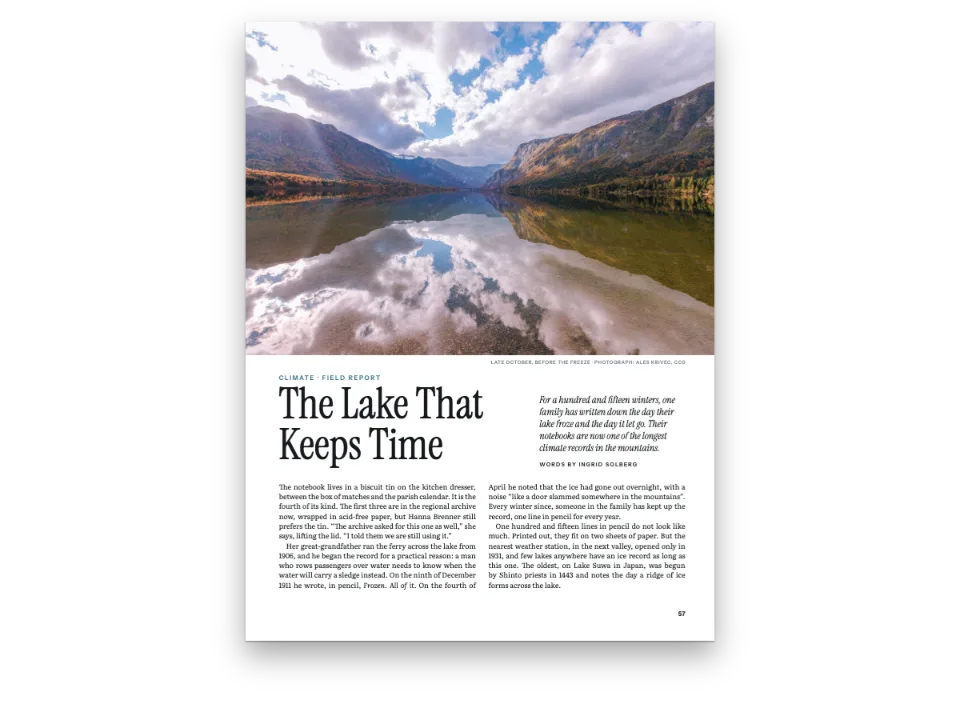
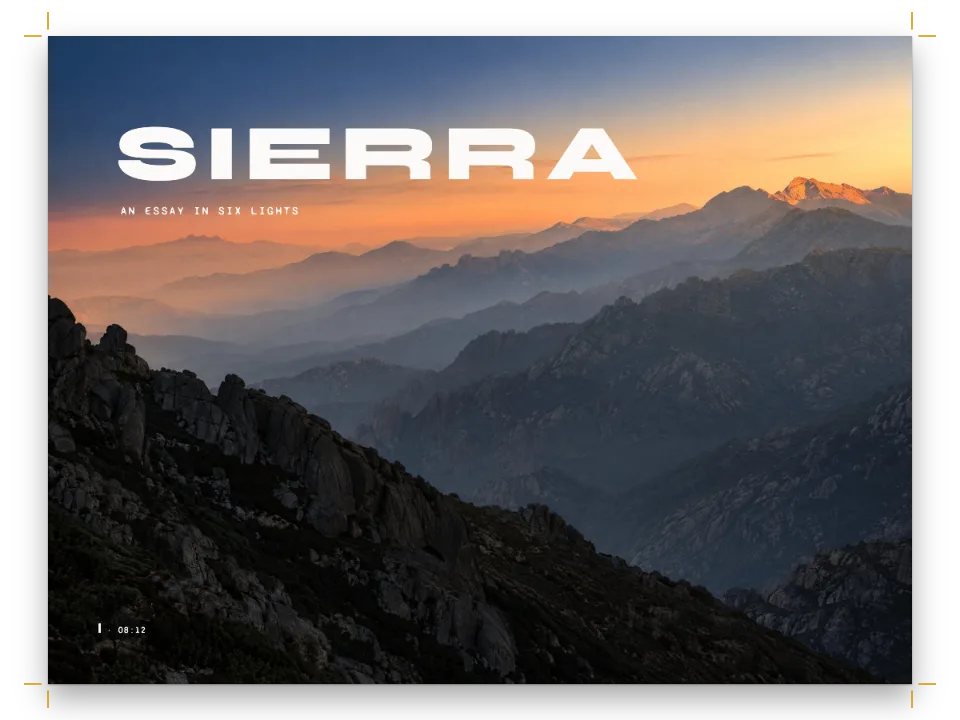
Six pages from the November issue of Meridian, a travel monthly, on a 225 × 297 mm page. The feature opens on a spread: one photograph of salt pans at sunrise runs across both pages, with the headline reversed out of the water on the left and the lead, its drop cap, the standfirst and the byline under the picture on the right. The story then runs in three justified columns, 61.7 mm each. Photographs take two columns, the whole width or one column; a pull quote sits across two columns between the paragraphs; a tinted sidebar with a map of the island opens the closing page. A small blue square ends the text.
This recipe answers
- Can Postext set three or more text columns, or wrap text around an image?
- How do I control where a figure goes: top of page, across both columns, exactly here, or in the margin?
- How do I float a box to the top or bottom of the page while the text keeps flowing?
- How do I add an author line, a standfirst or a lead with a drop cap to an opener?
The short answer
const GUTTER = 5; // mm between the columns
const WIDTH = TRIM.width - MARGIN.inner - MARGIN.outer; // the text block, 195 mm
const COLUMN = (WIDTH - 2 * GUTTER) / 3; // 61.7 mm: about 40 characters of 9.6 pt text
const layout = { layoutType: 'multiple', columnCount: 3, gutterWidth: mm(GUTTER) };
// A float takes `columns` adjacent columns and the gutters between them: the head (or foot)
// of the first run of columns that are still empty, on its page or the next. As many columns
// as the page has is a page-wide float, like span: 'page'.
const across = {
  raker: { position: 'top', columns: 2 }, // 128.3 mm wide, at the head of two columns
  pans: { position: 'top', span: 'page' }, // 195 mm, the whole text block
  flor: { position: 'bottom' }, // 61.7 mm: one column, the default
  sieve: { position: 'top', columns: 2 }, // cited in the first column: heads the other two
  quay: { position: 'top', columns: 2 }, // two columns again, on the closing page
};
// A floated box takes `columns` the same way: the style sets it, a fence may override it
// with :::callout{type="pull" columns="3"}. A box set in the flow ('here') keeps to its column.
const pull = { id: 'pull', placement: 'top', columns: 2, backgroundEnabled: false,
  stripe: { enabled: true, side: 'top', width: pt(2.5), color: col('sea') }, // one device
  padding: { top: mm(3), right: pt(0), bottom: mm(1), left: pt(0) },
  body: { fontFamily: 'Fraunces', fontSize: pt(19), lineHeight: pt(2 * LEAD - 3),
    italic: true, textAlign: 'left', hyphenation: false, color: col('sea'),
    firstLineIndent: pt(0) } };
const visit = { id: 'visit', placement: 'top', // one column, at the head of the next free one
  background: col('tint'), padding: { top: mm(4), right: mm(4), bottom: mm(4), left: mm(4) },
  titleStyle: { ...label, fontWeight: 700, fontSize: pt(8.5), letterSpacing: pt(1.4),
    color: col('sea'), gap: mm(2) },
  body: { fontFamily: 'Barlow Condensed', fontWeight: 500, fontSize: pt(9.6),
    lineHeight: pt(12.4), textAlign: 'left', hyphenation: false, boldColor: col('sea'),
    paragraphSpacing: true, firstLineIndent: pt(0) } };
Three equal columns, and floats that take one, two or all three of them
Ingredients
- Features
- Three or more columnsFloats across several columnsFloated boxesCallout boxesFigure placementDesigned openersPictures in page designsDrop caps in openersHeading attributesHeading stylesRunning heads and foliosHeads by page roleCaption styleSource and credit linesInline chipsCustom resource typesFigures and tables as resourcesSemantic colour paletteMirrored margins
- Type
- Source Serif 4, Fraunces, Barlow Condensed (SIL OFL 1.1)
- Assets
flor-1200.jpgpans-1840.jpgquay-960.jpgraker-1500.jpgsieve-1500.jpgspread-left-1200.jpgspread-right-1200.jpg- Sunrise on the salt pans (the opening spread, in two halves) (Generated With Diffusion Models, CC BY 4.0)
- Sunrise on the salt pans, the recto's half (Generated With Diffusion Models, CC BY 4.0)
- A rake drawing up wet salt (Generated With Diffusion Models, CC BY 4.0)
- The salt flats from above (Generated With Diffusion Models, CC BY 4.0)
- A salt maker with a basket of flor de sal (Generated With Diffusion Models, CC BY 4.0)
- Skimming flor de sal with a sieve (Generated With Diffusion Models, CC BY 4.0)
- Salt sacks on a harbour quay at dusk (Generated With Diffusion Models, CC BY 4.0)
- The sidebar's map of Marisal, drawn in code (Ignacio Ferro, MIT)
Method
#1 · Cut the page into three columns, and let floats take one, two or three
The code is the short answer above. layoutType: 'multiple' with columnCount: 3 divides the 195 mm text block into three equal columns, so with a 5 mm gutter each one is 61.7 mm wide, about 40 characters of 9.6 pt Source Serif. A picture's placement.columns takes that many adjacent columns and the gutters between them: the raking photograph is 128.3 mm wide, and the pans, with span: 'page', the full 195 mm. The pull quote's style does the same for a box, with columns: 2 on a placement: 'top' style, so it floats to the head of two free columns and the text runs on around it. A three-column grid suits a magazine feature with many pictures, because each picture can take one, two or three columns. Long text with few pictures reads better in two wider columns.
#2 · Open on a spread, one photograph across two pages
const PHOTO = 165; // mm: how far down the recto the right half of the photograph bleeds
// The verso is its own heading style: the left half of the picture fills the page, and the
// kicker and headline are reversed out of the dark water at its foot. The picture reserves
// nothing, so nothing is pushed off the page; the recto's heading opens the next page.
const spread = { id: 'spread', span: 'page', advancedDesign: { enabled: true, slot: { elements: [
  { kind: 'image', id: 'photo', resourceId: 'spread-left', reserve: false,
    placement: { ...at('bleed', 'top-left'), size: { width: 'fill', height: 'fill' } } },
  { kind: 'text', id: 'kicker', content: '{attr.kicker}', ...label, fontSize: pt(10),
    letterSpacing: pt(2), color: col('paper'), // on a sea-blue tab: the water is too bright
    box: { backgroundColor: col('sea'), padding: { top: mm(1.2), right: mm(2.4),
      bottom: mm(1.2), left: mm(2.4) } },
    placement: at('page', 'top-left', 20, 188) },
  { kind: 'text', id: 'headline', content: '{titleText}', fontFamily: 'Fraunces',
    fontWeight: 600, fontSize: pt(66), lineHeight: 0.96, // a multiple of the size
    color: col('paper'), align: 'left', overflow: 'wrap',
    placement: at('#kicker', 'below', 0, 3, 150) },
] } } };
// The recto: the right half of the picture, cut to PHOTO mm, then the lead with its drop cap
// in the first column and the standfirst (the heading's own text) across the other two.
const air = { padding: { bottom: mm(6) } }; // empty padding counts: the columns start lower
const deck = { id: 'deck', span: 'page', advancedDesign: { enabled: true, slot: { elements: [
  { kind: 'image', id: 'photo', resourceId: 'spread-right', // cropped to 225 × 165 mm
    placement: { ...at('bleed', 'top-left'), size: { width: 'fill', height: mm(PHOTO) } } },
  { kind: 'text', id: 'credit', content: '{attr.credit}', ...label, fontWeight: 500,
    fontSize: pt(6.8), letterSpacing: pt(0.5), color: col('muted'), align: 'right',
    placement: at('container', 'top-right', 0, PHOTO - MARGIN.top + 2) },
  { kind: 'text', id: 'lead', content: '{attr.lead}', fontFamily: 'Source Serif 4',
    fontSize: pt(9.6), lineHeight: LEAD / 9.6, color: col('ink'), align: 'justify',
    hyphenate: true, box: air, placement: at('container', 'top-left', 0, PHOTO - 10, COLUMN),
    dropCap: { lines: 4, fontFamily: 'Fraunces', fontWeight: 600, color: col('sea'),
      gap: mm(1.6) } },
  { kind: 'text', id: 'standfirst', content: '{titleText}', fontFamily: 'Fraunces', italic: true,
    fontSize: pt(16.5), lineHeight: 1.24, color: col('ink'), align: 'left', overflow: 'wrap',
    placement: at('container', 'top-left', COLUMN + GUTTER, PHOTO - 11, 2 * COLUMN + GUTTER) },
  { kind: 'text', id: 'byline', content: '{attr.byline}', ...label, fontSize: pt(8.5),
    letterSpacing: pt(1.5), color: col('sea'), box: air,
    placement: at('#standfirst', 'below', 0, 4) },
] } } };
Each half of the photograph belongs to a heading style with span: 'page', and a page-span heading always opens a new page, so the headline's page and the standfirst's page follow each other. The left half fills the verso and reserves nothing (reserve: false), so the headline can sit over the water at the foot. The right half is cut to 165 mm, and the lead, the standfirst and the byline hang from the container under it. The lead is a design text with a four-line dropCap, one column wide; its empty bottom padding counts towards the opener's height, so the columns start 6 mm under it. continuation.pageIndexOffset: 83 makes page 84 a verso, so the two halves face each other.
#3 · Declare the photographs, and cite each where it should land
// No figure numbers: the pictures get a type with an empty caption prefix and template.
const photoType = { id: 'photo', name: 'Photograph', shortLabel: 'photo', captionPrefix: '',
  numberingTemplate: '', resetOn: 'never', counterFormat: 'decimal' };
const CREDIT = 'Photograph generated with diffusion models';
// Pixels at the page's 150 dpi (gotcha: bitmap-print-size): each shrinks to its frame.
const photo = (id, [w, h], altText, caption) => ({ id, typeId: 'photo',
  kind: 'bitmap', createdAt: 0, updatedAt: 0, altText,
  bitmap: { fileId: `${id}-${w}.jpg`, format: 'jpeg', width: w, height: h },
  note: CREDIT, ...(caption && { caption, placement: across[id] }) });
const resources = [ // the two halves of the spread are drawn by the headings, never cited
  photo('spread-left', [1200, 1584], 'Salt pans at sunrise, the sky mirrored in still brine.'),
  photo('spread-right', [1200, 880], 'A salt raker at work below a row of white salt heaps.'),
  photo('raker', [1500, 1125], 'A wooden rake pushing a ridge of wet salt crystals.',
    'Raking the crystallisers at dawn. The salt rolls up in a ridge; a rake that digs in '
    + 'tears the clay floor and greys the harvest.'),
  photo('pans', [1840, 1150], 'Rectangular salt pans in pink, ochre and grey by the sea.',
    'The Alvarra flats from the lighthouse hill. The pink basins are nearly ready: an alga '
    + 'colours the brine once it holds more than 200 grams of salt a litre.'),
  photo('flor', [1200, 1488], 'An older woman in a straw hat holding a basket of salt.',
    'Amélia Sousa with an afternoon’s flor de sal, about four kilos from two pans.'),
  photo('sieve', [1500, 1125], 'Hands skimming a crust of salt crystals with a round sieve.',
    'Skimming the flower: the sieve works the downwind edge of the pan, where the breeze has '
    + 'drifted the crust.'),
  photo('quay', [960, 1200], 'Sacks of salt on a harbour quay beside a blue boat at dusk.',
    'Porto Velho, the last week of September: fifty-kilo sacks wait for the mainland boat.'),
  { id: 'map', typeId: 'photo', kind: 'svg', createdAt: 0, updatedAt: 0, // drawn below
    svg: { fileId: 'map.svg', width: MAP.width * 10, height: MAP.height * 10 },
    placement: { position: 'here' }, // in the sidebar, under its title
    caption: 'The Alvarra pans (pink) lie on the eastern flats, 6 km from Porto Velho (the '
      + 'squares) by the coast road. The lighthouse hill is the triangle; the ferry, dashed.',
    altText: 'A map of a long, low island with salt pans at its eastern end and a harbour '
      + 'town at the west.' },
];
A float goes to the first free head (or foot) of its columns after the line that cites it, so the ::resource lines decide the pages. The sieve photograph is cited at the top of the fifth page's first column, and the second and third columns are still empty there, so it heads them on the same page. The harbour photograph is cited late on that page and heads two columns of the next. Photographs of one type never overtake each other, so their citations stay in story order. Bitmaps are measured at the page's 150 dpi: 1500 px make 254 mm and shrink to the 128.3 mm of two columns.
#4 · Running heads and folios off the opening spread
const head = { ...label, fontSize: pt(7.5), letterSpacing: pt(1.3), color: col('muted') };
const folio = { fontFamily: 'Barlow Condensed', fontWeight: 700, fontSize: pt(9.5),
  color: col('ink') };
const pin = (edge, x, y) => ({ anchor: { to: 'page', edge }, offset: { x: mm(x), y: mm(y) } });
const sides = [['even', 'left', 1], ['odd', 'right', -1]]; // 1: the outer edge is on the left
// The label is 2 pt smaller, so it sits 0.68 mm lower in its box: one shared baseline.
const DROP = (0.8 * 1.2 * 2 * 25.4) / 72;
const header = { elements: sides.flatMap(([parity, edge, s]) => [
  { kind: 'text', id: `folio-${parity}`, content: '{pageNumber}', ...folio, align: edge,
    placement: pin(`top-${edge}`, s * MARGIN.outer, 12) },
  { kind: 'text', id: `head-${parity}`, ...head, align: edge,
    content: s > 0 ? '{title} · {subtitle}' : '{chapterTitle}',
    placement: pin(`top-${edge}`, s * (MARGIN.outer + 9), 12 + DROP) },
].map((element) => ({ ...element, parity, pages: 'body' }))) }; // none on the spread
const footer = { elements: [{ kind: 'text', id: 'drop-folio', content: '{pageNumber}', ...folio,
  align: 'right', parity: 'odd', pages: 'opener', // the recto of the spread: a folio at the foot
  placement: pin('bottom-right', -MARGIN.outer, -12) }] };
Header elements paint over the page and reserve no room, so the folio and the label are anchored to the page in the top margin. pages: 'body' keeps them off both pages of the spread, which are opener pages because each starts with a page-span heading. The recto of the spread gets its folio at the foot instead, through pages: 'opener' and parity: 'odd'; the verso, all photograph, carries none.
#5 · Draw the sidebar's map in code
function mulberry32(seed) {
  return () => {
    seed = (seed + 0x6d2b79f5) | 0;
    let r = Math.imul(seed ^ (seed >>> 15), 1 | seed);
    r = (r + Math.imul(r ^ (r >>> 7), 61 | r)) ^ r;
    return ((r ^ (r >>> 14)) >>> 0) / 4294967296;
  };
}
function islandMap() { // in mm: a long, low island lying south-west to north-east
  const rand = mulberry32(135);
  const f = (id, a = 1) => `fill="${palette[id]}"${a < 1 ? ` fill-opacity="${a}"` : ''}`;
  const [cx, cy, rx, ry, turn] = [28, 27, 23, 9.5, -0.5]; // centre, half-axes, radians
  const place = (u, v) => [cx + u * Math.cos(turn) - v * Math.sin(turn),
    cy + u * Math.sin(turn) + v * Math.cos(turn)]; // island frame to map
  const coast = Array.from({ length: 48 }, (_, i) => {
    const a = (i / 48) * 2 * Math.PI;
    const k = 0.9 + rand() * 0.16; // a ragged shore
    return place(rx * k * Math.cos(a), ry * k * Math.sin(a)).map((n) => n.toFixed(2)).join(' ');
  });
  const pans = []; // a grid of basins on the eastern flats, inside the shore
  for (let u = 6; u < 19; u += 2.4) {
    for (let v = -5; v < 5; v += 1.9) {
      if ((u / rx) ** 2 + (v / ry) ** 2 > 0.62) continue;
      const [x, y] = place(u, v);
      pans.push(`<rect x="${(x - 1).toFixed(2)}" y="${(y - 0.7).toFixed(2)}" width="2" `
        + `height="1.4" transform="rotate(${(turn * 180) / Math.PI} ${x.toFixed(2)} `
        + `${y.toFixed(2)})" ${f(rand() < 0.7 ? 'salt' : 'rule')}/>`);
    }
  }
  const [tx, ty] = place(-18, 3); // Porto Velho, on the south-west shore
  const town = [[0, 0], [1.3, 0.2], [0.4, 1.2], [1.7, 1.3], [-0.9, 0.9]].map(([dx, dy]) =>
    `<rect x="${(tx + dx).toFixed(2)}" y="${(ty + dy).toFixed(2)}" width="0.9" height="0.9" `
    + `${f('ink')}/>`).join('');
  const [lx, ly] = place(2, -6.5); // the lighthouse hill, on the north shore
  const ferry = `M${tx} ${ty + 1.5}C${tx - 6} ${ty + 6} 6 46 1.5 48`; // to the mainland, south-west
  return `<svg xmlns="http://www.w3.org/2000/svg" width="${MAP.width * 10}" `
    + `height="${MAP.height * 10}" viewBox="0 0 ${MAP.width} ${MAP.height}">`
    + `<rect width="${MAP.width}" height="${MAP.height}" ${f('sea', 0.16)}/>`
    + `<path d="M${coast.join('L')}Z" ${f('paper')} stroke="${palette.muted}" `
    + 'stroke-width="0.25"/>' + pans.join('') + town
    + `<path d="M${lx - 1.4} ${ly + 1.1}L${lx} ${ly - 1.3}L${lx + 1.4} ${ly + 1.1}Z" ${f('ink')}/>`
    + `<path d="${ferry}" fill="none" stroke="${palette.ink}" stroke-width="0.3" `
    + 'stroke-dasharray="1 0.8"/>'
    + `<path d="M0.4 46.4L1.5 48L2.9 47Z" ${f('ink')}/>` // the arrowhead, a path (no marker)
    + '</svg>';
}
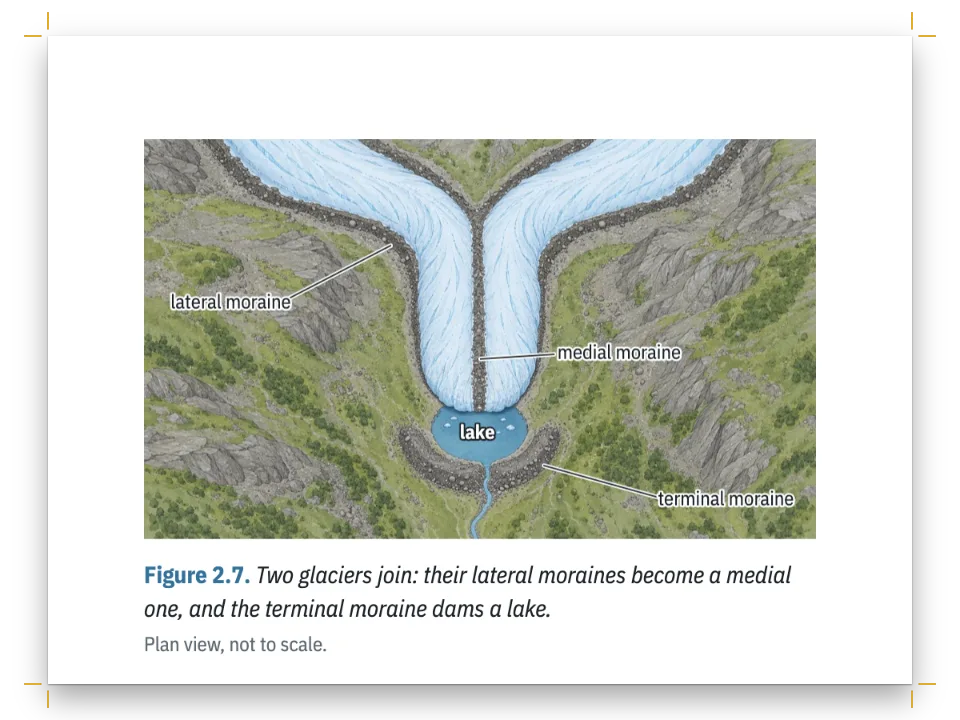
The map is an SVG resource with placement: 'here', cited inside the sidebar's fence, so it sits under the box title at the box's measure. It has no lettering: text inside an SVG cannot use the page's web fonts, so the caption names the shapes instead. The arrowhead on the ferry route is a path, because a <marker> would not survive a PDF export.
The whole recipe
// ═══ Postext Cookbook · Nº 135 · Magazine feature on a three-column grid ═════════
// https://postext.dev/en/cookbook/magazine-three-column-feature
// Code: MIT · Text: original (CC BY 4.0) · Photographs: generated with diffusion models
// Fonts: Source Serif 4, Fraunces, Barlow Condensed (SIL OFL 1.1) · Needs postext ≥ 1.28.0
// A travel feature from a monthly magazine, pages 84–89 of the issue. The story opens on a
// spread, a photograph bled across both pages, then runs on in three columns: pictures across
// two of them, one across the page and one in a single column, a pull quote floated across
// two columns, a sidebar in one, running heads, folios and an end mark.
import {
  buildDocumentWithFonts, renderPageToCanvas, registerResourceImage,
} from 'https://esm.sh/postext';

const LANG = 'en'; // @lang: the language of the sample document ('en' | 'es')
const RECIPE = 'magazine-three-column-feature';

// ─── 1 · Design ─────────────────────────────────────────────────────────────
// #region palette: an Atlantic blue for the one accent, a salt tint for the sidebar
const palette = {
  ink: '#1c2024', // text: a blue-black
  sea: '#1d5470', // the accent: kickers, crossheads, the quote, the drop cap
  tint: '#edf1f2', // the sidebar's ground
  rule: '#c5ced3', // the map's resting pans
  muted: '#5c656d', // running heads, credits, the colophon
  paper: '#ffffff', // the page, and the headline reversed out of the photograph
  salt: '#dfa79c', // the pans on the sidebar's map, the pink of ripe brine
};
const col = (id) => ({ hex: palette[id], model: 'hex', paletteId: id });
const colorPalette = [
  ...Object.entries(palette).map(([id, hex]) => ({ id, name: id, value: { hex, model: 'hex' } })),
  // The engine's defaults link to 'main-color': point it at the accent, so nothing prints blue.
  { id: 'main-color', name: 'sea (defaults)', value: { hex: palette.sea, model: 'hex' } },
];
// #endregion
const TRIM = { width: 225, height: 297 }; // a magazine trim, in mm
const MARGIN = { top: 22, bottom: 20, inner: 16, outer: 14 }; // mirrored
const LEAD = 14; // body leading in pt: the baseline grid
const MAP = { width: 54, height: 50 }; // mm: the sidebar's map, as wide as its measure
const label = { fontFamily: 'Barlow Condensed', fontWeight: 600, textTransform: 'uppercase',
  align: 'left' }; // design text is centred by default
const at = (to, edge, x = 0, y = 0, width) => ({ anchor: { to, edge },
  offset: { x: mm(x), y: mm(y) }, ...(width && { size: { width: mm(width) } }) });

// #region answer: three equal columns, and floats that take one, two or all three of them
const GUTTER = 5; // mm between the columns
const WIDTH = TRIM.width - MARGIN.inner - MARGIN.outer; // the text block, 195 mm
const COLUMN = (WIDTH - 2 * GUTTER) / 3; // 61.7 mm: about 40 characters of 9.6 pt text
const layout = { layoutType: 'multiple', columnCount: 3, gutterWidth: mm(GUTTER) };
// A float takes `columns` adjacent columns and the gutters between them: the head (or foot)
The composed script.js runs as it is: paste it into any page’s module script, or open the recipe on CodePen. Recipe folder on GitHub ↗ (opens in a new tab)
Variations
#Put the pull quote across all three columns
A floated box takes the fence's columns attribute over its style's, so one quote can run the full width.
- :::callout{type="pull"}
+ :::callout{type="pull" columns="3"}#Set the story in two columns
For a feature with fewer pictures and longer paragraphs, see Magazine feature: photo opener to end mark, on a double layout.
Pitfalls
Pitfall
A 'top' float goes to the page after its citation unless it may head the citing page
By default a float never goes above its own reference, so a page-wide 'top' float cited on page N opens page N+1. Set placement.citingPage: true on the resource or its type's defaultPlacement (or layout.floatsAtCitingPage for the whole book, since postext 1.25) and it heads page N instead, the text above the reference moving down under it, when it fits within layout.maxTopFraction and the citing line stays on that page. It never heads a chapter's first page or a page after a forced break: there it still opens the next page, and 'auto' or 'bottom' can take the foot of the citing page. Figure placement →
Pitfall
A page-span heading always opens a new page
A heading whose level or style sets span: 'page' is laid out as an opener at the head of a page, whether or not it has a breakBefore. Placed after other text, or after another opener on the same page, it moves to the next page and leaves the rest of the current one empty. A banner headline across both columns (or both tiers of a vertical page) under a masthead goes into the opener's own design, next to the masthead, or into a :::callout{span="page"} box as a heading without span, as newspaper-front-page sets its banners. Designed openers →
Pitfall
Page 1 is a recto: plan pages with physical numbers
Page 1 is a right-hand page and page 2 the first verso, so plan spreads with physical page numbers: an opener on an even page faces the odd page after it. Page and column breaks →
Pitfall
Bitmaps take their print size from a resolution: declare it, not print-size pixels
A bitmap without a resolution is laid out one pixel per layout pixel at the document's dpi, so a 2400 px photo is 406 mm wide on a 150 dpi page. Declare the file's real pixels and give the picture its resolution (bitmap.resolution: 300), or set layout.bitmapResolution for every bitmap: a ppi, or 'file' to read the one the file states. The column still caps the picture. Figures and tables as resources →
- A photograph across two columns heads two columns that are still empty. Cited in the second column, it finds no such pair on its page, since only the third column is left, and waits for the next page.
- The story is fitted to end level on the sixth page under the harbour photograph. After an edit, check that the last page still fills: a few lines fewer and the photograph moves to a page of its own.
- With 40-character lines, a justified paragraph has few break points.
maxJustifyTracking: 15lets a line that cannot be set within twice the normal space take up to 0.015 em of tracking instead. Fix a one-word last line by editing the copy, as the pages here were.
Credits
- Recipe
- Ignacio Ferro
- Text
- Original prose, CC BY 4.0
- Images
- Sunrise on the salt pans (the opening spread, in two halves) · Generated With Diffusion Models · CC BY 4.0
- Sunrise on the salt pans, the recto's half · Generated With Diffusion Models · CC BY 4.0
- A rake drawing up wet salt · Generated With Diffusion Models · CC BY 4.0
- The salt flats from above · Generated With Diffusion Models · CC BY 4.0
- A salt maker with a basket of flor de sal · Generated With Diffusion Models · CC BY 4.0
- Skimming flor de sal with a sieve · Generated With Diffusion Models · CC BY 4.0
- Salt sacks on a harbour quay at dusk · Generated With Diffusion Models · CC BY 4.0
- The sidebar's map of Marisal, drawn in code · Ignacio Ferro · MIT
- Fonts
- Source Serif 4 (SIL OFL 1.1) · Fraunces (SIL OFL 1.1) · Barlow Condensed (SIL OFL 1.1)
Edit this write-up ↗ (opens in a new tab)Recipe folder on GitHub ↗ (opens in a new tab)