简单来说
全书各章排成一栏宽栏。从附录开始,正文改成两栏较小的字,其中一篇附录排成三栏。全书的开本和语言始终不变。
成品一览
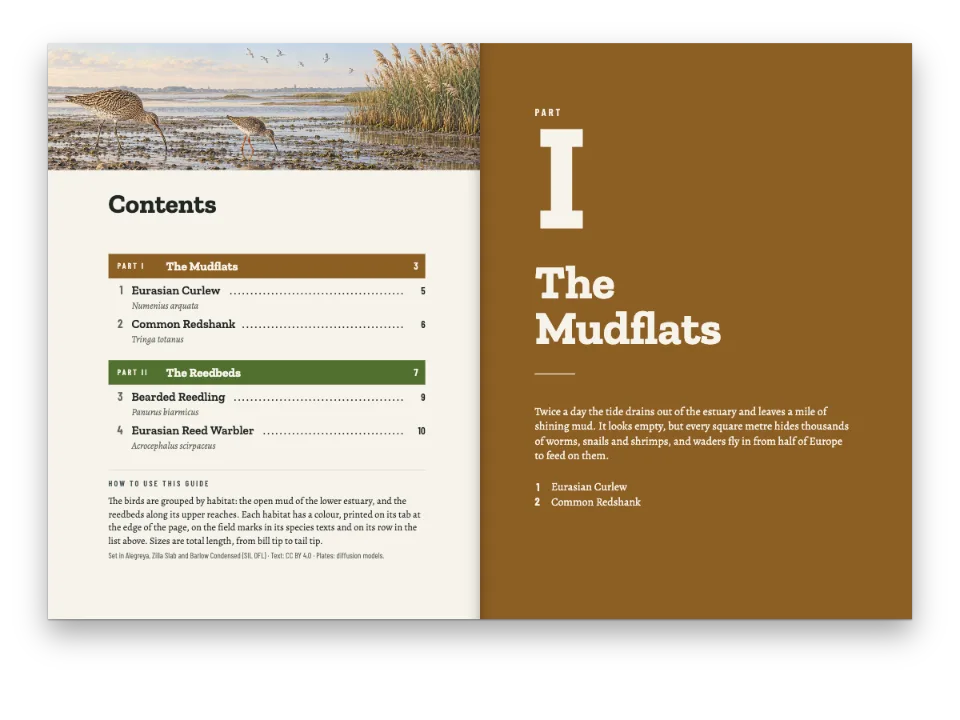
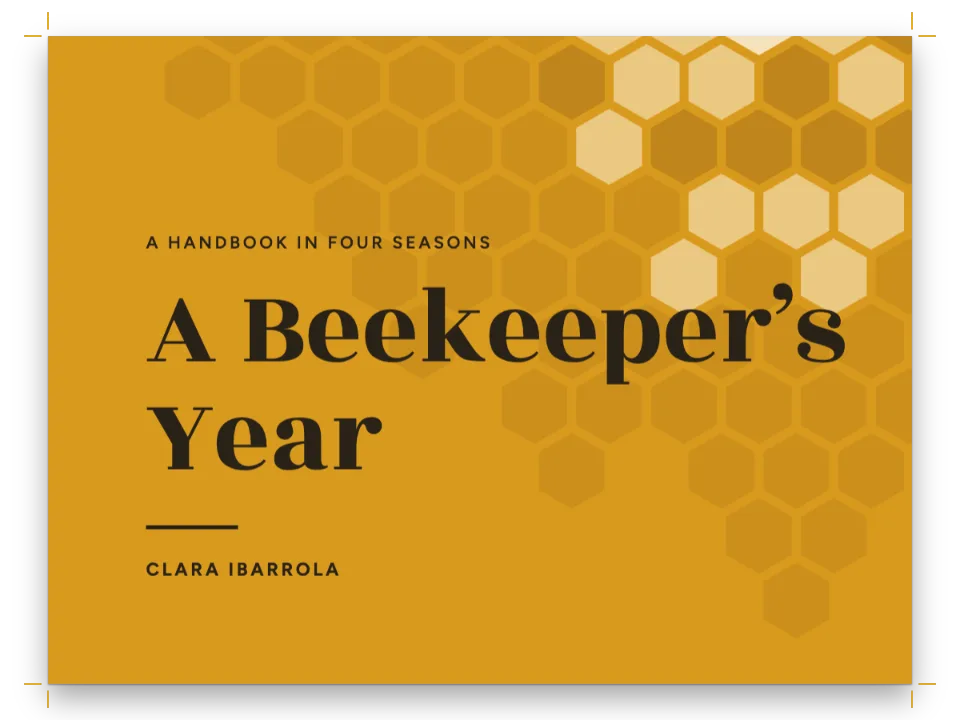
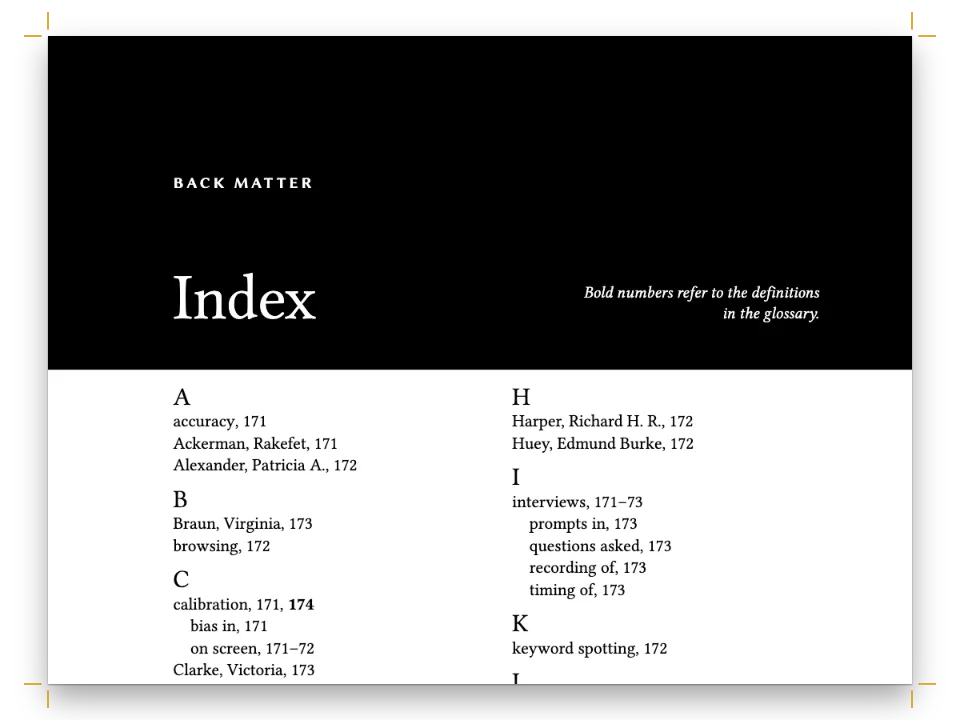
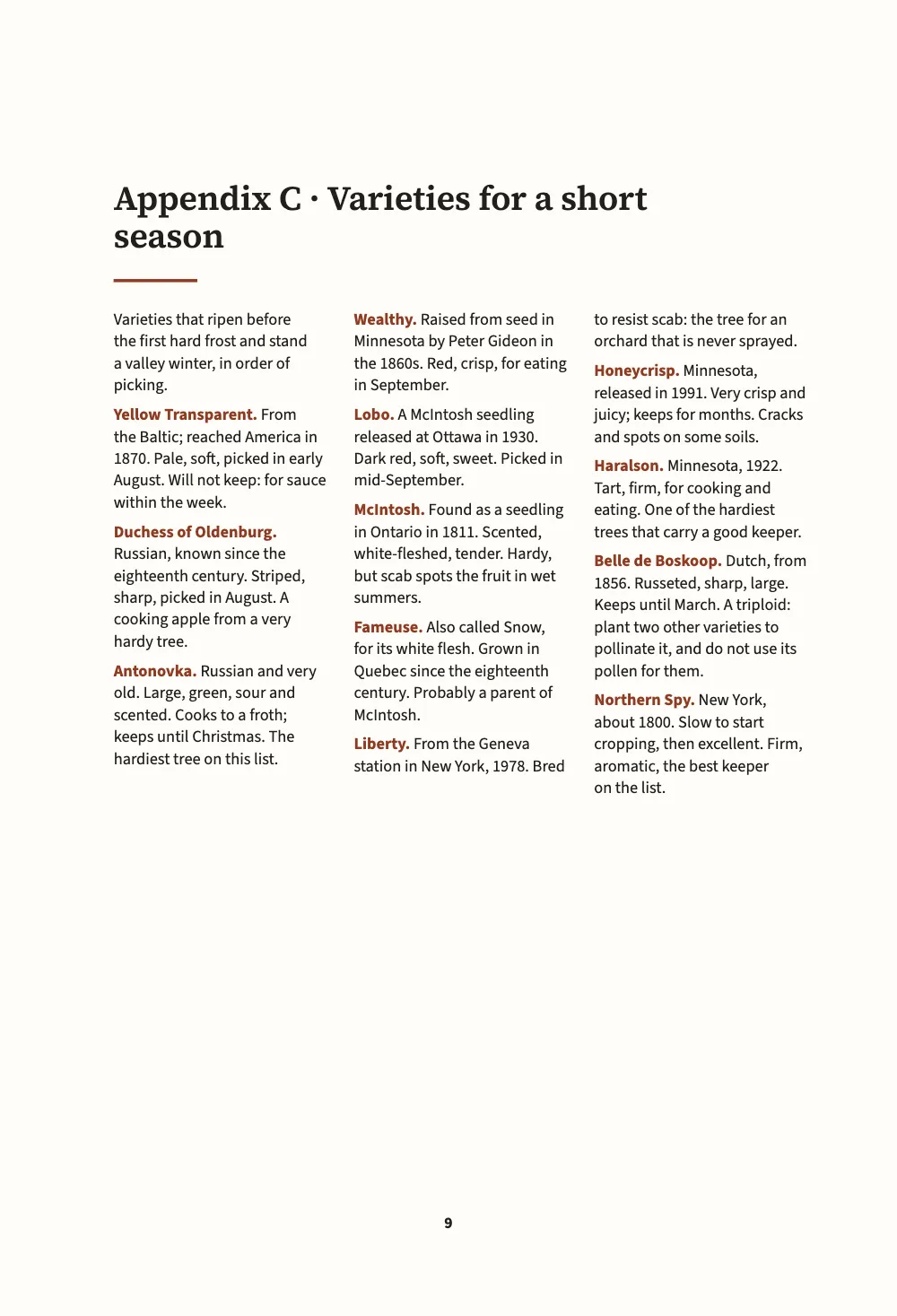
一本写给寒冷山谷中苹果种植者的小手册,开本 150 × 220 mm,由六个 Markdown 文档写成,排成一本书。第一篇的两章排成一栏两端对齐的 Source Serif 4。第二篇是附录,换了一套设计:砧木表和逐月农事历排成两栏齐左的小字,果农会在工具棚里把书摊在工作台上查这类内容;品种表则排成三栏无衬线字。后记不加篇名页,回到全书自己的设计。开本、页边距、断词和语言在每一页都相同。
这道食谱解答
- 怎样让一本书的附录或其中一篇换一种版式,比如双栏、字号更小?
- 怎样把书分成若干篇或部分,每篇有自己的颜色和隔页?
简短回答
const smallOpener = { minHeight: mm(24), slot: { elements: [{ id: 'title', fontSize: pt(16) }] } };
// In the Markdown:  :::part{number="II" title="Appendices" style="appendix"}  sets every
// chapter from there to the next part; a chapter's own  chapterStyle: reference  wins.
const chapterStyles = [
  { id: 'appendix', name: t({ en: 'Appendix', es: 'Apéndice' }), config: {
    layout: { layoutType: 'double', gutterWidth: mm(6) },
    bodyText: { fontSize: pt(8.8), lineHeight: pt(11.6), textAlign: 'left',
      firstLineIndent: pt(0), paragraphSpacing: pt(4) },
    // Lists merge entry by entry on their id or level: only what is named here changes.
    headings: { levels: [{ level: 1, advancedDesign: smallOpener }] },
  } },
  { id: 'reference', name: t({ en: 'Reference list', es: 'Lista de consulta' }), config: {
    layout: { layoutType: 'multiple', columnCount: 3, gutterWidth: mm(4.5) },
    bodyText: { fontFamily: SANS, fontSize: pt(7.8), lineHeight: pt(10.4), textAlign: 'left',
      firstLineIndent: pt(0), paragraphSpacing: pt(3.5), boldColor: col('accent') },
    headings: { levels: [{ level: 1, advancedDesign: smallOpener }] },
  } },
];
// The trim, the language and the fonts stay the book's: a style that sets page.width or
// locale is ignored there, with a chapterStyleBookSetting warning.
用料
- 类型
- Source Serif 4, Source Sans 3(SIL OFL 1.1)
- 素材
- 无:所有图片都用代码绘制
做法
#1 · 样式只写要改的部分
代码见上文简短回答。章样式有一个 id、一个在 Sandbox 里显示的名称,以及一份 config,它像语言层一样合并到全书的设置之上。对象逐键合并,列表按 id 或 level 逐项合并,所以 smallOpener 只点名章首的一个元素,也就是标题,把它的字号改小;标题下的线条和其他一切都保持全书的设置。附录样式只设定双栏、较小的正文字号、齐左排的行和条目间距,别的都不动。
有些设置属于整本书:page 中的开本、分辨率和装订,语言和书写方向,数字,字体,印刷和 PDF 输出。样式里设了其中任何一项,这一项都会被忽略,并发出 chapterStyleBookSetting 警告。所以附录仍是 150 mm 宽的开本,也仍按英式英语断词,与各章相同。
#2 · 由篇指定样式
// Only the first document's front matter is the book's; a later one keeps its chapterStyle.
const chapters = [front, rootstocks, appendices, calendar, varieties, afterword]
  .map((markdown) => ({ markdown }));
第三个文档以 :::part{number="II" title="Appendices" style="appendix"} 开头,从这一章到下一篇之前的每一章都按附录样式排。第五个文档在自己的 front matter 里写了 chapterStyle: "reference",指定自己的样式,它优先于篇的样式。在一本书里,只有第一个文档的 front matter 属于全书;之后的文档只保留其中的 chapterStyle: 一行。
#3 · 有篇名页的篇,和没有篇名页的篇
const text = (id, content, family, size, extra) => ({ kind: 'text', id, content, align: 'left',
  fontFamily: family, fontSize: pt(size), color: col('ink'), overflow: 'wrap', ...extra });
const at = (to, edge, x, y, width) => ({ anchor: { to, edge }, offset: { x: mm(x), y: mm(y) },
  ...(width && { size: { width: mm(width), height: 'auto' } }) });
const parts = {
  breakBefore: { parity: 'any' }, // the book is short: a part opens on the next page
  design: { elements: [ // the container is the trim: the margins are measured from its edges
    { kind: 'box', id: 'band', style: { backgroundColor: col('leaf') },
      placement: { ...at('page', 'top-left', 0, 0), size: { width: 'fill', height: mm(96) } } },
    text('number', '{number}', SERIF, 40, { fontWeight: 600, color: col('paper'),
      placement: at('page', 'top-left', MARGIN.inner, 46, MEASURE) }),
    text('title', '{titleText}', SERIF, 24, { fontWeight: 600, color: col('paper'),
      placement: at('#number', 'below', 0, 2, MEASURE) }),
  ] },
};
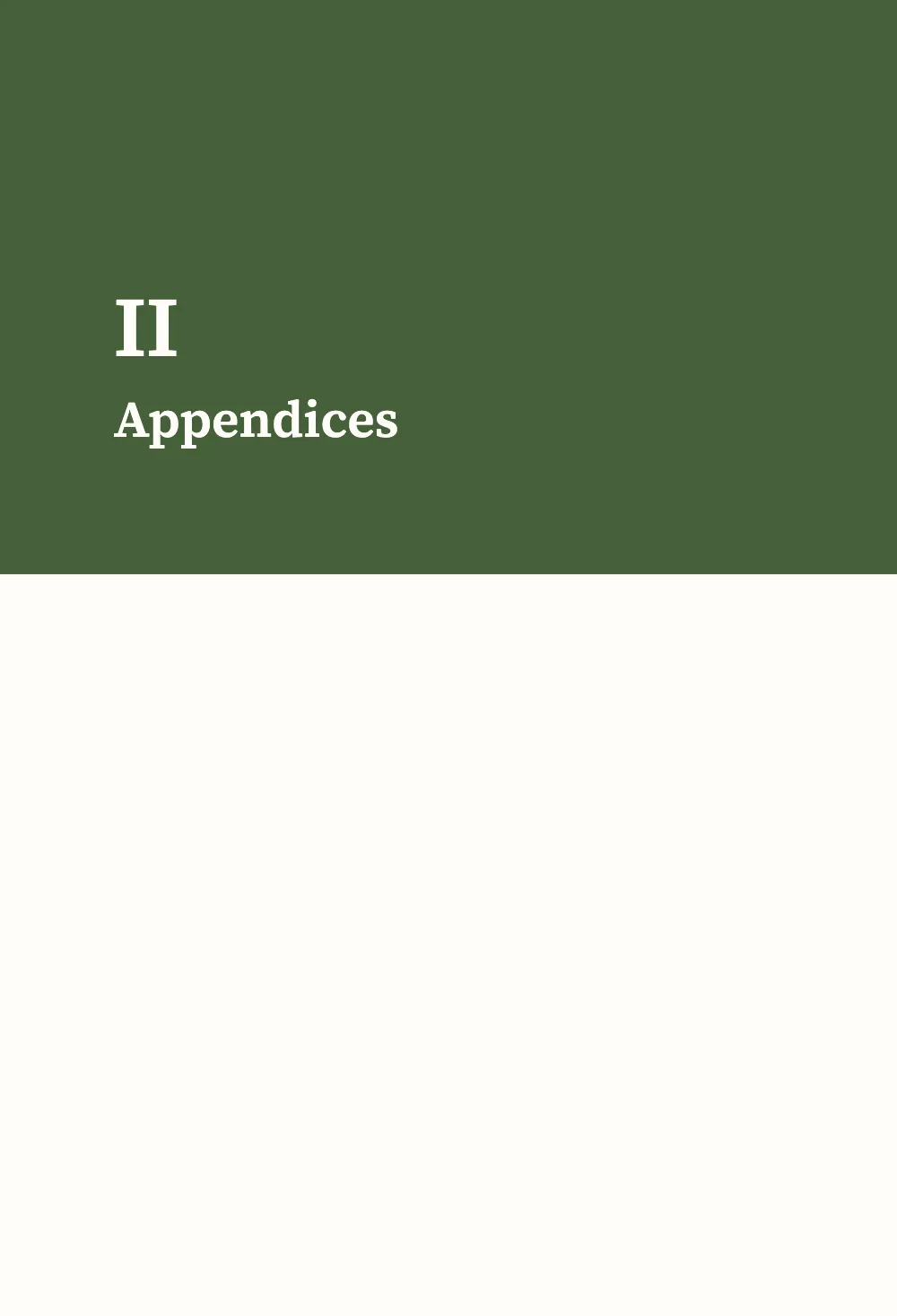
每个 :::part 都会开出一张篇名页,篇号和篇名印在一条绿色色带上。后记以 :::part{title="Afterword" page=false} 开头:不印篇名页;这一篇也没有指定样式,所以它的章又按全书的设置来排。page=false 的篇适合紧接在附录之后的书后内容。
#4 · 一种章首,两种尺寸
const opener = { enabled: true, minHeight: mm(40), slot: { elements: [
  text('title', '{titleText}', SERIF, 22, { fontWeight: 600, lineHeight: 1.12,
    placement: at('container', 'top-left', 0, 8, MEASURE - 10) }),
  { kind: 'rule', id: 'rule', direction: 'horizontal', thickness: pt(1.5), color: col('accent'),
    placement: { ...at('#title', 'below', 0, 4), size: { width: mm(14) } } },
] } };
章首横跨整个版面,所以在附录里它跨过两栏,正文从它下方开始分两栏排。附录样式和参考样式通过元素的 id,把标题缩到 16 pt,把章首下沉缩到 24 mm:书后的内容占地更少,标题仍比正文大得多。
#5 · 书眉沿用全书
const head = (id, content, parity, edge, x, extra = {}) => text(id, content, SANS, 7.5, {
  parity, pages: 'body', fontWeight: 600, letterSpacing: pt(1.2), textTransform: 'uppercase',
  color: col('muted'), overflow: 'clip', placement: at('page', edge, x, 12, 90), ...extra });
const folio = { fontWeight: 700, color: col('ink') };
const right = { align: 'right' };
const header = { elements: [
  head('verso-folio', '{pageNumber}', 'even', 'top-left', MARGIN.outer, folio),
  head('verso-title', '{title}', 'even', 'top-left', MARGIN.outer + 9), // the book's title
  head('recto-title', '{chapterTitle}', 'odd', 'top-right', -(MARGIN.outer + 9), right),
  head('recto-folio', '{pageNumber}', 'odd', 'top-right', -MARGIN.outer, { ...folio, ...right }),
] };
const footer = { elements: [head('drop-folio', '{pageNumber}', 'all', 'bottom', 0, {
  ...folio, align: 'center', pages: 'opener', placement: at('page', 'bottom', 0, -14, 20) })] };
左页书眉是书名,右页书眉是章名。没有哪个样式改动它们,所以书中各篇的书眉都一样。
完整食谱
// ═══ Postext Cookbook · Nº 187 · Appendices in two columns ═══════════════════════════════
// https://postext.dev/en/cookbook/appendices-in-two-columns
// Code: MIT · Text: original (CC BY 4.0) · Pictures: none
// Fonts: Source Serif 4, Source Sans 3 (SIL OFL 1.1) · Needs postext ≥ 1.79.0
// A growers' handbook in six Markdown documents: the chapters in one column, the appendices
// in two columns of smaller type, one appendix in three, and an afterword back in one.
import {
  buildBundle, prepareFonts, withLoadedFonts, renderPageToCanvas,
} from 'https://esm.sh/postext';

const LANG = 'en'; // @lang: the language of the sample document ('en' | 'es')
const RECIPE = 'appendices-in-two-columns';

// ─── 1 · Design ─────────────────────────────────────────────────────────────
// #region palette: russet for the accent, leaf green for the part pages
const palette = { ink: '#211f1b', accent: '#8e3b24', leaf: '#46603a', muted: '#6c665c',
  rule: '#cfc6b6', paper: '#fffdf8' };
const col = (id) => ({ hex: palette[id], model: 'hex', paletteId: id });
const colorPalette = Object.entries({ ...palette, 'main-color': palette.accent })
  .map(([id, hex]) => ({ id, name: id, value: { hex, model: 'hex' } }));
// #endregion
const [SERIF, SANS] = ['Source Serif 4', 'Source Sans 3'];
const TRIM = { width: 150, height: 220 }; // mm, a handbook for the shed shelf
const MARGIN = { top: 22, bottom: 24, inner: 19, outer: 15 }; // mirrored
const MEASURE = TRIM.width - MARGIN.inner - MARGIN.outer; // 116 mm
const LEAD = 14; // pt, the book's leading

// #region answer: two chapter styles; a part names one, a chapter names the other
const smallOpener = { minHeight: mm(24), slot: { elements: [{ id: 'title', fontSize: pt(16) }] } };
// In the Markdown:  :::part{number="II" title="Appendices" style="appendix"}  sets every
// chapter from there to the next part; a chapter's own  chapterStyle: reference  wins.
const chapterStyles = [
  { id: 'appendix', name: t({ en: 'Appendix', es: 'Apéndice' }), config: {
    layout: { layoutType: 'double', gutterWidth: mm(6) },
    bodyText: { fontSize: pt(8.8), lineHeight: pt(11.6), textAlign: 'left',
      firstLineIndent: pt(0), paragraphSpacing: pt(4) },
    // Lists merge entry by entry on their id or level: only what is named here changes.
    headings: { levels: [{ level: 1, advancedDesign: smallOpener }] },
  } },
  { id: 'reference', name: t({ en: 'Reference list', es: 'Lista de consulta' }), config: {
    layout: { layoutType: 'multiple', columnCount: 3, gutterWidth: mm(4.5) },
    bodyText: { fontFamily: SANS, fontSize: pt(7.8), lineHeight: pt(10.4), textAlign: 'left',
      firstLineIndent: pt(0), paragraphSpacing: pt(3.5), boldColor: col('accent') },
    headings: { levels: [{ level: 1, advancedDesign: smallOpener }] },
  } },
];
// The trim, the language and the fonts stay the book's: a style that sets page.width or
// locale is ignored there, with a chapterStyleBookSetting warning.
组合好的script.js可以直接运行:把它粘贴到任何页面的模块脚本中,或在CodePen上打开这道食谱。 GitHub上的食谱文件夹 ↗ (在新标签页中打开)
变化
#让样式改整本书的设置
样式若设了开本或语言,这些键会被忽略。每个键都会引发一条 chapterStyleBookSetting 警告,附录仍保持全书的开本。
   { id: 'appendix', name: t({ en: 'Appendix', es: 'Apéndice' }), config: {
+    page: { width: mm(170) }, locale: 'fr',
layout: { layoutType: 'double', gutterWidth: mm(6) },#在另一本书中复用这套设计
命令行工具可以把一本书的设计连同章样式写进一个设计文件,再用 --design 让另一本书按这套设计排版。见 design 命令。
postext design apples.postext -o handbook.postext
postext pdf pears/ --design handbook.postext -o pears.pdf常见问题
:::part这一行必须放在章的开头、标题之前。章的正文开始之后才出现的篇行会引发partStyleMidChapter,样式要到下一章才生效。chapterStyles中没有的样式名会引发chapterStyleUnknown,该章按全书的设置排。
致谢
- 文本
- 原创文字, CC BY 4.0
- 字体
- Source Serif 4 (SIL OFL 1.1) · Source Sans 3 (SIL OFL 1.1)