简单来说
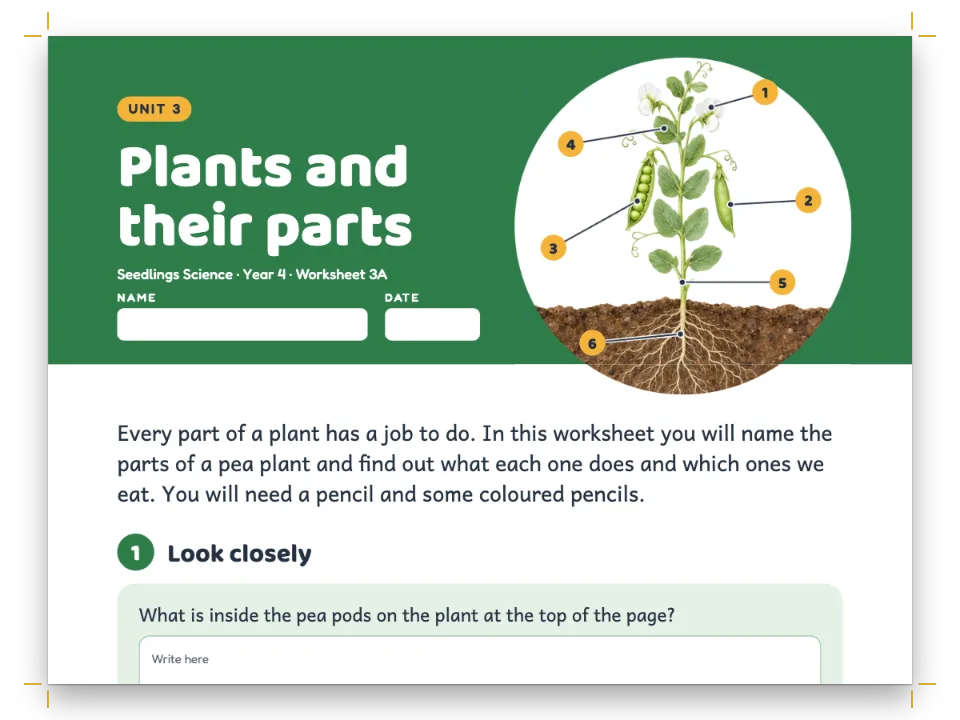
一本四页的种子邮购目录,附价目表。表格里每个品种都配一幅种子袋的小图,价目表从一页接到对面一页。
成品一览
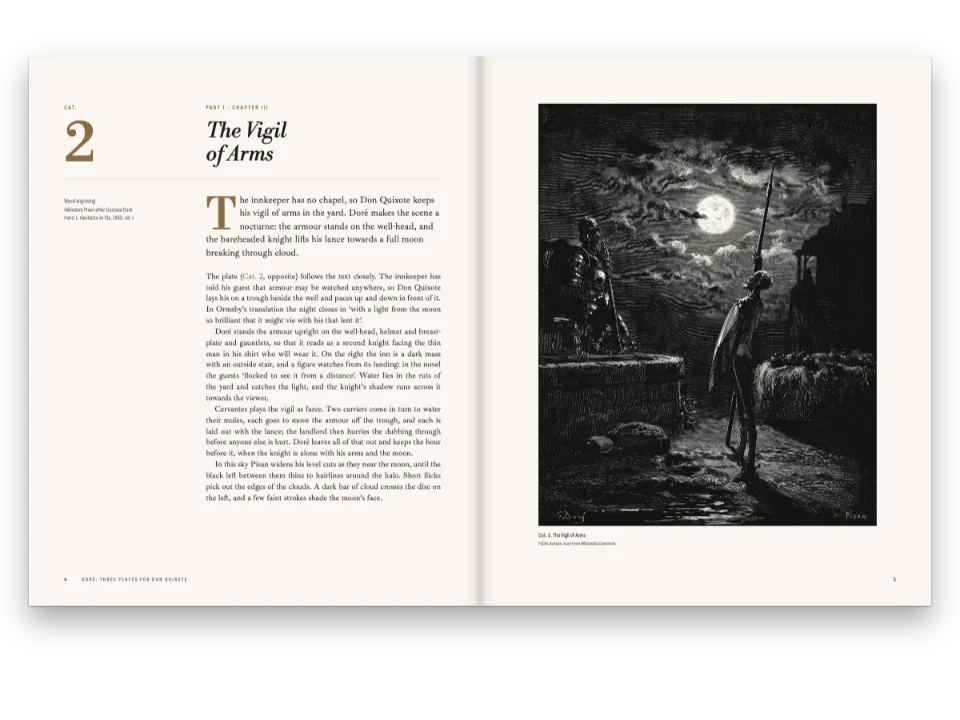
Brindlewood Seed Co.(一家虚构的种子农场)的春季价目表,排成浅黄色纸上的四页小册子。封面用Alfa Slab One排Spring Seeds,下面是一幅向日葵和番茄的画,再下面是两栏的致种植者信。第2、3页是价目表。每个品种的单元格顶部是一幅它的种子袋的画,名称排在袋下,蔬菜的类别沿合并的第一栏往下排。价格齐右,用窄体标签字体;红色和绿色的行内标签标出新品和有机种子。表格在煎炒甜椒之后断开,在对页同一条红色色带下接续,标有(continued)。封底是订货单,两个圆角表格,留有空行供填写。
这道食谱解答
- 怎样在表格单元格里放图片或图标?
- 怎样把长表跨页拆分,并重复表头、加上“续表”标记?
- 怎样在一份文档里给几张表设不同的样式(填色、斑马纹单元格、圆角边框)?
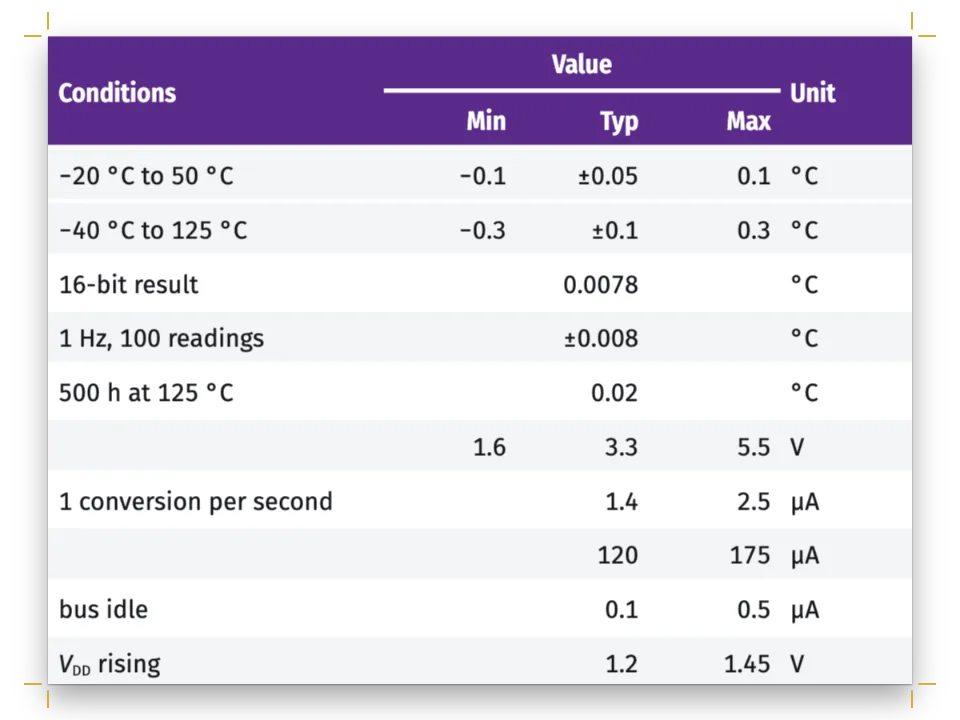
- 怎样做一个有表头行、合并单元格、栏宽和逐格对齐的表?
简短回答
const at = (row, c) => ({ row, col: c });
const slug = (name) => name.toLowerCase().replace(/\W+/g, '-'); // 'Gold Medal' → 'gold-medal'
function priceList(tsv) { // Kind · Variety · Description · Packet · Ounce, under one head row
  let m = { ...parseTSV(tsv, { headerRows: 1 }), columnWidths: [20, 40, 63, 17, 17] }; // mm
  for (const c of [0, 1]) m = setAlignment(m, at(0, c), 'center'); // each head over its column
  for (const c of [3, 4]) m = setAlignment(m, at(0, c), 'right');
  for (let r = 1; r < m.rows.length; r++) {
    // The picture is a resource of its own; the cell sets it at the top, centred, with the
    // variety's name under it, and the row grows to hold both.
    const variety = m.rows[r][1].content;
    m = setCellImage(m, at(r, 1), { resourceId: slug(variety), width: PACKET });
    m = setCellContent(m, at(r, 1), `**${variety}**`);
    m = setAlignment(m, at(r, 1), 'center');
    for (const c of [3, 4]) { // prices in the label face: lining figures, flush right
      m = setCellContent(m, at(r, c), `:chip[$${m.rows[r][c].content}]{style="price"}`);
      m = setAlignment(m, at(r, c), 'right');
    }
    if (!m.rows[r][0].content) continue; // an empty Kind goes on with the one above
    let end = r;
    while (m.rows[end + 1] && !m.rows[end + 1][0].content) end++;
    // One cell down the rows of its kind; mergeCells leaves the covered cells in the grid,
    // marked hiddenBy (gotcha: merged-cells-hiddenby). A split never cuts through it.
    m = mergeCells(m, { start: at(r, 0), end: at(end, 0) });
    m = setAlignment(m, at(r, 0), 'center', 'middle');
    m = setCellBackground(m, at(r, 0), col('cream'));
  }
  return m;
}
// The letter on page 1 cites the list, so it floats to the first free slot after the
// letter, page 2, and is cut between rows where the page ends; span 'page' gives it the
// full 157 mm, not a 75 mm column.
const vegetableList = (tsv) => ({ id: 'vegetables', typeId: 'list', kind: 'table',
  caption: '**Vegetable Seeds**', placement: { span: 'page' },
  note: 'A packet holds about 30 tomato or pepper seeds, 40 beans or 12 squash seeds.',
  table: { model: priceList(tsv) }, createdAt: 0, updatedAt: 0 });
用料
- 功能
- 表格单元格中的图片跨页的表由数据生成的表命名表格样式表格样式单元格填色题注样式行内标签自定义资源类型作为资源的图和表图的放置决定图位置的引用标题样式标题属性设计过的章首页页面设计中的图片封面、扉页和版权页书眉与页码纸张颜色语义调色板
- 类型
- Gelasio, Alfa Slab One, Cabin Condensed(SIL OFL 1.1)
- 素材
amish-paste-360.jpgblack-beauty-360.jpgbrandywine-360.jpgcherokee-purple-360.jpgcover-1500.jpgdragon-tongue-360.jpggold-medal-360.jpgjimmy-nardello-360.jpgkentucky-wonder-360.jpgwaltham-butternut-360.jpg- The cover's sunflower and tomato plant, a painting (Generated With Diffusion Models, 原创)
- The Brandywine seed packet (Generated With Diffusion Models, 原创)
- The Cherokee Purple seed packet (Generated With Diffusion Models, 原创)
- The Gold Medal seed packet (Generated With Diffusion Models, 原创)
- The Amish Paste seed packet (Generated With Diffusion Models, 原创)
- The Jimmy Nardello seed packet (Generated With Diffusion Models, 原创)
- The Kentucky Wonder seed packet (Generated With Diffusion Models, 原创)
- The Dragon Tongue seed packet (Generated With Diffusion Models, 原创)
- The Black Beauty seed packet (Generated With Diffusion Models, 原创)
- The Waltham Butternut seed packet (Generated With Diffusion Models, 原创)
做法
#1 · 补上TSV没有的内容
代码见上文简短回答。TSV里只有文字和价格。setCellImage把每个品种的种子袋(一个以品种命名的资源)放在单元格顶部,宽度为内宽的55%,所以名称排在一幅20.3 × 27.1 mm的图下,每行增高到36 mm。mergeCells让每个类别沿第一栏向下延伸,并把被覆盖的单元格标为hiddenBy。表格的正文单元格共用一种字体,这里是Gelasio,所以每个价格都是一个不带填充、边框和左右内边距的行内标签,用粗体Cabin Condensed、1.12 em,以取得等高数字。
#2 · 引用价目表,让它跨两页排开
const tableStyle = { bodyFontSize: pt(9), headerFontFamily: LABEL, // body cells in Gelasio
  headerFontSize: pt(7.5), headerColor: col('paper'), headerBackground: col('ink'),
  rules: 'horizontal', borderColor: col('rule'), borderWidth: pt(0.5), cellPadding: mm(1.5),
  // 'split' is the default, written out as the key to change: 'clip' keeps the rows that fit
  // page 2 and drops the rest, 'hide' drops the whole list. Suffix and marker label the parts.
  overflow: 'split', continuedSuffix: '(continued)',
  continuesMarker: 'Continued on the facing page' };
const tableStyles = [{ id: 'form', rules: 'grid', borderRadius: mm(2.5), // a card to write on
  borderColor: col('muted'), borderWidth: pt(0.6), headerBackground: col('basil'),
  bodyFontFamily: LABEL, bodyFontSize: pt(8.5),
  bodyBackgroundEnabled: true, bodyBackground: col('cream'), cellPadding: mm(1.6) }];
// The caption sits above the table on a tomato band and is repeated on every part. Its note
// and the marker take the caption's face, so the caption keeps the body's Gelasio, which has
// the italic the suffix and the marker are set in; Cabin Condensed has none.
const captionStyle = { fontSize: pt(12), color: col('cream'),
  position: 'above', backgroundEnabled: true, background: col('tomato'), padding: mm(2),
  gap: mm(0), note: { fontSize: pt(7.8), color: col('muted') } };
第1页的信用:ref{id="vegetables" text="the price list"}引用价目表,text用这几个词代替编号印出来。被引用的表会浮动到引用之后的第一个空位,这里是第2页顶部。表在那里放不下,所以引擎在Jimmy Nardello之后的行间把它断开,绝不在合并的类别中间断开。第3页重复表头行和带后缀的题注色带;标记放在第一部分下面,附注放在最后一部分下面(超过页面高度的表)。parseTSV(tsv, { headerRows: 1 })把第一行设为表头行,按表头绘制,并在第3页重复。后缀和标记都是斜体,沿用题注的字体,所以色带保持Gelasio;Cabin Condensed没有斜体。
#3 · 每个种子袋一个资源
// Nothing cites the pictures, so none is numbered or placed: the cover design and the cells
// draw them by id, and their typeId is never looked up.
const picture = (id, fileId, [w, h], altText) => ({ id, typeId: 'figure', kind: 'bitmap',
  altText, bitmap: { fileId, format: 'jpeg', width: w, height: h }, createdAt: 0, updatedAt: 0 });
const varieties = parseTSV(list).rows.slice(1).map((row) => row[1].content);
const resources = [vegetableList(list), shipTo, orderForm,
  picture('cover-art', 'cover-1500.jpg', [1500, 1040], // the cover's 150 × 104 mm
    'A sunflower and a staked tomato plant in a ploughed field.'),
  ...varieties.map((name) => picture(slug(name), `${slug(name)}-360.jpg`, [360, 480], // 3 : 4
    `Seed packet of ${name}.`))];
await prepareFonts(markdown + list, config(), kitFonts(FONTS));
await Promise.all(resources.flatMap(({ bitmap }) => bitmap
  ? [loadImage(bitmap.fileId, asset(bitmap.fileId))] : []));
单元格图片按id指定资源,所以每个种子袋都是一个独立的位图资源,即一张按种子袋3 : 4的比例裁好的360 × 480 px JPEG,工具包的loadImage用registerResourceImage把它注册在fileId下。没有任何地方引用这些种子袋,所以它们都不编号,也不会被放到单元格外。这些画上不带文字:名称作为单元格文字,用页面的字体排出。
#4 · 订货单用第二种表格样式
function form(id, widths, rows, merges, note) { // an empty cell still takes a line's height
  let m = { headerRowCount: 1, columnWidths: widths, rows: rows.map((row, r) =>
    widths.map((_, c) => ({ content: row[c] ?? '', isHeader: r === 0 }))) };
  for (const [r, c0, c1] of merges) m = mergeCells(m, { start: at(r, c0), end: at(r, c1) });
  m.rows.forEach((row, r) => row.forEach((cell, c) => { // a label takes the paper's buff
    if (r === 0 || !cell.content || cell.hiddenBy) return;
    m = setCellBackground(m, at(r, c), col('paper'));
    if (cell.colSpan > 1) m = setAlignment(m, at(r, c), 'right'); // the totals' labels
  }));
  return { id, typeId: 'list', kind: 'table', note, placement: { position: 'here' },
    table: { model: m, styleId: 'form' }, createdAt: 0, updatedAt: 0 };
}
const shipTo = form('ship-to', [24, 60, 24, 49], [['Ship to'], ['Name'], ['Street or box'],
  ['Town', '', 'State and ZIP']], [[0, 0, 3], [1, 1, 3], [2, 1, 3]]);
const lines = Array.from({ length: 11 }, () => []); // eleven varieties to a sheet
const orderForm = form('order', [16, 73, 20, 20, 28], [['No.', 'Variety', 'Packets', 'Ounces',
  'Amount'], ...lines, ['Seeds total'], ['Postage: free on orders of $40 or more, otherwise $4.50'],
['**Total enclosed**']], [1, 2, 3].map((k) => [lines.length + k, 0, 3]),
'We guarantee every packet to grow. If a variety fails to come up in your garden, write to '
  + 'us before August 1 and we will send a new packet or refund what you paid for it.');
两个表格用具名样式form:网格线、外框2.5 mm的圆角,以及供填写的米色底。价目表保留文档的tableStyle(具名表格样式)。空单元格不需要占位内容,因为它所在的行仍占一行高度,这里是7.3 mm。每个总计行把四栏合并成一个齐右的标签。订货单的标题样式把第4页切换为单栏,所以两个表格都占满157 mm的整个行长。
#5 · 让信排在画的下方
const ART = { w: 150, h: 104, y: 60 }; // mm: the cover painting, and its top on the page
const FRAME = 8; // mm: the cover's frame, in from the trim
const AIR = 10; // mm: at least this much between the painting and the letter
const SINK = Math.ceil((ART.y + ART.h + AIR - MARGIN.top) / (LEAD * 25.4 / 72)); // lines
const cover = { id: 'cover', span: 'page', footer: { elements: [] },
  // The opener reserves down to the painting's foot; minHeight is a floor AIR lower, on the
  // grid. The frame reaches the page's foot, so it stays out of that count: reserve: false
  // (gotcha: opener-reserves-anchored).
  advancedDesign: { enabled: true, minHeight: pt(SINK * LEAD), slot: { elements: [
    { kind: 'box', id: 'frame', reserve: false,
      style: { borderColor: col('basil'), borderWidth: pt(1.2) },
      placement: on('page', 'top-left', FRAME, FRAME,
        { width: mm(TRIM.w - 2 * FRAME), height: mm(TRIM.h - 2 * FRAME) }) },
    text('publisher', '{title}', on('page', 'top', 0, 17), { ...caps(9.5), color: col('basil') }),
    text('title', '{titleText}', on('page', 'top', 0, 23), { fontFamily: DISPLAY,
      fontSize: pt(58), lineHeight: 1, color: col('tomato') }),
    text('issue', '{subtitle}', on('page', 'top', 0, 49), { ...caps(8.5, 700), color: col('ink'),
      box: { backgroundColor: col('sun'), padding: { top: mm(1.3), bottom: mm(1.1),
        left: mm(4), right: mm(4) } } }),
    { kind: 'image', id: 'art', resourceId: 'cover-art',
      placement: on('page', 'top', 0, ART.y, { width: mm(ART.w) }) },
  ] } },
};
封面预留的高度到画的下边缘为止,距页顶164 mm;没有minHeight,信会从画下方的第一条网格线开始,紧贴着泥土。minHeight是比它稍低的下限:SINK在画下加10 mm空白,并把上页边距以下的深度向上取整为整数个13 pt行,共34行,所以信的两栏都从网格上开始,距页顶177.9 mm。封面的边框一直到页脚,reserve: false让它不计入预留的高度。
完整食谱
// ═══ Postext Cookbook · Nº 036 · Mail-order catalogue with pictures in cells ═══════
// https://postext.dev/en/cookbook/seed-catalogue
// Code: MIT · Text: original (CC BY 4.0) · Pictures: diffusion models
// Fonts: Gelasio, Alfa Slab One, Cabin Condensed (SIL OFL 1.1) · Needs postext ≥ 1.25.0
// A fictional seed farm's spring list: a table read from TSV, a packet pictured in each row.
import {
  buildDocumentWithFonts, prepareFonts, renderPageToCanvas, registerResourceImage, parseTSV,
  mergeCells, setAlignment, setCellBackground, setCellContent, setCellImage,
} from 'https://esm.sh/postext';

const LANG = 'en'; // @lang: the language of the sample document ('en' | 'es')
const RECIPE = 'seed-catalogue';

// ─── 1 · Design ─────────────────────────────────────────────────────────────
const palette = { // eight named colours; every colour in the config links to one of them
  ink: '#2d2620', paper: '#f0e2c4', // brown-black text on buff
  cream: '#fcf7ea', tomato: '#c23b22', // cells to write in; the accent: bands, titles, NEW
  basil: '#2f6b3b', sun: '#e8b53a', // rules, ORGANIC, the form's head; the cover's banner
  rule: '#c7ae86', muted: '#6d5f50', // hairlines; running heads and notes
};
// col() links a colour to its palette entry; the hex is the value the entry holds.
const col = (id) => ({ hex: palette[id], model: 'hex', paletteId: id });
const colorPalette = Object.entries(palette)
  .map(([id, hex]) => ({ id, name: id, value: { hex, model: 'hex' } }));

const TRIM = { w: 190, h: 250 }; // mm: a stapled mail-order booklet
const MARGIN = { top: 22, bottom: 20, inner: 18, outer: 15 }; // mm, mirrored: 157 mm wide
const LEAD = 13; // pt: the body leading, the grid the headings keep to
const TEXT = 'Gelasio', DISPLAY = 'Alfa Slab One', LABEL = 'Cabin Condensed';
const PACKET = 0.55; // the packet picture's share of its cell's inner width
const caps = (size, fontWeight = 600) => ({ fontFamily: LABEL, fontSize: pt(size), fontWeight,
  letterSpacing: pt(size * 0.18), textTransform: 'uppercase' });
const on = (to, edge, x, y, size) => ({ anchor: { to, edge }, offset: { x: mm(x), y: mm(y) },
  ...(size && { size }) });
const text = (id, content, placement, style) => ({ kind: 'text', id, content, placement,
  overflow: 'wrap', ...style }); // a long line takes a second one, in the heads too
const chip = (id, size, ink, box) => ({ id, fontFamily: LABEL, bold: true, fontSize: em(size),
  color: col(ink), borderRadius: pt(1.2), ...box });
const rule = (id, below, gap, thickness) => ({ kind: 'rule', id, direction: 'horizontal',
  thickness: pt(thickness), color: col('basil'),
  placement: { ...on(`#${below}`, 'below', 0, gap), size: { width: 'fill' } } });

// #region answer: a price list from TSV: a packet in each variety's cell, kinds merged down
const at = (row, c) => ({ row, col: c });
const slug = (name) => name.toLowerCase().replace(/\W+/g, '-'); // 'Gold Medal' → 'gold-medal'
function priceList(tsv) { // Kind · Variety · Description · Packet · Ounce, under one head row
  let m = { ...parseTSV(tsv, { headerRows: 1 }), columnWidths: [20, 40, 63, 17, 17] }; // mm
  for (const c of [0, 1]) m = setAlignment(m, at(0, c), 'center'); // each head over its column
组合好的script.js可以直接运行:把它粘贴到任何页面的模块脚本中,或在CodePen上打开这道食谱。 GitHub上的食谱文件夹 ↗ (在新标签页中打开)
变化
#只保留放得下的部分
用overflow: 'clip'时,价目表在第2页放得下的五个品种之后结束,附注排在它们下面,第3页只有试验园笔记,排在第一栏。
-  overflow: 'split', continuedSuffix: '(continued)',
+ overflow: 'clip', continuedSuffix: '(continued)',#缩小种子袋
设为40%时,每行降到29 mm,但两种豆子共用一个合并单元格,合起来需要57 mm,超过第2页剩下的44 mm。试验园笔记上移填进这块空间,第3页只放价目表的其余部分,157 mm以下留白。
-const PACKET = 0.55; // 种子袋图占单元格内宽的比例
+const PACKET = 0.4; // 种子袋图占单元格内宽的比例常见问题
易错点
章首页预留的高度一直到最低的页面锚定元素
高级设计的章首页会预留到其最低元素为止的高度,标题下方锚定在页面或出血上的元素也算在内,所以页脚处的装饰会把正文推到下一页。给这样的元素设reserve: false(从postext 1.5起):它绘制在锚定的位置,不预留任何空间。跟随区段本身的元素(锚定在区段底边,或高度为'fill')从不决定区段的高度。 设计过的章首页 →
- 没有被引用的资源永远不会被放置。把信里的
:ref去掉,目录就没有价目表了。 - 在75 mm宽的栏里,Knuth–Plass可能留下词间距超过
maxWordSpacing的两端对齐行;bodyText.maxJustifyTracking可以让这样的行改用少量字距来补。这里信和试验园笔记经过改写,直到最松的一行词间距为正常宽度的1.33倍。
致谢
- 文本
- 原创文字, CC BY 4.0
- 图片
- The cover's sunflower and tomato plant, a painting · Generated With Diffusion Models · 原创
- The Brandywine seed packet · Generated With Diffusion Models · 原创
- The Cherokee Purple seed packet · Generated With Diffusion Models · 原创
- The Gold Medal seed packet · Generated With Diffusion Models · 原创
- The Amish Paste seed packet · Generated With Diffusion Models · 原创
- The Jimmy Nardello seed packet · Generated With Diffusion Models · 原创
- The Kentucky Wonder seed packet · Generated With Diffusion Models · 原创
- The Dragon Tongue seed packet · Generated With Diffusion Models · 原创
- The Black Beauty seed packet · Generated With Diffusion Models · 原创
- The Waltham Butternut seed packet · Generated With Diffusion Models · 原创
- 字体
- Gelasio (SIL OFL 1.1) · Alfa Slab One (SIL OFL 1.1) · Cabin Condensed (SIL OFL 1.1)