باختصار
فصول الكتاب منضَّدة في عمود واحد عريض. ومن الملاحق فصاعدًا يجري النص في عمودين بحرف أصغر، وفي أحد الملاحق في ثلاثة. ويبقى مقاس الصفحة ولغة الكتاب كما هما من أوله إلى آخره.
ما الذي ستنضده
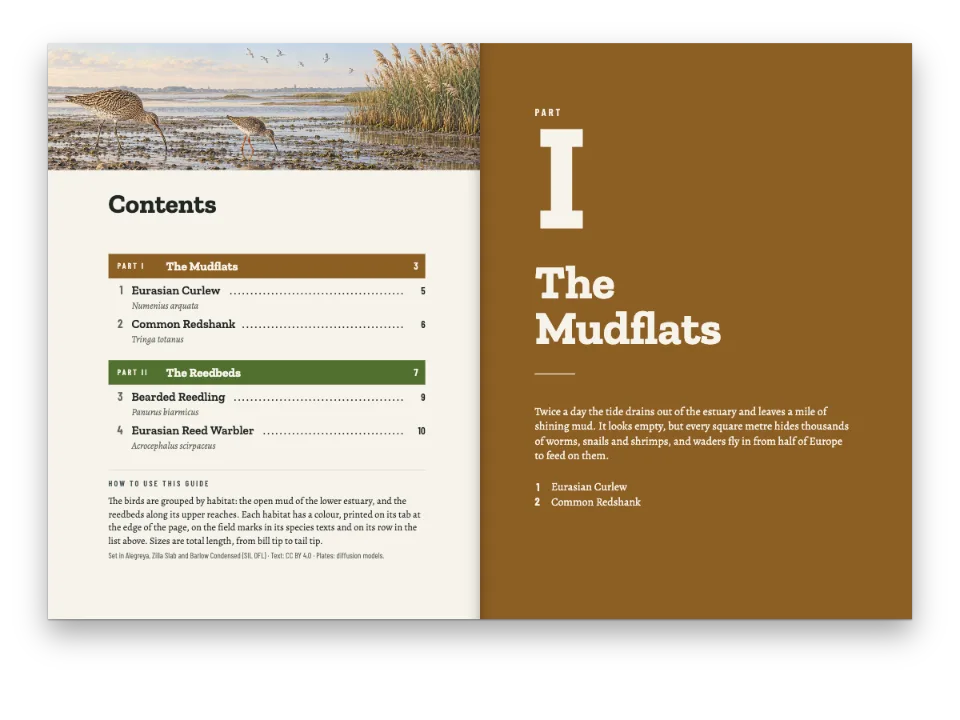
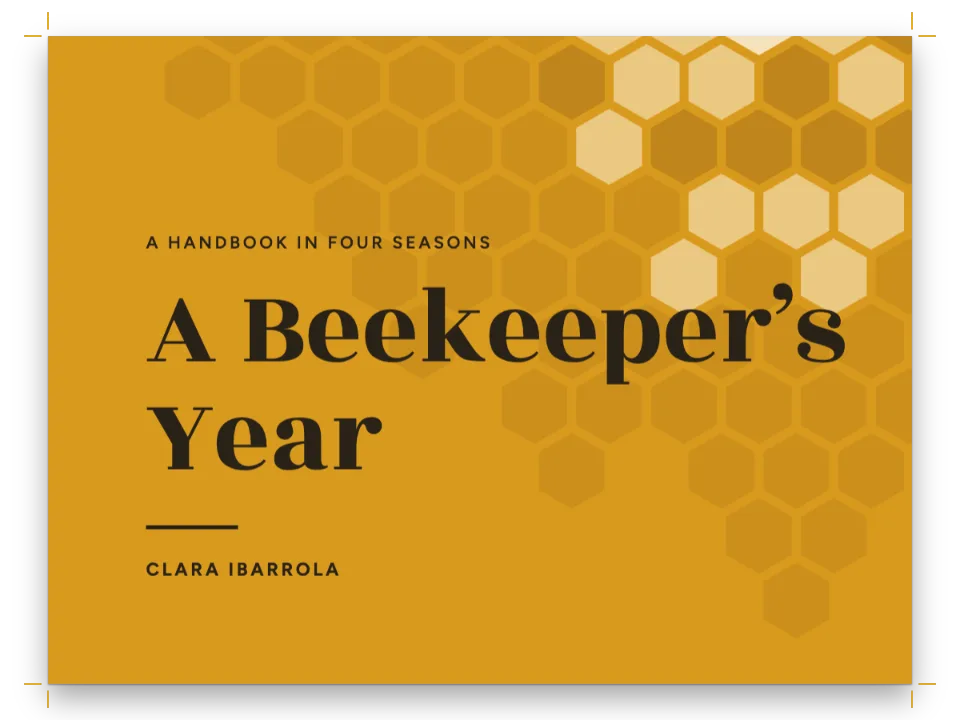
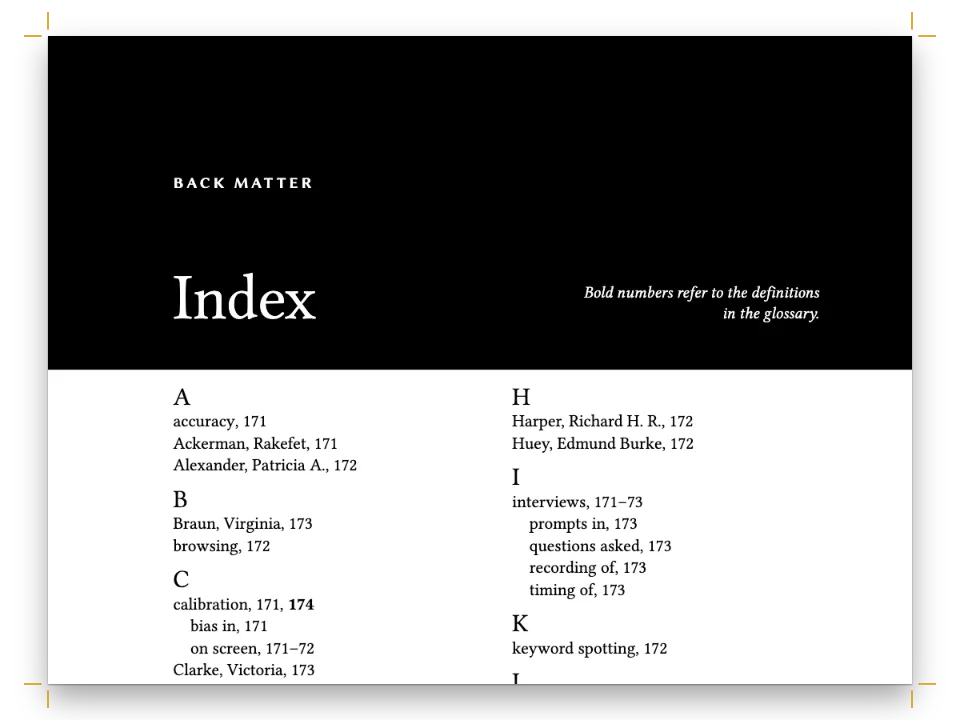
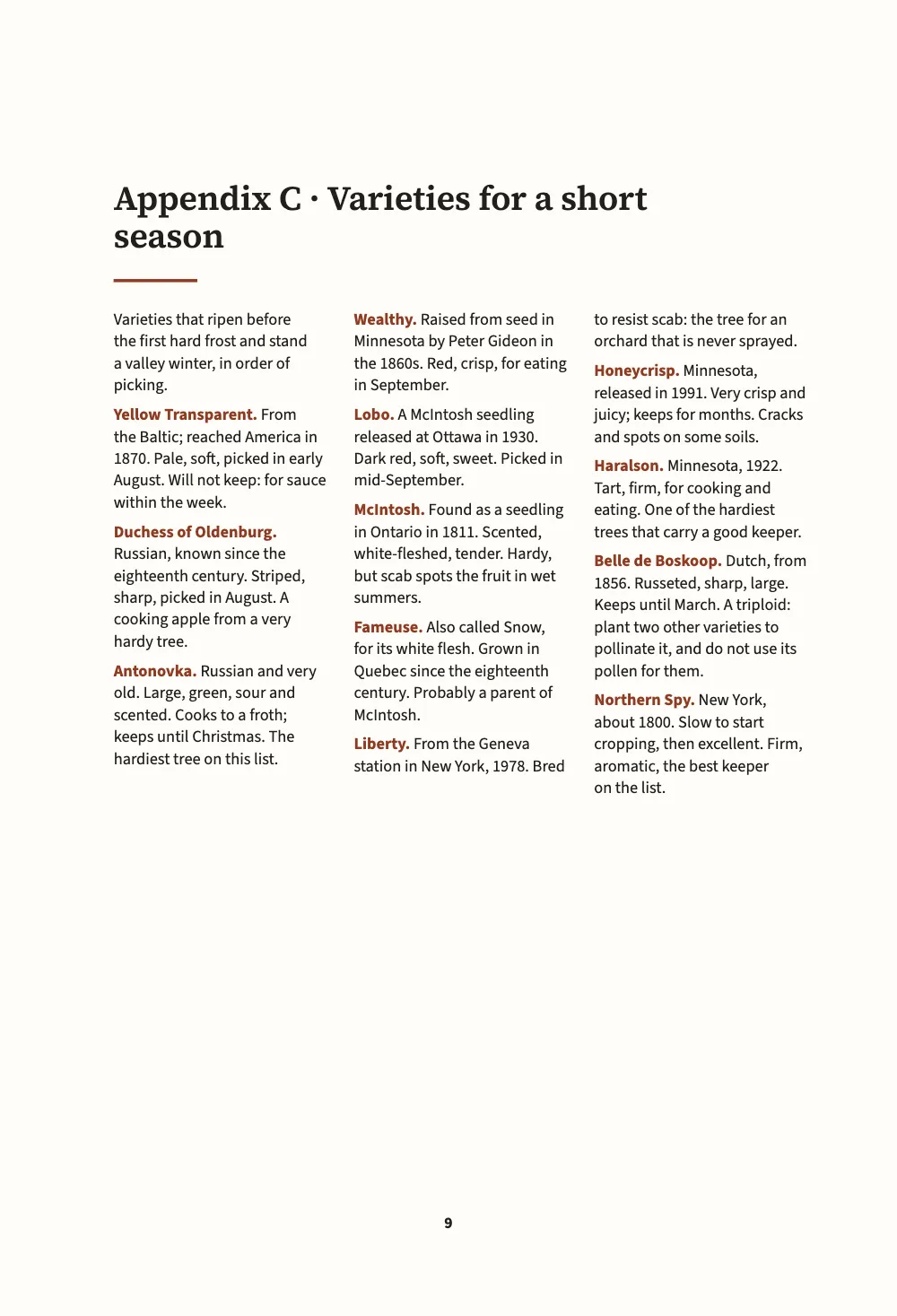
دليل صغير لمزارعي التفاح في وادٍ بارد، مقاسه 150 × 220 مم، مكتوب في ستة مستندات Markdown ومنضَّد كتابًا واحدًا. يُنضَّد فصلا الجزء الأول في عمود واحد مضبوط الطرفين بخط Source Serif 4. أما الجزء الثاني، أي الملاحق، فيتغيّر تصميمه: جدول لأصول التطعيم وتقويم شهرًا بشهر في عمودين غير مضبوطين بحرف أصغر، وهي مادة يقرؤها المزارع في السقيفة والكتاب مفتوح على طاولة العمل، ثم قائمة بالأصناف في ثلاثة أعمدة بخط غير مذيّل. وتعود الخاتمة إلى تصميم الكتاب نفسه بلا صفحة فاصلة. والقطع والهوامش وتقسيم الكلمات واللغة واحدة في كل الصفحات.
تجيب هذه الوصفة عن
- كيف أصفّ ملاحق الكتاب، أو جزءًا منه، بتصميم آخر، كعمودين بخط أصغر؟
- كيف أقسّم كتابًا إلى أجزاء أو أقسام، لكل منها لونه وصفحته الفاصلة؟
الجواب المختصر
const smallOpener = { minHeight: mm(24), slot: { elements: [{ id: 'title', fontSize: pt(16) }] } };
// In the Markdown:  :::part{number="II" title="Appendices" style="appendix"}  sets every
// chapter from there to the next part; a chapter's own  chapterStyle: reference  wins.
const chapterStyles = [
  { id: 'appendix', name: t({ en: 'Appendix', es: 'Apéndice' }), config: {
    layout: { layoutType: 'double', gutterWidth: mm(6) },
    bodyText: { fontSize: pt(8.8), lineHeight: pt(11.6), textAlign: 'left',
      firstLineIndent: pt(0), paragraphSpacing: pt(4) },
    // Lists merge entry by entry on their id or level: only what is named here changes.
    headings: { levels: [{ level: 1, advancedDesign: smallOpener }] },
  } },
  { id: 'reference', name: t({ en: 'Reference list', es: 'Lista de consulta' }), config: {
    layout: { layoutType: 'multiple', columnCount: 3, gutterWidth: mm(4.5) },
    bodyText: { fontFamily: SANS, fontSize: pt(7.8), lineHeight: pt(10.4), textAlign: 'left',
      firstLineIndent: pt(0), paragraphSpacing: pt(3.5), boldColor: col('accent') },
    headings: { levels: [{ level: 1, advancedDesign: smallOpener }] },
  } },
];
// The trim, the language and the fonts stay the book's: a style that sets page.width or
// locale is ignored there, with a chapterStyleBookSetting warning.
المكونات
- الميزات
- أنماط الفصولصفحات فواصل الأجزاءكتب تُبنى فصلًا فصلًاعمود واحد أو عمودانثلاثة أعمدة أو أكثرصفحات افتتاح مصمَّمةالترويسات وأرقام الصفحاتترويسات لكل قسمالترويسات بحسب دور الصفحةهوامش متناظرةالنصوص والخطوط والمربعات في تصاميم الصفحةالأسطر الأرامل والأسطر اليتيمة والكلمات المعزولةلوحة ألوان دلالية
- تستخدم أيضًا
- شريط فصل بعرض الصفحةلون الورقأنماط الفقرات
- الخطوط
- Source Serif 4, Source Sans 3 (SIL OFL 1.1)
- الأصول
- لا شيء: كل صورة مرسومة بالشيفرة
طريقة التحضير
#1 · النمط لا يحمل إلا ما يتغيّر
الشيفرة هي الجواب المختصر أعلاه. لنمط الفصل معرّف، واسم يظهر في Sandbox، وconfig يُدمج فوق إعدادات الكتاب كما تُدمج طبقة لغة. تُدمج الكائنات مفتاحًا مفتاحًا، والقوائم مدخلًا مدخلًا بحسب id أو level، ولذلك يسمّي smallOpener عنصرًا واحدًا من افتتاح الفصل، هو العنوان، ويعطيه حجمًا أصغر، ويبقى الخط الذي تحته وكل ما عداه كما هو في الكتاب. ونمط الملحق يحدّد عمودين وحجمًا أصغر للنص وأسطرًا غير مضبوطة ومسافة بين المداخل، ولا شيء غير ذلك.
بعض الإعدادات تخص الكتاب كله: القطع والدقة والتجليد في page، واللغة واتجاه الكتابة، والأرقام، والخطوط، ومخرجات الطباعة وPDF. فإذا حدّد نمطٌ أحدها تُجوهِل فيه، وصدر تحذير chapterStyleBookSetting، ولذلك تحتفظ الملاحق بقطع 150 مم وبتقسيم الكلمات وفق الإنجليزية البريطانية كما في الفصول.
#2 · الجزء يسمّي النمط
// Only the first document's front matter is the book's; a later one keeps its chapterStyle.
const chapters = [front, rootstocks, appendices, calendar, varieties, afterword]
  .map((markdown) => ({ markdown }));
يبدأ المستند الثالث بـ:::part{number="II" title="Appendices" style="appendix"}، فيُنضَّد كل فصل منه حتى الجزء التالي بنمط الملحق. ويسمّي المستند الخامس نمطه الخاص في بياناته التمهيدية (front matter)، chapterStyle: "reference"، فيتقدّم على نمط الجزء. وفي الكتاب لا يخص الكتابَ كله إلا front matter المستند الأول؛ أما المستند اللاحق فلا يبقى منه إلا سطر chapterStyle:.
#3 · صفحة فاصلة، وجزء بلا صفحة فاصلة
const text = (id, content, family, size, extra) => ({ kind: 'text', id, content, align: 'left',
  fontFamily: family, fontSize: pt(size), color: col('ink'), overflow: 'wrap', ...extra });
const at = (to, edge, x, y, width) => ({ anchor: { to, edge }, offset: { x: mm(x), y: mm(y) },
  ...(width && { size: { width: mm(width), height: 'auto' } }) });
const parts = {
  breakBefore: { parity: 'any' }, // the book is short: a part opens on the next page
  design: { elements: [ // the container is the trim: the margins are measured from its edges
    { kind: 'box', id: 'band', style: { backgroundColor: col('leaf') },
      placement: { ...at('page', 'top-left', 0, 0), size: { width: 'fill', height: mm(96) } } },
    text('number', '{number}', SERIF, 40, { fontWeight: 600, color: col('paper'),
      placement: at('page', 'top-left', MARGIN.inner, 46, MEASURE) }),
    text('title', '{titleText}', SERIF, 24, { fontWeight: 600, color: col('paper'),
      placement: at('#number', 'below', 0, 2, MEASURE) }),
  ] },
};
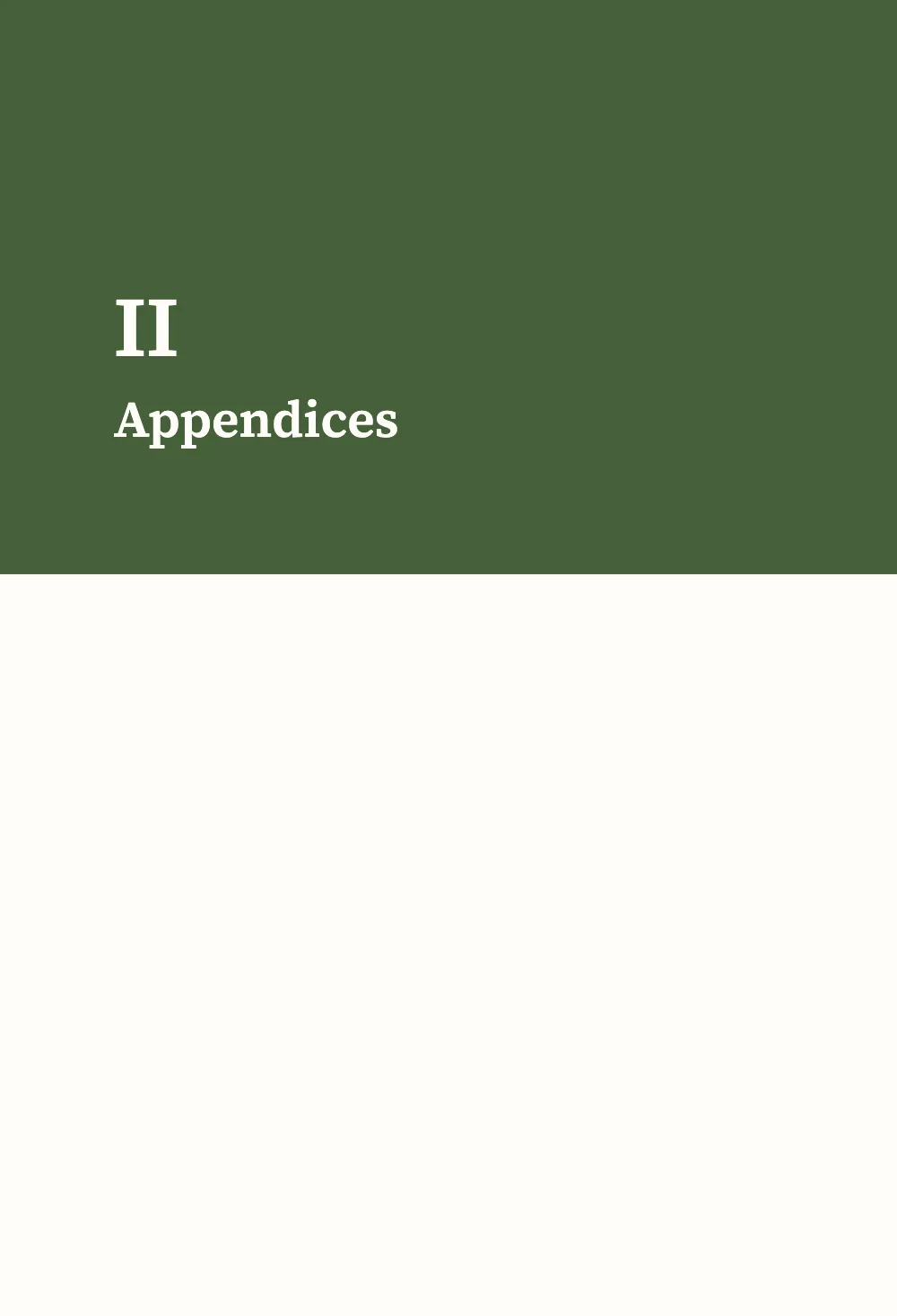
كل :::part يفتح صفحة فاصلة عليها رقم الجزء وعنوانه فوق شريط أخضر. وتبدأ الخاتمة بـ:::part{title="Afterword" page=false}: فلا تُطبع صفحة فاصلة، ولأن الجزء لا يسمّي نمطًا يُنضَّد فصله من جديد بإعدادات الكتاب. والجزء ذو page=false يناسب المادة الختامية التي تتلو الملاحق دون فاصل.
#4 · افتتاح واحد بحجمين
const opener = { enabled: true, minHeight: mm(40), slot: { elements: [
  text('title', '{titleText}', SERIF, 22, { fontWeight: 600, lineHeight: 1.12,
    placement: at('container', 'top-left', 0, 8, MEASURE - 10) }),
  { kind: 'rule', id: 'rule', direction: 'horizontal', thickness: pt(1.5), color: col('accent'),
    placement: { ...at('#title', 'below', 0, 4), size: { width: mm(14) } } },
] } };
يمتد الافتتاح على عرض الصفحة، ففي الملاحق يعلو العمودين معًا ويبدأ النص تحته في عمودين. ويصغّر نمطا الملحق والمرجع العنوان إلى 16 pt والإنزال إلى 24 مم عبر معرّف العنصر: فالمادة في آخر الكتاب تشغل مساحة أقل، وتبقى عناوينها أكبر من نصها بوضوح.
#5 · ترويسات من الكتاب
const head = (id, content, parity, edge, x, extra = {}) => text(id, content, SANS, 7.5, {
  parity, pages: 'body', fontWeight: 600, letterSpacing: pt(1.2), textTransform: 'uppercase',
  color: col('muted'), overflow: 'clip', placement: at('page', edge, x, 12, 90), ...extra });
const folio = { fontWeight: 700, color: col('ink') };
const right = { align: 'right' };
const header = { elements: [
  head('verso-folio', '{pageNumber}', 'even', 'top-left', MARGIN.outer, folio),
  head('verso-title', '{title}', 'even', 'top-left', MARGIN.outer + 9), // the book's title
  head('recto-title', '{chapterTitle}', 'odd', 'top-right', -(MARGIN.outer + 9), right),
  head('recto-folio', '{pageNumber}', 'odd', 'top-right', -MARGIN.outer, { ...folio, ...right }),
] };
const footer = { elements: [head('drop-folio', '{pageNumber}', 'all', 'bottom', 0, {
  ...folio, align: 'center', pages: 'opener', placement: at('page', 'bottom', 0, -14, 20) })] };
يوضع عنوان الكتاب في الصفحة الزوجية وعنوان الفصل في الفردية. ولا يغيّرها أي نمط، فتبدو الترويسات واحدة في كل أجزاء الكتاب.
الوصفة كاملة
// ═══ Postext Cookbook · Nº 187 · Appendices in two columns ═══════════════════════════════
// https://postext.dev/en/cookbook/appendices-in-two-columns
// Code: MIT · Text: original (CC BY 4.0) · Pictures: none
// Fonts: Source Serif 4, Source Sans 3 (SIL OFL 1.1) · Needs postext ≥ 1.79.0
// A growers' handbook in six Markdown documents: the chapters in one column, the appendices
// in two columns of smaller type, one appendix in three, and an afterword back in one.
import {
  buildBundle, prepareFonts, withLoadedFonts, renderPageToCanvas,
} from 'https://esm.sh/postext';

const LANG = 'en'; // @lang: the language of the sample document ('en' | 'es')
const RECIPE = 'appendices-in-two-columns';

// ─── 1 · Design ─────────────────────────────────────────────────────────────
// #region palette: russet for the accent, leaf green for the part pages
const palette = { ink: '#211f1b', accent: '#8e3b24', leaf: '#46603a', muted: '#6c665c',
  rule: '#cfc6b6', paper: '#fffdf8' };
const col = (id) => ({ hex: palette[id], model: 'hex', paletteId: id });
const colorPalette = Object.entries({ ...palette, 'main-color': palette.accent })
  .map(([id, hex]) => ({ id, name: id, value: { hex, model: 'hex' } }));
// #endregion
const [SERIF, SANS] = ['Source Serif 4', 'Source Sans 3'];
const TRIM = { width: 150, height: 220 }; // mm, a handbook for the shed shelf
const MARGIN = { top: 22, bottom: 24, inner: 19, outer: 15 }; // mirrored
const MEASURE = TRIM.width - MARGIN.inner - MARGIN.outer; // 116 mm
const LEAD = 14; // pt, the book's leading

// #region answer: two chapter styles; a part names one, a chapter names the other
const smallOpener = { minHeight: mm(24), slot: { elements: [{ id: 'title', fontSize: pt(16) }] } };
// In the Markdown:  :::part{number="II" title="Appendices" style="appendix"}  sets every
// chapter from there to the next part; a chapter's own  chapterStyle: reference  wins.
const chapterStyles = [
  { id: 'appendix', name: t({ en: 'Appendix', es: 'Apéndice' }), config: {
    layout: { layoutType: 'double', gutterWidth: mm(6) },
    bodyText: { fontSize: pt(8.8), lineHeight: pt(11.6), textAlign: 'left',
      firstLineIndent: pt(0), paragraphSpacing: pt(4) },
    // Lists merge entry by entry on their id or level: only what is named here changes.
    headings: { levels: [{ level: 1, advancedDesign: smallOpener }] },
  } },
  { id: 'reference', name: t({ en: 'Reference list', es: 'Lista de consulta' }), config: {
    layout: { layoutType: 'multiple', columnCount: 3, gutterWidth: mm(4.5) },
    bodyText: { fontFamily: SANS, fontSize: pt(7.8), lineHeight: pt(10.4), textAlign: 'left',
      firstLineIndent: pt(0), paragraphSpacing: pt(3.5), boldColor: col('accent') },
    headings: { levels: [{ level: 1, advancedDesign: smallOpener }] },
  } },
];
// The trim, the language and the fonts stay the book's: a style that sets page.width or
// locale is ignored there, with a chapterStyleBookSetting warning.
يعمل ملف script.js المجمّع كما هو: الصقه في سكربت الوحدة (module) لأي صفحة، أو افتح الوصفة على CodePen. مجلد الوصفة على GitHub ↗ (يفتح في تبويب جديد)
تنويعات
#اطلب من نمط إعدادًا يخص الكتاب كله
النمط الذي يحدّد القطع أو اللغة يُتجاهل في هذين المفتاحين. ويصدر التنضيد تحذير chapterStyleBookSetting لكل منهما، وتحتفظ الملاحق بقطع الكتاب.
   { id: 'appendix', name: t({ en: 'Appendix', es: 'Apéndice' }), config: {
+    page: { width: mm(170) }, locale: 'fr',
layout: { layoutType: 'double', gutterWidth: mm(6) },#أعد استخدام التصميم في كتاب آخر
تكتب أداة سطر الأوامر تصميم الكتاب، مع أنماط فصوله، في ملف تصميم، وتنضّد به كتابًا آخر بالخيار --design. انظر الأمر design.
postext design apples.postext -o handbook.postext
postext pdf pears/ --design handbook.postext -o pears.pdfأخطاء شائعة
- يجب أن يفتتح سطر
:::partالفصل، قبل عنوانه. فإذا جاء سطر الجزء بعد أن بدأ نص الفصل صدر التحذيرpartStyleMidChapter، ولا يبدأ النمط إلا مع الفصل التالي. - اسم النمط غير الموجود في
chapterStylesيُصدرchapterStyleUnknown، ويُنضَّد ذلك الفصل بإعدادات الكتاب.
الحقوق
- الوصفة
- Ignacio Ferro
- النص
- نص أصلي, CC BY 4.0
- الخطوط
- Source Serif 4 (SIL OFL 1.1) · Source Sans 3 (SIL OFL 1.1)
- الشيفرة
- MIT، مثل Postext
حرّر هذا الشرح ↗ (يفتح في تبويب جديد)مجلد الوصفة على GitHub ↗ (يفتح في تبويب جديد)