Kurz gesagt
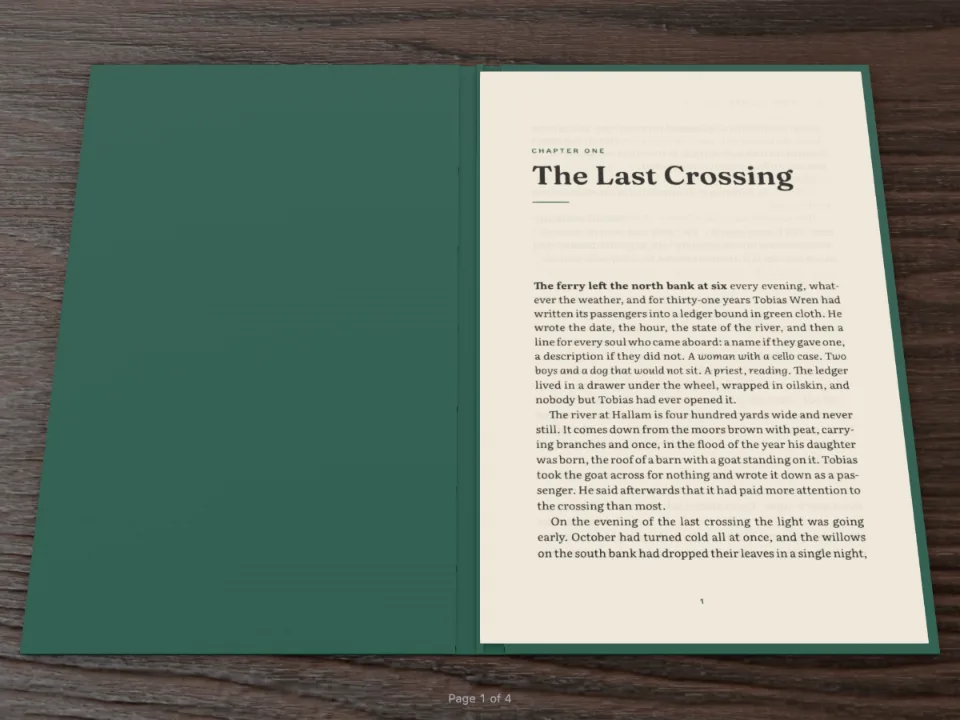
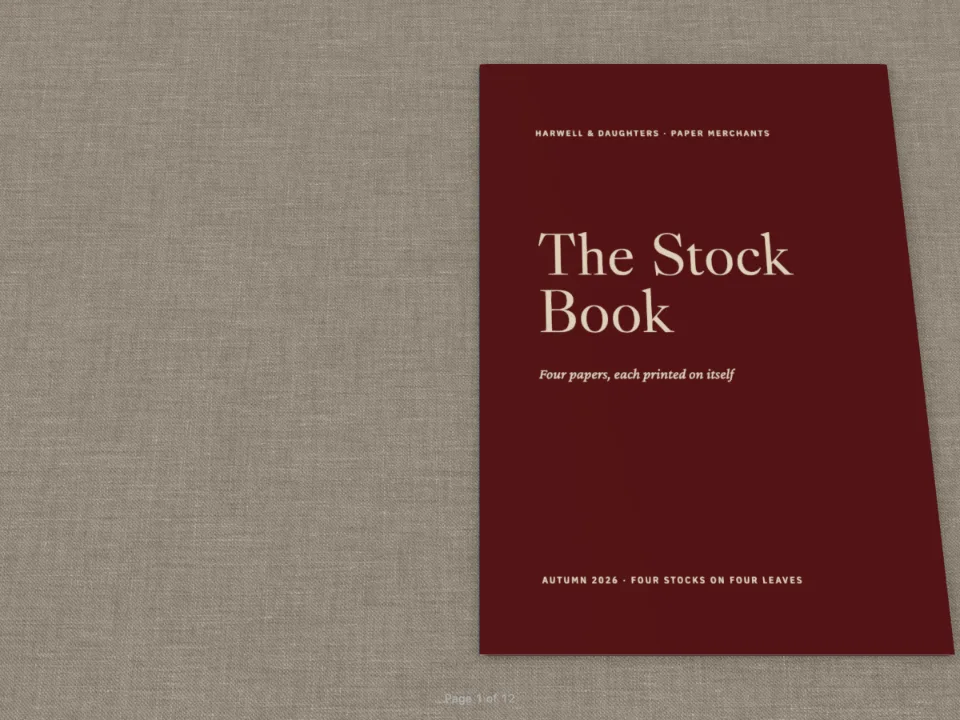
Ein kleines Taschenbuch in 3D neben einem Bedienfeld mit Reglern. Ändern Sie Papier, Bindung, Tisch oder Licht, und das Buch ändert sich sofort, ohne neu gesetzt zu werden.
Was Sie setzen
Six Knots, ein zehnseitiges Taschenbuch im Endformat 110 × 160 mm, in Folio geöffnet neben einem Bedienfeld mit jeder Einstellung von config.folio. Wählen Sie eine Papiersorte, und die Blätter ändern Farbe, Oberfläche und Steifigkeit; schalten Sie die Bindung vom Paperback zum Hardcover, und um den Buchblock wächst eine Decke; wählen Sie statt der gedruckten Umschlagseiten die Decke, einen Bezug aus Leinen oder Leder, einen Tisch, ein Licht, eine Neigung. Das Buch wird einmal gesetzt. Jede Änderung geht mit setAppearance an den Betrachter, sodass sich keine Zeile verschiebt und keine Seite neu gezeichnet wird, und unter dem Formular erscheinen die Einstellungen als Code zum Einfügen in config.folio.
Dieses Rezept beantwortet
- Wie sehe ich Bindung, Umschlag, Papier und Beleuchtung eines Buchs vor dem Druck in der Vorschau?
- Wie zeige ich mein Dokument als 3D-Buch, dessen Seiten der Leser von Hand umblättert?
Die kurze Antwort
const book = createFolioFromDocument(document.getElementById('folio'), doc, {
  // The look starts from doc.config.folio; setAppearance replaces it on every change.
  appearance: { textureBaseUrl: 'https://postext.dev/folio/textures' },
  onChange: ({ pages }) => kitStatus(`${doc.pages.length} pages · open at `
    + pages.map((i) => i + 1).join('–')),
});
function update() {
  const folio = folioOf();
  // Only the appearance changes: the pages keep their paintings, nothing is laid out again.
  book.setAppearance({ folio });
  show('grammage-out', `${folio.paper.grammage} g/m²`);
  show('intensity-out', folio.lighting.intensity.toFixed(2));
  show('tilt-out', `${folio.tilt}°`);
  document.getElementById('folio-json').textContent = `folio: ${JSON.stringify(folio, null, 2)}`;
}
form.addEventListener('input', update);
// A stock sets its own weight: picking one moves the weight slider to the stock's.
const WEIGHTS = { uncoated: 90, bookWove: 80, coatedMatte: 115, coatedSilk: 115,
  coatedGloss: 115, bible: 40, newsprint: 48, cardStock: 250 };
form.elements['paper.type'].addEventListener('change', (event) => {
  form.elements['paper.grammage'].value = WEIGHTS[event.target.value];
  update();
});
document.getElementById('reset-view').addEventListener('click', () => book.resetView());
update();
Zutaten
- Funktionen
- Papier, Bindung, Tisch und Licht (Folio)3D-Buchbetrachter (Folio)ÜberschriftenformateGestaltete AuftakteÜberschriftenattributeAbsatzformateKopfzeilen nach SeitenrolleSemantische FarbpaletteGespiegelte RänderSeiten auf einem Canvas
- Schrift
- Source Serif 4, Outfit (SIL OFL 1.1)
- Dateien
- Keine: Jedes Bild wird im Code gezeichnet
Zubereitung
#1 · Die Felder nach der Konfiguration benennen
const form = document.getElementById('controls');
const hex = (value) => ({ hex: value, model: 'hex' });
function folioOf() { // 'paper.grammage' → { paper: { grammage } }, typed by the input
  const folio = {};
  for (const el of form.elements) {
    if (!el.name || el.type === 'button' || el.tagName === 'OUTPUT') continue;
    const value = el.type === 'checkbox' ? el.checked : el.type === 'range' ? Number(el.value)
      : el.type === 'color' ? hex(el.value) : el.value;
    const [group, key] = el.name.split('.');
    if (key) (folio[group] ??= {})[key] = value;
    else folio[group] = value;
  }
  return folio;
}
const show = (name, value) => { form.elements[name].value = value; };
Jedes Feld des Formulars heißt nach seinem Pfad in config.folio (paper.grammage, binding.cover, lighting.environment), sodass eine einzige Schleife das Formular in das Objekt verwandelt, das der Betrachter annimmt: Zahlen aus den Schiebereglern, Wahrheitswerte aus den Kontrollkästchen, eine Farbe { hex, model } aus dem Farbwähler. Dasselbe Objekt ist die eigene config.folio des Dokuments, wenn der Pen es baut, und so öffnet die Sandbox das Buch im Anfangszustand des Formulars.
#2 · Umschlagseiten, die der Betrachter als Deckel umschlagen kann
const field = { kind: 'box', id: 'field', style: { backgroundColor: col('brick') },
  placement: { ...at('bleed', 'top-left'), size: { width: 'fill', height: mm(TRIM_H) } } };
const flush = { numbered: false, span: 'page', footer: { elements: [] },
  margins: { top: mm(0), bottom: mm(0), left: mm(0), right: mm(0) } };
const cover = (id, title, extra = {}) => ({ id, ...flush, ...extra, advancedDesign: {
  enabled: true, minHeight: mm(TRIM_H), slot: { elements: [field, ...title] } } });
const headingStyles = [
  cover('cover', [
    text('title', '{titleText}', { fontFamily: SANS, fontWeight: 700, fontSize: pt(40),
      lineHeight: 0.92, color: col('cream') },
    { ...at('page', 'top-left', INNER, 30), size: { width: mm(80) } }),
    text('strap', '{attr.strap}', { fontFamily: 'Source Serif 4', italic: true,
      fontSize: pt(11), lineHeight: 1.3, color: col('cream') },
    { ...at('#title', 'below', 0, 6), size: { width: mm(72) } }),
    text('author', '{author}', caps(7, col('cream')), at('page', 'bottom-left', INNER, -16)),
  ]),
  cover('back', [
    text('strap', '{attr.strap}', { fontFamily: 'Source Serif 4', italic: true,
      fontSize: pt(11), lineHeight: 1.3, color: col('cream'), align: 'center' },
    { ...at('page', 'center', 0, 0), size: { width: mm(76) } }),
  ], { breakBefore: { enabled: true, parity: 'even' } }), // the back: always a verso
];
Mit binding.cover: 'pages' ist die erste Seite der vordere Deckel und die letzte der hintere, sofern sie auf eine linke Seite fällt. Das Überschriftenformat des hinteren Umschlags bricht auf eine gerade Seite um, sodass das Buch immer auf einer linken Seite endet und sich beide Deckel umschlagen lassen. Stellen Sie das Formular auf „A case round the pages“, und dieselben beiden Seiten blättern als gewöhnliche Blätter in einer Leinendecke.
#3 · Das Buch an Ort und Stelle umgestalten
Der Code steht oben in der kurzen Antwort. setAppearance({ folio }) ersetzt die Einstellungen des Dokuments und zeichnet die Szene neu: Dicke und Steifigkeit des Papiers, die Decke, die Texturen des Tischs und das Licht. Die Seiten behalten ihre Bilder, sodass eine Änderung im nächsten Frame erscheint. Eine Papiersorte bringt ihre eigene Grammatur mit, deshalb verschiebt ihre Wahl den Grammaturregler; resetView() holt die Kamera zurück, nachdem der Leser das Buch mit gedrückter rechter Maustaste gedreht hat.
Das ganze Rezept
// ═══ Postext Cookbook · Nº 103 · A bench for the Folio viewer's settings ═══════════════ // https://postext.dev/en/cookbook/folio-settings-bench // Code: MIT · Text: original (CC BY 4.0) · Pictures: none // Fonts: Source Serif 4, Outfit (SIL OFL 1.1) · Needs postext ≥ 1.26.0 // // A pocket book of knots, laid out once and opened in postext-folio next to a form of every // folio setting: paper, binding, covers, desk, light and tilt. Each change goes to the viewer // with setAppearance, so the book is redrawn in place and no page is laid out or painted // again. The settings as code sit under the form, ready to paste into config.folio. import { buildDocumentWithFonts, renderPageToCanvas } from 'https://esm.sh/postext'; import { createFolioFromDocument } from 'https://esm.sh/postext-folio'; const LANG = 'en'; // @lang: the language of the sample document ('en' | 'es') const RECIPE = 'folio-settings-bench'; // ─── 1 · Design ───────────────────────────────────────────────────────────── // #region palette: brick red for the covers and the knot numbers, a warm ink for the text const palette = { ink: '#24211f', brick: '#9a3b2e', // the cover field, kickers and folios cream: '#f6efe2', // type on the covers muted: '#6f6860', }; const col = (id) => ({ hex: palette[id], model: 'hex', paletteId: id }); const colorPalette = [ ...Object.entries(palette).map(([id, hex]) => ({ id, name: id, value: { hex, model: 'hex' } })), { id: 'main-color', name: 'accent (defaults)', value: { hex: palette.brick, model: 'hex' } }, ]; // #endregion const [TRIM_W, TRIM_H, TOP, BOTTOM, INNER, OUTER] = [110, 160, 15, 17, 14, 12]; // mm: a pocket const LEAD = 12.4; // pt const SANS = 'Outfit'; const at = (to, edge, x = 0, y = 0) => ({ anchor: { to, edge }, offset: { x: mm(x), y: mm(y) } }); const text = (id, content, look, placement) => ({ kind: 'text', id, content, overflow: 'wrap', align: 'left', placement, ...look }); const caps = (size, color) => ({ fontFamily: SANS, fontSize: pt(size), fontWeight: 600, letterSpacing: pt(size * 0.16), textTransform: 'uppercase', color }); // #region covers: a full-page colour field on page 1 and on the last page const field = { kind: 'box', id: 'field', style: { backgroundColor: col('brick') }, placement: { ...at('bleed', 'top-left'), size: { width: 'fill', height: mm(TRIM_H) } } }; const flush = { numbered: false, span: 'page', footer: { elements: [] }, margins: { top: mm(0), bottom: mm(0), left: mm(0), right: mm(0) } }; const cover = (id, title, extra = {}) => ({ id, ...flush, ...extra, advancedDesign: { enabled: true, minHeight: mm(TRIM_H), slot: { elements: [field, ...title] } } }); const headingStyles = [ cover('cover', [ text('title', '{titleText}', { fontFamily: SANS, fontWeight: 700, fontSize: pt(40), lineHeight: 0.92, color: col('cream') }, { ...at('page', 'top-left', INNER, 30), size: { width: mm(80) } }), text('strap', '{attr.strap}', { fontFamily: 'Source Serif 4', italic: true, fontSize: pt(11), lineHeight: 1.3, color: col('cream') }, { ...at('#title', 'below', 0, 6), size: { width: mm(72) } }), text('author', '{author}', caps(7, col('cream')), at('page', 'bottom-left', INNER, -16)), ]), cover('back', [ text('strap', '{attr.strap}', { fontFamily: 'Source Serif 4', italic: true, fontSize: pt(11), lineHeight: 1.3, color: col('cream'), align: 'center' }, { ...at('page', 'center', 0, 0), size: { width: mm(76) } }), ], { breakBefore: { enabled: true, parity: 'even' } }), // the back: always a verso ]; // #endregion const opener = { enabled: true, minHeight: mm(22), slot: { elements: [ text('kicker', '{attr.kicker}', caps(6.8, col('brick')), at('container', 'top-left', 0, 1)), text('title', '{titleText}', { fontFamily: SANS, fontWeight: 600, fontSize: pt(19), lineHeight: 1, color: col('ink') }, { ...at('#kicker', 'below', 0, 2), size: { width: 'fill' } }), ] } }; // #region form: the form's fields (index.html) are named by their path in config.folio const form = document.getElementById('controls'); const hex = (value) => ({ hex: value, model: 'hex' }); function folioOf() { // 'paper.grammage' → { paper: { grammage } }, typed by the input const folio = {}; for (const el of form.elements) { if (!el.name || el.type === 'button' || el.tagName === 'OUTPUT') continue; const value = el.type === 'checkbox' ? el.checked : el.type === 'range' ? Number(el.value) : el.type === 'color' ? hex(el.value) : el.value; const [group, key] = el.name.split('.'); if (key) (folio[group] ??= {})[key] = value; else folio[group] = value; } return folio; } const show = (name, value) => { form.elements[name].value = value; }; // #endregion const config = () => ({ locale: 'en-us', colorPalette, page: { sizePreset: 'custom', width: mm(TRIM_W), height: mm(TRIM_H), dpi: 150, margins: { top: mm(TOP), bottom: mm(BOTTOM), left: mm(INNER), right: mm(OUTER), mirror: true } }, layout: { layoutType: 'single' }, bodyText: { fontFamily: 'Source Serif 4', fontSize: pt(9.3), lineHeight: pt(LEAD), color: col('ink'), boldColor: col('ink'), italicColor: col('ink'), referenceColor: col('ink'), textAlign: 'justify', firstLineIndent: mm(3.5), indentAfterHeading: false, hyphenation: { enabled: true }, optimalLineBreaking: true, minWordSpacing: 0.75, maxJustifyTracking: 10, // spaces from 0.75×; then 1 % of tracking avoidWidows: true, avoidOrphans: true, avoidRunts: true }, headings: { fontFamily: SANS, color: col('ink'), fontWeight: 600, levels: [ // A chapter opens on the next page, recto or verso. { level: 1, fontSize: pt(19), breakBefore: { enabled: true, parity: 'any' }, marginBottom: pt(LEAD / 2), advancedDesign: opener }, ] }, headingStyles, paragraphStyles: [{ id: 'colophon', fontFamily: SANS, fontSize: pt(6.5), lineHeight: pt(9), color: col('muted'), textAlign: 'left', firstLineIndent: pt(0), marginTop: pt(LEAD) }], header: { elements: [] }, folio: folioOf(), // the form's starting settings: the document's own look in the Sandbox footer: { elements: [text('folio', '{pageNumber}', { ...caps(6.5, col('brick')), align: 'center' }, at('page', 'bottom', 0, -9))] }, }); // ─── 2 · Content ──────────────────────────────────────────────────────────── const markdown = String.raw`---Markdown-Beispiel · 64 Zeilen · content.en.md
title: "Six Knots" subtitle: "A pocket book for the boat and the garden" author: "Ellen Marsh" --- # Six Knots {style="cover" strap="A pocket book for the boat and the garden"} # Before you tie {kicker="Introduction"} A knot is a way of making a rope hold onto something: another rope, a post, a ring, itself. There are thousands of them, and most of us need six. The six in this book will moor a boat, hang a hammock, tie down a load, join two lines and make a loop that will not slip, and every one of them can be untied again, which is half the point of a good knot. Learn them with a piece of soft rope about an arm’s length long, and tie each one ten times before you move on. Then tie it with your eyes shut. A knot you have to think about will fail you on a cold, wet evening, when the boat is moving and the rope is stiff. Each knot has a standing part, the long end that takes the load, and a working end, the short end you tie with. When the instructions say *over* and *under*, they mean the working end passing over or under the standing part. # The reef knot {kicker="Knot 1 · Joining"} The reef knot joins two ends of the same rope around a bundle: a parcel, a sail rolled on its boom, a bandage. Left over right and under, then right over left and under. If the two ends lie on the same side of the knot, you have tied it correctly; if they lie on opposite sides, you have a granny knot, which jams or slips. Never use a reef knot to join two different ropes that will take a load. It is a binding knot, not a bend, and under strain it can capsize into two loops that slide apart. # The bowline {kicker="Knot 2 · Loops"} The bowline makes a loop at the end of a rope that will neither slip nor jam. Make a small loop in the standing part, with the working end on top. Bring the end up through the loop, round behind the standing part, and back down through the loop. The old way to remember it: the rabbit comes out of the hole, goes round the tree, and goes back down the hole. A bowline holds a mooring line on a post, a rope round a person’s chest in a rescue, and the corner of a tarpaulin in a gale. However hard it has been pulled, you can break it open again by pushing the collar forward. # The clove hitch {kicker="Knot 3 · Hitches"} The clove hitch ties a rope to a post or a rail in a moment. Take two turns round the post, crossing the second over the first, and tuck the end under the second turn. It is quick to tie and quick to adjust, which makes it the knot for fenders on a boat and for the first turn of a lashing. It can work loose when the pull comes and goes, so on anything that matters add two half hitches round the standing part, or use a round turn instead. # The figure-eight {kicker="Knot 4 · Stoppers"} The figure-eight is a stopper: it sits at the end of a rope and stops it running out through a block, a cleat or a hole. Make a loop, pass the end round behind the standing part and down through the loop, and pull it snug. It looks like the number it is named after. Climbers tie it doubled, as a loop, and every sailor ties it in the ends of the sheets. Unlike a simple overhand knot, it can always be untied, even after a long day under strain. # The sheet bend {kicker="Knot 5 · Joining"} The sheet bend joins two ropes, even ropes of different thickness. Make a bight in the thicker rope. Pass the thinner end up through the bight, round behind both its parts, and under itself. For a wet or slippery line, take the end round twice: that is a double sheet bend, and it will not shake loose. It is the knot for lengthening a line that turned out too short, and for mending a net, where it is tied thousands of times. # The round turn {kicker="Knot 6 · Hitches"} A round turn and two half hitches will hold almost anything to a ring or a post, and it can be untied while the rope is under load. Take the working end twice round the post, then make two half hitches round the standing part, each one the same way. The round turn takes the strain, and the hitches only keep it in place. That is why it is the safest knot for tying a boat to a ring on the quay at the end of the day, and the last one in this book. # Looking after rope {kicker="Afterword"} Rope lasts for years if you treat it well. Rinse salt out of it in fresh water after a season on the boat, and dry it loosely coiled in the shade, never in a tight hank in the sun. Sunlight weakens synthetic fibre faster than any load. Seal the ends before they fray: whip them with waxed twine, or melt a synthetic end in a flame and roll it smooth between wet fingers. A rope that has been crushed, cut or burned along its length belongs in the garden, tying up beans, and no longer on the boat. Coil it the same way every time, and it will come off the coil without kinks when you need it in a hurry. :::paragraphs{style="colophon"} Set in Source Serif 4 and Outfit (SIL Open Font License) · Text: original, CC BY 4.0. ::: # Six Knots {style="back" strap="Tie them ten times each, then once more in the dark."}`; // content.<lang>.md, inlined by the Cookbook // ─── 3 · Fonts ────────────────────────────────────────────────────────────── const FONTS = { 'Source Serif 4': ['400', '400i', '700'], Outfit: ['400', '600', '700'] }; // ─── 4 · Build & show ─────────────────────────────────────────────────────── const doc = await buildDocumentWithFonts({ markdown }, config(), kitFonts(FONTS)); showPages(doc, { title: 'Six Knots · the Folio settings bench' }); // cover: 'pages' needs an even count (gotcha: folio-cover-pages-even); the back's break // gives it one. if (doc.pages.length % 2) console.warn(`${doc.pages.length} pages: the back cover is missing`); // #region answer: one viewer, restyled in place by setAppearance on every change const book = createFolioFromDocument(document.getElementById('folio'), doc, { // The look starts from doc.config.folio; setAppearance replaces it on every change. appearance: { textureBaseUrl: 'https://postext.dev/folio/textures' }, onChange: ({ pages }) => kitStatus(`${doc.pages.length} pages · open at ` + pages.map((i) => i + 1).join('–')), }); function update() { const folio = folioOf(); // Only the appearance changes: the pages keep their paintings, nothing is laid out again. book.setAppearance({ folio }); show('grammage-out', `${folio.paper.grammage} g/m²`); show('intensity-out', folio.lighting.intensity.toFixed(2)); show('tilt-out', `${folio.tilt}°`); document.getElementById('folio-json').textContent = `folio: ${JSON.stringify(folio, null, 2)}`; } form.addEventListener('input', update); // A stock sets its own weight: picking one moves the weight slider to the stock's. const WEIGHTS = { uncoated: 90, bookWove: 80, coatedMatte: 115, coatedSilk: 115, coatedGloss: 115, bible: 40, newsprint: 48, cardStock: 250 }; form.elements['paper.type'].addEventListener('change', (event) => { form.elements['paper.grammage'].value = WEIGHTS[event.target.value]; update(); }); document.getElementById('reset-view').addEventListener('click', () => book.resetView()); update(); // #endregionKit · core, fonts, viewer: in jedem Rezept gleich · 224 Zeilen
// ─── Kit ── helpers shared by every Cookbook recipe · postext.dev/cookbook ───── // ─── Kit · core v1 ── the same in every recipe · postext.dev/cookbook function mm(value) { return { value, unit: 'mm' }; } function pt(value) { return { value, unit: 'pt' }; } function em(value) { return { value, unit: 'em' }; } /** The sample language's string: t({ en: 'Figure', es: 'Figura' }). */ function t(strings) { return strings[LANG] ?? Object.values(strings)[0]; } /** A file in this recipe's assets folder, served from the Postext repo by jsDelivr. */ function asset(file) { return `https://cdn.jsdelivr.net/gh/drnachio/postext@main/cookbook/${RECIPE}/assets/${file}`; } // ─── Kit · fonts v3 ── the same in every recipe · postext.dev/cookbook // Postext loads the faces a config asks for before layout (prepareFonts, // buildDocumentWithFonts) and asks the kit for the files: Fontsource's, the // files the PDF embeds too. /** The options of buildDocumentWithFonts / prepareFonts / withLoadedFonts: * the Fontsource resolver, and the faces of FONTS loaded with the ones the * config names. FONTS = { 'Family Name': ['400', '400i', '700'] }. */ function kitFonts(FONTS = {}) { const faces = Object.entries(FONTS).flatMap(([family, specs]) => specs.map((spec) => ({ family, weight: parseInt(spec, 10), style: spec.endsWith('i') ? 'italic' : 'normal' }))); return { resolve: fontsourceResolver, faces }; } /** A face's Fontsource files, in a fixed order: latin, then latin-ext and greek * when `text` needs them and the family ships them (kitSubsetsFor), each with * its unicode-range. Null for a weight or slant Fontsource does not ship. */ async function fontsourceResolver(family, weight, style, { text = '' } = {}) { const id = fontsourceId(family); const meta = await fontsourceMeta(family); if (meta && !(meta.weights.includes(weight) && meta.styles.includes(style))) return null; kitStatus('Loading fonts…'); const at = await fontsourceAt(id); return ['latin', ...kitSubsetsFor(text, meta)].map((subset) => ({ source: `${at}files/${id}-${subset}-${weight}-${style}.woff2`, unicodeRange: kitRanges()[subset], })); } /** The unicode-range of each Fontsource file the kit loads (a function: the * kit is inlined after the pen's code, which runs before a const would be set). */ function kitRanges() { return { latin: 'U+0000-00FF,U+0131,U+0152-0153,U+02BB-02BC,U+02C6,U+02DA,U+02DC,U+0304,U+0308,U+0329,' + 'U+2000-206F,U+20AC,U+2122,U+2191,U+2193,U+2212,U+2215,U+FEFF,U+FFFD', 'latin-ext': 'U+0100-02BA,U+02BD-02C5,U+02C7-02CC,U+02CE-02D7,U+02DD-02FF,U+0304,U+0308,U+0329,' + 'U+1D00-1DBF,U+1E00-1E9F,U+1EF2-1EFF,U+2020,U+20A0-20AB,U+20AD-20C0,U+2113,U+2C60-2C7F,U+A720-A7FF', greek: 'U+0370-03FF', }; } /** For the cjk, arabic and comics blocks, which add their own files: the * faces of `faces` = { 'Family Name': ['400', '400i', '700'] }. `text` is the sample: * č ł † α χ also load latin-ext and greek files (kitSubsetsFor). With * `optional`, a face Fontsource does not ship is skipped instead of failing. * The files are added once all have loaded, in the order asked (latin, then * latin-ext, then greek), whatever order they arrive in: the last one added * wins a character two files hold. Resolves to the number of faces added. */ async function loadFonts(faces, text = '', { optional = false } = {}) { kitStatus('Loading fonts…'); const ranges = kitRanges(); const jobs = []; for (const [family, specs] of Object.entries(faces)) { const id = fontsourceId(family); const todo = [...new Set(specs)].map((spec) => [parseInt(spec, 10), spec.endsWith('i') ? 'italic' : 'normal']) .filter(([weight, style]) => !hasFace(family, weight, style)); // before any await const at = fontsourceAt(id); const meta = optional || /[^\0-ÿ]/u.test(text) ? await fontsourceMeta(family) : null; const subsets = ['latin', ...kitSubsetsFor(text, meta)]; for (const [weight, style] of todo) { if (optional && !(meta?.weights.includes(weight) && meta.styles.includes(style))) continue; for (const subset of subsets) { const url = `${await at}files/${id}-${subset}-${weight}-${style}.woff2`; const face = new FontFace(family, `url(${url}) format('woff2')`, { weight: String(weight), style, unicodeRange: ranges[subset] }); jobs.push(face.load().catch(() => { if (subset === 'latin' && !optional) throw new Error(`Fontsource has no ${family} ${weight} ${style}`); })); } } } const ready = await Promise.all(jobs).catch((error) => { kitFail(error); throw error; }); return ready.filter((face) => face && document.fonts.add(face)).length; } /** A loaded FontFace covers this family, weight and style (fonts.check() would * also say yes for families nobody declared). */ function hasFace(family, weight, style) { for (const face of document.fonts) { if (face.status !== 'loaded' || face.style !== style) continue; if (face.family.replace(/^["']|["']$/g, '') !== family) continue; const [low, high = low] = face.weight.split(' ').map(Number); if (weight >= low && weight <= high) return true; } return false; } /** The files beyond latin `text` needs that `meta`'s family ships. */ function kitSubsetsFor(text, meta) { return [[/[Ā-˿ᴀ-ᶿḀ-ỿ†ℓⱠ-Ɀ꜠-ꟿ]/u, 'latin-ext'], [/[Ͱ-Ͽ]/u, 'greek']] .filter(([re, x]) => re.test(text) && meta?.subsets?.includes(x)).map(([, x]) => x); } /** Fontsource's id for a family: 'Source Serif 4' → 'source-serif-4'. */ function fontsourceId(family) { return family.toLowerCase().replace(/\s+/g, '-'); } /** A package's folder at the one version @5 names now (#766). */ function fontsourceAt(id, u = `https://cdn.jsdelivr.net/npm/@fontsource/${id}@`) { return (fontsourceAt.c ??= {})[id] ??= fetch(u + '5/package.json').then((r) => r.json()) .then((p) => p.version || 5, () => 5).then((v) => `${u}${v}/`); } /** The family's Fontsource metadata (weights, styles, subsets), or null. */ function fontsourceMeta(family) { fontsourceMeta.cache ??= new Map(); const id = fontsourceId(family); if (!fontsourceMeta.cache.has(id)) { fontsourceMeta.cache.set(id, fetch(`https://api.fontsource.org/v1/fonts/${id}`) .then((res) => (res.ok ? res.json() : null), () => null)); } return fontsourceMeta.cache.get(id); } // ─── Kit · viewer v2 ── the same in every recipe · postext.dev/cookbook /** The pages as spreads on a dark desk, page 1 alone, then verso | recto, * each painted when it scrolls near. Other options go to renderPageToCanvas. */ function showPages(docs, { title, width = 460, ...render } = {}) { const root = viewer(title); const pages = [docs].flat().flatMap((doc) => doc.pages.map((page) => ({ doc, page, n: (doc.pageIndexOffset ?? 0) + page.index }))); const spreads = []; let verso = null; for (const p of pages) { if (p.n % 2 === 1) { if (verso) spreads.push([verso, null]); verso = p; } else { spreads.push([verso, p]); verso = null; } } if (verso) spreads.push([verso, null]); const density = Math.min(window.devicePixelRatio || 1, 2); showPages.painter?.disconnect(); const painter = new IntersectionObserver((entries) => { for (const { isIntersecting, target } of entries) { if (!isIntersecting) continue; painter.unobserve(target); const { doc, page } = target.postext; renderPageToCanvas(page, doc, target, { ...render, scale: (width * density) / page.width }); } }, { rootMargin: '800px' }); showPages.painter = painter; root.replaceChildren(...spreads.map((pair) => { const spread = document.createElement('div'); spread.className = 'pt-spread'; for (const p of pair) { const figure = document.createElement('figure'); if (p) { const label = p.page.pageLabel || String(p.n + 1); const canvas = document.createElement('canvas'); canvas.postext = p; canvas.style.aspectRatio = `${p.page.width} / ${p.page.height}`; canvas.setAttribute('role', 'img'); canvas.setAttribute('aria-label', `Page ${label}`); const folio = document.createElement('figcaption'); folio.textContent = label; figure.append(canvas, folio); painter.observe(canvas); } else figure.className = 'pt-blank'; spread.append(figure); } return spread; })); kitStatus(`${pages.length} ${pages.length === 1 ? 'page' : 'pages'}`); document.documentElement.dataset.postext = 'ready'; return pages.length; } /** The desk, the bar and the error reporting, created once. */ function viewer(title) { if (!document.getElementById('pt-kit')) { document.head.insertAdjacentHTML('beforeend', `<style id="pt-kit"> :root { color-scheme: dark; } body { margin: 0; background: #0e1014; color: #b9bcc4; font: 13px/1.45 system-ui, sans-serif; } #pt-bar { position: sticky; top: 0; z-index: 1; display: flex; flex-wrap: wrap; align-items: center; gap: 6px 16px; padding: 10px 16px; background: rgb(14 16 20 / .92); backdrop-filter: blur(6px); border-bottom: 1px solid #23262d; } #pt-bar strong { color: #f4f1ea; font-weight: 600; } #pt-actions { display: flex; gap: 12px; margin-left: auto; } #pt-actions a, #pt-actions button { color: #d8a21a; font: inherit; background: none; border: 0; padding: 0; cursor: pointer; } #pages { display: grid; justify-items: center; gap: 48px; padding: 32px 16px 72px; } .pt-spread { display: flex; } .pt-spread figure { margin: 0; width: min(460px, 44vw); } .pt-spread canvas { display: block; width: 100%; background: #fff; box-shadow: 0 1px 2px rgb(0 0 0 / .5), 0 22px 44px -16px rgb(0 0 0 / .8); } .pt-spread figure:first-child canvas { box-shadow: inset -14px 0 14px -14px rgb(0 0 0 / .18), 0 1px 2px rgb(0 0 0 / .5), 0 22px 44px -16px rgb(0 0 0 / .8); } .pt-spread figcaption { margin-top: 10px; text-align: center; font: 600 10px/1 system-ui, sans-serif; letter-spacing: .18em; text-transform: uppercase; color: #6c7079; } .pt-blank { visibility: hidden; } @media (max-width: 760px) { .pt-spread { flex-direction: column; gap: 32px; } .pt-spread figure { width: min(460px, 92vw); } .pt-blank { display: none; } } </style>`); document.body.insertAdjacentHTML('afterbegin', '<header id="pt-bar"><strong id="pt-title"></strong><span id="pt-status" role="status"></span><span id="pt-actions"></span></header>'); document.getElementById('pt-title').textContent = document.title || 'Postext'; addEventListener('error', (event) => kitFail(event.error ?? event.message)); addEventListener('unhandledrejection', (event) => kitFail(event.reason)); } if (title) document.getElementById('pt-title').textContent = title; return document.getElementById('pages') ?? document.body.appendChild(Object.assign(document.createElement('main'), { id: 'pages' })); } function kitStatus(text) { viewer(); document.getElementById('pt-status').textContent = text; } function kitFail(error) { document.documentElement.dataset.postext = 'error'; kitStatus(`Error: ${error?.message ?? error}`); } // ─── /Kit ───────────────────────────────────────────────────────────────────────
<section id="bench">
  <div id="folio" role="region" aria-label="The book in 3D"></div>
  <form id="controls" aria-label="Folio settings">
    <fieldset>
      <legend>Paper</legend>
      <label>Stock <select name="paper.type">
        <option value="uncoated">Uncoated</option><option value="bookWove" selected>Book wove</option>
        <option value="coatedMatte">Coated matte</option><option value="coatedSilk">Coated silk</option>
        <option value="coatedGloss">Coated gloss</option><option value="bible">Bible</option>
        <option value="newsprint">Newsprint</option><option value="cardStock">Card</option>
      </select></label>
      <label>Weight <output name="grammage-out">80 g/m²</output>
        <input type="range" name="paper.grammage" min="30" max="300" step="5" value="80"></label>
      <label>Texture <select name="paper.texture">
        <option value="auto" selected>The stock’s</option><option value="smooth">Smooth</option>
        <option value="vellum">Vellum</option><option value="wove">Wove</option>
        <option value="laid">Laid</option><option value="linen">Linen</option>
        <option value="felt">Felt</option>
      </select></label>
      <label class="check"><input type="checkbox" name="paper.showThrough" checked> Show-through</label>
    </fieldset>
    <fieldset>
      <legend>Binding</legend>
      <label>Type <select name="binding.type">
        <option value="hardcover">Hardcover</option><option value="paperback" selected>Paperback</option>
        <option value="sewn">Sewn softcover</option><option value="layflat">Lay-flat</option>
        <option value="saddleStitch">Saddle stitch</option>
      </select></label>
      <label>Covers <select name="binding.cover">
        <option value="pages" selected>The first and last pages</option>
        <option value="case">A case round the pages</option>
      </select></label>
      <label>Material <select name="binding.coverMaterial">
        <option value="auto" selected>The binding’s</option><option value="cloth">Cloth</option>
        <option value="paper">Paper</option><option value="leather">Leather</option>
      </select></label>
      <label>Colour <input type="color" name="binding.coverColor" value="#9a3b2e"></label>
    </fieldset>
    <fieldset>
      <legend>Desk and light</legend>
      <label>Surface <select name="surface.type">
        <option value="oak" selected>Oak</option><option value="walnut">Walnut</option>
        <option value="linen">Linen</option><option value="felt">Felt</option>
        <option value="leather">Leather</option><option value="marble">Marble</option>
        <option value="plain">Plain</option><option value="none">None</option>
      </select></label>
      <label>Light <select name="lighting.environment">
        <option value="studio">Studio</option><option value="daylight" selected>Daylight</option>
        <option value="lamp">Lamp</option><option value="overcast">Overcast</option>
        <option value="night">Night</option>
      </select></label>
      <label>Intensity <output name="intensity-out">1.0</output>
        <input type="range" name="lighting.intensity" min="0.25" max="2" step="0.05" value="1"></label>
      <label class="check"><input type="checkbox" name="lighting.shadows" checked> Shadows</label>
      <label>Tilt <output name="tilt-out">22°</output>
        <input type="range" name="tilt" min="0" max="40" step="1" value="22"></label>
      <button type="button" id="reset-view">Reset view</button>
    </fieldset>
    <pre id="folio-json" aria-label="The folio settings as code"></pre>
  </form>
</section>
<main id="pages"></main>
/* The bench: the book on the left, the settings on the right, the flat pages below. */
#bench {
  display: grid; grid-template-columns: minmax(0, 1fr) 300px; gap: 16px;
  max-width: 1320px; margin: 0 auto; padding: 16px; box-sizing: border-box;
  color: #c9ccd3; font: 13px/1.4 system-ui, sans-serif;
}
#folio { height: min(80vh, 760px); min-height: 420px; }
#controls { display: grid; gap: 12px; align-content: start; }
#controls fieldset {
  display: grid; gap: 8px; margin: 0; padding: 10px 12px 12px;
  border: 1px solid #2a2e36; border-radius: 6px;
}
#controls legend {
  padding: 0 4px; color: #f0b35a; font-weight: 600; font-size: 11px;
  letter-spacing: .12em; text-transform: uppercase;
}
#controls label { display: grid; grid-template-columns: 1fr auto; gap: 4px 8px; align-items: center; }
#controls label > select, #controls label > input[type="range"] { grid-column: 1 / -1; }
#controls label.check { display: flex; gap: 8px; }
#controls select, #controls button {
  min-height: 32px; padding: 4px 8px; border: 1px solid #3a3f49; border-radius: 4px;
  background: #1a1d23; color: #eceef2; font: inherit;
}
#controls input[type="color"] {
  width: 44px; height: 32px; padding: 0; border: 1px solid #3a3f49; border-radius: 4px;
  background: none;
}
#controls input[type="range"] { accent-color: #f0b35a; }
#controls output { color: #8d9199; font-variant-numeric: tabular-nums; }
#controls button { cursor: pointer; }
#controls button:hover, #controls button:focus-visible { border-color: #f0b35a; }
#folio-json {
  margin: 0; padding: 10px 12px; max-height: 220px; overflow: auto; border-radius: 6px;
  background: #15171c; color: #aeb3bd; font: 11.5px/1.45 ui-monospace, Menlo, monospace;
}
@media (max-width: 860px) {
  #bench { grid-template-columns: minmax(0, 1fr); }
  #folio { height: 70vh; }
}
Das zusammengesetzte script.js läuft unverändert: Fügen Sie es in das Modulskript einer beliebigen Seite ein, oder öffnen Sie das Rezept auf CodePen. Ordner des Rezepts auf GitHub ↗ (öffnet in neuem Tab)
Varianten
#Mit einem Hardcover in Leinendecke beginnen
Ändern Sie die Vorgaben des Formulars in index.html; Dokument und Sandbox folgen ihnen.
-        <option value="hardcover">Hardcover</option><option value="paperback" selected>Paperback</option>
+ <option value="hardcover" selected>Hardcover</option><option value="paperback">Paperback</option>#Ein Buch, sein Aussehen in der Konfiguration
Ein Buch auf dem Tisch schreibt dieselben Einstellungen einmal in config.folio, ohne Formular, und das Papiermusterbuch legt auf jedes Blatt ein anderes Papier.
Häufige Fehler
Häufiger Fehler
Der Folio-Betrachter übernimmt die Größe seines Containers
createFolioFromDocument passt das Buch in das Element ein, das Sie übergeben, mit den Schaltflächen und der Seitenzahl in seinen Rändern. Ein Element ohne Höhe (ein leeres div im normalen Fluss) zeigt nichts: Geben Sie ihm in CSS eine Höhe. 3D-Buchbetrachter (Folio) →
Häufiger Fehler
cover: 'pages' braucht eine gerade Seitenzahl für den hinteren Deckel
Mit binding.cover auf 'pages' blättert die erste Seite als vorderer Deckel und die letzte Seite nur dann als hinterer Deckel, wenn sie auf eine linke Seite (verso) fällt. Eine ungerade Seitenzahl lässt das Buch mit Vorderdeckel und ohne Rückdeckel: Füllen Sie auf eine gerade Zahl auf oder behalten Sie die Einbanddecke. Papier, Bindung, Tisch und Licht (Folio) →
Nachweise
- Rezept
- Ignacio Ferro
- Text
- Eigener Text, CC BY 4.0
- Schriften
- Source Serif 4 (SIL OFL 1.1) · Outfit (SIL OFL 1.1)
- Code
- MIT, wie Postext
Diesen Text bearbeiten ↗ (öffnet in neuem Tab)Ordner des Rezepts auf GitHub ↗ (öffnet in neuem Tab)