In short
The chapters of the book are set in one wide column. From the appendices on, the text runs in two columns of smaller type, and one appendix in three. The book's page size and language stay the same throughout.
What you'll build
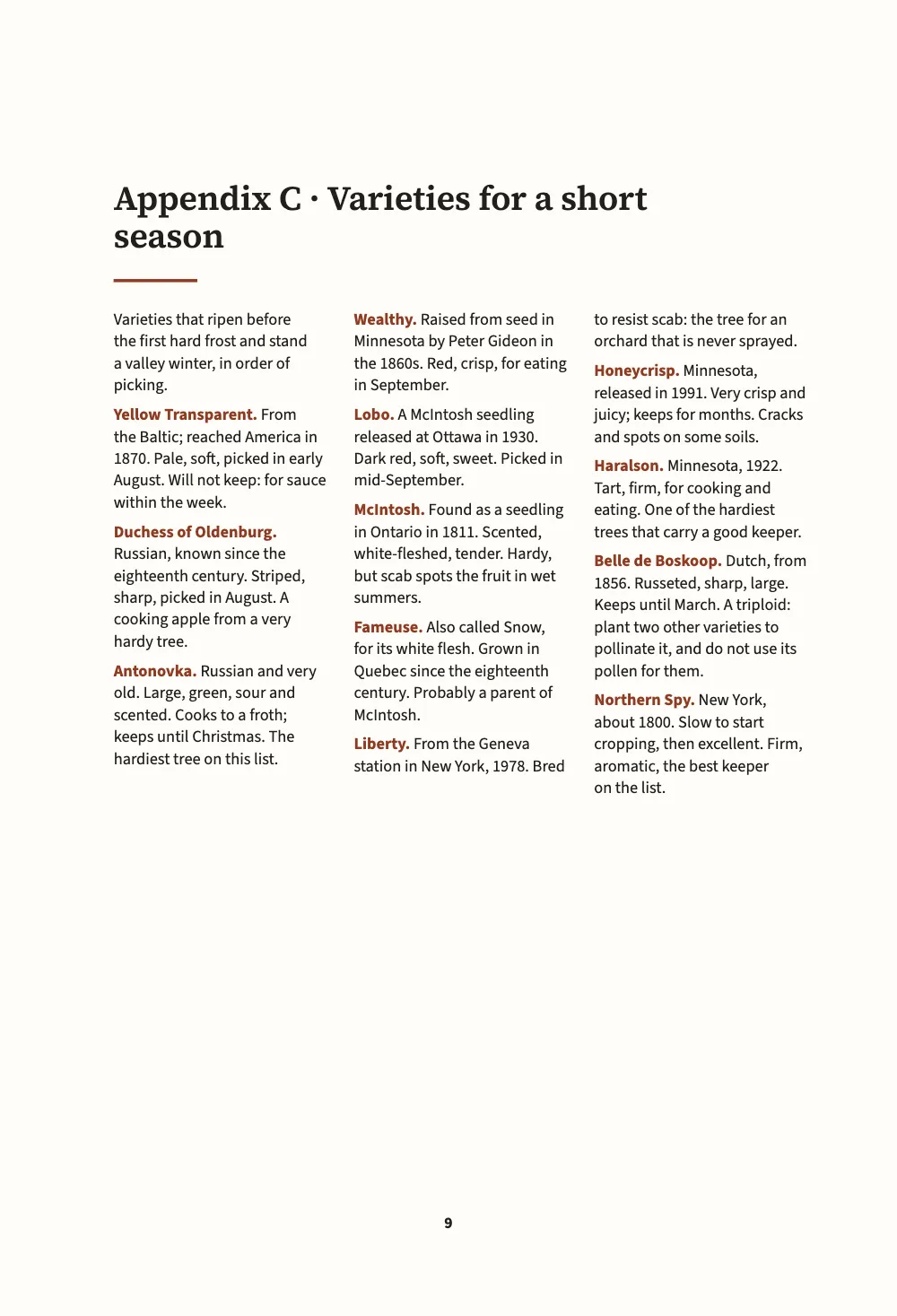
A small handbook for apple growers in a cold valley, 150 × 220 mm, written as six Markdown documents and laid out as one book. The two chapters of Part I are set in a single justified column of Source Serif 4. Part II, the appendices, changes design: a table of rootstocks and a month-by-month calendar in two ragged columns of smaller type, the kind of matter a grower reads in the shed with the book open on the bench, and a list of varieties in three columns of sans serif. The afterword returns to the book's own design without a divider page. Trim, margins, hyphenation and language are the same on every page.
This recipe answers
- How do I set a book’s appendices, or one of its parts, in another design, such as two columns of smaller type?
- How do I divide a book into parts or sections, each with its own colour and divider page?
The short answer
const smallOpener = { minHeight: mm(24), slot: { elements: [{ id: 'title', fontSize: pt(16) }] } };
// In the Markdown:  :::part{number="II" title="Appendices" style="appendix"}  sets every
// chapter from there to the next part; a chapter's own  chapterStyle: reference  wins.
const chapterStyles = [
  { id: 'appendix', name: t({ en: 'Appendix', es: 'Apéndice' }), config: {
    layout: { layoutType: 'double', gutterWidth: mm(6) },
    bodyText: { fontSize: pt(8.8), lineHeight: pt(11.6), textAlign: 'left',
      firstLineIndent: pt(0), paragraphSpacing: pt(4) },
    // Lists merge entry by entry on their id or level: only what is named here changes.
    headings: { levels: [{ level: 1, advancedDesign: smallOpener }] },
  } },
  { id: 'reference', name: t({ en: 'Reference list', es: 'Lista de consulta' }), config: {
    layout: { layoutType: 'multiple', columnCount: 3, gutterWidth: mm(4.5) },
    bodyText: { fontFamily: SANS, fontSize: pt(7.8), lineHeight: pt(10.4), textAlign: 'left',
      firstLineIndent: pt(0), paragraphSpacing: pt(3.5), boldColor: col('accent') },
    headings: { levels: [{ level: 1, advancedDesign: smallOpener }] },
  } },
];
// The trim, the language and the fonts stay the book's: a style that sets page.width or
// locale is ignored there, with a chapterStyleBookSetting warning.
Two chapter styles; a part names one, a chapter names the other
Ingredients
- Features
- Chapter stylesPart divider pagesBooks built chapter by chapterOne or two columnsThree or more columnsDesigned openersRunning heads and foliosRunning heads per sectionHeads by page roleMirrored marginsText, rules and boxes in page designsWidows, orphans and runtsSemantic colour palette
- Type
- Source Serif 4, Source Sans 3 (SIL OFL 1.1)
- Assets
- None: every picture is drawn in code
Method
#1 · A style holds only what changes
The code is the short answer above. A chapter style has an id, a name for the Sandbox and a config that is merged over the book's settings the way a language layer is. Objects merge key by key, and lists merge entry by entry on their id or level, so smallOpener names one element of the opener, the title, and gives it a smaller size; the rule under it and everything else stay as the book has them. The appendix style sets two columns, a smaller body size, ragged lines and space between entries, and nothing more.
Some settings belong to the whole book: the trim, resolution and binding of page, the language and writing direction, the numerals, the fonts, print and PDF output. A style that sets one is ignored there and raises a chapterStyleBookSetting warning, so the appendices keep the 150 mm trim and the British English hyphenation of the chapters.
#2 · The part names the style
// Only the first document's front matter is the book's; a later one keeps its chapterStyle.
const chapters = [front, rootstocks, appendices, calendar, varieties, afterword]
  .map((markdown) => ({ markdown }));
The third document opens with :::part{number="II" title="Appendices" style="appendix"}, and every chapter from that one to the next part is set in the appendix style. The fifth names its own style in its front matter, chapterStyle: "reference", which wins over the part's. In a book only the first document's front matter belongs to the book; a later one keeps just its chapterStyle: line.
#3 · A divider page, and a part without one
const text = (id, content, family, size, extra) => ({ kind: 'text', id, content, align: 'left',
  fontFamily: family, fontSize: pt(size), color: col('ink'), overflow: 'wrap', ...extra });
const at = (to, edge, x, y, width) => ({ anchor: { to, edge }, offset: { x: mm(x), y: mm(y) },
  ...(width && { size: { width: mm(width), height: 'auto' } }) });
const parts = {
  breakBefore: { parity: 'any' }, // the book is short: a part opens on the next page
  design: { elements: [ // the container is the trim: the margins are measured from its edges
    { kind: 'box', id: 'band', style: { backgroundColor: col('leaf') },
      placement: { ...at('page', 'top-left', 0, 0), size: { width: 'fill', height: mm(96) } } },
    text('number', '{number}', SERIF, 40, { fontWeight: 600, color: col('paper'),
      placement: at('page', 'top-left', MARGIN.inner, 46, MEASURE) }),
    text('title', '{titleText}', SERIF, 24, { fontWeight: 600, color: col('paper'),
      placement: at('#number', 'below', 0, 2, MEASURE) }),
  ] },
};
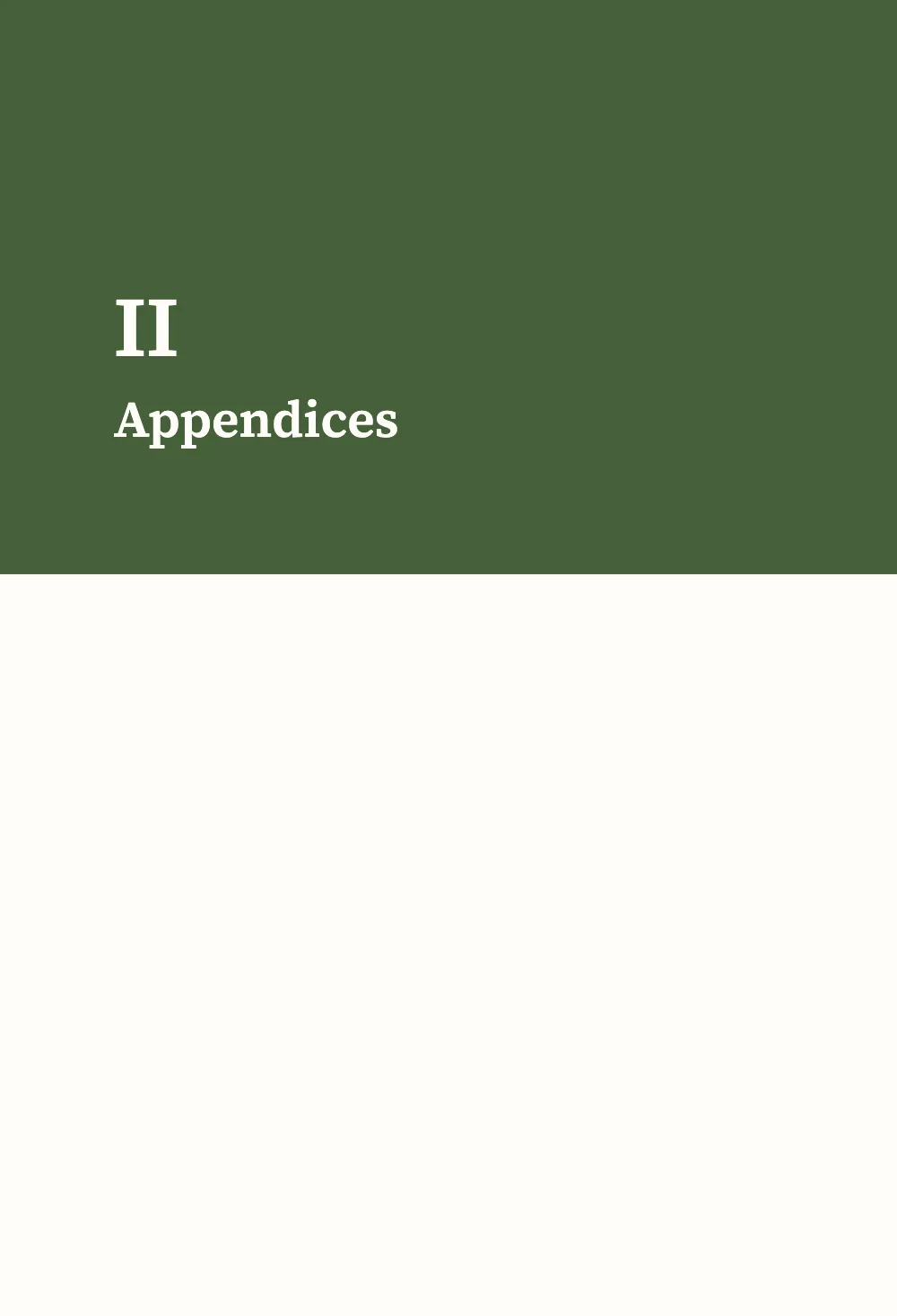
Each :::part opens a divider page with the part's number and title on a green band. The afterword opens with :::part{title="Afterword" page=false}: no divider page is printed, and since the part names no style, its chapter is set in the book's settings again. A part with page=false suits back matter that runs on after the appendices.
#4 · One opener at two sizes
const opener = { enabled: true, minHeight: mm(40), slot: { elements: [
  text('title', '{titleText}', SERIF, 22, { fontWeight: 600, lineHeight: 1.12,
    placement: at('container', 'top-left', 0, 8, MEASURE - 10) }),
  { kind: 'rule', id: 'rule', direction: 'horizontal', thickness: pt(1.5), color: col('accent'),
    placement: { ...at('#title', 'below', 0, 4), size: { width: mm(14) } } },
] } };
The opener spans the page, so in the appendices it runs across both columns and the text starts under it in two. The appendix and reference styles shrink the title to 16 pt and the sink to 24 mm through the element's id: the matter at the back of the book takes less room, and its titles stay well above its text in size.
#5 · Running heads from the book
const head = (id, content, parity, edge, x, extra = {}) => text(id, content, SANS, 7.5, {
  parity, pages: 'body', fontWeight: 600, letterSpacing: pt(1.2), textTransform: 'uppercase',
  color: col('muted'), overflow: 'clip', placement: at('page', edge, x, 12, 90), ...extra });
const folio = { fontWeight: 700, color: col('ink') };
const right = { align: 'right' };
const header = { elements: [
  head('verso-folio', '{pageNumber}', 'even', 'top-left', MARGIN.outer, folio),
  head('verso-title', '{title}', 'even', 'top-left', MARGIN.outer + 9), // the book's title
  head('recto-title', '{chapterTitle}', 'odd', 'top-right', -(MARGIN.outer + 9), right),
  head('recto-folio', '{pageNumber}', 'odd', 'top-right', -MARGIN.outer, { ...folio, ...right }),
] };
const footer = { elements: [head('drop-folio', '{pageNumber}', 'all', 'bottom', 0, {
  ...folio, align: 'center', pages: 'opener', placement: at('page', 'bottom', 0, -14, 20) })] };
The book's title goes on the verso and the chapter's on the recto. No style changes them, so the heads look the same in every part of the book.
The whole recipe
// ═══ Postext Cookbook · Nº 187 · Appendices in two columns ═══════════════════════════════
// https://postext.dev/en/cookbook/appendices-in-two-columns
// Code: MIT · Text: original (CC BY 4.0) · Pictures: none
// Fonts: Source Serif 4, Source Sans 3 (SIL OFL 1.1) · Needs postext ≥ 1.79.0
// A growers' handbook in six Markdown documents: the chapters in one column, the appendices
// in two columns of smaller type, one appendix in three, and an afterword back in one.
import {
  buildBundle, prepareFonts, withLoadedFonts, renderPageToCanvas,
} from 'https://esm.sh/postext';

const LANG = 'en'; // @lang: the language of the sample document ('en' | 'es')
const RECIPE = 'appendices-in-two-columns';

// ─── 1 · Design ─────────────────────────────────────────────────────────────
// #region palette: russet for the accent, leaf green for the part pages
const palette = { ink: '#211f1b', accent: '#8e3b24', leaf: '#46603a', muted: '#6c665c',
  rule: '#cfc6b6', paper: '#fffdf8' };
const col = (id) => ({ hex: palette[id], model: 'hex', paletteId: id });
const colorPalette = Object.entries({ ...palette, 'main-color': palette.accent })
  .map(([id, hex]) => ({ id, name: id, value: { hex, model: 'hex' } }));
// #endregion
const [SERIF, SANS] = ['Source Serif 4', 'Source Sans 3'];
const TRIM = { width: 150, height: 220 }; // mm, a handbook for the shed shelf
const MARGIN = { top: 22, bottom: 24, inner: 19, outer: 15 }; // mirrored
const MEASURE = TRIM.width - MARGIN.inner - MARGIN.outer; // 116 mm
const LEAD = 14; // pt, the book's leading

// #region answer: two chapter styles; a part names one, a chapter names the other
const smallOpener = { minHeight: mm(24), slot: { elements: [{ id: 'title', fontSize: pt(16) }] } };
// In the Markdown:  :::part{number="II" title="Appendices" style="appendix"}  sets every
// chapter from there to the next part; a chapter's own  chapterStyle: reference  wins.
const chapterStyles = [
  { id: 'appendix', name: t({ en: 'Appendix', es: 'Apéndice' }), config: {
    layout: { layoutType: 'double', gutterWidth: mm(6) },
    bodyText: { fontSize: pt(8.8), lineHeight: pt(11.6), textAlign: 'left',
      firstLineIndent: pt(0), paragraphSpacing: pt(4) },
    // Lists merge entry by entry on their id or level: only what is named here changes.
    headings: { levels: [{ level: 1, advancedDesign: smallOpener }] },
  } },
  { id: 'reference', name: t({ en: 'Reference list', es: 'Lista de consulta' }), config: {
    layout: { layoutType: 'multiple', columnCount: 3, gutterWidth: mm(4.5) },
    bodyText: { fontFamily: SANS, fontSize: pt(7.8), lineHeight: pt(10.4), textAlign: 'left',
      firstLineIndent: pt(0), paragraphSpacing: pt(3.5), boldColor: col('accent') },
    headings: { levels: [{ level: 1, advancedDesign: smallOpener }] },
  } },
];
// The trim, the language and the fonts stay the book's: a style that sets page.width or
// locale is ignored there, with a chapterStyleBookSetting warning.
The composed script.js runs as it is: paste it into any page’s module script, or open the recipe on CodePen. Recipe folder on GitHub ↗ (opens in a new tab)
Variations
#Ask a style for a book-wide setting
A style that sets the trim or the language is ignored for those keys. The build raises a chapterStyleBookSetting warning for each one, and the appendices keep the book's trim.
   { id: 'appendix', name: t({ en: 'Appendix', es: 'Apéndice' }), config: {
+    page: { width: mm(170) }, locale: 'fr',
layout: { layoutType: 'double', gutterWidth: mm(6) },#Reuse the design in another book
The command-line tool writes a book's design, chapter styles included, to a design bundle, and sets another book in it with --design. See the design command.
postext design apples.postext -o handbook.postext
postext pdf pears/ --design handbook.postext -o pears.pdfPitfalls
- The
:::partline must open the chapter, before its heading. A part line after the chapter's text has started raisespartStyleMidChapter, and the style starts with the next chapter. - A style name that
chapterStylesdoes not have raiseschapterStyleUnknown, and that chapter is set in the book's settings.
Credits
- Recipe
- Ignacio Ferro
- Text
- Original prose, CC BY 4.0
- Fonts
- Source Serif 4 (SIL OFL 1.1) · Source Sans 3 (SIL OFL 1.1)
Edit this write-up ↗ (opens in a new tab)Recipe folder on GitHub ↗ (opens in a new tab)