In short
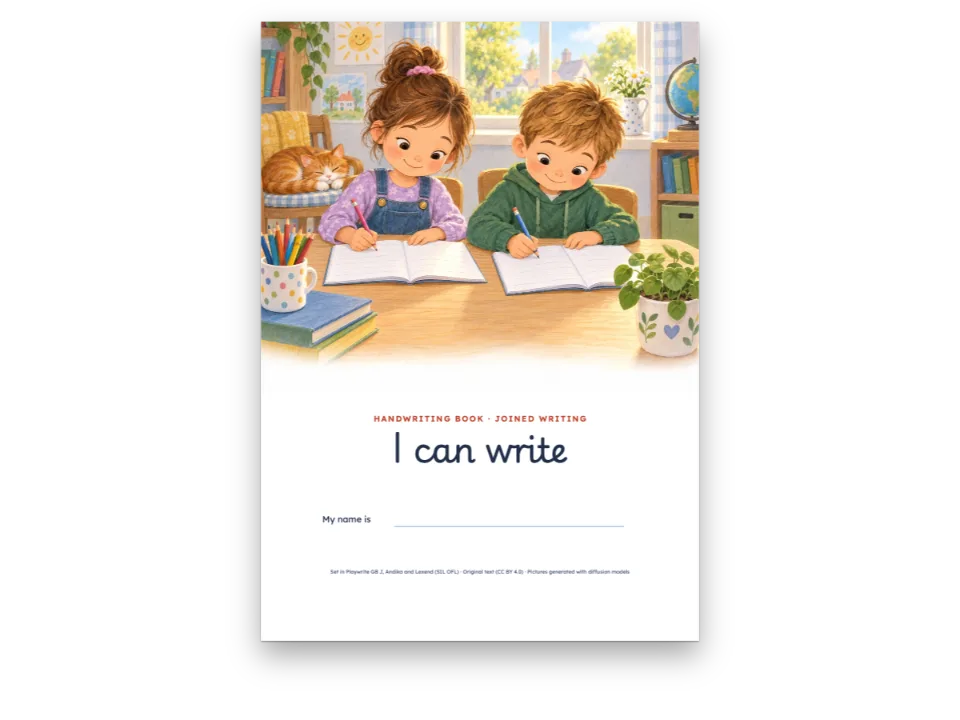
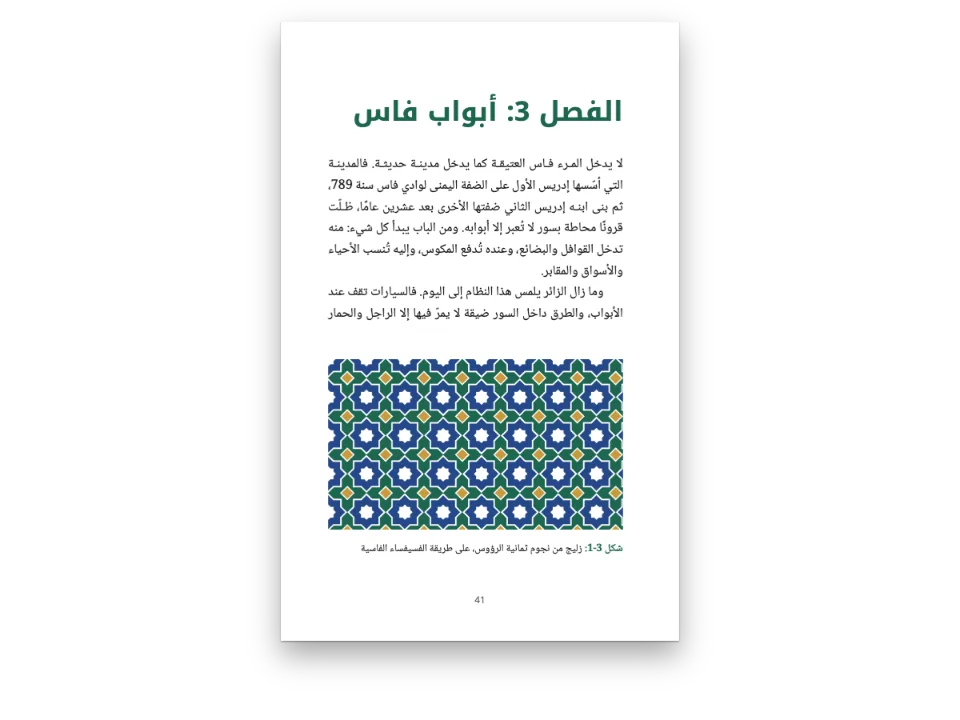
Pages of a children's Arabic workbook about a school garden: pick the answer, join the columns, fill gaps from a box of words, mark right or wrong, order words, find words in a grid.
What you'll build
A unit of a second-year Arabic workbook on a 17 × 24 cm page, about a school garden. A watercolour band opens it, with the unit's tab and title and a dotted line each for name, class and date. Then come the exercises an Arab primary book prints: choose the right answer, with أ) ب) ج) three to a row; join the two columns; fill the gaps from a word bank; mark صح or خطأ; put the words in order and write the sentence on the line; find seven garden words in a grid of letters. The solutions close the unit. The same text is set twice: the Mashriq edition numbers everything in Arabic-Indic digits, ١ ٢ ٣, and the Maghreb edition in European ones. Both read from the right and bind on the right.
This recipe answers
- How do I set an Arabic workbook right to left: matching columns, a word bank, a word search and Arabic-Indic digits?
- How do I set a workbook page of activities: numbers in discs, a word bank, true or false, join with a line?
- How do I make a word search or a crossword from a list of words?
The short answer
// The locale sets the direction, the binding and the digits: 'ar' writes the exercise
// numbers, the items and the key in Arabic-Indic digits (١ ٢ ٣), 'ar-MA' in European ones.
// Options take the abjad letters (أ ب ج), true/false the words صح / خطأ, both from the
// language. Nothing below names a side: the engine sets every part from the right.
const tamrin = {
  id: 'tamrin',
  number: { shape: 'disc', fontFamily: LABEL, background: col('accent') },
  instruction: { fontFamily: LABEL, bold: false, color: col('ink') },
  options: { layout: 'row' }, // أ) ب) ج) side by side, three to a row (columns=3)
  blank: { look: 'dots', color: col('muted') }, // a dotted line, as Arab workbooks print it
  match: { color: col('accent') },
  bank: { box: 'sunduq', order: 'shuffle' },
  area: { kind: 'lines', color: col('rule') },
  grid: { fontFamily: TEXT, rule: col('leaf'), uppercase: false }, // Arabic has no capitals
  answers: { color: col('leaf'), fontFamily: TEXT },
  solutions: { box: 'hulul' },
  marginTop: em(1.1), marginBottom: em(0.5),
};
// The solutions where :::solutions stands: at the end of the unit.
const exercises = { solutions: { placement: 'directive' } };
One exercise style read right to left, in the edition's digits
Ingredients
- Features
- ExercisesRight-to-left textDigits of the generated numbersExercise stylesChoice and true or falseGaps and word banksMatching and sortingOrderingWord searches and crosswordsSolutionsArabic fontsArabic numbering stylesBooks bound on the rightInline chipsCallout boxesDesigned openersHeading attributesPictures in page designsSemantic colour palettePDF export
- Also uses
- Boxes that split or stay wholeColumn balancingOpen questions and writing areasHeads by page roleParagraph stylesFonts embedded in the PDFFigures and tables as resources
- Type
- Noto Naskh Arabic, Baloo Bhaijaan 2 (SIL OFL 1.1)
- Assets
garden-1600.jpg- A school garden in an Arab town: date palms, a fountain, lemon trees, a girl watering plants and a boy carrying a pot of mint. (Generated With Diffusion Models, original)
Method
#1 · Name no side
The code is the short answer above. locale: 'ar' sets the text right to left, binds the book on the right and picks the digits; the exercise style takes the abjad letters for the options and صح and خطأ for true or false from the language. The matching columns, the word bank, the word search and the writing lines are drawn as box designs, which a right-to-left page mirrors: the first column stands on the right, a word read across the grid runs from right to left, and the dots of the match face each other in the middle.
#2 · The garden opener
const BAND = 170 / 2.4; // mm: the painting's height at the page's width
const opener = { enabled: true, minHeight: mm(BAND - 20 + 21), slot: { elements: [
  { kind: 'image', id: 'picture', resourceId: '{attr.pic}', decorative: true, reserve: false,
    placement: { anchor: { to: 'page', edge: 'top-left' },
      size: { width: mm(170), height: mm(BAND) } } },
  // In the flow of a right-to-left page 'left' is the start of the line: the right.
  { kind: 'text', id: 'unit', content: '{attr.kicker}', fontFamily: LABEL, fontSize: pt(11),
    fontWeight: 700, color: col('paper'), align: 'left',
    box: { backgroundColor: col('accent'), borderRadius: mm(1.5),
      padding: { top: mm(0.6), bottom: mm(0.4), left: mm(2.4), right: mm(2.4) } },
    placement: { anchor: { to: 'container', edge: 'top-left' },
      offset: { x: mm(0), y: mm(BAND - 20 + 3) } } },
  { kind: 'text', id: 'title', content: '{titleText}', fontFamily: LABEL, fontSize: pt(30),
    fontWeight: 700, color: col('ink'), align: 'left',
    placement: { anchor: { to: '#unit', edge: 'right-of' }, offset: { x: mm(4), y: mm(-5) } } },
] } };
The painting is anchored to the page and keeps its place; the tab and the title are laid in the flow of the page, where left is the start of the line, so they stand on the right without a coordinate of their own. The folios stay physical, as running heads do, and name each side.
#3 · Two editions, two sets of digits
// Both are bound on the right and read from the right; only the locale changes.
const build = () => withLoadedFonts(() => buildDocument({ markdown, resources }, config()),
  { ...kitFonts(FONTS), text: markdown });
const mashriq = await build();
edition = { locale: 'ar-MA' }; // the same book for Morocco: European digits, still right to left
const docs = [mashriq, await build()];
The configuration is a function, so each build gets its own object, and the second one only changes the locale. ar-MA writes the exercise numbers, the items, the key and the folios in European digits and leaves everything else as it was: the direction, the binding, the abjad letters and the words of the key.
The whole recipe
// ═══ Postext Cookbook · Nº 173 · An Arabic workbook, right to left ═══════════════
// https://postext.dev/en/cookbook/arabic-workbook-rtl
// Code: MIT · Text: original (CC BY 4.0) · Pictures: generated with diffusion models
// Fonts: Noto Naskh Arabic, Baloo Bhaijaan 2 (SIL OFL 1.1) · Needs postext ≥ 1.59.0
import {
  buildDocument, withLoadedFonts, renderPageToCanvas, registerResourceImage,
} from 'https://esm.sh/postext';
import { renderToPdf, decompressWoff2 } from 'https://esm.sh/postext-pdf';

const LANG = 'ar'; // @lang: the language of the frame; the workbook is Arabic in all
const RECIPE = 'arabic-workbook-rtl';

// ─── 1 · Design ─────────────────────────────────────────────────────────────
// #region palette: a garden workbook: ink, a terracotta accent, a leaf green, sand
const palette = {
  ink: '#22282e', // text
  accent: '#b9542a', // the one accent: exercise numbers, the unit tab, the word bank
  leaf: '#4f7d3a', // the second: rules and the word search's ruling
  sand: '#f8eedf', // the bank's ground, the answers box
  rule: '#c8b49b', // writing lines
  muted: '#6f655c', // folios, the name line, the colophon
  paper: '#ffffff',
};
const col = (id) => ({ hex: palette[id], model: 'hex', paletteId: id });
const colorPalette = [
  ...Object.entries(palette).map(([id, hex]) => ({ id, name: id, value: { hex, model: 'hex' } })),
  { id: 'main-color', name: 'accent (defaults)', value: { hex: palette.accent, model: 'hex' } },
];
// #endregion
// Naskh for the text, a rounded Arabic for the labels a child reads first.
const [TEXT, LABEL] = ['Noto Naskh Arabic', 'Baloo Bhaijaan 2'];

// #region answer: one exercise style read right to left, in the edition's digits
// The locale sets the direction, the binding and the digits: 'ar' writes the exercise
// numbers, the items and the key in Arabic-Indic digits (١ ٢ ٣), 'ar-MA' in European ones.
// Options take the abjad letters (أ ب ج), true/false the words صح / خطأ, both from the
// language. Nothing below names a side: the engine sets every part from the right.
const tamrin = {
  id: 'tamrin',
  number: { shape: 'disc', fontFamily: LABEL, background: col('accent') },
  instruction: { fontFamily: LABEL, bold: false, color: col('ink') },
  options: { layout: 'row' }, // أ) ب) ج) side by side, three to a row (columns=3)
  blank: { look: 'dots', color: col('muted') }, // a dotted line, as Arab workbooks print it
  match: { color: col('accent') },
  bank: { box: 'sunduq', order: 'shuffle' },
  area: { kind: 'lines', color: col('rule') },
  grid: { fontFamily: TEXT, rule: col('leaf'), uppercase: false }, // Arabic has no capitals
  answers: { color: col('leaf'), fontFamily: TEXT },
The composed script.js runs as it is: paste it into any page’s module script, or open the recipe on CodePen. Recipe folder on GitHub ↗ (opens in a new tab)
Variations
#Print the teacher's book
The answers then print in their places, in the colour of answers: the dots joined, the words in their blanks, the right boxes filled and the words ringed in the grid.
-const exercises = { solutions: { placement: 'directive' } };
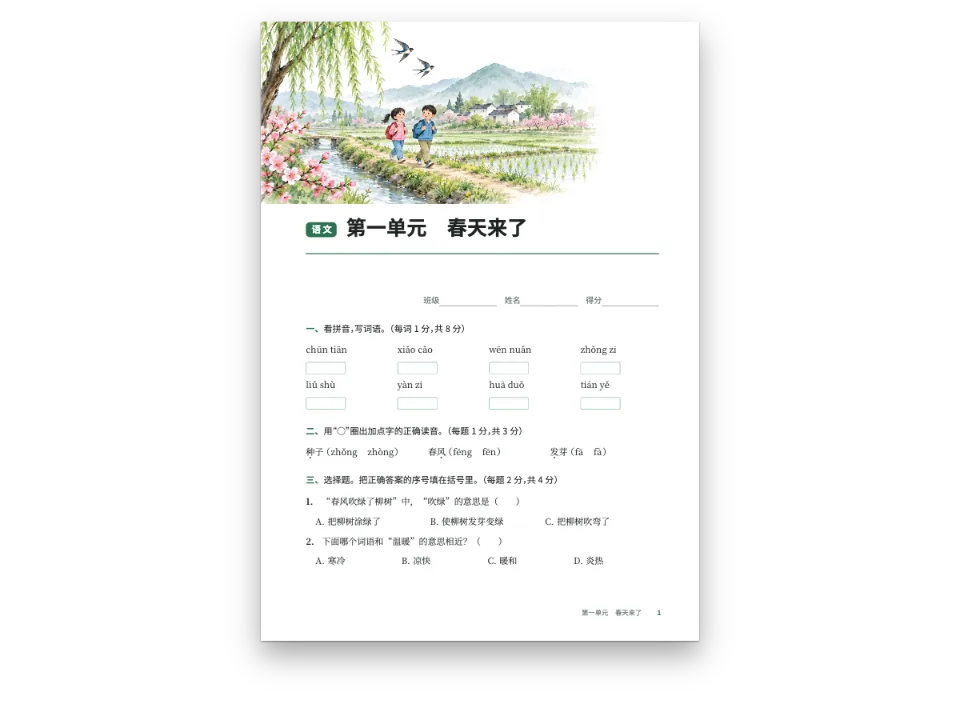
+const exercises = { edition: 'teacher', solutions: { placement: 'none' } };#Write the exercises in Chinese
The Chinese exercise book sets the same kinds of exercise with its own brackets and numerals.
Pitfalls
Pitfall
Tag an Arabic book 'ar', not with LANG
A recipe's editions are en and es, but an Arabic sample is Arabic in both: `locale: LANG` would set it left to right, bind it on the left, number its pages 1 2 3 and caption its figures Figure or Figura. From postext 1.30 the tag is also the language the text is shaped in (measured, painted and embedded), so under an English or Spanish tag a face such as Markazi Text does not draw the Arabic forms of its guillemets and stops, and the lines break elsewhere. Write the tag yourself: 'ar' (Arabic-Indic digits, the Mashriq convention), a region such as 'ar-EG' or 'ar-SA', or 'ar-MA', 'ar-DZ' or 'ar-TN' for a Maghreb edition with European digits. A Latin page that only quotes Arabic keeps its own locale. Right-to-left text →
Pitfall
Arabic faces need their arabic file, through the arabic block
Fontsource serves Amiri, Noto Naskh Arabic or Scheherazade New as one file per subset, and the Arabic letters are in the arabic file. loadFonts fetches only latin (and latin-ext), so on screen the Arabic comes from a system face and measures wrong, and fontsourceProvider hands the PDF that latin file, which prints empty boxes. List the arabic kit block, call loadArabicFonts(FONTS, markdown) after loadFonts, with every weight the pages set in Arabic listed in FONTS, and give renderToPdf fontProvider: arabicPdfProvider. Arabic fonts →
- Most Arabic faces have no ✓ or ✗: the true or false words are صح and خطأ, and the instruction asks for a mark in the box.
- The word search fills its empty cells with the letters of its own words, in their isolated forms. Choose words whose letters vary, or the grid fills with ة.
Credits
- Recipe
- Ignacio Ferro
- Text
- Original prose, CC BY 4.0
- Images
- A school garden in an Arab town: date palms, a fountain, lemon trees, a girl watering plants and a boy carrying a pot of mint. · Generated With Diffusion Models · original
- Fonts
- Noto Naskh Arabic (SIL OFL 1.1) · Baloo Bhaijaan 2 (SIL OFL 1.1)
Edit this write-up ↗ (opens in a new tab)Recipe folder on GitHub ↗ (opens in a new tab)