In short
A two-page comic saved as a print PDF and as e-books: one that keeps the pages and lets a reader zoom from panel to panel, one for Kindle, and one where the dialogue is plain text.
What you'll build
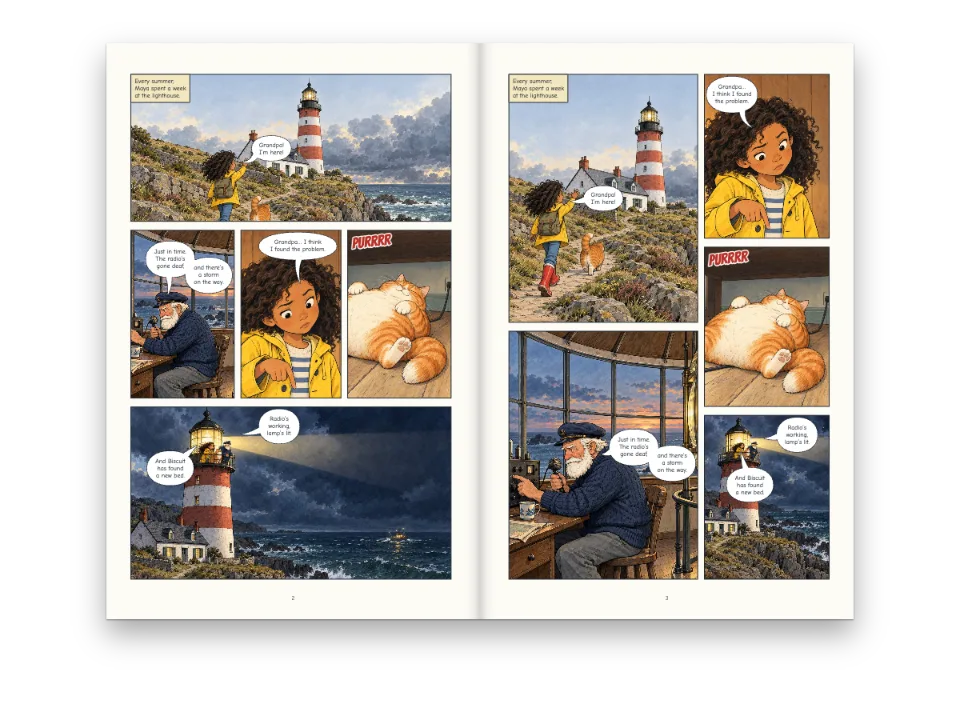
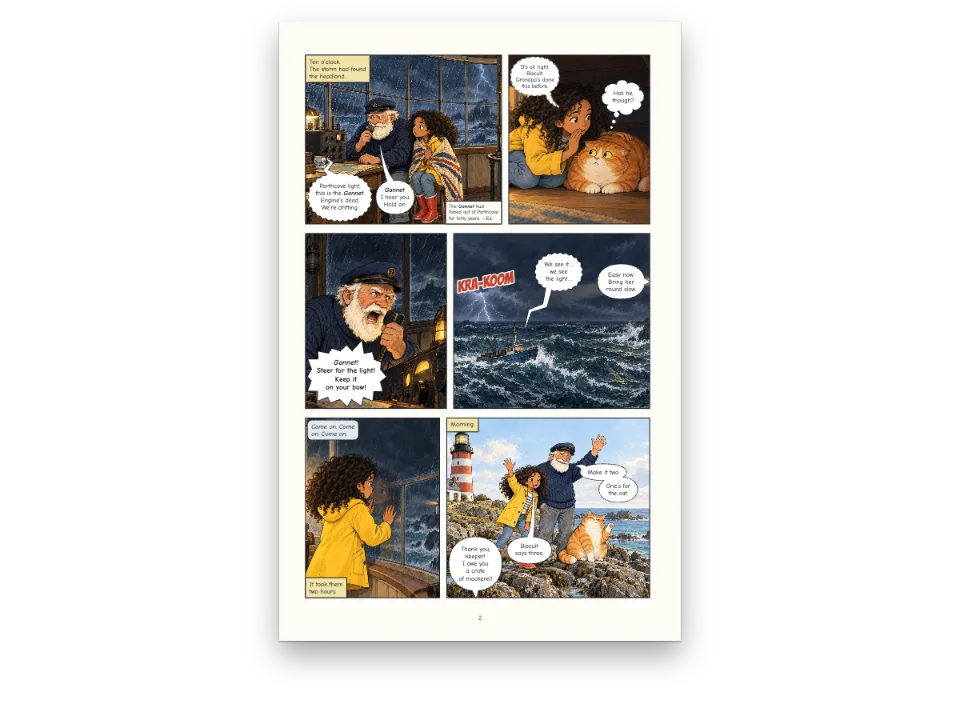
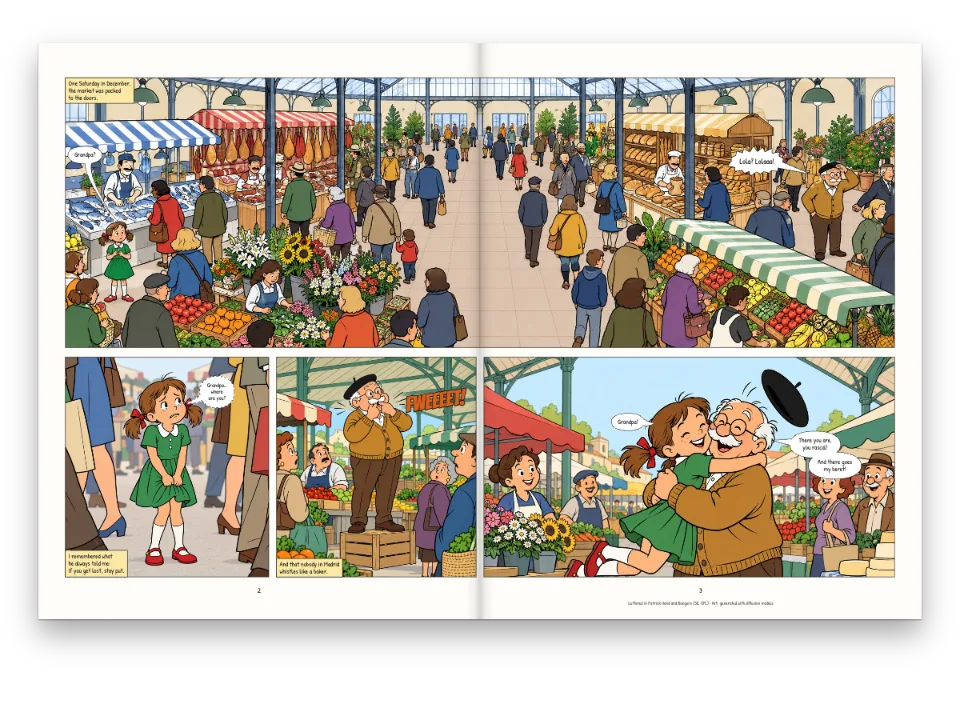
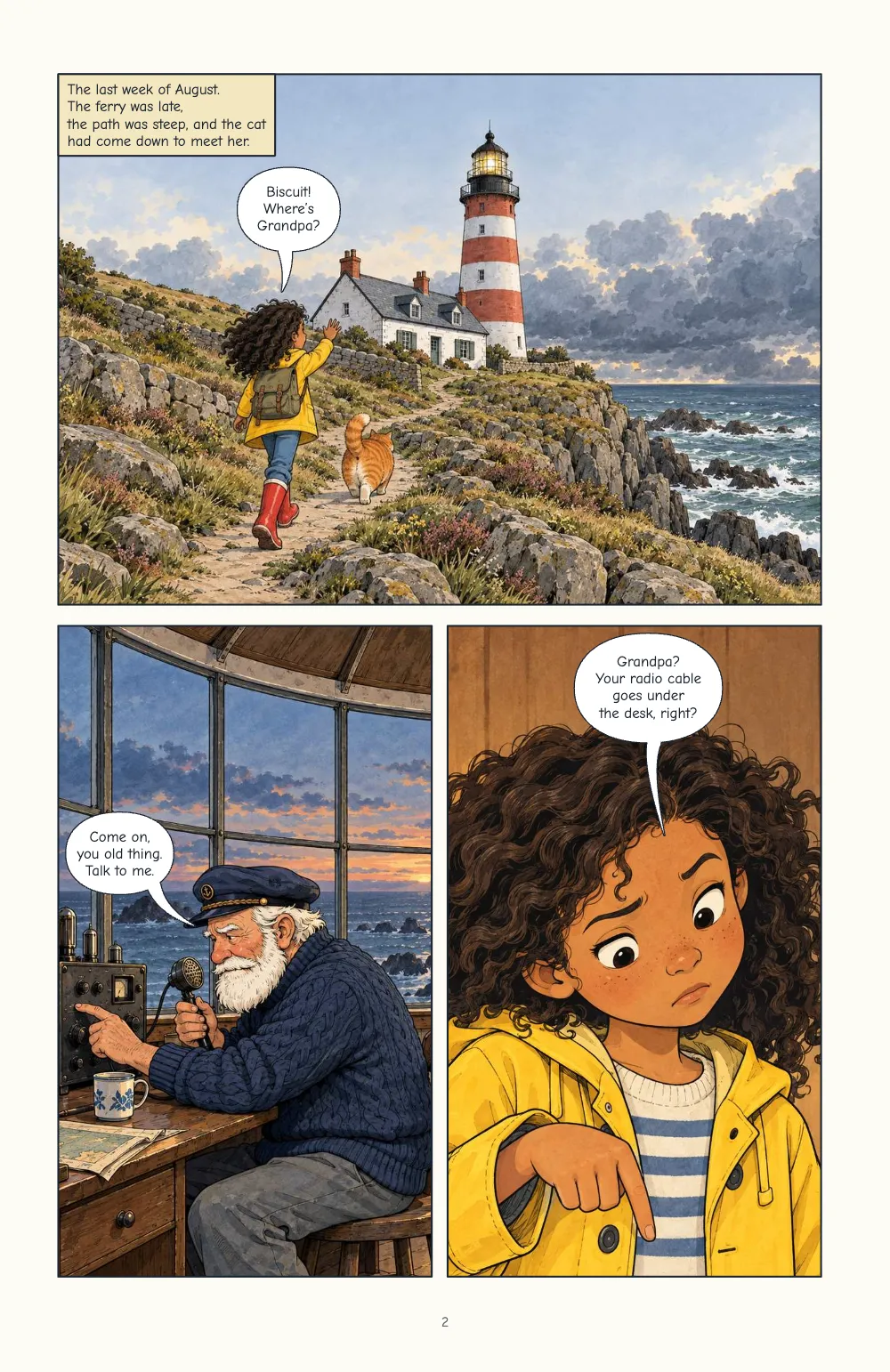
The first chapter of The Porthcove Light: a title page and two comic pages, laid out once and exported four ways. The PDF is for print. The fixed-layout EPUB keeps the printed pages and carries region-based navigation, so a reading system can show the book one panel at a time, zooming from the arrival panel to the radio, then to Maya. A second fixed EPUB adds Kindle Panel View; the reflowable one sets each panel as its cropped picture followed by its lines. The page lists each file as a reader will open it, with a download link, in ten languages.
This recipe answers
- How do I make a comic EPUB readable panel by panel?
The short answer
// The fixed layout keeps every printed page and writes regions.xhtml (EPUB Region-Based
// Navigation): one panel region per panel in reading order, its balloons nested in it.
// kindlePanelView adds Kindle's tap-to-magnify targets; the reflowable book sets each panel
// as its cropped picture followed by its lines as text.
const book = {
  metadata: { title: doc.metadata.title, creators: [doc.metadata.author], language: config().locale,
    modified: new Date('2026-10-07T00:00:00Z') }, // a fixed date: the same bytes on every run
  fonts: await epubFonts([LETTERING, SFX], markdown), // every face the pages set, as bytes
  resourceBytes: (fileId) => ({ bytes: imageBytes(fileId), mediaType: 'image/jpeg' }),
  onWarning: (w) => console.warn(`[epub] ${w.kind}`, w.family ?? w.fileId ?? w.detail),
};
const epubs = {
  fixed: await renderToEpub(doc, { ...book, layout: 'fixed' }),
  kindle: await renderToEpub(doc, { ...book, layout: 'fixed', kindlePanelView: true }),
  reflowable: await renderToEpub(doc, { ...book, layout: 'reflowable' }),
};
The same document as a fixed EPUB with regions, for Kindle, and reflowable
Ingredients
- Features
- Comics in PDF and EPUBEPUB exportPanel splitsPanel art and cropsComic pagesComic letteringRe-lettering in other languagesSpeakers and anchorsBalloon stylesPicture safe areaSemantic colour palettePages on a canvasPDF export
- Also uses
- Panel borders and guttersPaper colourHeads by page roleParagraph stylesFonts embedded in the PDFFigures and tables as resourcesSound effects
- Type
- Comic Neue, Bangers, Zen Antique, Dela Gothic One, ZCOOL KuaiLe, ZCOOL QingKe HuangYou, Playpen Sans Arabic, Lalezar (SIL OFL 1.1)
- Assets
lh-arrive.jpglh-beam.jpglh-biscuit.jpglh-maya.jpglh-radio.jpg- Panel picture: Maya arrives at the lighthouse (Generated With Diffusion Models, original)
- Panel picture: Tomás at the radio (Generated With Diffusion Models, original)
- Panel picture: Maya finds the problem (Generated With Diffusion Models, original)
- Panel picture: Biscuit asleep on the cable (Generated With Diffusion Models, original)
- Panel picture: the lamp lit at night (Generated With Diffusion Models, original)
Method
#1 · Export the same document as EPUB
The code is the short answer above. renderToEpub takes the documents renderToPdf prints, so the EPUB's pages are the PDF's (comics output). With layout: 'fixed' and comic pages in the book, it also writes regions.xhtml: one panel region per panel in reading order, each a rectangle in percent of its page, with its balloons, captions and sound effects as regions inside it. The page progression follows the comics' reading direction, so the Japanese and Arabic editions turn right to left. kindlePanelView: true adds a tap target per panel and a magnified copy, with the metadata Kindle expects. The reflowable rendition has no pages to keep: each panel is its picture, cropped as on the page, then its lines, "Maya: Biscuit! Where's Grandpa?", with the names from comics.cast.
#2 · Embed the faces the pages set
// For each weight and style the lettering asks for, the file loadComicFonts chose (the
// nearest one Fontsource ships), only the slices whose characters the book sets. A file that
// serves several weights is embedded once, with a weight range ('400 700').
const inRange = (range, cp) => range.split(',').some((part) => {
  const [lo, hi = lo] = part.trim().slice(2).split('-');
  return cp >= parseInt(lo, 16) && cp <= parseInt(hi, 16);
});
async function epubFonts(families, text) {
  const cps = [...new Set(text)].map((ch) => ch.codePointAt(0));
  const byFile = new Map(); // url → the face it serves
  for (const family of families) {
    const meta = await fontsourceMeta(family);
    const asks = [[400, 'normal'], [700, 'normal'], [400, 'italic'], [700, 'italic']];
    for (const [weight, style] of asks) {
      const w = meta.weights.reduce((a, b) => (Math.abs(b - weight) < Math.abs(a - weight) ? b : a),
        400);
      const s = style === 'italic' && meta.styles.includes('italic') ? 'italic' : 'normal';
      for (const { url, range } of await comicFaceFiles(family, w, s, meta, text)) {
        if (range && !cps.some((cp) => inRange(range, cp))) continue;
        const face = byFile.get(url) ?? { family, style: s, weights: new Set(), range };
        face.weights.add(weight);
        byFile.set(url, face);
      }
    }
  }
  return Promise.all([...byFile].map(async ([url, { family, style, weights, range }]) => ({
    family, style, format: 'woff2', unicodeRange: range,
    weight: weights.size > 1 ? `${Math.min(...weights)} ${Math.max(...weights)}` : [...weights][0],
    bytes: new Uint8Array(await (await fetch(url)).arrayBuffer()) })));
}
A fixed-layout EPUB draws its text in the faces it carries, and a face left out is set in the reader's own. The lettering asks for regular, bold and italic; the comic faces ship fewer, so each request gets the file loadComicFonts chose for it, and a file that serves both weights goes in once with the range '400 700'. Japanese and Chinese faces take only the slices that hold the edition's characters, which keeps the Japanese book at 1.4 MB.
#3 · Read each file back
const el = (tag, css, text) => Object.assign(document.createElement(tag),
  { textContent: text ?? '' }, { style: css });
const shelf = el('section', 'display: flex; flex-wrap: wrap; gap: 16px; justify-content: center;'
  + 'padding: 24px 16px 0; color: #d9d5cc; font: 13px/1.5 system-ui, sans-serif');
for (const [name, bytes] of Object.entries(epubs)) {
  const epub = readEpub(bytes);
  const regions = new TextDecoder().decode(epub.files.get(`${epub.root}regions.xhtml`)
    ?? new Uint8Array());
  const panels = regions.split('<li epub:type="panel">').slice(1); // one per panel
  const card = el('article', 'width: min(300px, 92vw); padding: 16px; border: 1px solid #2c3038');
  const steps = el('ol', 'margin: 8px 0; padding-left: 22px');
  steps.append(...panels.map((p, i) => el('li', '', `panel ${i + 1}: ${(p.match(
    /epub:type="(balloon|caption|sound-area|text-area)"/g) ?? []).length} text regions`)));
  const link = Object.assign(el('a', 'color: #d8a21a', `Download ${RECIPE}-${name}.epub`), {
    href: URL.createObjectURL(new Blob([bytes])), download: `${RECIPE}-${name}.epub` });
  card.append(el('h2', 'margin: 0; font-size: 15px; color: #f4f1ea', `EPUB 3 · ${name}`),
    el('p', 'margin: 4px 0 0', `${epub.layout} · ${epub.pageProgression} · `
      + `${epub.spine.length} documents · ${Math.round(bytes.length / 1024)} KB`),
    panels.length ? steps : el('p', '', 'No region navigation: the panels are text.'), link);
  shelf.append(card);
}
document.getElementById('pages').before(shelf);
readEpub opens the bytes as a reading system would: layout, page progression, spine. The list under each card is the guided view itself, read from regions.xhtml: five panels and their text regions, in the order a reader steps through them. The three files pass EPUBCheck 5.4 with no errors or warnings in English, Japanese and Arabic.
#4 · One layout, ten editions
const [LETTERING, SFX] = t({
  en: ['Comic Neue', 'Bangers'], es: ['Comic Neue', 'Bangers'], ca: ['Comic Neue', 'Bangers'],
  ja: ['Zen Antique', 'Dela Gothic One'], zh: ['ZCOOL KuaiLe', 'ZCOOL QingKe HuangYou'],
  ar: ['Playpen Sans Arabic', 'Lalezar'], pt: ['Comic Neue', 'Bangers'],
  fr: ['Comic Neue', 'Bangers'], de: ['Comic Neue', 'Bangers'], it: ['Comic Neue', 'Bangers'],
});
Each content.<lang>.md holds the words of one edition under the same speaker ids. The panel regions are the same in every language; the balloon regions move with the balloons, which are lettered again around each language's text.
The whole recipe
// ═══ Postext Cookbook · Nº 148 · A comic EPUB read panel by panel ═══════════════════
// https://postext.dev/en/cookbook/comic-epub-guided-view
// Code: MIT · Text: original (CC BY 4.0) · Pictures: generated with diffusion models
// Fonts: Comic Neue, Bangers and the faces of five editions (OFL) · Needs postext ≥ 1.65.0
//
// A short comic laid out once and exported four ways: a PDF for print, a fixed-layout EPUB
// whose region-based navigation lets a reading system step through it panel by panel, the
// same EPUB with Kindle Panel View, and a reflowable EPUB with each panel's lines as text.
// Each file is read back to list what a reader will find in it.
import {
  buildDocument, withLoadedFonts, renderPageToCanvas, registerResourceImage, loadVerticalAlternates,
} from 'https://esm.sh/postext';
import { renderToPdf, decompressWoff2 } from 'https://esm.sh/postext-pdf';
import { renderToEpub, readEpub } from 'https://esm.sh/postext-epub';

const LANG = 'en'; // @lang: 'en' | 'es' | 'ca' | 'zh' | 'ar' | 'ja' | 'pt' | 'fr' | 'de' | 'it'
const RECIPE = 'comic-epub-guided-view';

// ─── 1 · Design ─────────────────────────────────────────────────────────────
// #region palette: the night sea, the lighthouse red and the yellow of the captions
const palette = {
  ink: '#1b2430', // panel borders, lettering and the title page
  accent: '#b8322a', // the lighthouse red: title and sound effects
  caption: '#f4e7bf', // caption boxes
  muted: '#5f6873', // folios and the imprint
  paper: '#fdfbf6',
};
const col = (id) => ({ hex: palette[id], model: 'hex', paletteId: id });
const colorPalette = [
  ...Object.entries(palette).map(([id, hex]) => ({ id, name: id, value: { hex, model: 'hex' } })),
  { id: 'main-color', name: 'accent (defaults)', value: { hex: palette.accent, model: 'hex' } },
];
// #endregion

// #region editions: six editions, each lettered in faces for its script
const [LETTERING, SFX] = t({
  en: ['Comic Neue', 'Bangers'], es: ['Comic Neue', 'Bangers'], ca: ['Comic Neue', 'Bangers'],
  ja: ['Zen Antique', 'Dela Gothic One'], zh: ['ZCOOL KuaiLe', 'ZCOOL QingKe HuangYou'],
  ar: ['Playpen Sans Arabic', 'Lalezar'], pt: ['Comic Neue', 'Bangers'],
  fr: ['Comic Neue', 'Bangers'], de: ['Comic Neue', 'Bangers'], it: ['Comic Neue', 'Bangers'],
});
// #endregion

const comics = {
  gutter: { horizontal: mm(4), vertical: mm(3) },
  panel: { borderWidth: pt(1), borderColor: col('ink'), background: col('paper') },
  lettering: { fontFamily: LETTERING, fontSize: pt(8), color: col('ink'), inset: mm(1.5) },
  balloonStyles: [{ id: 'speech', stroke: col('ink') }, { id: 'caption', fill: col('caption'),
The composed script.js runs as it is: paste it into any page’s module script, or open the recipe on CodePen. Recipe folder on GitHub ↗ (opens in a new tab)
Variations
#Leave out the Kindle edition
Region-based navigation is written in every fixed EPUB; Kindle Panel View only adds to it.
- kindle: await renderToEpub(doc, { ...book, layout: 'fixed', kindlePanelView: true }),#Give the reflowable book a cover
-  reflowable: await renderToEpub(doc, { ...book, layout: 'reflowable' }),
+  reflowable: await renderToEpub(doc, { ...book, layout: 'reflowable',
+ cover: { bytes: imageBytes('lh-beam.jpg'), mediaType: 'image/jpeg' } }),Pitfalls
- A face embedded once per weight it serves would be copied four times; the Chinese edition weighed 5.3 MB before the weight ranges.
Credits
- Recipe
- Ignacio Ferro
- Text
- Original prose, CC BY 4.0
- Images
- Panel picture: Maya arrives at the lighthouse · Generated With Diffusion Models · original
- Panel picture: Tomás at the radio · Generated With Diffusion Models · original
- Panel picture: Maya finds the problem · Generated With Diffusion Models · original
- Panel picture: Biscuit asleep on the cable · Generated With Diffusion Models · original
- Panel picture: the lamp lit at night · Generated With Diffusion Models · original
- Fonts
- Comic Neue (SIL OFL 1.1) · Bangers (SIL OFL 1.1) · Zen Antique (SIL OFL 1.1) · Dela Gothic One (SIL OFL 1.1) · ZCOOL KuaiLe (SIL OFL 1.1) · ZCOOL QingKe HuangYou (SIL OFL 1.1) · Playpen Sans Arabic (SIL OFL 1.1) · Lalezar (SIL OFL 1.1)
Edit this write-up ↗ (opens in a new tab)Recipe folder on GitHub ↗ (opens in a new tab)