In short
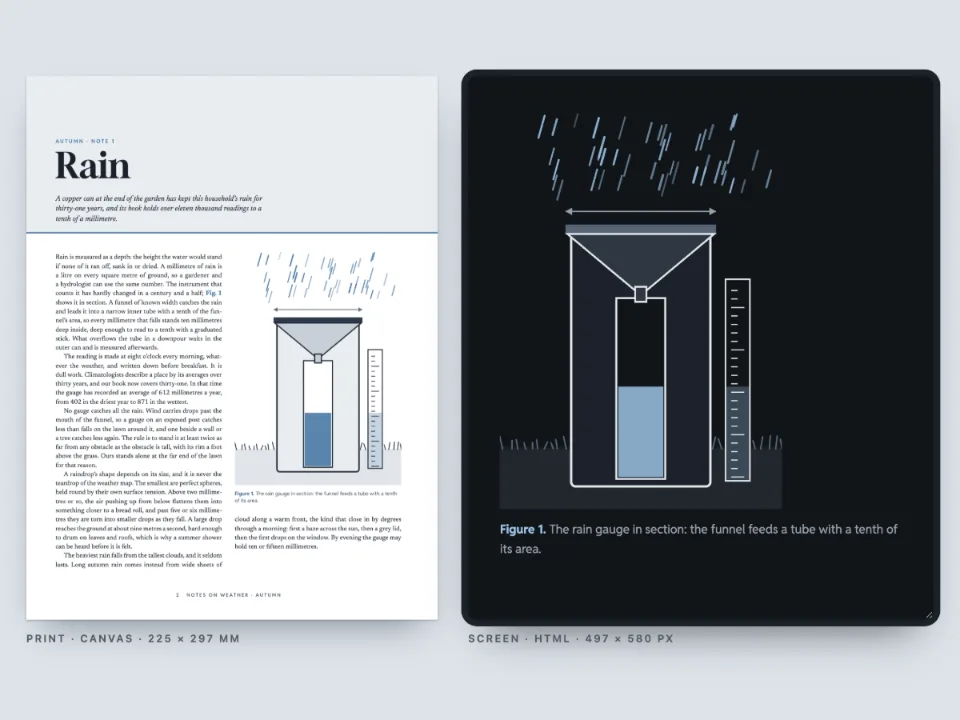
A physics worksheet with two short films of a pendulum. On paper each film is a still picture with a code to scan; on screen and in the e-book the films play on the page.
What you'll build
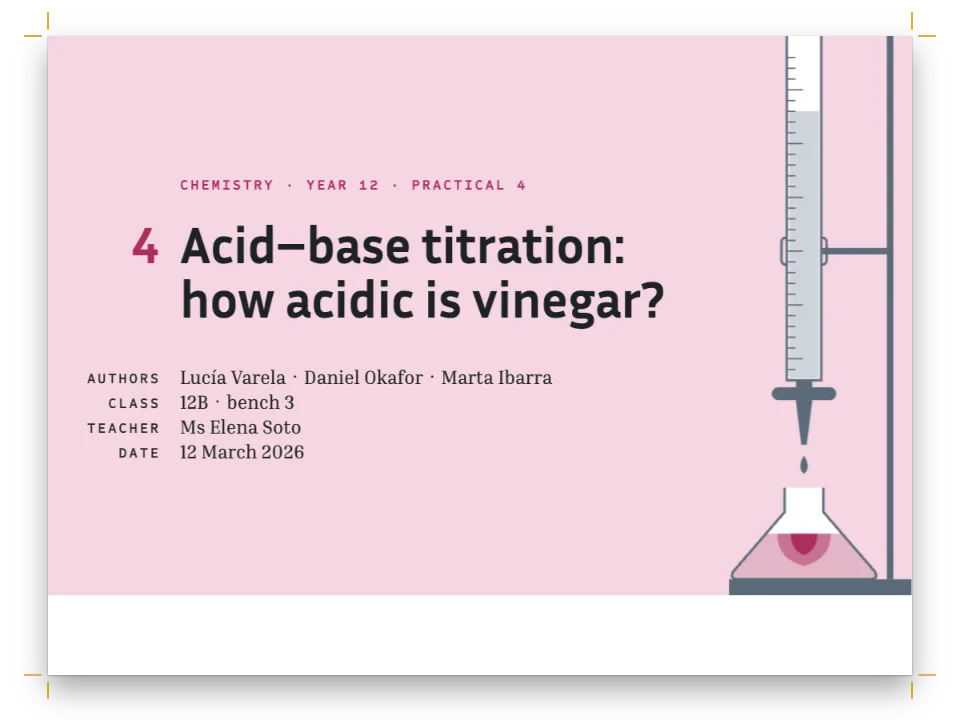
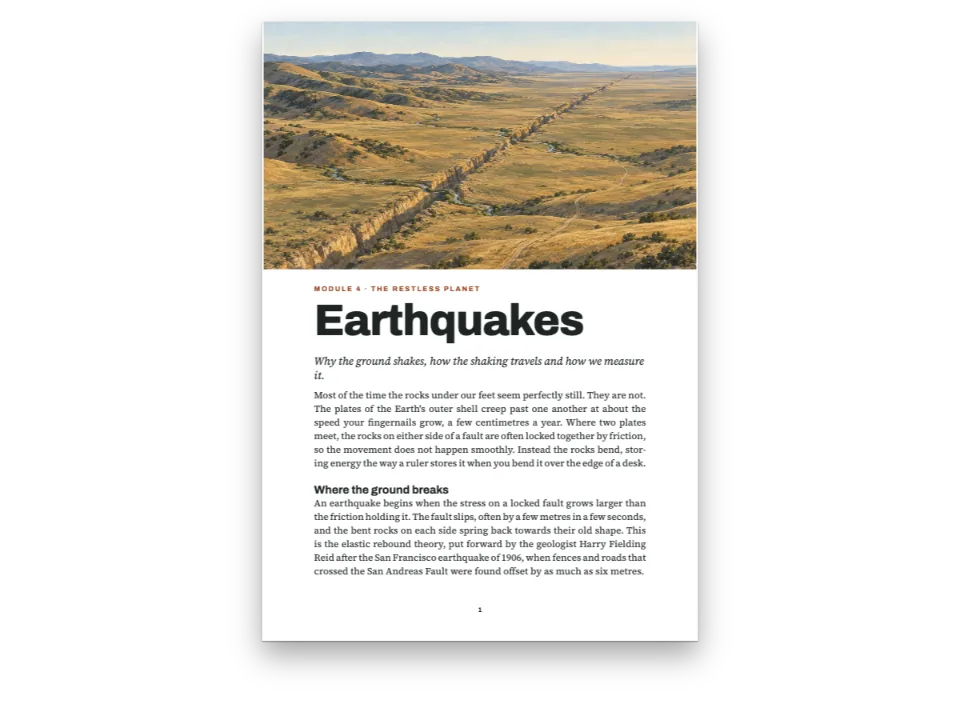
Lab sheet 4.2 of Bench Physics, an A4 workbook for students of 16 to 18, on the period of a pendulum. A rust band carries the title and the fields for name, group and date. At the foot of the first page two clips of the same pendulum, released from 10° and from 80°, sit side by side. On paper each clip is its first frame, with a play mark and a QR code that opens the MP4. In the screen edition beside the pages, and in the EPUB the pen writes, the same two resources play in the reader's own video player. The second page holds the method, a table to fill in, the exact periods worked out by the code, and four questions with boxes for the answers.
This recipe answers
- How do the HTML edition and the EPUB play the book's videos, and how do I hide the download button?
- How do I put a video in a printed book so that a reader can open it from the page?
The short answer
const clip = (id, file, poster, caption, altText) => ({
  id, typeId: 'video', kind: 'video', createdAt: 0, updatedAt: 0, caption: t(caption),
  note: t({ en: '8.00 s, 25 frames per second · Postext Cookbook, CC BY 4.0',
    es: '8,00 s, 25 fotogramas por segundo · Postext Cookbook, CC BY 4.0' }),
  altText: t(altText), placement: { position: 'bottom', span: 'column' },
  video: { source: 'file', fileId: file, format: 'mp4', width: 640, height: 360, duration: 8,
    url: asset(file), // the production address: printed as the QR code, linked from the PDF
    poster: { fileId: poster, format: 'jpeg', width: 640, height: 360 }, // the first frame
  },
});
const videoStyle = {
  playMark: { shape: 'rounded', position: 'top-left', size: mm(7), inset: mm(3),
    background: col('ink'), color: col('paper') },
  qr: { position: 'bottom-right', size: mm(19), inset: mm(2.5), // 111 characters: 45 modules
    color: col('ink'), background: col('paper'), radius: mm(1) },
  // The HTML5 player of a file honours every option. download: false writes
  // controlslist="nodownload": it hides the button, and the file stays at its address.
  player: { download: false, loop: true, muted: true, preload: 'auto',
    pictureInPicture: false, remotePlayback: false },
};
const clips = [
  clip('small', 'pendulum-small.mp4', 'pendulum-small-poster.jpg',
    { en: 'Released from rest at 10°.', es: 'Soltado desde el reposo a 10°.' },
    { en: 'A rust bob on a dark string hangs a few degrees off the vertical, under a short bar.',
      es: 'Una lenteja roja cuelga de un hilo oscuro a pocos grados de la vertical.' }),
  clip('large', 'pendulum-large.mp4', 'pendulum-large-poster.jpg',
    { en: 'Released from rest at 80°.', es: 'Soltado desde el reposo a 80°.' },
    { en: 'The same pendulum pulled out almost level with its pivot, a pale arc below it.',
      es: 'El mismo péndulo, casi a la altura de su eje, sobre un arco pálido.' }),
];
Two clips of the book's own: a poster and a QR code, or a player
Ingredients
- Features
- Video posters: play mark and QR codeVideos as resourcesEPUB exportHTML reading editionA simpler design for screenTables from dataTable styleCallout boxesNested boxesExplicit vertical spaceDesigned openersHeading attributesText, rules and boxes in page designsRunning heads and foliosHeads by page roleCustom resource typesSemantic colour paletteFonts embedded in the PDF
- Also uses
- Citations that place figuresFigures exactly hereFigure and Table in your languageFull-width chapter bandParagraph stylesPDF exportFigures and tables as resourcesSuperscripts and subscripts
- Type
- Source Serif 4, Red Hat Display, Red Hat Mono (SIL OFL 1.1)
- Assets
pendulum-large-poster.jpgpendulum-large.mp4pendulum-small-poster.jpgpendulum-small.mp4- Video 1: a pendulum 1 m long released from 10°, 8 s at 25 frames per second, rendered from an RK4 solution of the pendulum equation (1 ms steps) with Python and encoded with ffmpeg (Postext Cookbook, CC BY 4.0)
- Video 2: the same pendulum released from 80°, rendered and encoded the same way (Postext Cookbook, CC BY 4.0)
- The first frame of Video 1, its printed poster (Postext Cookbook, CC BY 4.0)
- The first frame of Video 2, its printed poster (Postext Cookbook, CC BY 4.0)
Method
#1 · Give each clip a production address and a file
The code is the short answer above. A clip of your own has two addresses. video.url is where the published book will find it: the QR code prints it and the PDF links the poster to it, so here it is the clip's jsDelivr address, the one a phone can open today. video.fileId names the file itself, kept out of band like a bitmap, for the outputs that can carry it or play it from somewhere else (see Document format › Videos). The player options in videoStyle.player apply to every clip: they loop, start muted, load in full (27 and 61 KB) and offer no download, picture in picture or casting, so the clips stay on the sheet.
#2 · Lay out the screen edition from the same source
const [PANE_W, PANE_H] = [400, 640]; // px
const screen = {
  page: { width: px(PANE_W), height: px(PANE_H), dpi: 122, // so the 9.4 pt text is 16 px
    margins: { top: px(28), bottom: px(28), left: px(22), right: px(22), mirror: false } },
  layout: { layoutType: 'single' }, bodyText: { textAlign: 'left' }, // ragged in a narrow pane
  headings: { levels: [{ level: 1, span: 'column', breakBefore: { enabled: false },
    fontSize: px(28), lineHeight: px(32), fontWeight: 800, marginBottom: px(16),
    advancedDesign: { enabled: false } }] }, // the title alone: the band and fields are print's
  header: { elements: [] }, footer: { elements: [] } };
The screen edition lives in the configuration as htmlViewer.overrides, which canvas and PDF ignore. At 122 dpi every size given in points comes out about a quarter larger than at 96, so the 9.4 pt text reads at 16 px in the pane and the captions, boxes and tables grow with it. The opener keeps its title and drops its band and fields, which belong to paper.
#3 · Play the clips in the pane
// A shadow root keeps the page's styles out, so the pane shows the lines as they were measured.
const pane = desk.querySelector('#screen').attachShadow({ mode: 'open' });
pane.innerHTML = renderToHtml(buildDocument({ markdown, resources },
  applyHtmlViewerOverrides(config())), { mode: 'single', padding: 0, background: '#ffffff',
  resourceImageUrl: imageUrl, // the posters, until a clip plays
  resourceVideoUrl: (fileId) => asset(fileId) }); // the file each <video> plays: the asset here
const top = (el) => el.getBoundingClientRect().top; // open the pane on the first player
pane.host.scrollTop = top(pane.querySelector('video')) - top(pane.host) - 48;
renderToHtml sets each video resource as an HTML5 <video> with the player options as attributes: controls, muted, loop, playsinline, preload="auto", disablepictureinpicture, disableremoteplayback and controlslist="nodownload". That last one only hides the button. Anyone with the address can still save the file, so treat it as tidiness, not protection. resourceVideoUrl hands the backend a playable address for each fileId, as resourceImageUrl does for the posters. Here it is the published asset; a site that keeps uploads elsewhere returns its own URL, or a blob URL of the bytes. Without it the player falls back to video.url, and with neither the pane shows the poster.
#4 · Pack the clips into a fixed-layout EPUB
const bytesOf = async (url) => new Uint8Array(await (await fetch(url)).arrayBuffer());
const media = new Map(await Promise.all(clips.map(async ({ video }) =>
  [video.fileId, { bytes: await bytesOf(asset(video.fileId)), mediaType: 'video/mp4' }])));
// Every face as bytes (gotcha: epub-embeds-given-fonts): the files loadFonts loaded, latin
// for each face and greek for the text face, limited to the Greek block and listed after
// latin, so a reading system tries it first for θ and π.
const faces = Object.entries(FONTS).flatMap(([family, specs]) => specs.map((spec) =>
  ({ family, weight: parseInt(spec, 10), style: spec.endsWith('i') ? 'italic' : 'normal' })));
const fonts = await Promise.all([...faces.map((face) => [face, 'latin']),
  ...faces.filter(({ family }) => family === TEXT)
    .map((face) => [{ ...face, unicodeRange: 'U+0370-03FF' }, 'greek'])]
  .map(async ([face, subset]) => ({ ...face, format: 'woff2', bytes: await bytesOf(
    `https://cdn.jsdelivr.net/npm/@fontsource/${fontsourceId(face.family)}@5/files/`
    + `${fontsourceId(face.family)}-${subset}-${face.weight}-${face.style}.woff2`) })));
const epub = await renderToEpub([doc], { layout: 'fixed', fonts,
  metadata: { title: doc.metadata.title, creators: ['Postext Cookbook'], language: LANG,
    rights: 'CC BY 4.0', modified: new Date('2026-10-05T00:00:00Z') }, // the same bytes each run
  // The clips as video/mp4 and the posters as pictures; the book packs both under media/.
  resourceBytes: (fileId) => media.get(fileId)
    ?? { bytes: imageBytes(fileId), mediaType: 'image/jpeg' },
});
The sheet is built around two clips side by side and empty boxes to write in, so the fixed layout keeps it: every page as printed, with a player where the poster was. A reflowable EPUB would play the clips too, one under the other at the width of the text. resourceBytes answers video/mp4 for each clip and a JPEG for each poster, and the writer packs them under media/ and images/. The EPUB keeps only the attributes its schema knows (controls, autoplay, muted, loop, playsinline, preload), so the download button and the rest are left to the reading system. The file passes EPUBCheck with no errors or warnings.
#5 · Set θ and π in canvas, PDF and EPUB
Source Serif 4 keeps its Greek letters in a Fontsource file of their own, greek, beside latin. kitFonts(FONTS) finds Greek letters in the text and loads that file for every face of the family, and fontsourceProvider embeds it in the PDF next to the latin file for each face that sets θ or π, so the two letters need no code. The EPUB embeds only the fonts the pen hands it, so step 4 lists the text face's greek files after the latin ones, each limited to the Greek block by its unicodeRange.
#6 · Work the table out in the code
// The arithmetic-geometric mean gives the elliptic integral K of the exact period in a few steps.
const T0 = 2 * Math.PI * Math.sqrt(1 / 9.81); // s: L = 1 m, g = 9.81 m/s²
const agm = (a, b) => (Math.abs(a - b) < 1e-15 ? a : agm((a + b) / 2, Math.sqrt(a * b)));
const period = (degrees) => T0 / agm(1, Math.cos((degrees * Math.PI) / 360));
const num = (x, digits) => x.toFixed(digits).replace('.', t({ en: '.', es: ',' }));
const cell = (content, align = 'right') => ({ content, align, verticalAlign: 'middle' });
const table = (id, caption, head, rows, columnWidths) => ({ id, typeId: 'table', kind: 'table',
  createdAt: 0, updatedAt: 0, caption: t(caption), placement: { position: 'here' },
  table: { model: { headerRowCount: 1, columnWidths, rows: [head.map((h, i) =>
    ({ ...cell(h, i ? 'right' : 'left'), isHeader: true })), ...rows] } } });
const periods = table('periods', { en: 'Exact periods of a pendulum 1.00 m long.',
  es: 'Periodos exactos de un péndulo de 1,00 m.' },
['Amplitude|Amplitud', 'T (s)', 'T/T~0~', 'Longer by|Aumento'].map((h) =>
  t({ en: h.split('|')[0], es: h.split('|').at(-1) })),
[5, 10, 20, 30, 45, 60, 80, 90].map((d) => [cell(`${d}°`, 'left'), cell(num(period(d), 3)),
  cell(num(period(d) / T0, 3)), cell(`${num((period(d) / T0 - 1) * 100, 2)} %`)]),
[1.2, 1, 1, 1.1]);
const blank = cell(' \n '); // two empty lines: room to write
const data = table('data', { en: 'Your measurements.', es: 'Tus medidas.' },
  t({ en: ['Clip', 'Swings in 8 s', 'T (s)'], es: ['Vídeo', 'Oscilaciones en 8 s', 'T (s)'] }),
  [10, 80].map((d, i) => [cell(`${t({ en: 'Video', es: 'Vídeo' })} ${i + 1} · ${d}°`, 'left'),
    blank, blank]), [1.2, 1.5, 0.8]);
The exact period needs the complete elliptic integral K, and the arithmetic-geometric mean gives it in a handful of steps: T = T~0~ / AGM(1, cos ½θ~0~). The table prints three decimals with the decimal comma in Spanish, and the 10° and 80° rows match the clips: 2.010 s and 2.282 s, 0.2 % and 13.8 % longer than T~0~ = 2.006 s. In 8 s that is just under four full swings for the first clip and three and a half for the second.
The whole recipe
// ═══ Postext Cookbook · Nº 132 · A lab sheet whose clips play on screen and in the EPUB ════
// https://postext.dev/en/cookbook/pendulum-lab-video-players
// Code: MIT · Text: original (CC BY 4.0) · Clips: rendered in code (CC BY 4.0)
// Fonts: Source Serif 4, Red Hat Display, Red Hat Mono (SIL OFL 1.1) · Needs postext ≥ 1.25.0
import {
  buildDocument, buildDocumentWithFonts, prepareFonts, renderPageToCanvas, renderToHtml,
  applyHtmlViewerOverrides, registerResourceImage, defaultResourceTypes, resourceVideoLink,
} from 'https://esm.sh/postext';
import { renderToPdf, decompressWoff2 } from 'https://esm.sh/postext-pdf';
import { renderToEpub, readEpub } from 'https://esm.sh/postext-epub';

const LANG = 'en'; // @lang: the language of the sample document ('en' | 'es')
const RECIPE = 'pendulum-lab-video-players';

// ─── 1 · Design ─────────────────────────────────────────────────────────────
const palette = { // the clips' own colours: a cream ground, the rust bob, warm black ink
  ink: '#22201b', // text, the play mark, the QR modules, table heads
  rust: '#a8432b', // the accent: the band, labels, list numbers (the bob's red, darker)
  cream: '#f6f1e4', rule: '#cbc2ae', // box fills, a shade deeper than the clips; hairlines
  muted: '#68625a', paper: '#ffffff' }; // muted: running heads, notes, prompts
const col = (id) => ({ hex: palette[id], model: 'hex', paletteId: id });
const colorPalette = Object.entries({ ...palette, 'main-color': palette.rust }) // defaults: rust
  .map(([id, hex]) => ({ id, name: id, value: { hex, model: 'hex' } }));
const [TEXT, DISPLAY, MONO] = ['Source Serif 4', 'Red Hat Display', 'Red Hat Mono'];
const [TOP, INNER, OUTER, BAND, LEAD] = [22, 20, 17, 84, 13.2]; // mm, A4; LEAD in pt
const px = (value) => ({ value, unit: 'px' }); // the screen edition's sizes
const at = (to, edge, x, y, size) => ({ anchor: { to, edge }, offset: { x, y }, size });
const label = (size, color = 'rust') => ({ fontFamily: MONO, fontSize: pt(size), fontWeight: 600,
  letterSpacing: pt(size * 0.16), textTransform: 'uppercase', color: col(color) });

// #region answer: two clips of the book's own: a poster and a QR code, or a player
const clip = (id, file, poster, caption, altText) => ({
  id, typeId: 'video', kind: 'video', createdAt: 0, updatedAt: 0, caption: t(caption),
  note: t({ en: '8.00 s, 25 frames per second · Postext Cookbook, CC BY 4.0',
    es: '8,00 s, 25 fotogramas por segundo · Postext Cookbook, CC BY 4.0' }),
  altText: t(altText), placement: { position: 'bottom', span: 'column' },
  video: { source: 'file', fileId: file, format: 'mp4', width: 640, height: 360, duration: 8,
    url: asset(file), // the production address: printed as the QR code, linked from the PDF
    poster: { fileId: poster, format: 'jpeg', width: 640, height: 360 }, // the first frame
  },
});
const videoStyle = {
  playMark: { shape: 'rounded', position: 'top-left', size: mm(7), inset: mm(3),
    background: col('ink'), color: col('paper') },
  qr: { position: 'bottom-right', size: mm(19), inset: mm(2.5), // 111 characters: 45 modules
    color: col('ink'), background: col('paper'), radius: mm(1) },
  // The HTML5 player of a file honours every option. download: false writes
  // controlslist="nodownload": it hides the button, and the file stays at its address.
The composed script.js runs as it is: paste it into any page’s module script, or open the recipe on CodePen. Recipe folder on GitHub ↗ (opens in a new tab)
Variations
#Start one clip on its own
A video's own player is laid over videoStyle.player. Autoplay always starts muted, as browsers require.
 ];
+clips[0].video.player = { autoplay: true }; // the 10° clip starts as the pane opens#Show the printed poster on screen
With html: 'poster' the HTML edition sets the poster with its play mark and QR code, linked to the production address, in place of the player.
 const videoStyle = {
+ html: 'poster',#Use a YouTube or Vimeo video
source: 'youtube' with the video's address embeds YouTube's player from youtube-nocookie.com (privacy is on by default). That player honours fewer options: controls, full screen, autoplay, muted and loop, and Vimeo's adds the speed menu and picture in picture; neither offers a download. An EPUB may not embed a web page's player, so there the video is its poster linked to the video. The options and their reach are listed under Configuration › Video style.
Pitfalls
Pitfall
renderToEpub embeds only the fonts you hand it
The browser's loaded faces are not files postext-epub can read: pass the bytes of every face the pages use in options.fonts (the same Fontsource woff2 files the page loaded). A face left out is reported as missingFont, and the reading system sets that text in a face of its own, which in a fixed layout no longer fits the lines the page was set with. Embed only faces whose licence allows it. EPUB export →
Pitfall
Fontsource files cover letters, not symbols
The kit embeds a face's Fontsource latin file, plus its latin-ext file for č, ł, † and its greek file for α, χ (in a family that ships one: Lora and Gelasio do not), when the text sets them, on screen and in the PDF. Symbols such as →, ≈, ✓ and ★ are in none of those files and go missing in the PDF: draw them, set them as maths, or choose a face whose files hold them. Fonts embedded in the PDF →
The MP4s are H.264. Chrome, Edge, Safari and Firefox play them, and so does the Chrome for Testing the capture runs. A Chromium compiled without its proprietary codecs, the open-source default, does not; encode the clips as WebM (format: 'webm') if that matters to your readers.
Credits
- Recipe
- Ignacio Ferro
- Text
- Original prose, CC BY 4.0
- Images
- Video 1: a pendulum 1 m long released from 10°, 8 s at 25 frames per second, rendered from an RK4 solution of the pendulum equation (1 ms steps) with Python and encoded with ffmpeg · Postext Cookbook · CC BY 4.0
- Video 2: the same pendulum released from 80°, rendered and encoded the same way · Postext Cookbook · CC BY 4.0
- The first frame of Video 1, its printed poster · Postext Cookbook · CC BY 4.0
- The first frame of Video 2, its printed poster · Postext Cookbook · CC BY 4.0
- Fonts
- Source Serif 4 (SIL OFL 1.1) · Red Hat Display (SIL OFL 1.1) · Red Hat Mono (SIL OFL 1.1)
Edit this write-up ↗ (opens in a new tab)Recipe folder on GitHub ↗ (opens in a new tab)