En pocas palabras
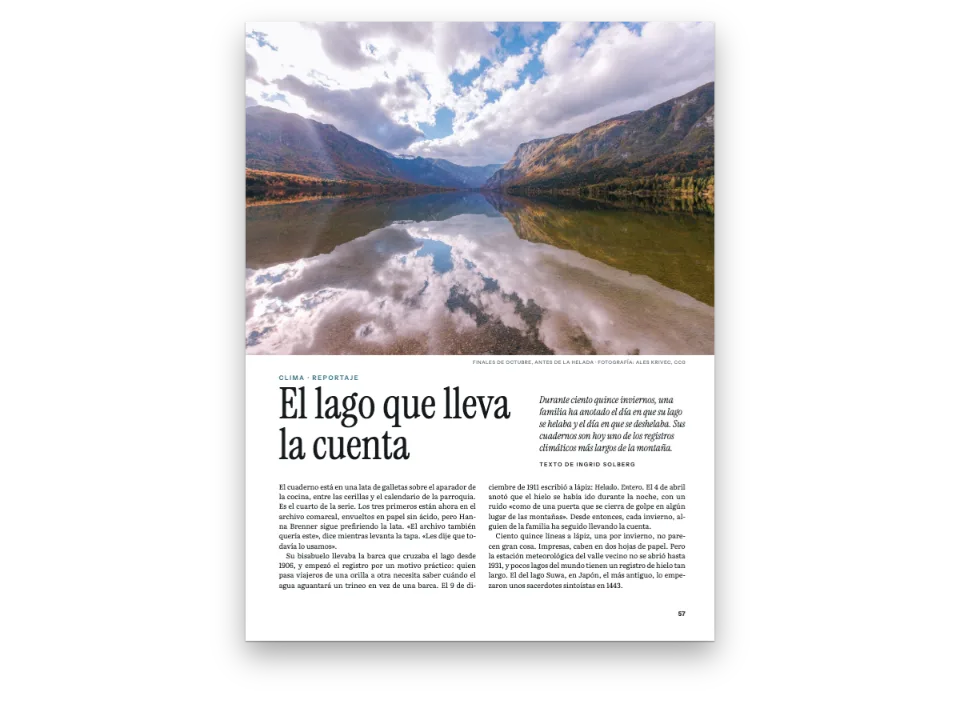
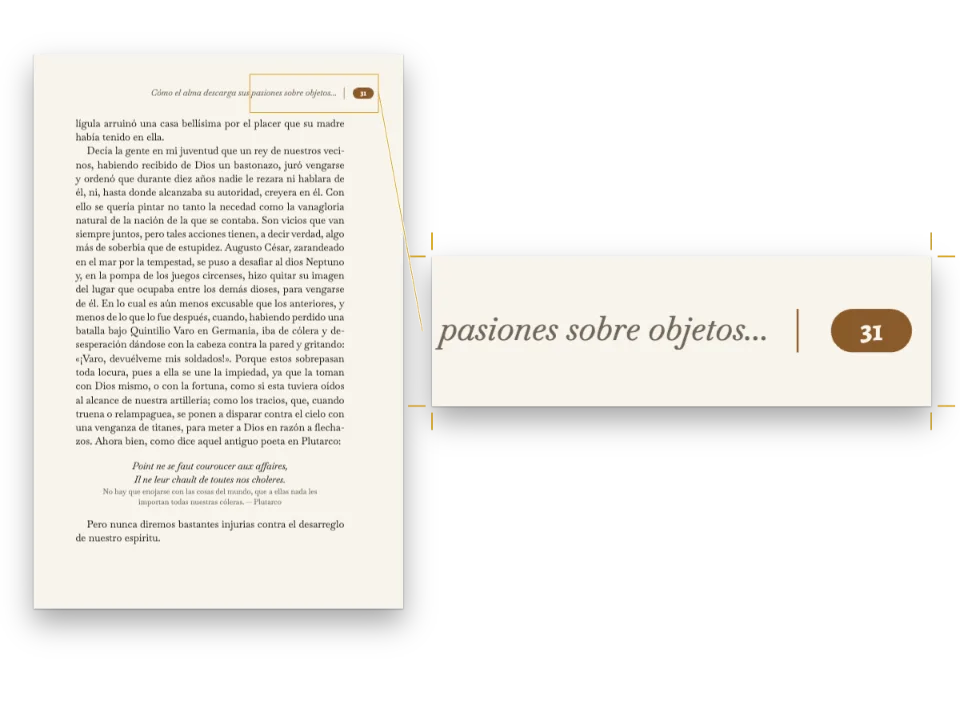
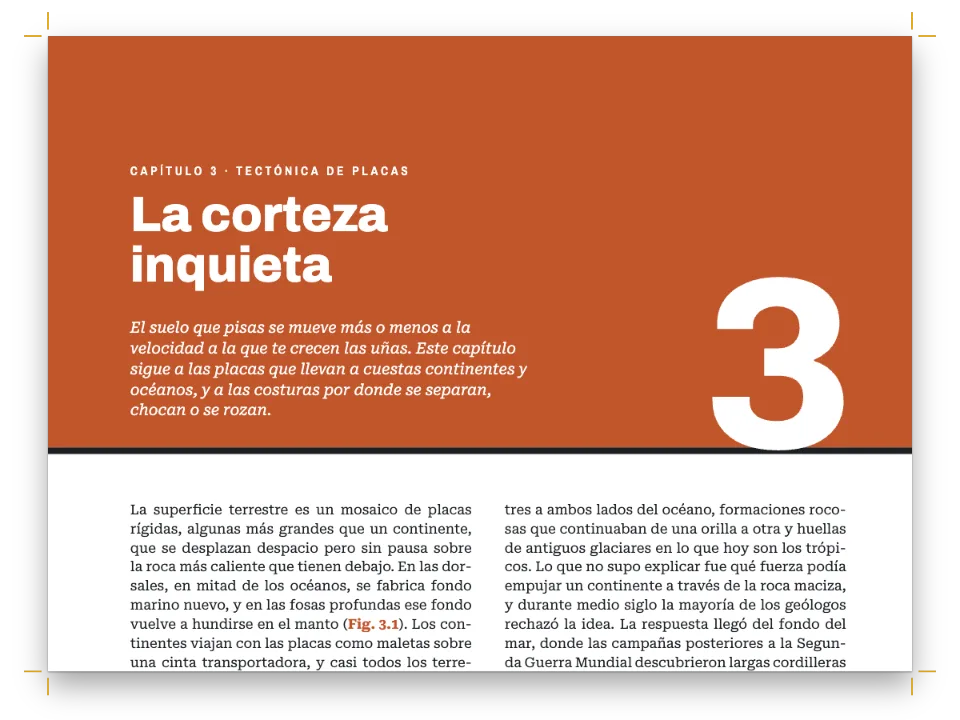
Las dos primeras páginas de un reportaje de viajes en una pequeña revista, con una banda de color y un dibujo. Enseña cómo un texto sencillo con unos pocos títulos se convierte en una página diseñada con tus colores.
Lo que vas a componer
Las primeras páginas de un reportaje de viajes en una pequeña revista, Cuaderno de campo. La página 1 es una apertura en página impar: una fotografía de salinas y una duna al anochecer que ocupa el 58 % superior, el título en Young Serif de 54 puntos y, debajo, dos columnas justificadas que arrancan con una frase en negrita. La página 2, a la vuelta, sigue bajo una cabecera en mayúsculas espaciadas y termina con un signo de fin y un colofón. Todo el diseño cabe en una función de configuración y una paleta de seis colores. El titular sale del encabezado de primer nivel, y la entradilla, la autora y la fecha, del frontmatter del Markdown, así que el mismo pen compone cualquier artículo cuyo título quepa en dos líneas; solo la fotografía es propia de este.
Esta receta responde a
- ¿Cómo evito que los títulos, las negritas y las viñetas salgan en azul?
- ¿Cómo preparo una página de libro: formato, márgenes interior y exterior simétricos, dos columnas y medianil?
- ¿Cómo convierto una cadena Markdown en páginas compuestas y dibujo una en un canvas?
La respuesta corta
const config = () => ({
  locale: t({ en: 'en-us', es: 'es', pt: 'pt', fr: 'fr', de: 'de', it: 'it' }), // the hyphenation
  colorPalette: colorPalette(),
  page: { // mirror: left is the inner margin and right the outer one; versos swap them
    width: mm(PAGE.width), height: mm(PAGE.height),
    margins: { top: mm(MARGIN.top), bottom: mm(MARGIN.bottom), left: mm(MARGIN.inner),
      right: mm(MARGIN.outer), mirror: true },
  },
  // 'double' is the default, stated so that the whole page setup reads in one place
  layout: { layoutType: 'double', gutterWidth: mm(6) },
  bodyText: { // justified, hyphenated and broken by paragraph: all on by default
    fontFamily: 'Newsreader', // one family name: there is no fallback chain
    fontSize: pt(9.5), lineHeight: pt(LEAD), color: col('ink'),
    boldColor: col('ink'), italicColor: col('ink'), referenceColor: col('ink'),
    firstLineIndent: mm(4), indentAfterHeading: false,
    // Optional, for 70 mm columns: word spaces from 0.8 to 1.8 × the normal one, and runts
    // tightened by at most 4 thousandths of an em, so the grey of the text stays even.
    minWordSpacing: 0.8, maxWordSpacing: 1.8, maxRuntTracking: 4,
  },
  headings: {
    fontFamily: 'Young Serif', fontWeight: 400, color: col('band'), // it has one weight
    levels: [
      // span: 'page' opens the H1 on a new page, across both columns. Parity 'odd' puts the
      // next article pasted in on a recto, with a blank verso only when one is needed.
      { level: 1, span: 'page', breakBefore: { enabled: true, parity: 'odd' },
        advancedDesign: opener() },
      // A line of margin and a line and a half of head: 2.5 lines, which snapToGrid (on by
      // default) rounds up to 3, so the text below lands back on the grid.
      { level: 2, fontSize: pt(13), lineHeight: pt(1.5 * LEAD), marginTop: pt(LEAD),
        marginBottom: pt(0) },
    ],
  },
  unorderedLists: { color: col('ink'), fontWeight: 400, bulletChar: '–',
    marginTop: pt(0), marginBottom: pt(0) },
  calloutStyles: [colophon()],
  header: header(),
  footer: footer(),
  // The magazine's name is its masthead, the same on every story (#849).
  checks: { contentInConfig: { allow: [MAGAZINE] } },
});
Ingredientes
- Funciones
- Metadatos del documentoPaleta de color semánticaCabeceras y foliosPáginas en un canvasAperturas diseñadasBanda de capítulo a todo el anchoImágenes en los diseños de páginaAnclaje de elementos de diseñoCabeceras según el tipo de páginaFuentes antes de componerFormato de páginaMárgenes simétricosUna o dos columnasTipografía del textoNegrita, cursiva y sus coloresMuestras de colorSeparación silábica e idioma del documentoListas de viñetas y de comprobaciónRecuadrosSaltos de línea en los títulos
- También usa
- Figuras y tablas como recursos
- Tipografía
- Newsreader, Young Serif, Inter Tight (SIL OFL 1.1)
- Recursos
salt-road-1440.jpg- Las salinas y la duna al anochecer de la apertura, una fotografía (Generated With Diffusion Models, original)
Elaboración
#1 · Todas las fuentes, antes de la primera composición
const FONTS = {
  Newsreader: ['400', '400i', '700'], // text
  'Young Serif': ['400'], // display: it ships one weight, so the headings ask for 400
  'Inter Tight': ['400', '600'], // labels: kicker, byline, running heads, colophon
};
Postext mide el texto con las fuentes que el navegador tiene cuando se compone, así que una composición que se adelantara a las fuentes conservaría los cortes de línea de una fuente de reserva. buildDocumentWithFonts carga antes de la primera composición todas las fuentes que indica la configuración y las de FONTS; kitFonts(FONTS) le da los archivos de Fontsource, los mismos que incrustaría un PDF. Después repasa las fuentes que usan las páginas, carga las que falten y vuelve a componer. Una fuente que Fontsource no tiene se queda en la de reserva y aparece en doc.contentWarnings como fontFallback. Las negritas y cursivas de una fuente de texto solo se cargan si la familia las incluye.
#2 · Nombra los colores y apunta a los nombres
const palette = {
  ink: '#1b1e23', // text: a cool near-black, never #000
  band: '#2b3a67', // the one accent (an indigo): the folios, the subheads, the end mark
  sand: '#e9dcc0', // the kicker, the title and the byline
  salt: '#f7f4ee', // the standfirst
  rule: '#d6d3cc', // the hairline over the colophon
  muted: '#66686e', // running heads and the colophon
};
// Each colour carries its palette id and its hex. The design objects below are functions
// that config() calls, so col() copies the hex out of `palette` on every build: one edit
// to `palette` reaches the text, the folios and the drop folio alike.
const col = (id) => ({ hex: palette[id], model: 'hex', paletteId: id });
const colorPalette = () => [
  ...Object.entries(palette)
    .map(([id, hex]) => ({ id, name: id, value: { hex, model: 'hex' } })),
  // The engine's defaults (headings, bold, italic, bullets, the default running head) link
  // to 'main-color': point it at the accent, so nothing left unset prints blue.
  { id: 'main-color', name: 'defaults', value: { hex: palette.band, model: 'hex' } },
];
Cada color de la configuración es col('id'), un identificador de la paleta con su valor hexadecimal al lado. bodyText.boldColor, italicColor, referenceColor y unorderedLists.color apuntan a ink, y headings.color, al acento. Los valores por defecto del motor para títulos, negritas, cursivas y viñetas están enlazados a main-color, y esta paleta da a esa entrada el color del acento, de modo que cualquiera de ellos que no fijes sale añil y no azul. Los objetos de diseño son funciones que config() llama en cada composición, y col() copia cada vez el valor vigente de palette, así que un solo cambio en palette llega por igual al texto, a los folios y a la apertura. El signo de fin es una muestra de color en línea que remite a band, así que también cambia con la paleta. La cabecera por defecto también está enlazada a main-color, así que saldría en el color del acento hasta que la sustituyas (paso 5).
#3 · Una fotografía recortada a su marco
// A JPEG in assets/, cut to PAGE.width × BAND (180 × 140 mm) and declared at its pixels, so at
// full width it fills the band exactly. A deeper band needs a picture cut to the new frame.
const landscape = { id: 'landscape', typeId: 'figure', kind: 'bitmap', createdAt: 0,
  updatedAt: 0, bitmap: { fileId: 'salt-road-1440.jpg', format: 'jpeg', width: 1440,
    height: 1120 },
  altText: 'Salt pans at dusk, a dune with a cairn of white stones on its crest, and a line of '
    + 'footprints crossing the pans towards it.' };
Las salinas, la duna y el mojón son una fotografía generada con modelos de difusión, tomada al anochecer para que el título claro se lea sobre un cielo oscuro. El JPEG está recortado al marco de la banda, PAGE.width × BAND milímetros, y el recurso declara sus píxeles, 1440 × 1120, de modo que a todo el ancho la foto llena exactamente la banda. Si la banda crece, hace falta una foto recortada al nuevo marco. La apertura la muestra con un elemento de imagen que remite al recurso por su identificador.
#4 · El frontmatter escribe la apertura
const BAND = 140; // mm from the top edge: the band holds the top 58% of the page
const TITLE_W = 130; // mm: room for two lines of the title; a third would push the byline
// down onto the pale salt pans: keep titles short
const DECK_W = 104; // mm: the standfirst stops short of the dune and its cairn
const MAGAZINE = t({ en: 'Field notes', es: 'Cuaderno de campo', pt: 'Caderno de campo',
  fr: 'Carnet de terrain', de: 'Unterwegs', it: 'Quaderno di campo' });
const label = { fontFamily: 'Inter Tight', fontSize: pt(7.5), fontWeight: 600,
  letterSpacing: pt(1.4), textTransform: 'uppercase' };
const below = (id, y, width) => ({ anchor: { to: `#${id}`, edge: 'below' },
  offset: { y: mm(y) }, ...(width && { size: { width: mm(width) } }) });
const opener = () => ({
  enabled: true,
  minHeight: mm(BAND - MARGIN.top + 5), // from the top margin to the band's foot, plus 5 mm
  slot: {
    elements: [
      // The photograph is PAGE.width × BAND (see art): at full width it fills the band.
      { kind: 'image', id: 'art', resourceId: 'landscape',
        placement: { anchor: { to: 'bleed', edge: 'top-left' }, size: { width: 'fill' } } },
      { kind: 'text', id: 'kicker', content: MAGAZINE, ...label, color: col('sand'),
        placement: { anchor: { to: 'page', edge: 'top-left' }, // recto: inner on the left
          offset: { x: mm(MARGIN.inner), y: mm(20) } } },
      // {titleText} is the H1; {subtitle}, {author} and {publishDate} are frontmatter. A bare
      // lineHeight multiplies the text's size: 1 sets the title solid. Both texts wrap.
      { kind: 'text', id: 'title', content: '{titleText}', fontFamily: 'Young Serif',
        fontSize: pt(54), lineHeight: 1, color: col('sand'), align: 'left',
        placement: below('kicker', 3, TITLE_W) },
      { kind: 'text', id: 'deck', content: '{subtitle}', fontFamily: 'Newsreader',
        fontSize: pt(12), lineHeight: 1.3, italic: true, color: col('salt'), align: 'left',
        placement: below('title', 5, DECK_W) },
      { kind: 'text', id: 'byline', ...label, color: col('sand'),
        content: t({ en: 'By {author} · {publishDate}',
          es: 'Por {author} · {publishDate}', pt: 'Por {author} · {publishDate}',
          fr: 'Par {author} · {publishDate}', de: 'Von {author} · {publishDate}', it: 'Di {author} · {publishDate}' }),
        placement: below('deck', 4.5) },
    ],
  },
});
El encabezado de primer nivel abarca las dos columnas, y su apertura es una zona de diseño: la fotografía a sangre y cuatro textos encadenados uno debajo de otro. Un título más largo empuja hacia abajo la entradilla y la firma en vez de montarse sobre ellas, pero a partir de la tercera línea la firma cae sobre las salinas claras. {titleText} es el texto del título; {subtitle}, {author} y {publishDate} salen del frontmatter. La \\ del título corta la línea donde la pongas (saltos de línea en los títulos). minHeight se cuenta desde el margen superior, así que la altura reservada acaba 5 mm por debajo de la banda.
#5 · Cabeceras en lugar del azul por defecto
const HEAD = 12; // mm: the running heads from the top edge, the drop folio from the foot
const GAP = 3; // mm between a folio and its label, however many digits the folio has
const head = (id, content, parity, placement, color = col('muted')) => ({
  kind: 'text', id, content, parity, pages: 'body', ...label, color, placement,
});
const outer = (edge, x) => ({ anchor: { to: 'page', edge }, offset: { x: mm(x), y: mm(HEAD) } });
const beside = (id, edge, x) => ({ anchor: { to: `#${id}`, edge }, offset: { x: mm(x) } });
const header = () => ({
  elements: [ // folios on the outer margin's edge; each label hangs off its folio
    head('verso-folio', '{pageNumber}', 'even', outer('top-left', MARGIN.outer), col('band')),
    head('verso-title', '{title}', 'even', beside('verso-folio', 'right-of', GAP)),
    head('recto-folio', '{pageNumber}', 'odd', outer('top-right', -MARGIN.outer), col('band')),
    head('recto-title', MAGAZINE, 'odd', beside('recto-folio', 'left-of', -GAP)),
  ],
});
const footer = () => ({
  elements: [{ kind: 'text', id: 'drop-folio', content: '{pageNumber}', pages: 'opener',
    ...label, color: col('band'),
    placement: { anchor: { to: 'page', edge: 'bottom' }, offset: { y: mm(-HEAD) } } }],
});
Si omites header, vuelve la cabecera por defecto del motor: Open Sans sobre un filete de lado a lado, en todas las páginas. Aquí cada folio se ancla a la página física y se filtra por paridad, así que siempre queda en el borde exterior. El texto que lo acompaña se ancla al folio, a GAP milímetros, con right-of o left-of, y un folio de tres o cuatro cifras lo desplaza en vez de chocar con él. pages: 'body' deja los cuatro elementos fuera de la apertura. El pie de página lleva un único folio, el de la apertura, y como footer está definido, las demás páginas pierden el folio centrado por defecto.
#6 · Compón con una configuración nueva y pinta
await loadImage(landscape.bitmap.fileId, asset(landscape.bitmap.fileId));
const doc = await buildDocumentWithFonts({ markdown, resources }, config(), kitFonts(FONTS));
// showPages paints each page with renderPageToCanvas(page, doc, canvas, { scale }).
showPages(doc, {
  title: t({ en: 'From a Markdown string to a designed page',
    es: 'De una cadena Markdown a una página diseñada',
    pt: 'De uma string Markdown a uma página diagramada',
    fr: 'D’une chaîne Markdown à une page mise en forme',
    de: 'Von einem Markdown-String zur gestalteten Seite',
    it: 'Da una stringa Markdown a una pagina progettata' }),
});
config() es una función para que cada composición lea la paleta tal como está: vuelve a llamar a las funciones de diseño del paso 2. También valdría un único objeto de configuración modificado en su sitio: desde postext 1.25 el motor ve el cambio en la composición siguiente. buildDocumentWithFonts recibe el contenido, esa configuración y las opciones de fuentes del kit, y devuelve el documento. showPages coloca las páginas como irían en un libro encuadernado, con la página 1 sola a la derecha, y pinta cada una con renderPageToCanvas.
La receta completa
// ═══ Postext Cookbook · Nº 012 · From a Markdown string to a designed page ══════════
// https://postext.dev/en/cookbook/first-page-from-markdown
// Code: MIT · Text: original (CC BY 4.0) · Photo: diffusion models
// Fonts: Newsreader, Young Serif, Inter Tight (SIL OFL 1.1) · Needs postext ≥ 1.34.0
//
// This pen sets a Markdown string with a frontmatter block on two magazine pages and paints
// them on canvases. The whole design is in config(); swap config() for {} in the build
// below to see the engine's defaults.
import {
  buildDocumentWithFonts, renderPageToCanvas, registerResourceImage,
} from 'https://esm.sh/postext';

const LANG = 'es'; // @lang: the sample document's language ('en' | 'es' | 'pt' | 'fr' | 'de' | 'it')
const RECIPE = 'first-page-from-markdown';

// ─── 1 · Design ─────────────────────────────────────────────────────────────
// Every setting that shapes the pages is in this part, from PAGE down to config().
const PAGE = { width: 180, height: 240 }; // mm: a 3:4 magazine page
const MARGIN = { top: 22, bottom: 22, inner: 20, outer: 14 }; // mm; inner is the spine side
const LEAD = 13.5; // pt: the body leading, the grid every vertical space steps on

// #region palette: six named colours; every colour in the config links to one of them
const palette = {
  ink: '#1b1e23', // text: a cool near-black, never #000
  band: '#2b3a67', // the one accent (an indigo): the folios, the subheads, the end mark
  sand: '#e9dcc0', // the kicker, the title and the byline
  salt: '#f7f4ee', // the standfirst
  rule: '#d6d3cc', // the hairline over the colophon
  muted: '#66686e', // running heads and the colophon
};
// Each colour carries its palette id and its hex. The design objects below are functions
// that config() calls, so col() copies the hex out of `palette` on every build: one edit
// to `palette` reaches the text, the folios and the drop folio alike.
const col = (id) => ({ hex: palette[id], model: 'hex', paletteId: id });
const colorPalette = () => [
  ...Object.entries(palette)
    .map(([id, hex]) => ({ id, name: id, value: { hex, model: 'hex' } })),
  // The engine's defaults (headings, bold, italic, bullets, the default running head) link
  // to 'main-color': point it at the accent, so nothing left unset prints blue.
  { id: 'main-color', name: 'defaults', value: { hex: palette.band, model: 'hex' } },
];
// #endregion

// #region art: a photograph of the salt pans and the dunes at Sorra, cut for a page × band frame
// A JPEG in assets/, cut to PAGE.width × BAND (180 × 140 mm) and declared at its pixels, so at
// full width it fills the band exactly. A deeper band needs a picture cut to the new frame.
const landscape = { id: 'landscape', typeId: 'figure', kind: 'bitmap', createdAt: 0,
  updatedAt: 0, bitmap: { fileId: 'salt-road-1440.jpg', format: 'jpeg', width: 1440,
El script.js compuesto funciona tal cual: pégalo como script de módulo en cualquier página o abre la receta en CodePen. Carpeta de la receta en GitHub ↗ (se abre en una nueva pestaña)
Variantes
#Mira lo que sustituye la configuración
Compón con una configuración vacía y el mismo Markdown sale en una página de 17 × 24 cm, en EB Garamond de 8 puntos, con títulos azules en Open Sans y una cabecera azul sobre un filete; el motor carga también esas dos familias, porque la configuración por defecto las usa.
-const doc = await buildDocumentWithFonts({ markdown, resources }, config(), kitFonts(FONTS));
+const doc = await buildDocumentWithFonts({ markdown, resources }, {}, kitFonts(FONTS));#Cambia el color de toda la página
Cambia el acento y la siguiente ejecución pinta con el nuevo color los folios, los ladillos y el signo de fin, porque col() copia el nuevo valor junto al identificador cada vez que se llama a config(). La fotografía conserva sus colores.
-  band: '#2b3a67', // the one accent (an indigo): the folios, the subheads, the end mark
+ band: '#3f5b3a', // the one accent (a pine green): the folios, the subheads, the end mark#Pinta una página en tu propio canvas
renderPageToCanvas da al canvas el tamaño de la página en píxeles a la resolución del documento (300 ppp por defecto) multiplicado por scale, así que scale: 0.5 pinta a unos 150 ppp, y el CSS decide lo grande que se ve en pantalla.
-showPages(doc, {
-  title: t({ en: 'From a Markdown string to a designed page',
-    es: 'De una cadena Markdown a una página diseñada',
-    pt: 'De uma string Markdown a uma página diagramada',
-    fr: 'D’une chaîne Markdown à une page mise en forme',
-    de: 'Von einem Markdown-String zur gestalteten Seite',
-    it: 'Da una stringa Markdown a una pagina progettata' }),
-});
+const canvas = document.body.appendChild(document.createElement('canvas'));
+renderPageToCanvas(doc.pages[0], doc, canvas, { scale: 0.5 });Errores frecuentes
- Young Serif tiene un solo peso. Los títulos van en negrita por defecto, así que aquí
headings.fontWeight: 400es obligatorio: sin él, los títulos piden una Young Serif negrita que Fontsource no tiene, el navegador engruesa la normal ydoc.contentWarningsanota la fuente comofontFallback.
Créditos
- Receta
- Ignacio Ferro
- Texto
- Texto original, CC BY 4.0
- Imágenes
- Las salinas y la duna al anochecer de la apertura, una fotografía · Generated With Diffusion Models · original
- Fuentes
- Newsreader (SIL OFL 1.1) · Young Serif (SIL OFL 1.1) · Inter Tight (SIL OFL 1.1)
- Código
- MIT, como Postext
Editar este texto ↗ (se abre en una nueva pestaña)Carpeta de la receta en GitHub ↗ (se abre en una nueva pestaña)