Em poucas palavras
As primeiras páginas de uma edição de bolso de Frankenstein. Mostra como numerar as páginas antes da história com i, ii, iii e recomeçar da página 1 onde a história começa.
O que você vai compor
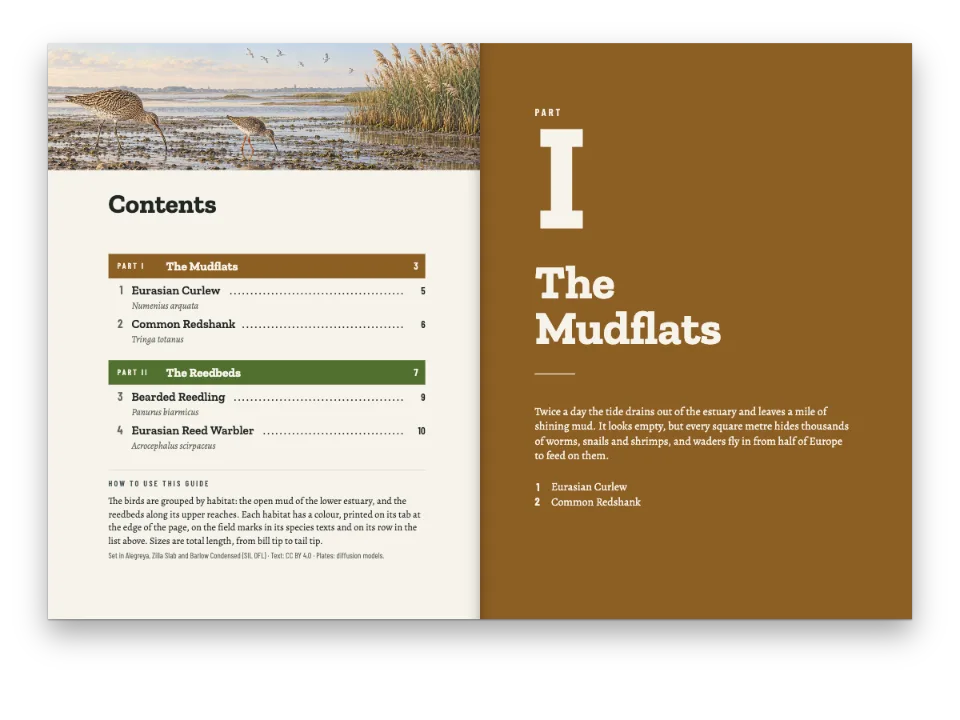
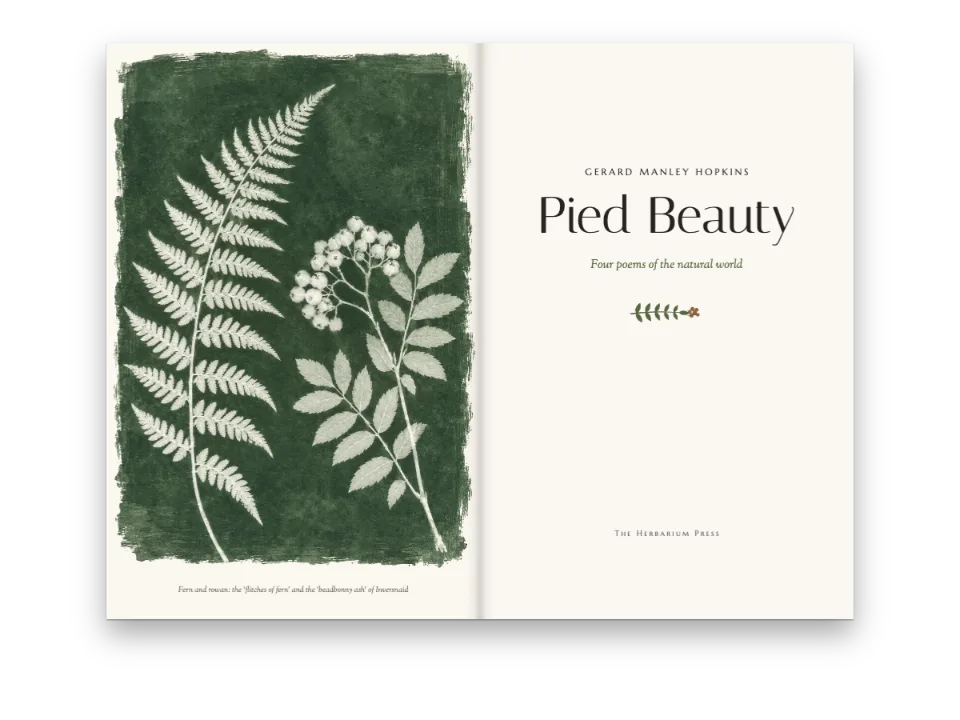
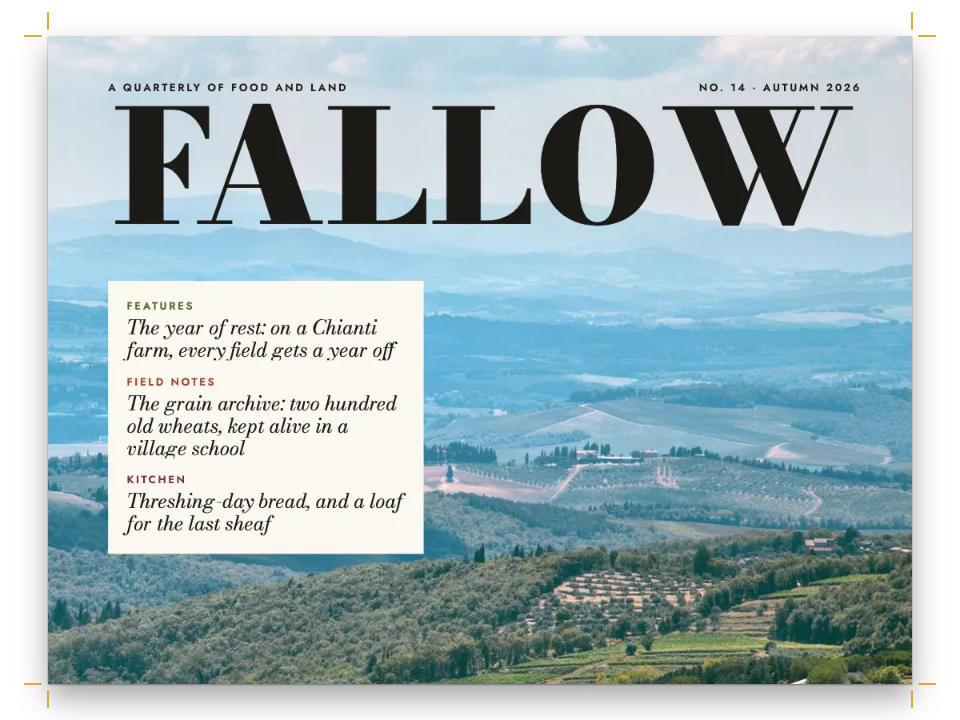
As primeiras folhas de Frankenstein como clássico de bolso, em 129 × 198 mm: uma capa com um raio sobre o Mont Blanc, com o verso em branco, a falsa folha de rosto, um frontispício com o navio de Walton preso no gelo de frente para a folha de rosto, os créditos embaixo no verso dela, a dedicatória a Godwin sobre a epígrafe de Milton, um sumário e o Preface de 1818. Essas dez páginas são numeradas de i a x, mas só o sumário e o Preface imprimem os números. A Letter I começa o romance numa página da direita, sob a aurora boreal, e seu fólio diz 1 no mesmo lugar que o x da página em frente. A carta vai até a assinatura de Walton. O ix ao lado do Preface no sumário e o 1 ao lado da carta vêm das páginas prontas, e um leitor de PDF rotula as páginas do mesmo jeito. A capa, o frontispício e a aurora boreal são pinturas geradas com modelos de difusão, carregadas como bitmaps JPEG; a marca da editora e o cristal de gelo são desenhados em código.
Esta receita responde a
- Como numero os elementos pré-textuais em algarismos romanos e recomeço em 1 no capítulo 1?
- Como faço uma capa, uma falsa folha de rosto, uma folha de rosto e um colofão?
- Como acrescento um sumário que se atualiza sozinho (pontilhados, números de página, autores, linhas de parte)?
- Como insiro páginas em branco de propósito, ou começo uma seção em uma nova página dupla?
- Como componho uma epígrafe, uma dedicatória, uma assinatura ou um olho com aspas grandes?
A resposta curta
// The page counter starts in lower-case roman: the cover is page i. After the Preface, two
// directives in the Markdown count again from 1 on the next recto:
//   :::pagebreak{parity="odd"}
//   :::numbering{format="decimal" startAt=1}
// :::numbering takes effect on the next page that starts (gotcha: numbering-next-page). Level 1
// breaks to 'odd', so here the pagebreak changes nothing; it finds the recto when a level breaks
// with parity 'any' or not at all. Never with 'always-odd': the blank pages would stack up.
const pageNumbering = { format: 'lower-roman', startAt: 1 }; // startAt spelled out: cover = i
// One folio design, centred under the text block. {pageNumber} prints the page's own label,
// so the same design sets "x" in the front matter and "1" on the first page of the novel.
const folio = (pages) => text(`folio-${pages}`, '{pageNumber}', 'Playfair Display SC', 8.5,
  at('top', 0, 9), { letterSpacing: pt(0.8), pages }); // lower case sets as small capitals
// The front matter is a heading style, unnumbered and left out of the contents (a heading
// can opt back in with {toc="true"}). It prints no running heads and puts a folio on every
// page of the section. Parity 'any', because the contents fall on a verso.
const front = {
  id: 'front', numbered: false, toc: false, breakBefore: { enabled: true, parity: 'any' },
  header: { elements: [] }, footer: { elements: [folio('all')] }, ...frontLook,
};
// The novel keeps the document's furniture: heads on its body pages, the folio on openers.
const footer = { elements: [folio('opener')] };
// Hook-up in config(): page: { pageNumbering }, headingStyles: [front] and footer at the top
// level. frontLook, set above, is the look of the prelims' openers.
Ingredientes
- Funcionalidades
- Elementos pré-textuais em romanosSumárioCabeços por seçãoCapas, folhas de rosto e colofõesQuebras de página e de colunaEstilos de títuloCapítulos sem númeroGeometria por seçãoImagens nos designs de páginaCapítulos que abrem em página ímparEstilos de parágrafoAberturas desenhadasAtributos de títuloMetadados do documentoCabeços e fóliosCabeços por tipo de páginaMargens espelhadasExportação para PDFMarcadores do PDFFiguras e tabelas como recursos
- Tipografia
- Fanwood Text, Playfair Display SC, Cinzel (SIL OFL 1.1)
- Materiais
band-1400.jpgcover-1000.jpgplate-1000.jpg- The cover: lightning over Mont Blanc and the lake of Geneva (Generated With Diffusion Models, original)
- The frontispiece: a brig beset in pack ice, a dog sledge far off (Generated With Diffusion Models, original)
- Letter I’s opener: northern lights over the frozen Neva (Generated With Diffusion Models, original)
Preparo
#1 · Cada folha é um título com design
// Each leaf is a heading, so it opens its page, gets a PDF bookmark and takes a design. The
// leaves are unnumbered, left out of the contents and print no heads or folio (blind folios).
// Parity 'any', or each would inherit level 1's odd break (gotcha: style-inherits-break).
const blind = { numbered: false, toc: false, breakBefore: { enabled: true, parity: 'any' },
  header: { elements: [] }, footer: { elements: [] } };
const PLATE_H = 126; // mm: the frontispiece, as wide as the text block; its caption hangs below
// mm from the trim: the imprint's eleven lines end on the text block's last baseline.
const IMPRINT_TOP = 126.4; // re-tune it whenever the imprint changes
const leaves = [
  // i: bled to the trim. The painting is as tall as the page, so the cover takes it whole.
  { id: 'cover', ...blind, advancedDesign: design([
    image('cover', at('top-left', 0, 0, { width: 'fill', to: 'bleed' })),
    label('author', '{author}', 9, onPage(22), 'bone', 2.6),
    text('title', '{title}', 'Fanwood Text', 56, onPage(31), { color: col('bone'), lineHeight: 1 }),
    text('subtitle', '{subtitle}', 'Fanwood Text', 13, onPage(53), { ...on('ice'), italic: true }),
    label('series', '{attr.publisher}', 7, onPage(168), 'ice', 2),
  ]) },
  // iii: the half title waits for a recto, so the back of the cover, ii, is left blank.
  { id: 'half', ...blind, breakBefore: { enabled: true, parity: 'odd' }, advancedDesign: design([
    text('title', '{title}', 'Playfair Display SC', 17, at('top', 0, 34), { letterSpacing: pt(3) }),
    image('crystal', at('top', 0, 45, { width: 6 })),
  ]) },
  { id: 'plate', ...blind, advancedDesign: design([ // iv: faces the title page
    image('plate', at('top-left', 0, 0, { width: 'fill' })),
    text('caption', '{attr.caption}', 'Fanwood Text', 8.8,
      at('top', 0, PLATE_H + 5, { width: 80 }), { italic: true, lineHeight: 1.3 }),
    label('source', '{attr.source}', 7.5, at('top', 0, PLATE_H + 16), 'muted', 1.3),
  ]) },
  { id: 'title', ...blind, advancedDesign: design([ // v: four frontmatter fields, one attribute
    label('edition', 'The text of {publishDate}', 7.5, at('top', 0, 22), 'accent', 1.8),
    text('title', '{title}', 'Playfair Display SC', 33, at('top', 0, 30),
      { fontWeight: 700, letterSpacing: pt(0.4), lineHeight: 1 }),
    text('subtitle', '{subtitle}', 'Fanwood Text', 14, at('top', 0, 44), { italic: true }),
    { kind: 'rule', id: 'rule', direction: 'horizontal', thickness: pt(0.8), color: col('accent'),
      placement: at('top', 0, 60, { width: 14 }) },
    label('author', '{author}', 10, at('top', 0, 66), 'ink', 2.4),
    image('mark', at('top', 0, 126, { width: 11 })),
    label('publisher', '{attr.publisher}', 7.5, at('top', 0, 140), 'muted', 1.5),
  ]) },
  // vi: the section's margins set the small print low, in a 70 mm measure against the outer
  // margin. hidden: the heading opens the page and names its bookmark, and prints nothing.
  { id: 'imprint', ...blind, hidden: true,
    margins: { top: mm(IMPRINT_TOP), left: mm(TRIM_W - OUTER - 70) } },
  // vii: dedication and epigraph, under a heading whose design is an ornament and no title.
  { id: 'quiet', ...blind,
    advancedDesign: design([image('crystal', at('top', 0, 24, { width: 6 }))], 34) },
];
// :::paragraphs blocks set the small print, the dedication, the epigraph and Walton's close;
// the dedication and the verse take one paragraph per line, so no line of them can reflow.
const VERSE_IN = 22; // mm: the indent that centres the verse as a block
const SOURCE_IN = 55; // mm: 'Paradise Lost' ends under the end of the longest line of verse
const prelimStyles = [
  { id: 'small-print', fontSize: pt(7.6), lineHeight: pt(10.4), textAlign: 'left',
    firstLineIndent: pt(0), spaceBetween: pt(5.2) },
  // Small capitals, with the italic lines of the 1818 page, leaded as one inscription.
  { id: 'dedication', fontFamily: 'Playfair Display SC', fontSize: pt(10), lineHeight: pt(15),
    textAlign: 'center', firstLineIndent: pt(0) },
  { id: 'verse', fontSize: pt(10), textAlign: 'left', firstLineIndent: mm(VERSE_IN),
    marginTop: pt(LEAD * 4) }, // on the body's 14 pt leading, which a style inherits
  { id: 'source', fontFamily: 'Cinzel', fontSize: pt(7.5), textAlign: 'left',
    firstLineIndent: mm(SOURCE_IN), marginTop: pt(4), color: col('muted') },
  { id: 'signature', textAlign: 'right', firstLineIndent: pt(0) }, // the letter's close
];
Um título abre uma página própria e vira um marcador no PDF; o design do estilo posiciona os textos e as imagens da folha. Com numbered: false e toc: false, as folhas ficam fora da contagem de capítulos e do sumário. Um cabeçalho e um rodapé vazios dão a elas o que os gráficos chamam de fólios cegos: a folha de rosto não imprime número, mas continua sendo a página v, e por isso o Preface pode ser a ix. Só a falsa folha de rosto mantém a quebra para página ímpar, e é isso que deixa o verso da capa em branco. Os créditos, a dedicatória, a epígrafe e a despedida de Walton são blocos :::paragraphs compostos com os estilos do fim do trecho.
#2 · O sumário tira os números da diagramação
// Entries take the body's face and ink, and start on the Preface's first baseline, facing it.
const contents = {
  levels: [{ level: 1, fontSize: pt(12), lineHeight: pt(PREFACE.lead) }],
  // The folio's face: "ix" in small capitals, then a plain 1. The leader takes it too.
  pageNumber: { fontFamily: 'Playfair Display SC', fontSize: pt(10), color: col('accent'),
    width: mm(8) },
  leader: { char: '. ', gap: mm(2.5) },
  // A second line from the heading's to="…" attribute: whom each letter is written to.
  subtitle: { enabled: true, attr: 'to', fontSize: pt(9.5), color: col('muted') },
};
:::toc lista cada título que o estilo deixa entrar, com o rótulo da página onde ele cai (sumário). O Contents e o Preface compartilham o estilo front, que define toc: false, e o Preface o sobrescreve com {toc="true"}. Nem o Preface nem a Letter I são numerados, por isso suas entradas não imprimem número de capítulo. A segunda linha da entrada da carta é o atributo to="…" dela. Os números de página vêm na fonte dos fólios. As entradas começam na mesma linha de base que a primeira linha do Preface, de modo que as duas páginas em frente se alinham.
#3 · O romance abre numa página ímpar, sob a aurora boreal
const BAND = 104; // mm from the trim to the foot of the drawing, which fades into the paper
// minHeight ends AIR mm below it and the first line takes the next grid line. to: 'bleed' is the
// trim until page.cutLines adds a bleed; 3 mm drop the foot 1.8 mm, still above that line.
const AIR = 2;
const opener = design([
  image('band', at('top-left', 0, 0, { width: 'fill', to: 'bleed' })),
  label('to', '{attr.to}', 7.5, onPage(19), 'ice', 2),
  text('title', '{titleText}', 'Playfair Display SC', 46, onPage(25),
    { color: col('bone'), lineHeight: 1 }),
  text('dateline', '{attr.dateline}', 'Fanwood Text', 10.5, onPage(44),
    { italic: true, color: col('bone') }),
  // The drawing reserves down to its foot. minHeight, counted from the text block (TOP below
  // the trim), is a floor AIR mm lower, which sends the first line one grid line further down.
], BAND - TOP + AIR);
// Walton's letters come before Chapter I: they take the novel's opener but no number.
const letter = { id: 'letter', numbered: false };
A pintura sangra pelo alto da página e se dissolve no papel embaixo, onde a carta começa. A abertura reserva a página até o pé da pintura, a 104 mm do alto da página, e minHeight põe um piso 2 mm abaixo, o que faz a carta começar uma linha da grade depois, livre do esmaecimento (span e design avançado). O chapéu e a linha de data vêm dos atributos to e dateline do título. A Letter I também leva {style="letter"}, um estilo cujo único ajuste é numbered: false, porque as cartas de Walton vêm antes do Chapter I e não têm número de capítulo.
#4 · Os cabeços voltam com o romance
const HEAD_Y = 12.5; // mm from the trim to the heads' line
const HEAD_GAP = 8; // mm from the outer margin, where the folio hangs, to the words beside it
const head = (id, content, parity, edge, x, extra = {}) => ({ ...label(id, content, 7.5,
  at(edge, x, HEAD_Y, { to: 'page' }), 'muted', 1.4), align: 'left', parity, pages: 'body',
  ...extra }); // pages: 'body' keeps them off the opener
const numeral = { fontFamily: 'Playfair Display SC', fontSize: pt(8.5), fontWeight: 400,
  letterSpacing: pt(0.6), color: col('ink') }; // folios in the folio face, as on the openers
const header = { elements: [
  head('verso-folio', '{pageNumber}', 'even', 'top-left', OUTER, numeral),
  head('verso-title', '{title}', 'even', 'top-left', OUTER + HEAD_GAP),
  head('recto-title', '{chapterTitle}', 'odd', 'top-right', -(OUTER + HEAD_GAP)),
  head('recto-folio', '{pageNumber}', 'odd', 'top-right', -OUTER, numeral),
] };
Uma seção mantém o cabeçalho e o rodapé do documento, a menos que o estilo os substitua. Os pré-textuais substituem os dois e o estilo das cartas não, de modo que a partir da página 1 o romance imprime estes cabeços nas páginas de texto e, na abertura, o fólio de pé definido na resposta curta. {pageNumber} imprime o rótulo da página em que está, por isso a função folio() põe x de um lado da lombada e 1 do outro com o mesmo design.
#5 · O PDF leva os mesmos números de página
// :::toc lists each heading with the label of the page it lands on; buildDocument lays the
// document out again until those labels stop moving (ix for the Preface, 1 for Letter I).
const doc = await buildDocumentWithFonts({ markdown, resources }, config(), kitFonts(FONTS));
showPages(doc, { title: 'Frankenstein · the opening leaves' });
// The PDF gets /PageLabels from the same labels: a viewer numbers its pages i–x, then 1, 2.
offerPdf(() => renderToPdf(doc, { fontProvider: fontsourceProvider, resourceBytes: imageBytes }),
  `${RECIPE}.pdf`);
buildDocument repete a diagramação até que os rótulos de página do sumário parem de mudar, por isso uma chamada basta. renderToPdf grava esses rótulos no PDF: num leitor que lê rótulos de página, o campo do número de página vai de i a x e depois recomeça em 1, e “ir para a página 1” abre a Letter I. Cada título vira um marcador com o nome do texto, por isso as folhas têm títulos simples (em inglês, como a amostra): Cover, Half title, Frontispiece, Title page, Imprint, Dedication.
A receita completa
// ═══ Postext Cookbook · Nº 006 · Front matter: roman folios, then page 1 ═══════════
// https://postext.dev/en/cookbook/front-matter-roman-to-arabic
// Code: MIT · Text: M. & P. B. Shelley, 1818 (PD) · Pictures: diffusion models; marks drawn in code
// Fonts: Fanwood Text, Playfair Display SC, Cinzel (SIL OFL 1.1) · Needs postext ≥ 1.34.0
import {
  buildDocumentWithFonts, renderPageToCanvas, registerResourceImage,
} from 'https://esm.sh/postext';
import { renderToPdf, decompressWoff2 } from 'https://esm.sh/postext-pdf';

const LANG = 'en'; // @lang: the language of the sample document ('en' | 'es')
const RECIPE = 'front-matter-roman-to-arabic';

// ─── 1 · Design ─────────────────────────────────────────────────────────────
const palette = { // every colour in the config links to one of these
  ink: '#1c1d21', // text: a cold near-black
  accent: '#3d5a70', // steel blue, the one accent on paper: contents folios, the rule, the marks
  muted: '#6a665f', // running heads, sources, the second lines of the contents
  paper: '#fbf8f2', // the page
  night: '#131a24', ice: '#a9c6d6', bone: '#efe9dc', // the drawings' inks, and the type on them
};
const col = (id) => ({ hex: palette[id], model: 'hex', paletteId: id });
const colorPalette = [
  ...Object.entries(palette).map(([id, hex]) => ({ id, name: id, value: { hex, model: 'hex' } })),
  // The engine's defaults link to 'main-color': point it at the accent, so nothing prints blue.
  { id: 'main-color', name: 'accent (defaults)', value: { hex: palette.accent, model: 'hex' } },
];
const TRIM_W = 129, TRIM_H = 198; // mm: a pocket classic
const TOP = 21, BOTTOM = 23, INNER = 17, OUTER = 15; // margins, mm; heads align to OUTER
const MEASURE = TRIM_W - INNER - OUTER; // 97 mm: the text block, and the frontispiece's width
const LEAD = 14; // body leading in pt: 31 lines fill the text block
const PREFACE = { size: 9.8, lead: 13.3 }; // pt: the preface, a size under the novel's 10.5/14

// Design-slot shorthands. at(): a placement from an anchor's edge; edge 'top' centres it.
const wide = (width) => (width === 'fill' ? 'fill' : mm(width));
const at = (edge, x, y, { width, to = 'container' } = {}) => ({ anchor: { to, edge },
  offset: { x: mm(x), y: mm(y) }, ...(width !== undefined && { size: { width: wide(width) } }) });
const onPage = (y) => at('top', 0, y, { to: 'page' }); // centred on the page, y mm from the trim
const on = (id) => ({ color: col(id) }); // a design text's ink
// overflow 'wrap' for the running heads too, where a text too wide would end in '…'.
const text = (id, content, font, size, placement, extra = {}) => ({ kind: 'text', id, content,
  fontFamily: font, fontSize: pt(size), color: col('ink'), align: 'center', overflow: 'wrap',
  placement, ...extra });
const label = (id, content, size, placement, ink, tracking) => text(id, content, 'Cinzel', size,
  placement, { fontWeight: 600, letterSpacing: pt(tracking), textTransform: 'uppercase',
    ...on(ink) }); // the label voice: Cinzel capitals, tracked
const image = (id, placement) => ({ kind: 'image', id, resourceId: id, placement });
// A heading's design. minHeight (mm) where the text must start lower than the elements reach.
const design = (elements, minHeight) => ({ enabled: true, slot: { elements },
O script.js montado funciona como está: cole-o como script de módulo em qualquer página ou abra a receita no CodePen. Pasta da receita no GitHub ↗ (abre em uma nova aba)
Variações
#Conte os pré-textuais em maiúsculas
Algarismos romanos maiúsculos saem como versais completas na fonte dos fólios, mais altas que os versaletes dos romanos minúsculos.
-const pageNumbering = { format: 'lower-roman', startAt: 1 }; // startAt spelled out: cover = i
+const pageNumbering = { format: 'upper-roman', startAt: 1 }; // startAt spelled out: cover = I#Numere o livro do começo ao fim
Deixe startAt de fora e a contagem continua em algarismos arábicos, por isso a Letter I passa a ser a página 11, como nos livros que contam os pré-textuais junto com o texto.
-:::numbering{format="decimal" startAt=1}
+:::numbering{format="decimal"}#Tire o frontispício
Apague o título # Frontispiece e mande a folha de rosto para uma página ímpar: a página iv fica em branco, o Preface continua sendo a ix e a Letter I continua sendo a 1.
-  { id: 'title', ...blind, advancedDesign: design([ // v: four frontmatter fields, one attribute
+  { id: 'title', ...blind, breakBefore: { enabled: true, parity: 'odd' },
+ advancedDesign: design([ // v: four frontmatter fields, one attribute#Acrescente sangria e marcas de corte para a gráfica
Com cutLines, a capa e a abertura, ambas ancoradas à sangria, passam 3 mm do refile; os fólios e o número de páginas não mudam (marcas de corte).
     backgroundColor: col('paper'), pageNumbering,
+ cutLines: { enabled: true }, // a 3 mm bleed and crop marksErros comuns
Erro comum
:::numbering vale a partir da página seguinte
:::numbering muda a contagem a partir da próxima página que começa, não da atual. Coloque-o logo depois de um :::pagebreak (com paridade odd antes do primeiro capítulo) para que a nova numeração comece onde você quer. Elementos pré-textuais em romanos →
Erro comum
Um estilo de título herda a quebra de página do seu nível
Uma entrada de headingStyles recebe do seu nível de título todos os campos que não define, inclusive breakBefore. Um sumário ou um colofão com estilo sobre um H1 depois de um :::pagebreak herda a paridade 'odd' e cai depois de uma página em branco. Dê a esse estilo breakBefore: { enabled: false }. Estilos de título →
Erro comum
A página 1 é ímpar: planeje com os números físicos
A página 1 fica à direita e a 2 é a primeira página par, então planeje as páginas duplas com os números físicos de página: uma abertura em página par fica de frente para a ímpar que vem depois dela. Quebras de página e de coluna →
Erro comum
A página assume o cabeçalho da última seção que começa nela
Quando dois estilos de título começam na mesma página, ela assume o cabeçalho, o rodapé e a paleta do último. Uma página em branco de separação pertence ao capítulo anterior, e o preenchimento de paridade, ao seguinte. Cabeços por seção →
Verificação do Sandbox · parityCascade
Cascata de paridade
Por quê. Quebras com paridade se acumulam e produzem mais de duas páginas em branco seguidas.
Correção. Revise as quebras always-odd e as paridades de breakBefore; em capítulos curtos, a paridade any costuma evitar essas páginas em branco. Docs →
Verificação do Sandbox · numberingInvalidFormat
Formato de numeração inválido
Por quê. O formato de um :::numbering não é nenhum de decimal, lower-roman, upper-roman, lower-alpha ou upper-alpha.
Correção. Use um dos cinco formatos de número de página; listas e recursos escrevem os deles de outro jeito. Docs →
- As folhas herdam a quebra
'odd'do nível 1. Sem ajuste, cada uma espera uma página da direita. Os pré-textuais passam então de dez para catorze páginas, com mais quatro páginas pares em branco, e o frontispício fica de frente para uma página vazia em vez da folha de rosto. Redefina a quebra comparity: 'any', como faz esta receita, ou desative-a combreakBefore: { enabled: false }; um título com span de página abre sua própria página de qualquer jeito. - Tire o
:::pagebreakantes de:::numberingquando o nível 1 quebra com'always-odd', o padrão do motor para o H1. Se o texto anterior terminar numa página da direita, a quebra de página completa até a próxima ímpar, depois o título acrescenta sua página separadora e completa de novo, o que deixa três páginas em branco seguidas em vez de uma. Depois de uma quebra'odd', como aqui, a quebra de página não muda nada; depois de'any', é ela que põe a página 1 numa ímpar. - Um Preface que cresce uma página empurra a Letter I duas páginas adiante, porque a quebra para página ímpar acrescenta uma página par em branco antes dela. Confira o número de páginas sempre que editar os pré-textuais.
- Os pontos de condução do sumário saem na fonte e na cor dos números de página, e
toc.leadernão tem cor própria, de modo que aqui eles saem em azul-aço.
Créditos
- Receita
- Ignacio Ferro
- Texto
- Frankenstein; or, The Modern Prometheus (1818): the dedication, Letter I, a line of Letter IV (the frontispiece caption) and one of volume I, chapter VI (quoted in a code comment) · Mary Shelley · domínio público
- The unsigned Preface of the 1818 edition (by common attribution) · Percy Bysshe Shelley · domínio público
- Paradise Lost (1667), book X, lines 743–745: the epigraph of the 1818 title leaves · John Milton · domínio público
- Imagens
- The cover: lightning over Mont Blanc and the lake of Geneva · Generated With Diffusion Models · original
- The frontispiece: a brig beset in pack ice, a dog sledge far off · Generated With Diffusion Models · original
- Letter I’s opener: northern lights over the frozen Neva · Generated With Diffusion Models · original
- Fontes
- Fanwood Text (SIL OFL 1.1) · Playfair Display SC (SIL OFL 1.1) · Cinzel (SIL OFL 1.1)
- Código
- MIT, como o Postext
Editar este texto ↗ (abre em uma nova aba)Pasta da receita no GitHub ↗ (abre em uma nova aba)