简单来说
一本阿拉伯文儿童练习册里讲学校菜园的几页:选出答案、两栏连线、用框里的词填空、判断对错、给词语排序,在字母方阵里找词。
成品一览
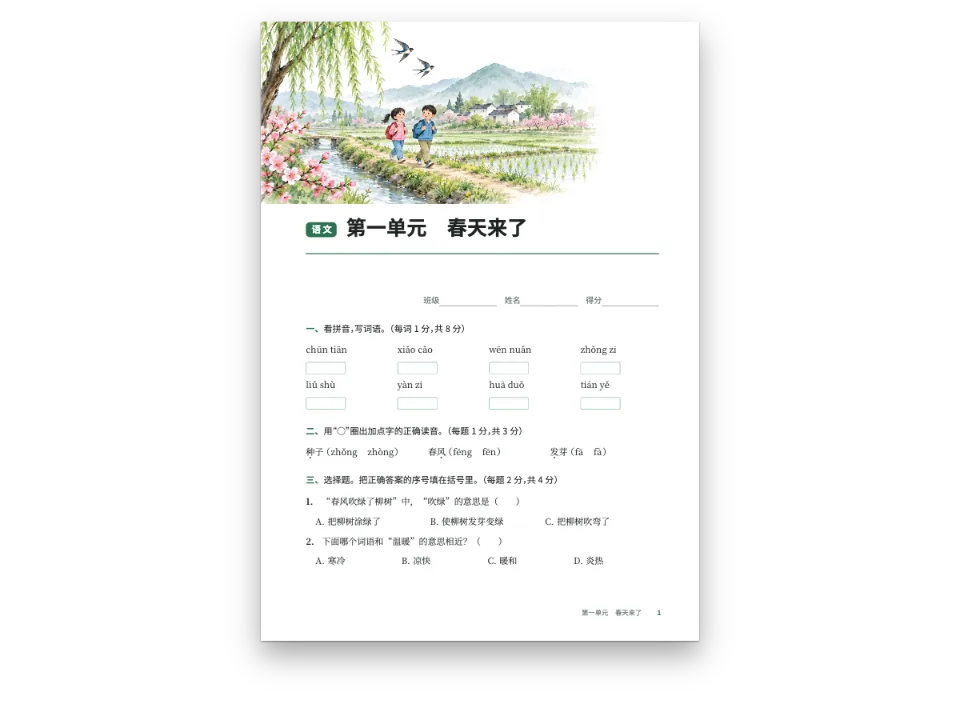
阿拉伯文二年级练习册中的一个单元,页面17 × 24 cm,主题是学校菜园。单元以一条水彩画开篇,下面是单元标签和标题,姓名、班级、日期各一条点线。接着是阿拉伯小学课本常印的几类练习:选出正确答案,أ) ب) ج)每行三个;两栏连线;用词语框里的词填空;判断صح或خطأ;给词语排序,再把句子写在线上;在字母方阵里找出七个菜园里的词。单元最后是答案。同一份文本排两次:马什里克版的编号全用阿拉伯-印度数字١ ٢ ٣,马格里布版用欧洲数字。两版都从右边读起,都在右侧装订。
这道食谱解答
- 怎样从右到左排阿拉伯语练习册:连线两栏、词语框、找字游戏和阿拉伯-印度数字?
- 怎样排一页练习册:圆圈题号、词库、判断题、连线题?
- 怎样用一组词语生成找词游戏或填字游戏?
简短回答
// The locale sets the direction, the binding and the digits: 'ar' writes the exercise
// numbers, the items and the key in Arabic-Indic digits (١ ٢ ٣), 'ar-MA' in European ones.
// Options take the abjad letters (أ ب ج), true/false the words صح / خطأ, both from the
// language. Nothing below names a side: the engine sets every part from the right.
const tamrin = {
  id: 'tamrin',
  number: { shape: 'disc', fontFamily: LABEL, background: col('accent') },
  instruction: { fontFamily: LABEL, bold: false, color: col('ink') },
  options: { layout: 'row' }, // أ) ب) ج) side by side, three to a row (columns=3)
  blank: { look: 'dots', color: col('muted') }, // a dotted line, as Arab workbooks print it
  match: { color: col('accent') },
  bank: { box: 'sunduq', order: 'shuffle' },
  area: { kind: 'lines', color: col('rule') },
  grid: { fontFamily: TEXT, rule: col('leaf'), uppercase: false }, // Arabic has no capitals
  answers: { color: col('leaf'), fontFamily: TEXT },
  solutions: { box: 'hulul' },
  marginTop: em(1.1), marginBottom: em(0.5),
};
// The solutions where :::solutions stands: at the end of the unit.
const exercises = { solutions: { placement: 'directive' } };
用料
- 功能
- 练习从右向左的文字生成数字所用的数码练习样式选择题与判断题填空与词库连线与分类排序找词游戏与填字游戏答案阿拉伯文字体阿拉伯文编号样式右翻书行内标签标注框设计过的章首页标题属性页面设计中的图片语义调色板导出PDF
- 类型
- Noto Naskh Arabic, Baloo Bhaijaan 2(SIL OFL 1.1)
- 素材
garden-1600.jpg- A school garden in an Arab town: date palms, a fountain, lemon trees, a girl watering plants and a boy carrying a pot of mint. (Generated With Diffusion Models, 原创)
做法
#1 · 不写哪一边
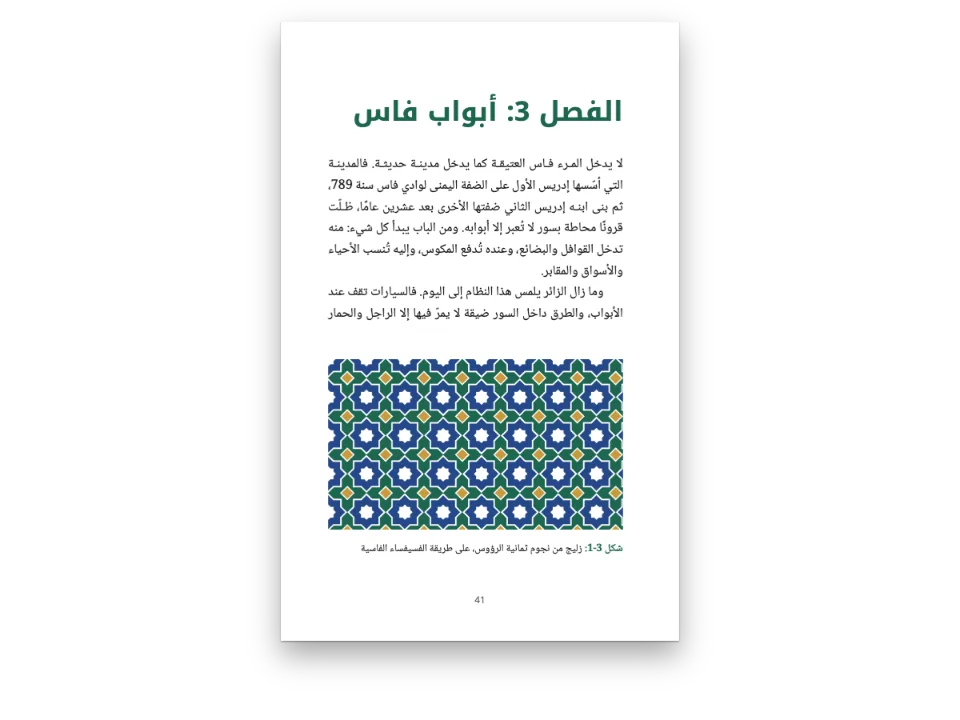
代码见上文的简短回答。locale: 'ar'让文字从右向左排,让书在右侧装订,并选定数字;练习样式从语言里取出选项用的abjad字母,以及判断题用的صح和خطأ。连线的两栏、词语框、找词方阵和书写线都画成框的设计,从右向左的页面会把它们镜像过来:第一栏在右边,方阵里横读的词从右往左走,连线的点在中间相对。
#2 · 菜园开篇
const BAND = 170 / 2.4; // mm: the painting's height at the page's width
const opener = { enabled: true, minHeight: mm(BAND - 20 + 21), slot: { elements: [
  { kind: 'image', id: 'picture', resourceId: '{attr.pic}', decorative: true, reserve: false,
    placement: { anchor: { to: 'page', edge: 'top-left' },
      size: { width: mm(170), height: mm(BAND) } } },
  // In the flow of a right-to-left page 'left' is the start of the line: the right.
  { kind: 'text', id: 'unit', content: '{attr.kicker}', fontFamily: LABEL, fontSize: pt(11),
    fontWeight: 700, color: col('paper'), align: 'left',
    box: { backgroundColor: col('accent'), borderRadius: mm(1.5),
      padding: { top: mm(0.6), bottom: mm(0.4), left: mm(2.4), right: mm(2.4) } },
    placement: { anchor: { to: 'container', edge: 'top-left' },
      offset: { x: mm(0), y: mm(BAND - 20 + 3) } } },
  { kind: 'text', id: 'title', content: '{titleText}', fontFamily: LABEL, fontSize: pt(30),
    fontWeight: 700, color: col('ink'), align: 'left',
    placement: { anchor: { to: '#unit', edge: 'right-of' }, offset: { x: mm(4), y: mm(-5) } } },
] } };
画固定在页面上,位置不变。标签和标题放在页面的排版流里,left在这里指行首,所以它们不用自己的坐标就落在右边。页码和书眉一样按实际页面放置,左右两侧分别写明。
#3 · 两个版本,两套数字
// Both are bound on the right and read from the right; only the locale changes.
const build = () => withLoadedFonts(() => buildDocument({ markdown, resources }, config()),
  { ...kitFonts(FONTS), text: markdown });
const mashriq = await build();
edition = { locale: 'ar-MA' }; // the same book for Morocco: European digits, still right to left
const docs = [mashriq, await build()];
配置是一个函数,每次排版都得到自己的对象,第二次只换语言。ar-MA把练习编号、小题、答案和页码写成欧洲数字,其余保持不变:文字方向、装订、abjad字母,以及答案里的词。
完整食谱
// ═══ Postext Cookbook · Nº 173 · An Arabic workbook, right to left ═══════════════
// https://postext.dev/en/cookbook/arabic-workbook-rtl
// Code: MIT · Text: original (CC BY 4.0) · Pictures: generated with diffusion models
// Fonts: Noto Naskh Arabic, Baloo Bhaijaan 2 (SIL OFL 1.1) · Needs postext ≥ 1.59.0
import {
  buildDocument, withLoadedFonts, renderPageToCanvas, registerResourceImage,
} from 'https://esm.sh/postext';
import { renderToPdf, decompressWoff2 } from 'https://esm.sh/postext-pdf';

const LANG = 'ar'; // @lang: the language of the frame; the workbook is Arabic in all
const RECIPE = 'arabic-workbook-rtl';

// ─── 1 · Design ─────────────────────────────────────────────────────────────
// #region palette: a garden workbook: ink, a terracotta accent, a leaf green, sand
const palette = {
  ink: '#22282e', // text
  accent: '#b9542a', // the one accent: exercise numbers, the unit tab, the word bank
  leaf: '#4f7d3a', // the second: rules and the word search's ruling
  sand: '#f8eedf', // the bank's ground, the answers box
  rule: '#c8b49b', // writing lines
  muted: '#6f655c', // folios, the name line, the colophon
  paper: '#ffffff',
};
const col = (id) => ({ hex: palette[id], model: 'hex', paletteId: id });
const colorPalette = [
  ...Object.entries(palette).map(([id, hex]) => ({ id, name: id, value: { hex, model: 'hex' } })),
  { id: 'main-color', name: 'accent (defaults)', value: { hex: palette.accent, model: 'hex' } },
];
// #endregion
// Naskh for the text, a rounded Arabic for the labels a child reads first.
const [TEXT, LABEL] = ['Noto Naskh Arabic', 'Baloo Bhaijaan 2'];

// #region answer: one exercise style read right to left, in the edition's digits
// The locale sets the direction, the binding and the digits: 'ar' writes the exercise
// numbers, the items and the key in Arabic-Indic digits (١ ٢ ٣), 'ar-MA' in European ones.
// Options take the abjad letters (أ ب ج), true/false the words صح / خطأ, both from the
// language. Nothing below names a side: the engine sets every part from the right.
const tamrin = {
  id: 'tamrin',
  number: { shape: 'disc', fontFamily: LABEL, background: col('accent') },
  instruction: { fontFamily: LABEL, bold: false, color: col('ink') },
  options: { layout: 'row' }, // أ) ب) ج) side by side, three to a row (columns=3)
  blank: { look: 'dots', color: col('muted') }, // a dotted line, as Arab workbooks print it
  match: { color: col('accent') },
  bank: { box: 'sunduq', order: 'shuffle' },
  area: { kind: 'lines', color: col('rule') },
  grid: { fontFamily: TEXT, rule: col('leaf'), uppercase: false }, // Arabic has no capitals
  answers: { color: col('leaf'), fontFamily: TEXT },
组合好的script.js可以直接运行:把它粘贴到任何页面的模块脚本中,或在CodePen上打开这道食谱。 GitHub上的食谱文件夹 ↗ (在新标签页中打开)
变化
常见问题
易错点
阿拉伯文书标记为'ar',不要用LANG
食谱的版本是en和es,但阿拉伯文示例在两个版本里都是阿拉伯文:`locale: LANG`会让它从左向右排、左装订、页码印成1 2 3,并把图标注为Figure或Figura。postext 1.30起,这个标记也是文字成形所用的语言(测量、绘制和嵌入都按它进行),所以标记成英文或西班牙文时,Markazi Text这样的字体不画尖角引号(« »)和句点的阿拉伯文字形,断行的位置也随之改变。自己写出标记:'ar'(阿拉伯-印度数字,马什里克惯例),或带地区的'ar-EG'、'ar-SA';马格里布版本用欧洲数字,写'ar-MA'、'ar-DZ'或'ar-TN'。只引用阿拉伯文的拉丁文页面保留自己的locale。 从右向左的文字 →
易错点
阿拉伯文字体需要通过arabic块加载其arabic文件
Fontsource把Amiri、Noto Naskh Arabic或Scheherazade New按子集分成多个文件提供,阿拉伯字母在arabic文件里。loadFonts只获取latin(以及latin-ext),所以屏幕上的阿拉伯文来自系统字体,测量不准;fontsourceProvider交给PDF的也是这个latin文件,印出来是空框。列出kit中的arabic块,在loadFonts之后调用loadArabicFonts(FONTS, markdown),并在FONTS中列出页面用于阿拉伯文的每个字重,再给renderToPdf传fontProvider: arabicPdfProvider。 阿拉伯文字体 →
- 大多数阿拉伯文字体没有✓和✗:判断题的对错写作صح和خطأ,题目要求在方框里做记号。
- 找词方阵用它那些词的字母填满空格,用的是字母的独立形式。挑字母多样的词,否则方阵里会满是ة。
致谢
- 文本
- 原创文字, CC BY 4.0
- 图片
- A school garden in an Arab town: date palms, a fountain, lemon trees, a girl watering plants and a boy carrying a pot of mint. · Generated With Diffusion Models · 原创
- 字体
- Noto Naskh Arabic (SIL OFL 1.1) · Baloo Bhaijaan 2 (SIL OFL 1.1)