简单来说
一场为期两天的排版会议的印刷版日程。日程表里,一场报告可以横跨所有会场或占两个时段,每个主题用一种颜色。
成品一览
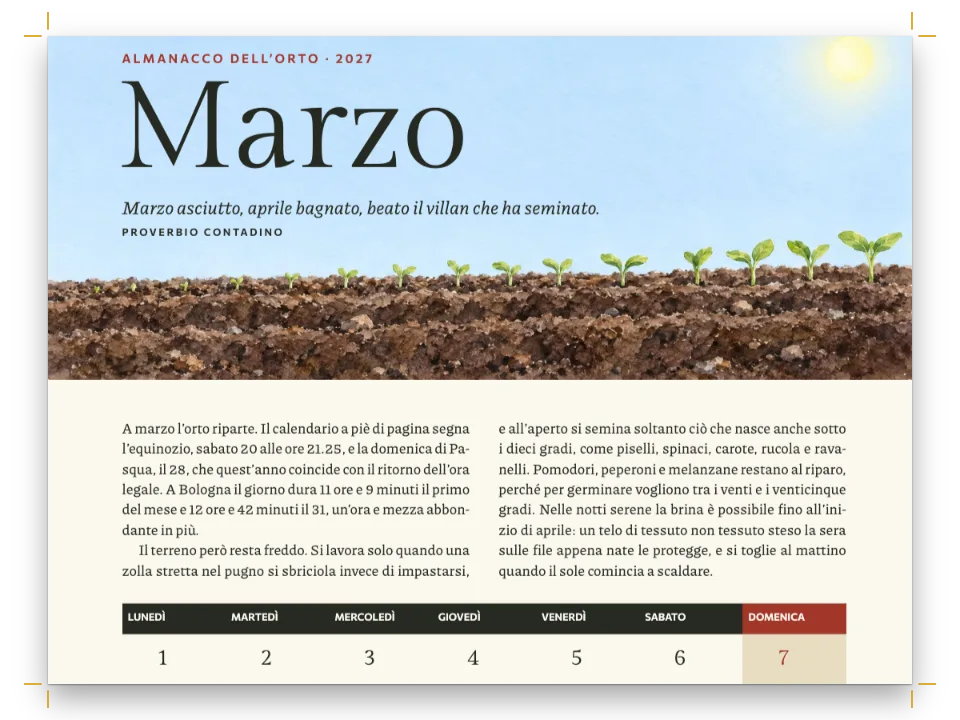
一场虚构的赫罗纳字体排印会议的印刷版手册,用加泰罗尼亚语写成。封面在墨色底上把大写的ela geminada,即L·L,画成三个彩色模块。每天以一条76 mm高的墨色色带开篇,当天日期是144 pt的数字。周四的日程是一张表。开幕讲座是横跨三个会场的一个墨色单元格,每个工作坊占两个时段。一天中的各时段作为行标题横跨整张表,每场报告是所属分会场颜色的色块,颜色对应题注里的色块图例。这张表比一页高,所以排满第3页,并在第4页重复的表头行下结束。周五的表较短,完整排在当天开篇页的下部。
这道食谱解答
- 怎样做一个有表头行、合并单元格、栏宽和逐格对齐的表?
- 怎样把长表跨页拆分,并重复表头、加上“续表”标记?
- 怎样在正文、题注或表注里加入色块图例?
- 怎样让“图”和“表”的标签使用文档的语言?
- 怎样做一个带出血色带、大号章号和标题的章首页?
简短回答
const ROOMS = ['Sala Gran', 'Sala de les Premses', 'Aula Taller'];
const TRACKS = { T: 'tipo', D: 'digital', E: 'edicio', '*': 'ink' }; // '*': a plenary
const at = (row, c) => ({ row, col: c });
const span = (r0, c0, r1, c1) => ({ start: at(r0, c0), end: at(r1, c1) });
const lines = (code, text) => text.split(' / ').map((line, i) => { // title, then speaker
  const run = i === 0 ? `**${line}**` : line;
  return code === '*' ? chip(run, 'blanc') : run; // paper-white type on the ink fill
}).join('\n'); // a line break in a cell starts a new paragraph
function schedule(text) { // '11.15 | T Title / Speaker | ^' · a bare line: a part of the day
  let m = { headerRowCount: 1, columnWidths: [12, 42, 42, 42], // weights of the 138 mm measure
    rows: [['Hora', ...ROOMS].map((room) => ({ content: room.toUpperCase(), isHeader: true }))] };
  for (const line of text.trim().split('\n')) {
    const [time, ...slots] = line.split(' | ');
    const r = m.rows.push(['', ...ROOMS].map(() => ({ content: '' }))) - 1; // four empty cells
    if (!slots.length) { // one cell across the table; a split keeps it with the rows it heads
      m = setCellContent(m, at(r, 0), chip(time.toUpperCase(), 'franja'));
      m = mergeCells(m, span(r, 0, r, 3));
      continue;
    }
    m = setCellContent(m, at(r, 0), chip(time, 'hora'));
    slots.forEach((slot, i) => {
      if (slot === '^') { // the session above runs on: one cell down both rows, centred in them
        m = mergeCells(m, span(r - 1, i + 1, r, i + 1));
        m = setAlignment(m, at(r - 1, i + 1), 'left', 'middle');
        return;
      }
      const [, code = '', body = slot] = /^([TDE*]) (.+)$/.exec(slot) ?? [];
      m = setCellContent(m, at(r, i + 1), lines(code, body));
      m = setCellBackground(m, at(r, i + 1), col(TRACKS[code] ?? 'pause'));
    });
    if (slots.length === 1) m = mergeCells(m, span(r, 1, r, 3)); // the same for all three rooms
  }
  return m; // mergeCells marks the covered cells hiddenBy (gotcha: merged-cells-hiddenby)
}
用料
做法
#1 · 把日程的每一行变成表格的一行
代码见上文的简短回答。每天的日程是内容文件里的纯文本,每个时段一行:|分隔会场,一个字母表示分会场,*标记墨色底的全体大会,/开始标题之后的每一行,^表示延续上一时段的场次。所有跨越都由mergeCells完成。只有一场的行,比如全体大会或茶歇,占三个会场栏。工作坊占自己的单元格和下面一格;一天中的时段(MATÍ、TARDA)写成不带|的一行,占全部四栏。被合并覆盖的单元格仍留在表格里,标为hiddenBy,因为单元格所在的栏由它在行中的序号决定(构建表格模型)。headerRowCount: 1让会场名称成为表头行。columnWidths是相对权重,12 + 3 × 42正好等于138 mm的行长,所以时间栏宽12 mm,每个会场栏42 mm。setAlignment(…, 'left', 'middle')让每个工作坊在所占的两行里垂直居中。
#2 · 让周四跨页,周五保持完整
// The built-in types in Catalan, Figura and Taula; a grid's caption goes above it.
const resourceTypes = defaultResourceTypes('ca').map((type) => ({ ...type,
  ...(type.id === 'table' && { captionStyle: { position: 'above' } }),
  numberingTemplate: '{n}', resetOn: 'never' })); // Taula 1, Taula 2: one count, not per day
const SPLIT = { overflow: 'split', // the default; the other values are 'clip' and 'hide'
  // The engine's own Catalan strings are '(cont.)' and 'Continua': these spell them out.
  continuedSuffix: '(continuació)', // after the caption of every part but the first
  continuesMarker: 'Continua a la pàgina següent' }; // under every part but the last
// Thursday is cited on page 2 and placed at the top, so it opens page 3 (gotcha:
// top-float-next-page) and splits; Friday goes whole to the foot of the page that cites it.
const PLACE = { dijous: { position: 'top', span: 'page' },
  divendres: { position: 'bottom', span: 'page' } };
周四的表在第2页被引用,放在页面顶部。浮动体永远不会排到其引用之前,所以这张表从第3页开始。它比一页高,overflow: 'split'在两行之间把它切开,绝不切在合并单元格内部(比一页还高的表格)。第3页以17.30那一行和其下的提示结束。第4页重复表头行和完整的题注(包括色块图例),后接(continuació),表注只印在这最后一部分下面。周五的表放在页面下部,正好排在第5页引用它的文字下方。defaultResourceTypes('ca')用加泰罗尼亚语给类型命名:Figura和Taula。引擎自带的加泰罗尼亚语续表字符串是(cont.)和Continua,表格样式把这两处写成完整的说法。numberingTemplate: '{n}'配合resetOn: 'never'把两张表算作一个序列:Taula 1和Taula 2。
#3 · 把填色切成色块
const tableStyle = { ...SPLIT, borderColor: col('paper'), borderWidth: pt(1.6), // grid rules
  headerBackground: col('ink'), headerColor: col('paper'), headerFontFamily: LABEL,
  headerFontSize: pt(7.5), bodyFontSize: pt(8.2),
  cellPadding: mm(1.5) };
const bare = (id, extra) => ({ id, backgroundEnabled: false, borderWidth: pt(0),
  paddingX: pt(0), ...extra }); // a chip that only changes the face, the size or the colour
const chipStyles = [bare('blanc', { color: col('paper') }), // the plenary's type, on ink
  bare('hora', { fontFamily: LABEL, fontSize: em(0.96), bold: true }),
  bare('franja', { fontFamily: LABEL, fontSize: em(0.92), bold: true, color: col('accent') }),
  bare('sala')]; // keeps each room of the plan's note on one line
简短回答里的setCellBackground给每场报告设上所属分会场在调色板中的颜色,1.6 pt宽、纸色的表格线把填色切成带白色间隙的色块(表格样式)。一张表的正文单元格只有一种文字颜色,所以全体大会的白字是一个行内标签,其样式设定颜色,并关掉标签的填充、边框和左右内边距。时间和一天中的各时段也是行内标签,用Chivo Mono(标签样式)。行内标签永远不跨行断开;全体大会的标题和讲者行各自排得进三会场单元格的一行。平面图的附注里,sala标签不改动文字,只让每个会场的编号和名称保持在同一行,效果与在词间加不换行空格相同。
#4 · 每天以一条色带开篇
const BAND = 76, STRIP = 8, AIR = 7; // mm: band from the trim, its strip of modules, air below
const text = (id, content, family, size, color, placement, extra) => ({ kind: 'text', id,
  content, fontFamily: family, fontSize: pt(size), color: col(color), placement, align: 'left',
  overflow: 'wrap', ...extra }); // a long line wraps, in the running heads too
const pin = (to, edge, x, y, size) => ({ anchor: { to, edge }, offset: { x: mm(x), y: mm(y) },
  ...(size && { size }) });
const caps = (size) => ({ fontWeight: 500, textTransform: 'uppercase',
  letterSpacing: pt(size * 0.18) });
const NUMERAL = 144; // pt
// mm: Unbounded 800's 1 at 144 pt starts its ink 0.76 mm into its box, the date's first capital
// at 8 pt 0.1 to 0.2 mm into its own (P 0.19, S 0.09): 0.6 mm to the left lines up the two inks
const BEARING = 0.6;
const BASELINE = 0.8; // a design line's baseline sits 0.8 down its box (lineHeight 1)
const opener = { enabled: true, minHeight: mm(BAND - PAGE.top + AIR), slot: { elements: [
  { kind: 'box', id: 'band', style: { backgroundColor: col('ink') },
    placement: pin('bleed', 'top-left', 0, 0, { width: 'fill', height: mm(BAND) }) },
  { kind: 'image', id: 'strip', resourceId: 'strip', placement: pin('page', 'top-left', 0,
    BAND - STRIP, { width: mm(PAGE.w), height: mm(STRIP) }) }, // on the band's foot
  text('date', '{attr.date}', LABEL, 8, 'edicio', pin('container', 'top-left', 0, 0), caps(8)),
  text('numeral', '{attr.day}', DISPLAY, NUMERAL, 'paper', pin('#date', 'below', -BEARING, 1),
    { fontWeight: 800, lineHeight: 1 }), // a 144 pt line box
  text('title', '{titleText}', DISPLAY, 26, 'paper', // its baseline level with the numeral's
    pin('#numeral', 'right-of', 5, BASELINE * (NUMERAL - 26) * PT),
    { fontWeight: 700, lineHeight: 1 }),
] } };
一级标题的版面设计画出色带:一个从出血边算起76 mm深的框,底边排着一行模块。日期取自标题的date属性,数字取自day。Unbounded 800的1在144 pt时,字面从其框内0.76 mm处开始,日期首个大写字母的字面则从其框内0.1到0.2 mm处开始,所以数字左移0.6 mm,日期、数字和正文的字面起点彼此相差不超过0.2 mm。星期名排在数字右侧,下移BASELINE × (144 − 26) pt,让两条基线对齐,因为lineHeight: 1的设计文本,其基线位于框高的0.8处。minHeight把页面预留到色带下方7 mm处,基线网格把预留量向上取整为14行,所以第一行正文的行框从色带下方10.2 mm处开始。若AIR = 0,则由数字自身的框(它超出了色带底边)决定高度,正文从色带下方5.6 mm处开始。
#5 · 讲者简介的转行缩进
const paragraphStyles = [
  { id: 'bio', hangingIndent: mm(4) }, // the name at the column edge, the lines under it 4 mm in
  { id: 'colophon', fontFamily: LABEL, fontSize: pt(7.4), lineHeight: pt(LEAD * 0.75),
    textAlign: 'left', color: col('muted'), firstLineIndent: pt(0), marginTop: pt(LEAD) },
];
每位讲者是:::paragraphs{style="bio"}块中的一个段落。粗体名字从栏的边缘开始,其下各行缩进4 mm,所以名字沿栏纵向对齐,就像索引一样(段落样式)。
完整食谱
// ═══ Postext Cookbook · Nº 053 · Conference programme with a merged schedule grid ═══════
// https://postext.dev/en/cookbook/conference-programme
// Code: MIT · Text: original, in Catalan (CC BY 4.0) · Drawings: generated in code (CC BY 4.0)
// Fonts: Schibsted Grotesk, Unbounded, Chivo Mono (SIL OFL 1.1) · Needs postext ≥ 1.25.0
import {
  buildDocumentWithFonts, prepareFonts, renderPageToCanvas, registerResourceImage,
  defaultResourceTypes, mergeCells, setCellContent, setCellBackground, setAlignment,
} from 'https://esm.sh/postext';

const LANG = 'en'; // @lang: the language of the sample document ('en' | 'es')
const RECIPE = 'conference-programme';

// ─── 1 · Design ─────────────────────────────────────────────────────────────
const palette = {
  ink: '#1d1b24', paper: '#ffffff', // a violet near-black; type on the ink fills
  tipo: '#b09cf2', digital: '#4fc7bb', edicio: '#f4b43a', // the three tracks: fills and swatches
  pause: '#ecebf1', // registration, breaks and meals
  accent: '#6a3ed3', // kickers, caption labels, the parts of the day
  muted: '#67636f', // running heads and notes
};
// Each colour carries its hex and the palette entry it follows.
const col = (id) => ({ hex: palette[id], model: 'hex', paletteId: id });
const colorPalette = Object.entries({ ...palette, 'main-color': palette.accent }) // defaults' id
  .map(([id, hex]) => ({ id, name: id, value: { hex, model: 'hex' } }));
const [TEXT, DISPLAY, LABEL] = ['Schibsted Grotesk', 'Unbounded', 'Chivo Mono'];
const PAGE = { w: 170, h: 240, top: 22, bottom: 20, inner: 17, outer: 15 }; // mm, mirrored
const LEAD = 13; // pt: the body's leading and baseline grid
const PT = 25.4 / 72; // mm in a point
const chip = (text, style) => `:chip[${text}]{style="${style}"}`;

// #region answer: a day's schedule as a table with merged cells, track fills and a head row
const ROOMS = ['Sala Gran', 'Sala de les Premses', 'Aula Taller'];
const TRACKS = { T: 'tipo', D: 'digital', E: 'edicio', '*': 'ink' }; // '*': a plenary
const at = (row, c) => ({ row, col: c });
const span = (r0, c0, r1, c1) => ({ start: at(r0, c0), end: at(r1, c1) });
const lines = (code, text) => text.split(' / ').map((line, i) => { // title, then speaker
  const run = i === 0 ? `**${line}**` : line;
  return code === '*' ? chip(run, 'blanc') : run; // paper-white type on the ink fill
}).join('\n'); // a line break in a cell starts a new paragraph
function schedule(text) { // '11.15 | T Title / Speaker | ^' · a bare line: a part of the day
  let m = { headerRowCount: 1, columnWidths: [12, 42, 42, 42], // weights of the 138 mm measure
    rows: [['Hora', ...ROOMS].map((room) => ({ content: room.toUpperCase(), isHeader: true }))] };
  for (const line of text.trim().split('\n')) {
    const [time, ...slots] = line.split(' | ');
    const r = m.rows.push(['', ...ROOMS].map(() => ({ content: '' }))) - 1; // four empty cells
    if (!slots.length) { // one cell across the table; a split keeps it with the rows it heads
      m = setCellContent(m, at(r, 0), chip(time.toUpperCase(), 'franja'));
      m = mergeCells(m, span(r, 0, r, 3));
组合好的script.js可以直接运行:把它粘贴到任何页面的模块脚本中,或在CodePen上打开这道食谱。 GitHub上的食谱文件夹 ↗ (在新标签页中打开)
变化
#给表格加圆角
拆分的表格在第一部分(第3页)加上方两个圆角,在最后一部分(第4页)加下方两个圆角;第4页只看得到右边那个,因为时间栏没有填色。
-  cellPadding: mm(1.5) };
+ cellPadding: mm(1.5), borderRadius: mm(2.5) };#每天的表格单独编号
像内置类型那样按一级标题计数,会得到Taula 1.1和Taula 2.1,平面图则变成Figura 2.1;封面的样式不编号,所以周四是第1个标题。
-  numberingTemplate: '{n}', resetOn: 'never' })); // Taula 1、Taula 2:统一计数,不按天分
+ numberingTemplate: '{h1}.{n}', resetOn: 'h1' })); // Taula 1.1、Taula 2.1:按天计数常见问题
易错点
'top'浮动体默认排在引用页的下一页,除非允许它置于引用页顶
默认情况下浮动体不会排在自己的引用之前,所以在第N页引用的整页宽'top'浮动体会出现在第N+1页的顶部。在资源或其类型的defaultPlacement上设置placement.citingPage: true(或者对全书设置layout.floatsAtCitingPage,自postext 1.25起),它就改为置于第N页顶部,引用处之上的文字移到它下方,前提是它不超过layout.maxTopFraction且引用行仍留在该页。它不会置于章首页或强制分页之后的页面顶部:那时仍排在下一页,而'auto'或'bottom'可以占用引用页的底部。 图的放置 →
致谢
- 文本
- The programme’s Catalan text, both schedules included, written for this recipe, and the cover, band and floor-plan drawings, generated in code · Ignacio Ferro · CC BY 4.0
- 字体
- Schibsted Grotesk (SIL OFL 1.1) · Unbounded (SIL OFL 1.1) · Chivo Mono (SIL OFL 1.1)