简单来说
一个电影俱乐部秋季影展的六页节目单,放映四部短片。每部影片的页面上有一张带二维码的图,用手机扫码就能看片;在PDF里点图即可。
成品一览
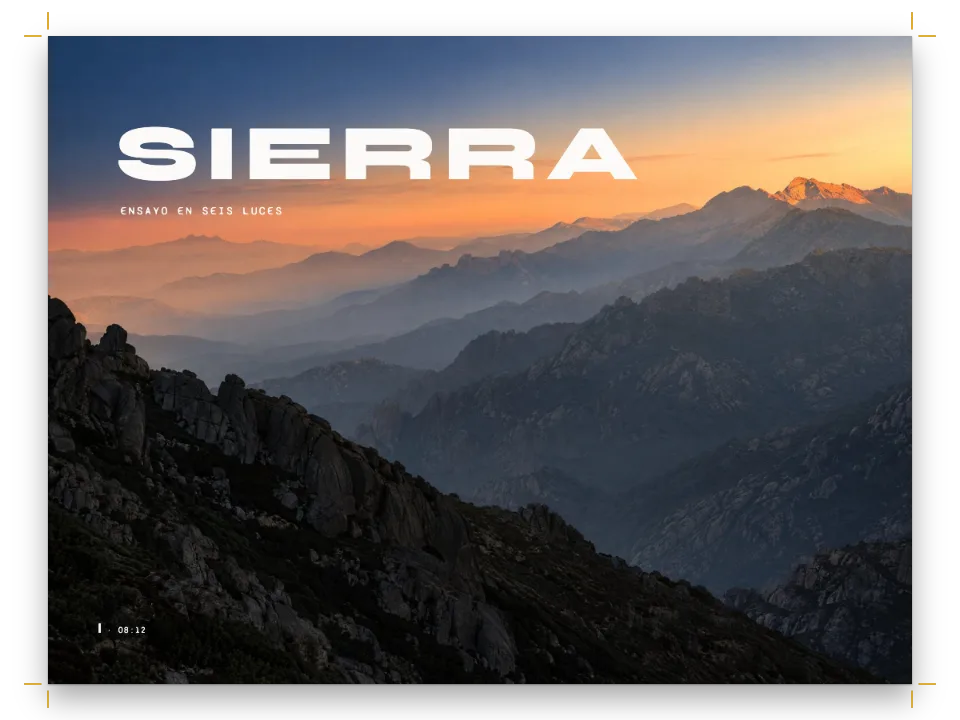
Lumen电影俱乐部的秋季节目单,一本165 × 235毫米、印在米色纸上的小册子:封面是一条银幕黑的色带,影展标题用Big Shoulders Display排出;之后Blender基金会的四部开放电影各占一页。每部影片的页面以一行红色的场次眉题开始,接着是窄体大写的片名和一行职员信息,下面是一张占满125毫米版心宽度的片名卡。卡片左上角是红色的播放标记,右下角是20毫米的二维码。错过某个星期五的会员用手机对准二维码,影片就在YouTube上打开;在PDF里,整张卡片就是链接。每张卡片下面的短地址,是留给读不出二维码的手机的。
这道食谱解答
- 怎样把视频放进印刷书里,让读者能从页面上打开它?
简短回答
const videoStyle = {
  // The mark sits top left and the code bottom right, so they never meet on a 70 mm poster.
  playMark: { shape: 'rounded', position: 'top-left', size: mm(8), inset: mm(4),
    color: col('paper'), background: col('accent'), backgroundOpacity: 1 },
  // https://youtu.be/<id> is 28 characters: 29 modules at level Q, and a quiet zone of 2 a side
  // makes modules of 0.61 mm on a 20 mm plate, twice what a phone camera needs.
  qr: { position: 'bottom-right', size: mm(20), inset: mm(3), errorCorrection: 'Q',
    quietZone: 2, color: col('ink'), background: col('paper'), radius: mm(1.2) },
  linkPoster: true, // the PDF draws a link over each poster
};
const film = (f) => ({
  id: f.id, typeId: 'video', kind: 'video', createdAt: 0, updatedAt: 0,
  caption: `${f.title}. ${t(f.about)}.`, altText: t(f.alt),
  note: `${f.licence} · ${f.address}`, // for a phone that does not read the code
  placement: { position: 'here' }, // set where ::resource puts it, under the opener
  video: {
    // The short address printed under the picture, expanded to the one the QR code holds.
    source: 'youtube', url: videoWatchUrl(parseVideoUrl(f.address)), // https://youtu.be/<id>
    // Any picture can be the poster: here a title card drawn below, at its pixel size.
    poster: { fileId: `${f.id}.png`, format: 'png', width: CARD.w, height: CARD.h },
  },
});
// "Film 1" instead of "Video 1.1": one count for the season, not per chapter.
const [FILM, FILMS_NAME] = [t({ en: 'Film', es: 'Película' }), t({ en: 'Films', es: 'Películas' })];
const filmType = (type) => ({ ...type, name: FILM, namePlural: FILMS_NAME, shortLabel: FILM,
  captionPrefix: FILM, numberingTemplate: '{n}', resetOn: 'never' });
用料
- 功能
- 作为资源的视频视频封面:播放标记和二维码作为资源的图和表自定义资源类型编号题注决定图位置的引用图就放在这里题注样式来源与出处行用你的语言显示“图”和“表”标题样式标题属性设计过的章首页页面设计中的文字、线条和框纸张颜色语义调色板导出PDF
- 类型
- Literata, Big Shoulders Display, Barlow Semi Condensed(SIL OFL 1.1)
- 素材
- Title card for Elephants Dream, drawn in code. The film, © 2006 Blender Foundation and Netherlands Media Art Institute, CC BY 2.5, is linked from the page, not reproduced (Ignacio Ferro, 原创)
- Title card for Big Buck Bunny, drawn in code. The film, © 2008 Blender Foundation, CC BY 3.0, is linked from the page, not reproduced (Ignacio Ferro, 原创)
- Title card for Tears of Steel, drawn in code. The film, © 2012 Blender Foundation, CC BY 3.0, is linked from the page, not reproduced (Ignacio Ferro, 原创)
- Title card for Spring, drawn in code. The film, © 2019 Blender Foundation (Blender Studio), CC BY 4.0, is linked from the page, not reproduced (Ignacio Ferro, 原创)
做法
#1 · 每部影片都是一个视频资源
代码见上方的简短回答。视频资源像图一样放置、加题注和编号,印刷时显示为它的封面,上面叠两个元素。播放标记和二维码放在相对的两个角上,互不碰撞;70毫米高的封面足够放下两者。二维码边长20毫米,静区为两个模块:https://youtu.be/加上11个字符的ID,在Q级纠错下是29个模块,所以每个模块0.61毫米,约为手机摄像头所需的两倍。在这个长度下,Q是保持29个模块的最高级别(引擎会自动从M升到Q);H需要33个模块,模块会缩小到0.54毫米。内置的video类型会印出Video 1.1;改名为Film并用{n}在整个文档中连续计数后,影展的四场依次编号为Film 1到Film 4,封面上的引用也印出同样的字样。
#2 · 写短地址,让引擎补全
const FILMS = [
  { id: 'elephants-dream', address: 'youtu.be/TLkA0RELQ1g', title: 'Elephants Dream', year: 2006,
    director: 'Bassam Kurdali', licence: 'CC BY 2.5', colour: 'orange', motif: 'gears',
    about: { en: 'Project Orange, Blender Foundation', es: 'Proyecto Orange, Blender Foundation' },
    alt: { en: 'Title card for Elephants Dream: copper gears and cables on deep teal.',
      es: 'Cartela de Elephants Dream: engranajes y cables de cobre sobre verde azulado.' } },
  { id: 'big-buck-bunny', address: 'youtu.be/aqz-KE-bpKQ', title: 'Big Buck Bunny', year: 2008,
    director: 'Sacha Goedegebure', licence: 'CC BY 3.0', colour: 'peach', motif: 'meadow',
    about: { en: 'Project Peach, Blender Institute', es: 'Proyecto Peach, Blender Institute' },
    alt: { en: 'Title card for Big Buck Bunny: a peach sun over green hills and butterflies.',
      es: 'Cartela de Big Buck Bunny: un sol melocotón sobre colinas verdes y mariposas.' } },
  { id: 'tears-of-steel', address: 'youtu.be/R6MlUcmOul8', title: 'Tears of Steel', year: 2012,
    director: 'Ian Hubert', licence: 'CC BY 3.0', colour: 'mango', motif: 'city',
    about: { en: 'Project Mango, Blender Institute', es: 'Proyecto Mango, Blender Institute' },
    alt: { en: 'Title card for Tears of Steel: a skyline with a church spire under a ringed moon.',
      es: 'Cartela de Tears of Steel: un perfil urbano con una aguja de iglesia bajo una luna.' } },
  { id: 'spring', address: 'youtu.be/WhWc3b3KhnY', title: 'Spring', year: 2019,
    director: 'Andy Goralczyk', licence: 'CC BY 4.0', colour: 'spring', motif: 'ridges',
    about: { en: 'Blender Studio', es: 'Blender Studio' },
    alt: { en: 'Title card for Spring: misty ridges, dark firs and one red light.',
      es: 'Cartela de Spring: crestas en la niebla, abetos oscuros y una luz roja.' } },
];
每条记录里的地址就是印在卡片下方的那个,youtu.be/TLkA0RELQ1g,读者可以手动输入。parseVideoUrl能读YouTube和Vimeo的任何地址形式,videoWatchUrl再根据读到的内容写出规范地址:二维码和PDF链接里存的都是https://youtu.be/<id>。如果打错字,留下的不是有效ID,parseVideoUrl会返回undefined,脚本在排版前就停下,坏链接不会被送去印刷。
#3 · 画一张片名卡作封面
// The 2D canvas paints the motifs and sets the type in the faces the page has loaded.
// Seeded, so every run draws the same cards.
function mulberry32(seed) {
  return () => {
    seed = (seed + 0x6d2b79f5) | 0;
    let r = Math.imul(seed ^ (seed >>> 15), 1 | seed);
    r = (r + Math.imul(r ^ (r >>> 7), 61 | r)) ^ r;
    return ((r ^ (r >>> 14)) >>> 0) / 4294967296;
  };
}
const mix = (a, b, k) => `#${[1, 3, 5].map((i) => Math.round(parseInt(a.slice(i, i + 2), 16)
  * (1 - k) + parseInt(b.slice(i, i + 2), 16) * k).toString(16).padStart(2, '0')).join('')}`;
const MOTIFS = {
  gears(g, rand, bg) { // a machine without end: three gears and the cables between them
    const copper = '#d98a45';
    g.lineWidth = 4;
    for (let i = 0; i < 7; i++) {
      g.strokeStyle = `${copper}88`;
      g.beginPath();
      g.moveTo(0, 90 + rand() * 380);
      g.bezierCurveTo(300 + rand() * 300, rand() * 500, 600 + rand() * 200, 100 + rand() * 400,
        1000 + rand() * 300, 120 + rand() * 300);
      g.stroke();
    }
    for (const [x, y, r, teeth] of [[1150, 300, 215, 18], [835, 160, 112, 11], [905, 455, 88, 9]]) {
      g.beginPath();
      for (let k = 0; k <= teeth * 4; k++) {
        const a = (k / (teeth * 4)) * Math.PI * 2;
        const rr = k % 4 < 2 ? r : r * 0.84;
        g.lineTo(x + rr * Math.cos(a), y + rr * Math.sin(a));
      }
      g.fillStyle = mix(bg, '#000000', 0.25);
      g.fill();
      g.lineWidth = 6;
      g.strokeStyle = copper;
      g.stroke();
      g.beginPath();
      g.arc(x, y, r * 0.3, 0, Math.PI * 2);
      g.stroke();
    }
  },
  meadow(g, rand, bg) { // a peach sun, three hills, butterflies
    g.fillStyle = '#f5b98a';
    g.beginPath();
    g.arc(1180, 250, 165, 0, Math.PI * 2);
    g.fill();
    for (let i = 0; i < 6; i++) { // butterflies: two pairs of wings each
      const [x, y, s] = [760 + rand() * 640, 90 + rand() * 300, 14 + rand() * 12];
      g.fillStyle = i % 2 ? '#f6f1e7' : '#e9b44c';
      for (const side of [-1, 1]) {
        g.beginPath();
        g.moveTo(x, y);
        g.lineTo(x + side * s * 1.4, y - s);
        g.lineTo(x + side * s * 1.1, y + s * 0.7);
        g.fill();
      }
    }
    [[470, 0.15], [560, 0.35], [650, 0.55]].forEach(([base, dark], layer) => {
      g.fillStyle = mix(bg, '#000000', dark);
      g.beginPath();
      g.moveTo(0, CARD.h);
      for (let x = 0; x <= CARD.w; x += 20) {
        g.lineTo(x, base + 60 * Math.sin(x / (260 + layer * 90) + layer * 2));
      }
      g.lineTo(CARD.w, CARD.h);
      g.fill();
    });
  },
  city(g, rand, bg) { // a skyline, one church spire, a ringed moon
    g.strokeStyle = '#e9b44c';
    g.lineWidth = 5;
    g.beginPath();
    g.arc(1240, 210, 105, 0, Math.PI * 2);
    g.stroke();
    g.beginPath();
    g.ellipse(1240, 210, 190, 34, -0.3, 0, Math.PI * 2);
    g.stroke();
    const shade = mix(bg, '#000000', 0.45);
    for (let x = 520; x < CARD.w; x += 46 + rand() * 60) {
      const [w, h] = [40 + rand() * 70, 90 + rand() * 300];
      g.fillStyle = shade;
      g.fillRect(x, 560 - h, w, CARD.h);
      g.fillStyle = '#e9b44c';
      for (let wy = 580 - h; wy < 540; wy += 26) {
        if (rand() < 0.18) g.fillRect(x + 8 + rand() * (w - 22), wy, 8, 12);
      }
    }
    g.fillStyle = shade; // the Oude Kerk's spire stands over the rest
    g.beginPath();
    g.moveTo(940, 560);
    g.lineTo(1000, 90);
    g.lineTo(1060, 560);
    g.fill();
    g.fillRect(0, 560, CARD.w, CARD.h);
  },
  ridges(g, rand, bg) { // misty ridges, dark firs and one red light
    g.fillStyle = mix(bg, '#f6f1e7', 0.55);
    g.beginPath();
    g.arc(1260, 170, 85, 0, Math.PI * 2);
    g.fill();
    [[300, 0.35], [400, 0.15], [500, -0.15], [600, -0.4]].forEach(([base, k]) => {
      g.fillStyle = k > 0 ? mix(bg, '#f6f1e7', k) : mix(bg, '#000000', -k);
      g.beginPath();
      g.moveTo(0, CARD.h);
      for (let x = 0; x <= CARD.w; x += 80) g.lineTo(x, base - rand() * 110);
      g.lineTo(CARD.w, CARD.h);
      g.fill();
    });
    g.fillStyle = mix(bg, '#000000', 0.6);
    for (let i = 0; i < 9; i++) {
      const [x, h] = [920 + i * 58 + rand() * 30, 130 + rand() * 120];
      g.beginPath();
      g.moveTo(x - h * 0.22, 640);
      g.lineTo(x, 640 - h);
      g.lineTo(x + h * 0.22, 640);
      g.fill();
    }
    g.fillStyle = '#e0452c';
    g.beginPath();
    g.arc(640, 500, 11, 0, Math.PI * 2);
    g.fill();
  },
};
async function titleCard(f) {
  const canvas = Object.assign(document.createElement('canvas'), { width: CARD.w, height: CARD.h });
  const g = canvas.getContext('2d');
  const bg = palette[f.colour];
  g.fillStyle = bg;
  g.fillRect(0, 0, CARD.w, CARD.h);
  MOTIFS[f.motif](g, mulberry32(f.year), bg);
  // Lower left, clear of the play mark (top left) and the QR plate (bottom right).
  g.fillStyle = '#e9b44c';
  g.font = `600 34px "${LABEL}"`;
  g.letterSpacing = '7px';
  g.fillText(`${t({ en: 'Blender open movie', es: 'Película abierta de Blender' })} · ${f.year}`
    .toUpperCase(), 96, 612);
  g.letterSpacing = '0px';
  g.fillStyle = '#f6f1e7';
  let size = 154;
  do g.font = `800 ${size -= 4}px "${DISPLAY}"`;
  while (g.measureText(f.title.toUpperCase()).width > 1080);
  g.fillText(f.title.toUpperCase(), 92, 760);
  g.font = `500 40px "${LABEL}"`;
  g.fillText(`${t({ en: 'Directed by', es: 'Dirigida por' })} ${f.director}`, 96, 826);
  const blob = await new Promise((done) => canvas.toBlob(done, 'image/png'));
  await loadImage(`${f.id}.png`, URL.createObjectURL(blob)); // the canvas and the PDF
}
在大多数项目里,封面是影片中的一帧:在沙盒里输入地址时会自动获取;在代码里,youtubePosterUrls(id)按从大(1280 × 720)到小的顺序列出YouTube的缩略图。平台上的画面属于影片,受影片许可证约束,印刷的节目单可以用自己的片名卡,所以这里每部影片都在canvas上画了一张,用它的颜色、图案、片名、年份和导演。卡片空出左上角和右下角,留给播放标记和二维码。每张卡片都在canvas上绘制,文字用页面已经加载的小册子字体排出。每张卡片1600 × 900像素,即影片的16:9,video.poster声明的就是这个尺寸:在125毫米宽度下,印刷分辨率为325 dpi。没有封面的视频会印成一个16:9的深色方框,带同样的标记和二维码,排版时会给出警告。
#4 · 封面放在章首设计下面
const text = (id, content, fontFamily, size, color, placement, more = {}) => ({ kind: 'text',
  id, content, fontFamily, fontSize: pt(size), color: col(color), align: 'left',
  overflow: 'wrap', placement, ...more }); // a foot wraps too, where the default is '…'
const at = (to, edge, x, y, width) => ({ anchor: { to, edge }, offset: { x: mm(x), y: mm(y) },
  ...(width && { size: { width: mm(width), height: 'auto' } }) });
const caps = (s) => ({ fontWeight: 600, textTransform: 'uppercase', letterSpacing: pt(s * 0.2) });
const BAND = 126; // mm: the cover's screen-black band, from the trim's top edge
const MEASURE = TRIM.w - INNER - OUTER;
const CHIP = (MEASURE - 9) / 4; // four chips in the films' colours, 3 mm apart
const coverStyle = () => ({
  id: 'cover', numbered: false, footer: { elements: [] }, // no folio on the cover
  marginBottom: pt(LEAD), // a line of paper between the band and the text
  advancedDesign: { enabled: true, minHeight: mm(BAND - TOP), slot: { elements: [
    { kind: 'box', id: 'band', style: { backgroundColor: col('ink') },
      placement: { ...at('page', 'top-left', 0, 0), size: { width: 'fill', height: mm(BAND) } } },
    text('kicker', '{attr.kicker}', LABEL, 9, 'gold', at('page', 'top-left', INNER, 14), caps(9)),
    text('title', '{titleText}', DISPLAY, 88, 'paper', at('page', 'top-left', INNER - 1, 28,
      MEASURE), { fontWeight: 800, textTransform: 'uppercase', lineHeight: 0.86 }),
    text('standfirst', '{attr.standfirst}', TEXT, 13, 'paper',
      at('page', 'top-left', INNER, 85, 104), { italic: true, lineHeight: 1.3 }),
    ...FILMS.flatMap((f, i) => [
      { kind: 'box', id: `chip-${i}`, style: { backgroundColor: col(f.colour) },
        placement: { ...at('page', 'top-left', INNER + i * (CHIP + 3), 103),
          size: { width: mm(CHIP), height: mm(9) } } },
      text(`chip-label-${i}`, t({ en: `${6 + 7 * i} Nov`, es: `${6 + 7 * i} nov` }), LABEL, 8,
        'paper', at('page', 'top-left', INNER + i * (CHIP + 3) + 2.5, 105.6), caps(8)),
    ]),
    text('dates', '{attr.dates}', LABEL, 8.5, 'gold', at('page', 'top-left', INNER, 116), caps(9)),
  ] } },
});
const opener = () => ({ enabled: true, minHeight: mm(22), slot: { elements: [
  text('kicker', '{attr.kicker}', LABEL, 8.5, 'accent', at('container', 'top-left', 0, 0),
    caps(8.5)),
  text('title', '{titleText}', DISPLAY, 34, 'ink', at('#kicker', 'below', 0, 1.5, MEASURE),
    { fontWeight: 800, textTransform: 'uppercase', lineHeight: 1 }),
  text('credits', '{attr.credits}', LABEL, 9.5, 'muted', at('#title', 'below', 0, 1.5, MEASURE),
    { fontWeight: 500 }),
] } });
const foot = (id, content, parity, edge, x, more = {}) => text(id, content, LABEL, 7.5, 'muted',
  at('page', edge, x, TRIM.h - 13), { ...caps(7.5), parity, pages: 'all', ...more });
const footer = { elements: [ // folios at the outer foot, the programme's name beside them
  foot('verso-folio', '{pageNumber}', 'even', 'top-left', OUTER, { color: col('ink') }),
  foot('verso-title', '{title}', 'even', 'top-left', OUTER + 7),
  foot('recto-title', '{title}', 'odd', 'top-right', -(OUTER + 7), { align: 'right' }),
  foot('recto-folio', '{pageNumber}', 'odd', 'top-right', -OUTER,
    { color: col('ink'), align: 'right' }),
] };
每部影片是一个一级标题,它的章首设计依次排出场次眉题、片名和职员信息,三者都取自标题属性。::resource用position: 'here'把封面放在紧接其下的位置,所以每个影片页面的顺序都相同。封面页是一个标题样式,色带、标题和色块都是设计元素;四个色块和片名卡一样,从调色板取各部影片的颜色。
#5 · 页面和片名卡共用一套调色板
const palette = {
  ink: '#1d1b20', paper: '#f6f1e7', // text and the cover band; the page
  accent: '#b8321c', gold: '#e9b44c', muted: '#6b6157', // kickers; the band's accent; credits
  orange: '#1f3d44', peach: '#3f6b35', mango: '#2c3746', spring: '#3d5a78', // the title cards
};
// A linked colour carries its hex too, so designs and defaults read the same value.
const col = (id) => ({ hex: palette[id], model: 'hex', paletteId: id });
const colorPalette = [
  ...Object.entries(palette).map(([id, hex]) => ({ id, name: id, value: { hex, model: 'hex' } })),
  // The engine's defaults link to 'main-color': point it at the accent, so nothing prints blue.
  { id: 'main-color', name: 'accent (defaults)', value: { hex: palette.accent, model: 'hex' } },
];
墨色、红色和米色属于小册子本身;四种影片颜色(以Blender的项目名Orange、Peach、Mango命名,再加上Spring)同时用于封面色块和片名卡。播放标记与眉题同为红色,二维码底板是页面的米色,模块用墨色:浅色底板上的深色码,正是所有扫码软件期待的对比。
完整食谱
// ═══ Postext Cookbook · Nº 131 · Film club programme with video QR codes ═════════
// https://postext.dev/en/cookbook/film-club-video-qr
// Code: MIT · Text and title cards: original (CC BY 4.0) · Films: Blender Foundation (CC BY)
// Fonts: Literata, Big Shoulders Display, Barlow Semi Condensed (SIL OFL) · Needs postext ≥ 1.28.0
import {
  buildDocumentWithFonts, prepareFonts, renderPageToCanvas, registerResourceImage,
  defaultResourceTypes, parseVideoUrl, videoWatchUrl,
} from 'https://esm.sh/postext';
import { renderToPdf, decompressWoff2 } from 'https://esm.sh/postext-pdf';

const LANG = 'en'; // @lang: the language of the sample document ('en' | 'es')
const RECIPE = 'film-club-video-qr';

// ─── 1 · Design ─────────────────────────────────────────────────────────────
// #region palette: a screen-black ink, one red, and a colour for each film
const palette = {
  ink: '#1d1b20', paper: '#f6f1e7', // text and the cover band; the page
  accent: '#b8321c', gold: '#e9b44c', muted: '#6b6157', // kickers; the band's accent; credits
  orange: '#1f3d44', peach: '#3f6b35', mango: '#2c3746', spring: '#3d5a78', // the title cards
};
// A linked colour carries its hex too, so designs and defaults read the same value.
const col = (id) => ({ hex: palette[id], model: 'hex', paletteId: id });
const colorPalette = [
  ...Object.entries(palette).map(([id, hex]) => ({ id, name: id, value: { hex, model: 'hex' } })),
  // The engine's defaults link to 'main-color': point it at the accent, so nothing prints blue.
  { id: 'main-color', name: 'accent (defaults)', value: { hex: palette.accent, model: 'hex' } },
];
// #endregion
const [TEXT, DISPLAY, LABEL] = ['Literata', 'Big Shoulders Display', 'Barlow Semi Condensed'];
const TRIM = { w: 165, h: 235 }; // mm: a programme booklet, a little larger than A5
const [TOP, INNER, OUTER, LEAD] = [22, 18, 22, 14]; // margins in mm (a 125 mm measure); leading, pt
const CARD = { w: 1600, h: 900 }; // px: the title cards, 16:9 like the films, 325 dpi at 125 mm

// #region answer: a video resource per film, printed as its poster with a play mark and a QR code
const videoStyle = {
  // The mark sits top left and the code bottom right, so they never meet on a 70 mm poster.
  playMark: { shape: 'rounded', position: 'top-left', size: mm(8), inset: mm(4),
    color: col('paper'), background: col('accent'), backgroundOpacity: 1 },
  // https://youtu.be/<id> is 28 characters: 29 modules at level Q, and a quiet zone of 2 a side
  // makes modules of 0.61 mm on a 20 mm plate, twice what a phone camera needs.
  qr: { position: 'bottom-right', size: mm(20), inset: mm(3), errorCorrection: 'Q',
    quietZone: 2, color: col('ink'), background: col('paper'), radius: mm(1.2) },
  linkPoster: true, // the PDF draws a link over each poster
};
const film = (f) => ({
  id: f.id, typeId: 'video', kind: 'video', createdAt: 0, updatedAt: 0,
  caption: `${f.title}. ${t(f.about)}.`, altText: t(f.alt),
  note: `${f.licence} · ${f.address}`, // for a phone that does not read the code
组合好的script.js可以直接运行:把它粘贴到任何页面的模块脚本中,或在CodePen上打开这道食谱。 GitHub上的食谱文件夹 ↗ (在新标签页中打开)
变化
#印影片自己的画面
如果影片的许可证和你的托管条件允许,可以不画片名卡,改为获取YouTube最大的缩略图,并声明这一帧的尺寸。
-for (const f of FILMS) await titleCard(f); // after the fonts: the cards set type too
+for (const f of FILMS) { // 1280 × 720, maxresdefault.jpg, the first of youtubePosterUrls
+  await loadImage(`${f.id}.png`, youtubePosterUrls(parseVideoUrl(f.address).id)[0]);
+}#在HTML版中播放影片
renderToHtml为每个视频放上YouTube的增强隐私播放器,EPUB则显示链接到影片的封面;设置videoStyle.html: 'poster'后,屏幕上也显示印刷用的片名卡。参见视频和视频样式。
#把更大的播放标记放在中央
卡片中央的标记从放映厅后排也能认出是播放器;片名卡的中间一带没有文字,所以标记只盖住图案。
-  playMark: { shape: 'rounded', position: 'top-left', size: mm(8), inset: mm(4),
+ playMark: { shape: 'rounded', position: 'center', size: mm(14), inset: mm(4),常见问题
易错点
位图的印刷尺寸取自分辨率:声明分辨率,不要换算印刷像素
没有分辨率的位图按文档dpi以一个像素对应一个排版像素放置,所以2400 px的照片在150 dpi的页面上宽406 mm。声明文件的实际像素,并给图片设分辨率(bitmap.resolution: 300),或为所有位图设置layout.bitmapResolution:一个ppi值,或用'file'读取文件标明的分辨率。栏宽仍会限制图片。 作为资源的图和表 →
版面警告 · videoWithoutPoster
视频没有封面
原因. 正文用到的视频资源没有`video.poster`,印刷版显示一个按视频比例的深色方框,带播放标记和二维码。
解决. 给视频一张封面:视频中的一帧或自己的图片(`{ fileId, format, width, height }`),并像其他图片一样注册它的位图。
- 引擎把二维码限制在封面短边的45%以内,播放标记限制在40%以内。封面较小时,20毫米的二维码会被缩小,模块也随之变小:20毫米的二维码需要至少45毫米高的封面。
- 位置相同的两个元素会互相遮挡。给播放标记和二维码不同的角,并在画封面时空出这两个角。
致谢
- 文本
- 原创文字, CC BY 4.0
- 图片
- Title card for Elephants Dream, drawn in code. The film, © 2006 Blender Foundation and Netherlands Media Art Institute, CC BY 2.5, is linked from the page, not reproduced · Ignacio Ferro · 原创
- Title card for Big Buck Bunny, drawn in code. The film, © 2008 Blender Foundation, CC BY 3.0, is linked from the page, not reproduced · Ignacio Ferro · 原创
- Title card for Tears of Steel, drawn in code. The film, © 2012 Blender Foundation, CC BY 3.0, is linked from the page, not reproduced · Ignacio Ferro · 原创
- Title card for Spring, drawn in code. The film, © 2019 Blender Foundation (Blender Studio), CC BY 4.0, is linked from the page, not reproduced · Ignacio Ferro · 原创
- 字体
- Literata (SIL OFL 1.1) · Big Shoulders Display (SIL OFL 1.1) · Barlow Semi Condensed (SIL OFL 1.1)