简单来说
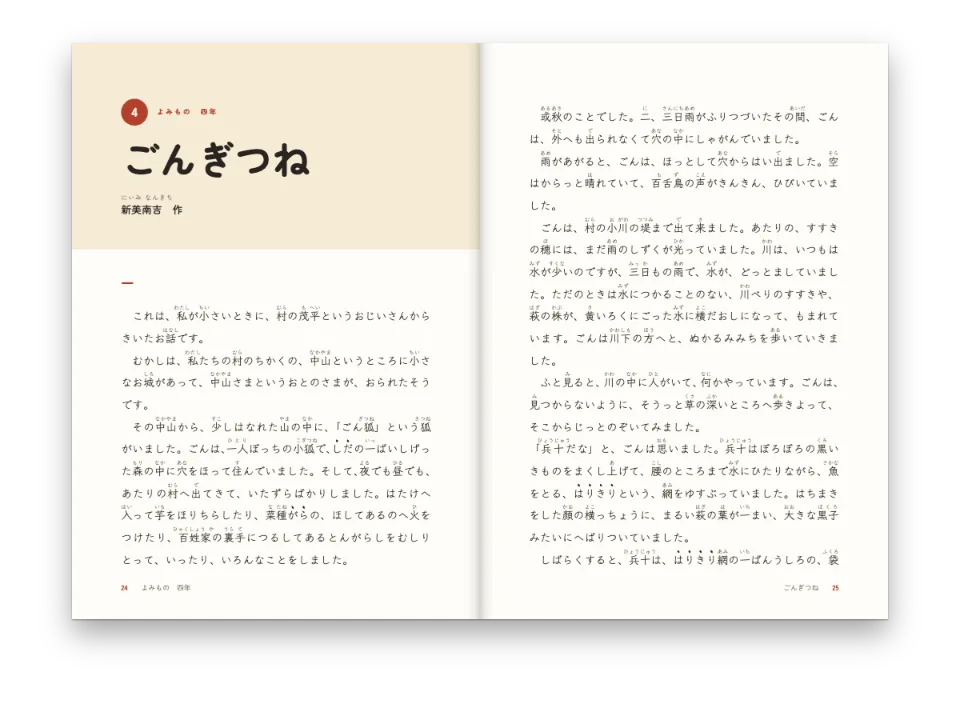
一本乐理教材中讲乐句如何结束的一章。谱例在章节中写成几行简短的文字,Postext把它们画成谱表和音符;最长的一例像段落一样接排到下一页。
成品一览
一门键盘和声课程的第5章,开本180 × 250 mm,用Libre Caslon排,讲五种终止式:完全正格终止与不完全正格终止、半终止、变格终止和阻碍终止。每种终止式配两段短文和一个三声部谱例,谱表下方标出罗马数字级数,谱例用ABC直接写在Markdown里。本章以a小调的《Greensleeves》(《绿袖子》)结尾,每小节上方标一个级数。这段旋律太长,第3页剩下的空间放不下:它在那里排三行谱,最后两行排在第4页顶部,在谱行之间断开,就像段落在行与行之间断开一样。谱表大小、音乐字体和间距只在配置中设定一次,所以五个谱例和这段旋律外观一致。
这道食谱解答
- 怎样在教科书的正文里放入以记谱文本写成的谱例?
简短回答
// Each ```abc fence in the chapter is engraved at the width of the text column and cut
// into systems. The style is set once here; the Markdown only holds the notation.
const scoreStyle = {
  staffSize: mm(5.5), // a textbook's rastral: examples read at arm's length on a desk
  musicFont: 'Bravura', // the traditional engraved look, heavy enough beside Caslon
  textFont: 'Libre Caslon Text', // the Roman numerals of `w:` lines, in the text face
  spacing: 1.6, // air between the chords: an example reads as a progression, not a cluster
  barNumbers: 'system',
  systemGap: mm(4),
  marginTop: pt(LEAD / 2),
  marginBottom: pt(LEAD / 2),
  color: col('ink'),
  // A long example runs on into the next page between two systems, never leaving one
  // system alone at the foot of a page or at the head of the next.
  minSystemsAtBreak: 2,
};
用料
- 类型
- Libre Caslon Text, Libre Caslon Display, Libre Franklin(SIL OFL 1.1)
- 素材
- 无:所有图片都用代码绘制
做法
#1 · 在正文需要的地方写谱例
标为abc的代码块里写记谱,正文接在后面。L:1/2让每个不标时值的和弦成为二分音符,[Bdg]把三个音叠在同一个声部里,w:行在每个和弦下面放一个词,这里是罗马数字级数。alt属性是屏幕阅读器和带标签的PDF代替图片读出的内容。
```abc {alt="G大调完全正格终止:I、IV、V、I"}
X:1
M:4/4
L:1/2
K:G
[Bdg] [ceg] | [Adf] [Bdg] |]
w: I IV V I
```#2 · 让每份乐谱都有这本书的样子
简短回答就是乐谱的全部设计:5.5 mm的谱表,和声教程中供人在键盘前读的谱例常用这个尺寸;Bravura与Caslon正文搭配;级数用正文字体,而不用刻谱引擎的Times。spacing: 1.6让四个二分音符和弦铺满三分之一的版心宽度,和弦进行可以一个和弦一个和弦地读。同一设置也决定《Greensleeves》一行谱放几小节:在125 mm的版心宽度中放三小节。
#3 · 让长谱例接排到下一页
minSystemsAtBreak: 2保证《Greensleeves》跨页时仍然好读。这段旋律排成五行谱;第3页底部放得下三行,所以两行移到第4页,哪一页都不会只剩一行谱。少于四行谱的乐谱会整个移到下一页,简短的终止式谱例遇到这种情况也会如此。
#4 · 在构建之前启动刻谱引擎
// The engraver (Verovio) loads only for books with music: start it before the build,
// or every score is laid out as a grey placeholder box.
await initMusicEngine();
const doc = await buildDocumentWithFonts({ markdown }, config, kitFonts(FONTS));
showPages(doc, { title: t({ en: 'Harmony textbook', es: 'Manual de armonía' }) });
// The PDF draws every system as vector paths, the numerals in the embedded text face.
offerPdf(() => renderToPdf(doc, { fontProvider: fontsourceProvider }), `${RECIPE}.pdf`);
Verovio约有3.7 MB的WebAssembly,所以引擎只在你要求时才加载它。不调用initMusicEngine(),排版照样进行,每份乐谱是一个大小正确的灰色方框。renderToPdf不需要别的准备:PDF把每行谱画成矢量路径,级数用嵌入的Caslon排出。
#5 · 用下沉标题开启本章
const opener = {
  enabled: true,
  minHeight: mm(48),
  slot: { elements: [
    { kind: 'text', id: 'kicker', content: '{attr.kicker}', fontFamily: LABEL, fontSize: pt(8.5),
      fontWeight: 700, letterSpacing: pt(1.7), textTransform: 'uppercase', color: col('accent'),
      align: 'left', placement: { anchor: { to: 'container', edge: 'top-left' },
        offset: { x: mm(0), y: mm(12) } } },
    { kind: 'text', id: 'title', content: '{titleText}', fontFamily: 'Libre Caslon Display',
      fontSize: pt(34), lineHeight: 1.05, color: col('ink'), align: 'left', overflow: 'wrap',
      placement: { anchor: { to: '#kicker', edge: 'below' }, offset: { x: mm(0), y: mm(3) },
        size: { width: mm(110), height: 'auto' } } },
    { kind: 'rule', id: 'rule', direction: 'horizontal', thickness: pt(1.5),
      color: col('accent'),
      placement: { anchor: { to: '#title', edge: 'below' }, offset: { x: mm(0), y: mm(5) },
        size: { width: mm(16) } } },
  ] },
};
章首页的眉题取自标题的kicker属性,并预留48 mm,足够放下标题和它下面的线,第一个谱例仍留在第1页。
完整食谱
// ═══ Postext Cookbook · Nº 163 · Harmony textbook with ABC examples ═════════════
// https://postext.dev/en/cookbook/harmony-textbook-abc-examples
// Code: MIT · Text: original (CC BY 4.0) · Music: Greensleeves (traditional, PD)
// Fonts: Libre Caslon Text & Display, Libre Franklin (SIL OFL 1.1) · Needs postext ≥ 1.54.0
import {
  buildDocumentWithFonts, renderPageToCanvas, initMusicEngine,
} from 'https://esm.sh/postext';
import { renderToPdf, decompressWoff2 } from 'https://esm.sh/postext-pdf';

const LANG = 'en'; // @lang: the language of the sample document ('en' | 'es')
const RECIPE = 'harmony-textbook-abc-examples';

// ─── 1 · Design ─────────────────────────────────────────────────────────────
// #region palette: a conservatory green for the accents, warm ink for text and notes
const palette = {
  ink: '#1f1c19', // text and notation: a warm near-black
  accent: '#2f5d4f', // kickers, rules, Roman numerals in the table
  tint: '#edf2ef', // the box of key terms
  rule: '#c3cfc9', // hairlines
  muted: '#5c6863', // running heads, colophon
  paper: '#ffffff',
};
const col = (id) => ({ hex: palette[id], model: 'hex', paletteId: id });
const colorPalette = [
  ...Object.entries(palette).map(([id, hex]) => ({ id, name: id, value: { hex, model: 'hex' } })),
  // The engine's defaults link to main-color: point it at the accent, never the default blue.
  { id: 'main-color', name: 'accent (defaults)', value: { hex: palette.accent, model: 'hex' } },
];
// #endregion
const TRIM = { width: 180, height: 250 };
const MARGIN = { top: 22, bottom: 24, inner: 22, outer: 33 }; // a 125 mm measure
const LEAD = 14.5; // body leading in pt: the baseline grid
const LABEL = 'Libre Franklin';

// #region answer: one score style for every example in the text
// Each ```abc fence in the chapter is engraved at the width of the text column and cut
// into systems. The style is set once here; the Markdown only holds the notation.
const scoreStyle = {
  staffSize: mm(5.5), // a textbook's rastral: examples read at arm's length on a desk
  musicFont: 'Bravura', // the traditional engraved look, heavy enough beside Caslon
  textFont: 'Libre Caslon Text', // the Roman numerals of `w:` lines, in the text face
  spacing: 1.6, // air between the chords: an example reads as a progression, not a cluster
  barNumbers: 'system',
  systemGap: mm(4),
  marginTop: pt(LEAD / 2),
  marginBottom: pt(LEAD / 2),
  color: col('ink'),
  // A long example runs on into the next page between two systems, never leaving one
组合好的script.js可以直接运行:把它粘贴到任何页面的模块脚本中,或在CodePen上打开这道食谱。 GitHub上的食谱文件夹 ↗ (在新标签页中打开)
变化
常见问题
- 把和弦的时值写在方括号里面,如
[B2d2g2],或者把L:设成和弦的时值:写在方括号后面的时值,如[Bdg]2,会被当作默认时值。 - Verovio的ABC读取器把
w:行的每个音节交给下一个音符,并忽略*和_,所以w:行不能跳过音符。要给少数几个小节加标记,就把标记写成谱表上方的和弦记号,《Greensleeves》的谱例就是这样做的。 - 正文字体很少带有♯和♭符号:在正文中写“升F”,否则浏览器会用系统字体排出这个符号。
致谢
- 文本
- The chapter on cadences and its examples, written for this recipe · Ignacio Ferro · CC BY 4.0
- Greensleeves, English tune of the sixteenth century, in its common modern form · Traditional · 公有领域
- 字体
- Libre Caslon Text (SIL OFL 1.1) · Libre Caslon Display (SIL OFL 1.1) · Libre Franklin (SIL OFL 1.1)