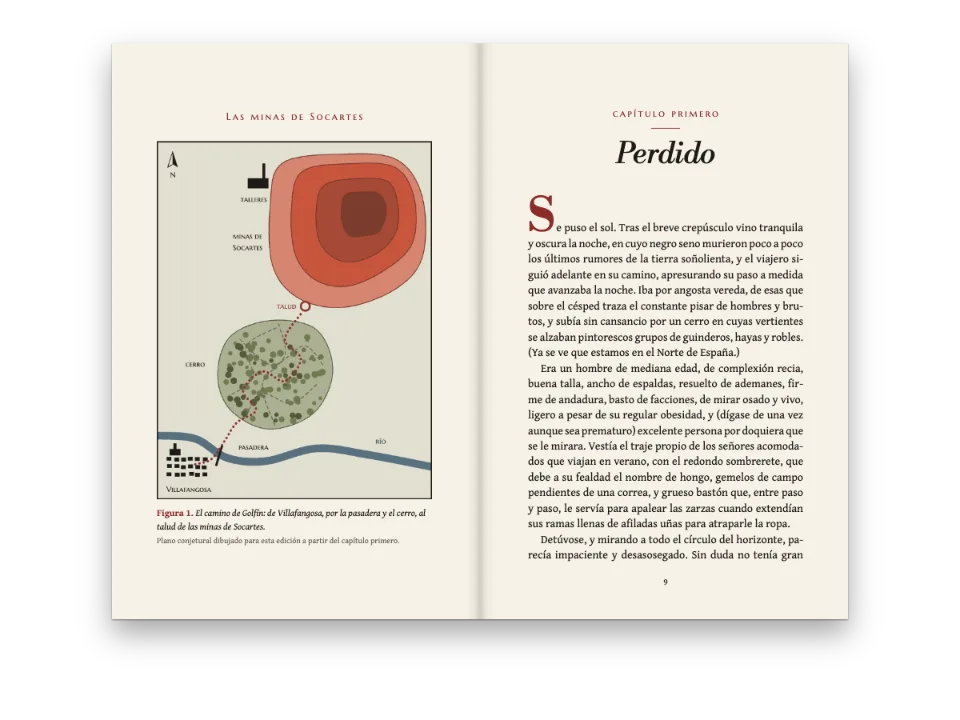
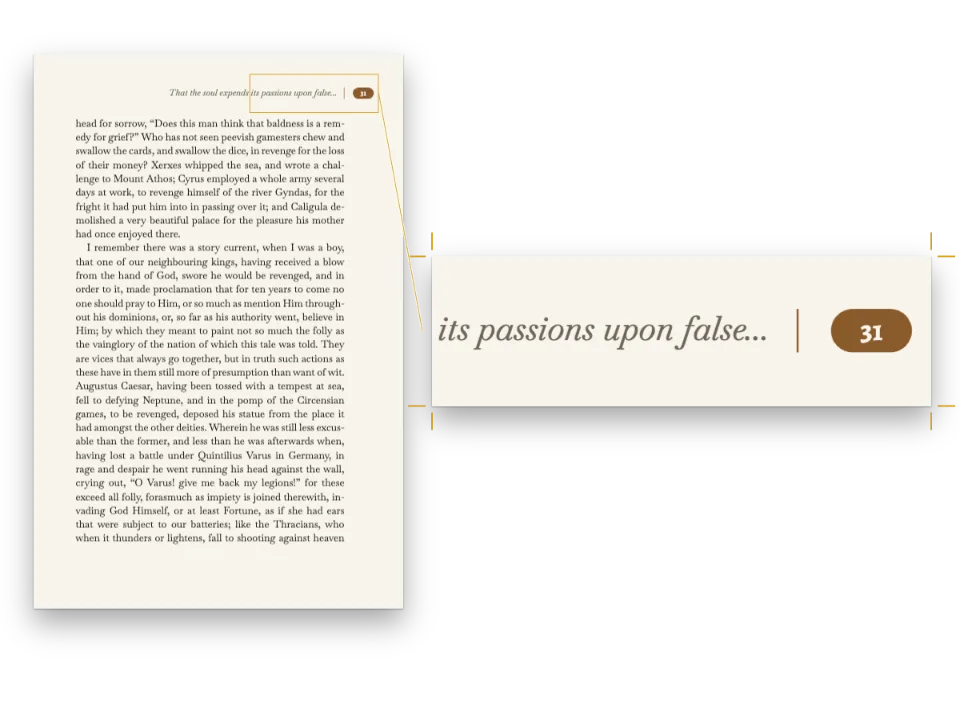
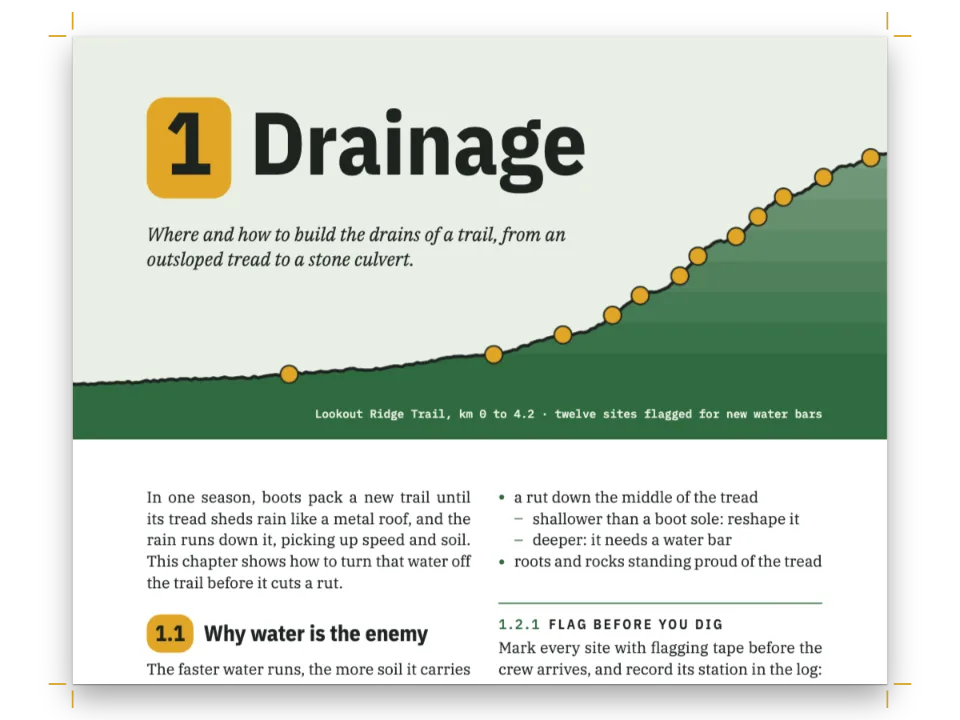
باختصار
ثلاث صفحات من مقالة عن طريقة إخراج الكتب القديمة. تُريك كيف تجعل كل سطر من النص على الارتفاع نفسه في العمودين وفي الصفحتين المتقابلتين.
ما الذي ستنضده
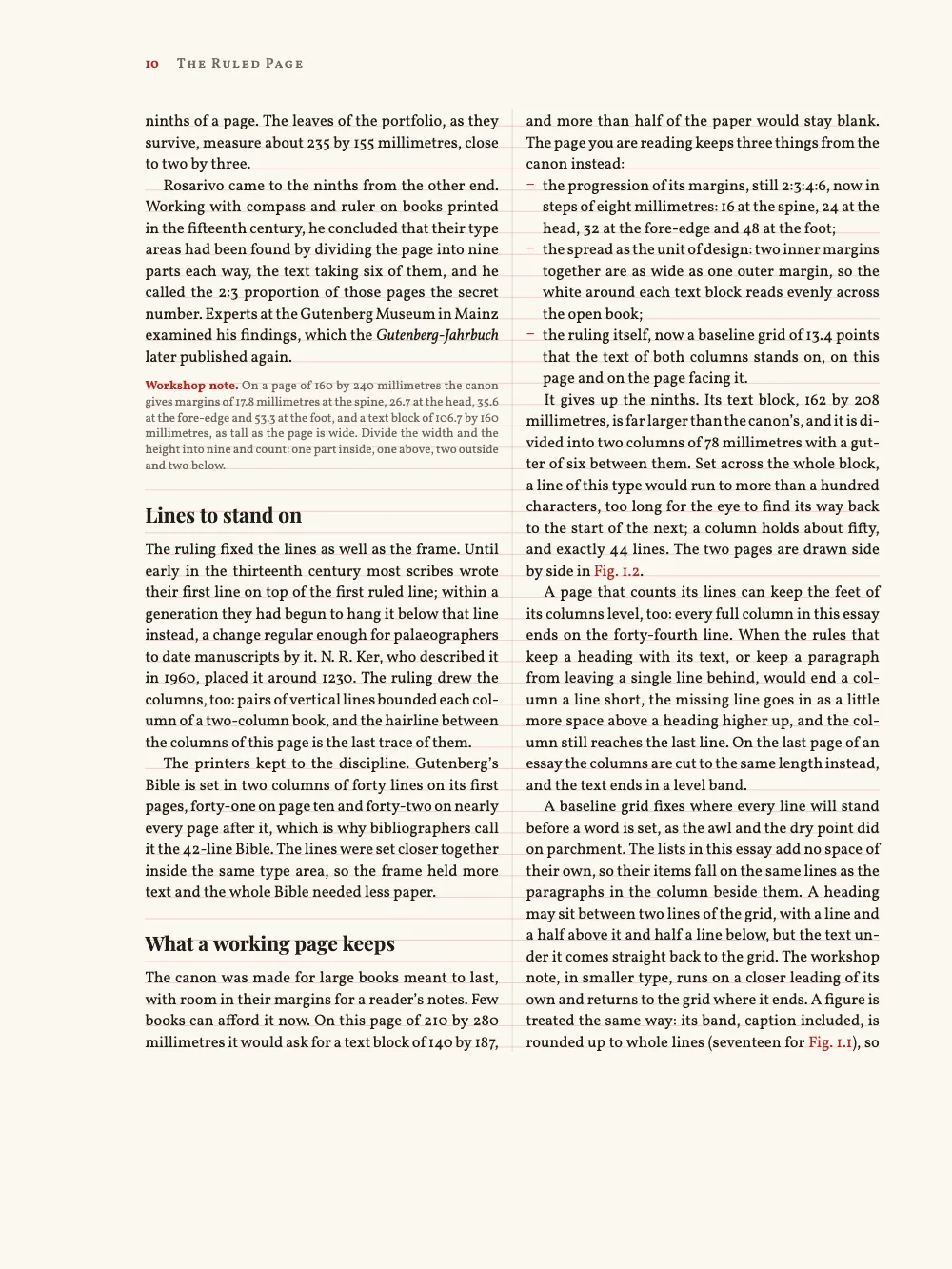
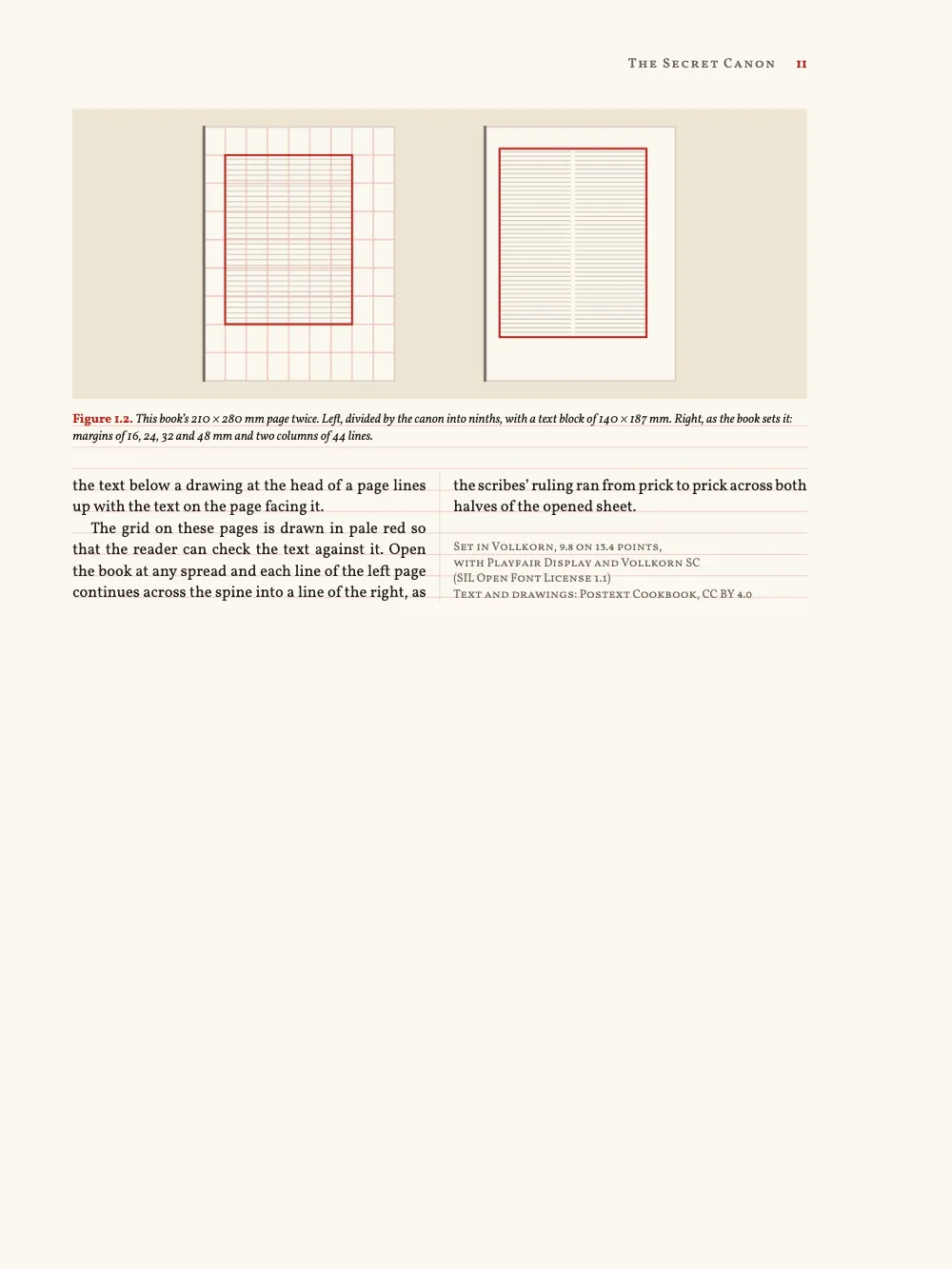
تضم الصفحات من 9 إلى 11 من The Ruled Page، وهو مجموعة مقالات في صناعة الكتاب، مقالة “The Secret Canon” عن النِّسب التي أعطاها نسّاخ القرون الوسطى لصفحاتهم. هوامشها تتبع القانون الذي تصفه، 2:3:4:6 ومتناظرة، على حدّ قص 210 × 280 مم يحيط بعمودين من Vollkorn. ترتسم فوق الصفحات شبكة خطوط أساس بأحمر باهت، ويقف عليها متن العمودين والصفحتين المتقابلتين. يملأ عنوان Playfair Display العمود الأول من صفحة الافتتاح، ويتصدر رسم القانون العمود الثاني. تبتعد عناوين الأقسام عن الشبكة نصف سطر، ويعود النص تحتها إلى الشبكة. وتجري ملاحظة للورشة بحرف أصغر على تباعد أسطر خاص بها قدره 10 pt. وفي الصفحة 11 تنتهي المقالة تحت شكل بعرض الصفحة في عمودين مقصوصين على الطول نفسه، وتختم بيانات الطبع العمود الثاني.
تجيب هذه الوصفة عن
- كيف أضبط صفحة كتاب: مقاس القطع، وهوامش داخلية وخارجية متناظرة، وعمودين وفاصلًا بينهما؟
- كيف أثبّت النص على شبكة خطوط الأساس لتصطف الأسطر عبر الأعمدة والصفحات المتقابلة؟
- كيف أجعل أسافل الأعمدة متساوية وأوازن الصفحة الأخيرة (الضبط العمودي)؟
- كيف أتجنب الأسطر الأرامل والأسطر اليتيمة والأسطر الأخيرة ذات الكلمة الواحدة، وأبقي العنوان مع نصه؟
الجواب المختصر
const LEAD = 13.4; // pt: the body leading is the pitch of the baseline grid
const UNIT = 8; // mm: the margins step 2:3:4:6 in units of 8 mm, like the canon's
const LINES = 44; // lines per column: the text block is a whole number of leads tall
const TRIM = { width: 210, height: 280 }; // mm
const MM_PER_PT = 25.4 / 72;
const page = {
  sizePreset: 'custom', width: mm(TRIM.width), height: mm(TRIM.height), dpi: 150,
  backgroundColor: col('paper'),
  margins: { mirror: true, // left is the inner margin; mirror swaps it on every verso
    left: mm(2 * UNIT), top: mm(3 * UNIT), right: mm(4 * UNIT), // 16, 24 and 32 mm
    bottom: mm(TRIM.height - 3 * UNIT - LINES * LEAD * MM_PER_PT) }, // 48 mm: six units
  // The layout keeps to the grid whether or not the overlay draws it.
  baselineGrid: { enabled: true, color: col('grid') },
};
const GUTTER = 6; // mm: 162 mm of text block make two columns of 78 mm
const layout = { layoutType: 'double', gutterWidth: mm(GUTTER),
  columnRule: { enabled: true, color: col('rule'), lineWidth: pt(0.4) } };
const body = { fontFamily: 'Vollkorn', fontSize: pt(9.8), lineHeight: pt(LEAD) };
// Lists add no space of their own (any whole number of leads would do). The grid never
// absorbs a list's top margin: the default 1.5 em (14.7 pt here) would set the items
// 1.3 pt off the lines of the column beside them, until the list reaches a new column.
const onGrid = { marginTop: pt(0), marginBottom: pt(0) };
المكونات
- الميزات
- هوامش متناظرةشبكة خطوط الأساسموازنة الأعمدةالخروج عن الشبكة عمدًاموضع الأشكالالأسطر الأرامل والأسطر اليتيمة والكلمات المعزولةأنماط الفقراتمقاس القطععمود واحد أو عمودانالخط الفاصل بين الأعمدةالوحدات والأبعادخط المتنالقوائم النقطية وقوائم التحققالقوائم المرقّمةمستويات العناوينالترويسات وأرقام الصفحاتالترويسات بحسب دور الصفحةالأشكال والجداول بوصفها مواردصفحات على اللوحة (Canvas)
- تستخدم أيضًا
- استشهادات تضع الأشكاللون الورق
- الخطوط
- Vollkorn, Playfair Display, Vollkorn SC (SIL OFL 1.1)
- الأصول
- The two drawings, made in code in the page's palette (Postext Cookbook, CC BY 4.0)
طريقة التحضير
#1 · دع العناوين تغادر الشبكة، ولا تدع القوائم
  headings: { fontFamily: 'Playfair Display', color: col('ink'), balancing,
    levels: [
      // parity 'odd': the essay opens on a recto.
      // Two lines of 46 pt, each four leads tall, then one lead: the text starts on line 10.
      { level: 1, breakBefore: { enabled: true, parity: 'odd' },
        fontSize: pt(46), lineHeight: pt(4 * LEAD), italic: true, color: col('rubric'),
        marginBottom: pt(LEAD) },
      // A lead and a half above puts the head between two grid lines. The margin below
      // needs no fitting: the engine snaps the text under a head to the next grid line.
      { level: 2, fontSize: pt(12.5), lineHeight: pt(LEAD), marginTop: pt(1.5 * LEAD) },
    ] },
  // Lists add no space of their own (onGrid, in the short answer): items stay on the grid.
  unorderedLists: { ...onGrid, bulletChar: '–', color: col('rubric'), fontWeight: 400 },
  orderedLists: { ...onGrid, color: col('rubric') }, // numbers in the rubric, text in ink
تُحفظ المسافة فوق العنوان كما ضُبطت تمامًا، فمسافة 1.5 سطر من الشبكة تضع العنوان بين خطين من خطوطها، ويُشدّ النص تحته إلى الخط التالي (شبكة خطوط الأساس). أما القائمة فلا تُشدّ قبل بندها الأول، ولذلك يجعل الجواب المختصر هوامش القوائم صفرًا (وأي عدد صحيح من أسطر الشبكة يصلح أيضًا)؛ ومع القيمة الافتراضية 1.5 em كانت البنود الثلاثة في الصفحة 10 ستقع أسفل أسطر العمود المجاور بمقدار 1.3 pt. يأخذ كل سطر من سطري العنوان بحجم 46 pt أربعة أسطر من الشبكة، ويأخذ هامشه السفلي سطرًا آخر، فتبدأ المقالة على السطر 10.
#2 · غادر الشبكة عن قصد، ثم عُد إليها
  paragraphStyles: [
    { id: 'note', fontSize: pt(7.8), lineHeight: pt(10), color: col('muted'),
      boldColor: col('rubric'), firstLineIndent: pt(0), marginTop: pt(LEAD / 2) },
    { id: 'colophon', fontFamily: 'Vollkorn SC', fontSize: pt(7.5), lineHeight: pt(10),
      color: col('muted'), textAlign: 'left', firstLineIndent: pt(0), marginTop: pt(LEAD) },
  ],
الملاحظة حاوية :::paragraphs مضبوطة على 7.8 فوق 10 pt، خارج الشبكة. وبعد فقرتها الأخيرة يُقرَّب الموضع صعودًا إلى خط الشبكة التالي، فيقع العنوان الذي يليها حيث كان سيقع بعد المتن (الحاوية :::paragraphs). وتستعمل بيانات الطبع الحاوية نفسها على 7.5 فوق 10 pt: أسطره الأربعة تأخذ 40 pt، أي أقل من ثلاثة أسطر شبكة بمقدار 0.2 pt، فينتهي العمود الأخير من المقالة مستويًا مع العمود المجاور له.
#3 · ضع الأشكال حيث تستطيع الشبكة استيعابها
// mm: a column wide and just short enough for a 17-lead band with its caption; a block wide
const CANON = [COLUMN_W, 61.8], PAGES = [BLOCK_W, 64];
const figure = (id, [width, height], placement, [caption, altText]) => ({
  id, typeId: 'figure', kind: 'svg', svg: { fileId: `${id}.svg`, width, height },
  placement, caption, altText, createdAt: 0, updatedAt: 0,
});
const resources = [
  // A float never lands above the paragraph that cites it. A column 'top' float cited in
  // the first column can still take the head of the second, on the same page.
  figure('canon', CANON, { position: 'top' }, t(CAPTIONS.canon)),
  // A page-wide 'top' float cannot, so it waits for the next page (gotcha: top-float-next-page).
  // Each band is rounded up to whole leads, so the text under it stays on the grid.
  figure('pages', PAGES, { position: 'top', span: 'page' }, t(CAPTIONS.pages)),
];
لا يستقر العنصر العائم أبدًا فوق الفقرة التي تستشهد به (التموضع). القانون، المستشهَد به في العمود الأول، يستطيع مع ذلك أن يتصدر العمود الثاني في الصفحة 9؛ أما المقارنة بعرض الصفحة، المستشهَد بها في الصفحة 10، فتنتظر الصفحة 11. يُقرَّب كل شريط صعودًا إلى عدد صحيح من أسطر الشبكة، فيبدأ النص تحت الرسم على خط من خطوطها، مستويًا مع العمود المجاور ومع الصفحة المقابلة. اضبط حجم الرسم على هذا التقريب: بعرض 61.8 مم يأخذ شريط القانون، مع تعليقه، 17 سطرًا من الشبكة؛ وبعرض 62.5 مم كان سيأخذ 18 ويترك تحت التعليق بياضًا يقارب سطرًا.
#4 · دع الموازنة تُسوّي الأعمدة
// On by default: it fills a column a keep rule leaves short, and cuts the last page level.
const balancing = { enabled: true };
كل عمود ممتلئ في الصفحتين 9 و10 ينتهي على السطر 44، لأن كتلة النص 44 سطرًا من الشبكة بالضبط ولأن النص ضُبط طوله عليها. قاعدة إبقاء العنوان مع ما يليه وقواعد السطر الأرمل والسطر اليتيم والكلمة المعزولة في آخر الفقرة مفعّلة افتراضيًا. وحين تُنهي إحداها عمودًا بنقص سطر، تضع الموازنة المسافة الناقصة فوق عنوان سابق (موازنة الأعمدة)، فتظهر هناك فجوةً؛ لذا اضبط طول النص حتى لا يبقى للموازنة ما تملؤه. وفي الصفحة الأخيرة تقسم الموازنة الأسطر الباقية بحيث ينتهي العمودان على السطر نفسه.
#5 · اجعل الهوامش متناظرة، وابدأ الترقيم من الصفحة 9
const OUTER = 4 * UNIT; // mm: the heads end where the text block does
const RISE = 1.5 * UNIT; // mm: heads 12 mm into the head margin; the drop folio 12 mm below
const TAB = 7; // mm from a folio to the title beside it
const onPage = (edge, x) => ({ anchor: { to: 'page', edge },
  offset: { x: mm(x), y: mm(RISE) } });
const head = (id, content, parity, placement, extra = {}) => ({
  kind: 'text', id, content, parity, placement, pages: 'body', // never on the opener
  fontFamily: 'Vollkorn SC', fontSize: pt(8.5), fontWeight: 600, letterSpacing: pt(0.8),
  color: col('muted'), ...extra,
});
const folio = { fontFamily: 'Vollkorn', fontWeight: 700, letterSpacing: pt(0),
  color: col('rubric') };
const header = { elements: [
  head('verso-folio', '{pageNumber}', 'even', onPage('top-left', OUTER), folio),
  head('verso-title', '{title}', 'even', onPage('top-left', OUTER + TAB)),
  head('recto-title', '{chapterTitle}', 'odd', onPage('top-right', -(OUTER + TAB))),
  head('recto-folio', '{pageNumber}', 'odd', onPage('top-right', -OUTER), folio),
] };
// The opener drops its folio into the foot margin, centred under the text block.
const underBlock = { anchor: { to: 'container', edge: 'top' }, offset: { y: mm(RISE) } };
const footer = { elements: [
  head('drop-folio', '{pageNumber}', 'all', underBlock, { ...folio, pages: 'opener' }),
] };
// startAt prints the folios from 9; pageIndexOffset counts the 8 pages before them, so
// mirroring, parity and breakBefore follow the book (7 would add a blank page).
const continuation = { pageIndexOffset: 8, pageNumbering: { startAt: 9 } };
يحسب الجواب المختصر الهامش السفلي: حدّ القص البالغ 280 مم، مطروحًا منه هامش الرأس 24 مم وكتلة نص من LINES سطرًا من الشبكة بالضبط (44 × 13.4 pt = 208 مم)، يترك 48 مم، أي ست وحدات كما تقتضي متوالية 2:3:4:6. ومع mirror: true يكون مقدار 16 مم المضبوط في left هو الهامش الداخلي، على يسار الصفحة الفردية وعلى يمين الصفحة الزوجية (الهوامش المتناظرة)، فالترويسات المثبتة على بعد OUTER مليمترًا من حافة الصفحة تنتهي حيث تنتهي كتلة النص، في جهة الحافة الأمامية؛ ويُبقيها pages: 'body' بعيدة عن صفحة الافتتاح. يطبع startAt: 9 أرقام الصفحات من 9 إلى 11، ويعدّ pageIndexOffset: 8 الصفحات الثماني التي قبلها، فيتبع التناظر وزوجية الترويسات وbreakBefore: 'odd' الكتاب المجلَّد. ولو كانت الإزاحة 7 لعُدَّت الصفحة الأولى زوجية، ولوضع الانتقال إلى صفحة فردية صفحة بيضاء قبل المقالة.
الوصفة كاملة
// ═══ Postext Cookbook · Nº 013 · A book page on a baseline grid ═════════════════════
// https://postext.dev/en/cookbook/baseline-grid-book-page
// Code: MIT · Text: original (CC BY 4.0) · Pictures: drawn in code (CC BY 4.0)
// Fonts: Vollkorn, Playfair Display, Vollkorn SC (SIL OFL 1.1) · Needs postext ≥ 1.46.2
// An essay on the canon of page proportions, on a page that shows its geometry and grid.
import {
  buildDocumentWithFonts, renderPageToCanvas, registerResourceImage,
} from 'https://esm.sh/postext';

const LANG = 'en'; // @lang: the sample document's language ('en' | 'es' | 'pt' | 'fr' | 'de' | 'it')
const RECIPE = 'baseline-grid-book-page';

// ─── 1 · Design ─────────────────────────────────────────────────────────────
// A scribe's colours: ink, one rubric red and the pale red of a ruled page.
const palette = {
  ink: '#211d1a', // text: a warm near-black
  rubric: '#b3261e', // the one accent: title, numbers, folios, the drawings' lines
  grid: '#efc6bd', // the baseline grid, as pale as a manuscript's ruling
  rule: '#d5cbbb', // the column rule and the drawings' hairlines
  muted: '#716860', // running heads, the workshop note, the colophon (5.1:1 on paper)
  tint: '#ede4d3', // the ground of the drawings
  paper: '#fbf8f1',
};
const col = (id) => ({ hex: palette[id], model: 'hex', paletteId: id });
const colorPalette = [
  ...Object.entries(palette).map(([id, hex]) => ({ id, name: id, value: { hex, model: 'hex' } })),
  // Defaults this config does not restate link to main-color: point it at the rubric.
  { id: 'main-color', name: 'rubric (defaults)', value: { hex: palette.rubric, model: 'hex' } },
];

// #region answer: one grid for the whole spread: trim, mirrored margins, two columns, leading
const LEAD = 13.4; // pt: the body leading is the pitch of the baseline grid
const UNIT = 8; // mm: the margins step 2:3:4:6 in units of 8 mm, like the canon's
const LINES = 44; // lines per column: the text block is a whole number of leads tall
const TRIM = { width: 210, height: 280 }; // mm
const MM_PER_PT = 25.4 / 72;
const page = {
  sizePreset: 'custom', width: mm(TRIM.width), height: mm(TRIM.height), dpi: 150,
  backgroundColor: col('paper'),
  margins: { mirror: true, // left is the inner margin; mirror swaps it on every verso
    left: mm(2 * UNIT), top: mm(3 * UNIT), right: mm(4 * UNIT), // 16, 24 and 32 mm
    bottom: mm(TRIM.height - 3 * UNIT - LINES * LEAD * MM_PER_PT) }, // 48 mm: six units
  // The layout keeps to the grid whether or not the overlay draws it.
  baselineGrid: { enabled: true, color: col('grid') },
};
const GUTTER = 6; // mm: 162 mm of text block make two columns of 78 mm
const layout = { layoutType: 'double', gutterWidth: mm(GUTTER),
  columnRule: { enabled: true, color: col('rule'), lineWidth: pt(0.4) } };
يعمل ملف script.js المجمّع كما هو: الصقه في سكربت الوحدة (module) لأي صفحة، أو افتح الوصفة على CodePen. مجلد الوصفة على GitHub ↗ (يفتح في تبويب جديد)
تنويعات
#أخفِ الشبكة عن المطبعة
لا يتحكم enabled إلا في الخطوط المرسومة فوق الصفحات المنجزة؛ ويلتزم الإخراج شبكة 13.4 pt في الحالتين، فلا يتحرك أي سطر.
-  baselineGrid: { enabled: true, color: col('grid') },
+ baselineGrid: { enabled: false },#انظر ما الذي تفعله الموازنة
حين تُعطَّل الموازنة، تُنزل الصفحة 11 أسطرها الثمانية الأخيرة وبيانات الطبع في العمود الأول وتترك الثاني فارغًا.
-const balancing = { enabled: true };
+const balancing = { enabled: false };أخطاء شائعة
خطأ شائع
العنصر العائم 'top' يذهب إلى الصفحة التالية لإحالته ما لم يُسمح له بتصدر صفحة الإحالة
افتراضيًا لا يصعد العنصر العائم أبدًا فوق الإحالة إليه، فالعنصر العائم 'top' الممتد بعرض الصفحة والمُحال إليه في الصفحة N يفتتح الصفحة N+1. اضبط placement.citingPage: true على المورد أو على defaultPlacement لنوعه (أو layout.floatsAtCitingPage للكتاب كله، منذ postext 1.25) فيتصدر الصفحة N بدلًا من ذلك، وينزل النص الذي فوق الإحالة تحته، إذا اتسع له المكان في حدود layout.maxTopFraction وبقي سطر الإحالة في تلك الصفحة. ولا يتصدر أبدًا الصفحة الأولى من فصل ولا صفحة بعد فاصل قسري: فهناك يظل يفتتح الصفحة التالية، ويمكن للموضع 'auto' أو 'bottom' أن يشغل أسفل صفحة الإحالة. موضع الأشكال →
- قاعدة ألّا يستقر عنصر عائم
topفي صفحة الاستشهاد به تصح على العناصر العائمة بعرض الصفحة. أما العنصر العائمtopبعرض عمود فقد يستقر في صفحة الاستشهاد به، أعلى عمود لاحق، كما يفعل الشكل 1.1 في الصفحة 9. - مقاسات الصفحة والهوامش والفاصل بين العمودين تأخذ وحدات مطلقة (mm وpt وcm وin). أما
emهناك فلا حجم حرف تُقاس عليه، ويتوقف البناء بالرسالة “dimensionToPx: baseFontSizePx is required for unit "em"”. - مسافة الكلمة في Vollkorn ضيقة، 0.2 em، ففي عمود من نحو 50 حرفًا تخرج بعض الأسطر المضبوطة متخلخلة أو متلاصقة. ضُبط نص العينة سطرًا سطرًا على تقرير الأسطر المتخلخلة في الالتقاط؛ أعد الفحص بعد أي تغيير في النص أو في عرض السطر.
الحقوق
- الوصفة
- Ignacio Ferro
- النص
- The essay “The Secret Canon” and its Spanish version “El canon secreto”, written for this recipe · Postext Cookbook · CC BY 4.0
- الصور
- The two drawings, made in code in the page's palette · Postext Cookbook · CC BY 4.0
- الخطوط
- Vollkorn (SIL OFL 1.1) · Playfair Display (SIL OFL 1.1) · Vollkorn SC (SIL OFL 1.1)
- الشيفرة
- MIT، مثل Postext
حرّر هذا الشرح ↗ (يفتح في تبويب جديد)مجلد الوصفة على GitHub ↗ (يفتح في تبويب جديد)