باختصار
كتالوج بذور من أربع صفحات مع استمارة طلب. إذا طُبع ففيه خانات تُكتب باليد، وإذا فُتح في قارئ PDF تكتب عدد الأكياس فتُجمع المبالغ وحدها.
ما الذي ستنضده
Long Furrow Heritage Seeds قائمة بذور لربيع 2027 في أربع صفحات مقاسها 210 × 270 مم، يصدرها بيت بذور متخيَّل يبيع خمسة وعشرين صنفًا حقيقيًا مفتوح التلقيح. تشغل لوحة للمحصول النصف الأعلى من الغلاف. وقائمة الأسعار جدول واحد يمتد على الصفحتين 2 و3، في كل صف منه خانة للكمية ومجموع السطر، وفي آخر كل مجموعة مجموع فرعي. وتأتي بيانات الزبون وطريقة الدفع في الصفحة 4. إذا طُبعت الورقة فهي استمارة طلب عادية تُملأ بالقلم. وكل خانة فيها رقاقة لها الخاصية field، فيكون ملف PDF الذي تكتبه renderToPdf نموذج AcroForm: تكتب عدد الأكياس في قارئ PDF فتُحسب المجاميع، بالدولار في النسخة الإنجليزية وباليورو في الإسبانية.
تجيب هذه الوصفة عن
- كيف أصنع نموذج PDF يملؤه القارئ ويحسب مجاميعه بنفسه؟
الجواب المختصر
// The currency and its side; the separators follow the document's language (1,234.50 in
// English, 1.234,50 in Spanish). The canvas and the PDF take the same object.
const FORMS = t({ en: { currency: '$' }, es: { currency: '€', currencyBefore: false } });
// A row of the list: a quantity the reader types, and a total the PDF reader computes as
// quantity × price. The price is a number in the calculation, so it needs no field.
const qty = (code) => `:chip[ ]{style="qty" field="${code}.qty" kind="number" format="integer"}`;
const lineTotal = (code, price) => `:chip[ ]{style="amount" field="${code}.total" `
  + `format="currency" calc="product(${code}.qty, ${price})"}`;
// A subtotal sums its group's line totals (AFSimple_Calculate); a computed field is read-only.
const subtotal = (group, codes) => `:chip[ ]{style="sum" field="sub.${group}" format="currency" `
  + `calc="sum(${codes.map((code) => `${code}.total`).join(', ')})"}`;
المكونات
- الميزات
- حقول نماذج قابلة للتعبئة في PDFالشارات داخل السطرالتصدير إلى PDFالخطوط المضمَّنة في PDFجداول من البياناتنمط الجدولمواضع الجدولة ونقاط التوجيهأنماط الفقراتأنماط العناوينسمات العنوانصفحات افتتاح مصمَّمةالصور في تصاميم الصفحةالترويسات وأرقام الصفحاتالترويسات بحسب دور الصفحةهوامش متناظرةلوحة ألوان دلالية
- تستخدم أيضًا
- أعمدة داخل الإطار أو النصالاستشهادات بأسلوب توثيقأشكال في هذا الموضع بالضبط«شكل» و«جدول» بلغتكأنواع موارد مخصّصةالأشكال والجداول بوصفها مواردترويسات لكل قسمفصول بلا أرقام
- الخطوط
- Libre Caslon Text, Libre Caslon Display, Barlow Semi Condensed (SIL OFL 1.1)
- الأصول
seed-table-1440.jpg- The still life of heirloom vegetables on the first page, a painting (Generated With Diffusion Models, أصلي)
طريقة التحضير
#1 · نمط رقاقة لكل نوع من الخانات
const box = { fontFamily: SANS, fontSize: pt(9), color: col('ink'), borderRadius: pt(1.2),
  paddingX: mm(1.4), paddingTop: pt(1.4), paddingBottom: pt(0.6), gap: mm(1), minWidth: mm(16) };
const fill = { ...box, background: col('paper'), borderColor: col('muted'), borderWidth: pt(0.6) };
const computed = { ...box, background: col('tint'), borderWidth: pt(0) };
const line = (id, width) => ({ id, fontFamily: SANS, fontSize: pt(10), color: col('ink'),
  backgroundEnabled: false, underline: 'solid', borderColor: col('muted'), borderWidth: pt(0.5),
  paddingX: mm(0.6), minWidth: mm(width) });
const chipStyles = [
  { id: 'qty', ...fill, minWidth: mm(11) }, // a packet count
  { id: 'entry', ...fill }, // an amount the reader types
  { id: 'amount', ...computed }, // an amount the form computes
  { id: 'sum', ...computed, borderColor: col('accent'), borderWidth: pt(0.6), bold: true },
  { id: 'total', ...computed, background: col('accent'), color: col('paper'), bold: true },
  line('line', 145.5), line('mid', 64), line('short', 59.5), // name, address, town…
  { id: 'tick', ...fill, paddingX: pt(0), minWidth: mm(3.9) }, // a check box: a square
];
يعطي النمطُ الحقلَ مظهره وأقل عرض له، ويضع PDF أداة الحقل فوق الإطار الذي ترسمه الرقاقة تمامًا. الخانات التي يملؤها القارئ بيضاء بإطار رمادي، والتي يحسبها النموذج بلون ورق الكرافت بلا إطار، فيظهر ما يُكتب باليد. وأسطر العنوان رقائق لها خط سفلي فقط، عرضه 145.5 مم للاسم و64 أو 59.5 مم لأنصاف الأسطر، فتقع أطرافها على مواضع الجدولة في نمط الفقرة field. وتحتفظ خانة الاختيار بأقل عرض 3.9 مم بلا حشوة، وتصير في PDF خانة اختيار.
#2 · ملف TSV من جدول بيانات، والخانات يضيفها السكربت
const style = formNumberStyle(FORMS, t({ en: 'en-us', es: 'es' })), right = { align: 'right' };
const money = (price) => formatFieldNumber(price, 'currency', style); // "$ 3.75", "3,40 €"
// A cell across `span` columns; the cells it covers stay in the grid, marked hiddenBy.
const across = (row, content, extra, span = 6) => [{ content, colSpan: span, ...extra },
  ...Array.from({ length: span - 1 }, () => ({ content: '', hiddenBy: { row, col: 0 } }))];
const table = (id, altText, model) => ({ id, typeId: 'list', kind: 'table', createdAt: 0,
  updatedAt: 0, placement: { position: 'here' }, altText, table: { model } });
// The sheet: a header row, then '= group<TAB>name<TAB>subtotal label' before each group's
// varieties (code, name, note, seeds in a packet, price). The pen adds the boxes.
function priceList(tsv) {
  const [head, ...lines] = tsv.trim().split('\n').map((l) => l.split('\t'));
  const rows = [head.map((content, c) => ({ content, isHeader: true, ...(c > 1 && right) }))];
  let group;
  lines.forEach((cells, i) => {
    if (cells[0].startsWith('=')) {
      // A row of one cell heads its group; a split never leaves it alone at a page foot.
      rows.push(across(rows.length, `**${cells[1]}**`, { background: col('leaf') }));
      group = { id: cells[0].slice(1).trim(), label: cells[2], codes: [] };
      return;
    }
    const [code, variety, note, packet, price] = cells;
    group.codes.push(code);
    rows.push([{ content: code }, { content: `**${variety}** ${note}` },
      { content: packet, ...right }, { content: money(price), ...right },
      { content: qty(code), align: 'center' }, { content: lineTotal(code, price), ...right }]);
    if (lines[i + 1]?.[0].startsWith('=') !== false) { // the group's last variety
      rows.push([...across(rows.length, group.label, right, 5),
        { content: subtotal(group.id, group.codes), ...right }]);
    }
  });
  return table('list', t({ en: 'Price list', es: 'Lista de precios' }),
    { headerRowCount: 1, columnWidths: [0.95, 7.65, 1.4, 1.2, 1.2, 1.6], rows });
}
const summaryTable = (tsv) => table('summary', t({ en: 'Order total', es: 'Total' }), {
  columnWidths: [8, 2], rows: tsv.trim().split('\n')
    .map((l) => l.split('\t').map((content, c) => ({ content, ...(c && right) }))) });
تصل الأصناف في هيئة جدول: رمز، واسم مع ملاحظته، وعدد البذور في الكيس، وسعر. تضيف priceList() إلى كل صف رقاقتي الحقلين، وفي آخر كل مجموعة صف المجموع الفرعي. وتطبع خلية السعر formatFieldNumber(price, 'currency', style)، وهي الدالة نفسها التي تنسق المجاميع، فيستعمل السعر المطبوع والمجموع المحسوب الفواصل نفسها. والصف الذي يفتتح كل مجموعة خلية واحدة تمتد على الأعمدة الستة، ولا يبقى وحده أسفل الصفحة إذا انقسم الجدول. ويأخذ جدول الصفحة 3 صفوفه الخمسة من Markdown الملف content.summary.en.md، والرقائق مكتوبة في الخلايا.
#3 · الغلاف: اللوحة أولًا ثم العنوان
const at = (to, edge, x, y, size) => ({ anchor: { to, edge },
  offset: { x: mm(x), y: mm(y) }, size });
const cover = { id: 'cover', numbered: false, header: { elements: [] }, footer: { elements: [] },
  advancedDesign: { enabled: true, minHeight: mm(164), slot: { elements: [
    { kind: 'image', id: 'painting', resourceId: 'seed-table', fit: 'cover',
      placement: at('page', 'top-left', 0, 0, { width: mm(210), height: mm(134) }) },
    { kind: 'text', id: 'kicker', content: '{attr.kicker}', fontFamily: SANS, fontWeight: 700,
      fontSize: pt(9), letterSpacing: pt(1.8), textTransform: 'uppercase', color: col('accent'),
      align: 'left', placement: at('container', 'top-left', 0, 120) },
    { kind: 'text', id: 'title', content: '{titleText}', fontFamily: DISPLAY, fontSize: pt(48),
      lineHeight: 0.98, color: col('ink'), align: 'left',
      placement: at('#kicker', 'below', 0, 3, { width: mm(110), height: 'auto' }) },
    { kind: 'text', id: 'standfirst', content: '{attr.standfirst}', fontFamily: SERIF,
      italic: true, fontSize: pt(11), lineHeight: 15 / 11, color: col('ink'), align: 'left',
      placement: at('#title', 'align-top', 116, 2, { width: mm(54), height: 'auto' }) },
  ] } },
};
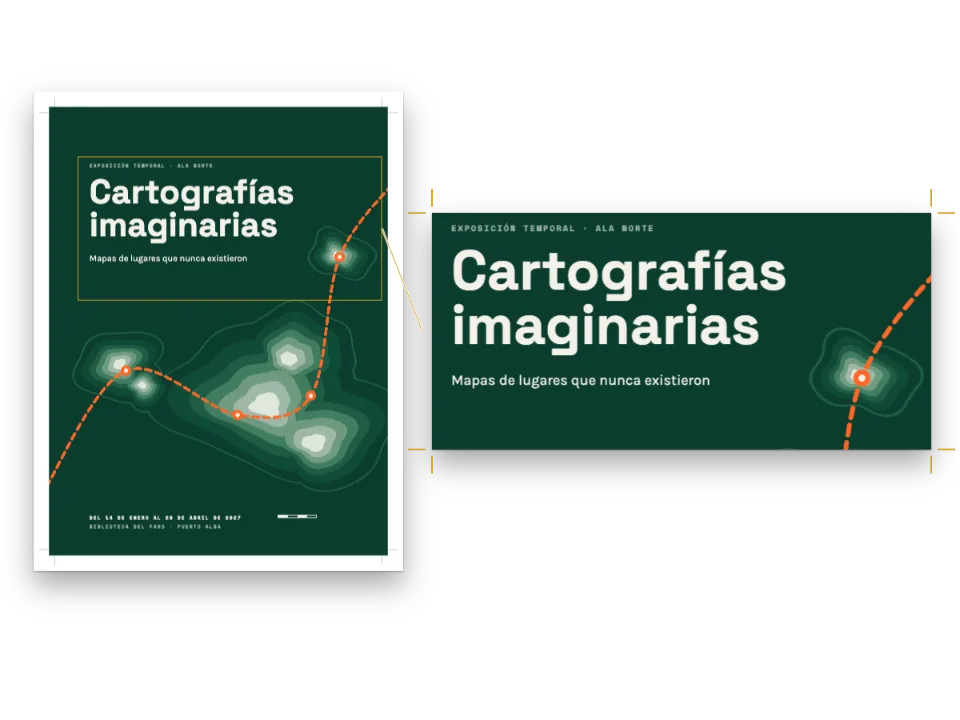
عنصر الصورة مثبت إلى الصفحة بمقاس 210 × 134 مم، ويتجاوز حافة القص من ثلاث جهات. يقع العنوان التمهيدي على بعد 120 مم من أعلى الحاوية، ويتدلى منه العنوان والمقدمة. ويُبقي أقل ارتفاع للنمط، 164 مم، التمهيدَ ذا العمودين تحت العنوان مهما طال.
#4 · ترويسات لا تمس الغلاف
const head = (id, content, parity, edge, x, extra = {}) => ({ kind: 'text', id, content, parity,
  fontFamily: SANS, fontSize: pt(8), fontWeight: 600, letterSpacing: pt(1.3),
  textTransform: 'uppercase', color: col('muted'), placement: at('page', edge, x, 12), ...extra });
const folio = { fontWeight: 700, color: col('accent') };
const header = { elements: [
  head('verso-folio', '{pageNumber}', 'even', 'top-left', OUTER, folio),
  head('verso-title', '{title}', 'even', 'top-left', OUTER + 8),
  head('recto-title', '{chapterTitle}', 'odd', 'top-right', -(OUTER + 8)),
  head('recto-folio', '{pageNumber}', 'odd', 'top-right', -OUTER, folio),
] };
const footer = { elements: [] };
تحمل الصفحة الزوجية اسم بيت البذور والفردية اسم القسم، كل منهما بجانب رقم الصفحة. ولنمط عنوان الغلاف رأس وتذييل فارغان، فلا ترويسة في الصفحة 1.
#5 · لوحة ألوان فيها لون للمبالغ المحسوبة
const palette = {
  ink: '#22201c', paper: '#fffdf8', rule: '#cbc2ae', // warm near-black, cream, row hairlines
  accent: '#2f5a3c', // leaf green: table heads, kickers, the total
  tint: '#efe9da', // kraft paper: the boxes the form fills in by itself
  leaf: '#e1e9dc', // pale green: the rows that head each group of the list
  muted: '#6a6355', // running heads, colophon, the outlines of the boxes to fill
};
const col = (id) => ({ hex: palette[id], model: 'hex', paletteId: id });
const colorPalette = [
  ...Object.entries(palette).map(([id, hex]) => ({ id, name: id, value: { hex, model: 'hex' } })),
  { id: 'main-color', name: 'accent (defaults)', value: { hex: palette.accent, model: 'hex' } },
];
يدل الأخضر الورقي على ما يخص بيت البذور: صف الرأس، والعناوين التمهيدية، وإطارات المجاميع الفرعية، والخانة المصمتة للمبلغ المستحق. ويبقى لون الكرافت للخانات التي يحسبها PDF، فتُقرأ على الورق خاناتٍ تُترك فارغة.
الوصفة كاملة
// ═══ Postext Cookbook · Nº 181 · A printed order form that is also a fillable PDF ════
// https://postext.dev/en/cookbook/fillable-order-form
// Code: MIT · Text: original (CC BY 4.0) · Picture: painting made for the recipe
// Fonts: Libre Caslon, Barlow Semi Condensed (SIL OFL 1.1) · Needs postext ≥ 1.73.0
import {
  buildDocumentWithFonts, renderPageToCanvas, registerResourceImage, defaultResourceTypes,
  formatFieldNumber, formNumberStyle,
} from 'https://esm.sh/postext';
import { renderToPdf, decompressWoff2 } from 'https://esm.sh/postext-pdf?bundle';

const LANG = 'en'; // @lang: the language of the sample document ('en' | 'es')
const RECIPE = 'fillable-order-form';

// ─── 1 · Design ─────────────────────────────────────────────────────────────
// #region palette: a seed-house green, a kraft tint for the computed amounts
const palette = {
  ink: '#22201c', paper: '#fffdf8', rule: '#cbc2ae', // warm near-black, cream, row hairlines
  accent: '#2f5a3c', // leaf green: table heads, kickers, the total
  tint: '#efe9da', // kraft paper: the boxes the form fills in by itself
  leaf: '#e1e9dc', // pale green: the rows that head each group of the list
  muted: '#6a6355', // running heads, colophon, the outlines of the boxes to fill
};
const col = (id) => ({ hex: palette[id], model: 'hex', paletteId: id });
const colorPalette = [
  ...Object.entries(palette).map(([id, hex]) => ({ id, name: id, value: { hex, model: 'hex' } })),
  { id: 'main-color', name: 'accent (defaults)', value: { hex: palette.accent, model: 'hex' } },
];
// #endregion
const [SERIF, DISPLAY] = ['Libre Caslon Text', 'Libre Caslon Display'];
const SANS = 'Barlow Semi Condensed';
const [OUTER, LEAD] = [18, 13.5]; // outer margin (mm; the running heads align to it), leading (pt)

// #region answer: field chips: the quantity, the line total it computes, the subtotal
// The currency and its side; the separators follow the document's language (1,234.50 in
// English, 1.234,50 in Spanish). The canvas and the PDF take the same object.
const FORMS = t({ en: { currency: '$' }, es: { currency: '€', currencyBefore: false } });
// A row of the list: a quantity the reader types, and a total the PDF reader computes as
// quantity × price. The price is a number in the calculation, so it needs no field.
const qty = (code) => `:chip[ ]{style="qty" field="${code}.qty" kind="number" format="integer"}`;
const lineTotal = (code, price) => `:chip[ ]{style="amount" field="${code}.total" `
  + `format="currency" calc="product(${code}.qty, ${price})"}`;
// A subtotal sums its group's line totals (AFSimple_Calculate); a computed field is read-only.
const subtotal = (group, codes) => `:chip[ ]{style="sum" field="sub.${group}" format="currency" `
  + `calc="sum(${codes.map((code) => `${code}.total`).join(', ')})"}`;
// #endregion

// #region chips: one chip style per kind of box: to fill, computed, to write on, to tick
const box = { fontFamily: SANS, fontSize: pt(9), color: col('ink'), borderRadius: pt(1.2),
يعمل ملف script.js المجمّع كما هو: الصقه في سكربت الوحدة (module) لأي صفحة، أو افتح الوصفة على CodePen. مجلد الوصفة على GitHub ↗ (يفتح في تبويب جديد)
تنويعات
#اطلب أجرة البريد في حقل
حوّل أجرة البريد المطبوعة إلى حقل يملؤه القارئ، واجمعه في المبلغ الكلي بدل المبلغ الثابت.
-Postage and packing, any size of order	:chip[$ 4.50]{style="amount"}
+Postage and packing, any size of order	:chip[ ]{style="entry" field="order.postage" format="currency"}
-**Total to pay**	:chip[ ]{style="total" field="order.total" format="currency" calc="sum(order.seeds, order.circleFee, 4.50, order.gift)"}
+**Total to pay** :chip[ ]{style="total" field="order.total" format="currency" calc="sum(order.seeds, order.circleFee, order.postage, order.gift)"}أخطاء شائعة
تظهر الخانات فارغة في الصفحات الملتقطة، لأن كلمات الحقل هي قيمته الأولى، وكل الحقول هنا تبدأ فارغة. وأجرة البريد نص مطبوع في رقاقة بلا field، ويضيفها المجموع الكلي رقمًا 4.50 في حسابه، فلا يستطيع القارئ تغييرها.
المجاميع سكربتات (AFSimple_Calculate وتعبيرات قصيرة) ينفذها Acrobat وFoxit وChrome وFirefox. أما «معاينة» في macOS فتعرض الحقول وتحفظ ما يُكتب فيها، لكنها لا تنفذ السكربتات، فتبقى المجاميع فيها فارغة.
لخانة الحلقة القيمة on="1"، وهي القيمة التي يقرؤها الحساب حين تُعلَّم. ولو بقيت القيمة الافتراضية Yes لأعطى product(order.circle, 12) صفرًا دائمًا، وينبّه postext-pdf إلى ذلك.
تستورد الوصفة https://esm.sh/postext-pdf?bundle. فالبناء الافتراضي لمكتبة pdf-lib على esm.sh يضع أصناف التعليقات في وحدة مستقلة، فترفض pdf-lib عنصر كل حقل: تبقى المربعات في PDF، لكن بلا تنسيق للأرقام ولا مجاميع ولا حقول للقراءة فقط، مع تحذير formField في وحدة التحكم. أما ?bundle فيبني pdf-lib وحدةً واحدة ويترك postext خارجها مشتركةً مع بقية الصفحة.
الحقوق
- الوصفة
- Ignacio Ferro
- النص
- The seed list, its notes on each variety and the order form · Ignacio Ferro · CC BY 4.0
- الصور
- The still life of heirloom vegetables on the first page, a painting · Generated With Diffusion Models · أصلي
- الخطوط
- Libre Caslon Text (SIL OFL 1.1) · Libre Caslon Display (SIL OFL 1.1) · Barlow Semi Condensed (SIL OFL 1.1)
- الشيفرة
- MIT، مثل Postext
حرّر هذا الشرح ↗ (يفتح في تبويب جديد)مجلد الوصفة على GitHub ↗ (يفتح في تبويب جديد)