باختصار
مجلة صغيرة مطوية عن حافلات الليل، مصنوعة لآلة طباعة لا تستعمل إلا حبرين. تتحول الرسوم الملونة إلى درجات من حبر وردي واحد.
ما الذي ستنضده
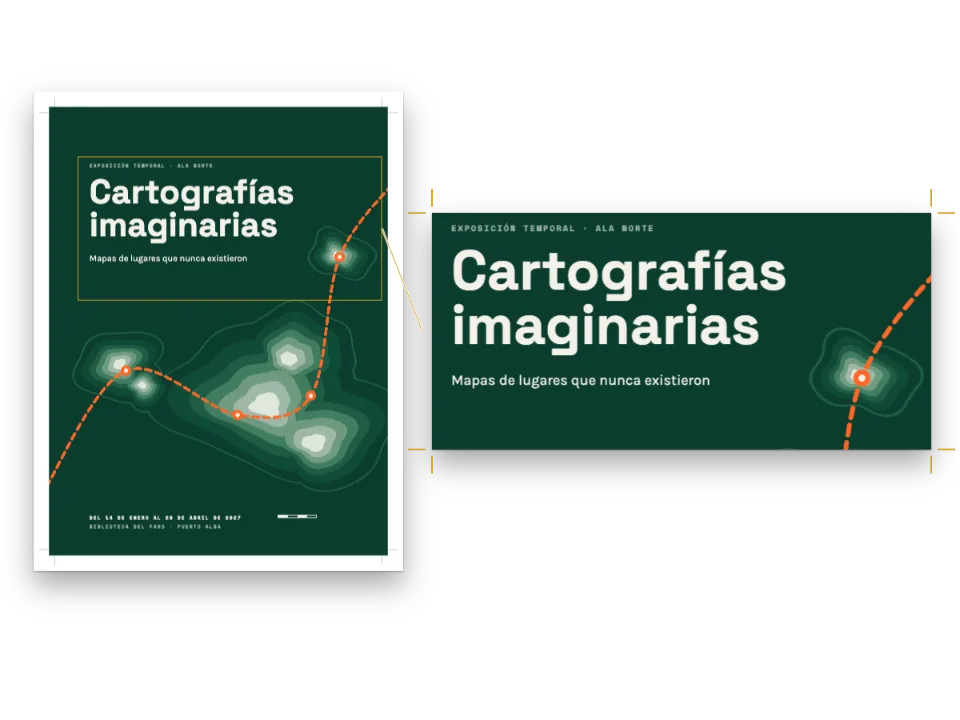
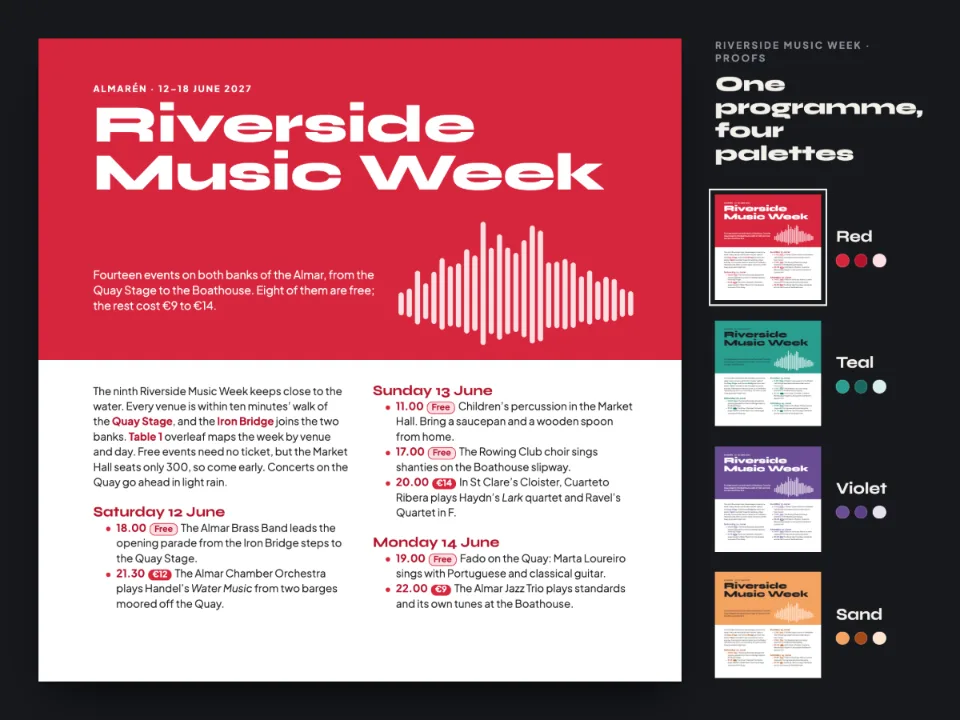
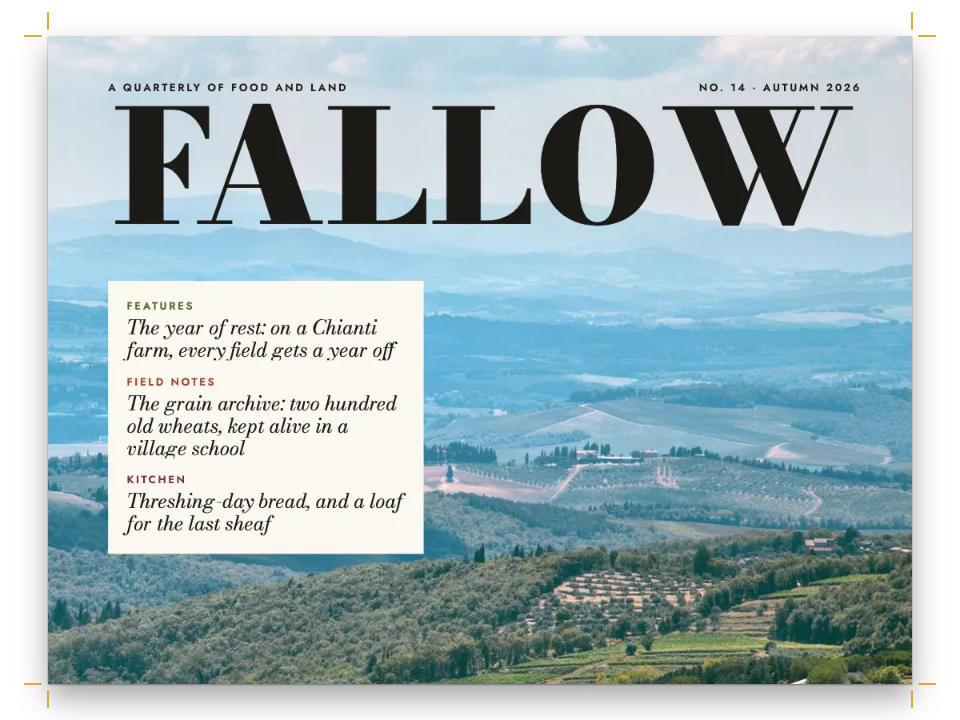
Night Buses مجلة صغيرة مجانية عن حافلات الليل في مدينة: أربع صفحات مقاسها 120 × 160 مم على ورقة واحدة تُطوى مرة، لآلة ريزوغراف بأسطوانتين، أزرق ووردي فسفوري. كل لون في الإعدادات هو أحد الحبرين، أو ترامة 25% من الوردي، أو ورق القشدة. الرسوم مصنوعة بالألوان الكاملة (خريطة خطوط بستة ألوان، وبدر بدرجات الرمادي، ولافتة وجهة كهرمانية على الأسود) وتُطبع من الأسطوانة الوردية درجاتٍ من الوردي، والألوان الأدكن درجاتٍ أكثف. تُطبع الخريطة بالوردي، وتحتفظ صورة صغيرة مُدرجة أسفل صفحتها بالألوان الستة كما رُسمت. يُنضَّد عنوان الغلاف مرتين، والنسخة الوردية إلى يمين الزرقاء بمقدار 0.8 مم وأعلى منها بمقدار 0.5 مم. ويبني المثال أيضًا ملف PDF ملونًا وبروفة رمادية.
تجيب هذه الوصفة عن
- كيف أعيد تلوين كل المخططات بحبر خاص واحد؟
الجواب المختصر
// renderToPdf reads the ink from the config and recolours every SVG it is handed; the canvas
// does the same to a picture registered with singleInk: true. Both get the drawing as drawn.
const diagramStyle = { singleInk: true, inkColor: col('spot') };
// The kit's loadSvg hands the flag to registerResourceImage, so the canvas tints the drawing
// as it paints, and keeps the markup for imageBytes: the PDF recolours those bytes.
const loadArt = (map) => Promise.all([
  loadSvg('network.svg', map, { singleInk: true }),
  loadSvg('moon.svg', moon(), { singleInk: true }),
  loadSvg('blind.svg', blind(), { singleInk: true }),
]);
const pdfOptions = { fontProvider: fontsourceProvider, resourceBytes: imageBytes };
المكونات
- الميزات
- مخططات بحبر واحدلوحة ألوان دلاليةملفات PDF بنظام CMYK وبالتدرج الرماديالتصدير إلى PDFصفحات على اللوحة (Canvas)الشارات داخل السطرنمط التعليقإطارات التنبيهأنماط العناوينسمات العنوانصفحات افتتاح مصمَّمةالنصوص والخطوط والمربعات في تصاميم الصفحةالصور في تصاميم الصفحةالأغلفة وصفحات العنوان وبيانات النشرالأشكال والجداول بوصفها مواردأنواع موارد مخصّصةموضع الأشكاللون الورق
- الخطوط
- Epilogue, Anton, Space Mono (SIL OFL 1.1)
- الأصول
- لا شيء: كل صورة مرسومة بالشيفرة
طريقة التحضير
#1 · أسطوانتان، وكل لون من إحداهما
// The two drums: the blue for the type and the furniture, the fluorescent pink for the art.
const DRUMS = { ink: '#1d4fb8', spot: '#f0509a' };
const PAPER = '#f3efe6'; // cream stock: where no ink falls
// A screen prints a share of an ink's dots and lets the paper show between them.
const screen = (hex, share) => `#${[1, 3, 5].map((i) => Math.round(share
  * parseInt(hex.slice(i, i + 2), 16) + (1 - share) * parseInt(PAPER.slice(i, i + 2), 16))
  .toString(16).padStart(2, '0')).join('')}`;
const palette = { ...DRUMS, 'spot-25': screen(DRUMS.spot, 0.25), paper: PAPER };
// Every colour is linked to its palette entry by id.
const col = (id) => ({ hex: palette[id], model: 'hex', paletteId: id });
// The engine's defaults link to main-color: aimed at the spot, none of them adds a third ink.
const colorPalette = [...Object.entries(palette), ['main-color', DRUMS.spot]]
  .map(([id, hex]) => ({ id, name: id, value: { hex, model: 'hex' } }));
تطبع آلة الريزوغراف كل حبر من أسطوانته، فأي لون ثالث في أي موضع من الإعدادات سيحتاج إلى أسطوانة ثالثة. تمزج screen() حصة من حبر مع لون الورق، كما تطبع الترامة جزءًا من النقاط وتترك الورق بينها. ترامة 25% من الوردي هي #f2c7d3، أرضية الشارات والتعليق. ويشير main-color إلى الوردي، فكل قيمة افتراضية تتركها الإعدادات على حالها تُطبع من تلك الأسطوانة لا بأزرق المحرّك الخاص، #295AA3.
#2 · أعد تلوين كل رسم مرة واحدة لكل مُخرَج
الشيفرة هي الجواب المختصر أعلاه. مع diagramStyle.singleInk يحوّل renderToPdf كل لون في ملف SVG إلى درجة من inkColor قوتها 1 ناقص النصوع النسبي للون (نمط الرسوم)، فيُطبع خط N12 الكحلي بنسبة 84% وخط N50 الأصفر بنسبة 24%. ويلوّن Canvas بالطريقة نفسها الصورة المسجَّلة مع singleInk: true، فتسجّل loadSvg(fileId, svg, { singleInk: true }) الخاصة بالعدّة كل رسم كما رُسم مع هذا الخيار وتحتفظ بملف SVG نفسه، وتسلّمه imageBytes إلى resourceBytes. وحين تُؤخذ عيّنة من خط N12 في Canvas وفي PDF محوَّلًا إلى نقطي بدقة 300 dpi يكون (242, 109, 171)، وهي الدرجة التي تُنتجها الصيغة لقوة 0.836. وكل مُخرَج يعيد تلوين الرسم مرة واحدة: فلو مرّ بالصيغة مرتين لفتح الخط إلى 44%.
#3 · اطبع العنوان مرتين، خارج التسجيل
const OFF = { x: 0.8, y: -0.5 }; // mm: where the pink drum lands against the blue one
// Array order is paint order: the pink copy goes down first and the blue covers all but a
// sliver. Canvas and PDF paint opaque colour, so the overlap stays blue, not riso purple.
const twice = (id, { placement: { offset: { x, y }, ...rest }, ...element }) => [
  { ...element, id: `${id}-spot`, color: col('spot'),
    placement: { ...rest, offset: { x: mm(x.value + OFF.x), y: mm(y.value + OFF.y) } } },
  { ...element, id, color: col('ink'), placement: { ...rest, offset: { x, y } } }];
const rule = (id, direction, x, y, size) => ({ kind: 'rule', id, direction, color: col('ink'),
  thickness: pt(id === 'pole' ? 3 : 0.8), placement: at('page', 'top-left', x, y, size) });
// span: 'page' lets the design run past the text block's foot: kept in the column, the
// pole would be cut off there.
const cover = { id: 'cover', span: 'page', header: { elements: [] }, footer: { elements: [] },
  advancedDesign: { enabled: true, slot: { elements: [
    { kind: 'image', id: 'moon', resourceId: 'moon',
      placement: at('page', 'top-left', 28, 14, { width: mm(92), height: mm(92) }) },
    rule('wire-1', 'horizontal', 0, 30, { width: mm(TRIM.width) }),
    rule('wire-2', 'horizontal', 0, 34.5, { width: mm(TRIM.width) }),
    rule('pole', 'vertical', 98, 62, { height: mm(TRIM.height - 62) }), // off the foot
    { kind: 'box', id: 'flag', style: { backgroundColor: col('ink'), borderRadius: mm(1) },
      placement: at('page', 'top-left', 89, 62, { width: mm(18), height: mm(21) }) },
    // One word a line: the box is narrower than two of them.
    { kind: 'text', id: 'stops', content: '{attr.stops}', ...mono, fontSize: pt(9),
      lineHeight: 1.25, align: 'center', color: col('paper'), overflow: 'wrap',
      placement: at('#flag', 'top-left', 3, 2.5, { width: mm(12) }) },
    { kind: 'text', id: 'issue', content: '{attr.issue}', ...mono,
      placement: at('page', 'top-left', MARGIN.inner, 8) },
    { kind: 'text', id: 'line', content: '{attr.line}', fontFamily: 'Epilogue', fontWeight: 700,
      fontSize: pt(9), color: col('ink'), align: 'left', overflow: 'wrap',
      placement: at('page', 'top-left', MARGIN.inner, 13, { width: mm(46) }) },
    ...twice('title', { kind: 'text', content: '{titleText}', fontFamily: 'Anton', fontSize: pt(86),
      lineHeight: 0.9,
      textTransform: 'uppercase', align: 'left',
      overflow: 'wrap', placement: at('page', 'top-left', MARGIN.inner, 94, { width: mm(76) }) }),
  ] } } };
تطبع آلة الريزوغراف أسطوانة بعد أخرى، ولا تقع الورقة مرتين في الموضع نفسه تمامًا. تعيد twice() نسختين من عنصر نصي، الوردية أولًا، مزاحة 0.8 مم إلى اليمين و0.5 مم إلى الأعلى. ترتيب المصفوفة هو ترتيب الرسم، فتغطي النسخة الزرقاء الوردية إلا شريحة رفيعة على امتداد الحافتين العليا واليمنى لكل حرف. يرسم Canvas وPDF لونًا معتمًا، فيبقى التراكب أزرق حيث كانت آلة الريزو ستطبعه أرجوانيًا. ويمتد التصميم بعرض الصفحة لأن عمود الموقف يتجاوز أسفل كتلة النص، حيث يُقصّ التصميم المحصور في عموده.
#4 · أبقِ الحرف الصغير بالحبر الداكن
const opener = { enabled: true, slot: { elements: [
  { kind: 'text', id: 'kicker', content: '{attr.kicker}', ...mono,
    placement: at('container', 'top-left', 0, 0.5) },
  ...twice('title', { kind: 'text', content: '{titleText}', fontFamily: 'Anton',
    fontSize: pt(34), lineHeight: 0.95, textTransform: 'uppercase', align: 'left',
    overflow: 'wrap', placement: at('#kicker', 'below', 0, 2.5, { width: mm(MEASURE) }) }),
] } };
const route = { id: 'route', background: col('spot-25'), borderColor: col('spot'),
  borderWidth: pt(0.75), borderRadius: pt(1.2), fontFamily: 'Space Mono', bold: true,
  fontSize: em(0.86), color: col('ink') };
const captionStyle = { fontFamily: 'Epilogue', fontSize: pt(8), color: col('ink'),
  backgroundEnabled: true, background: col('spot-25'), padding: mm(1.6) };
const quote = { id: 'quote', backgroundEnabled: false, marginTop: pt(LEAD), marginBottom: pt(4),
  stripe: { enabled: true, side: 'top', width: pt(2.5), color: col('spot') },
  padding: { top: mm(2.6), right: pt(0), bottom: pt(0), left: pt(0) },
  titleStyle: { ...label, gap: mm(1.2) }, // the speaker, above the words
  body: { fontFamily: 'Anton', fontSize: pt(14), lineHeight: pt(17), color: col('ink'),
    textAlign: 'left', firstLineIndent: pt(0) } };
على ورق القشدة يبلغ تباين الأزرق 6.4:1 والوردي الفسفوري 2.9:1، وهو أضعف من أن يُطبع به حرف بحجم 8 أو 9 pt. ولذلك تُطبع كل كلمة ينضّدها المحرّك من الأسطوانة الزرقاء. الشارات بحرف Space Mono أزرق على ترامة 25% (4.85:1) داخل حدّ وردي، والتعليق بحرف Epilogue أزرق على الترامة نفسها. ويطبع الوردي الشريط فوق الاقتباس، وحدود الشارات، والنقاط، ومربعات أرقام الصفحات، والنسخ المزاحة من العناوين. أما الكتابة داخل الرسوم فجزء من العمل الفني وتُطبع وردية معه. واسم المتكلم هو عنوان الإطار، منضَّد بأحرف كبيرة عريضة من Space Mono بحجم 7.5 pt فوق الاقتباس.
#5 · ضع الصورة المُدرجة بجوار ملاحظتها
// The inset keeps the map's own colours. Single ink touches SVG only, so the map goes in
// as a PNG snapshot, which neither the canvas nor the PDF recolours.
async function registerSnapshot(fileId, svg, width, height) {
  const canvas = new OffscreenCanvas(width, height);
  canvas.getContext('2d').drawImage(await decodeSvgImage(svg), 0, 0, width, height);
  const png = URL.createObjectURL(await canvas.convertToBlob());
  await loadImage(fileId, png); // the kit registers the PNG and keeps its bytes for the PDF
  URL.revokeObjectURL(png);
}
const INSET = 30; // mm: the snapshot's width; its height follows the map's 100 × 69.5
const drawn = { id: 'drawn', marginTop: pt(LEAD), advancedDesign: { enabled: true,
    slot: { elements: [
      { kind: 'image', id: 'inset', resourceId: 'as-drawn',
        placement: at('container', 'top-left', 0, 0.5, { width: mm(INSET), height: 'auto' }) },
      { kind: 'text', id: 'label', content: '{titleText}', ...mono,
        placement: at('#inset', 'right-of', 5, 0) },
      { kind: 'text', id: 'note', content: '{attr.note}', fontFamily: 'Epilogue',
        fontSize: pt(8.5), lineHeight: 1.4, color: col('ink'), align: 'left', overflow: 'wrap',
        placement: at('#label', 'below', 0, 1.5, { width: mm(MEASURE - INSET - 5) }) },
    ] } } };
في العمود الواحد يأخذ العنصر العائم عرض شريطه كله، فالصورة الصغيرة العائمة هناك ستترك بقية الشريط فارغة. لذلك الصورة المُدرجة تصميم عنوان: ### As drawn {style="drawn" note="…"} يطبع الصورة، وعلى يمينها العنوان تسميةً والملاحظة تحته. تدخل الصورة في الارتفاع الذي يحجزه التصميم، فتبدأ الكتلة التالية تحتها حتى لو كانت الملاحظة أقصر. ترسم registerSnapshot() خريطة network() نفسها في ملف PNG، ولأن الحبر الواحد لا يعيد تلوين إلا SVG، تحتفظ الصورة المُدرجة بألوانها الستة على الشاشة وفي PDF.
الوصفة كاملة
// ═══ Postext Cookbook · Nº 051 · Two-ink riso zine: art in one spot colour ═════════
// https://postext.dev/en/cookbook/riso-zine-single-ink
// Code: MIT · Text: original (CC BY 4.0) · Pictures: drawn in code (CC BY 4.0)
// Fonts: Epilogue, Anton, Space Mono (SIL OFL 1.1) · Needs postext ≥ 1.25.0
// A four-page zine for a risograph with a blue drum and a fluorescent pink one. The drawings
// are made in full colour and printed from the pink drum as tints of pink.
import {
  buildDocumentWithFonts, renderPageToCanvas, registerResourceImage, decodeSvgImage,
} from 'https://esm.sh/postext';
import { renderToPdf, decompressWoff2 } from 'https://esm.sh/postext-pdf';

const LANG = 'en'; // @lang: the language of the sample document ('en' | 'es')
const RECIPE = 'riso-zine-single-ink';

// ─── 1 · Design ─────────────────────────────────────────────────────────────
// #region inks: two drums and the paper; every colour in the config links to one of them
// The two drums: the blue for the type and the furniture, the fluorescent pink for the art.
const DRUMS = { ink: '#1d4fb8', spot: '#f0509a' };
const PAPER = '#f3efe6'; // cream stock: where no ink falls
// A screen prints a share of an ink's dots and lets the paper show between them.
const screen = (hex, share) => `#${[1, 3, 5].map((i) => Math.round(share
  * parseInt(hex.slice(i, i + 2), 16) + (1 - share) * parseInt(PAPER.slice(i, i + 2), 16))
  .toString(16).padStart(2, '0')).join('')}`;
const palette = { ...DRUMS, 'spot-25': screen(DRUMS.spot, 0.25), paper: PAPER };
// Every colour is linked to its palette entry by id.
const col = (id) => ({ hex: palette[id], model: 'hex', paletteId: id });
// The engine's defaults link to main-color: aimed at the spot, none of them adds a third ink.
const colorPalette = [...Object.entries(palette), ['main-color', DRUMS.spot]]
  .map(([id, hex]) => ({ id, name: id, value: { hex, model: 'hex' } }));
// #endregion

// #region answer: drawings in any colours, printed from the pink drum
// renderToPdf reads the ink from the config and recolours every SVG it is handed; the canvas
// does the same to a picture registered with singleInk: true. Both get the drawing as drawn.
const diagramStyle = { singleInk: true, inkColor: col('spot') };
// The kit's loadSvg hands the flag to registerResourceImage, so the canvas tints the drawing
// as it paints, and keeps the markup for imageBytes: the PDF recolours those bytes.
const loadArt = (map) => Promise.all([
  loadSvg('network.svg', map, { singleInk: true }),
  loadSvg('moon.svg', moon(), { singleInk: true }),
  loadSvg('blind.svg', blind(), { singleInk: true }),
]);
const pdfOptions = { fontProvider: fontsourceProvider, resourceBytes: imageBytes };
// #endregion

const TRIM = { width: 120, height: 160 }; // mm: a 240 × 160 sheet folded once
const MARGIN = { top: 13, bottom: 16, inner: 12, outer: 10 }; // mm
const MEASURE = TRIM.width - MARGIN.inner - MARGIN.outer; // 98 mm, about 65 characters
يعمل ملف script.js المجمّع كما هو: الصقه في سكربت الوحدة (module) لأي صفحة، أو افتح الوصفة على CodePen. مجلد الوصفة على GitHub ↗ (يفتح في تبويب جديد)
تنويعات
#ركّب أسطوانة برتقالية
يصير البدر والخريطة واللافتة والشارات والشريط والنسخ المزاحة من العنوانين برتقالية ويبقى الحرف أزرق؛ ويظل التعليق والملاحظة وبيانات الطبع يسمّون الأسطوانة الوردية حتى تعدّلها.
-const DRUMS = { ink: '#1d4fb8', spot: '#f0509a' };
+const DRUMS = { ink: '#1d4fb8', spot: '#ff6c2f' };#اطبع كتابًا مدرسيًا بلونين
بحرف أسود ولون خاص أزرق على ورق أبيض، تُطبع الرسوم نفسها درجاتٍ من الأزرق، كمخططات كتاب مدرسي بلونين؛ ويظل التعليق والملاحظة وبيانات الطبع يسمّون الأسطوانة الوردية حتى تعدّلها.
-const DRUMS = { ink: '#1d4fb8', spot: '#f0509a' };
-const PAPER = '#f3efe6'; // cream stock: where no ink falls
+const DRUMS = { ink: '#1f1f1f', spot: '#0078bf' };
+const PAPER = '#ffffff'; // white stock: where no ink fallsأخطاء شائعة
خطأ شائع
العنصر العائم 'top' يذهب إلى الصفحة التالية لإحالته ما لم يُسمح له بتصدر صفحة الإحالة
افتراضيًا لا يصعد العنصر العائم أبدًا فوق الإحالة إليه، فالعنصر العائم 'top' الممتد بعرض الصفحة والمُحال إليه في الصفحة N يفتتح الصفحة N+1. اضبط placement.citingPage: true على المورد أو على defaultPlacement لنوعه (أو layout.floatsAtCitingPage للكتاب كله، منذ postext 1.25) فيتصدر الصفحة N بدلًا من ذلك، وينزل النص الذي فوق الإحالة تحته، إذا اتسع له المكان في حدود layout.maxTopFraction وبقي سطر الإحالة في تلك الصفحة. ولا يتصدر أبدًا الصفحة الأولى من فصل ولا صفحة بعد فاصل قسري: فهناك يظل يفتتح الصفحة التالية، ويمكن للموضع 'auto' أو 'bottom' أن يشغل أسفل صفحة الإحالة. موضع الأشكال →
- في PDF تعيد عملية التلوين كتابة ملف SVG نفسه: ألوان hex و
rgb()وrgba()وhsl()وhsla()، والكلمتينwhiteوblack. أما الشكل الذي يذكرredأو يترك تعبئته على الأسود الافتراضي فيحتفظ هناك بذلك اللون، وهو ما سيحتاج إلى أسطوانة ثالثة. اكتب لكل تعبئة وكل حدّ قيمة hex. - يحوّل
colorSpace: 'grayscale'ما يرسمه postext إلى الرمادي ويضمّن الصور النقطية كما هي، فتبقى الصورة المُدرجة PNG ملونة في البروفة الرمادية. لا يبني البروفة إلا الزر الثاني في المثال؛ والصفحات أعلاه هي Canvas، وملف PDF المعروض في هذه الصفحة هو الملون. - قد تترك موازنة الأعمدة سطرًا من المسافة تحت عنصر عائم علوي، قبل بقية فقرة آتية من الصفحة السابقة؛ و
headings.balancing.stretchAfterFloats: falseيُبقي النص تحت العنصر العائم مباشرة. النص هنا لا يستثير ذلك. وبعد أن تعدّل النص، افحص السطر الأول تحت الخريطة، لأن سطرًا زائدًا واحدًا قد يدفع الصورة المُدرجة إلى صفحة خامسة. - في المثال على الزرين كليهما العبارة "Build the PDF". الأول يبني ملف PDF الملون والثاني البروفة الرمادية؛ وبعد بناء الملف يُفسح زره المكان لرابط "Open the PDF ↗" ولرابط تنزيل له اسم الملف.
الحقوق
- الوصفة
- Ignacio Ferro
- النص
- نص أصلي, CC BY 4.0
- الخطوط
- Epilogue (SIL OFL 1.1) · Anton (SIL OFL 1.1) · Space Mono (SIL OFL 1.1)
- الشيفرة
- MIT، مثل Postext
حرّر هذا الشرح ↗ (يفتح في تبويب جديد)مجلد الوصفة على GitHub ↗ (يفتح في تبويب جديد)