En poques paraules
Un petit manual d'apicultura escrit en fitxers separats, un per capítol. Postext els uneix en un sol llibre i els números de pàgina, capítol i figura continuen d'un fitxer al següent.
Què compondràs
Un any d'abellar és un manual breu de quatre capítols, un per estació. Arrenca a la tardor, quan surt l'última alça i comença l'any de l'apicultor. Cada capítol és un fitxer Markdown sense números de pàgina, capítol ni figura. buildBundle porta el compte d'un fitxer a l'altre i compon els capítols, més un cinquè fitxer amb la coberta i l'índex, com un llibre d'onze pàgines. Cada capítol obre en pàgina senar, sota una cantonada de bresca que porta el seu número. L'índex, a la pàgina parella davant de Tardor, repeteix aquesta obertura en mirall, amb el títol enganxat al llom, i dona la pàgina de cada capítol. El mateix quadre de cria, dibuixat amb codi, surt a cada capítol, de la figura 1.1 a la 4.1. La pàgina 6 queda en blanc perquè Hivern cap en una pàgina i Primavera ha d'obrir en senar.
Aquesta recepta respon a
- Com compono un llibre de diversos capítols perquè la numeració de pàgines, figures i capítols continuï de l'un a l'altre?
- Com afegeixo un índex que s'actualitzi sol (línies de punts, números de pàgina, autors, files de part)?
- Com forço un salt de pàgina o de columna, i faig que cada capítol comenci en pàgina senar?
- Com amago les capçaleres a les obertures i a les pàgines en blanc, o pinto una pàgina parella en blanc amb el color de la part?
La resposta curta
// buildBundle lays the documents out in order with one config and carries state from each to
// the next: the pages already set (so parity goes on), the folio, the chapter and figure counts.
const book = () => buildBundle({ chapters, config: config(), resources });
const config = () => ({ // a factory: the engine caches resolved configs per object
  headings: { ...display, levels: [
    // Every chapter opens on a recto: after a chapter that ends on one, the next document
    // starts with a blank verso of its own. Restated, because any headings object drops
    // the H1 break (gotcha: headings-drop-h1-break).
    { level: 1, breakBefore: { enabled: true, parity: 'odd' },
      // '{1}' puts the number in the PDF bookmarks ('1 Autumn'); the contents and
      // {chapterNumber} count the chapters in order either way.
      numberingTemplate: '{1}', advancedDesign: opener,
      span: 'page' }, // a page-wide opener, painted unclipped: the comb reaches the top edge
    subhead,
  ] },
  // The cover and the contents are headings that take no number, no contents entry and no
  // running heads, so Autumn is still chapter 1. Both inherit span 'page', which starts
  // each on a page of its own, and parity 'odd', which the contents turn off: it would
  // leave page 2 blank (gotcha: style-inherits-break).
  headingStyles: [
    { id: 'cover', numbered: false, toc: false, advancedDesign: cover, ...bare },
    { id: 'contents', numbered: false, toc: false, breakBefore: { enabled: false },
      advancedDesign: contentsOpener, ...bare },
  ],
  // Figures number {h1}.{n} and the counters carry on (Winter's is 2.1). The types are passed
  // only because config.locale does not turn Figure into Figura (gotcha: resource-types-locale).
  resourceTypes: defaultResourceTypes(LANG),
  // :::toc in the first document lists the whole book with the folio each chapter lands on:
  // buildBundle lays the book out again (three passes at most) until those folios settle.
  toc: contents,
  locale: t({ en: 'en-us', es: 'es' }), // hyphenation, by exact code (gotcha: hyphenation-locales)
  colorPalette, page, layout: { layoutType: 'single' }, bodyText, captionStyle, calloutStyles,
  header, footer, // the look: above, and in the regions below
});
Ingredients
- Funcions
- Llibres construïts capítol a capítolÍndex de contingutsCapítols que obren en pàgina senarPeus numeratsCites que col·loquen les figuresTítols numeratsEstils de títolCapítols sense númeroCapçaleres per seccióCapçaleres i folisCapçaleres segons el tipus de pàginaObertures dissenyadesAtributs de títolImatges als dissenys de pàginaMarges simètricsRequadres flotantsExportació a PDFMarcadors del PDFFigura i Taula en la teva llenguaCobertes, portades i colofons
- També fa servir
- RequadresBanda de capítol d'amplada completaColor del paperFonts incrustades al PDFTipus de recurs propisFigures i taules com a recursosSalts de línia als títols
- Tipografia
- Andada Pro, Rozha One, Figtree (SIL OFL 1.1)
- Recursos
- Cap: totes les imatges es dibuixen en codi
Elaboració
#1 · Un fitxer per capítol
// Nothing in a chapter says where it lands: buildBundle works that out from the order.
const chapters = [front, autumn, winter, spring, summer].map((markdown) => ({ markdown }));
Cada estació és un document propi, així que pots reescriure un capítol sense obrir els altres. El primer document porta el frontmatter, la coberta i l'índex. A Postext 1.4.1 els documents següents no n'hereten cap metadada, i el PDF pren el títol i l'autora només del primer.
#2 · Regles que passen d'un document a l'altre
El codi d'aquest pas és la resposta curta de més amunt. buildBundle compon els documents en ordre amb una sola configuració i passa a cadascun una continuation amb el que han deixat els anteriors: el nombre de pàgines físiques ja compostes, perquè segueixin la paritat, els marges en mirall i les capçaleres de parelles i senars; el foli següent, i els comptadors de capítols i figures. Amb parity: 'odd', un capítol que segueix un altre acabat en pàgina senar comença amb una pàgina parella en blanc, i aquesta pàgina pertany al seu propi document (saltar abans). La coberta i l'índex són estils de títol amb numbered: false, per la qual cosa Tardor continua sent el capítol 1. Tots dos hereten del nivell de capítol span: 'page', que posa cadascun a la seva pàgina sense necessitat de :::pagebreak. L'estil de l'índex desactiva la paritat heretada, que deixaria en blanc la pàgina 2.
#3 · Un índex de tot el llibre
const contents = {
  levels: [
    // The numbers sit ~0.7 mm high in Postext 1.4.1: they are centred on the line
    // (gotcha: toc-number-baseline).
    { level: 1, fontFamily: 'Rozha One', fontSize: pt(16), lineHeight: pt(18),
      numberFontFamily: 'Figtree', numberFontSize: pt(11), numberFontWeight: 700,
      numberColor: col('accent'), numberWidth: mm(7), numberGap: mm(4), marginTop: pt(8) },
    // Sections: 9.3 pt in the muted colour, indented 11 mm (number 7 + gap 4) to the titles.
    { level: 2, fontSize: pt(9.3), lineHeight: pt(13.5), indent: mm(11), color: col('muted') },
  ],
  pageNumber: { fontFamily: 'Figtree', fontSize: pt(8.5), fontWeight: 600, width: mm(7) },
  leader: { char: '. ', gap: mm(2) },
  // A second line under each chapter, from its {months="…"} heading attribute.
  subtitle: { enabled: true, attr: 'months', fontFamily: 'Andada Pro', fontSize: pt(9),
    color: col('muted') }, // italic by default
};
:::toc és al primer document, però recull els capítols i les seccions de tot el llibre. buildBundle compon el llibre, anota cada títol amb la pàgina que li ha tocat i el torna a compondre amb aquest esquema fins que els folis deixen de moure's, tres passades com a màxim (taula de continguts). Els mesos sota cada títol surten d'un atribut del títol, {months="…"}, que també imprimeix l'obertura.
#4 · Una obertura, en mirall per a l'índex
const corner = (id, edge) => ({ kind: 'image', id, resourceId: id,
  placement: { anchor: { to: 'bleed', edge }, size: { width: mm(CORNER.width) } } });
const months = { kind: 'text', id: 'months', content: '{attr.months}', ...label,
  color: col('accent'), placement: at('top-left', 0, 14, 'container') };
const title = { kind: 'text', id: 'title', content: '{titleText}', ...display, fontSize: pt(42),
  lineHeight: 1.05, align: 'left', overflow: 'wrap', placement: below('months', 1.5, 100) };
const opener = { enabled: true, minHeight: mm(52), slot: { elements: [
  corner('cells', 'top-right'),
  // The number's box is centred on its cell. Comb and number both hang from the bleed's top
  // right, so a bleed (page.cutLines) moves them together.
  { kind: 'text', id: 'number', content: '{chapterNumber}', ...display, fontSize: pt(40),
    lineHeight: 1, align: 'center', placement: { size: { width: mm(NUMBER.box) },
      ...at('top-right', NUMBER_CELL.x + NUMBER.box / 2 - CORNER.width,
        NUMBER_CELL.y - NUMBER.rise, 'bleed') } },
  months, title,
  { kind: 'text', id: 'lead', content: '{attr.lead}', fontFamily: 'Andada Pro', italic: true,
    fontSize: pt(11.5), lineHeight: 1.35, color: col('ink'), align: 'left', overflow: 'wrap',
    placement: below('title', 3, 88) },
] } };
// The contents mirror it on the verso: the comb in the outer corner, the book's subtitle and
// the title set flush right against the spine, on the same lines as Autumn's across the spread.
const flushRight = (element, placement) => ({ ...element, align: 'right',
  placement: { ...placement, size: { width: 'fill' } } });
const contentsOpener = { ...opener, minHeight: mm(40), slot: { elements: [
  corner('comb', 'top-left'),
  flushRight({ ...months, content: '{subtitle}' }, months.placement),
  flushRight(title, below('months', 1.5)),
] } };
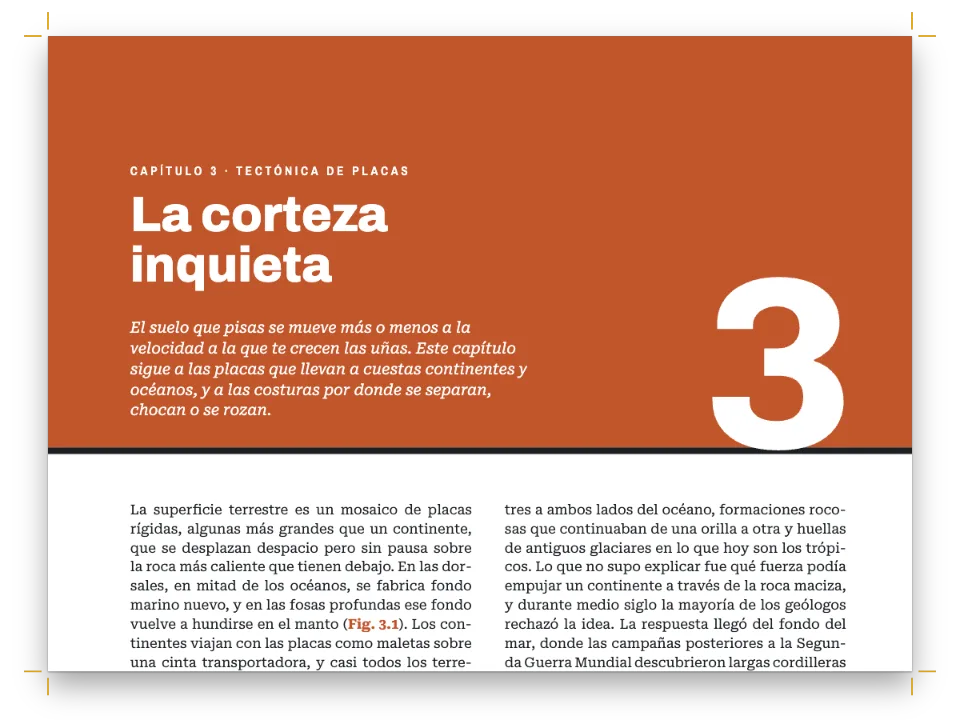
{chapterNumber} continua comptant des dels documents compostos abans, així que l'obertura de Primavera mostra un 3 encara que el seu fitxer no porta cap número. La caixa del número es calcula a partir del centre de la seva cel·la de la bresca, i número i bresca pengen tots dos de la cantonada superior dreta de la sang; si canvies el format o afegeixes sang per a impremta, es mouen junts. A l'índex, l'avanttítol (que surt de {subtitle}) i el títol van alineats a la dreta, contra el llom, i la bresca passa a la cantonada exterior de la pàgina parella; així el seu títol cau a la mateixa altura que el de Tardor al plec.
#5 · Capçaleres a tots els documents
const head = (id, content, parity, placement, extra = {}) => ({
  kind: 'text', id, content, parity, pages: 'body', // never on openers or blank pages
  ...label, color: col('muted'), placement, ...extra,
});
const folio = { fontSize: pt(8.5), fontWeight: 700, color: col('accent') };
// In Postext 1.4.1 {title} is blank from the second document on (Autumn included): only the
// first one has frontmatter (gotcha: bundle-metadata). So the verso writes the title out.
const BOOK_TITLE = t({ en: 'A Beekeeper’s Year', es: 'Un año de colmenar' });
const header = { elements: [
  head('verso-folio', '{pageNumber}', 'even', at('top-left', MARGIN.outer, HEAD.y), folio),
  head('verso-title', BOOK_TITLE, 'even', at('top-left', MARGIN.outer + HEAD.gap, HEAD.y)),
  // {chapterTitle} and {pageNumber} are worked out page by page, in every document.
  head('recto-title', '{chapterTitle}', 'odd',
    at('top-right', -(MARGIN.outer + HEAD.gap), HEAD.y)),
  head('recto-folio', '{pageNumber}', 'odd', at('top-right', -MARGIN.outer, HEAD.y), folio),
] };
// Openers carry a drop folio instead, 8 mm under the text block.
const footer = { elements: [head('drop-folio', '{pageNumber}', 'all',
  at('top', 0, 8, 'container'), { pages: 'opener', fontWeight: 700 })] };
Només el primer document té frontmatter, així que a Postext 1.4.1 {title} surt buit a tots els documents següents, Tardor inclòs. Per això la capçalera de les pàgines parelles porta el títol del llibre escrit com a text fix. {chapterTitle} i {pageNumber} es resolen pàgina a pàgina i surten a tots els documents; la pàgina 11, l'única senar de text seguit, porta ESTIU al costat del foli. pages: 'body' deixa sense capçalera les obertures i la pàgina en blanc.
#6 · Plecs en pantalla, un PDF per al llibre
const text = chapters.map((chapter) => chapter.markdown).join('\n');
await loadFonts(FONTS, text);
const art = { cover: coverArt(), cells: cornerArt(true), comb: cornerArt(false) };
for (const [season, plan] of Object.entries(SEASONS)) art[`${season}-frame`] = frameArt(plan);
for (const [id, markup] of Object.entries(art)) await loadSvg(`${id}.svg`, markup);
const docs = await buildWithFonts(book, text); // one VDTDocument per Markdown document
showPages(docs, { title: BOOK_TITLE });
// renderToPdf takes the array: one file for the book, with a bookmark per chapter.
offerPdf(() => renderToPdf(docs, { fontProvider: fontsourceProvider, resourceBytes: imageBytes }),
  `${RECIPE}.pdf`);
buildBundle retorna una llista de documents, un per fitxer Markdown. showPages aparella les pàgines per pageIndexOffset + page.index, així que la pàgina 1 queda sola, com a senar, i les altres queden acarades per parells: la 2 amb la 3, la 4 amb la 5, i així fins al final. renderToPdf rep la mateixa llista i escriu un únic fitxer amb els folis del llibre i un marcador per cada capítol i secció.
La recepta completa
// ═══ Postext Cookbook · Nº 007 · One book from separate chapters ══════════════════════════ // https://postext.dev/en/cookbook/book-from-chapters // Code: MIT · Text: original (CC BY 4.0) · Drawings: generated in code (CC BY 4.0) // Fonts: Andada Pro, Rozha One, Figtree (SIL OFL 1.1) · Needs postext ≥ 1.4.1 // A handbook in four seasons written as five Markdown documents, laid out by buildBundle as // one book: parity, folios, chapter and figure numbers and the contents run straight through. import { buildBundle, renderPageToCanvas, clearMeasurementCache, registerResourceImage, defaultResourceTypes, } from 'https://esm.sh/postext'; import { renderToPdf, decompressWoff2 } from 'https://esm.sh/postext-pdf'; const LANG = 'es'; // @lang: the language of the sample document ('en' | 'es') const RECIPE = 'book-from-chapters'; // ─── 1 · Design ───────────────────────────────────────────────────────────── const palette = { // every colour in the config links to one of these, so the book can be retinted ink: '#2a2218', // text and display type honey: '#d99a1e', // the drawings only: the cover and the comb cells accent: '#7a4e12', // the text accent (7:1 on paper): numbers, labels, subheads; main-color too pollen: '#c4692b', comb: '#f7e7c4', rule: '#d8c8a8', // figures: pollen, wax, wood and walls muted: '#6e634f', paper: '#fffdf7', // running heads, colophon, contents sections; the page }; const col = (id) => ({ hex: palette[id], model: 'hex', paletteId: id }); const colorPalette = [ ...Object.entries(palette).map(([id, hex]) => ({ id, name: id, value: { hex, model: 'hex' } })), // The engine's defaults link to 'main-color': point it at the accent, so nothing prints blue. { id: 'main-color', name: 'accent (defaults)', value: { hex: palette.accent, model: 'hex' } }, ]; // The geometry, in mm. The drawings, the opener and the running heads are derived from it. const TRIM = { width: 150, height: 200 }; // a small handbook const MARGIN = { top: 22, bottom: 22, inner: 19, outer: 15 }; // mirrored const MEASURE = TRIM.width - MARGIN.inner - MARGIN.outer; // the text width: 116 mm const SQRT3 = Math.sqrt(3); // comb cells of radius r sit √3·r apart, their rows 1.5·r apart const CORNER = { width: 84, height: 70, r: 9.5 }; // the openers' comb, and its cell radius const NUMBER_CELL = { x: 4 * SQRT3 * CORNER.r, y: 2 * 1.5 * CORNER.r }; // row 2, cell 4 // The chapter number's box: 20 mm wide, its top 8 mm above the cell's centre, which is where // a 40 pt Rozha One figure sits optically centred in the cell. const NUMBER = { box: 20, rise: 8 }; const FRAME = { width: MEASURE, height: 50 }; // the brood frame figures, at the text width const HEAD = { y: 12, gap: 8 }; // running heads 12 mm from the top edge, 8 mm folio to text const LEAD = 14.2; // body leading in pt: the baseline grid // The look: a small handbook, mirrored, justified Andada Pro on the grid; Rozha One titles. const page = { // mirror: left is the inner margin, right the outer sizePreset: 'custom', width: mm(TRIM.width), height: mm(TRIM.height), dpi: 150, backgroundColor: col('paper'), margins: { top: mm(MARGIN.top), bottom: mm(MARGIN.bottom), left: mm(MARGIN.inner), right: mm(MARGIN.outer), mirror: true }, }; const bodyText = { // justified, hyphenated, optimal line breaks and widow control: by default fontFamily: 'Andada Pro', fontSize: pt(10.4), lineHeight: pt(LEAD), color: col('ink'), boldColor: col('ink'), italicColor: col('ink'), referenceColor: col('ink'), firstLineIndent: mm(4.5), indentAfterHeading: false, // Spaces stretch to 1.7× at most (the default is 2): the line breaker then takes the // hyphens it would otherwise avoid, and no line gapes. maxWordSpacing: 1.7, }; const display = { fontFamily: 'Rozha One', fontWeight: 400, color: col('ink') }; // titles // Subheads: the line box itself is a line and a half deep, so the gap to the text under it // is the same everywhere. A margin above would not do it: it drops at the head of a page. const subhead = { level: 2, fontFamily: 'Andada Pro', fontWeight: 700, fontSize: pt(12.5), lineHeight: pt(LEAD * 1.5), color: col('accent'), marginTop: pt(LEAD), marginBottom: pt(0) }; const captionStyle = { fontFamily: 'Figtree', fontSize: pt(7.6), gap: mm(2.5), labelColor: col('accent') }; // The colophon floats to the foot of the last page: a box with no background, placed // 'bottom'. One statement per paragraph, because a no-break space would not keep // "CC BY 4.0" on one line (gotcha: nbsp-breaks). const calloutStyles = [{ id: 'colophon', placement: 'bottom', backgroundEnabled: false, padding: { top: pt(0), right: pt(0), bottom: pt(0), left: pt(0) }, marginBottom: pt(0), body: { fontFamily: 'Figtree', fontSize: pt(7), lineHeight: pt(10), color: col('muted'), textAlign: 'left', firstLineIndent: pt(0) } }]; // #region answer: five Markdown documents, one book: buildBundle and the rules they share // buildBundle lays the documents out in order with one config and carries state from each to // the next: the pages already set (so parity goes on), the folio, the chapter and figure counts. const book = () => buildBundle({ chapters, config: config(), resources }); const config = () => ({ // a factory: the engine caches resolved configs per object headings: { ...display, levels: [ // Every chapter opens on a recto: after a chapter that ends on one, the next document // starts with a blank verso of its own. Restated, because any headings object drops // the H1 break (gotcha: headings-drop-h1-break). { level: 1, breakBefore: { enabled: true, parity: 'odd' }, // '{1}' puts the number in the PDF bookmarks ('1 Autumn'); the contents and // {chapterNumber} count the chapters in order either way. numberingTemplate: '{1}', advancedDesign: opener, span: 'page' }, // a page-wide opener, painted unclipped: the comb reaches the top edge subhead, ] }, // The cover and the contents are headings that take no number, no contents entry and no // running heads, so Autumn is still chapter 1. Both inherit span 'page', which starts // each on a page of its own, and parity 'odd', which the contents turn off: it would // leave page 2 blank (gotcha: style-inherits-break). headingStyles: [ { id: 'cover', numbered: false, toc: false, advancedDesign: cover, ...bare }, { id: 'contents', numbered: false, toc: false, breakBefore: { enabled: false }, advancedDesign: contentsOpener, ...bare }, ], // Figures number {h1}.{n} and the counters carry on (Winter's is 2.1). The types are passed // only because config.locale does not turn Figure into Figura (gotcha: resource-types-locale). resourceTypes: defaultResourceTypes(LANG), // :::toc in the first document lists the whole book with the folio each chapter lands on: // buildBundle lays the book out again (three passes at most) until those folios settle. toc: contents, locale: t({ en: 'en-us', es: 'es' }), // hyphenation, by exact code (gotcha: hyphenation-locales) colorPalette, page, layout: { layoutType: 'single' }, bodyText, captionStyle, calloutStyles, header, footer, // the look: above, and in the regions below }); // #endregion const bare = { header: { elements: [] }, footer: { elements: [] } }; // no running heads // #region art: honeycomb drawn in code, seeded so that every run draws the same cells let seed = 2026; // Mulberry32, a tiny seeded PRNG: never Math.random() in a recipe const rand = () => { let r = Math.imul((seed = (seed + 0x6d2b79f5) | 0) ^ (seed >>> 15), 1 | seed); r = (r + Math.imul(r ^ (r >>> 7), 61 | r)) ^ r; return ((r ^ (r >>> 14)) >>> 0) / 4294967296; }; const paint = (id, opacity = 1) => `fill="${palette[id]}" fill-opacity="${opacity}"`; // A w × h mm sheet (10 px per mm) of hexagonal cells of radius r; cell(x, y) paints each one. function comb(w, h, r, cell, under = '') { let svg = `<svg xmlns="http://www.w3.org/2000/svg" width="${w * 10}" height="${h * 10}" ` + `viewBox="0 0 ${w} ${h}">${under}`; for (let row = 0, y = 0; y < h + r; y = ++row * 1.5 * r) { for (let x = (row % 2) * SQRT3 / 2 * r; x < w + 2 * r; x += SQRT3 * r) { const corner = (a) => `${(x + 0.88 * r * Math.sin(a)).toFixed(2)} ` + (y - 0.88 * r * Math.cos(a)).toFixed(2); const hexagon = [0, 1, 2, 3, 4, 5].map((i) => corner(i * Math.PI / 3)).join('L'); const fill = cell(x, y); if (fill) svg += `<path d="M${hexagon}Z" ${fill}/>`; } } return `${svg}</svg>`; } // Comb that thins out with the distance d from a corner: solid cells with some open ones up to // d = 0.78, faint open cells up to 1, nothing beyond. const fade = (d, full, open, k = 1) => (d > 1 ? '' : d > 0.78 ? paint(open, 0.14 * k) : rand() < 0.3 ? paint(open, 0.28 * k) : paint(full, (d < 0.5 ? 0.95 : 0.6) * k)); const coverArt = () => comb(TRIM.width, TRIM.height, 7.5, (x, y) => fade(Math.hypot( (TRIM.width - x) / TRIM.width, y / (TRIM.height - 10)) + rand() * 0.22, 'comb', 'accent'), `<rect width="${TRIM.width}" height="${TRIM.height}" ${paint('honey')}/>`); // A paler cluster from the outer top corner; on a recto the cell under the number is solid. const cornerArt = (recto) => comb(CORNER.width, CORNER.height, CORNER.r, (x, y) => (recto && Math.hypot(x - NUMBER_CELL.x, y - NUMBER_CELL.y) < 1 ? paint('honey') : fade(Math.hypot(((recto ? CORNER.width : 0) - x) / (CORNER.width - 4), y / (CORNER.height - 6)) + rand() * 0.25, 'honey', 'honey', 0.85))); // One brood frame through the year. Per season: the brood nest (centre v, half-width, // half-height, what fills it) and where the honey sits, on a frame that runs −1…1 each way. const SEASONS = { autumn: [0.5, 0.3, 0.42, 'accent', () => true], winter: [0.4, 0.42, 0.62, 'ink', (u, v) => v < 0.25 - 0.4 * (1 - u * u)], // ink: the cluster spring: [0.2, 0.62, 0.8, 'accent', (u, v) => v < -0.3 && Math.abs(u) > 0.45], summer: [0.45, 0.5, 0.6, 'accent', (u, v) => v < 0.35 || Math.abs(u) > 0.7], }; function frameArt([cv, ru, rv, nest, honey]) { const { width: w, height: h } = FRAME; // a top bar with 4 mm lugs, slim side bars const wood = `<path d="M0 0H${w}V4.5H${w - 4}V${h}H4V4.5H0Z" ${paint('rule')}/>` + `<rect x="6.5" y="4.5" width="${w - 13}" height="${h - 7}" ${paint('rule', 0.5)}/>`; return comb(w, h, 2.5, (x, y) => { const [u, v] = [(x - w / 2) / (w / 2 - 7.5), (y - h / 2 - 1) / (h / 2 - 4)]; const d = Math.hypot(u / ru, (v - cv) / rv) + rand() * 0.12; if (x < 7 || x > w - 7 || y < 6 || y > h - 3.5) return ''; return paint(d < 1 ? nest : d < 1.3 && nest === 'accent' ? 'pollen' : honey(u, v) ? 'honey' : 'comb', d < 1 && nest === 'ink' ? 0.8 : 1); }, wood); } // #endregion // The cover: comb over a honey page, the title low on the inner side where the comb runs out. const label = { fontFamily: 'Figtree', fontSize: pt(7.5), fontWeight: 600, letterSpacing: pt(1.4), textTransform: 'uppercase' }; const at = (edge, x, y, to = 'page') => ({ anchor: { to, edge }, offset: { x: mm(x), y: mm(y) } }); const below = (id, y, width) => ({ ...at('below', 0, y, `#${id}`), ...(width && { size: { width: mm(width) } }) }); // No minHeight: the contents heading, which inherits span 'page', starts the next page. const cover = { enabled: true, slot: { elements: [ { kind: 'image', id: 'art', resourceId: 'cover', placement: { anchor: { to: 'bleed', edge: 'top-left' }, size: { width: 'fill' } } }, { kind: 'text', id: 'kicker', content: '{subtitle}', ...label, fontSize: pt(8.5), color: col('ink'), placement: at('top-left', 17, 116) }, // A design text's lineHeight is a multiple (gotcha: design-lineheight-multiple). { kind: 'text', id: 'title', content: '{titleText}', ...display, fontSize: pt(54), lineHeight: 0.98, align: 'left', overflow: 'wrap', placement: below('kicker', 4, 125) }, { kind: 'rule', id: 'rule', direction: 'horizontal', thickness: pt(2), color: col('ink'), placement: { ...below('title', 6), size: { width: mm(16) } } }, { kind: 'text', id: 'author', content: '{author}', ...label, fontSize: pt(9), fontWeight: 700, color: col('ink'), placement: below('rule', 5) }, ] } }; // #region opener: each chapter's opener: the number in a honey cell, months, title and lead const corner = (id, edge) => ({ kind: 'image', id, resourceId: id, placement: { anchor: { to: 'bleed', edge }, size: { width: mm(CORNER.width) } } }); const months = { kind: 'text', id: 'months', content: '{attr.months}', ...label, color: col('accent'), placement: at('top-left', 0, 14, 'container') }; const title = { kind: 'text', id: 'title', content: '{titleText}', ...display, fontSize: pt(42), lineHeight: 1.05, align: 'left', overflow: 'wrap', placement: below('months', 1.5, 100) }; const opener = { enabled: true, minHeight: mm(52), slot: { elements: [ corner('cells', 'top-right'), // The number's box is centred on its cell. Comb and number both hang from the bleed's top // right, so a bleed (page.cutLines) moves them together. { kind: 'text', id: 'number', content: '{chapterNumber}', ...display, fontSize: pt(40), lineHeight: 1, align: 'center', placement: { size: { width: mm(NUMBER.box) }, ...at('top-right', NUMBER_CELL.x + NUMBER.box / 2 - CORNER.width, NUMBER_CELL.y - NUMBER.rise, 'bleed') } }, months, title, { kind: 'text', id: 'lead', content: '{attr.lead}', fontFamily: 'Andada Pro', italic: true, fontSize: pt(11.5), lineHeight: 1.35, color: col('ink'), align: 'left', overflow: 'wrap', placement: below('title', 3, 88) }, ] } }; // The contents mirror it on the verso: the comb in the outer corner, the book's subtitle and // the title set flush right against the spine, on the same lines as Autumn's across the spread. const flushRight = (element, placement) => ({ ...element, align: 'right', placement: { ...placement, size: { width: 'fill' } } }); const contentsOpener = { ...opener, minHeight: mm(40), slot: { elements: [ corner('comb', 'top-left'), flushRight({ ...months, content: '{subtitle}' }, months.placement), flushRight(title, below('months', 1.5)), ] } }; // #endregion // #region contents: what :::toc prints: numbers in the accent, dotted leaders, folios const contents = { levels: [ // The numbers sit ~0.7 mm high in Postext 1.4.1: they are centred on the line // (gotcha: toc-number-baseline). { level: 1, fontFamily: 'Rozha One', fontSize: pt(16), lineHeight: pt(18), numberFontFamily: 'Figtree', numberFontSize: pt(11), numberFontWeight: 700, numberColor: col('accent'), numberWidth: mm(7), numberGap: mm(4), marginTop: pt(8) }, // Sections: 9.3 pt in the muted colour, indented 11 mm (number 7 + gap 4) to the titles. { level: 2, fontSize: pt(9.3), lineHeight: pt(13.5), indent: mm(11), color: col('muted') }, ], pageNumber: { fontFamily: 'Figtree', fontSize: pt(8.5), fontWeight: 600, width: mm(7) }, leader: { char: '. ', gap: mm(2) }, // A second line under each chapter, from its {months="…"} heading attribute. subtitle: { enabled: true, attr: 'months', fontFamily: 'Andada Pro', fontSize: pt(9), color: col('muted') }, // italic by default }; // #endregion // #region running-heads: the book on the verso, the chapter on the recto, folios outside const head = (id, content, parity, placement, extra = {}) => ({ kind: 'text', id, content, parity, pages: 'body', // never on openers or blank pages ...label, color: col('muted'), placement, ...extra, }); const folio = { fontSize: pt(8.5), fontWeight: 700, color: col('accent') }; // In Postext 1.4.1 {title} is blank from the second document on (Autumn included): only the // first one has frontmatter (gotcha: bundle-metadata). So the verso writes the title out. const BOOK_TITLE = t({ en: 'A Beekeeper’s Year', es: 'Un año de colmenar' }); const header = { elements: [ head('verso-folio', '{pageNumber}', 'even', at('top-left', MARGIN.outer, HEAD.y), folio), head('verso-title', BOOK_TITLE, 'even', at('top-left', MARGIN.outer + HEAD.gap, HEAD.y)), // {chapterTitle} and {pageNumber} are worked out page by page, in every document. head('recto-title', '{chapterTitle}', 'odd', at('top-right', -(MARGIN.outer + HEAD.gap), HEAD.y)), head('recto-folio', '{pageNumber}', 'odd', at('top-right', -MARGIN.outer, HEAD.y), folio), ] }; // Openers carry a drop folio instead, 8 mm under the text block. const footer = { elements: [head('drop-folio', '{pageNumber}', 'all', at('top', 0, 8, 'container'), { pages: 'opener', fontWeight: 700 })] }; // #endregion // ─── 2 · Content ──────────────────────────────────────────────────────────── const front = String.raw`---Mostra en Markdown · 10 línies · content.es.md
title: "Un año de colmenar" subtitle: "Manual en cuatro estaciones" author: "Clara Ibarrola" --- # Un año \\ de colmenar {style="cover"} # Índice {style="contents"} :::toc`; // frontmatter, cover and contents (content.<lang>.md) const autumn = String.raw`# Otoño {months="Septiembre · octubre · noviembre" lead="El año del apicultor empieza cuando sale la última alza. Lo que hagas en las ocho semanas siguientes decide si en marzo habrá colonia que despertar."}Mostra en Markdown · 16 línies · content.autumn.es.md
Casi todos los calendarios empiezan en enero, y casi todos los manuales de apicultura, en primavera, con el primer día templado y las primeras abejas en el romero. Este empieza en septiembre, porque ahí empiezan las abejas. La colonia que volará en abril se está criando ahora: las obreras que nacen en otoño viven cinco o seis meses, frente a las seis semanas escasas de una obrera de verano, y son ellas las que mantienen viva la colonia durante el invierno. Una colonia que entra en octubre con reina joven, veinte kilos de reservas y poca varroa suele salir del invierno con fuerza. ## La cosecha Retira las últimas alzas a finales de agosto, cuando al menos cuatro quintas partes de cada cuadro estén operculadas. Desabeja con un escape la tarde anterior y levanta las alzas temprano, antes de que salgan las pilladoras. No toques la cámara de cría; su miel es el alimento de las abejas en invierno. Después, pesa lo que queda. Una colonia en una sola cámara necesita unos veinte kilos de reservas para pasar un invierno como los nuestros; es decir, cuadros como el de la :ref{id="autumn-frame" style="full" case="lower"}, con miel operculada desde el cabezal casi hasta el listón de abajo. Si la colmena pesa menos, alimenta. ## Reservas para el invierno Da jarabe espeso, dos kilos de azúcar por litro de agua, en un alimentador sobre el cubrecuadros, y dalo deprisa: las abejas tienen que almacenarlo, secarlo y opercularlo mientras los días aún permiten volar. Hacia mediados de octubre ya es tarde para el jarabe, y lo que tengan entonces es lo que comerán. Si a finales de septiembre una colmena no cubre cinco cuadros, únela a otra más fuerte con una hoja de periódico en medio; las abejas la roen en un par de días y se mezclan sin pelear. Trata contra la varroa en cuanto salgan las alzas, antes de que nazcan las abejas de invierno. Contra las avispas, reduce la piquera al paso de una abeja, y pon la rejilla antirratones antes de la primera helada. Después cierra la colmena y no vuelvas a abrirla hasta el primer día templado de la primavera.`; // content.autumn.<lang>.md, and so on const winter = String.raw`# Invierno {months="Diciembre · enero · febrero" lead="Por debajo de catorce grados las abejas se juntan en una bola sobre los panales y viven de las reservas que guardaron en otoño."}Mostra en Markdown · 2 línies · content.winter.es.md
La colonia pasa el frío apiñada en un racimo como el de la :ref{id="winter-frame" style="full" case="lower"}. Las abejas de fuera se aprietan, con la cabeza hacia dentro, para no dejar escapar el calor; las de dentro hacen temblar los músculos del vuelo para calentar el centro, y la bola entera sube despacio por los cuadros mientras come. No abras la colmena. Una vez al mes, levanta un poco la parte de atrás para sopesarla y limpia de abejas muertas la piquera.`; const spring = String.raw`# Primavera {months="Marzo · abril · mayo" lead="La colonia despierta antes que tú. Espera a la primera tarde templada para abrirla y ver qué ha dejado el invierno."}Mostra en Markdown · 14 línies · content.spring.es.md
Un día sin viento y por encima de quince grados, cuando las abejas vuelan con ganas y vuelven cargadas de polen, puedes abrir la colmena por primera vez. Trabaja rápido y sin brusquedades, con un poco de humo en la piquera, y hazte solo tres preguntas: ¿hay una reina que pone?, ¿hay comida suficiente?, ¿hay sitio? No pases de diez minutos y cierra antes de que se enfríe la cría. ## La primera revisión Busca huevos antes que a la reina. Si hay huevos, la reina estuvo ahí en los últimos tres días; si hay uno derecho en el fondo de la celda, lo puso ayer. Un buen cuadro a finales de abril se parece al de la :ref{id="spring-frame" style="full" case="lower"}: un óvalo compacto de cría operculada, casi sin huecos, una franja de polen alrededor y lo que queda de la miel del invierno en las esquinas de arriba. La cría salteada, o varios huevos en la misma celda, indican problemas con la reina; más vale saberlo ahora, a tiempo de cambiarla. Si los cuadros pesan poco, alimenta. Mueren de hambre más colonias en marzo y abril que en lo más crudo del invierno, porque la cría crece deprisa y las flores todavía no han llegado. Dale a una colonia ligera un cuadro de reservas de otra fuerte, o candi sobre el agujero del cubrecuadros; el jarabe puede esperar a noches más templadas. ## Sitio para crecer En mayo la colonia puede doblarse en pocas semanas. Cuando las abejas cubran siete u ocho cuadros de la cámara, pon un alza, y pon la siguiente antes de que se llene la primera. Una colonia apretada se prepara para enjambrar, y desde ahora hasta julio conviene revisar la cámara de cría cada siete días en busca de celdas reales. La primavera es también el momento de renovar la cera. Al principio de la temporada, lleva tres o cuatro de los cuadros más oscuros al borde de la cámara y, cuando la reina los haya dejado, sácalos y pon cuadros con lámina de cera nueva. Mientras entra néctar, las abejas estiran cera con ganas, y en tres años habrás cambiado todos los cuadros de la cámara.`; const summer = String.raw`# Verano {months="Junio · julio · agosto" lead="La colonia está en su punto más alto y llega la gran mielada. Si te saltas una revisión en junio, el enjambre puede acabar colgado del manzano."}Mostra en Markdown · 32 línies · content.summer.es.md
En verano la cámara se llena de miel de arriba abajo, como muestra la :ref{id="summer-frame" style="full" case="lower"}, y las alzas se llenan después. Pon las alzas antes de que hagan falta y busca celdas reales en la cámara de cría cada semana. Deja los cuadros llenos en la colmena hasta que estén operculados. En junio, una semana que te saltes puede costarte media colonia y casi toda la cosecha, así que lleva un cuaderno de revisiones y no faltes a ninguna. ## La enjambrazón La colonia enjambra para reproducirse. Cuando la reina vieja se marcha con la mitad de las obreras, las que se quedan crían otra, y donde tenías una colonia tienes dos, o una colonia y un racimo de abejas colgado de la rama más cercana. Las señales son celdas reales en el borde inferior de los cuadros, una cámara de cría abarrotada y una reina que ha adelgazado para poder volar. Si encuentras celdas reales con larva y la reina vieja sigue en casa, haz un enjambre artificial. Pasa la reina vieja a una caja nueva, en el sitio de la antigua, con un cuadro de cría, y aparta la colonia madre, con sus celdas reales, un par de metros. Las pecoreadoras vuelven al sitio de siempre y a su reina, y la colonia se comporta como si ya hubiera enjambrado. En unos diez días nace una reina nueva en la caja madre, y en un mes ya está poniendo. Si llegas tarde y el enjambre ya ha salido, suele quedarse unas horas colgado cerca de la colmena; sacúdelo dentro de una caja y pásalo a una colmena vacía al atardecer. ## La gran mielada En un buen año la mielada llega a finales de junio y en julio, del castaño, la zarza y el trébol, y una colonia fuerte puede recoger dos o tres kilos de néctar al día. Las alzas se llenan antes de lo que esperas, así que sigue poniéndolas. La miel de castaño sale oscura y un poco amarga; si quieres envasarla aparte, retira sus alzas en cuanto el castaño termine de florecer. Cosecha cuando los cuadros estén operculados y la miel ya no salte de las celdas al sacudirlos: está madura por debajo del dieciocho por ciento de agua. Retira las alzas a finales de julio o en agosto, desabejándolas como se explica en Otoño, y llévalas a cubierto antes de que las encuentren las pilladoras. ## Del panal al tarro Desopercula los cuadros sobre una bandeja con un cuchillo o un peine, centrifúgalos y cuela la miel por un filtro grueso y después por uno fino. Déjala dos o tres días en el madurador: la cera y las burbujas suben, y lo que sale por el grifo de abajo es miel limpia. Envásala y apunta en cada lote el mes y las flores de las que viene. La miel se conserva años si está seca, pero absorbe la humedad del aire: cierra bien los tarros y guárdalos en un sitio fresco y oscuro. Casi toda cristaliza: la de romero cuaja en pocos meses, la de castaño aguanta líquida mucho más, y ninguna se ha estropeado por eso. Un tarro cristalizado se licúa al baño maría, sin pasar de cuarenta grados. Devuelve los cuadros húmedos a las colmenas al atardecer, cuando ya no vuelan las pilladoras, para que las abejas los limpien. En septiembre las obreras ya han echado a los zánganos y la colonia mengua. Lo que toca después, alimentar y tratar contra la varroa, se explica en el primer capítulo. :::callout{type="colophon"} Compuesto en Andada Pro, Rozha One y Figtree (SIL Open Font License). Texto y dibujos originales, CC BY 4.0. Preliminares y estaciones: cinco archivos Markdown que Postext compone como un solo libro. Un manual y una autora imaginarios. :::`; // #region chapters: five Markdown documents in reading order: the front matter, then a year // Nothing in a chapter says where it lands: buildBundle works that out from the order. const chapters = [front, autumn, winter, spring, summer].map((markdown) => ({ markdown })); // #endregion const svg = (id, [width, height], caption) => ({ id, typeId: 'figure', kind: 'svg', createdAt: 0, updatedAt: 0, caption, altText: caption, svg: { fileId: `${id}.svg`, width: width * 10, height: height * 10 } }); // as comb() draws const CAPTIONS = t({ en: { autumn: 'A frame in October: honey (gold) round the last brood (brown) and pollen (russet).', winter: 'The same frame in January: the cluster (dark) eats its way up from empty comb (pale).', spring: 'The same frame in late April: brood across the middle, the winter honey nearly gone.', summer: 'The same frame in July: an arch of new honey presses down on the brood.', }, es: { autumn: 'Un cuadro en octubre: la miel (dorada) rodea la última cría (marrón) ' + 'y el polen (rojizo).', winter: 'El mismo cuadro en enero: el racimo (oscuro) deja la cera vacía (clara) y sube.', spring: 'El mismo cuadro a finales de abril: cría en el centro; queda poca miel del invierno.', summer: 'El mismo cuadro en julio: un arco de miel nueva aprieta la cría hacia abajo.', } }); const resources = [svg('cover', [TRIM.width, TRIM.height]), svg('cells', [CORNER.width, CORNER.height]), svg('comb', [CORNER.width, CORNER.height]), ...Object.keys(SEASONS).map((season) => svg(`${season}-frame`, [FRAME.width, FRAME.height], CAPTIONS[season]))]; // ─── 3 · Fonts ────────────────────────────────────────────────────────────── // Every face the design uses, loaded before the first build (gotcha: fonts-first). // Rozha One ships one face: renderToPdf still asks for its bold and italic, which the kit's // provider snaps to that face (gotcha: pdf-provider-all-styles). const FONTS = { // text, display and labels 'Andada Pro': ['400', '400i', '700'], 'Rozha One': ['400'], Figtree: ['400', '600', '700'], }; // ─── 4 · Build & show ─────────────────────────────────────────────────────── // #region build: draw, lay the book out, show it as spreads, offer one PDF of all chapters const text = chapters.map((chapter) => chapter.markdown).join('\n'); await loadFonts(FONTS, text); const art = { cover: coverArt(), cells: cornerArt(true), comb: cornerArt(false) }; for (const [season, plan] of Object.entries(SEASONS)) art[`${season}-frame`] = frameArt(plan); for (const [id, markup] of Object.entries(art)) await loadSvg(`${id}.svg`, markup); const docs = await buildWithFonts(book, text); // one VDTDocument per Markdown document showPages(docs, { title: BOOK_TITLE }); // renderToPdf takes the array: one file for the book, with a bookmark per chapter. offerPdf(() => renderToPdf(docs, { fontProvider: fontsourceProvider, resourceBytes: imageBytes }), `${RECIPE}.pdf`); // #endregionKit · core, fonts, viewer, pdf, images: igual a totes les receptes · 310 línies
// ─── Kit ── helpers shared by every Cookbook recipe · postext.dev/cookbook ───── // ─── Kit · core v1 ── the same in every recipe · postext.dev/cookbook ───────── function mm(value) { return { value, unit: 'mm' }; } function pt(value) { return { value, unit: 'pt' }; } function em(value) { return { value, unit: 'em' }; } /** The sample language's string: t({ en: 'Figure', es: 'Figura' }). */ function t(strings) { return strings[LANG] ?? Object.values(strings)[0]; } /** A file in this recipe's assets folder, served from the Postext repo by jsDelivr. */ function asset(file) { return `https://cdn.jsdelivr.net/gh/drnachio/postext@main/cookbook/${RECIPE}/assets/${file}`; } // ─── Kit · fonts v1 ── the same in every recipe · postext.dev/cookbook ──────── // Postext measures text with the faces the browser has loaded, and caches the // widths, so every face must be ready before the first build. Faces come from // Fontsource: the same static files the PDF embeds, so screen and PDF agree. /** faces = { 'Family Name': ['400', '400i', '700'] }. `text` is the sample: * letters beyond Latin-1 (č, ł, ő…) also load the latin-ext files. With * `optional`, a face Fontsource does not ship is skipped instead of failing. * Resolves to the number of faces added. */ async function loadFonts(faces, text = '', { optional = false } = {}) { kitStatus('Loading fonts…'); const ranges = { latin: 'U+0000-00FF,U+0131,U+0152-0153,U+02BB-02BC,U+02C6,U+02DA,U+02DC,U+0304,U+0308,U+0329,' + 'U+2000-206F,U+20AC,U+2122,U+2191,U+2193,U+2212,U+2215,U+FEFF,U+FFFD', 'latin-ext': 'U+0100-02BA,U+02BD-02C5,U+02C7-02CC,U+02CE-02D7,U+02DD-02FF,U+0304,U+0308,U+0329,' + 'U+1D00-1DBF,U+1E00-1E9F,U+1EF2-1EFF,U+2020,U+20A0-20AB,U+20AD-20C0,U+2113,U+2C60-2C7F,U+A720-A7FF', }; const subsets = /[Ā-˿Ḁ-ỿ]/.test(text) ? ['latin', 'latin-ext'] : ['latin']; const jobs = []; let added = 0; for (const [family, specs] of Object.entries(faces)) { const id = fontsourceId(family); const meta = optional ? await fontsourceMeta(family) : null; for (const spec of new Set(specs)) { const weight = parseInt(spec, 10); const style = spec.endsWith('i') ? 'italic' : 'normal'; if (hasFace(family, weight, style)) continue; if (optional && !(meta?.weights.includes(weight) && meta.styles.includes(style))) continue; for (const subset of subsets) { const url = `https://cdn.jsdelivr.net/npm/@fontsource/${id}@5/files/${id}-${subset}-${weight}-${style}.woff2`; const face = new FontFace(family, `url(${url}) format('woff2')`, { weight: String(weight), style, unicodeRange: ranges[subset] }); jobs.push(face.load().then((ready) => { document.fonts.add(ready); added++; }, () => { if (subset === 'latin' && !optional) throw new Error(`Fontsource has no ${family} ${weight} ${style}`); })); } } } await Promise.all(jobs).catch((error) => { kitFail(error); throw error; }); return added; } /** Runs `build` (a buildDocument or buildBundle call) and checks the faces * the pages use. A regular face missing from FONTS is loaded with a warning; * bold and italic variants are loaded when the family ships them. Then the * measurement caches are cleared and the build runs again. */ async function buildWithFonts(build, text = '') { const tried = new Set(); for (let round = 0; round < 3; round++) { kitStatus('Laying out…'); await new Promise(requestAnimationFrame); // let the status paint first const result = await Promise.resolve().then(build).catch((error) => { kitFail(error); throw error; }); const wanted = { base: {}, variants: {} }; for (const { font, base } of [result].flat().flatMap(fontStringsOf)) { const { family, weight, style } = parseFont(font); const key = `${family}|${weight}|${style}`; if (tried.has(key) || hasFace(family, weight, style)) continue; tried.add(key); (wanted[base ? 'base' : 'variants'][family] ??= []).push(`${weight}${style === 'italic' ? 'i' : ''}`); } if (Object.keys(wanted.base).length) { console.warn(`[cookbook] FONTS does not list ${JSON.stringify(wanted.base)}: loading them.`); } const added = await loadFonts(wanted.base, text) + await loadFonts(wanted.variants, text, { optional: true }); if (added === 0) return result; clearMeasurementCache(); } throw new Error('The fonts did not settle after three builds.'); } /** Every font string of the layout. `base` marks a block's own face; its * bold, italic and bold-italic variants are listed whether or not used. */ function fontStringsOf(doc) { const found = new Map(); const walk = (node) => { if (!node || typeof node !== 'object') return; if (Array.isArray(node)) { node.forEach(walk); return; } for (const [key, value] of Object.entries(node)) { if (typeof value === 'string' && /fontString$/i.test(key)) { found.set(value, found.get(value) || key === 'fontString'); } else if (value && typeof value === 'object') walk(value); } }; walk(doc.pages); walk(doc.blocks); return [...found].map(([font, base]) => ({ font, base })); } /** '700 37.5px Open Sans' / 'italic 400 13px "Source Serif 4"' → { family, weight, style }. * A string with no weight ('95.8px Young Serif', from a design text) is 400. */ function parseFont(font) { const m = /^(?:(italic|oblique)\s+)?(?:small-caps\s+)?(?:(\d+|bold|normal)\s+)?[\d.]+px\s+(.+)$/.exec(font.trim()); if (!m) throw new Error(`Unexpected font string: ${font}`); const weight = m[2] === 'bold' ? 700 : !m[2] || m[2] === 'normal' ? 400 : Number(m[2]); return { family: m[3].replace(/^["']|["']$/g, ''), weight, style: m[1] ? 'italic' : 'normal' }; } /** True when a loaded FontFace covers exactly this family, weight and style * (document.fonts.check() is also true for families nobody declared). */ function hasFace(family, weight, style) { for (const face of document.fonts) { if (face.status !== 'loaded' || face.style !== style) continue; if (face.family.replace(/^["']|["']$/g, '') !== family) continue; const [low, high = low] = face.weight.split(' ').map(Number); if (weight >= low && weight <= high) return true; } return false; } /** Fontsource's id for a family: 'Source Serif 4' → 'source-serif-4'. */ function fontsourceId(family) { return family.toLowerCase().replace(/\s+/g, '-'); } /** The weights and styles a family ships ({ weights: [400, 700], styles: ['normal', 'italic'] }), or null. */ function fontsourceMeta(family) { fontsourceMeta.cache ??= new Map(); const id = fontsourceId(family); if (!fontsourceMeta.cache.has(id)) { fontsourceMeta.cache.set(id, fetch(`https://api.fontsource.org/v1/fonts/${id}`) .then((res) => (res.ok ? res.json() : null), () => null)); } return fontsourceMeta.cache.get(id); } // ─── Kit · viewer v1 ── the same in every recipe · postext.dev/cookbook ─────── /** Shows the pages as facing spreads on a dark desk: the first page is a * recto on its own, then verso | recto pairs, as in a bound book. Pages * are painted when they scroll near the screen. */ function showPages(docs, { title, width = 460 } = {}) { const root = viewer(title); const pages = [docs].flat().flatMap((doc) => doc.pages.map((page) => ({ doc, page, n: (doc.pageIndexOffset ?? 0) + page.index }))); const spreads = []; let verso = null; for (const p of pages) { if (p.n % 2 === 1) { if (verso) spreads.push([verso, null]); verso = p; } else { spreads.push([verso, p]); verso = null; } } if (verso) spreads.push([verso, null]); const density = Math.min(window.devicePixelRatio || 1, 2); showPages.painter?.disconnect(); const painter = new IntersectionObserver((entries) => { for (const { isIntersecting, target } of entries) { if (!isIntersecting) continue; painter.unobserve(target); const { doc, page } = target.postext; renderPageToCanvas(page, doc, target, { scale: (width * density) / page.width }); } }, { rootMargin: '800px' }); showPages.painter = painter; root.replaceChildren(...spreads.map((pair) => { const spread = document.createElement('div'); spread.className = 'pt-spread'; for (const p of pair) { const figure = document.createElement('figure'); if (p) { const label = p.page.pageLabel || String(p.n + 1); const canvas = document.createElement('canvas'); canvas.postext = p; canvas.style.aspectRatio = `${p.page.width} / ${p.page.height}`; canvas.setAttribute('role', 'img'); canvas.setAttribute('aria-label', `Page ${label}`); const folio = document.createElement('figcaption'); folio.textContent = label; figure.append(canvas, folio); painter.observe(canvas); } else figure.className = 'pt-blank'; spread.append(figure); } return spread; })); kitStatus(`${pages.length} ${pages.length === 1 ? 'page' : 'pages'}`); document.documentElement.dataset.postext = 'ready'; return pages.length; } /** The desk, the bar and the error reporting, created once. */ function viewer(title) { if (!document.getElementById('pt-kit')) { document.head.insertAdjacentHTML('beforeend', `<style id="pt-kit"> :root { color-scheme: dark; } body { margin: 0; background: #0e1014; color: #b9bcc4; font: 13px/1.45 system-ui, sans-serif; } #pt-bar { position: sticky; top: 0; z-index: 1; display: flex; flex-wrap: wrap; align-items: center; gap: 6px 16px; padding: 10px 16px; background: rgb(14 16 20 / .92); backdrop-filter: blur(6px); border-bottom: 1px solid #23262d; } #pt-bar strong { color: #f4f1ea; font-weight: 600; } #pt-actions { display: flex; gap: 12px; margin-left: auto; } #pt-actions a, #pt-actions button { color: #d8a21a; font: inherit; background: none; border: 0; padding: 0; cursor: pointer; } #pages { display: grid; justify-items: center; gap: 48px; padding: 32px 16px 72px; } .pt-spread { display: flex; } .pt-spread figure { margin: 0; width: min(460px, 44vw); } .pt-spread canvas { display: block; width: 100%; background: #fff; box-shadow: 0 1px 2px rgb(0 0 0 / .5), 0 22px 44px -16px rgb(0 0 0 / .8); } .pt-spread figure:first-child canvas { box-shadow: inset -14px 0 14px -14px rgb(0 0 0 / .18), 0 1px 2px rgb(0 0 0 / .5), 0 22px 44px -16px rgb(0 0 0 / .8); } .pt-spread figcaption { margin-top: 10px; text-align: center; font: 600 10px/1 system-ui, sans-serif; letter-spacing: .18em; text-transform: uppercase; color: #6c7079; } .pt-blank { visibility: hidden; } @media (max-width: 760px) { .pt-spread { flex-direction: column; gap: 32px; } .pt-spread figure { width: min(460px, 92vw); } .pt-blank { display: none; } } </style>`); document.body.insertAdjacentHTML('afterbegin', '<header id="pt-bar"><strong id="pt-title"></strong><span id="pt-status" role="status"></span><span id="pt-actions"></span></header>'); document.getElementById('pt-title').textContent = document.title || 'Postext'; addEventListener('error', (event) => kitFail(event.error ?? event.message)); addEventListener('unhandledrejection', (event) => kitFail(event.reason)); } if (title) document.getElementById('pt-title').textContent = title; return document.getElementById('pages') ?? document.body.appendChild(Object.assign(document.createElement('main'), { id: 'pages' })); } function kitStatus(text) { viewer(); document.getElementById('pt-status').textContent = text; } function kitFail(error) { document.documentElement.dataset.postext = 'error'; kitStatus(`Error: ${error?.message ?? error}`); } // ─── Kit · pdf v1 ── the same in every recipe that exports a PDF ────────────── /** postext-pdf embeds TrueType bytes. Fetch the Fontsource file the screen * used, snapping to a weight the family ships and falling back to upright * when it has no italic: the PDF asks for every face a block could use. */ async function fontsourceProvider(family, weight, style) { const id = fontsourceId(family); const meta = await fontsourceMeta(family); const weights = meta?.weights?.length ? meta.weights : [400, 700]; const w = weights.reduce((a, b) => (Math.abs(b - weight) < Math.abs(a - weight) ? b : a)); const s = style === 'italic' && meta && !meta.styles.includes('italic') ? 'normal' : style; const res = await fetch(`https://cdn.jsdelivr.net/npm/@fontsource/${id}@5/files/${id}-latin-${w}-${s}.woff2`); if (!res.ok) throw new Error(`Fontsource has no ${family} ${w} ${s} (${res.status})`); return decompressWoff2(new Uint8Array(await res.arrayBuffer())); } /** A "Build the PDF" button in the bar. Once built: "Open the PDF" (a new * tab, since CodePen's preview frame cannot show PDFs) and a download link. */ function offerPdf(makePdf, filename) { viewer(); const button = Object.assign(document.createElement('button'), { type: 'button', textContent: 'Build the PDF' }); button.dataset.postextPdf = filename; button.addEventListener('click', async () => { button.disabled = true; button.textContent = 'Building the PDF…'; try { const bytes = await makePdf(); const url = URL.createObjectURL(new Blob([bytes], { type: 'application/pdf' })); const size = `${Math.max(1, Math.round(bytes.length / 1024))} KB`; button.replaceWith( Object.assign(document.createElement('a'), { href: url, target: '_blank', rel: 'noopener', textContent: 'Open the PDF ↗' }), Object.assign(document.createElement('a'), { href: url, download: filename, textContent: `Download ${filename} · ${size}` })); } catch (error) { button.disabled = false; button.textContent = 'Build the PDF'; kitFail(error); } }); document.getElementById('pt-actions').append(button); } // ─── Kit · images v1 ── recipes with pictures · postext.dev/cookbook ────────── /** Registers a photo or PNG for the canvas and keeps its bytes for the PDF. * fetch → ImageBitmap never taints the canvas (a plain cross-origin <img> would). */ async function loadImage(fileId, url) { const res = await fetch(url); if (!res.ok) throw new Error(`Image not found (${res.status}): ${url}`); const bytes = new Uint8Array(await res.arrayBuffer()); registerResourceImage(fileId, await createImageBitmap(new Blob([bytes]))); (loadImage.bytes ??= new Map()).set(fileId, bytes); } /** Registers SVG markup (drawn in code, or fetched) as a vector image. */ async function loadSvg(fileId, svg) { const img = new Image(); img.src = `data:image/svg+xml;charset=utf-8,${encodeURIComponent(svg)}`; await img.decode(); registerResourceImage(fileId, img); (loadImage.bytes ??= new Map()).set(fileId, new TextEncoder().encode(svg)); } /** renderToPdf({ resourceBytes: imageBytes }) */ function imageBytes(fileId) { return loadImage.bytes?.get(fileId); } /** renderToHtml({ resourceImageUrl: imageUrl }) */ function imageUrl(fileId) { const bytes = imageBytes(fileId); if (!bytes) return undefined; imageUrl.urls ??= new Map(); if (!imageUrl.urls.has(fileId)) { const type = /\.svg$/i.test(fileId) ? 'image/svg+xml' : /\.png$/i.test(fileId) ? 'image/png' : 'image/jpeg'; imageUrl.urls.set(fileId, URL.createObjectURL(new Blob([bytes], { type }))); } return imageUrl.urls.get(fileId); } // ─── /Kit ───────────────────────────────────────────────────────────────────────
L'script.js compost funciona tal com és: enganxa'l com a script de mòdul en qualsevol pàgina o obre la recepta a CodePen. Carpeta de la recepta a GitHub ↗ (s'obre en una pestanya nova)
Variants
#Imprimeix un capítol amb els folis del llibre
Passa un sol document a renderToPdf per treure una prova de Primavera, numerada del 6 al 8 com al llibre. La pàgina 6 en blanc va amb ella, perquè la pàgina parella en blanc que precedeix una obertura pertany al capítol que obre després.
-offerPdf(() => renderToPdf(docs, { fontProvider: fontsourceProvider, resourceBytes: imageBytes }),
+offerPdf(() => renderToPdf(docs[3], { fontProvider: fontsourceProvider, resourceBytes: imageBytes }),#Numera les figures correlativament en tot el llibre
Un comptador de figures que no es reinicia numera els quatre quadres de l'1 al 4 en tot el llibre, en lloc d'1.1 a 4.1.
-  resourceTypes: defaultResourceTypes(LANG),
+  resourceTypes: defaultResourceTypes(LANG)
+ .map((type) => ({ ...type, numberingTemplate: '{n}', resetOn: 'never' })),Errors freqüents
Error freqüent
Qualsevol objecte headings desactiva el salt de pàgina de l'H1
Per defecte un H1 salta a una pàgina senar (always-odd), però qualsevol objecte headings anul·la aquest valor, de manera que els capítols van seguits i span: 'page' no fa res. Torna a declarar headings.levels[0].breakBefore: { enabled: true, parity } a cada configuració. Capítols que obren en pàgina senar →
Error freqüent
buildBundle no passa metadades d'un capítol a un altre; {totalPages} és per capítol
buildBundle no passa metadades d'un capítol al següent: {title}, {author} i els altres surten només del frontmatter del mateix capítol, així que tot capítol sense frontmatter els deixa buits (i el Sandbox descarta el frontmatter de tots els capítols tret del primer), i {totalPages} compta les pàgines de cada capítol. Escriu el títol del llibre literalment a les capçaleres. Llibres construïts capítol a capítol →
Error freqüent
Un estil de títol hereta el salt de pàgina del seu nivell
Una entrada de headingStyles pren del seu nivell de títol tot allò que no fixa, també breakBefore. Un índex o un colofó amb estil sobre un H1 després d'un :::pagebreak hereta la paritat 'odd' i cau darrere d'una pàgina en blanc. Dona a aquest estil breakBefore: { enabled: false }. Estils de títol →
Error freqüent
Un :ref a una figura d'un capítol anterior la torna a col·locar
Amb buildBundle, a postext 1.4.1, un :ref a una figura citada per primer cop en un capítol anterior imprimeix el número correcte, però torna a col·locar la figura al capítol posterior, on compta com a primera referència. Remet-hi amb paraules (el quadre d'octubre, figura 1.1). Llibres construïts capítol a capítol →
Error freqüent
El lineHeight d'un text de disseny és un múltiple, mai una mesura
En una ranura de disseny, el lineHeight d'un element de text multiplica el seu cos (lineHeight: 1.05). A postext 1.4.1 una mesura com pt(15) no dona error: l'alçada de l'obertura surt NaN, l'espai que reserva, minHeight inclòs, es perd sense avís i el text se superposa al títol. Textos, filets i caixes als dissenys de pàgina →
Error freqüent
La pàgina 1 és senar: planifica amb números físics
La pàgina 1 queda a la dreta i la 2 és la primera pàgina parella, així que planifica els plecs amb números de pàgina físics: una obertura en pàgina parella queda davant de la senar que la segueix. Salts de pàgina i de columna →
Error freqüent
Tradueix Figura i Taula amb defaultResourceTypes(locale)
El locale de la configuració fixa la partició de mots, no els peus: sense resourceTypes, els tipus de sèrie diuen Figure i Table en anglès. Passa resourceTypes: defaultResourceTypes('es') per al castellà; per a qualsevol altra llengua, escriu tu mateix els noms a resourceTypes. Figura i Taula en la teva llengua →
Error freqüent
Només 8 llengües tenen partició de mots, amb el codi exacte
La partició de mots existeix per a en-us, es, fr, de, it, pt, ca i nl, amb el codi exacte: 'es-ES' o qualsevol altra llengua passa sense avís a l'anglès americà. Partició de mots i llengua del document →
Error freqüent
El PDF demana tots els gruixos i estils de cada família
renderToPdf demana al proveïdor de fonts la negreta, la cursiva i la negreta cursiva de cada família que un bloc podria fer servir, encara que no s'imprimeixi mai, i un sol rebuig atura l'exportació. El proveïdor s'ha d'ajustar al gruix més proper que tingui la família i tornar a la rodona quan no hi hagi cursiva. Fonts incrustades al PDF →
Error freqüent
Un espai de no separació continua partint la línia
A postext 1.4.1 l'algorisme de tall tracta U+00A0 com un espai normal, de manera que 0,08 %, 2,006 s o secció 2 poden quedar en dues línies. Ajunta els dos elements (0,08%) o reescriu la frase. Escapaments i caràcters literals →
Error freqüent
Carrega totes les fonts abans de compondre
La composició mesura el text amb les fonts que el navegador ha carregat i en desa les amplades, així que una font que arriba després de la primera composició deixa talls de línia erronis i un PDF que ja no coincideix amb la pantalla. Carrega abans tots els pesos i estils, i crida clearMeasurementCache() abans de recompondre si alguna arriba tard. Fonts abans de compondre →
Error freqüent
Els números de l'índex queden una mica per sobre de la línia de base de l'entrada
A postext 1.4.1, :::toc pinta el número de cada entrada centrat a la línia i no sobre la línia de base del text, de manera que els números de capítol queden una mica alts al costat dels seus títols, uns 0,7 mm al costat d'un títol de 16 pt, sigui quina sigui la font o la mida. Encara no hi ha cap opció de toc que els mogui, així que revisa l'índex a mida real abans d'imprimir. Índex de continguts →
Comprovació del Sandbox · chapterFrontmatterIgnored
Frontmatter del capítol ignorat
Per què. Només compta el frontmatter del primer capítol; un capítol posterior comença amb un bloc de frontmatter que es descarta.
Solució. Deixa les metadades del llibre al primer capítol i fes servir atributs de títol per als valors de cada capítol. Documentació →
- A dalt d'una pàgina, i sota una figura que l'encapçala, un títol de secció perd el seu
marginTop. Si l'aire del títol surt del marge, en aquests dos llocs queda a una línia del seu text i a la resta, a una línia i mitja. Aquí l'aire és a la mateixa línia del títol:lineHeightfa una línia i mitja i el marge, una línia, així que tots els títols de secció del llibre queden a la mateixa distància del seu text. - Per defecte, una línia justificada pot estirar els espais fins al doble de la seva amplada, i l'algorisme de tall ho prefereix a un guionet. Composta així, l'edició anglesa no partia ni una paraula i deixava espais gairebé del doble al costat de línies estretes al 0,7.
maxWordSpacing: 1.7obliga l'algorisme a partir paraules. Després de canviar-ho, revisa l'última línia de cada paràgraf: un límit més estricte hi pot deixar una paraula sola, i s'arregla canviant unes quantes paraules del paràgraf.
Crèdits
- Recepta
- Ignacio Ferro
- Text
- Text original, CC BY 4.0
- Fonts
- Andada Pro (SIL OFL 1.1) · Rozha One (SIL OFL 1.1) · Figtree (SIL OFL 1.1)
- Codi
- MIT, com Postext
Editar aquest text ↗ (s'obre en una pestanya nova)Carpeta de la recepta a GitHub ↗ (s'obre en una pestanya nova)