Kurz gesagt
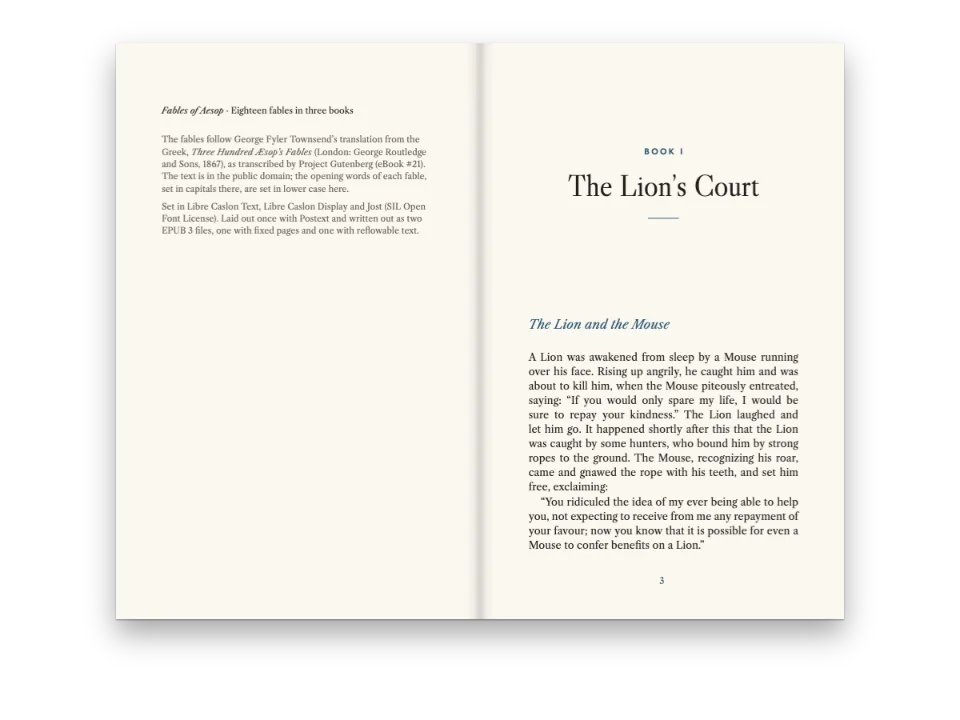
Eine Lektion über Erdbeben: lesen, beliebig oft üben, dann einen kurzen Test schreiben, in dem jede Antwort nur einmal geprüft wird. Sie wird als Heft gedruckt und funktioniert am Bildschirm, im E-Book und auf einer Lernplattform.
Was Sie setzen
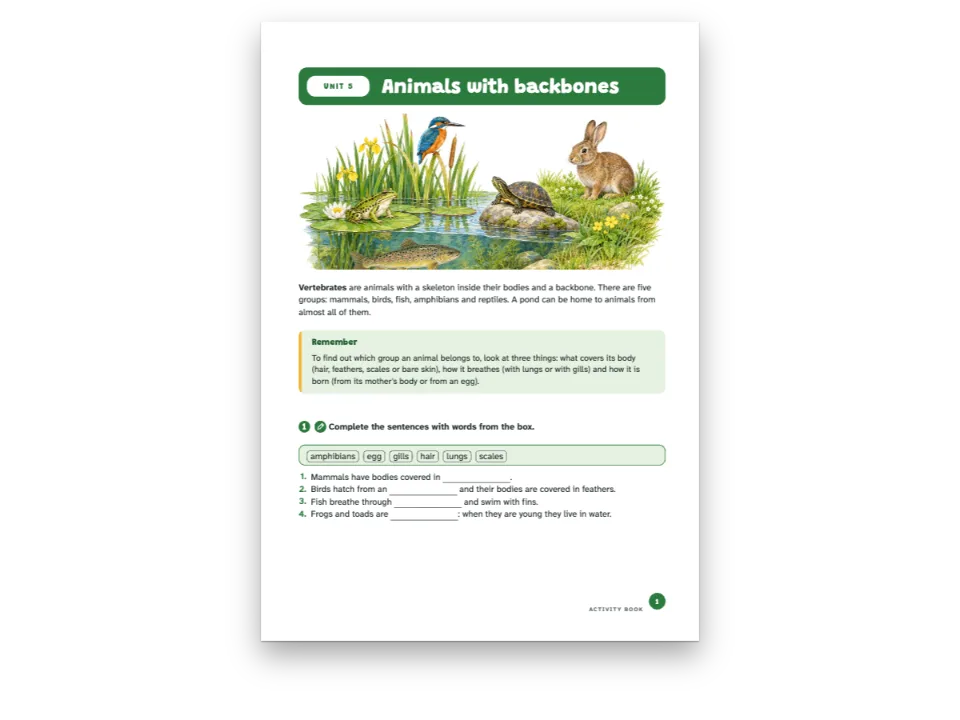
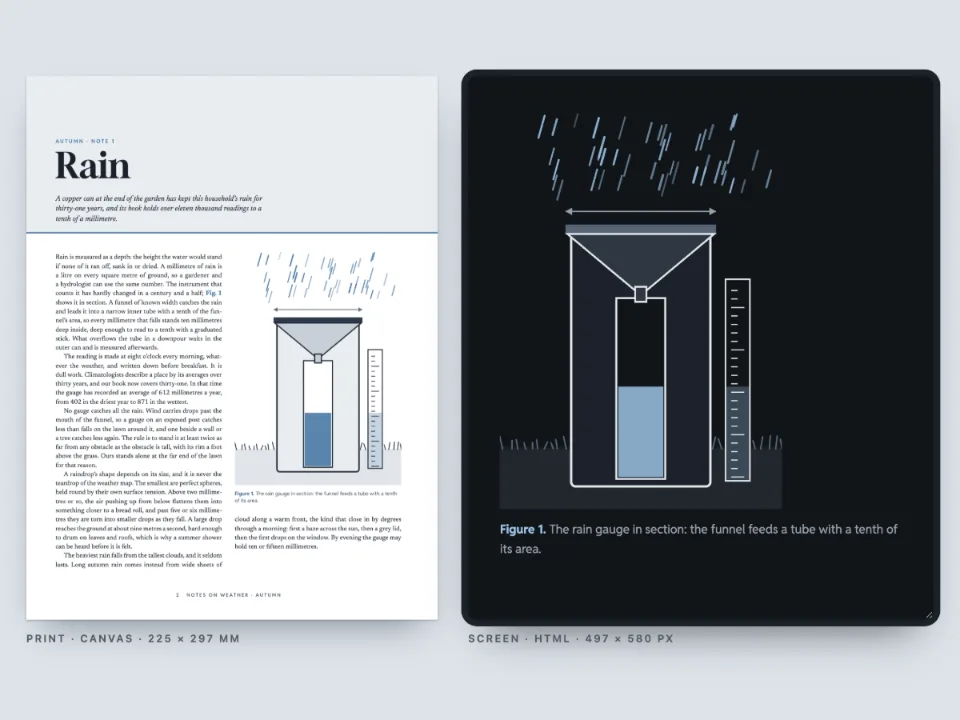
Modul 4 von The Restless Planet, einem Einführungskurs in die Geowissenschaften: vier Seiten über Erdbeben im Format 176 × 250 mm, die unter einem Gemälde einer Verwerfung quer durch eine trockene Ebene beginnen. Der Lesetext führt zu einer Übung und einem Modultest, im Markdown als :::exercise-Blöcke mit ihren Antworten geschrieben. Das gedruckte Modul enthält die Lösungen der Übung und lässt die des Tests weg. Am Bildschirm sind dieselben Seiten lösbar: Die Übung lässt sich beliebig oft prüfen und neu beginnen, jede Testfrage dagegen nur einmal prüfen, nie neu beginnen, und ihre Lösung erscheint erst, wenn diese Prüfung verbraucht ist. Ein Feld neben den Seiten zählt zusammen, was eine Lernplattform speichern würde: die Punktzahl, ob der Test abgeschlossen ist, und bestanden oder nicht bei 70 %. Dieselben Seiten entstehen auch als EPUB mit festem Layout und als SCORM-2004-Paket: ein Kurs, in dem Lektion und Test zwei Teile sind, die die Plattform getrennt bewertet.
Dieses Rezept beantwortet
- Wie können Leser die Übungen in der HTML- oder EPUB-Ausgabe lösen und prüfen?
- Wie mache ich aus den Übungen eines Buchs einen SCORM-Kurs, der die Punktzahlen an eine Lernplattform meldet, mit einem Test, der nur eine Prüfung erlaubt?
Die kurze Antwort
// Practice: check, start again and see the solution as often as the learner likes.
const practice = {
  id: 'practice',
  number: { shape: 'disc', background: col('rust'), fontFamily: SANS, fontWeight: 700 },
  instruction: { fontFamily: SANS, bold: true, fontSize: pt(10) },
  options: { marker: 'circle' },
  blank: { look: 'line', color: col('ink'), weight: pt(0.6) },
  match: { look: 'dots', gap: em(3), color: col('rust') },
  bank: { box: 'bank' },
  marginTop: mm(5), marginBottom: mm(1), itemSpacing: em(0.15),
};
// The test: one check, no fresh start, the solution only once the check is spent. On paper
// the same questions print without their key.
const test = {
  id: 'test', extends: 'practice', box: 'test',
  number: { shape: 'square', background: col('slate') },
  match: { color: col('slate') },
  solutions: { placement: 'none' },
  digital: { maxChecks: 1, reset: false, showSolution: 'noChecksLeft' },
};
const exercises = {
  solutions: { placement: 'directive', layout: 'key' }, // the practice key where :::solutions is
  // The pass mark the course's results are judged against (a SCORM package reports passed or
  // failed with it); the HTML and EPUB editions carry it with the exercise data.
  digital: { passingScore: 70 },
};
Zutaten
- Funktionen
- Interaktive ÜbungenÜbungsstileSCORM-PaketeÜbungenAuswahl und richtig oder falschLücken und WortspeicherZuordnen und sortierenOrdnenLösungenHTML-LeseausgabeEPUB-ExportGestaltete AuftakteÜberschriftenattributeKolumnentitel und SeitenzahlenKopfzeilen nach SeitenrolleKästenSemantische FarbpaletteWitwen, Waisen und kurze Ausgangszeilen
- Nutzt außerdem
- Kästen, die sich teilen oder ganz bleibenQuerverweisePapierfarbeAbsatzformateAbbildungen und Tabellen als Ressourcen
- Schrift
- Source Serif 4, Archivo (SIL OFL 1.1)
- Dateien
fault-1500.jpg- A fault across a dry plain in late afternoon light (the module's opener) (Generated With Diffusion Models, eigener Text)
Zubereitung
#1 · Zwei Stile, zwei Regeln
Der Code steht in der kurzen Antwort. Die Übungen sagen nur, was sie fragen; der style des Blocks bestimmt, wie sie sich verhalten. practice behält die Vorgaben des Buchs, also bietet seine Leiste Prüfen, Lösung zeigen und Neu beginnen ohne Grenze. test erweitert ihn um einen digital-Block: maxChecks: 1, reset: false und showSolution: 'noChecksLeft', sodass die Leiste bis „Keine Prüfung mehr“ herunterzählt und erst dann die Lösung anbietet. Auf Papier druckt derselbe Stil seine Lösungen nicht (placement: 'none'), die Lösungen der Übung stehen dort, wo die Zeile :::solutions steht.
#2 · Ein gespeicherter Versuch kommt aus dem Speicher zurück
// The platform keeps each exercise's answers under its key; this learner checked three
// questions of the test, with two mistakes, and left the ordering one to do.
const tests = doc.exercises.filter((ex) => ex.style === 'test');
const mistakes = { 'test-statements': 2, 'test-distance': 1 }; // a wrong slot in each
const attempt = (ex) => ({ checked: true, n: 1, v: Object.fromEntries(ex.slots.map((slot, i) => {
  const right = exerciseSolutionValue(slot, ex);
  const wrong = slot.kind === 'truefalse' ? 3 - right : '180'; // 25 s × 8 km, slipped
  return [slot.key, mistakes[ex.anchor] === i ? wrong : right];
})) });
const kept = new Map(tests.filter((ex) => ex.anchor !== 'test-sequence')
  .map((ex) => [ex.anchor, JSON.stringify(attempt(ex))]));
const saved = new Map();
const platform = { // the three calls of localStorage, over the platform's record
  getItem: (key) => saved.get(key) ?? kept.get(key.split(':').pop()) ?? null,
  setItem: (key, value) => saved.set(key, value),
  removeItem: (key) => saved.delete(key),
};
attachExercises liest die Antworten jeder Übung mit getItem und schreibt sie mit setItem, unter dem storageKey und dem Anker der Übung. Jedes Objekt mit diesen drei Aufrufen kann localStorage ersetzen; eine Lernplattform speichert dasselbe JSON in den Daten der Lernenden. Dieses liefert drei bereits geprüfte Testfragen mit zwei Fehlern (wahr bei Aussage 3, 180 km bei der Entfernung), und die Seite öffnet sich so, wie sie jemand vorfindet, der zurückkommt: diese Fragen gesperrt, ihre Lösungen verfügbar, die Reihenfolge-Aufgabe noch offen.
#3 · Auf den Seiten antworten und jede Prüfung hören
const el = (tag, css, text) => Object.assign(document.createElement(tag),
  { textContent: text ?? '' }, { style: css });
const course = el('section', 'display: flex; flex-wrap: wrap; gap: 16px; justify-content: center;'
  + 'padding: 24px 16px 0; font: 13px/1.5 system-ui, sans-serif; color: #d9d5cc');
course.id = 'course';
const frame = el('div', 'width: min(700px, 94vw); height: 720px; overflow: auto;'
  + 'border-radius: 6px; background: #2a2e35');
frame.innerHTML = renderToHtml(doc, { mode: 'single', background: palette.paper, padding: 16,
  resourceImageUrl: imageUrl });
const card = el('aside', 'width: min(300px, 94vw); padding: 14px 16px; border-radius: 6px;'
  + 'border: 1px solid #2c3038; background: #15181d');
const results = new Map();
function report(result) { // every check, fresh start and solution shown
  if (result.style !== 'test') return;
  results.set(result.key, result);
  const all = [...results.values()];
  const [right, total] = all.reduce(([r, n], x) => [r + x.right, n + x.total], [0, 0]);
  const score = Math.round((100 * right) / total);
  const done = all.length === tests.length && all.every((x) => x.checked || x.locked);
  const verdict = !done ? t({ en: 'incomplete', es: 'sin terminar' })
    : score >= exercises.digital.passingScore ? t({ en: 'passed', es: 'aprobado' })
      : t({ en: 'failed', es: 'suspenso' });
  card.replaceChildren(el('h2', 'margin: 0; font-size: 15px; color: #f4f1ea',
    t({ en: 'What the platform hears', es: 'Lo que recibe la plataforma' })),
  el('p', 'margin: 6px 0; font-size: 22px; color: #f4f1ea', `${score} % · ${verdict}`),
  el('p', 'margin: 0 0 8px', t({ en: `${right} of ${total} answers right in the test, pass `
    + `mark ${exercises.digital.passingScore} %`, es: `${right} de ${total} respuestas bien en el `
    + `examen, aprueba con el ${exercises.digital.passingScore} %` })),
  ...all.map((x) => el('p', 'margin: 0; font-variant-numeric: tabular-nums',
    `${t({ en: 'Exercise', es: 'Ejercicio' })} ${x.number} · `
    + `${x.right}/${x.total} · ${x.checked || x.locked ? t({ en: 'checked', es: 'comprobado' })
      : t({ en: 'to do', es: 'por hacer' })}`)));
}
attachExercises(frame, { storageKey: 'restless-planet:4', store: platform, onResult: report });
course.append(frame, card);
document.getElementById('pages').before(course);
const first = frame.querySelector(`[data-pt-ex="${tests[0].id}"]`);
frame.scrollTop = first.getBoundingClientRect().top - frame.getBoundingClientRect().top - 120;
renderToHtml schreibt die Seiten und die Daten der Übungen; attachExercises legt Eingabefelder, Schalter und die Leiste darüber. onResult hört jede Übung beim Einrichten und nach jeder Prüfung, jedem Neubeginn und jeder gezeigten Lösung, mit den richtigen (right) und allen bewerteten Antworten (total), den verbrauchten Prüfungen und ob der Versuch gesperrt ist (locked). Das Feld zählt die Antworten des Tests so zusammen wie ein SCORM-Player: richtige über bewertete Antworten im ganzen Test, abgeschlossen, wenn jede Frage geprüft oder gesperrt ist, bestanden ab passingScore. Die Seite nutzt dpi: 96, sodass ein Millimeter der Druckseite ein CSS-Millimeter am Bildschirm ist.
#4 · Dieselben Übungen in einem EPUB
const epubFonts = (faces) => Promise.all(Object.entries(faces).flatMap(([family, specs]) =>
  specs.map(async (spec) => {
    const [weight, style, id] = [parseInt(spec, 10), spec.endsWith('i') ? 'italic' : 'normal',
      fontsourceId(family)];
    const res = await fetch(`${await fontsourceAt(id)}files/${id}-latin-${weight}-${style}.woff2`);
    if (!res.ok) throw new Error(`Fontsource has no ${family} ${weight} ${style}`);
    const bytes = new Uint8Array(await res.arrayBuffer());
    return { family, weight, style, format: 'woff2', bytes };
  })));
const metadata = { title: doc.metadata.title, subtitle: doc.metadata.subtitle, language: LANG,
  modified: new Date('2026-10-31T00:00:00Z') }; // fixed: the same bytes on every run
const fonts = await epubFonts(FONTS);
const resourceBytes = (fileId) => ({ bytes: imageBytes(fileId), mediaType: 'image/jpeg' });
const epub = await renderToEpub([doc], { layout: 'fixed', metadata, fonts, resourceBytes });
const offer = (bytes, name, type) => {
  const link = el('a', 'color: #d8a21a', `${name} · ${Math.round(bytes.length / 1024)} KB`);
  link.href = URL.createObjectURL(new Blob([bytes], { type }));
  link.download = name;
  document.getElementById('pt-actions').append(link);
};
offer(epub, `${RECIPE}.epub`, 'application/epub+zip');
Das EPUB mit festem Layout enthält die Daten der Übungen und das Skript, das sie lösbar macht: Ein Lesesystem, das Skripte ausführt, bietet dieselben Felder und dieselben Grenzen, eines ohne Skripte behält die Lösungen, die der Writer hinzufügt. Die Schriften bekommt er als Bytes, dieselben Fontsource-Dateien, die die Seite geladen hat.
#5 · Ein SCORM-Kurs mit eigenem Test
// The module's headings as postext-scorm reads them; the last one, the test, runs to the end.
const sections = treeLeaves(scormTree([{ markdown }], config)[0]);
const exam = sections.at(-1);
const items = [
  { title: t({ en: 'Lesson and practice', es: 'Lección y práctica' }), doc: 0,
    range: { start: sections[0].range.start, end: exam.range.start } },
  { title: exam.title, doc: 0, range: exam.range }, // its score is the test's alone
];
const scorm = await renderToScorm([doc], { version: '2004', layout: 'fixed', items, metadata,
  fonts, resourceBytes }); // the pass mark comes from exercises.digital.passingScore
offer(scorm, `${RECIPE}-scorm.zip`, 'application/zip');
renderToScorm nimmt die Dokumente und Optionen von renderToEpub, dazu die SCORM-version und die items des Kurses. Jedes Item ist ein SCO, der Teil eines Kurses, den die Lernplattform für sich startet und bewertet, und ein SCO zählt alle Übungen, die es enthält. scormTree liest die Überschriften des Moduls mit dem Stück Markdown, das jede umfasst: Das erste SCO reicht vom Titel bis zum Test (dort wird die Übung bewertet), das zweite enthält nur den Test, bis zum Ende. Jedes meldet bestanden oder nicht nach exercises.digital.passingScore. Im Paket steht ein Player dort, wo auf dieser Seite platform steht: Er hält die Antworten im Datensatz der Plattform und meldet jede Prüfung, sodass ein Lernender, der wiederkommt, den Test so vorfindet, wie er ihn verlassen hat.
Das ganze Rezept
// ═══ Postext Cookbook · Nº 179 · A course module with a test answered on screen ═══
// https://postext.dev/en/cookbook/self-checking-course-module
// Code: MIT · Text: original (CC BY 4.0) · Painting: generated with diffusion models
// Fonts: Source Serif 4, Archivo (SIL OFL 1.1) · Needs postext ≥ 1.65.0
import {
  buildDocumentWithFonts, renderPageToCanvas, registerResourceImage, renderToHtml,
  attachExercises, exerciseSolutionValue,
} from 'https://esm.sh/postext';
import { renderToEpub } from 'https://esm.sh/postext-epub';
import { renderToScorm, scormTree, treeLeaves } from 'https://esm.sh/postext-scorm';

const LANG = 'en'; // @lang: the language of the sample document ('en' | 'es')
const RECIPE = 'self-checking-course-module';

// ─── 1 · Design ─────────────────────────────────────────────────────────────
const palette = {
  ink: '#1f2523', // text: a green-tinted near-black
  rust: '#9c4420', // the course's accent: kicker, practice numbers, rules
  slate: '#2f5266', // the test: its numbers and its frame
  tint: '#f5efe4', // the safety box, the word bank
  rule: '#d6cdbf', // hairlines
  muted: '#646d69', // running heads, colophon
  paper: '#ffffff',
};
const col = (id) => ({ hex: palette[id], model: 'hex', paletteId: id });
const colorPalette = [
  ...Object.entries(palette).map(([id, hex]) => ({ id, name: id, value: { hex, model: 'hex' } })),
  { id: 'main-color', name: 'rust (defaults)', value: { hex: palette.rust, model: 'hex' } },
];
const [TEXT, SANS] = ['Source Serif 4', 'Archivo'];
const [TOP, OUTER, LEAD] = [22, 21, 15.5]; // mm, mm, pt
const BAND = 100; // mm: the painting's depth from the trim, over 3 mm of bleed

// #region answer: practice and test from one Markdown: the test style limits each attempt
// Practice: check, start again and see the solution as often as the learner likes.
const practice = {
  id: 'practice',
  number: { shape: 'disc', background: col('rust'), fontFamily: SANS, fontWeight: 700 },
  instruction: { fontFamily: SANS, bold: true, fontSize: pt(10) },
  options: { marker: 'circle' },
  blank: { look: 'line', color: col('ink'), weight: pt(0.6) },
  match: { look: 'dots', gap: em(3), color: col('rust') },
  bank: { box: 'bank' },
  marginTop: mm(5), marginBottom: mm(1), itemSpacing: em(0.15),
};
// The test: one check, no fresh start, the solution only once the check is spent. On paper
// the same questions print without their key.
const test = {
Das zusammengesetzte script.js läuft unverändert: Fügen Sie es in das Modulskript einer beliebigen Seite ein, oder öffnen Sie das Rezept auf CodePen. Ordner des Rezepts auf GitHub ↗ (öffnet sich in einem neuen Tab)
Varianten
#SCORM 1.2 oder umbrochener Text
Ältere Plattformen importieren oft nur SCORM 1.2; dort wird die Bestehensgrenze zum Mastery Score jedes SCO. layout: 'reflowable' liefert den Text statt der gedruckten Seiten, für Lernende am Telefon.
-const scorm = await renderToScorm([doc], { version: '2004', layout: 'fixed', items, metadata,
+const scorm = await renderToScorm([doc], { version: '1.2', layout: 'reflowable', items, metadata,#Jede Antwort sofort prüfen
Für ein Quiz ohne Prüfen-Knopf setzen Sie check: 'instant' in exercises.digital. Die sofortige Prüfung hebt die Prüfgrenze auf; der Teststil behält showSolution.
-  digital: { passingScore: 70 },
+ digital: { passingScore: 70, check: 'instant' },Häufige Fehler
Geben Sie jeder bewerteten Übung einen Anker (:::exercise{#test-scales}). Ihre Antworten werden unter dem Anker gespeichert; ohne ihn entsteht der Schlüssel aus der Stelle der Übung im Dokument, und eine davor eingefügte Frage gibt Zurückkehrenden die gespeicherten Antworten einer anderen.
Nachweise
- Rezept
- Ignacio Ferro
- Text
- Eigener Text, CC BY 4.0
- Bilder
- A fault across a dry plain in late afternoon light (the module's opener) · Generated With Diffusion Models · eigener Text
- Schriften
- Source Serif 4 (SIL OFL 1.1) · Archivo (SIL OFL 1.1)
- Code
- MIT, wie Postext
Diesen Text bearbeiten ↗ (öffnet sich in einem neuen Tab)Ordner des Rezepts auf GitHub ↗ (öffnet sich in einem neuen Tab)