In short
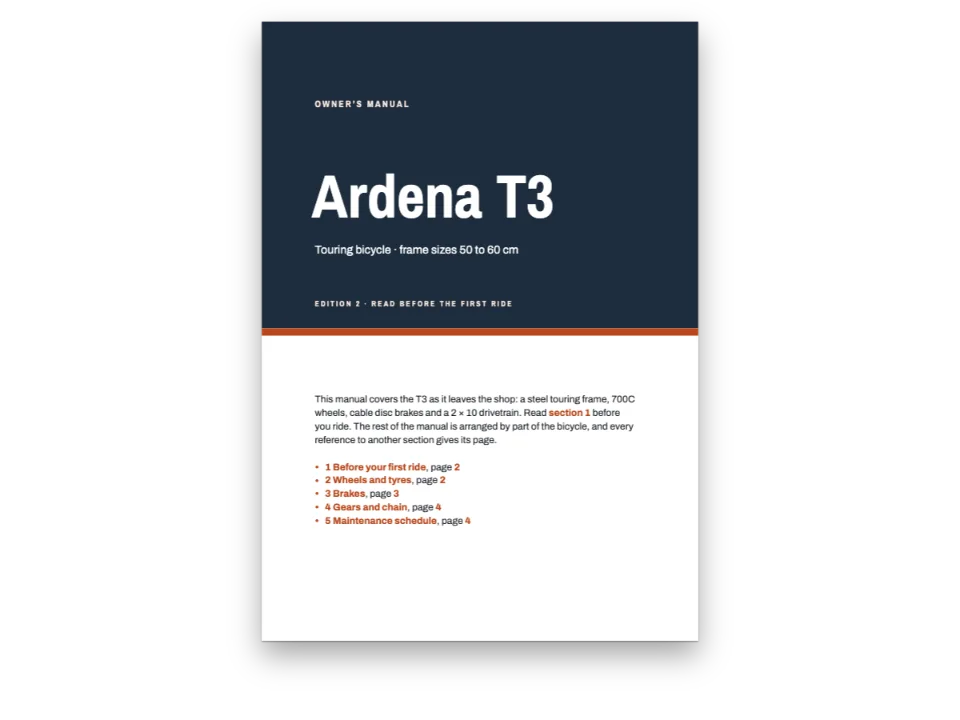
A short handbook on sizing solar panels and batteries for a cabin. When chapter 3 points back to a table in chapter 1, or chapter 1 points ahead to a section in chapter 2, the right number and page are printed, and they are links.
What you'll build
A short technical handbook, Power for a Cabin, set in IBM Plex on a 178 × 233 mm page: a cover with the sun's paths drawn in code, a contents page and three chapters under a night-blue band. The book sizes a small solar system, so each chapter leans on the others. Chapter 3 cites the load table of chapter 1 and the sun-hours chart of chapter 2; chapter 1 sends the reader ahead to section 2.3 and gives its page. The author writes @tbl:loads and @sec:array-size, as pandoc-crossref reads them, in four separate Markdown files. buildBundle lays them out as one book, so every reference prints the number the target got in its own chapter, the page it landed on, and a link to it.
This recipe answers
- How do I refer to a figure, a table or a section in another chapter, pandoc-crossref style, and keep the numbers right?
- How do I refer to a section and the page it is on, and keep both right when the book changes?
The short answer
// buildBundle lays the chapters out in order. Each chapter whose text names a target it
// does not hold (`@sec:array-size` in chapter 1, `@tbl:loads` in chapter 3) is laid out
// with the outline of the whole book, so the reference prints "section 2.3" and its page,
// and links to it. Headings carry their ids in the Markdown, `## Sizing the array
// {#sec:array-size}`; figures and tables are resources whose ids are what follows the @.
const book = () => buildBundle({ chapters, config: config(), resources });
const crossRefs = {
  chapter: t({ en: 'chapter {n}', es: 'capítulo {n}' }), // @sec:array → "chapter 2"
  section: t({ en: 'section {n}', es: 'apartado {n}' }), // @sec:losses → "section 2.2"
  page: t({ en: 'p. {n}', es: 'pág. {n}' }), // :ref{id="sec:losses" style=page} → "p. 7"
};
// Figures and tables count per chapter ({h1}.{n}) and carry on from one document to the
// next. A reference prints the type's shortLabel: @fig:sun → "Fig. 2.1", @Tbl:loads (capital
// T, at the start of a sentence) → "Table 1.1", [-@tbl:loads] → the bare "1.1".
const resourceTypes = defaultResourceTypes(LANG).map((type) => ({ ...type,
  shortLabel: type.id === 'table' ? t({ en: 'table', es: 'tabla' })
    : t({ en: 'fig.', es: 'figura' }),
  ...(type.id === 'table' && { captionStyle: { position: 'above' } }) }));
One set of identifiers for the whole book, resolved across chapters
Ingredients
- Features
- Cross-referencesNumbered captionsBooks built chapter by chapterNumbered headingsTable of contentsDesigned openersHeading attributesHeading stylesUnnumbered chaptersRunning heads and foliosCovers, title pages and colophonsPictures in page designsMirrored marginsSemantic colour paletteParagraph stylesPDF export
- Also uses
- Citations in a citation styleCitations that place figuresFigure and Table in your languageHeads by page roleFonts embedded in the PDFCustom resource typesFigures and tables as resourcesRunning heads per sectionTables from data
- Type
- IBM Plex Serif, IBM Plex Sans Condensed, IBM Plex Mono (SIL OFL 1.1)
- Assets
- None: every picture is drawn in code
Method
#1 · Name every target once, for the whole book
The code is the short answer above. Headings take a Pandoc identifier with its prefix, ## Sizing the array {#sec:array-size}. Figures and tables are resources declared in the script, and their ids are written the same way, fig:sun and tbl:loads, so the text reads @fig:sun whether the figure is two paragraphs away or two chapters back. An id must be unique across the book, not only in its chapter.
#2 · Lay the chapters out as one book
// buildBundle lays the chapters out in order. Each chapter whose text names a target it
// does not hold (`@sec:array-size` in chapter 1, `@tbl:loads` in chapter 3) is laid out
// with the outline of the whole book, so the reference prints "section 2.3" and its page,
// and links to it. Headings carry their ids in the Markdown, `## Sizing the array
// {#sec:array-size}`; figures and tables are resources whose ids are what follows the @.
const book = () => buildBundle({ chapters, config: config(), resources });
const crossRefs = {
  chapter: t({ en: 'chapter {n}', es: 'capítulo {n}' }), // @sec:array → "chapter 2"
  section: t({ en: 'section {n}', es: 'apartado {n}' }), // @sec:losses → "section 2.2"
  page: t({ en: 'p. {n}', es: 'pág. {n}' }), // :ref{id="sec:losses" style=page} → "p. 7"
};
// Figures and tables count per chapter ({h1}.{n}) and carry on from one document to the
// next. A reference prints the type's shortLabel: @fig:sun → "Fig. 2.1", @Tbl:loads (capital
// T, at the start of a sentence) → "Table 1.1", [-@tbl:loads] → the bare "1.1".
const resourceTypes = defaultResourceTypes(LANG).map((type) => ({ ...type,
  shortLabel: type.id === 'table' ? t({ en: 'table', es: 'tabla' })
    : t({ en: 'fig.', es: 'figura' }),
  ...(type.id === 'table' && { captionStyle: { position: 'above' } }) }));
buildBundle carries the figure and table counters from chapter to chapter, so the first table of chapter 3 is 3.1 and @tbl:loads in chapter 3 still prints table 1.1. A chapter whose text names a heading it does not hold is laid out with the outline of the whole book, and laid out again (three rounds at most) until the pages of that outline stop moving. That is how chapter 1 can print section 2.1 … p. 6 before chapter 2 exists on paper.
#3 · Choose the words a reference prints
crossRefs sets chapter, section and p. (in Spanish capítulo, apartado and pág.). A figure or table reference prints its type's shortLabel, here lowercase as pandoc-crossref sets them, fig. 2.1 and table 1.1. A capital in the prefix, @Tbl:loads or @Sec:array, capitalises the label at the start of a sentence, and [-@tbl:losses] prints the bare number for tables 2.1 and 3.1.
#4 · Refer forward to sections, back to figures
A figure or a table is numbered, and floated, where it is first cited. @fig:soc in chapter 1 would make it figure 1.2 and place it in chapter 1. So chapter 1 points ahead to @sec:autonomy, and the figures and tables are cited first in their own chapter; every later chapter refers back to them freely. A page goes with the section, :ref{id="sec:sun-hours" style=page}: a resource reference prints its label and number, never its page.
#5 · The openers and the cover come from the same band
const BAND = 52; // mm from the trim's top
const opener = { enabled: true, minHeight: mm(54), slot: { elements: [
  { kind: 'box', id: 'band', style: { backgroundColor: col('night') },
    placement: { ...at('bleed', 'top-left'), size: { width: 'fill', height: mm(BAND + 3) } } },
  { kind: 'text', id: 'kicker', content: t({ en: 'Chapter', es: 'Capítulo' }), ...caps(8.5),
    color: col('sun'), placement: at('container', 'top-left', 0, 2) },
  { kind: 'text', id: 'title', content: '{titleText}', fontFamily: COND, fontWeight: 600,
    fontSize: pt(30), lineHeight: 1.05, color: col('paper'), align: 'left', overflow: 'wrap',
    placement: { ...at('#kicker', 'below', 0, 3), size: { width: mm(MEASURE - 26) } } },
  { kind: 'text', id: 'number', content: '{chapterNumber}', fontFamily: COND, fontWeight: 600,
    fontSize: pt(84), lineHeight: 1, color: col('sun'), align: 'right',
    placement: { ...at('container', 'top-right', 0, -6), size: { width: mm(40) } } },
  { kind: 'text', id: 'lead', content: '{attr.lead}', fontFamily: SERIF, italic: true,
    fontSize: pt(11), lineHeight: 1.38, color: col('ink'), align: 'left', overflow: 'wrap',
    placement: { ...at('container', 'top-left', 0, BAND - MARGIN.top + 8),
      size: { width: mm(MEASURE - 10) } } },
] } };
// The contents page wears the same band, with the book's subtitle as its kicker.
const contentsOpener = { ...opener, minHeight: mm(BAND - MARGIN.top + 4), slot: { elements:
  opener.slot.elements.filter((e) => ['band', 'kicker', 'title'].includes(e.id))
    .map((e) => (e.id === 'kicker' ? { ...e, content: '{subtitle}' } : e)) } };
The band runs 55 mm from the trim's top on every chapter and on the contents page, which reuse the same elements; the chapter number is {chapterNumber}, the lead a heading attribute.
const COVER_BAND = 168; // mm
const cover = { enabled: true, slot: { elements: [
  { kind: 'box', id: 'band', style: { backgroundColor: col('night') },
    placement: { ...at('bleed', 'top-left'), size: { width: 'fill', height: mm(COVER_BAND) } } },
  { kind: 'image', id: 'art', resourceId: 'cover',
    placement: { ...at('bleed', 'top-left'), size: { width: 'fill' } } },
  // Stacked upwards from the subtitle, so a title of one line or two keeps its distance.
  { kind: 'text', id: 'subtitle', content: '{subtitle}', fontFamily: SERIF, italic: true,
    fontSize: pt(14), color: col('tint'), align: 'left',
    placement: at('page', 'top-left', MARGIN.inner, COVER_BAND - 22) },
  { kind: 'text', id: 'title', content: '{titleText}', fontFamily: COND, fontWeight: 600,
    fontSize: pt(52), lineHeight: 1, color: col('paper'), align: 'left', overflow: 'wrap',
    placement: { ...at('#subtitle', 'above', 0, -4), size: { width: mm(140) } } },
  { kind: 'text', id: 'kicker', content: '{attr.kicker}', ...caps(8.5), color: col('sun'),
    placement: at('#title', 'above', 0, -4) },
  { kind: 'text', id: 'author', content: '{author}', fontFamily: COND, fontWeight: 600,
    fontSize: pt(13), color: col('ink'), align: 'left',
    placement: at('page', 'top-left', MARGIN.inner, COVER_BAND + 14) },
  { kind: 'text', id: 'edition', content: '{attr.edition}', ...caps(7.5), color: col('muted'),
    placement: at('#author', 'below', 0, 2.5) },
] } };
The whole recipe
// ═══ Postext Cookbook · Nº 094 · A technical book whose references cross chapters ═══
// https://postext.dev/en/cookbook/technical-book-crossref-chapters
// Code: MIT · Text: original (CC BY 4.0) · Charts: generated in code (CC BY 4.0)
// Fonts: IBM Plex Serif, Sans Condensed and Mono (SIL OFL 1.1) · Needs postext ≥ 1.28.0
// A small handbook in four Markdown documents. The text writes @fig:sun, @tbl:loads and
// @sec:array-size the way pandoc-crossref reads them, and buildBundle resolves each one to
// the right number, title or page wherever in the book its target lies.
import {
  buildBundle, prepareFonts, withLoadedFonts, renderPageToCanvas, registerResourceImage,
  defaultResourceTypes, parseTSV, setAlignment, inlineSvgFonts,
} from 'https://esm.sh/postext';
import { renderToPdf, decompressWoff2 } from 'https://esm.sh/postext-pdf';

const LANG = 'en'; // @lang: the language of the sample document ('en' | 'es')
const RECIPE = 'technical-book-crossref-chapters';

// ─── 1 · Design ─────────────────────────────────────────────────────────────
// #region palette: a night-blue band, one burnt-orange accent, an amber for the charts
const palette = {
  ink: '#1c1f24', // text: a cool near-black
  night: '#1f3247', // openers, the cover, table heads
  accent: '#a8471a', // numbers, kickers, references (5.6:1 on paper)
  sun: '#e9a33a', // the charts and the cover only, never text on paper
  tint: '#f5ede3', // daylight in the charts
  rule: '#cfc7bc', // hairlines
  muted: '#5e636a', // running heads, colophon, chart labels
  paper: '#ffffff',
};
// Each colour names its palette entry and carries its hex.
const col = (id) => ({ hex: palette[id], model: 'hex', paletteId: id });
const colorPalette = Object.entries({ ...palette, 'main-color': palette.accent })
  .map(([id, hex]) => ({ id, name: id, value: { hex, model: 'hex' } }));
// #endregion
const SERIF = 'IBM Plex Serif', COND = 'IBM Plex Sans Condensed', MONO = 'IBM Plex Mono';
const TRIM = { w: 178, h: 233 }; // mm: a technical-book trim
const MARGIN = { top: 22, bottom: 22, inner: 20, outer: 32 }; // a 126 mm measure
const LEAD = 13.8; // pt: the body leading
const MEASURE = TRIM.w - MARGIN.inner - MARGIN.outer;
const at = (to, edge, x = 0, y = 0) => ({ anchor: { to, edge }, offset: { x: mm(x), y: mm(y) } });
const caps = (size, extra = {}) => ({ fontFamily: MONO, fontSize: pt(size), fontWeight: 600,
  letterSpacing: pt(size * 0.14), textTransform: 'uppercase', align: 'left', ...extra });

// #region answer: one set of identifiers for the whole book, resolved across chapters
// buildBundle lays the chapters out in order. Each chapter whose text names a target it
// does not hold (`@sec:array-size` in chapter 1, `@tbl:loads` in chapter 3) is laid out
// with the outline of the whole book, so the reference prints "section 2.3" and its page,
// and links to it. Headings carry their ids in the Markdown, `## Sizing the array
// {#sec:array-size}`; figures and tables are resources whose ids are what follows the @.
The composed script.js runs as it is: paste it into any page’s module script, or open the recipe on CodePen. Recipe folder on GitHub ↗ (opens in a new tab)
Variations
#Print "Figure 2.1" in the text
A book that spells out its references uses the type's full name instead of the short label.
-  shortLabel: type.id === 'table' ? t({ en: 'table', es: 'tabla' })
-    : t({ en: 'fig.', es: 'figura' }),
+  shortLabel: type.id === 'table' ? t({ en: 'Table', es: 'Tabla' })
+ : t({ en: 'Figure', es: 'Figura' }),#Number sections with a paragraph sign
-  section: t({ en: 'section {n}', es: 'apartado {n}' }), // @sec:losses → "section 2.2"
+ section: '§ {n}',Pitfalls
Pitfall
A figure is numbered and placed where it is first cited
The first :ref or @fig: reference to a figure or table gives it its number and its place, so a reference in an earlier chapter pulls it there. Refer forward to the section that holds it, and to the figure itself only once it is placed. Cross-references →
- A reference to an id that no chapter sets prints ?. Check the ids after renaming a heading in one chapter: the references to it live in the others.
- Laying the chapters out one by one with
buildDocumentloses both the counters and the book outline: every chapter numbers its figures from 1 again and a reference to another chapter prints ?. UsebuildBundle, or chaincontinuationand passoutlineyourself. - Equations have no numbering of their own in Postext, so
@eq:finds only an anchor you set and prints its text; this book writes its two formulas without numbers. - A section title that opens a page, or stands under a table floated to its head as 3.3 does on page 9, drops its whole space above by default, and the grid snap then puts the part of a line it needs under the title, further from its text than the titles in mid-page.
headings.columnHeadSpace: 'remainder'keeps that part of a line above the title (headings). It suits a book in one column, where no column beside it shows that the title starts a little lower.
Credits
- Recipe
- Ignacio Ferro
- Text
- Original prose, CC BY 4.0
- Fonts
- IBM Plex Serif (SIL OFL 1.1) · IBM Plex Sans Condensed (SIL OFL 1.1) · IBM Plex Mono (SIL OFL 1.1)
Edit this write-up ↗ (opens in a new tab)Recipe folder on GitHub ↗ (opens in a new tab)