En pocas palabras
Cuando una columna se queda una línea por encima del pie porque un párrafo no se puede partir ahí, este ajuste vuelve a cortar las líneas de un párrafo de esa columna para que llegue abajo.
Lo que vas a componer
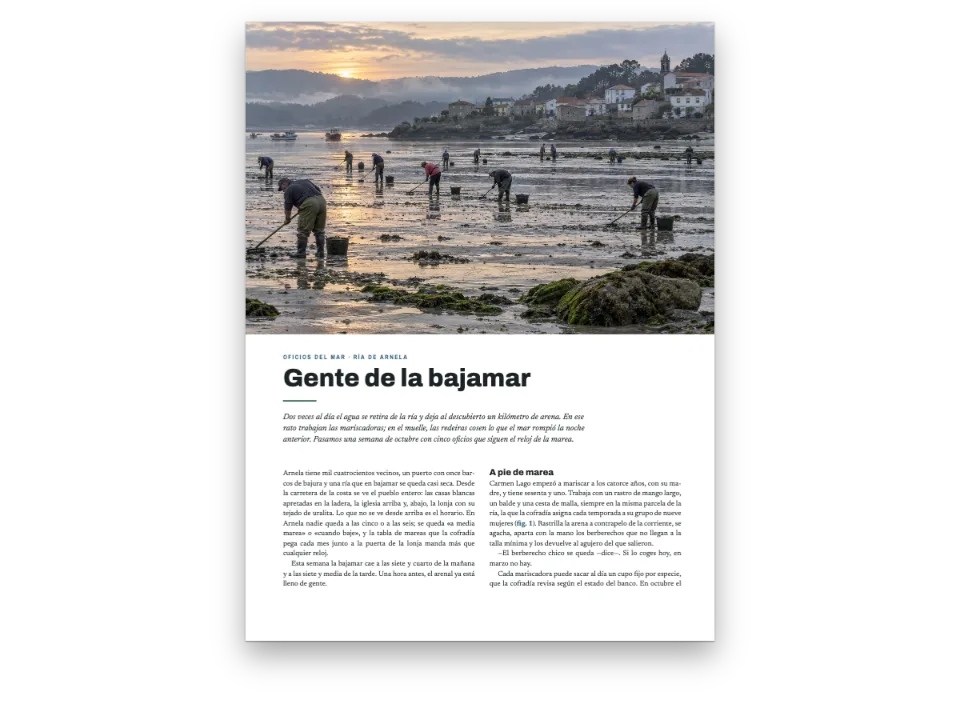
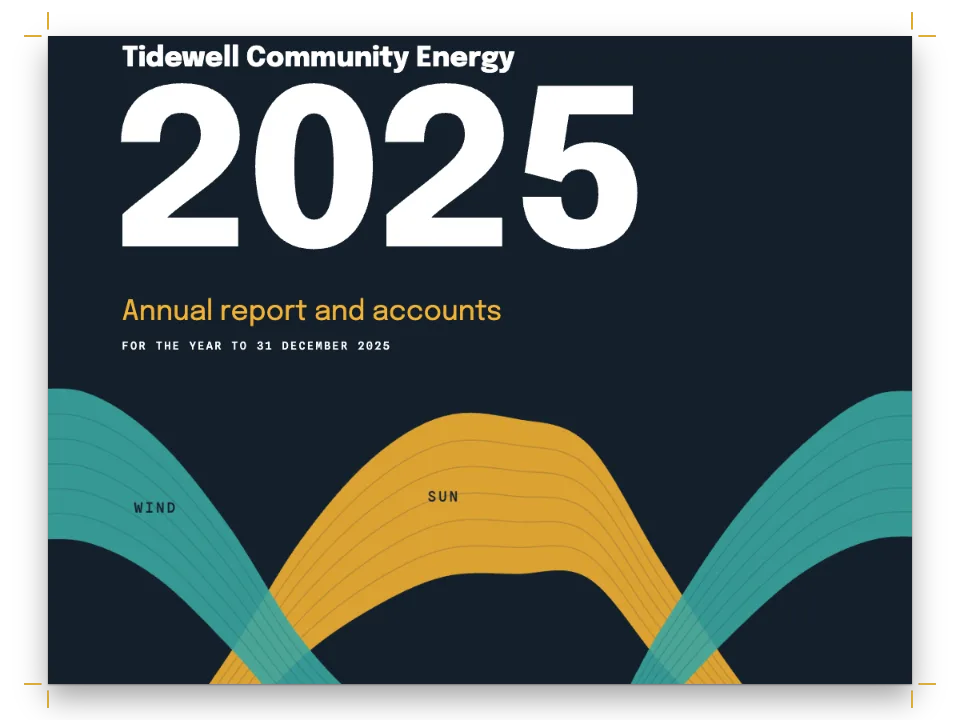
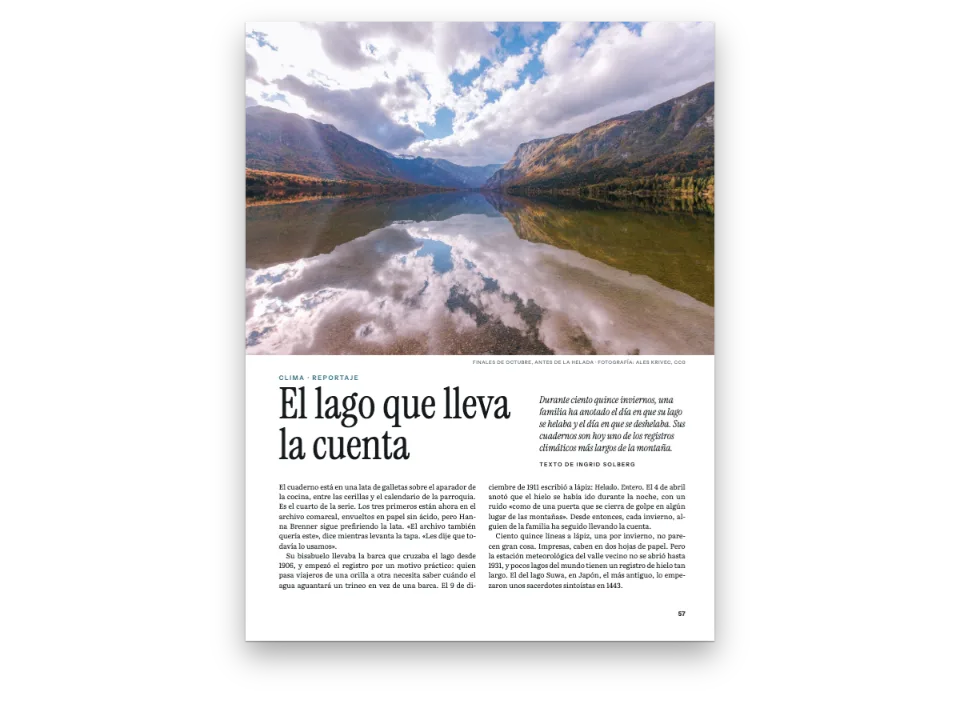
Tres páginas de Litoral, una revista de costa: un reportaje largo sobre la lente de Fresnel que abre con la pintura de una lente encendida en su linterna. El texto va en dos columnas en bandera de Public Sans, con una línea de rejilla en blanco entre párrafos, y las reglas de viudas y huérfanas dejan al menos dos líneas de cada párrafo a cada lado de un corte. El pen compone el reportaje dos veces. Sin el ajuste, en la apertura la columna derecha se queda una línea por encima de la izquierda: el párrafo siguiente no puede empezar con una sola línea al pie. Con él, en la misma página, el párrafo de esa columna se corta en una línea más y las dos columnas acaban en la última línea de la rejilla. En la página siguiente, el ajuste también recoge el aire de más que el equilibrado ponía sobre un ladillo.
Esta receta responde a
- ¿Por qué una columna acaba una o dos líneas antes del pie, y cómo la relleno sin romper las reglas de viudas y huérfanas?
- ¿Cómo consigo columnas a ras del pie y una última página equilibrada (justificación vertical)?
- ¿Cómo evito viudas, huérfanas y últimas líneas de una sola palabra, y mantengo cada título con su texto?
La respuesta corta
const balancing = {
  // A ragged column has no lever of its own when the widow and orphan rules hold its last
  // line back: no heading or list end to open, no justified paragraph to set looser. This
  // one lets a paragraph of the short column run a line long, within its own word spacing
  // (or a justified one no looser than maxWordSpacing), or, when none can, set one a line
  // short so the split after it takes the line. A change is kept only when the pages end
  // with fewer short columns; otherwise the column stays as it was.
  fillShortColumns: true, // default false
  // The paragraphs go first: a crosshead keeps its one line of air unless they cannot help.
  maxLinesBeforeLoose: 0,
};
const bodyText = {
  fontFamily: 'Public Sans', fontSize: pt(9.4), lineHeight: pt(LEAD), color: col('ink'),
  boldColor: col('ink'), italicColor: col('ink'), referenceColor: col('ink'),
  textAlign: 'left', firstLineIndent: pt(0), paragraphSpacing: true, // a grid line between
  hyphenation: { enabled: true }, optimalLineBreaking: true, optimalRagged: true,
  avoidWidows: true, widowMinLines: 2, avoidOrphans: true, orphanMinLines: 2, // the cause
  avoidRunts: true,
};
Ingredientes
- Funciones
- Columnas cortas rellenasEquilibrado de columnasViudas, huérfanas y líneas cortasCorte de líneas óptimo (Knuth–Plass)Aperturas diseñadasImágenes en los diseños de páginaAtributos de títuloCabeceras y foliosCabeceras según el tipo de páginaPaleta de color semánticaEstilos de párrafo
- Tipografía
- Public Sans, Libre Caslon Display, Libre Caslon Text (SIL OFL 1.1)
- Recursos
lens-1400.jpg- Una lente de Fresnel encendida en la linterna de un faro al anochecer (Generated With Diffusion Models, original)
Elaboración
#1 · Dale a la columna en bandera una palanca propia
const balancing = {
  // A ragged column has no lever of its own when the widow and orphan rules hold its last
  // line back: no heading or list end to open, no justified paragraph to set looser. This
  // one lets a paragraph of the short column run a line long, within its own word spacing
  // (or a justified one no looser than maxWordSpacing), or, when none can, set one a line
  // short so the split after it takes the line. A change is kept only when the pages end
  // with fewer short columns; otherwise the column stays as it was.
  fillShortColumns: true, // default false
  // The paragraphs go first: a crosshead keeps its one line of air unless they cannot help.
  maxLinesBeforeLoose: 0,
};
const bodyText = {
  fontFamily: 'Public Sans', fontSize: pt(9.4), lineHeight: pt(LEAD), color: col('ink'),
  boldColor: col('ink'), italicColor: col('ink'), referenceColor: col('ink'),
  textAlign: 'left', firstLineIndent: pt(0), paragraphSpacing: true, // a grid line between
  hyphenation: { enabled: true }, optimalLineBreaking: true, optimalRagged: true,
  avoidWidows: true, widowMinLines: 2, avoidOrphans: true, orphanMinLines: 2, // the cause
  avoidRunts: true,
};
El equilibrado de columnas rellena una columna corta con líneas de rejilla sobre un título, tras una lista, bajo un recuadro o una figura y, como último recurso, componiendo un párrafo justificado una línea más holgado. Una columna de texto corrido en bandera no tiene nada de eso entre sus ladillos, así que la línea que retienen las reglas de viudas y huérfanas se queda vacía. fillShortColumns deja que un párrafo en bandera de esa columna ocupe una línea más con su propio espaciado; cuando ninguno puede, compone uno con una línea menos para que el párrafo de después del corte suba y ocupe esa línea. El motor solo conserva el cambio si acaban cortas menos columnas, así que activarlo nunca empeora una página. Con maxLinesBeforeLoose: 0 se prueban los párrafos antes que los títulos, y cada ladillo conserva una sola línea de aire encima.
#2 · Compón el reportaje dos veces y compara
const withFill = (fill) => ({ ...config, headings: { ...config.headings,
  balancing: { ...balancing, fillShortColumns: fill } } }); // a copy: config keeps true
const build = (fill) => buildDocumentWithFonts({ markdown, resources }, withFill(fill),
  kitFonts(FONTS));
const docs = { off: await build(false), on: await build(true) };
Los dos documentos salen de una misma configuración y un mismo Markdown. La segunda composición pasa la configuración tal cual; la primera, una copia con el ajuste apagado, de modo que el paquete que se abre en el Sandbox lleva fillShortColumns: true. Los dos botones sobre la mesa cambian de una composición a otra. Solo se llenan hasta el pie las páginas que siguen: la página 3 cierra el reportaje y sus columnas se cortan a la misma altura, igual en las dos composiciones.
#3 · Abre con la pintura
const DEPTH = 150; // mm: how far down the page the painting bleeds
const sans = { fontFamily: 'Public Sans', fontWeight: 700, textTransform: 'uppercase' };
const at = (to, edge, x, y, width) => ({ anchor: { to, edge },
  offset: { x: mm(x), y: mm(y) }, ...(width && { size: { width: mm(width) } }) });
const air = { padding: { bottom: mm(6) } }; // counts: the text starts 6 mm under the byline
const opener = {
  enabled: true,
  slot: { elements: [
    { kind: 'image', id: 'art', resourceId: 'lens', placement: { anchor: { to: 'bleed',
      edge: 'top-left' }, size: { width: 'fill', height: mm(DEPTH) } } },
    { kind: 'text', id: 'credit', content: '{attr.credit}', ...sans, fontWeight: 500,
      fontSize: pt(6.5), letterSpacing: pt(0.6), color: col('muted'), align: 'right',
      placement: at('container', 'top-right', 0, DEPTH - TOP + 2) },
    { kind: 'text', id: 'kicker', content: '{attr.kicker}', ...sans, fontSize: pt(8.5),
      letterSpacing: pt(1.7), color: col('brass'), align: 'left',
      placement: at('container', 'top-left', 0, DEPTH - TOP + 9) },
    { kind: 'text', id: 'headline', content: '{titleText}', fontFamily: 'Libre Caslon Display',
      fontSize: pt(46), lineHeight: 1.02, color: col('ink'), align: 'left',
      placement: at('#kicker', 'below', 0, 2.5, 112) },
    { kind: 'text', id: 'standfirst', content: '{attr.standfirst}', fontFamily: 'Libre Caslon Text',
      italic: true, fontSize: pt(12), lineHeight: 1.3, color: col('sea'), align: 'left',
      placement: at('#headline', 'right-of', 8, 2.5) },
    { kind: 'text', id: 'byline', content: '{attr.byline}', ...sans, fontSize: pt(7.5),
      letterSpacing: pt(1.3), color: col('ink'), align: 'left', box: air,
      placement: at('#standfirst', 'below', 0, 3.5) },
  ] },
};
La pintura es un elemento de imagen anclado al sangrado, de 150 mm de alto, así que llega al corte por tres lados, algo que ningún flotante hace. El antetítulo, el título, la entradilla y la firma salen de los atributos de la línea #. La firma termina en un relleno de 6 mm que cuenta en la altura de la apertura, así que las columnas empiezan en la primera línea de rejilla por debajo.
#4 · Cabeceras fuera de la apertura
const label = { ...sans, fontWeight: 600, fontSize: pt(7.5), letterSpacing: pt(1.3),
  color: col('muted') };
const folio = { fontFamily: 'Public Sans', fontWeight: 700, fontSize: pt(8.5), color: col('ink') };
const pin = (edge, x, y) => ({ anchor: { to: 'page', edge }, offset: { x: mm(x), y: mm(y) } });
const sides = [['even', 'left', 1], ['odd', 'right', -1]]; // 1: the outer edge is on the left
const header = { elements: sides.flatMap(([parity, edge, s]) => [
  { kind: 'text', id: `folio-${parity}`, content: '{pageNumber}', ...folio,
    placement: pin(`top-${edge}`, s * OUTER, 12) },
  { kind: 'text', id: `head-${parity}`, ...label,
    content: s > 0 ? '{title} · {subtitle}' : '{chapterTitle}',
    placement: pin(`top-${edge}`, s * (OUTER + 9), 12.35) }, // the smaller size's baseline
  { kind: 'rule', id: `rule-${parity}`, direction: 'horizontal', thickness: pt(0.5),
    color: col('rule'), placement: { ...pin(`top-${edge}`, s * OUTER, 17),
      size: { width: mm(197) } } },
].map((element) => ({ ...element, parity, pages: 'body' }))) }; // none on the opener
const footer = { elements: sides.map(([parity, edge, s]) => ({ kind: 'text', parity,
  id: `drop-folio-${parity}`, ...folio, content: '{pageNumber}', pages: 'opener', align: edge,
  placement: pin(`bottom-${edge}`, s * OUTER, -11) })) }; // the opener's only folio
La página par nombra la revista y el número desde el frontmatter, la impar el reportaje, y pages: 'body' las saca de la apertura, que solo lleva un folio al pie. La etiqueta baja 0,35 mm respecto al folio para que los dos cuerpos compartan línea base. El filete que va debajo mide 197 mm, el ancho de la caja de texto.
La receta completa
// ═══ Postext Cookbook · Nº 177 · Filling the column the widow rule left short ═════
// https://postext.dev/en/cookbook/filling-short-columns
// Code: MIT · Text: original (CC BY 4.0) · Painting: diffusion model
// Fonts: Public Sans, Libre Caslon Display, Libre Caslon Text (OFL) · Needs postext ≥ 1.65.0
//
// A magazine long read in two ragged columns, set twice. Without fillShortColumns a column
// whose paragraph would split into a widow ends a line above the foot; with it, a paragraph
// of that column is set a line longer or shorter, and the column ends on the last grid line.
import {
  buildDocumentWithFonts, renderPageToCanvas, registerResourceImage,
} from 'https://esm.sh/postext';

const LANG = 'es'; // @lang: the language of the sample document ('en' | 'es')
const RECIPE = 'filling-short-columns';

// ─── 1 · Design ─────────────────────────────────────────────────────────────
// Every colour below is linked to this palette by id.
const palette = {
  ink: '#1b2026', // text: a slate near-black
  brass: '#875a14', // the accent: kicker and crossheads (6:1 on paper)
  sea: '#2c4a5e', // the standfirst
  rule: '#c9ccd0', // hairlines
  muted: '#5d656e', // running heads, credit, colophon
  paper: '#ffffff',
};
const col = (id) => ({ hex: palette[id], model: 'hex', paletteId: id });
const colorPalette = [
  ...Object.entries(palette).map(([id, hex]) => ({ id, name: id, value: { hex, model: 'hex' } })),
  // The engine's defaults link to 'main-color': point it at the accent, so nothing prints blue.
  { id: 'main-color', name: 'brass (defaults)', value: { hex: palette.brass, model: 'hex' } },
];
const TOP = 22; // top margin in mm: the opener's container starts here
const OUTER = 14; // outer margin in mm: folios and running heads align to it
const LEAD = 13.2; // body leading in pt: the baseline grid every column ends on

// #region answer: ragged columns that end on the grid: fillShortColumns
const balancing = {
  // A ragged column has no lever of its own when the widow and orphan rules hold its last
  // line back: no heading or list end to open, no justified paragraph to set looser. This
  // one lets a paragraph of the short column run a line long, within its own word spacing
  // (or a justified one no looser than maxWordSpacing), or, when none can, set one a line
  // short so the split after it takes the line. A change is kept only when the pages end
  // with fewer short columns; otherwise the column stays as it was.
  fillShortColumns: true, // default false
  // The paragraphs go first: a crosshead keeps its one line of air unless they cannot help.
  maxLinesBeforeLoose: 0,
};
const bodyText = {
El script.js compuesto funciona tal cual: pégalo como script de módulo en cualquier página o abre la receta en CodePen. Carpeta de la receta en GitHub ↗ (se abre en una nueva pestaña)
Variantes
#Deja que los ladillos tomen el hueco primero
Con el orden por defecto, un título toma hasta dos líneas de rejilla antes de que un párrafo se alargue, y los ladillos de la página siguiente vuelven a abrirse.
-  maxLinesBeforeLoose: 0,
+ maxLinesBeforeLoose: 2,#Justifica el texto
Un párrafo justificado ya podía ocupar una línea más sin el ajuste, dentro de maxWordSpacing. Con fillShortColumns también puede ocupar una línea menos, y nunca se compone más holgado que su línea más holgada.
-  textAlign: 'left', firstLineIndent: pt(0), paragraphSpacing: true, // a grid line between
+ textAlign: 'justify', firstLineIndent: pt(0), paragraphSpacing: true, // a grid line betweenErrores frecuentes
- El ajuste cierra un hueco de una línea. Una columna a la que le faltan dos, por ejemplo una que acaba tras el blanco entre párrafos con sitio para una sola línea del siguiente, puede quedarse corta: ajusta el texto con una frase.
- No se usa un párrafo cuya nueva composición acabaría en una línea corta, así que una columna puede quedarse corta cuando solo tiene párrafos breves.
Créditos
- Receta
- Ignacio Ferro
- Texto
- Texto original, CC BY 4.0
- Imágenes
- Una lente de Fresnel encendida en la linterna de un faro al anochecer · Generated With Diffusion Models · original
- Fuentes
- Public Sans (SIL OFL 1.1) · Libre Caslon Display (SIL OFL 1.1) · Libre Caslon Text (SIL OFL 1.1)
- Código
- MIT, como Postext
Editar este texto ↗ (se abre en una nueva pestaña)Carpeta de la receta en GitHub ↗ (se abre en una nueva pestaña)