In breve
Una lezione sui terremoti: la leggi, ti eserciti quanto vuoi e poi fai una breve verifica in cui ogni risposta si controlla una volta sola. Si stampa come fascicolo e funziona a schermo, in un libro digitale e su una piattaforma didattica.
Che cosa comporrai
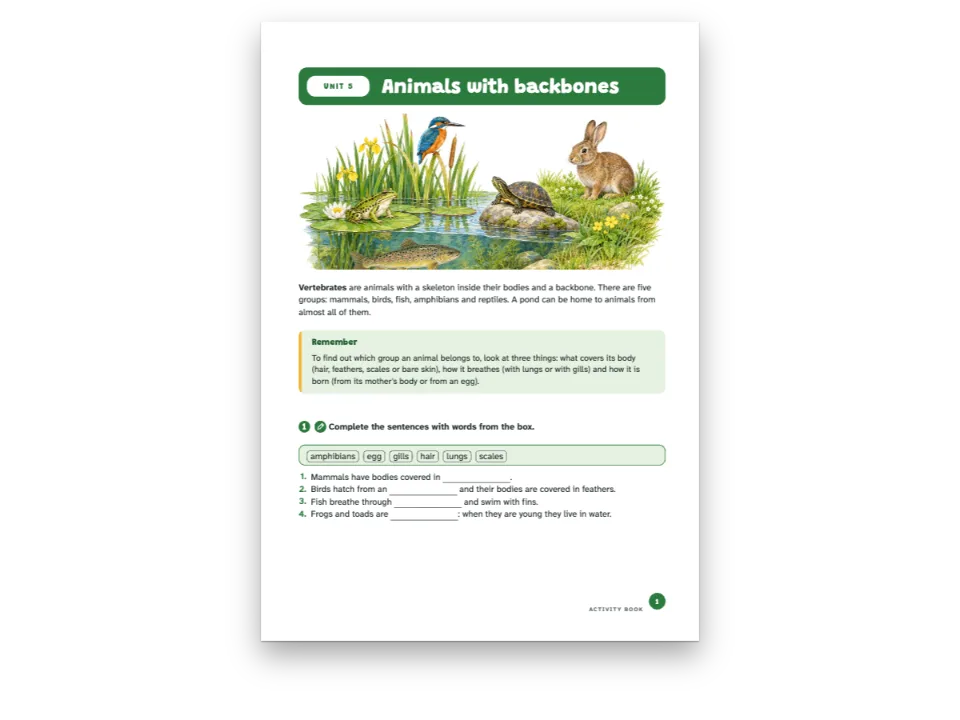
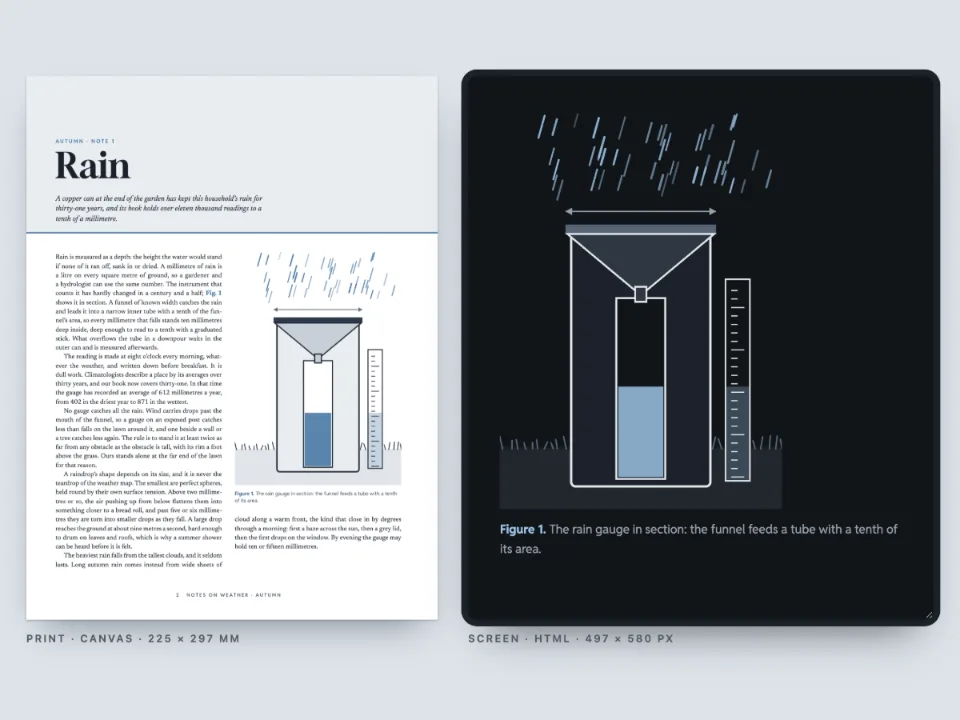
Il modulo 4 di The Restless Planet, un corso introduttivo di scienze della Terra: quattro pagine sui terremoti, in formato 176 × 250 mm, che si aprono sotto il dipinto di una faglia che attraversa una pianura arida. La lettura porta a un'esercitazione e a una verifica, scritte nel Markdown come blocchi :::exercise con le loro risposte. Il modulo stampato riporta le soluzioni dell'esercitazione e tiene fuori quelle della verifica. A schermo le stesse pagine si compilano: l'esercitazione si controlla e si ricomincia a piacere, mentre ogni domanda della verifica ammette un solo controllo, non si ricomincia e mostra la soluzione solo quando quel controllo è esaurito. Un pannello accanto alle pagine somma ciò che registrerebbe una piattaforma didattica: il punteggio, se la verifica è completa, e promosso o bocciato al 70 %. Le stesse pagine si scrivono come EPUB a layout fisso e come pacchetto SCORM 2004: un corso in cui lezione e verifica sono due parti che la piattaforma valuta ciascuna per conto suo.
Questa ricetta risponde a
- Come faccio rispondere e verificare gli esercizi al lettore nell'edizione HTML o EPUB?
- Come trasformo gli esercizi di un libro in un corso SCORM che invia i punteggi a una piattaforma di apprendimento, con una verifica che consente un solo controllo?
La risposta breve
// Practice: check, start again and see the solution as often as the learner likes.
const practice = {
  id: 'practice',
  number: { shape: 'disc', background: col('rust'), fontFamily: SANS, fontWeight: 700 },
  instruction: { fontFamily: SANS, bold: true, fontSize: pt(10) },
  options: { marker: 'circle' },
  blank: { look: 'line', color: col('ink'), weight: pt(0.6) },
  match: { look: 'dots', gap: em(3), color: col('rust') },
  bank: { box: 'bank' },
  marginTop: mm(5), marginBottom: mm(1), itemSpacing: em(0.15),
};
// The test: one check, no fresh start, the solution only once the check is spent. On paper
// the same questions print without their key.
const test = {
  id: 'test', extends: 'practice', box: 'test',
  number: { shape: 'square', background: col('slate') },
  match: { color: col('slate') },
  solutions: { placement: 'none' },
  digital: { maxChecks: 1, reset: false, showSolution: 'noChecksLeft' },
};
const exercises = {
  solutions: { placement: 'directive', layout: 'key' }, // the practice key where :::solutions is
  // The pass mark the course's results are judged against (a SCORM package reports passed or
  // failed with it); the HTML and EPUB editions carry it with the exercise data.
  digital: { passingScore: 70 },
};
Ingredienti
- Funzionalità
- Esercizi interattiviStili di esercizioPacchetti SCORMEserciziScelta e vero o falsoSpazi vuoti e banche di paroleCollegare e classificareRiordinareSoluzioniEdizione di lettura in HTMLEsportazione in EPUBAperture progettateAttributi dei titoliTestatine e folioTestatine secondo il ruolo della paginaRiquadriTavolozza di colori semanticaVedove, orfane e righe corte
- Usa anche
- Riquadri che si dividono o restano interiRimandiColore della cartaStili di paragrafoFigure e tabelle come risorse
- Tipo
- Source Serif 4, Archivo (SIL OFL 1.1)
- Risorse
fault-1500.jpg- A fault across a dry plain in late afternoon light (the module's opener) (Generated With Diffusion Models, originale)
Preparazione
#1 · Due stili, due regole
Il codice è nella risposta breve. Gli esercizi dicono solo che cosa chiedono; lo style del blocco decide come si comportano. practice mantiene i valori del libro, quindi la sua barra offre Verifica, Mostra la soluzione e Ricomincia senza limiti. test lo estende con un blocco digital: maxChecks: 1, reset: false e showSolution: 'noChecksLeft', così la barra conta fino a «Nessuna verifica rimasta» e solo allora propone la soluzione. Su carta lo stesso stile non stampa le soluzioni (placement: 'none'), mentre quelle dell'esercitazione escono dove si trova la riga :::solutions.
#2 · Un tentativo salvato torna dall'archivio
// The platform keeps each exercise's answers under its key; this learner checked three
// questions of the test, with two mistakes, and left the ordering one to do.
const tests = doc.exercises.filter((ex) => ex.style === 'test');
const mistakes = { 'test-statements': 2, 'test-distance': 1 }; // a wrong slot in each
const attempt = (ex) => ({ checked: true, n: 1, v: Object.fromEntries(ex.slots.map((slot, i) => {
  const right = exerciseSolutionValue(slot, ex);
  const wrong = slot.kind === 'truefalse' ? 3 - right : '180'; // 25 s × 8 km, slipped
  return [slot.key, mistakes[ex.anchor] === i ? wrong : right];
})) });
const kept = new Map(tests.filter((ex) => ex.anchor !== 'test-sequence')
  .map((ex) => [ex.anchor, JSON.stringify(attempt(ex))]));
const saved = new Map();
const platform = { // the three calls of localStorage, over the platform's record
  getItem: (key) => saved.get(key) ?? kept.get(key.split(':').pop()) ?? null,
  setItem: (key, value) => saved.set(key, value),
  removeItem: (key) => saved.delete(key),
};
attachExercises legge le risposte di ogni esercizio con getItem e le scrive con setItem, sotto la storageKey e l'ancora dell'esercizio. Qualunque oggetto con queste tre chiamate può prendere il posto di localStorage; una piattaforma didattica conserva lo stesso JSON tra i dati dello studente. Questo restituisce tre domande della verifica già controllate, con due errori (vero per l'affermazione 3 e 180 km per la distanza), e la pagina si apre come la troverebbe uno studente che torna: quelle domande bloccate, le soluzioni disponibili, quella da ordinare ancora da fare.
#3 · Rispondere sulle pagine e sentire ogni controllo
const el = (tag, css, text) => Object.assign(document.createElement(tag),
  { textContent: text ?? '' }, { style: css });
const course = el('section', 'display: flex; flex-wrap: wrap; gap: 16px; justify-content: center;'
  + 'padding: 24px 16px 0; font: 13px/1.5 system-ui, sans-serif; color: #d9d5cc');
course.id = 'course';
const frame = el('div', 'width: min(700px, 94vw); height: 720px; overflow: auto;'
  + 'border-radius: 6px; background: #2a2e35');
frame.innerHTML = renderToHtml(doc, { mode: 'single', background: palette.paper, padding: 16,
  resourceImageUrl: imageUrl });
const card = el('aside', 'width: min(300px, 94vw); padding: 14px 16px; border-radius: 6px;'
  + 'border: 1px solid #2c3038; background: #15181d');
const results = new Map();
function report(result) { // every check, fresh start and solution shown
  if (result.style !== 'test') return;
  results.set(result.key, result);
  const all = [...results.values()];
  const [right, total] = all.reduce(([r, n], x) => [r + x.right, n + x.total], [0, 0]);
  const score = Math.round((100 * right) / total);
  const done = all.length === tests.length && all.every((x) => x.checked || x.locked);
  const verdict = !done ? t({ en: 'incomplete', es: 'sin terminar' })
    : score >= exercises.digital.passingScore ? t({ en: 'passed', es: 'aprobado' })
      : t({ en: 'failed', es: 'suspenso' });
  card.replaceChildren(el('h2', 'margin: 0; font-size: 15px; color: #f4f1ea',
    t({ en: 'What the platform hears', es: 'Lo que recibe la plataforma' })),
  el('p', 'margin: 6px 0; font-size: 22px; color: #f4f1ea', `${score} % · ${verdict}`),
  el('p', 'margin: 0 0 8px', t({ en: `${right} of ${total} answers right in the test, pass `
    + `mark ${exercises.digital.passingScore} %`, es: `${right} de ${total} respuestas bien en el `
    + `examen, aprueba con el ${exercises.digital.passingScore} %` })),
  ...all.map((x) => el('p', 'margin: 0; font-variant-numeric: tabular-nums',
    `${t({ en: 'Exercise', es: 'Ejercicio' })} ${x.number} · `
    + `${x.right}/${x.total} · ${x.checked || x.locked ? t({ en: 'checked', es: 'comprobado' })
      : t({ en: 'to do', es: 'por hacer' })}`)));
}
attachExercises(frame, { storageKey: 'restless-planet:4', store: platform, onResult: report });
course.append(frame, card);
document.getElementById('pages').before(course);
const first = frame.querySelector(`[data-pt-ex="${tests[0].id}"]`);
frame.scrollTop = first.getBoundingClientRect().top - frame.getBoundingClientRect().top - 120;
renderToHtml scrive le pagine e i dati degli esercizi; attachExercises vi sovrappone campi, caselle e barra. onResult riceve ogni esercizio quando viene preparato e dopo ogni controllo, ogni nuovo inizio e ogni soluzione mostrata, con le risposte valutate giuste (right) e totali (total), i controlli usati e se il tentativo è bloccato (locked). Il pannello somma le risposte della verifica come fa un player SCORM: risposte giuste su risposte valutate in tutta la verifica, completa quando ogni domanda è controllata o bloccata, superata da passingScore in su. La pagina usa dpi: 96, quindi un millimetro della pagina stampata è un millimetro CSS a schermo.
#4 · Gli stessi esercizi in un EPUB
const epubFonts = (faces) => Promise.all(Object.entries(faces).flatMap(([family, specs]) =>
  specs.map(async (spec) => {
    const [weight, style, id] = [parseInt(spec, 10), spec.endsWith('i') ? 'italic' : 'normal',
      fontsourceId(family)];
    const res = await fetch(`${await fontsourceAt(id)}files/${id}-latin-${weight}-${style}.woff2`);
    if (!res.ok) throw new Error(`Fontsource has no ${family} ${weight} ${style}`);
    const bytes = new Uint8Array(await res.arrayBuffer());
    return { family, weight, style, format: 'woff2', bytes };
  })));
const metadata = { title: doc.metadata.title, subtitle: doc.metadata.subtitle, language: LANG,
  modified: new Date('2026-10-31T00:00:00Z') }; // fixed: the same bytes on every run
const fonts = await epubFonts(FONTS);
const resourceBytes = (fileId) => ({ bytes: imageBytes(fileId), mediaType: 'image/jpeg' });
const epub = await renderToEpub([doc], { layout: 'fixed', metadata, fonts, resourceBytes });
const offer = (bytes, name, type) => {
  const link = el('a', 'color: #d8a21a', `${name} · ${Math.round(bytes.length / 1024)} KB`);
  link.href = URL.createObjectURL(new Blob([bytes], { type }));
  link.download = name;
  document.getElementById('pt-actions').append(link);
};
offer(epub, `${RECIPE}.epub`, 'application/epub+zip');
L'EPUB a layout fisso contiene i dati degli esercizi e lo script che li rende risolvibili: un sistema di lettura che esegue gli script offre gli stessi campi e gli stessi limiti, uno che non li esegue conserva le soluzioni che il writer aggiunge. I font gli arrivano come byte, gli stessi file Fontsource caricati dalla pagina.
#5 · Un corso SCORM con la verifica a parte
// The module's headings as postext-scorm reads them; the last one, the test, runs to the end.
const sections = treeLeaves(scormTree([{ markdown }], config)[0]);
const exam = sections.at(-1);
const items = [
  { title: t({ en: 'Lesson and practice', es: 'Lección y práctica' }), doc: 0,
    range: { start: sections[0].range.start, end: exam.range.start } },
  { title: exam.title, doc: 0, range: exam.range }, // its score is the test's alone
];
const scorm = await renderToScorm([doc], { version: '2004', layout: 'fixed', items, metadata,
  fonts, resourceBytes }); // the pass mark comes from exercises.digital.passingScore
offer(scorm, `${RECIPE}-scorm.zip`, 'application/zip');
renderToScorm prende i documenti e le opzioni di renderToEpub, più la version SCORM e gli items del corso. Ogni item è uno SCO, la parte di un corso che la piattaforma avvia e valuta da sola, e uno SCO conta tutti gli esercizi che contiene. scormTree legge i titoli del modulo con il tratto di Markdown che ognuno copre: il primo SCO va dal titolo alla verifica (lì si valuta l'esercitazione), il secondo contiene solo la verifica, fino alla fine. Ognuno comunica promosso o bocciato secondo exercises.digital.passingScore. Nel pacchetto un player sta dove in questa pagina sta platform: tiene le risposte nel registro della piattaforma e invia ogni controllo, così chi torna trova la verifica come l'aveva lasciata.
La ricetta completa
// ═══ Postext Cookbook · Nº 179 · A course module with a test answered on screen ═══
// https://postext.dev/en/cookbook/self-checking-course-module
// Code: MIT · Text: original (CC BY 4.0) · Painting: generated with diffusion models
// Fonts: Source Serif 4, Archivo (SIL OFL 1.1) · Needs postext ≥ 1.65.0
import {
  buildDocumentWithFonts, renderPageToCanvas, registerResourceImage, renderToHtml,
  attachExercises, exerciseSolutionValue,
} from 'https://esm.sh/postext';
import { renderToEpub } from 'https://esm.sh/postext-epub';
import { renderToScorm, scormTree, treeLeaves } from 'https://esm.sh/postext-scorm';

const LANG = 'en'; // @lang: the language of the sample document ('en' | 'es')
const RECIPE = 'self-checking-course-module';

// ─── 1 · Design ─────────────────────────────────────────────────────────────
const palette = {
  ink: '#1f2523', // text: a green-tinted near-black
  rust: '#9c4420', // the course's accent: kicker, practice numbers, rules
  slate: '#2f5266', // the test: its numbers and its frame
  tint: '#f5efe4', // the safety box, the word bank
  rule: '#d6cdbf', // hairlines
  muted: '#646d69', // running heads, colophon
  paper: '#ffffff',
};
const col = (id) => ({ hex: palette[id], model: 'hex', paletteId: id });
const colorPalette = [
  ...Object.entries(palette).map(([id, hex]) => ({ id, name: id, value: { hex, model: 'hex' } })),
  { id: 'main-color', name: 'rust (defaults)', value: { hex: palette.rust, model: 'hex' } },
];
const [TEXT, SANS] = ['Source Serif 4', 'Archivo'];
const [TOP, OUTER, LEAD] = [22, 21, 15.5]; // mm, mm, pt
const BAND = 100; // mm: the painting's depth from the trim, over 3 mm of bleed

// #region answer: practice and test from one Markdown: the test style limits each attempt
// Practice: check, start again and see the solution as often as the learner likes.
const practice = {
  id: 'practice',
  number: { shape: 'disc', background: col('rust'), fontFamily: SANS, fontWeight: 700 },
  instruction: { fontFamily: SANS, bold: true, fontSize: pt(10) },
  options: { marker: 'circle' },
  blank: { look: 'line', color: col('ink'), weight: pt(0.6) },
  match: { look: 'dots', gap: em(3), color: col('rust') },
  bank: { box: 'bank' },
  marginTop: mm(5), marginBottom: mm(1), itemSpacing: em(0.15),
};
// The test: one check, no fresh start, the solution only once the check is spent. On paper
// the same questions print without their key.
const test = {
Lo script.js composto funziona così com’è: incollalo nello script modulo di qualsiasi pagina, oppure apri la ricetta su CodePen. Cartella della ricetta su GitHub ↗ (si apre in una nuova scheda)
Varianti
#SCORM 1.2, o il testo riformattato
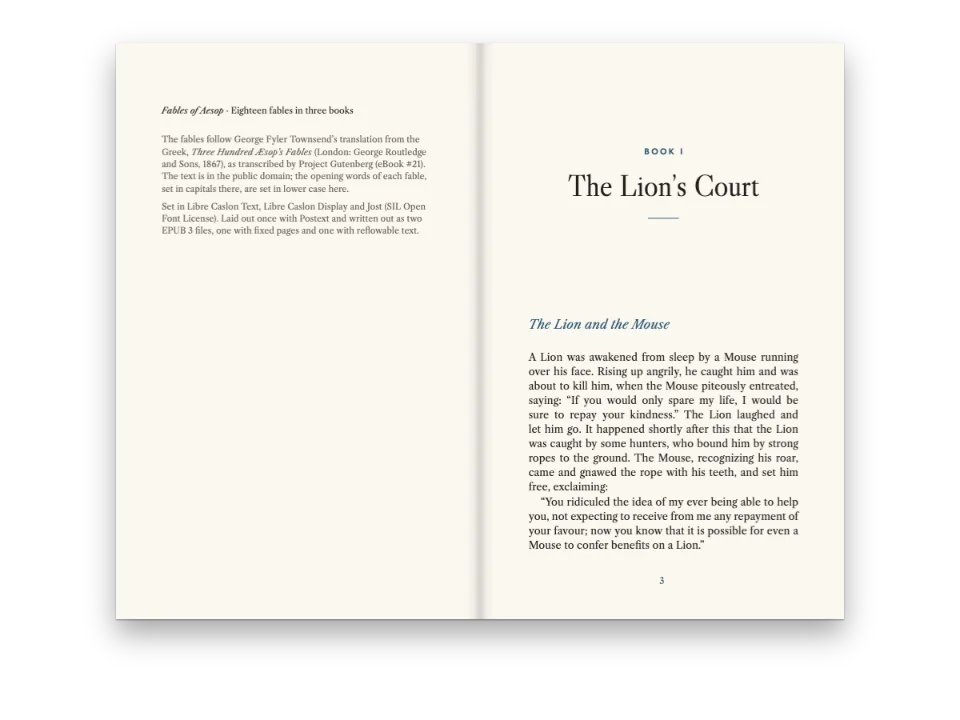
Molte piattaforme più vecchie importano solo SCORM 1.2, dove la sufficienza diventa il punteggio di padronanza di ogni SCO. layout: 'reflowable' invia il testo al posto delle pagine stampate, per chi studia sul telefono.
-const scorm = await renderToScorm([doc], { version: '2004', layout: 'fixed', items, metadata,
+const scorm = await renderToScorm([doc], { version: '1.2', layout: 'reflowable', items, metadata,#Correggere ogni risposta appena data
Per un quiz senza pulsante Verifica, metti check: 'instant' in exercises.digital. La correzione immediata toglie il limite di controlli; lo stile della verifica mantiene showSolution.
-  digital: { passingScore: 70 },
+ digital: { passingScore: 70, check: 'instant' },Errori frequenti
Dai un'ancora a ogni esercizio valutato (:::exercise{#test-scales}). Le sue risposte si salvano sotto l'ancora; senza, la chiave nasce dalla posizione dell'esercizio nel documento, e una domanda aggiunta prima restituisce allo studente che torna le risposte salvate di un'altra.
Crediti
- Ricetta
- Ignacio Ferro
- Testo
- Testo originale, CC BY 4.0
- Immagini
- A fault across a dry plain in late afternoon light (the module's opener) · Generated With Diffusion Models · originale
- Font
- Source Serif 4 (SIL OFL 1.1) · Archivo (SIL OFL 1.1)
- Codice
- MIT, come Postext
Modifica questo testo ↗ (si apre in una nuova scheda)Cartella della ricetta su GitHub ↗ (si apre in una nuova scheda)