In breve
Il menù di una panetteria stampato su cartoncino kraft marrone. Il nome e i titoli sono in inchiostro bianco, che il tipografo aggiunge come inchiostro in più. Il file di stampa tiene il bianco su una lastra a parte.
Che cosa comporrai
Il menù di Horno Alto, una panetteria di paese inventata: un cartoncino kraft A5 piegato una volta, quattro pagine. Il kraft non contiene bianco, quindi ogni bianco del menù è un inchiostro che aggiunge il tipografo: il nome e i titoli delle sezioni direttamente sul bruno, i passe-partout su cui poggiano le tre tempere e il cartoncino con gli orari. I prezzi stanno su un tabulatore con linea di puntini, in un bruno scuro in quadricromia. Nella pagina del caffè un riquadro verde porta l'infornata del giorno in testo bianco ritagliato nel verde. Folio apre il menù su un bancone di rovere, alla luce del giorno.
Questa ricetta risponde a
- Come stampo il bianco su carta kraft, come testo e sotto i colori?
La risposta breve
// The paper is a colour that prints no ink: the screen and Folio paint kraft, and no plate
// gets a dot of it. Because it is not white, the preflight knows the white ink shows on it.
// The white is a spot ink with the white finish: its own plate, laid down before the others.
const kraft = { hex: '#c19a6b', model: 'cmyk', cmyk: { c: 0, m: 0, y: 0, k: 0 } };
const WHITE = { name: 'Opaque White', cmyk: { c: 0, m: 0, y: 0, k: 0 } };
// A white ink overprints by default: laid under the colours, it must not cut holes in them.
const white = { hex: '#f7f4ee', model: 'spot', spot: { ...WHITE, finish: { kind: 'white' } } };
const PRINT = { standard: 'pdfx4', outputProfile: 'fogra52', convertImages: false,
  inks: [{ name: 'Opaque White', aliases: ['White'], finish: { kind: 'white' } }] };

// White type on a green panel must knock the green out.
// White printed under the green is hidden by it. For white type on a colour, the type must cut
// its shape out of the colour, so this white says overprint: false. Its hex differs by one
// step from the other white, since the PDF tells colours apart by hex; both print on one plate.
const whiteOut = { hex: '#f6f3ed', model: 'spot',
  spot: { ...WHITE, finish: { kind: 'white' }, overprint: false } };
Ingredienti
- Funzionalità
- Inchiostri specialiTinte piatte e tabella degli inchiostriPDF in CMYK e in scala di grigiVisualizzatore di libri in 3D (Folio)Carta, rilegatura, scrivania e luce (Folio)Tavolozza di colori semanticaCopertine, frontespizi e colophonStili di titoloTesto, filetti e riquadri nei progetti di paginaImmagini nei progetti di paginaStili di paragrafoTabulazioni e riempitiviRiquadriEsportazione in PDFPagine su un canvas
- Usa anche
- Attributi dei titoliFascia di capitolo a tutta larghezzaAperture progettateColore della cartaFont incorporati nel PDFTipi di risorsa personalizzatiFigure e tabelle come risorseTestatine per sezioneCapitoli non numerati
- Tipo
- Alfa Slab One, Lora (SIL OFL 1.1)
- Risorse
coffee-600.jpgloaf-700.jpgpastries-900.jpg- A sourdough loaf, on the cover (Generated With Diffusion Models, originale)
- Three pastries (Generated With Diffusion Models, originale)
- A cup of coffee (Generated With Diffusion Models, originale)
Preparazione
#1 · La carta è kraft, il bianco è un inchiostro
Il codice è la risposta breve qui sopra. La carta è un colore della palette definito in CMYK allo 0 %: lo schermo e Folio dipingono il kraft, e nessuna lastra lo stampa. Il bianco è una tinta piatta con la finitura bianca (finiture), chiamata Opaque White nella tabella degli inchiostri, come verrà detto al tipografo. Il file PDF/X-4 lo mette su una Separation propria, accanto alle quattro lastre di quadricromia. Il suo hex a schermo è un passo sotto #ffffff, così la maschera delle finiture distingue l'inchiostro da un foglio bianco.
#2 · Il bianco direttamente sul bruno
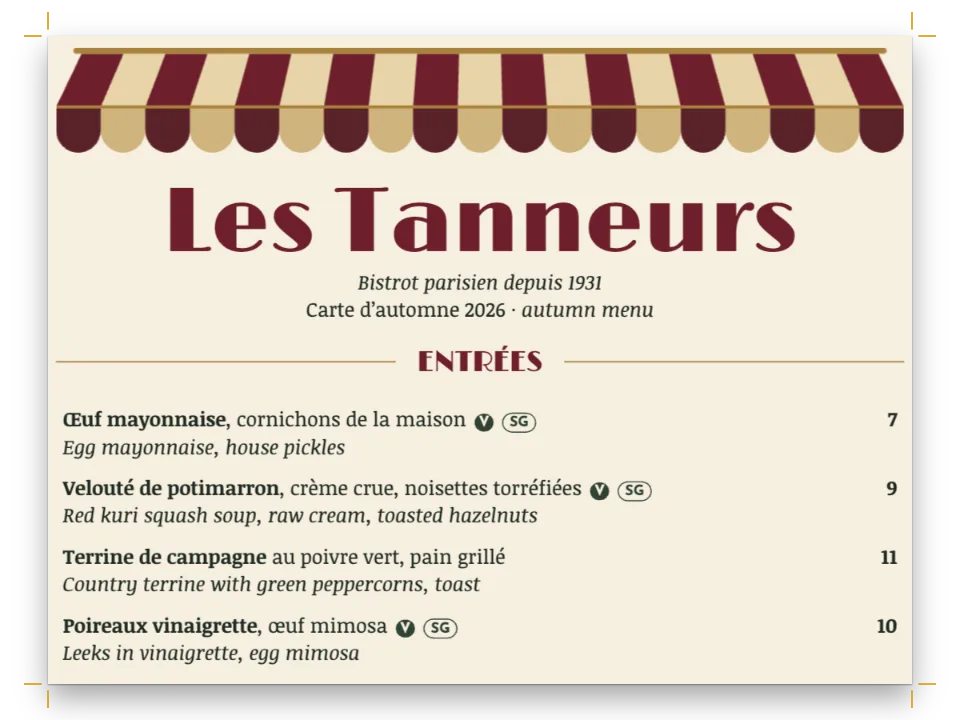
// The mount is a box in the white, the painting a picture over it. The white goes down first
// on press and runs on under the whole painting, so its light tones print on white.
const mount = (x, y, w, h, extra) => [
  { kind: 'box', id: 'mount', style: { backgroundColor: col('white') },
    placement: at('page', 'top-left', x, y, { width: mm(w), height: mm(h) }) },
  { kind: 'image', id: 'photo', resourceId: '{attr.photo}', fit: 'cover', ...extra,
    placement: at('page', 'top-left', x + 4, y + 4, { width: mm(w - 8), height: mm(h - 8) }) },
];
Il nome, i titoli delle sezioni e quelli delle pagine interne sono testo nel bianco, composto in Alfa Slab One. Un inchiostro bianco copre meno del nero: il bruno traspare in un tratto sottile, quindi un'egiziana nera da 12 pt in su si legge dove un tondo leggero diventerebbe beige. I passe-partout sono riquadri nello stesso bianco, 4 mm più grandi di ogni dipinto su ogni lato. Il bianco prosegue sotto tutto il dipinto, non solo intorno: i suoi toni chiari si stampano sul bianco e non sul bruno.
#3 · Il colore sopra il bianco
Gli orari stanno su un cartoncino di inchiostro bianco, nel bruno scuro del testo del menù. Un inchiostro bianco sovrastampa per impostazione predefinita, e anche il bruno è impostato in sovrastampa (overprint: true sul colore della palette), così in macchina il bruno si posa sul bianco invece di ritagliarci dentro le sue lettere.
#4 · Il bianco sopra il colore: risparmiarlo
const calloutStyles = [
  { id: 'bake', background: col('green'), marginTop: pt(LEAD), marginBottom: pt(0),
    padding: { top: mm(4), right: mm(5), bottom: mm(4), left: mm(5) },
    body: { fontFamily: SERIF, fontSize: pt(BODY), lineHeight: pt(LEAD), color: col('whiteOut'),
      boldColor: col('whiteOut'), italicColor: col('whiteOut'), textAlign: 'left',
      firstLineIndent: pt(0) } },
  // The hours: brown type on a card of white ink, the colour printed over the white.
  { id: 'hours', background: col('white'), marginTop: pt(LEAD), marginBottom: pt(0),
    padding: { top: mm(4), right: mm(5), bottom: mm(4), left: mm(5) },
    body: { fontFamily: SERIF, fontSize: pt(BODY), lineHeight: pt(LEAD), color: col('ink'),
      boldColor: col('ink'), textAlign: 'left', firstLineIndent: pt(0),
      tabStops: [{ position: 'end', align: 'end' }] } },
];
La macchina stende prima il bianco e poi i colori sopra, quindi un testo bianco sul riquadro verde sparirebbe sotto il verde. Il testo del riquadro prende un secondo bianco sulla stessa lastra, con overprint: false: il testo ritaglia la sua forma nel verde e il bianco la riempie. I due bianchi differiscono di un passo di hex perché il PDF distingue i colori dal loro hex.
#5 · I prezzi su un tabulatore
const dish = { id: 'dish', name: 'Dish', textAlign: 'left',
  tabStops: [{ position: 'end', align: 'end', leader: '. ' }],
  spaceBetween: pt(LEAD / 3), marginTop: pt(LEAD / 2) };
// The story on the back: half a line between paragraphs.
const story = { id: 'story', name: 'Story', spaceBetween: pt(LEAD / 2) };
Ogni sezione è un gruppo :::paragraphs nello stile dei piatti; :tab prima del prezzo lo manda in fondo alla giustezza, con una linea di puntini fino a lui, come nel menù del bistrot.
#6 · Che cosa dice il controllo
// A white ink on white paper prints nothing you can see, and the preflight warns of it
// (whiteInkOnWhite). On kraft it does not fire; the findings left say which special ink the
// job carries and that the press lays the white first.
const findings = preflightDocument(doc);
const report = document.createElement('p');
report.textContent = `Preflight: ${findings.map((f) => f.kind === 'inkPressOrder'
  ? `inkPressOrder (first: ${f.first.join(', ')})` : `${f.kind}${f.ink ? ` (${f.ink})` : ''}`)
  .join('; ') || 'no findings'}`;
document.querySelector(`[data-postext-pdf="${RECIPE}.pdf"]`).after(report);
preflightDocument avvisa con whiteInkOnWhite quando un inchiostro bianco finisce su una pagina con carta bianca o non impostata, dove non mostra nulla. Sul kraft tace, e la riga sotto il pulsante di download elenca ciò che resta: il bianco come inchiostro speciale (spotInkFinish) e l'ordine di stampa che lo stende per primo (inkPressOrder).
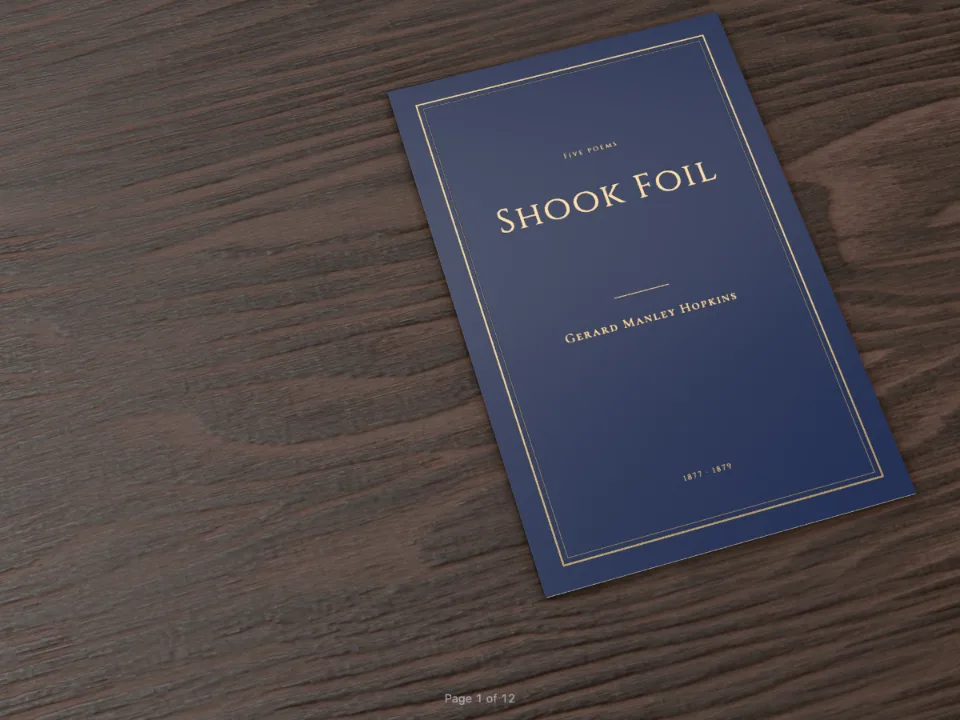
#7 · Folio mostra il menù su un bancone
const folio = {
  tilt: 20, yaw: -12,
  paper: { type: 'cardStock', grammage: 250, texture: 'felt', shade: kraft },
  binding: { type: 'folded', cover: 'pages' },
  surface: { type: 'oak' },
  lighting: { environment: 'daylight', intensity: 1.1 },
};
Folio dipinge il bianco in modo che copra il tono della carta, come fa l'inchiostro, e il cartoncino con texture feltrata fa leggere il bruno come kraft.
La ricetta completa
// ═══ Postext Cookbook · Nº 191 · A bakery menu in white ink on kraft ═════════════════════
// https://postext.dev/en/cookbook/white-ink-kraft-menu
// Code: MIT · Text: original (CC BY 4.0) · Paintings: diffusion models
// Fonts: Alfa Slab One, Lora (SIL OFL 1.1) · Needs postext ≥ 1.85.1
//
// The menu of a bakery, a folded card of brown kraft. Kraft takes no white from the paper, so
// the name and the course heads print in an opaque white ink, and the paintings sit on white
// mounts that the same ink lays under them; the menu text is a dark brown in process colour.
import {
  buildDocumentWithFonts, renderPageToCanvas, registerResourceImage, preflightDocument,
} from 'https://esm.sh/postext';
import { renderToPdf, decompressWoff2 } from 'https://esm.sh/postext-pdf';
import { createFolioFromDocument } from 'https://esm.sh/postext-folio';

const LANG = 'en'; // @lang: the language of the sample document ('en' | 'es')
const RECIPE = 'white-ink-kraft-menu';

// ─── 1 · Design ─────────────────────────────────────────────────────────────
// #region answer: kraft as the paper, and an opaque white as a spot ink
// The paper is a colour that prints no ink: the screen and Folio paint kraft, and no plate
// gets a dot of it. Because it is not white, the preflight knows the white ink shows on it.
// The white is a spot ink with the white finish: its own plate, laid down before the others.
const kraft = { hex: '#c19a6b', model: 'cmyk', cmyk: { c: 0, m: 0, y: 0, k: 0 } };
const WHITE = { name: 'Opaque White', cmyk: { c: 0, m: 0, y: 0, k: 0 } };
// A white ink overprints by default: laid under the colours, it must not cut holes in them.
const white = { hex: '#f7f4ee', model: 'spot', spot: { ...WHITE, finish: { kind: 'white' } } };
const PRINT = { standard: 'pdfx4', outputProfile: 'fogra52', convertImages: false,
  inks: [{ name: 'Opaque White', aliases: ['White'], finish: { kind: 'white' } }] };

// White type on a green panel must knock the green out.
// White printed under the green is hidden by it. For white type on a colour, the type must cut
// its shape out of the colour, so this white says overprint: false. Its hex differs by one
// step from the other white, since the PDF tells colours apart by hex; both print on one plate.
const whiteOut = { hex: '#f6f3ed', model: 'spot',
  spot: { ...WHITE, finish: { kind: 'white' }, overprint: false } };
// #endregion

const palette = {
  kraft, white, whiteOut,
  // The brown overprints: on the white card it lands on the white instead of cutting it away.
  ink: { hex: '#3b2a1c', model: 'cmyk', cmyk: { c: 0, m: 45, y: 75, k: 82 }, overprint: true },
  green: { hex: '#2f5a43', model: 'cmyk', cmyk: { c: 80, m: 25, y: 75, k: 40 } }, // the panel
};
const col = (id) => ({ ...palette[id], paletteId: id });
const colorPalette = [...Object.entries(palette).map(([id, value]) => ({ id, name: id, value })),
  { id: 'main-color', name: 'ink (defaults)', value: palette.ink }];

const [TRIM_W, TRIM_H] = [148, 210]; // A5, an A4 card folded once
Lo script.js composto funziona così com’è: incollalo nello script modulo di qualsiasi pagina, oppure apri la ricetta su CodePen. Cartella della ricetta su GitHub ↗ (si apre in una nuova scheda)
Varianti
#Una copertina di quaderno
Sostituisci il menù con un titolo e un motivo di filetti bianchi sul davanti: la carta, l'inchiostro e la tabella degli inchiostri restano come sono.
#Due passate di bianco
Il tipografo può stendere il bianco due volte per un bianco più pieno su un kraft scuro. Chiedilo nell'ordine; il file resta lo stesso, con una sola lastra di bianco.
Errori frequenti
- Un inchiostro bianco su una pagina con carta bianca o non impostata non stampa nulla di visibile. Imposta
page.backgroundColorsul supporto, in CMYK allo 0 %, e il controllo smette di avvisare. - Un'immagine stampata direttamente sul kraft, senza bianco sotto, lascia vedere il bruno in tutti i toni chiari. Metti un riquadro del bianco sotto ogni immagine che deve conservare i suoi colori, come fanno qui i passe-partout.
- Il testo bianco sopra un colore non deve sovrastampare. Con l'impostazione predefinita si stampa sotto il colore e sparisce.
Crediti
- Ricetta
- Ignacio Ferro
- Testo
- Testo originale, CC BY 4.0
- Immagini
- A sourdough loaf, on the cover · Generated With Diffusion Models · originale
- Three pastries · Generated With Diffusion Models · originale
- A cup of coffee · Generated With Diffusion Models · originale
- Font
- Alfa Slab One (SIL OFL 1.1) · Lora (SIL OFL 1.1)
- Codice
- MIT, come Postext
Modifica questo testo ↗ (si apre in una nuova scheda)Cartella della ricetta su GitHub ↗ (si apre in una nuova scheda)