かんたんな説明
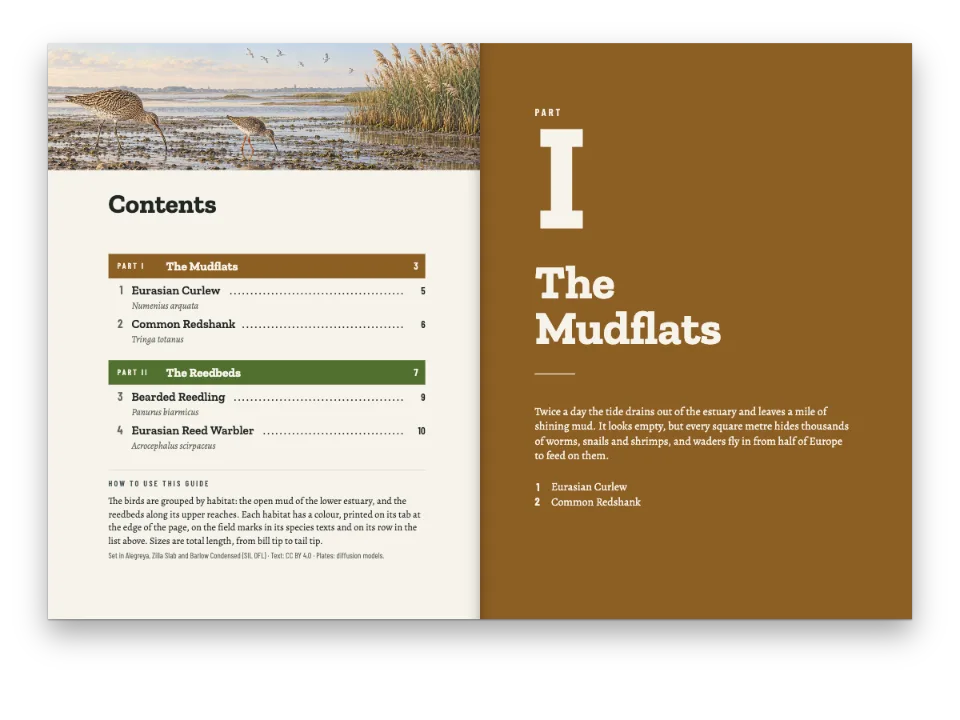
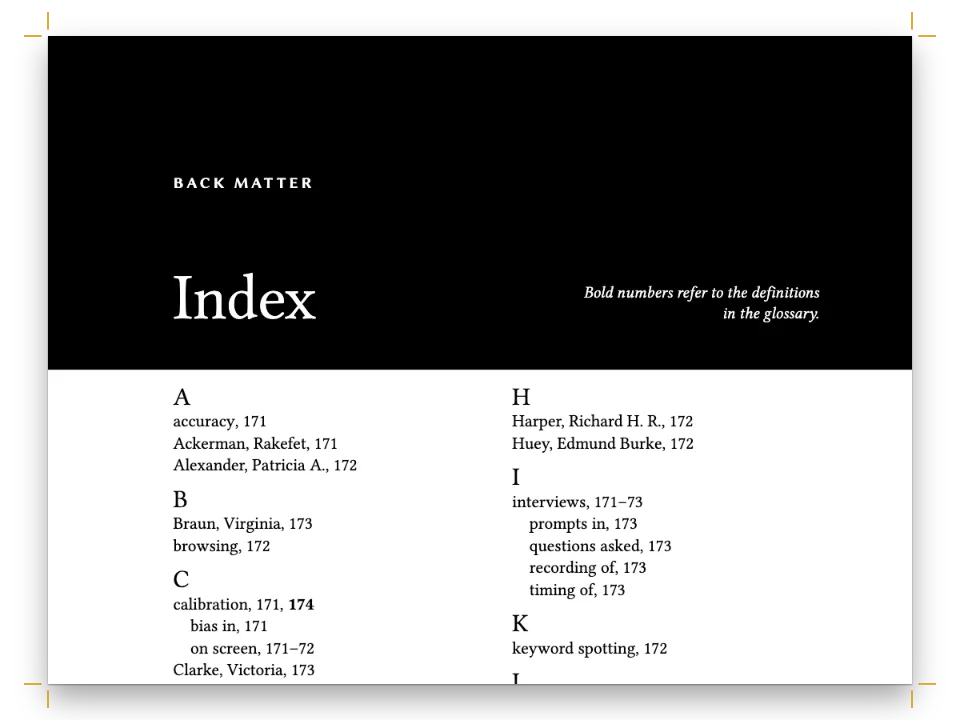
この本の章は広い一段組です。付録からは本文が小さな文字の二段組になり、付録の一つは三段組になります。ページの大きさと言語は最後まで変わりません。
できあがり
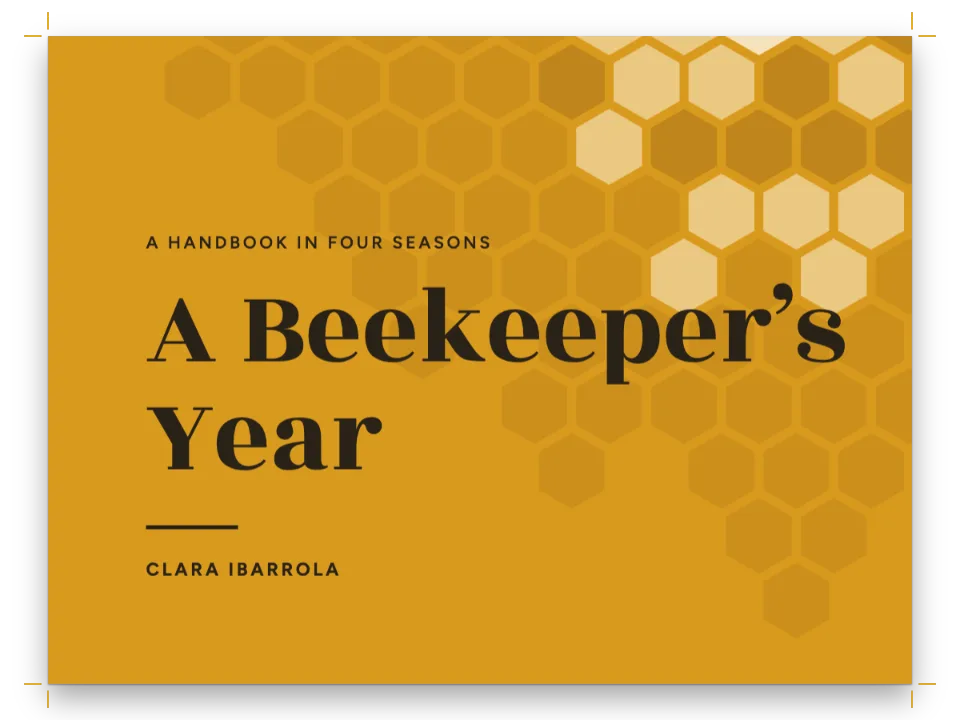
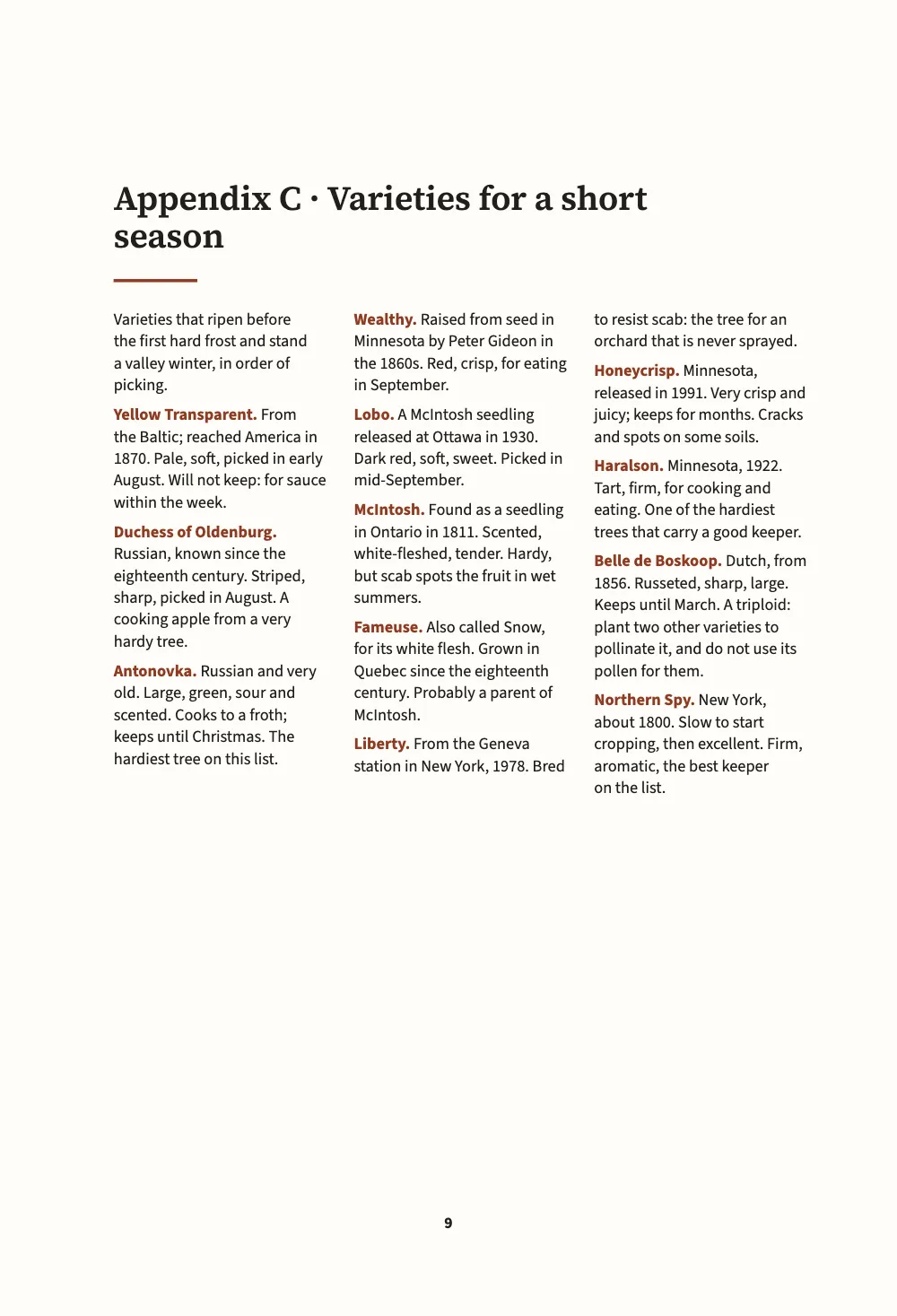
寒い谷でリンゴを育てる人のための小さな手引きです。判型は150 × 220 mmで、六つのMarkdown文書で書き、一冊の本として組みます。第I部の二つの章は、Source Serif 4 の両端揃えの一段組です。第II部の付録では組み方が変わります。台木の表と月ごとの作業暦は、小さな文字のラグ組みの二段組です。作業小屋で作業台に本を開いて読む類いの内容だからです。品種の一覧はサンセリフの三段組です。後書きは部扉を入れずに本のデザインに戻ります。判型、余白、ハイフネーション、言語はどのページでも同じです。
このレシピが答える質問
- 本の付録や一つの部を、2段組みで小さい文字など別のデザインで組むには?
- 本を部や節に分け、それぞれに専用の色と中扉を付けるには?
手短な答え
const smallOpener = { minHeight: mm(24), slot: { elements: [{ id: 'title', fontSize: pt(16) }] } };
// In the Markdown:  :::part{number="II" title="Appendices" style="appendix"}  sets every
// chapter from there to the next part; a chapter's own  chapterStyle: reference  wins.
const chapterStyles = [
  { id: 'appendix', name: t({ en: 'Appendix', es: 'Apéndice' }), config: {
    layout: { layoutType: 'double', gutterWidth: mm(6) },
    bodyText: { fontSize: pt(8.8), lineHeight: pt(11.6), textAlign: 'left',
      firstLineIndent: pt(0), paragraphSpacing: pt(4) },
    // Lists merge entry by entry on their id or level: only what is named here changes.
    headings: { levels: [{ level: 1, advancedDesign: smallOpener }] },
  } },
  { id: 'reference', name: t({ en: 'Reference list', es: 'Lista de consulta' }), config: {
    layout: { layoutType: 'multiple', columnCount: 3, gutterWidth: mm(4.5) },
    bodyText: { fontFamily: SANS, fontSize: pt(7.8), lineHeight: pt(10.4), textAlign: 'left',
      firstLineIndent: pt(0), paragraphSpacing: pt(3.5), boldColor: col('accent') },
    headings: { levels: [{ level: 1, advancedDesign: smallOpener }] },
  } },
];
// The trim, the language and the fonts stay the book's: a style that sets page.width or
// locale is ignored there, with a chapterStyleBookSetting warning.
材料
- 機能
- 章スタイル部扉章ごとに組む本1段組みと2段組み3段以上の段組みデザインした章扉柱とノンブル節ごとの柱ページの役割ごとの柱見開きの余白ページデザインのテキスト・罫・ボックスウィドウ、オーファン、ラントセマンティックカラーパレット
- 種類
- Source Serif 4, Source Sans 3 (SIL OFL 1.1)
- 素材
- なし:画像はすべてコードで描画
作り方
#1 · スタイルには変える部分だけを書く
コードは上の手短な答えにあります。章スタイルは、id、Sandbox に表示する名前、config を持ちます。config は、言語ごとの層と同じように本の設定に重ねてマージされます。オブジェクトはキーごとに、リストは id か level で項目ごとにマージされます。そのため smallOpener は章頭の要素の一つである題だけを指して文字を小さくし、その下の罫やほかのすべては本の設定のまま残ります。付録のスタイルが決めるのは、二段組、小さめの本文サイズ、ラグ組み、項目間のアキだけです。
本全体に属する設定もあります。page の判型・解像度・製本、言語と書字方向、数字、フォント、印刷と PDF の出力です。スタイルでこれらを設定しても、その部分は無視され、chapterStyleBookSetting の警告が出ます。そのため付録も、章と同じ150 mmの判型とイギリス英語のハイフネーションのままです。
#2 · 部がスタイルを指定する
// Only the first document's front matter is the book's; a later one keeps its chapterStyle.
const chapters = [front, rootstocks, appendices, calendar, varieties, afterword]
  .map((markdown) => ({ markdown }));
三つ目の文書は :::part{number="II" title="Appendices" style="appendix"} で始まり、そこから次の部までの章はすべて付録のスタイルで組まれます。五つ目の文書は front matter で chapterStyle: "reference" と独自のスタイルを指定し、こちらが部のスタイルより優先されます。本では、最初の文書の front matter だけが本全体のものです。二つ目以降の文書では chapterStyle: の行だけが生きます。
#3 · 部扉のある部と、ない部
const text = (id, content, family, size, extra) => ({ kind: 'text', id, content, align: 'left',
  fontFamily: family, fontSize: pt(size), color: col('ink'), overflow: 'wrap', ...extra });
const at = (to, edge, x, y, width) => ({ anchor: { to, edge }, offset: { x: mm(x), y: mm(y) },
  ...(width && { size: { width: mm(width), height: 'auto' } }) });
const parts = {
  breakBefore: { parity: 'any' }, // the book is short: a part opens on the next page
  design: { elements: [ // the container is the trim: the margins are measured from its edges
    { kind: 'box', id: 'band', style: { backgroundColor: col('leaf') },
      placement: { ...at('page', 'top-left', 0, 0), size: { width: 'fill', height: mm(96) } } },
    text('number', '{number}', SERIF, 40, { fontWeight: 600, color: col('paper'),
      placement: at('page', 'top-left', MARGIN.inner, 46, MEASURE) }),
    text('title', '{titleText}', SERIF, 24, { fontWeight: 600, color: col('paper'),
      placement: at('#number', 'below', 0, 2, MEASURE) }),
  ] },
};
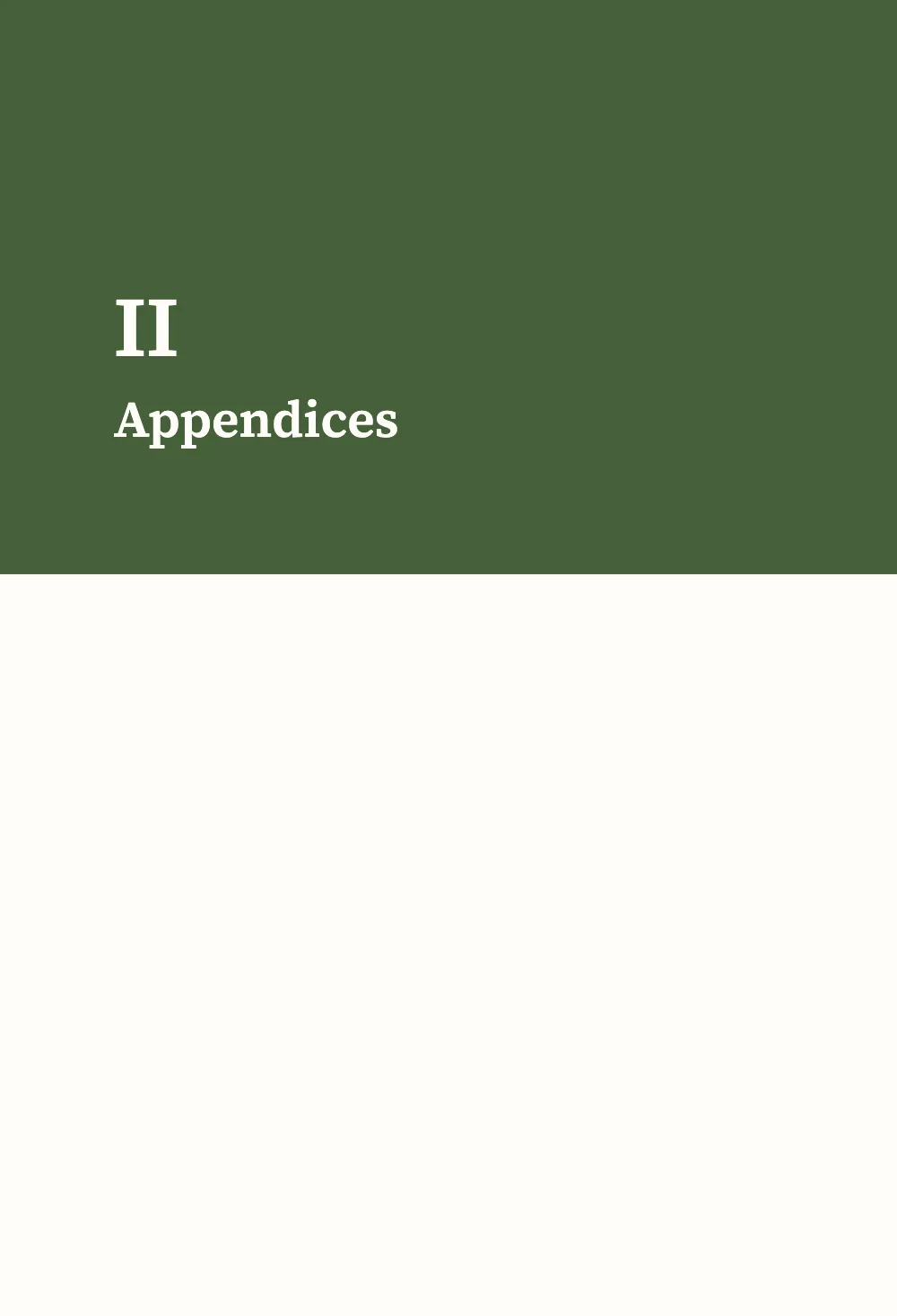
:::part はそれぞれ部扉を開き、部の番号と題を緑の帯に置きます。後書きは :::part{title="Afterword" page=false} で始まります。部扉は刷られず、この部はスタイルを指定していないので、その章はまた本の設定で組まれます。page=false の部は、付録のあとに続けて置く後付に向いています。
#4 · 一つの章頭を二つの大きさで
const opener = { enabled: true, minHeight: mm(40), slot: { elements: [
  text('title', '{titleText}', SERIF, 22, { fontWeight: 600, lineHeight: 1.12,
    placement: at('container', 'top-left', 0, 8, MEASURE - 10) }),
  { kind: 'rule', id: 'rule', direction: 'horizontal', thickness: pt(1.5), color: col('accent'),
    placement: { ...at('#title', 'below', 0, 4), size: { width: mm(14) } } },
] } };
章頭はページの幅いっぱいに広がるので、付録では二つの段の上をまたぎ、本文はその下から二段で始まります。付録と参照用のスタイルは、要素の id を通じて題を16 ptに、章頭下げを24 mmに縮めます。本の後ろのほうの内容は場所を取らず、題は本文よりはっきり大きいままです。
#5 · 柱は本の設定から
const head = (id, content, parity, edge, x, extra = {}) => text(id, content, SANS, 7.5, {
  parity, pages: 'body', fontWeight: 600, letterSpacing: pt(1.2), textTransform: 'uppercase',
  color: col('muted'), overflow: 'clip', placement: at('page', edge, x, 12, 90), ...extra });
const folio = { fontWeight: 700, color: col('ink') };
const right = { align: 'right' };
const header = { elements: [
  head('verso-folio', '{pageNumber}', 'even', 'top-left', MARGIN.outer, folio),
  head('verso-title', '{title}', 'even', 'top-left', MARGIN.outer + 9), // the book's title
  head('recto-title', '{chapterTitle}', 'odd', 'top-right', -(MARGIN.outer + 9), right),
  head('recto-folio', '{pageNumber}', 'odd', 'top-right', -MARGIN.outer, { ...folio, ...right }),
] };
const footer = { elements: [head('drop-folio', '{pageNumber}', 'all', 'bottom', 0, {
  ...folio, align: 'center', pages: 'opener', placement: at('page', 'bottom', 0, -14, 20) })] };
左ページの柱に書名、右ページの柱に章名が入ります。どのスタイルも柱を変えないので、本のどの部でも柱は同じです。
レシピの全体
// ═══ Postext Cookbook · Nº 187 · Appendices in two columns ═══════════════════════════════
// https://postext.dev/en/cookbook/appendices-in-two-columns
// Code: MIT · Text: original (CC BY 4.0) · Pictures: none
// Fonts: Source Serif 4, Source Sans 3 (SIL OFL 1.1) · Needs postext ≥ 1.79.0
// A growers' handbook in six Markdown documents: the chapters in one column, the appendices
// in two columns of smaller type, one appendix in three, and an afterword back in one.
import {
  buildBundle, prepareFonts, withLoadedFonts, renderPageToCanvas,
} from 'https://esm.sh/postext';

const LANG = 'en'; // @lang: the language of the sample document ('en' | 'es')
const RECIPE = 'appendices-in-two-columns';

// ─── 1 · Design ─────────────────────────────────────────────────────────────
// #region palette: russet for the accent, leaf green for the part pages
const palette = { ink: '#211f1b', accent: '#8e3b24', leaf: '#46603a', muted: '#6c665c',
  rule: '#cfc6b6', paper: '#fffdf8' };
const col = (id) => ({ hex: palette[id], model: 'hex', paletteId: id });
const colorPalette = Object.entries({ ...palette, 'main-color': palette.accent })
  .map(([id, hex]) => ({ id, name: id, value: { hex, model: 'hex' } }));
// #endregion
const [SERIF, SANS] = ['Source Serif 4', 'Source Sans 3'];
const TRIM = { width: 150, height: 220 }; // mm, a handbook for the shed shelf
const MARGIN = { top: 22, bottom: 24, inner: 19, outer: 15 }; // mirrored
const MEASURE = TRIM.width - MARGIN.inner - MARGIN.outer; // 116 mm
const LEAD = 14; // pt, the book's leading

// #region answer: two chapter styles; a part names one, a chapter names the other
const smallOpener = { minHeight: mm(24), slot: { elements: [{ id: 'title', fontSize: pt(16) }] } };
// In the Markdown:  :::part{number="II" title="Appendices" style="appendix"}  sets every
// chapter from there to the next part; a chapter's own  chapterStyle: reference  wins.
const chapterStyles = [
  { id: 'appendix', name: t({ en: 'Appendix', es: 'Apéndice' }), config: {
    layout: { layoutType: 'double', gutterWidth: mm(6) },
    bodyText: { fontSize: pt(8.8), lineHeight: pt(11.6), textAlign: 'left',
      firstLineIndent: pt(0), paragraphSpacing: pt(4) },
    // Lists merge entry by entry on their id or level: only what is named here changes.
    headings: { levels: [{ level: 1, advancedDesign: smallOpener }] },
  } },
  { id: 'reference', name: t({ en: 'Reference list', es: 'Lista de consulta' }), config: {
    layout: { layoutType: 'multiple', columnCount: 3, gutterWidth: mm(4.5) },
    bodyText: { fontFamily: SANS, fontSize: pt(7.8), lineHeight: pt(10.4), textAlign: 'left',
      firstLineIndent: pt(0), paragraphSpacing: pt(3.5), boldColor: col('accent') },
    headings: { levels: [{ level: 1, advancedDesign: smallOpener }] },
  } },
];
// The trim, the language and the fonts stay the book's: a style that sets page.width or
// locale is ignored there, with a chapterStyleBookSetting warning.
組み立てたscript.jsはそのまま動きます。任意のページのモジュールスクリプトに貼り付けるか、レシピをCodePenで開いてください。 GitHub上のレシピのフォルダー ↗ (新しいタブで開きます)
アレンジ
#本全体の設定をスタイルで変えようとする
判型や言語を設定したスタイルは、そのキーについては無視されます。キーごとに chapterStyleBookSetting の警告が出て、付録は本の判型のままです。
   { id: 'appendix', name: t({ en: 'Appendix', es: 'Apéndice' }), config: {
+    page: { width: mm(170) }, locale: 'fr',
layout: { layoutType: 'double', gutterWidth: mm(6) },#デザインを別の本で使う
コマンドラインツールは、本のデザインを章スタイルも含めてデザインファイルに書き出し、--design で別の本をそのデザインで組みます。design コマンドを参照してください。
postext design apples.postext -o handbook.postext
postext pdf pears/ --design handbook.postext -o pears.pdfよくあるつまずき
:::partの行は章の冒頭、見出しの前に置きます。章の本文が始まったあとに部の行を置くとpartStyleMidChapterが出て、スタイルは次の章から始まります。chapterStylesにないスタイル名を書くとchapterStyleUnknownが出て、その章は本の設定で組まれます。
クレジット
- 本文
- 書き下ろしの文章, CC BY 4.0
- フォント
- Source Serif 4 (SIL OFL 1.1) · Source Sans 3 (SIL OFL 1.1)