かんたんな説明
章ごとに別ファイルで書いた小さな養蜂の手引き書です。Postextがそれらを1冊にまとめ、ページ、章、図の番号はファイルをまたいで続きます。
できあがり
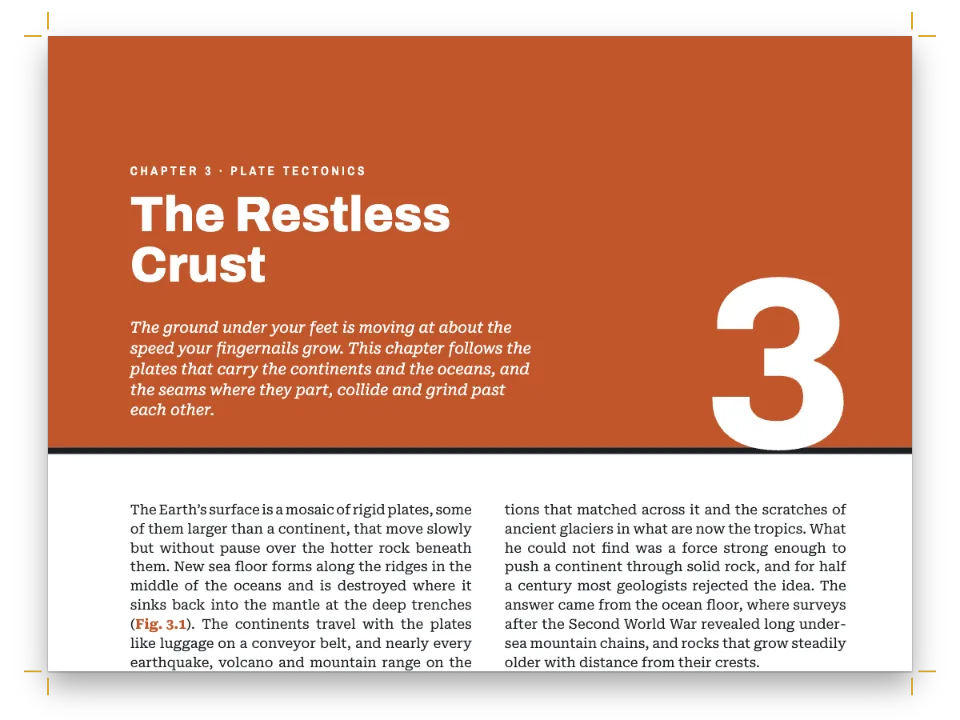
『A Beekeeper’s Year』は、季節ごとに1章、全4章の小さな手引き書です。養蜂家の1年は最後の蜜を採り終えたときに始まるので、本は秋の章から始まります。各章は別々のMarkdownファイルで、ページ番号も章番号も図番号も書かれていません。buildBundleがそれらの数をファイルから次のファイルへ引き継ぎ、表紙と目次を収めた5つ目のファイルとあわせて、11ページの1冊の本に組みます。どの章も右ページから始まり、章番号を収めたハニカムが隅に置かれます。秋の章と向かい合う偶数ページの目次は、その章扉を左右反転させた形で、表題をのど側にそろえ、各章のノンブルを並べます。コードで描いた巣枠の図が各章に1点ずつ、図1.1から図4.1として入ります。冬の章が1ページで終わり、春の章を奇数ページから始める必要があるため、6ページは白ページになります。
このレシピが答える質問
- 複数の章からなる本で、ページ番号・図番号・章番号を章をまたいで続けるには?
- 自動で更新される目次(リーダー、ノンブル、著者名、部の行)を追加するには?
- 改ページや改段を強制し、すべての章を右ページから始めるには?
- 章扉や白ページで柱を隠したり、空白の偶数ページを部の色で塗ったりするには?
手短な答え
// buildBundle lays the documents out in order with one config and carries state from each to
// the next: the pages already set (so parity goes on), the folio, the chapter and figure counts.
const book = () => buildBundle({ chapters, config: config(), resources });
const config = () => ({ // a factory: the engine caches resolved configs per object
  headings: { ...display, levels: [
    // Every chapter opens on a recto: after a chapter that ends on one, the next document
    // starts with a blank verso of its own. Restated, because any headings object drops
    // the H1 break (gotcha: headings-drop-h1-break).
    { level: 1, breakBefore: { enabled: true, parity: 'odd' },
      // '{1}' puts the number in the PDF bookmarks ('1 Autumn'); the contents and
      // {chapterNumber} count the chapters in order either way.
      numberingTemplate: '{1}', advancedDesign: opener,
      span: 'page' }, // a page-wide opener, painted unclipped: the comb reaches the top edge
    subhead,
  ] },
  // The cover and the contents are headings that take no number, no contents entry and no
  // running heads, so Autumn is still chapter 1. Both inherit span 'page', which starts
  // each on a page of its own, and parity 'odd', which the contents turn off: it would
  // leave page 2 blank (gotcha: style-inherits-break).
  headingStyles: [
    { id: 'cover', numbered: false, toc: false, advancedDesign: cover, ...bare },
    { id: 'contents', numbered: false, toc: false, breakBefore: { enabled: false },
      advancedDesign: contentsOpener, ...bare },
  ],
  // Figures number {h1}.{n} and the counters carry on (Winter's is 2.1). The types are passed
  // only because config.locale does not turn Figure into Figura (gotcha: resource-types-locale).
  resourceTypes: defaultResourceTypes(LANG),
  // :::toc in the first document lists the whole book with the folio each chapter lands on:
  // buildBundle lays the book out again (three passes at most) until those folios settle.
  toc: contents,
  locale: t({ en: 'en-us', es: 'es' }), // hyphenation, by exact code (gotcha: hyphenation-locales)
  colorPalette, page, layout: { layoutType: 'single' }, bodyText, captionStyle, calloutStyles,
  header, footer, // the look: above, and in the regions below
});
材料
- 機能
- 章ごとに組む本目次奇数ページから始まる章番号付きキャプション図を配置する参照番号付き見出し見出しスタイル番号のない章節ごとの柱柱とノンブルページの役割ごとの柱デザインした章扉見出しの属性ページデザインの画像見開きの余白フロートする囲みPDFの書き出しPDFのしおり「図」と「表」を文書の言語で表紙、扉、奥付
- 種類
- Andada Pro, Rozha One, Figtree (SIL OFL 1.1)
- 素材
- なし:図はすべてコードで描画
作り方
#1 · 1章に1ファイル
// Nothing in a chapter says where it lands: buildBundle works that out from the order.
const chapters = [front, autumn, winter, spring, summer].map((markdown) => ({ markdown }));
季節ごとに独立した文書なので、ほかの章を開かずに1章だけを書き直せます。最初の文書にはフロントマター、表紙、目次が入ります。Postext 1.4.1では、2つ目以降の文書はそのメタデータを何も引き継がず、PDFは表題と著者を最初の文書からしか読みません。
#2 · 文書をまたいで続く規則
この手順のコードは上の手短な答えにあります。buildBundleは共通の設定ひとつで文書を順に組み、各文書にそれまでの文書から求めたcontinuationを渡します。中身は、すでに組んだ物理ページの数(これで奇偶、左右対称の余白、奇数・偶数ページの柱が続きます)、次のノンブル、章と図のカウンターです。parity: 'odd'を指定すると、奇数ページで終わった章のあとの章は白の偶数ページから始まり、その白ページはあとの章の文書に属します(前で改ページ)。表紙と目次はnumbered: falseの見出しスタイルなので、秋の章は第1章のままです。どちらも章のレベルからspan: 'page'を受け継ぐので、:::pagebreakを書かなくてもそれぞれ独立したページに置かれます。目次のスタイルは受け継いだ奇偶の指定を切っています。切らないと2ページが白ページになるためです。
#3 · 本全体の目次
const contents = {
  levels: [
    // The numbers sit ~0.7 mm high in Postext 1.4.1: they are centred on the line
    // (gotcha: toc-number-baseline).
    { level: 1, fontFamily: 'Rozha One', fontSize: pt(16), lineHeight: pt(18),
      numberFontFamily: 'Figtree', numberFontSize: pt(11), numberFontWeight: 700,
      numberColor: col('accent'), numberWidth: mm(7), numberGap: mm(4), marginTop: pt(8) },
    // Sections: 9.3 pt in the muted colour, indented 11 mm (number 7 + gap 4) to the titles.
    { level: 2, fontSize: pt(9.3), lineHeight: pt(13.5), indent: mm(11), color: col('muted') },
  ],
  pageNumber: { fontFamily: 'Figtree', fontSize: pt(8.5), fontWeight: 600, width: mm(7) },
  leader: { char: '. ', gap: mm(2) },
  // A second line under each chapter, from its {months="…"} heading attribute.
  subtitle: { enabled: true, attr: 'months', fontFamily: 'Andada Pro', fontSize: pt(9),
    color: col('muted') }, // italic by default
};
:::tocは最初の文書にありますが、本全体の章と節を並べます。buildBundleは本を組み、各見出しとそれに付いたページラベルを集め、その目次の骨組みを使って、ラベルが動かなくなるまで本を組み直します。最大で3回です(目次)。各章題の下の月は見出しの属性{months="…"}から取り、章扉にも同じ月が印字されます。
#4 · 章扉をひとつ、目次用に反転して
const corner = (id, edge) => ({ kind: 'image', id, resourceId: id,
  placement: { anchor: { to: 'bleed', edge }, size: { width: mm(CORNER.width) } } });
const months = { kind: 'text', id: 'months', content: '{attr.months}', ...label,
  color: col('accent'), placement: at('top-left', 0, 14, 'container') };
const title = { kind: 'text', id: 'title', content: '{titleText}', ...display, fontSize: pt(42),
  lineHeight: 1.05, align: 'left', overflow: 'wrap', placement: below('months', 1.5, 100) };
const opener = { enabled: true, minHeight: mm(52), slot: { elements: [
  corner('cells', 'top-right'),
  // The number's box is centred on its cell. Comb and number both hang from the bleed's top
  // right, so a bleed (page.cutLines) moves them together.
  { kind: 'text', id: 'number', content: '{chapterNumber}', ...display, fontSize: pt(40),
    lineHeight: 1, align: 'center', placement: { size: { width: mm(NUMBER.box) },
      ...at('top-right', NUMBER_CELL.x + NUMBER.box / 2 - CORNER.width,
        NUMBER_CELL.y - NUMBER.rise, 'bleed') } },
  months, title,
  { kind: 'text', id: 'lead', content: '{attr.lead}', fontFamily: 'Andada Pro', italic: true,
    fontSize: pt(11.5), lineHeight: 1.35, color: col('ink'), align: 'left', overflow: 'wrap',
    placement: below('title', 3, 88) },
] } };
// The contents mirror it on the verso: the comb in the outer corner, the book's subtitle and
// the title set flush right against the spine, on the same lines as Autumn's across the spread.
const flushRight = (element, placement) => ({ ...element, align: 'right',
  placement: { ...placement, size: { width: 'fill' } } });
const contentsOpener = { ...opener, minHeight: mm(40), slot: { elements: [
  corner('comb', 'top-left'),
  flushRight({ ...months, content: '{subtitle}' }, months.placement),
  flushRight(title, below('months', 1.5)),
] } };
{chapterNumber}は先に組んだ文書から数を引き継ぐので、春の章扉にはファイルに番号がなくても3と印字されます。番号のボックスはハニカムのセルの中心から計算し、番号とハニカムはどちらも裁ち落としの右上の角から吊り下げます。仕上がりサイズを変えても、印刷用に裁ち落としを足しても、両者はいっしょに動きます。目次のページでは、{subtitle}から読むキッカー(表題の上の小さな見出し)と表題をのど側に右そろえし、ハニカムは偶数ページの小口側の隅に移します。こうすると目次の表題は、向かいのページの秋の章題と同じ高さに並びます。
#5 · すべての文書に柱を
const head = (id, content, parity, placement, extra = {}) => ({
  kind: 'text', id, content, parity, pages: 'body', // never on openers or blank pages
  ...label, color: col('muted'), placement, ...extra,
});
const folio = { fontSize: pt(8.5), fontWeight: 700, color: col('accent') };
// In Postext 1.4.1 {title} is blank from the second document on (Autumn included): only the
// first one has frontmatter (gotcha: bundle-metadata). So the verso writes the title out.
const BOOK_TITLE = t({ en: 'A Beekeeper’s Year', es: 'Un año de colmenar' });
const header = { elements: [
  head('verso-folio', '{pageNumber}', 'even', at('top-left', MARGIN.outer, HEAD.y), folio),
  head('verso-title', BOOK_TITLE, 'even', at('top-left', MARGIN.outer + HEAD.gap, HEAD.y)),
  // {chapterTitle} and {pageNumber} are worked out page by page, in every document.
  head('recto-title', '{chapterTitle}', 'odd',
    at('top-right', -(MARGIN.outer + HEAD.gap), HEAD.y)),
  head('recto-folio', '{pageNumber}', 'odd', at('top-right', -MARGIN.outer, HEAD.y), folio),
] };
// Openers carry a drop folio instead, 8 mm under the text block.
const footer = { elements: [head('drop-folio', '{pageNumber}', 'all',
  at('top', 0, 8, 'container'), { pages: 'opener', fontWeight: 700 })] };
フロントマターがあるのは最初の文書だけなので、Postext 1.4.1では秋の章を含む2つ目以降のすべての文書で{title}は何も印字しません。そこで偶数ページの柱には本の表題をそのまま文字で入力しています。{chapterTitle}と{pageNumber}はページごとに解決されるので、どの文書でも印字されます。唯一の右側の本文ページである11ページには、ノンブルの横にSUMMERが入ります。pages: 'body'で、章扉と白ページには柱を付けません。
#6 · 画面では見開き、本はひとつのPDFに
const text = chapters.map((chapter) => chapter.markdown).join('\n');
await loadFonts(FONTS, text);
const art = { cover: coverArt(), cells: cornerArt(true), comb: cornerArt(false) };
for (const [season, plan] of Object.entries(SEASONS)) art[`${season}-frame`] = frameArt(plan);
for (const [id, markup] of Object.entries(art)) await loadSvg(`${id}.svg`, markup);
const docs = await buildWithFonts(book, text); // one VDTDocument per Markdown document
showPages(docs, { title: BOOK_TITLE });
// renderToPdf takes the array: one file for the book, with a bookmark per chapter.
offerPdf(() => renderToPdf(docs, { fontProvider: fontsourceProvider, resourceBytes: imageBytes }),
  `${RECIPE}.pdf`);
buildBundleはMarkdownファイル1つにつき1つ、文書の配列を返します。showPagesはpageIndexOffset + page.indexでページを組み合わせるので、1ページは単独の奇数ページとして立ち、2と3、4と5……が見開きで向かい合います。renderToPdfは同じ配列を受け取り、本のページラベルと各章・各節のしおりを付けた1つのファイルを書き出します。
レシピの全体
// ═══ Postext Cookbook · Nº 007 · One book from separate chapters ══════════════════════════ // https://postext.dev/en/cookbook/book-from-chapters // Code: MIT · Text: original (CC BY 4.0) · Drawings: generated in code (CC BY 4.0) // Fonts: Andada Pro, Rozha One, Figtree (SIL OFL 1.1) · Needs postext ≥ 1.4.1 // A handbook in four seasons written as five Markdown documents, laid out by buildBundle as // one book: parity, folios, chapter and figure numbers and the contents run straight through. import { buildBundle, renderPageToCanvas, clearMeasurementCache, registerResourceImage, defaultResourceTypes, } from 'https://esm.sh/postext'; import { renderToPdf, decompressWoff2 } from 'https://esm.sh/postext-pdf'; const LANG = 'en'; // @lang: the language of the sample document ('en' | 'es') const RECIPE = 'book-from-chapters'; // ─── 1 · Design ───────────────────────────────────────────────────────────── const palette = { // every colour in the config links to one of these, so the book can be retinted ink: '#2a2218', // text and display type honey: '#d99a1e', // the drawings only: the cover and the comb cells accent: '#7a4e12', // the text accent (7:1 on paper): numbers, labels, subheads; main-color too pollen: '#c4692b', comb: '#f7e7c4', rule: '#d8c8a8', // figures: pollen, wax, wood and walls muted: '#6e634f', paper: '#fffdf7', // running heads, colophon, contents sections; the page }; const col = (id) => ({ hex: palette[id], model: 'hex', paletteId: id }); const colorPalette = [ ...Object.entries(palette).map(([id, hex]) => ({ id, name: id, value: { hex, model: 'hex' } })), // The engine's defaults link to 'main-color': point it at the accent, so nothing prints blue. { id: 'main-color', name: 'accent (defaults)', value: { hex: palette.accent, model: 'hex' } }, ]; // The geometry, in mm. The drawings, the opener and the running heads are derived from it. const TRIM = { width: 150, height: 200 }; // a small handbook const MARGIN = { top: 22, bottom: 22, inner: 19, outer: 15 }; // mirrored const MEASURE = TRIM.width - MARGIN.inner - MARGIN.outer; // the text width: 116 mm const SQRT3 = Math.sqrt(3); // comb cells of radius r sit √3·r apart, their rows 1.5·r apart const CORNER = { width: 84, height: 70, r: 9.5 }; // the openers' comb, and its cell radius const NUMBER_CELL = { x: 4 * SQRT3 * CORNER.r, y: 2 * 1.5 * CORNER.r }; // row 2, cell 4 // The chapter number's box: 20 mm wide, its top 8 mm above the cell's centre, which is where // a 40 pt Rozha One figure sits optically centred in the cell. const NUMBER = { box: 20, rise: 8 }; const FRAME = { width: MEASURE, height: 50 }; // the brood frame figures, at the text width const HEAD = { y: 12, gap: 8 }; // running heads 12 mm from the top edge, 8 mm folio to text const LEAD = 14.2; // body leading in pt: the baseline grid // The look: a small handbook, mirrored, justified Andada Pro on the grid; Rozha One titles. const page = { // mirror: left is the inner margin, right the outer sizePreset: 'custom', width: mm(TRIM.width), height: mm(TRIM.height), dpi: 150, backgroundColor: col('paper'), margins: { top: mm(MARGIN.top), bottom: mm(MARGIN.bottom), left: mm(MARGIN.inner), right: mm(MARGIN.outer), mirror: true }, }; const bodyText = { // justified, hyphenated, optimal line breaks and widow control: by default fontFamily: 'Andada Pro', fontSize: pt(10.4), lineHeight: pt(LEAD), color: col('ink'), boldColor: col('ink'), italicColor: col('ink'), referenceColor: col('ink'), firstLineIndent: mm(4.5), indentAfterHeading: false, // Spaces stretch to 1.7× at most (the default is 2): the line breaker then takes the // hyphens it would otherwise avoid, and no line gapes. maxWordSpacing: 1.7, }; const display = { fontFamily: 'Rozha One', fontWeight: 400, color: col('ink') }; // titles // Subheads: the line box itself is a line and a half deep, so the gap to the text under it // is the same everywhere. A margin above would not do it: it drops at the head of a page. const subhead = { level: 2, fontFamily: 'Andada Pro', fontWeight: 700, fontSize: pt(12.5), lineHeight: pt(LEAD * 1.5), color: col('accent'), marginTop: pt(LEAD), marginBottom: pt(0) }; const captionStyle = { fontFamily: 'Figtree', fontSize: pt(7.6), gap: mm(2.5), labelColor: col('accent') }; // The colophon floats to the foot of the last page: a box with no background, placed // 'bottom'. One statement per paragraph, because a no-break space would not keep // "CC BY 4.0" on one line (gotcha: nbsp-breaks). const calloutStyles = [{ id: 'colophon', placement: 'bottom', backgroundEnabled: false, padding: { top: pt(0), right: pt(0), bottom: pt(0), left: pt(0) }, marginBottom: pt(0), body: { fontFamily: 'Figtree', fontSize: pt(7), lineHeight: pt(10), color: col('muted'), textAlign: 'left', firstLineIndent: pt(0) } }]; // #region answer: five Markdown documents, one book: buildBundle and the rules they share // buildBundle lays the documents out in order with one config and carries state from each to // the next: the pages already set (so parity goes on), the folio, the chapter and figure counts. const book = () => buildBundle({ chapters, config: config(), resources }); const config = () => ({ // a factory: the engine caches resolved configs per object headings: { ...display, levels: [ // Every chapter opens on a recto: after a chapter that ends on one, the next document // starts with a blank verso of its own. Restated, because any headings object drops // the H1 break (gotcha: headings-drop-h1-break). { level: 1, breakBefore: { enabled: true, parity: 'odd' }, // '{1}' puts the number in the PDF bookmarks ('1 Autumn'); the contents and // {chapterNumber} count the chapters in order either way. numberingTemplate: '{1}', advancedDesign: opener, span: 'page' }, // a page-wide opener, painted unclipped: the comb reaches the top edge subhead, ] }, // The cover and the contents are headings that take no number, no contents entry and no // running heads, so Autumn is still chapter 1. Both inherit span 'page', which starts // each on a page of its own, and parity 'odd', which the contents turn off: it would // leave page 2 blank (gotcha: style-inherits-break). headingStyles: [ { id: 'cover', numbered: false, toc: false, advancedDesign: cover, ...bare }, { id: 'contents', numbered: false, toc: false, breakBefore: { enabled: false }, advancedDesign: contentsOpener, ...bare }, ], // Figures number {h1}.{n} and the counters carry on (Winter's is 2.1). The types are passed // only because config.locale does not turn Figure into Figura (gotcha: resource-types-locale). resourceTypes: defaultResourceTypes(LANG), // :::toc in the first document lists the whole book with the folio each chapter lands on: // buildBundle lays the book out again (three passes at most) until those folios settle. toc: contents, locale: t({ en: 'en-us', es: 'es' }), // hyphenation, by exact code (gotcha: hyphenation-locales) colorPalette, page, layout: { layoutType: 'single' }, bodyText, captionStyle, calloutStyles, header, footer, // the look: above, and in the regions below }); // #endregion const bare = { header: { elements: [] }, footer: { elements: [] } }; // no running heads // #region art: honeycomb drawn in code, seeded so that every run draws the same cells let seed = 2026; // Mulberry32, a tiny seeded PRNG: never Math.random() in a recipe const rand = () => { let r = Math.imul((seed = (seed + 0x6d2b79f5) | 0) ^ (seed >>> 15), 1 | seed); r = (r + Math.imul(r ^ (r >>> 7), 61 | r)) ^ r; return ((r ^ (r >>> 14)) >>> 0) / 4294967296; }; const paint = (id, opacity = 1) => `fill="${palette[id]}" fill-opacity="${opacity}"`; // A w × h mm sheet (10 px per mm) of hexagonal cells of radius r; cell(x, y) paints each one. function comb(w, h, r, cell, under = '') { let svg = `<svg xmlns="http://www.w3.org/2000/svg" width="${w * 10}" height="${h * 10}" ` + `viewBox="0 0 ${w} ${h}">${under}`; for (let row = 0, y = 0; y < h + r; y = ++row * 1.5 * r) { for (let x = (row % 2) * SQRT3 / 2 * r; x < w + 2 * r; x += SQRT3 * r) { const corner = (a) => `${(x + 0.88 * r * Math.sin(a)).toFixed(2)} ` + (y - 0.88 * r * Math.cos(a)).toFixed(2); const hexagon = [0, 1, 2, 3, 4, 5].map((i) => corner(i * Math.PI / 3)).join('L'); const fill = cell(x, y); if (fill) svg += `<path d="M${hexagon}Z" ${fill}/>`; } } return `${svg}</svg>`; } // Comb that thins out with the distance d from a corner: solid cells with some open ones up to // d = 0.78, faint open cells up to 1, nothing beyond. const fade = (d, full, open, k = 1) => (d > 1 ? '' : d > 0.78 ? paint(open, 0.14 * k) : rand() < 0.3 ? paint(open, 0.28 * k) : paint(full, (d < 0.5 ? 0.95 : 0.6) * k)); const coverArt = () => comb(TRIM.width, TRIM.height, 7.5, (x, y) => fade(Math.hypot( (TRIM.width - x) / TRIM.width, y / (TRIM.height - 10)) + rand() * 0.22, 'comb', 'accent'), `<rect width="${TRIM.width}" height="${TRIM.height}" ${paint('honey')}/>`); // A paler cluster from the outer top corner; on a recto the cell under the number is solid. const cornerArt = (recto) => comb(CORNER.width, CORNER.height, CORNER.r, (x, y) => (recto && Math.hypot(x - NUMBER_CELL.x, y - NUMBER_CELL.y) < 1 ? paint('honey') : fade(Math.hypot(((recto ? CORNER.width : 0) - x) / (CORNER.width - 4), y / (CORNER.height - 6)) + rand() * 0.25, 'honey', 'honey', 0.85))); // One brood frame through the year. Per season: the brood nest (centre v, half-width, // half-height, what fills it) and where the honey sits, on a frame that runs −1…1 each way. const SEASONS = { autumn: [0.5, 0.3, 0.42, 'accent', () => true], winter: [0.4, 0.42, 0.62, 'ink', (u, v) => v < 0.25 - 0.4 * (1 - u * u)], // ink: the cluster spring: [0.2, 0.62, 0.8, 'accent', (u, v) => v < -0.3 && Math.abs(u) > 0.45], summer: [0.45, 0.5, 0.6, 'accent', (u, v) => v < 0.35 || Math.abs(u) > 0.7], }; function frameArt([cv, ru, rv, nest, honey]) { const { width: w, height: h } = FRAME; // a top bar with 4 mm lugs, slim side bars const wood = `<path d="M0 0H${w}V4.5H${w - 4}V${h}H4V4.5H0Z" ${paint('rule')}/>` + `<rect x="6.5" y="4.5" width="${w - 13}" height="${h - 7}" ${paint('rule', 0.5)}/>`; return comb(w, h, 2.5, (x, y) => { const [u, v] = [(x - w / 2) / (w / 2 - 7.5), (y - h / 2 - 1) / (h / 2 - 4)]; const d = Math.hypot(u / ru, (v - cv) / rv) + rand() * 0.12; if (x < 7 || x > w - 7 || y < 6 || y > h - 3.5) return ''; return paint(d < 1 ? nest : d < 1.3 && nest === 'accent' ? 'pollen' : honey(u, v) ? 'honey' : 'comb', d < 1 && nest === 'ink' ? 0.8 : 1); }, wood); } // #endregion // The cover: comb over a honey page, the title low on the inner side where the comb runs out. const label = { fontFamily: 'Figtree', fontSize: pt(7.5), fontWeight: 600, letterSpacing: pt(1.4), textTransform: 'uppercase' }; const at = (edge, x, y, to = 'page') => ({ anchor: { to, edge }, offset: { x: mm(x), y: mm(y) } }); const below = (id, y, width) => ({ ...at('below', 0, y, `#${id}`), ...(width && { size: { width: mm(width) } }) }); // No minHeight: the contents heading, which inherits span 'page', starts the next page. const cover = { enabled: true, slot: { elements: [ { kind: 'image', id: 'art', resourceId: 'cover', placement: { anchor: { to: 'bleed', edge: 'top-left' }, size: { width: 'fill' } } }, { kind: 'text', id: 'kicker', content: '{subtitle}', ...label, fontSize: pt(8.5), color: col('ink'), placement: at('top-left', 17, 116) }, // A design text's lineHeight is a multiple (gotcha: design-lineheight-multiple). { kind: 'text', id: 'title', content: '{titleText}', ...display, fontSize: pt(54), lineHeight: 0.98, align: 'left', overflow: 'wrap', placement: below('kicker', 4, 125) }, { kind: 'rule', id: 'rule', direction: 'horizontal', thickness: pt(2), color: col('ink'), placement: { ...below('title', 6), size: { width: mm(16) } } }, { kind: 'text', id: 'author', content: '{author}', ...label, fontSize: pt(9), fontWeight: 700, color: col('ink'), placement: below('rule', 5) }, ] } }; // #region opener: each chapter's opener: the number in a honey cell, months, title and lead const corner = (id, edge) => ({ kind: 'image', id, resourceId: id, placement: { anchor: { to: 'bleed', edge }, size: { width: mm(CORNER.width) } } }); const months = { kind: 'text', id: 'months', content: '{attr.months}', ...label, color: col('accent'), placement: at('top-left', 0, 14, 'container') }; const title = { kind: 'text', id: 'title', content: '{titleText}', ...display, fontSize: pt(42), lineHeight: 1.05, align: 'left', overflow: 'wrap', placement: below('months', 1.5, 100) }; const opener = { enabled: true, minHeight: mm(52), slot: { elements: [ corner('cells', 'top-right'), // The number's box is centred on its cell. Comb and number both hang from the bleed's top // right, so a bleed (page.cutLines) moves them together. { kind: 'text', id: 'number', content: '{chapterNumber}', ...display, fontSize: pt(40), lineHeight: 1, align: 'center', placement: { size: { width: mm(NUMBER.box) }, ...at('top-right', NUMBER_CELL.x + NUMBER.box / 2 - CORNER.width, NUMBER_CELL.y - NUMBER.rise, 'bleed') } }, months, title, { kind: 'text', id: 'lead', content: '{attr.lead}', fontFamily: 'Andada Pro', italic: true, fontSize: pt(11.5), lineHeight: 1.35, color: col('ink'), align: 'left', overflow: 'wrap', placement: below('title', 3, 88) }, ] } }; // The contents mirror it on the verso: the comb in the outer corner, the book's subtitle and // the title set flush right against the spine, on the same lines as Autumn's across the spread. const flushRight = (element, placement) => ({ ...element, align: 'right', placement: { ...placement, size: { width: 'fill' } } }); const contentsOpener = { ...opener, minHeight: mm(40), slot: { elements: [ corner('comb', 'top-left'), flushRight({ ...months, content: '{subtitle}' }, months.placement), flushRight(title, below('months', 1.5)), ] } }; // #endregion // #region contents: what :::toc prints: numbers in the accent, dotted leaders, folios const contents = { levels: [ // The numbers sit ~0.7 mm high in Postext 1.4.1: they are centred on the line // (gotcha: toc-number-baseline). { level: 1, fontFamily: 'Rozha One', fontSize: pt(16), lineHeight: pt(18), numberFontFamily: 'Figtree', numberFontSize: pt(11), numberFontWeight: 700, numberColor: col('accent'), numberWidth: mm(7), numberGap: mm(4), marginTop: pt(8) }, // Sections: 9.3 pt in the muted colour, indented 11 mm (number 7 + gap 4) to the titles. { level: 2, fontSize: pt(9.3), lineHeight: pt(13.5), indent: mm(11), color: col('muted') }, ], pageNumber: { fontFamily: 'Figtree', fontSize: pt(8.5), fontWeight: 600, width: mm(7) }, leader: { char: '. ', gap: mm(2) }, // A second line under each chapter, from its {months="…"} heading attribute. subtitle: { enabled: true, attr: 'months', fontFamily: 'Andada Pro', fontSize: pt(9), color: col('muted') }, // italic by default }; // #endregion // #region running-heads: the book on the verso, the chapter on the recto, folios outside const head = (id, content, parity, placement, extra = {}) => ({ kind: 'text', id, content, parity, pages: 'body', // never on openers or blank pages ...label, color: col('muted'), placement, ...extra, }); const folio = { fontSize: pt(8.5), fontWeight: 700, color: col('accent') }; // In Postext 1.4.1 {title} is blank from the second document on (Autumn included): only the // first one has frontmatter (gotcha: bundle-metadata). So the verso writes the title out. const BOOK_TITLE = t({ en: 'A Beekeeper’s Year', es: 'Un año de colmenar' }); const header = { elements: [ head('verso-folio', '{pageNumber}', 'even', at('top-left', MARGIN.outer, HEAD.y), folio), head('verso-title', BOOK_TITLE, 'even', at('top-left', MARGIN.outer + HEAD.gap, HEAD.y)), // {chapterTitle} and {pageNumber} are worked out page by page, in every document. head('recto-title', '{chapterTitle}', 'odd', at('top-right', -(MARGIN.outer + HEAD.gap), HEAD.y)), head('recto-folio', '{pageNumber}', 'odd', at('top-right', -MARGIN.outer, HEAD.y), folio), ] }; // Openers carry a drop folio instead, 8 mm under the text block. const footer = { elements: [head('drop-folio', '{pageNumber}', 'all', at('top', 0, 8, 'container'), { pages: 'opener', fontWeight: 700 })] }; // #endregion // ─── 2 · Content ──────────────────────────────────────────────────────────── const front = String.raw`---Markdownの見本 · 10行 · content.en.md
title: "A Beekeeper’s Year" subtitle: "A handbook in four seasons" author: "Clara Ibarrola" --- # A Beekeeper’s \\ Year {style="cover"} # Contents {style="contents"} :::toc`; // frontmatter, cover and contents (content.<lang>.md) const autumn = String.raw`# Autumn {months="September · October · November" lead="The beekeeper’s year begins when the last honey comes off. What you do in the next eight weeks decides whether there is a colony to wake in March."}Markdownの見本 · 16行 · content.autumn.en.md
Most calendars start in January, and most beekeeping books in spring, with the first warm day and the first bees on the crocuses. This one starts in September, because that is where the bees start. The colony that flies next April is being raised now: the workers born in autumn live five or six months instead of five or six weeks, and they are the ones that carry the colony through the winter. A colony that goes into October with a young queen, twenty kilos of stores and few mites will usually come out strong in spring. ## Taking the harvest Take the last supers off by the end of August, when at least four fifths of each frame is capped. Clear the bees with a board the evening before and lift the boxes early, before the robbers are up. Leave the brood box alone; the honey in it is the bees’ winter food. Then weigh what is left. A colony in a single brood box needs about twenty kilos of stores to see out a winter like ours, which means frames like the one in :ref{id="autumn-frame"}, capped honey from the top bar almost to the bottom one. If the hive is lighter than that, feed. ## Stores for winter Feed thick syrup, two kilos of sugar to a litre of water, in a feeder over the crownboard, and feed it fast: the bees must take it down, dry it and cap it while the days are still warm enough to fly. By the middle of October it is too late for syrup, and what they have then is what they will eat. A hive that covers fewer than five frames at the end of September seldom lasts the winter on its own. Unite it with a stronger one over a sheet of newspaper: the bees chew through the paper in a day or two and mix without fighting. Treat for varroa as soon as the supers are off, before the winter bees are raised. Narrow the entrance to one bee’s width against wasps, and fit a mouse guard before the first frost. Then close the hive, and do not open it again until the first warm day of spring.`; // content.autumn.<lang>.md, and so on const winter = String.raw`# Winter {months="December · January · February" lead="Below fourteen degrees the bees draw together into a ball on the comb and live on their autumn stores."}Markdownの見本 · 2行 · content.winter.en.md
The cluster in :ref{id="winter-frame"} is how the colony gets through the cold. The bees on the outside pack tight, heads in, and hold the heat in; those inside shiver their flight muscles to keep the core warm, and the whole ball moves slowly up the frames as it eats. Do not open the hive. Once a month, heft it from the back to feel the weight and clear the dead bees from the entrance.`; const spring = String.raw`# Spring {months="March · April · May" lead="The colony wakes before you do. Wait for the first warm afternoon to open the hive and see what the winter has left behind."}Markdownの見本 · 14行 · content.spring.en.md
On a still day above fifteen degrees, when the bees are flying freely and coming home with pollen, you can open the hive for the first time. Work quickly and quietly, with a little smoke at the entrance, and ask only three questions: is there a laying queen, is there enough food, and is there room? Keep the visit to ten minutes at most, and close up before the brood can chill. ## The first inspection Look for eggs rather than for the queen. Eggs in the cells mean she was there within the last three days, and an egg standing upright on the base of the cell was laid yesterday. A good frame at the end of April looks like :ref{id="spring-frame"}: a solid oval of capped brood with few gaps, a band of pollen round it and the last of the winter honey in the upper corners. Patchy brood, or eggs laid two and three to a cell, means trouble with the queen; find out now, while there is still time to replace her. If the frames are light, feed. More colonies starve in March and April than in the depth of winter, because the brood is growing fast and the flowers are not yet out. Give a light colony a frame of stores from a strong one, or a block of fondant over the feed hole; syrup can wait for warmer nights. ## Room to grow By May the colony can double in a few weeks. When the bees cover seven or eight frames of the brood box, add a super, and add the next one before the first is full. A crowded colony prepares to swarm, and from now until July you should look through the brood box every seven days for queen cells. Spring is also the time to renew the comb. Early in the season, move three or four of the darkest frames to the edge of the brood box; once the queen has left them, take them out and put in frames of fresh foundation. With nectar coming in, the bees draw new comb eagerly, and in three years every frame in the box has been replaced.`; const summer = String.raw`# Summer {months="June · July · August" lead="The colony is at its largest and the main flow is on. Miss a week in June and the bees may swarm into the apple tree."}Markdownの見本 · 32行 · content.summer.en.md
In summer the brood box fills with honey from the top down, as :ref{id="summer-frame"} shows, and the supers fill after it. Add supers before the bees need them and look through the brood box for queen cells every week. Leave full frames on the hive until they are capped. In June a missed week can cost you half the colony and most of the crop, so write down what you find at every visit. ## Swarm season Swarming is how a colony reproduces. When the old queen leaves with half the workers, the bees that stay raise a new one, and you have two colonies where you had one, or one colony and a cluster of bees hanging from the nearest branch. The signs are queen cells along the bottom of the frames, a crowded brood box and a queen who has slimmed down to fly. If you find queen cells with larvae in them and the old queen is still at home, make an artificial swarm. Move the old queen to a new box on the old site with one frame of brood, and move the parent colony, with its queen cells, a metre or two away. The flying bees return to the old site and to their queen, and the colony behaves as if it had already swarmed. Within ten days or so a new queen emerges in the parent box, and within a month she is laying. ## The main flow In a good year the flow comes in late June and July, from lime, bramble and clover, and a strong colony can bring in two or three kilos of nectar a day. The supers fill faster than you expect, so keep adding them. Harvest when the frames are capped and the honey no longer shakes out of the cells: it is ripe below eighteen per cent water. Take the supers off at the end of July or in August, clearing the bees as the first chapter describes, and carry the boxes indoors before the robbers find them. ## From comb to jar Uncap the frames over a tray with a knife or a fork, spin them in the extractor, and run the honey through a coarse sieve and then a fine one. Leave it in a settling tank for two or three days in a warm room: the wax and the air bubbles rise, you skim the froth off the top, and what runs from the tap at the bottom is clear. Jar it then, and label each batch with the month and the flowers it came from. Honey keeps for years if it is dry, but it draws water from the air, so seal the jars and store them somewhere cool and dark. Most of it sets in time: spring honey from oilseed rape turns solid within weeks, lime honey stays runny for months, and neither has gone off. A jar that has set runs clear again in a warm water bath, never above forty degrees. Put the wet frames back on the hives in the evening, when the robbers have stopped flying, and let the bees clean them. By September the workers have driven the drones out and the colony is shrinking; the next jobs, feeding and treating for varroa, are in the first chapter. :::callout{type="colophon"} Set in Andada Pro, Rozha One and Figtree (SIL Open Font License). Text and drawings: original, CC BY 4.0. The front matter and the four seasons are five Markdown documents; Postext sets them as one book. An imaginary handbook by an imaginary author. :::`; // #region chapters: five Markdown documents in reading order: the front matter, then a year // Nothing in a chapter says where it lands: buildBundle works that out from the order. const chapters = [front, autumn, winter, spring, summer].map((markdown) => ({ markdown })); // #endregion const svg = (id, [width, height], caption) => ({ id, typeId: 'figure', kind: 'svg', createdAt: 0, updatedAt: 0, caption, altText: caption, svg: { fileId: `${id}.svg`, width: width * 10, height: height * 10 } }); // as comb() draws const CAPTIONS = t({ en: { autumn: 'A frame in October: honey (gold) round the last brood (brown) and pollen (russet).', winter: 'The same frame in January: the cluster (dark) eats its way up from empty comb (pale).', spring: 'The same frame in late April: brood across the middle, the winter honey nearly gone.', summer: 'The same frame in July: an arch of new honey presses down on the brood.', }, es: { autumn: 'Un cuadro en octubre: la miel (dorada) rodea la última cría (marrón) ' + 'y el polen (rojizo).', winter: 'El mismo cuadro en enero: el racimo (oscuro) deja la cera vacía (clara) y sube.', spring: 'El mismo cuadro a finales de abril: cría en el centro; queda poca miel del invierno.', summer: 'El mismo cuadro en julio: un arco de miel nueva aprieta la cría hacia abajo.', } }); const resources = [svg('cover', [TRIM.width, TRIM.height]), svg('cells', [CORNER.width, CORNER.height]), svg('comb', [CORNER.width, CORNER.height]), ...Object.keys(SEASONS).map((season) => svg(`${season}-frame`, [FRAME.width, FRAME.height], CAPTIONS[season]))]; // ─── 3 · Fonts ────────────────────────────────────────────────────────────── // Every face the design uses, loaded before the first build (gotcha: fonts-first). // Rozha One ships one face: renderToPdf still asks for its bold and italic, which the kit's // provider snaps to that face (gotcha: pdf-provider-all-styles). const FONTS = { // text, display and labels 'Andada Pro': ['400', '400i', '700'], 'Rozha One': ['400'], Figtree: ['400', '600', '700'], }; // ─── 4 · Build & show ─────────────────────────────────────────────────────── // #region build: draw, lay the book out, show it as spreads, offer one PDF of all chapters const text = chapters.map((chapter) => chapter.markdown).join('\n'); await loadFonts(FONTS, text); const art = { cover: coverArt(), cells: cornerArt(true), comb: cornerArt(false) }; for (const [season, plan] of Object.entries(SEASONS)) art[`${season}-frame`] = frameArt(plan); for (const [id, markup] of Object.entries(art)) await loadSvg(`${id}.svg`, markup); const docs = await buildWithFonts(book, text); // one VDTDocument per Markdown document showPages(docs, { title: BOOK_TITLE }); // renderToPdf takes the array: one file for the book, with a bookmark per chapter. offerPdf(() => renderToPdf(docs, { fontProvider: fontsourceProvider, resourceBytes: imageBytes }), `${RECIPE}.pdf`); // #endregionキット · core, fonts, viewer, pdf, images:全レシピ共通 · 310行
// ─── Kit ── helpers shared by every Cookbook recipe · postext.dev/cookbook ───── // ─── Kit · core v1 ── the same in every recipe · postext.dev/cookbook ───────── function mm(value) { return { value, unit: 'mm' }; } function pt(value) { return { value, unit: 'pt' }; } function em(value) { return { value, unit: 'em' }; } /** The sample language's string: t({ en: 'Figure', es: 'Figura' }). */ function t(strings) { return strings[LANG] ?? Object.values(strings)[0]; } /** A file in this recipe's assets folder, served from the Postext repo by jsDelivr. */ function asset(file) { return `https://cdn.jsdelivr.net/gh/drnachio/postext@main/cookbook/${RECIPE}/assets/${file}`; } // ─── Kit · fonts v1 ── the same in every recipe · postext.dev/cookbook ──────── // Postext measures text with the faces the browser has loaded, and caches the // widths, so every face must be ready before the first build. Faces come from // Fontsource: the same static files the PDF embeds, so screen and PDF agree. /** faces = { 'Family Name': ['400', '400i', '700'] }. `text` is the sample: * letters beyond Latin-1 (č, ł, ő…) also load the latin-ext files. With * `optional`, a face Fontsource does not ship is skipped instead of failing. * Resolves to the number of faces added. */ async function loadFonts(faces, text = '', { optional = false } = {}) { kitStatus('Loading fonts…'); const ranges = { latin: 'U+0000-00FF,U+0131,U+0152-0153,U+02BB-02BC,U+02C6,U+02DA,U+02DC,U+0304,U+0308,U+0329,' + 'U+2000-206F,U+20AC,U+2122,U+2191,U+2193,U+2212,U+2215,U+FEFF,U+FFFD', 'latin-ext': 'U+0100-02BA,U+02BD-02C5,U+02C7-02CC,U+02CE-02D7,U+02DD-02FF,U+0304,U+0308,U+0329,' + 'U+1D00-1DBF,U+1E00-1E9F,U+1EF2-1EFF,U+2020,U+20A0-20AB,U+20AD-20C0,U+2113,U+2C60-2C7F,U+A720-A7FF', }; const subsets = /[Ā-˿Ḁ-ỿ]/.test(text) ? ['latin', 'latin-ext'] : ['latin']; const jobs = []; let added = 0; for (const [family, specs] of Object.entries(faces)) { const id = fontsourceId(family); const meta = optional ? await fontsourceMeta(family) : null; for (const spec of new Set(specs)) { const weight = parseInt(spec, 10); const style = spec.endsWith('i') ? 'italic' : 'normal'; if (hasFace(family, weight, style)) continue; if (optional && !(meta?.weights.includes(weight) && meta.styles.includes(style))) continue; for (const subset of subsets) { const url = `https://cdn.jsdelivr.net/npm/@fontsource/${id}@5/files/${id}-${subset}-${weight}-${style}.woff2`; const face = new FontFace(family, `url(${url}) format('woff2')`, { weight: String(weight), style, unicodeRange: ranges[subset] }); jobs.push(face.load().then((ready) => { document.fonts.add(ready); added++; }, () => { if (subset === 'latin' && !optional) throw new Error(`Fontsource has no ${family} ${weight} ${style}`); })); } } } await Promise.all(jobs).catch((error) => { kitFail(error); throw error; }); return added; } /** Runs `build` (a buildDocument or buildBundle call) and checks the faces * the pages use. A regular face missing from FONTS is loaded with a warning; * bold and italic variants are loaded when the family ships them. Then the * measurement caches are cleared and the build runs again. */ async function buildWithFonts(build, text = '') { const tried = new Set(); for (let round = 0; round < 3; round++) { kitStatus('Laying out…'); await new Promise(requestAnimationFrame); // let the status paint first const result = await Promise.resolve().then(build).catch((error) => { kitFail(error); throw error; }); const wanted = { base: {}, variants: {} }; for (const { font, base } of [result].flat().flatMap(fontStringsOf)) { const { family, weight, style } = parseFont(font); const key = `${family}|${weight}|${style}`; if (tried.has(key) || hasFace(family, weight, style)) continue; tried.add(key); (wanted[base ? 'base' : 'variants'][family] ??= []).push(`${weight}${style === 'italic' ? 'i' : ''}`); } if (Object.keys(wanted.base).length) { console.warn(`[cookbook] FONTS does not list ${JSON.stringify(wanted.base)}: loading them.`); } const added = await loadFonts(wanted.base, text) + await loadFonts(wanted.variants, text, { optional: true }); if (added === 0) return result; clearMeasurementCache(); } throw new Error('The fonts did not settle after three builds.'); } /** Every font string of the layout. `base` marks a block's own face; its * bold, italic and bold-italic variants are listed whether or not used. */ function fontStringsOf(doc) { const found = new Map(); const walk = (node) => { if (!node || typeof node !== 'object') return; if (Array.isArray(node)) { node.forEach(walk); return; } for (const [key, value] of Object.entries(node)) { if (typeof value === 'string' && /fontString$/i.test(key)) { found.set(value, found.get(value) || key === 'fontString'); } else if (value && typeof value === 'object') walk(value); } }; walk(doc.pages); walk(doc.blocks); return [...found].map(([font, base]) => ({ font, base })); } /** '700 37.5px Open Sans' / 'italic 400 13px "Source Serif 4"' → { family, weight, style }. * A string with no weight ('95.8px Young Serif', from a design text) is 400. */ function parseFont(font) { const m = /^(?:(italic|oblique)\s+)?(?:small-caps\s+)?(?:(\d+|bold|normal)\s+)?[\d.]+px\s+(.+)$/.exec(font.trim()); if (!m) throw new Error(`Unexpected font string: ${font}`); const weight = m[2] === 'bold' ? 700 : !m[2] || m[2] === 'normal' ? 400 : Number(m[2]); return { family: m[3].replace(/^["']|["']$/g, ''), weight, style: m[1] ? 'italic' : 'normal' }; } /** True when a loaded FontFace covers exactly this family, weight and style * (document.fonts.check() is also true for families nobody declared). */ function hasFace(family, weight, style) { for (const face of document.fonts) { if (face.status !== 'loaded' || face.style !== style) continue; if (face.family.replace(/^["']|["']$/g, '') !== family) continue; const [low, high = low] = face.weight.split(' ').map(Number); if (weight >= low && weight <= high) return true; } return false; } /** Fontsource's id for a family: 'Source Serif 4' → 'source-serif-4'. */ function fontsourceId(family) { return family.toLowerCase().replace(/\s+/g, '-'); } /** The weights and styles a family ships ({ weights: [400, 700], styles: ['normal', 'italic'] }), or null. */ function fontsourceMeta(family) { fontsourceMeta.cache ??= new Map(); const id = fontsourceId(family); if (!fontsourceMeta.cache.has(id)) { fontsourceMeta.cache.set(id, fetch(`https://api.fontsource.org/v1/fonts/${id}`) .then((res) => (res.ok ? res.json() : null), () => null)); } return fontsourceMeta.cache.get(id); } // ─── Kit · viewer v1 ── the same in every recipe · postext.dev/cookbook ─────── /** Shows the pages as facing spreads on a dark desk: the first page is a * recto on its own, then verso | recto pairs, as in a bound book. Pages * are painted when they scroll near the screen. */ function showPages(docs, { title, width = 460 } = {}) { const root = viewer(title); const pages = [docs].flat().flatMap((doc) => doc.pages.map((page) => ({ doc, page, n: (doc.pageIndexOffset ?? 0) + page.index }))); const spreads = []; let verso = null; for (const p of pages) { if (p.n % 2 === 1) { if (verso) spreads.push([verso, null]); verso = p; } else { spreads.push([verso, p]); verso = null; } } if (verso) spreads.push([verso, null]); const density = Math.min(window.devicePixelRatio || 1, 2); showPages.painter?.disconnect(); const painter = new IntersectionObserver((entries) => { for (const { isIntersecting, target } of entries) { if (!isIntersecting) continue; painter.unobserve(target); const { doc, page } = target.postext; renderPageToCanvas(page, doc, target, { scale: (width * density) / page.width }); } }, { rootMargin: '800px' }); showPages.painter = painter; root.replaceChildren(...spreads.map((pair) => { const spread = document.createElement('div'); spread.className = 'pt-spread'; for (const p of pair) { const figure = document.createElement('figure'); if (p) { const label = p.page.pageLabel || String(p.n + 1); const canvas = document.createElement('canvas'); canvas.postext = p; canvas.style.aspectRatio = `${p.page.width} / ${p.page.height}`; canvas.setAttribute('role', 'img'); canvas.setAttribute('aria-label', `Page ${label}`); const folio = document.createElement('figcaption'); folio.textContent = label; figure.append(canvas, folio); painter.observe(canvas); } else figure.className = 'pt-blank'; spread.append(figure); } return spread; })); kitStatus(`${pages.length} ${pages.length === 1 ? 'page' : 'pages'}`); document.documentElement.dataset.postext = 'ready'; return pages.length; } /** The desk, the bar and the error reporting, created once. */ function viewer(title) { if (!document.getElementById('pt-kit')) { document.head.insertAdjacentHTML('beforeend', `<style id="pt-kit"> :root { color-scheme: dark; } body { margin: 0; background: #0e1014; color: #b9bcc4; font: 13px/1.45 system-ui, sans-serif; } #pt-bar { position: sticky; top: 0; z-index: 1; display: flex; flex-wrap: wrap; align-items: center; gap: 6px 16px; padding: 10px 16px; background: rgb(14 16 20 / .92); backdrop-filter: blur(6px); border-bottom: 1px solid #23262d; } #pt-bar strong { color: #f4f1ea; font-weight: 600; } #pt-actions { display: flex; gap: 12px; margin-left: auto; } #pt-actions a, #pt-actions button { color: #d8a21a; font: inherit; background: none; border: 0; padding: 0; cursor: pointer; } #pages { display: grid; justify-items: center; gap: 48px; padding: 32px 16px 72px; } .pt-spread { display: flex; } .pt-spread figure { margin: 0; width: min(460px, 44vw); } .pt-spread canvas { display: block; width: 100%; background: #fff; box-shadow: 0 1px 2px rgb(0 0 0 / .5), 0 22px 44px -16px rgb(0 0 0 / .8); } .pt-spread figure:first-child canvas { box-shadow: inset -14px 0 14px -14px rgb(0 0 0 / .18), 0 1px 2px rgb(0 0 0 / .5), 0 22px 44px -16px rgb(0 0 0 / .8); } .pt-spread figcaption { margin-top: 10px; text-align: center; font: 600 10px/1 system-ui, sans-serif; letter-spacing: .18em; text-transform: uppercase; color: #6c7079; } .pt-blank { visibility: hidden; } @media (max-width: 760px) { .pt-spread { flex-direction: column; gap: 32px; } .pt-spread figure { width: min(460px, 92vw); } .pt-blank { display: none; } } </style>`); document.body.insertAdjacentHTML('afterbegin', '<header id="pt-bar"><strong id="pt-title"></strong><span id="pt-status" role="status"></span><span id="pt-actions"></span></header>'); document.getElementById('pt-title').textContent = document.title || 'Postext'; addEventListener('error', (event) => kitFail(event.error ?? event.message)); addEventListener('unhandledrejection', (event) => kitFail(event.reason)); } if (title) document.getElementById('pt-title').textContent = title; return document.getElementById('pages') ?? document.body.appendChild(Object.assign(document.createElement('main'), { id: 'pages' })); } function kitStatus(text) { viewer(); document.getElementById('pt-status').textContent = text; } function kitFail(error) { document.documentElement.dataset.postext = 'error'; kitStatus(`Error: ${error?.message ?? error}`); } // ─── Kit · pdf v1 ── the same in every recipe that exports a PDF ────────────── /** postext-pdf embeds TrueType bytes. Fetch the Fontsource file the screen * used, snapping to a weight the family ships and falling back to upright * when it has no italic: the PDF asks for every face a block could use. */ async function fontsourceProvider(family, weight, style) { const id = fontsourceId(family); const meta = await fontsourceMeta(family); const weights = meta?.weights?.length ? meta.weights : [400, 700]; const w = weights.reduce((a, b) => (Math.abs(b - weight) < Math.abs(a - weight) ? b : a)); const s = style === 'italic' && meta && !meta.styles.includes('italic') ? 'normal' : style; const res = await fetch(`https://cdn.jsdelivr.net/npm/@fontsource/${id}@5/files/${id}-latin-${w}-${s}.woff2`); if (!res.ok) throw new Error(`Fontsource has no ${family} ${w} ${s} (${res.status})`); return decompressWoff2(new Uint8Array(await res.arrayBuffer())); } /** A "Build the PDF" button in the bar. Once built: "Open the PDF" (a new * tab, since CodePen's preview frame cannot show PDFs) and a download link. */ function offerPdf(makePdf, filename) { viewer(); const button = Object.assign(document.createElement('button'), { type: 'button', textContent: 'Build the PDF' }); button.dataset.postextPdf = filename; button.addEventListener('click', async () => { button.disabled = true; button.textContent = 'Building the PDF…'; try { const bytes = await makePdf(); const url = URL.createObjectURL(new Blob([bytes], { type: 'application/pdf' })); const size = `${Math.max(1, Math.round(bytes.length / 1024))} KB`; button.replaceWith( Object.assign(document.createElement('a'), { href: url, target: '_blank', rel: 'noopener', textContent: 'Open the PDF ↗' }), Object.assign(document.createElement('a'), { href: url, download: filename, textContent: `Download ${filename} · ${size}` })); } catch (error) { button.disabled = false; button.textContent = 'Build the PDF'; kitFail(error); } }); document.getElementById('pt-actions').append(button); } // ─── Kit · images v1 ── recipes with pictures · postext.dev/cookbook ────────── /** Registers a photo or PNG for the canvas and keeps its bytes for the PDF. * fetch → ImageBitmap never taints the canvas (a plain cross-origin <img> would). */ async function loadImage(fileId, url) { const res = await fetch(url); if (!res.ok) throw new Error(`Image not found (${res.status}): ${url}`); const bytes = new Uint8Array(await res.arrayBuffer()); registerResourceImage(fileId, await createImageBitmap(new Blob([bytes]))); (loadImage.bytes ??= new Map()).set(fileId, bytes); } /** Registers SVG markup (drawn in code, or fetched) as a vector image. */ async function loadSvg(fileId, svg) { const img = new Image(); img.src = `data:image/svg+xml;charset=utf-8,${encodeURIComponent(svg)}`; await img.decode(); registerResourceImage(fileId, img); (loadImage.bytes ??= new Map()).set(fileId, new TextEncoder().encode(svg)); } /** renderToPdf({ resourceBytes: imageBytes }) */ function imageBytes(fileId) { return loadImage.bytes?.get(fileId); } /** renderToHtml({ resourceImageUrl: imageUrl }) */ function imageUrl(fileId) { const bytes = imageBytes(fileId); if (!bytes) return undefined; imageUrl.urls ??= new Map(); if (!imageUrl.urls.has(fileId)) { const type = /\.svg$/i.test(fileId) ? 'image/svg+xml' : /\.png$/i.test(fileId) ? 'image/png' : 'image/jpeg'; imageUrl.urls.set(fileId, URL.createObjectURL(new Blob([bytes], { type }))); } return imageUrl.urls.get(fileId); } // ─── /Kit ───────────────────────────────────────────────────────────────────────
組み立てたscript.jsはそのまま動きます。任意のページのモジュールスクリプトに貼り付けるか、レシピをCodePenで開いてください。 GitHub上のレシピのフォルダー ↗ (新しいタブで開きます)
アレンジ
#1章だけを本のノンブルで印刷する
春の章だけを校正するなら、文書をひとつだけrenderToPdfに渡します。ノンブルは本と同じ6〜8のままです。章扉の前の白の偶数ページはその後に始まる章に属するので、6ページの白ページもいっしょに付いてきます。
-offerPdf(() => renderToPdf(docs, { fontProvider: fontsourceProvider, resourceBytes: imageBytes }),
+offerPdf(() => renderToPdf(docs[3], { fontProvider: fontsourceProvider, resourceBytes: imageBytes }),#図番号を本全体の通し番号にする
一度もリセットしない図のカウンターを使うと、4点の巣枠の図には1.1〜4.1ではなく、文書をまたいで1〜4の番号が振られます。
-  resourceTypes: defaultResourceTypes(LANG),
+  resourceTypes: defaultResourceTypes(LANG)
+ .map((type) => ({ ...type, numberingTemplate: '{n}', resetOn: 'never' })),よくあるつまずき
つまずき
headingsオブジェクトを渡すとH1の改ページが消える
既定ではH1は奇数ページへ改ページします(always-odd)。ところがheadingsオブジェクトを渡すと中身にかかわらずこの既定がリセットされ、章は改ページせずに続けて組まれ、span: 'page'も効かなくなります。どの設定でもheadings.levels[0].breakBefore: { enabled: true, parity }を書き直してください。 奇数ページから始まる章 →
つまずき
buildBundleは章の間でメタデータを渡さない。{totalPages}は章ごと
buildBundleはある章から次の章へメタデータを渡しません。{title}や{author}などは各章自身のフロントマターからしか得られないため、フロントマターのない章ではどれも空で印字されます(Sandboxは最初の章より後の章のフロントマターを捨てます)。また{totalPages}は各章のページ数を数えます。柱には本のタイトルを直接書いてください。 章ごとに組む本 →
つまずき
見出しスタイルはその階層の改ページを受け継ぐ
headingStylesの項目は、指定しなかったフィールドをすべて見出しの階層から受け継ぎ、breakBeforeも例外ではありません。:::pagebreakのあとのH1に付けた目次や奥付のスタイルはparity 'odd'を受け継ぎ、白ページの後ろに置かれます。こうしたスタイルにはbreakBefore: { enabled: false }を指定してください。 見出しスタイル →
つまずき
前の章の図への:refは、図をもう一度配置する
postext 1.4.1のbuildBundleでは、前の章で初めて参照した図への:refは、番号は正しく印字しますが、後の章で図をもう一度フロートとして配置します。後の章ではそれが最初の参照と数えられるためです。前の図は言葉で参照してください(10月の枠、図1.1)。 章ごとに組む本 →
つまずき
デザインのテキストのlineHeightは倍率で、寸法ではない
デザインのスロットでは、テキスト要素のlineHeightはフォントサイズに掛ける倍率です(lineHeight: 1.05)。postext 1.4.1ではpt(15)のような寸法を指定しても拒否されず、章扉の高さがNaNと計測されて、minHeightを含め確保する高さが警告なしに失われ、本文がタイトルに重なって組まれます。 ページデザインのテキスト・罫・ボックス →
つまずき
1ページは奇数ページ。ページは物理的な番号で計画する
1ページは右ページで、2ページが最初の偶数ページです。見開きは物理的なページ番号で計画してください。偶数ページの章扉は、その次の奇数ページと向かい合います。 改ページと改段 →
つまずき
Figure/TableはdefaultResourceTypes(locale)でローカライズする
設定のlocaleが決めるのはハイフネーションで、キャプションではありません。resourceTypesがなければ、組み込みの種類は英語でFigureとTableと表示されます。スペイン語ならresourceTypes: defaultResourceTypes('es')を渡し、それ以外の言語ではresourceTypesに名前を自分で書いてください。 「図」と「表」を文書の言語で →
つまずき
ハイフネーションできるのは8つのロケールだけで、コードは完全一致
ハイフネーションが用意されているのはen-us、es、fr、de、it、pt、ca、nlで、コードは完全一致で照合されます。'es-ES'やほかの言語は、何の知らせもなくアメリカ英語にフォールバックします。 ハイフネーションと文書の言語 →
つまずき
PDFはすべてのファミリーのすべてのウェイトとスタイルを要求する
renderToPdfは、ブロックが使う可能性のあるすべてのファミリーについて、実際には印字されないものも含め、ボールド、イタリック、ボールドイタリックのフォントをフォントプロバイダーに求めます。1つでも拒否されると書き出しが止まります。プロバイダーは、そのファミリーが持つ最も近いウェイトを返し、イタリックがなければ立体にフォールバックする必要があります。 PDFに埋め込むフォント →
つまずき
ノーブレークスペースでも改行される
postext 1.4.1の改行処理はU+00A0を通常のスペースとして扱うため、0.08 %、2.006 s、Section 2などが2行に分かれることがあります。間を詰める(0.08%)か、文を書き換えてください。 エスケープとそのままの文字 →
つまずき
レイアウトの前にすべてのフォントを読み込む
レイアウトはブラウザーが読み込んだフォントで文字を計測し、その幅をキャッシュします。最初のビルドのあとに届いたフォントがあると改行位置が狂い、PDFも画面と一致しなくなります。すべてのウェイトとスタイルを先に読み込み、遅れて届いたときは再ビルドの前にclearMeasurementCache()を呼んでください。 レイアウト前のフォント読み込み →
つまずき
目次の番号が項目のベースラインより少し上に出る
postext 1.4.1の:::tocは、各項目の番号をテキストのベースラインではなく行の中央に合わせて描くため、章番号がタイトルの横でわずかに浮きます。16 ptのタイトルの横で約0.7 mmで、書体や大きさを変えても同じです。これを動かすtocのオプションはまだないので、印刷する前に目次のページを原寸で確認してください。 目次 →
Sandboxの検査 · chapterFrontmatterIgnored
フロントマターを無視
原因. 有効なのは最初の章のフロントマターだけです。後の章の冒頭にあるフロントマターのブロックは破棄されます。
対処. 本のメタデータは第1章に置き、章ごとの値には見出しの属性を使ってください。 ドキュメント →
- ページの先頭や、ページの先頭にある図の下では、小見出しの
marginTopが消えます。間隔を余白でとる小見出しは、その2か所では本文の1行上に、それ以外では1行半上に立ちます。ここでは間隔を小見出しの行そのものに持たせています。lineHeightを1行半、余白を1行にしたので、本のどの小見出しも本文から同じ距離に立ちます。 - 初期設定では、両端そろえの行は語間を元の幅の2倍まで広げられ、行分割はハイフンよりもそちらを選びます。この初期設定のままでは英語版にハイフンがひとつもなく、語間が通常の2倍近くまで広がった行と、0.7まで詰められた行が隣り合っていました。
maxWordSpacing: 1.7にすると、行分割は代わりにハイフネーションを選びます。変更したら、各段落の最終行を確かめてください。上限を厳しくすると最終行に1語だけが残ることがあり、段落の数語を書き換えれば直ります。
クレジット
- 本文
- 書き下ろしの文章, CC BY 4.0
- フォント
- Andada Pro (SIL OFL 1.1) · Rozha One (SIL OFL 1.1) · Figtree (SIL OFL 1.1)