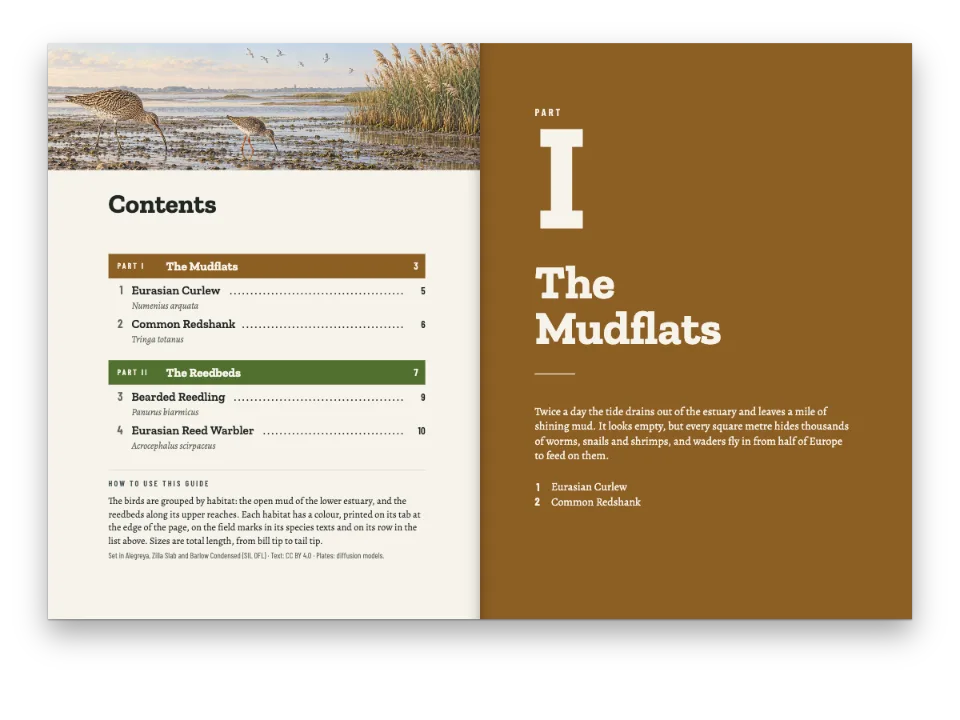
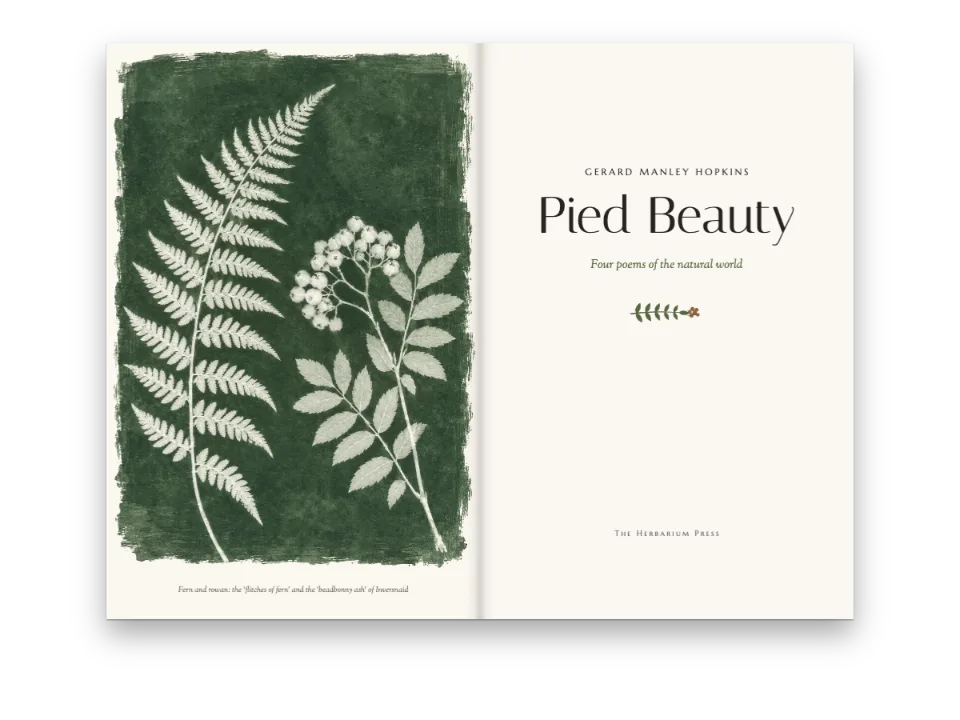
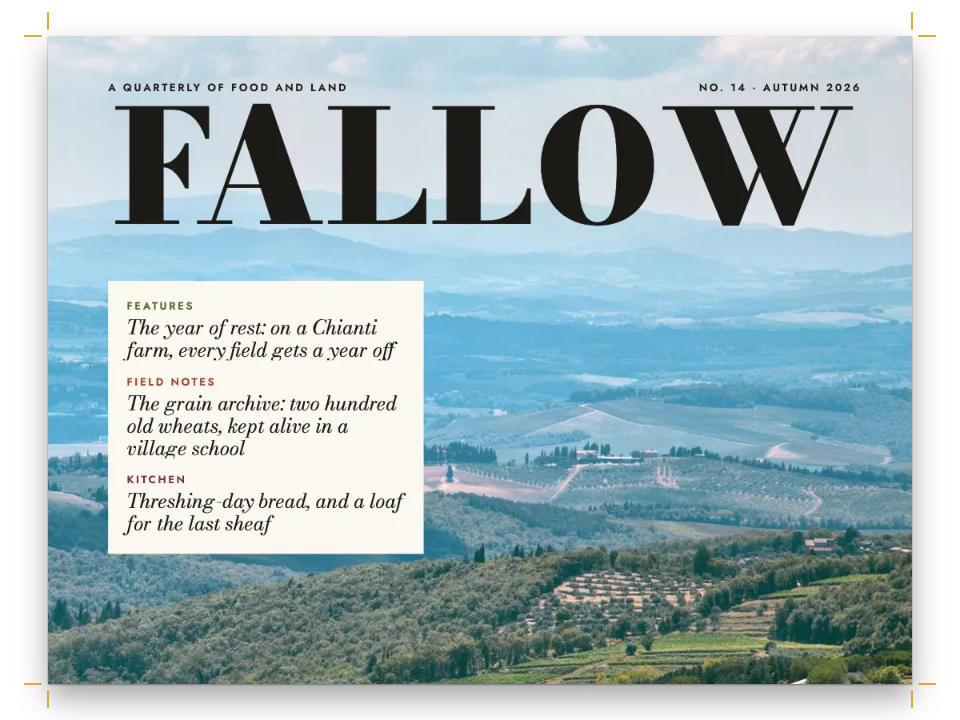
かんたんな説明
『フランケンシュタイン』のポケット版の冒頭ページです。物語の前のページをi、ii、iiiと数え、物語が始まるページで1に戻して数える方法を示します。
できあがり
ポケット版の古典として組んだ『フランケンシュタイン』の最初の丁です。判型は129 × 198 mm。モンブランに落ちる稲妻を描いた表紙(裏は白)、前扉、氷に閉じこめられたウォルトンの船を描いて本扉と向かい合う口絵、本扉の裏の下部に置いた権利表示、ミルトンのエピグラフの上に置いたゴドウィンへの献辞、目次、そして1818年の序文が続きます。この10ページはiからxまで数えますが、番号を刷るのは目次と序文だけです。Letter Iはオーロラの下、右ページで小説を始め、そのノンブル1は向かいのページのxと同じ位置にあります。手紙はウォルトンの署名まで続きます。目次で序文の横に付くixと、手紙の横に付く1は、組み上がったページから取ったものです。PDFビューアーもページに同じラベルを付けます。表紙、口絵、オーロラは拡散モデルで生成した画像で、JPEGのビットマップとして読み込みます。出版社のマークと氷の結晶はコードで描いています。
このレシピが答える質問
- 前付けにローマ数字のノンブルを振り、第1章から1に戻すには?
- 表紙、小扉、扉、奥付を作るには?
- 自動で更新される目次(リーダー、ノンブル、著者名、部の行)を追加するには?
- 意図的に白ページを入れたり、節を新しい見開きから始めたりするには?
- エピグラフ、献辞、署名、大きな引用符の付いたプルクオートを組むには?
手短な答え
// The page counter starts in lower-case roman: the cover is page i. After the Preface, two
// directives in the Markdown count again from 1 on the next recto:
//   :::pagebreak{parity="odd"}
//   :::numbering{format="decimal" startAt=1}
// :::numbering takes effect on the next page that starts (gotcha: numbering-next-page). Level 1
// breaks to 'odd', so here the pagebreak changes nothing; it finds the recto when a level breaks
// with parity 'any' or not at all. Never with 'always-odd': the blank pages would stack up.
const pageNumbering = { format: 'lower-roman', startAt: 1 }; // startAt spelled out: cover = i
// One folio design, centred under the text block. {pageNumber} prints the page's own label,
// so the same design sets "x" in the front matter and "1" on the first page of the novel.
const folio = (pages) => text(`folio-${pages}`, '{pageNumber}', 'Playfair Display SC', 8.5,
  at('top', 0, 9), { letterSpacing: pt(0.8), pages }); // lower case sets as small capitals
// The front matter is a heading style, unnumbered and left out of the contents (a heading
// can opt back in with {toc="true"}). It prints no running heads and puts a folio on every
// page of the section. Parity 'any', because the contents fall on a verso.
const front = {
  id: 'front', numbered: false, toc: false, breakBefore: { enabled: true, parity: 'any' },
  header: { elements: [] }, footer: { elements: [folio('all')] }, ...frontLook,
};
// The novel keeps the document's furniture: heads on its body pages, the folio on openers.
const footer = { elements: [folio('opener')] };
// Hook-up in config(): page: { pageNumbering }, headingStyles: [front] and footer at the top
// level. frontLook, set above, is the look of the prelims' openers.
材料
- 機能
- ローマ数字の前付け目次節ごとの柱表紙、扉、奥付改ページと改段見出しスタイル番号のない章節ごとのページ構成ページデザインの画像奇数ページから始まる章段落スタイルデザインした章扉見出しの属性文書のメタデータ柱とノンブルページの役割ごとの柱見開きの余白PDFの書き出しPDFのしおりリソースとしての図と表
- 種類
- Fanwood Text, Playfair Display SC, Cinzel (SIL OFL 1.1)
- 素材
band-1400.jpgcover-1000.jpgplate-1000.jpg- The cover: lightning over Mont Blanc and the lake of Geneva (Generated With Diffusion Models, オリジナル)
- The frontispiece: a brig beset in pack ice, a dog sledge far off (Generated With Diffusion Models, オリジナル)
- Letter I’s opener: northern lights over the frozen Neva (Generated With Diffusion Models, オリジナル)
作り方
#1 · どの丁もデザインを持つ見出し
// Each leaf is a heading, so it opens its page, gets a PDF bookmark and takes a design. The
// leaves are unnumbered, left out of the contents and print no heads or folio (blind folios).
// Parity 'any', or each would inherit level 1's odd break (gotcha: style-inherits-break).
const blind = { numbered: false, toc: false, breakBefore: { enabled: true, parity: 'any' },
  header: { elements: [] }, footer: { elements: [] } };
const PLATE_H = 126; // mm: the frontispiece, as wide as the text block; its caption hangs below
// mm from the trim: the imprint's eleven lines end on the text block's last baseline.
const IMPRINT_TOP = 126.4; // re-tune it whenever the imprint changes
const leaves = [
  // i: bled to the trim. The painting is as tall as the page, so the cover takes it whole.
  { id: 'cover', ...blind, advancedDesign: design([
    image('cover', at('top-left', 0, 0, { width: 'fill', to: 'bleed' })),
    label('author', '{author}', 9, onPage(22), 'bone', 2.6),
    text('title', '{title}', 'Fanwood Text', 56, onPage(31), { color: col('bone'), lineHeight: 1 }),
    text('subtitle', '{subtitle}', 'Fanwood Text', 13, onPage(53), { ...on('ice'), italic: true }),
    label('series', '{attr.publisher}', 7, onPage(168), 'ice', 2),
  ]) },
  // iii: the half title waits for a recto, so the back of the cover, ii, is left blank.
  { id: 'half', ...blind, breakBefore: { enabled: true, parity: 'odd' }, advancedDesign: design([
    text('title', '{title}', 'Playfair Display SC', 17, at('top', 0, 34), { letterSpacing: pt(3) }),
    image('crystal', at('top', 0, 45, { width: 6 })),
  ]) },
  { id: 'plate', ...blind, advancedDesign: design([ // iv: faces the title page
    image('plate', at('top-left', 0, 0, { width: 'fill' })),
    text('caption', '{attr.caption}', 'Fanwood Text', 8.8,
      at('top', 0, PLATE_H + 5, { width: 80 }), { italic: true, lineHeight: 1.3 }),
    label('source', '{attr.source}', 7.5, at('top', 0, PLATE_H + 16), 'muted', 1.3),
  ]) },
  { id: 'title', ...blind, advancedDesign: design([ // v: four frontmatter fields, one attribute
    label('edition', 'The text of {publishDate}', 7.5, at('top', 0, 22), 'accent', 1.8),
    text('title', '{title}', 'Playfair Display SC', 33, at('top', 0, 30),
      { fontWeight: 700, letterSpacing: pt(0.4), lineHeight: 1 }),
    text('subtitle', '{subtitle}', 'Fanwood Text', 14, at('top', 0, 44), { italic: true }),
    { kind: 'rule', id: 'rule', direction: 'horizontal', thickness: pt(0.8), color: col('accent'),
      placement: at('top', 0, 60, { width: 14 }) },
    label('author', '{author}', 10, at('top', 0, 66), 'ink', 2.4),
    image('mark', at('top', 0, 126, { width: 11 })),
    label('publisher', '{attr.publisher}', 7.5, at('top', 0, 140), 'muted', 1.5),
  ]) },
  // vi: the section's margins set the small print low, in a 70 mm measure against the outer
  // margin. hidden: the heading opens the page and names its bookmark, and prints nothing.
  { id: 'imprint', ...blind, hidden: true,
    margins: { top: mm(IMPRINT_TOP), left: mm(TRIM_W - OUTER - 70) } },
  // vii: dedication and epigraph, under a heading whose design is an ornament and no title.
  { id: 'quiet', ...blind,
    advancedDesign: design([image('crystal', at('top', 0, 24, { width: 6 }))], 34) },
];
// :::paragraphs blocks set the small print, the dedication, the epigraph and Walton's close;
// the dedication and the verse take one paragraph per line, so no line of them can reflow.
const VERSE_IN = 22; // mm: the indent that centres the verse as a block
const SOURCE_IN = 55; // mm: 'Paradise Lost' ends under the end of the longest line of verse
const prelimStyles = [
  { id: 'small-print', fontSize: pt(7.6), lineHeight: pt(10.4), textAlign: 'left',
    firstLineIndent: pt(0), spaceBetween: pt(5.2) },
  // Small capitals, with the italic lines of the 1818 page, leaded as one inscription.
  { id: 'dedication', fontFamily: 'Playfair Display SC', fontSize: pt(10), lineHeight: pt(15),
    textAlign: 'center', firstLineIndent: pt(0) },
  { id: 'verse', fontSize: pt(10), textAlign: 'left', firstLineIndent: mm(VERSE_IN),
    marginTop: pt(LEAD * 4) }, // on the body's 14 pt leading, which a style inherits
  { id: 'source', fontFamily: 'Cinzel', fontSize: pt(7.5), textAlign: 'left',
    firstLineIndent: mm(SOURCE_IN), marginTop: pt(4), color: col('muted') },
  { id: 'signature', textAlign: 'right', firstLineIndent: pt(0) }, // the letter's close
];
見出しはそれ自身のページを開き、PDFのしおりになります。スタイルのデザインが、その丁の文字と画像を配置します。numbered: falseとtoc: falseを指定すると、これらの丁は章の数えにも目次にも入りません。ヘッダーとフッターを空にすると、印刷の世界で隠しノンブルと呼ぶものになります。本扉は番号を刷りませんがvページであることに変わりはなく、そのため序文がixになります。奇数ページへの改ページを残すのは前扉だけで、それによって表紙の裏が白ページになります。権利表示、献辞、エピグラフ、ウォルトンの結びは:::paragraphsブロックで、抜粋の最後にあるスタイルで組みます。
#2 · 目次は番号をレイアウトから取る
// Entries take the body's face and ink, and start on the Preface's first baseline, facing it.
const contents = {
  levels: [{ level: 1, fontSize: pt(12), lineHeight: pt(PREFACE.lead) }],
  // The folio's face: "ix" in small capitals, then a plain 1. The leader takes it too.
  pageNumber: { fontFamily: 'Playfair Display SC', fontSize: pt(10), color: col('accent'),
    width: mm(8) },
  leader: { char: '. ', gap: mm(2.5) },
  // A second line from the heading's to="…" attribute: whom each letter is written to.
  subtitle: { enabled: true, attr: 'to', fontSize: pt(9.5), color: col('muted') },
};
:::tocは、スタイルが許すすべての見出しを、それが置かれたページのラベルとともに並べます(目次)。目次と序文はfrontスタイルを共有し、このスタイルはtoc: falseを指定しますが、序文は{toc="true"}でそれを上書きします。序文もLetter Iも番号なしなので、その項目には章番号が付きません。手紙の項目の2行目は、そのto="…"属性です。ページ番号はノンブルの書体で組みます。項目は序文の1行目と同じベースラインから始まるので、向かい合う2ページの行がそろいます。
#3 · 小説はオーロラの下、奇数ページで始まる
const BAND = 104; // mm from the trim to the foot of the drawing, which fades into the paper
// minHeight ends AIR mm below it and the first line takes the next grid line. to: 'bleed' is the
// trim until page.cutLines adds a bleed; 3 mm drop the foot 1.8 mm, still above that line.
const AIR = 2;
const opener = design([
  image('band', at('top-left', 0, 0, { width: 'fill', to: 'bleed' })),
  label('to', '{attr.to}', 7.5, onPage(19), 'ice', 2),
  text('title', '{titleText}', 'Playfair Display SC', 46, onPage(25),
    { color: col('bone'), lineHeight: 1 }),
  text('dateline', '{attr.dateline}', 'Fanwood Text', 10.5, onPage(44),
    { italic: true, color: col('bone') }),
  // The drawing reserves down to its foot. minHeight, counted from the text block (TOP below
  // the trim), is a floor AIR mm lower, which sends the first line one grid line further down.
], BAND - TOP + AIR);
// Walton's letters come before Chapter I: they take the novel's opener but no number.
const letter = { id: 'letter', numbered: false };
画像はページの天へ裁ち落とし、地に向かって紙に溶け込み、そこから手紙が始まります。章扉は画像の下端、ページの上端から104mmまでを確保します。minHeightはそこから2mm下に下限を置くので、手紙はグリッド1行分あとから始まり、画像の溶け込む部分にかかりません(幅と詳細デザイン)。肩見出しと日付行は、見出しのto属性とdateline属性から取ります。Letter Iには{style="letter"}も付けます。これはnumbered: falseだけを指定したスタイルです。ウォルトンの手紙はChapter Iより前にあり、章番号がないからです。
#4 · 小説とともに柱が戻る
const HEAD_Y = 12.5; // mm from the trim to the heads' line
const HEAD_GAP = 8; // mm from the outer margin, where the folio hangs, to the words beside it
const head = (id, content, parity, edge, x, extra = {}) => ({ ...label(id, content, 7.5,
  at(edge, x, HEAD_Y, { to: 'page' }), 'muted', 1.4), align: 'left', parity, pages: 'body',
  ...extra }); // pages: 'body' keeps them off the opener
const numeral = { fontFamily: 'Playfair Display SC', fontSize: pt(8.5), fontWeight: 400,
  letterSpacing: pt(0.6), color: col('ink') }; // folios in the folio face, as on the openers
const header = { elements: [
  head('verso-folio', '{pageNumber}', 'even', 'top-left', OUTER, numeral),
  head('verso-title', '{title}', 'even', 'top-left', OUTER + HEAD_GAP),
  head('recto-title', '{chapterTitle}', 'odd', 'top-right', -(OUTER + HEAD_GAP)),
  head('recto-folio', '{pageNumber}', 'odd', 'top-right', -OUTER, numeral),
] };
節は、スタイルが置き換えないかぎり文書のヘッダーとフッターを使います。前付けは両方を置き換え、手紙のスタイルは置き換えません。そのため1ページ目から、小説は本文ページにこの柱を刷り、章扉には手短な答えで定義した章扉用のノンブル(ドロップフォリオ)を刷ります。{pageNumber}は置かれたページのラベルを刷るので、folio()ヘルパーは同じデザインのまま、のどの片側にx、反対側に1を組みます。
#5 · PDFも同じページ番号を持つ
// :::toc lists each heading with the label of the page it lands on; buildDocument lays the
// document out again until those labels stop moving (ix for the Preface, 1 for Letter I).
const doc = await buildDocumentWithFonts({ markdown, resources }, config(), kitFonts(FONTS));
showPages(doc, { title: 'Frankenstein · the opening leaves' });
// The PDF gets /PageLabels from the same labels: a viewer numbers its pages i–x, then 1, 2.
offerPdf(() => renderToPdf(doc, { fontProvider: fontsourceProvider, resourceBytes: imageBytes }),
  `${RECIPE}.pdf`);
buildDocumentは目次のページラベルが変わらなくなるまでレイアウトを繰り返すので、呼び出しは1回で足ります。renderToPdfはそのラベルをPDFに書き込みます。ページラベルを読むビューアーでは、ページ番号欄がiからx、続いて1から進み、「1ページへ移動」でLetter Iが開きます。どの見出しも本文をそのまま名前にしたしおりになるので、丁の題名は装飾のないものにしてあります。Cover、Half title、Frontispiece、Title page、Imprint、Dedicationです。
レシピの全体
// ═══ Postext Cookbook · Nº 006 · Front matter: roman folios, then page 1 ═══════════
// https://postext.dev/en/cookbook/front-matter-roman-to-arabic
// Code: MIT · Text: M. & P. B. Shelley, 1818 (PD) · Pictures: diffusion models; marks drawn in code
// Fonts: Fanwood Text, Playfair Display SC, Cinzel (SIL OFL 1.1) · Needs postext ≥ 1.34.0
import {
  buildDocumentWithFonts, renderPageToCanvas, registerResourceImage,
} from 'https://esm.sh/postext';
import { renderToPdf, decompressWoff2 } from 'https://esm.sh/postext-pdf';

const LANG = 'en'; // @lang: the language of the sample document ('en' | 'es')
const RECIPE = 'front-matter-roman-to-arabic';

// ─── 1 · Design ─────────────────────────────────────────────────────────────
const palette = { // every colour in the config links to one of these
  ink: '#1c1d21', // text: a cold near-black
  accent: '#3d5a70', // steel blue, the one accent on paper: contents folios, the rule, the marks
  muted: '#6a665f', // running heads, sources, the second lines of the contents
  paper: '#fbf8f2', // the page
  night: '#131a24', ice: '#a9c6d6', bone: '#efe9dc', // the drawings' inks, and the type on them
};
const col = (id) => ({ hex: palette[id], model: 'hex', paletteId: id });
const colorPalette = [
  ...Object.entries(palette).map(([id, hex]) => ({ id, name: id, value: { hex, model: 'hex' } })),
  // The engine's defaults link to 'main-color': point it at the accent, so nothing prints blue.
  { id: 'main-color', name: 'accent (defaults)', value: { hex: palette.accent, model: 'hex' } },
];
const TRIM_W = 129, TRIM_H = 198; // mm: a pocket classic
const TOP = 21, BOTTOM = 23, INNER = 17, OUTER = 15; // margins, mm; heads align to OUTER
const MEASURE = TRIM_W - INNER - OUTER; // 97 mm: the text block, and the frontispiece's width
const LEAD = 14; // body leading in pt: 31 lines fill the text block
const PREFACE = { size: 9.8, lead: 13.3 }; // pt: the preface, a size under the novel's 10.5/14

// Design-slot shorthands. at(): a placement from an anchor's edge; edge 'top' centres it.
const wide = (width) => (width === 'fill' ? 'fill' : mm(width));
const at = (edge, x, y, { width, to = 'container' } = {}) => ({ anchor: { to, edge },
  offset: { x: mm(x), y: mm(y) }, ...(width !== undefined && { size: { width: wide(width) } }) });
const onPage = (y) => at('top', 0, y, { to: 'page' }); // centred on the page, y mm from the trim
const on = (id) => ({ color: col(id) }); // a design text's ink
// overflow 'wrap' for the running heads too, where a text too wide would end in '…'.
const text = (id, content, font, size, placement, extra = {}) => ({ kind: 'text', id, content,
  fontFamily: font, fontSize: pt(size), color: col('ink'), align: 'center', overflow: 'wrap',
  placement, ...extra });
const label = (id, content, size, placement, ink, tracking) => text(id, content, 'Cinzel', size,
  placement, { fontWeight: 600, letterSpacing: pt(tracking), textTransform: 'uppercase',
    ...on(ink) }); // the label voice: Cinzel capitals, tracked
const image = (id, placement) => ({ kind: 'image', id, resourceId: id, placement });
// A heading's design. minHeight (mm) where the text must start lower than the elements reach.
const design = (elements, minHeight) => ({ enabled: true, slot: { elements },
組み立てたscript.jsはそのまま動きます。任意のページのモジュールスクリプトに貼り付けるか、レシピをCodePenで開いてください。 GitHub上のレシピのフォルダー ↗ (新しいタブで開きます)
アレンジ
#前付けを大文字で数える
大文字のローマ数字はノンブルの書体でフルサイズのキャピタルになり、小文字の数字が出すスモールキャピタルより背が高くなります。
-const pageNumbering = { format: 'lower-roman', startAt: 1 }; // startAt spelled out: cover = i
+const pageNumbering = { format: 'upper-roman', startAt: 1 }; // startAt spelled out: cover = I#通しで番号を振る
startAtを外すと算用数字のまま数え続けるので、Letter Iは11ページになります。前付けを本文と通しで数える本と同じです。
-:::numbering{format="decimal" startAt=1}
+:::numbering{format="decimal"}#口絵を外す
# Frontispiece見出しを削除し、本扉を奇数ページへ送ります。ivページは白ページのまま残り、序文はixのまま、Letter Iも1のままです。
-  { id: 'title', ...blind, advancedDesign: design([ // v: four frontmatter fields, one attribute
+  { id: 'title', ...blind, breakBefore: { enabled: true, parity: 'odd' },
+ advancedDesign: design([ // v: four frontmatter fields, one attribute#印刷用に塗り足しとトンボを付ける
cutLinesを指定すると、どちらも塗り足しに固定した表紙と章扉が、仕上がりから3 mm外へ延びます。ノンブルとページ数は変わりません(トンボ)。
     backgroundColor: col('paper'), pageNumbering,
+ cutLines: { enabled: true }, // a 3 mm bleed and crop marksよくあるつまずき
つまずき
:::numberingは次のページから効く
:::numberingは、現在のページではなく、次に始まるページから番号を変えます。:::pagebreak(第1章の前ならparity odd)の直後に置けば、新しい番号付けが意図した位置から始まります。 ローマ数字の前付け →
つまずき
見出しスタイルはその階層の改ページを受け継ぐ
headingStylesの項目は、指定しなかったフィールドをすべて見出しの階層から受け継ぎ、breakBeforeも例外ではありません。:::pagebreakのあとのH1に付けた目次や奥付のスタイルはparity 'odd'を受け継ぎ、白ページの後ろに置かれます。こうしたスタイルにはbreakBefore: { enabled: false }を指定してください。 見出しスタイル →
つまずき
1ページは奇数ページ。ページは物理的な番号で計画する
1ページは右ページで、2ページが最初の偶数ページです。見開きは物理的なページ番号で計画してください。偶数ページの章扉は、その次の奇数ページと向かい合います。 改ページと改段 →
つまずき
ページのヘッダーは、そのページで始まる最後の節のものになる
1つのページで2つの見出しスタイルが始まると、そのページのヘッダー、フッター、パレットは後のほうのものになります。区切りの白ページは前の章に、奇数・偶数合わせの白ページは後の章に属します。 節ごとの柱 →
Sandboxの検査 · parityCascade
奇偶指定の連鎖
原因. 奇偶指定の改ページが重なり、白ページが3ページ以上続いています。
対処. always-oddの改ページとbreakBeforeの奇偶指定を見直してください。短い章では、parityをanyにすると白ページを避けられることが多くあります。 ドキュメント →
Sandboxの検査 · numberingInvalidFormat
無効な番号書式
原因. :::numberingのformatが、decimal、lower-roman、upper-roman、lower-alpha、upper-alphaのいずれでもありません。
対処. ノンブル用の5つの形式のいずれかを使ってください。リストやリソースでは形式の綴りが異なります。 ドキュメント →
- 丁はレベル1の
'odd'改ページを継承します。そのままにすると、どの丁も右ページを待ちます。前付けは10ページでなく14ページになって白い偶数ページが4つ増え、口絵は本扉ではなく白ページと向かい合います。このレシピのようにparity: 'any'で改ページを指定し直すか、breakBefore: { enabled: false }で外してください。ページ幅の見出しは、どちらの場合もそれ自身のページを開きます。 - レベル1が
'always-odd'(エンジンのH1の初期値)で改ページする場合は、:::numberingの前の:::pagebreakを外してください。その前の本文が右ページで終わると、pagebreakが次の奇数ページまで埋め、見出しが区切りのページを足してもう一度埋めるので、白ページが1つでなく3つ続きます。ここでのように'odd'改ページのあとでは、pagebreakは何も変えません。'any'のあとでは、これが1ページ目を奇数ページに置きます。 - 序文が1ページ増えると、Letter Iは2ページ先へ移ります。奇数ページへの改ページが、その前に白い偶数ページを足すからです。前付けを編集したら、そのつどページ数を確認してください。
- 目次のリーダー点はページ番号の書体と色で組まれ、
toc.leaderには独自の色がありません。そのためここではスチールブルーで刷られます。
クレジット
- 本文
- Frankenstein; or, The Modern Prometheus (1818): the dedication, Letter I, a line of Letter IV (the frontispiece caption) and one of volume I, chapter VI (quoted in a code comment) · Mary Shelley · パブリックドメイン
- The unsigned Preface of the 1818 edition (by common attribution) · Percy Bysshe Shelley · パブリックドメイン
- Paradise Lost (1667), book X, lines 743–745: the epigraph of the 1818 title leaves · John Milton · パブリックドメイン
- 画像
- The cover: lightning over Mont Blanc and the lake of Geneva · Generated With Diffusion Models · オリジナル
- The frontispiece: a brig beset in pack ice, a dog sledge far off · Generated With Diffusion Models · オリジナル
- Letter I’s opener: northern lights over the frozen Neva · Generated With Diffusion Models · オリジナル
- フォント
- Fanwood Text (SIL OFL 1.1) · Playfair Display SC (SIL OFL 1.1) · Cinzel (SIL OFL 1.1)