かんたんな説明
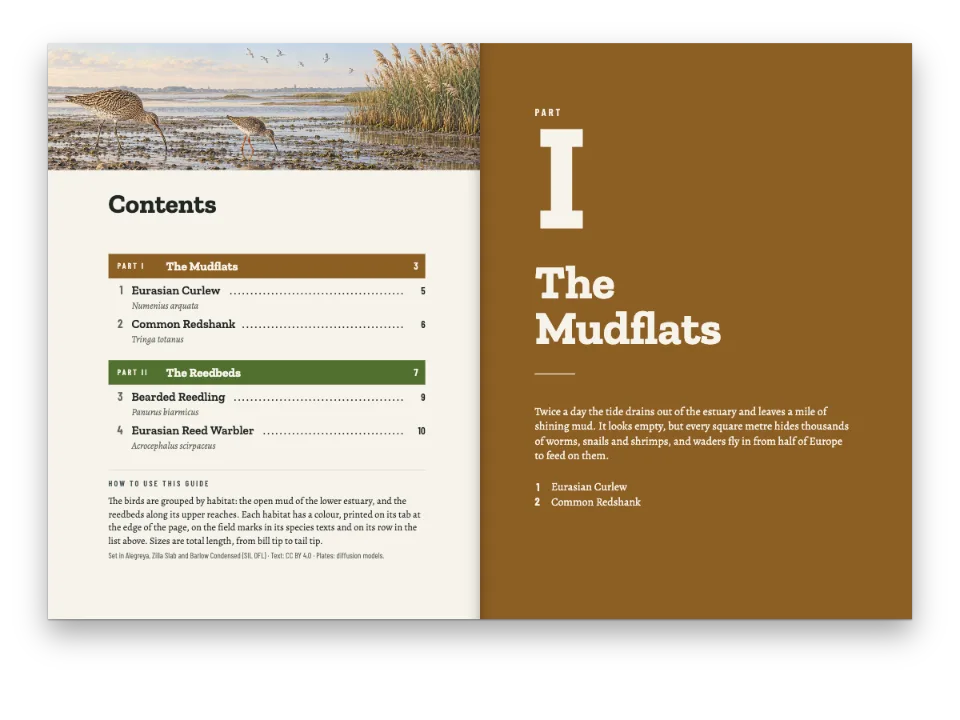
リスボン周辺を歩くポケットガイドです。コースごとに色があり、ページの端のツメにその色が出るので、親指でコースを探せます。
できあがり
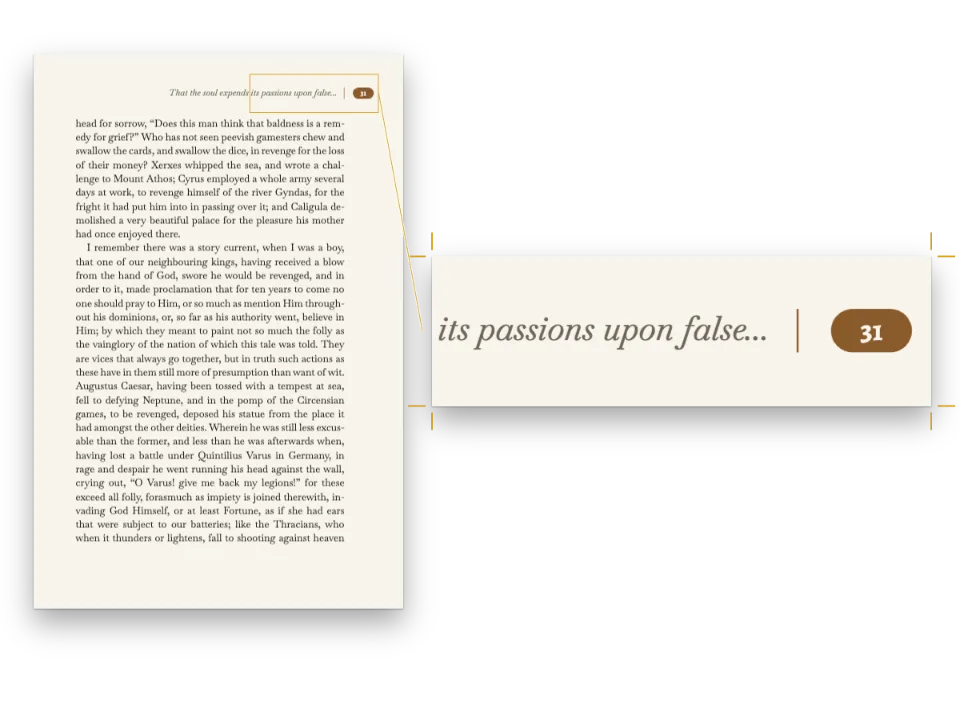
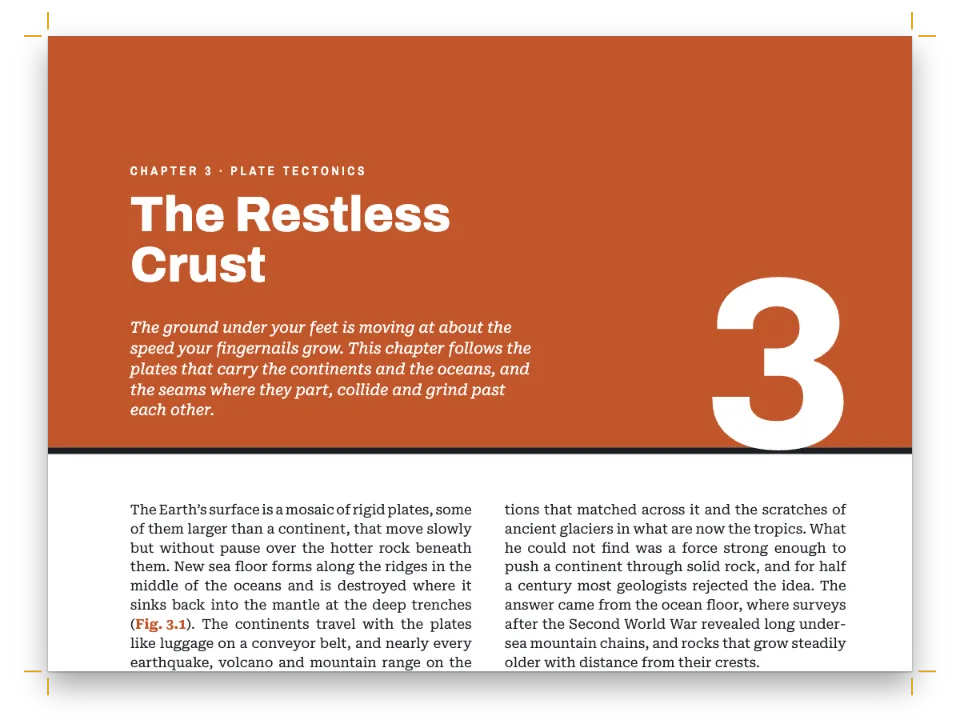
120 × 200 mmのポケットガイド『Lisbon on Foot』の最初の7ページです。表紙は青と白のアズレージョの壁で、タイトルはリスボンの街路表示板のような枠のパネルに載り、2ページ目ではコースの地図とともに3つのコースを紹介します。コースにはそれぞれ色があり、Alfamaはテラコッタ色、Baixaは黄色です。小口のツメがその色とコースの番号を、コースのどのページでも同じ高さに示します。章扉の帯、番号付きの立ち寄り地点、奇数ページの柱、「Don’t miss」の囲みの地色も、コースに合わせて変わります。コース2を奇数ページへ送る白の偶数ページは、コース2の黄色で塗り、その数字を印刷します。本文はAlbert Sansの左そろえ、名前はDM Serif Display、ラベルはAsap Condensedです。
このレシピが答える質問
- 章扉や白ページで柱を隠したり、空白の偶数ページを部の色で塗ったりするには?
- 柱を設定するには(左ページに書名、右ページに章タイトル、ノンブルは小口側)?
- 番号付きのタブ(「BOX 1-1」)、角のアイコン、罫線付きの余白のアイコンを加えるには?
- 本文、キャプション、表の注に色見本(凡例の色)を加えるには?
手短な答え
// '# Alfama {style="alfama"}' opens a section that runs to the next level-1 heading. Its
// palette gives band, bandInk, onBand and wash the walk's values on the section's pages,
// in the page furniture and in the text alike.
const walkStyles = Object.keys(WALKS).map((id) => ({ id, palette: WALKS[id] }));
// The tab has one size and one place on every page, hanging from the foot of the opener
// band; only its colour and its number change from walk to walk.
const TAB = { y: BAND, width: 7, height: 24 }; // mm
const tab = (parity, edge) => text(`tab-${parity}`, '{chapterNumber}', {
  ...label, fontSize: pt(11), fontWeight: 700, color: col('onBand'), align: 'center',
  verticalAlign: 'middle', overflow: 'clip', box: { backgroundColor: col('band') },
  parity, pages: 'all', // the walk's first page is an 'opener' page: the tab goes there too
}, { ...at('bleed', edge, 0, TAB.y), ...size(mm(TAB.width), mm(TAB.height)) });
const tabs = [tab('odd', 'top-right'), tab('even', 'top-left')]; // on the fore-edge
// The blank verso that pushes a walk onto a recto belongs to that walk (gotcha:
// section-last-wins), so the field takes the next walk's colour and its numeral the number.
const blankPage = [
  box('field', { backgroundColor: col('band') },
    { ...at('bleed', 'top-left', 0, 0), ...size('fill', 'fill') }),
  tileImage('field-tiles', 'tiles-page', 'top-left', 'fill', 'auto'),
  text('field-number', '{chapterNumber}', { ...display, fontSize: pt(220), lineHeight: 1,
    color: col('onBand'), overflow: 'clip' }, at('page', 'bottom-left', MARGIN.outer, -24)),
].map((el) => ({ ...el, pages: 'blank' }));
材料
- 機能
- 裁ち落としの帯とツメ部ごとの色ページの役割ごとの柱節ごとの柱見出しスタイルデザインした章扉見出しの属性番号付き見出し奇数ページから始まる章柱とノンブルセマンティックカラーパレットインラインのチップ囲みのアイコンと角のバッジ色見本その場に置く図独自のリソースの種類ページデザインの画像ページデザインのテキスト・罫・ボックス表紙、扉、奥付キャンバス上のページ
- 種類
- Albert Sans, DM Serif Display, Asap Condensed (SIL OFL 1.1)
- 素材
- The tiles, the map of the routes and its pins, drawn in code (Ignacio Ferro, CC BY 4.0)
作り方
#1 · コースで変わる色に名前を付ける
const palette = {
  ink: '#1b2430', // text: a blue-black
  paper: '#fffdf8', // the page
  band: '#1f4e9c', // the section colour: tile blue until a walk replaces it
  bandInk: '#1d4a94', // the section colour for type on paper
  onBand: '#ffffff', // type set on the band
  wash: '#e8eef8', // the section's box tint
  muted: '#5e6875', // running heads, notes, chip outlines
};
// Each walk's values for those four. Baixa yellow is too light for white type, so its
// onBand is the ink. The text is recoloured by value, so the four base values must differ.
const WALKS = {
  alfama: { band: '#b9533a', bandInk: '#a1432b', onBand: '#ffffff', wash: '#f7e7e0' },
  baixa: { band: '#e2b23d', bandInk: '#7d5a0f', onBand: '#1b2430', wash: '#fbf0d5' },
  belem: { band: '#2b7a78', bandInk: '#236866', onBand: '#ffffff', wash: '#e1eeed' },
};
const NAMES = { alfama: 'Alfama', baixa: 'Baixa', belem: 'Belém' };
// A walk's palette follows the paletteId; the hex beside it is the colour's base value.
const col = (id) => ({ hex: palette[id] ?? WALKS[id].band, model: 'hex', paletteId: id });
const entry = (id, hex) => ({ id, name: id, value: { hex, model: 'hex' } });
const colorPalette = [
  ...Object.entries(palette).map(([id, hex]) => entry(id, hex)),
  ...Object.entries(WALKS).map(([id, w]) => entry(id, w.band)), // for :swatch{color="alfama"}
  entry('main-color', palette.ink), // the engine's defaults link here: nothing prints blue
];
見出しスタイルのpaletteは、その節のページでパレットの項目をidで置き換えます(見出しスタイル)。そこで、コースに従うべき色はすべて4つの項目のどれかにリンクします。色面、ツメ、立ち寄り地点の丸にはband、紙の上の文字にはbandInk、色面の上の文字にはonBand、囲みにはwashです。Baixaの黄色の上の白はコントラスト比が2:1しかないので、そのコースのonBandはインキの色で、8:1になります。デザイン要素はidに従い、文字は値で色が変わります。項目の基本の16進値と同じ色はコースの値を取るので、4つの基本の値はすべて違う値にしてあります。4ページ目の囲みのタイトルと、5ページ目でコース2へ案内する行はbandInkの文字で、どちらもテラコッタ色で印刷されます。
#2 · 柱を本文ページだけにする
const head = (id, content, parity, placement, style = {}) => ({ ...text(id, content, {
  ...label, fontSize: pt(7.8), letterSpacing: pt(1.3), color: col('muted'), overflow: 'clip',
  ...style }, placement), parity, pages: 'body' }); // never on openers or blank pages
const folio = { fontSize: pt(8.5), fontWeight: 700, color: col('ink') };
// Anchored to the page: from its top-right corner a negative x runs inwards
// (gotcha: negative-offsets).
const heads = [
  head('verso-folio', '{pageNumber}', 'even', at('page', 'top-left', MARGIN.outer, HEAD.y), folio),
  head('verso-title', '{title}', 'even', at('page', 'top-left', MARGIN.outer + HEAD.gap, HEAD.y)),
  head('recto-title', `${t({ en: 'Walk', es: 'Paseo' })} {chapterNumber} · {chapterTitle}`, 'odd',
    at('page', 'top-right', -(MARGIN.outer + HEAD.gap), HEAD.y), { color: col('bandInk') }),
  head('recto-folio', '{pageNumber}', 'odd', at('page', 'top-right', -MARGIN.outer, HEAD.y), folio),
];
// Array order is paint order: the blank page's field comes last and covers the tab there.
const header = { elements: [...heads, ...tabs, ...blankPage] };
// A walk's first page has no running head: its folio drops to the foot.
const footer = { elements: [{ ...head('drop-folio', '{pageNumber}', 'all',
  at('container', 'top', 0, 7), folio), pages: 'opener', align: 'center' }] };
// Page 2 comes before Walk 1, where {chapterNumber} is empty, so its header has no tabs. With
// the level's break off (gotcha: style-inherits-break), it is a 'body' page.
const introStyle = { id: 'intro', numbered: false, header: { elements: heads },
  breakBefore: { enabled: false }, advancedDesign: { enabled: false },
  fontSize: pt(24), lineHeight: pt(2 * LEAD), marginBottom: pt(LEAD / 2) };
レイアウトの後、各ページには役割が付きます(テキスト要素)。コースの最初のページは、見出しが改ページするのでopenerです。奇数ページの前の埋め草のページはblank、残りはbodyです。柱はpages: 'body'を取るので、3ページ目と7ページ目の章扉と白の6ページ目には付かず、下ノンブルは'opener'を取ります。偶数ページにはフロントマターの{title}、奇数ページにはbandInkでWalk {chapterNumber} · {chapterTitle}を印刷し、5ページ目ではテラコッタ色になります。手短な答えのツメは'all'を取ります。白ページの色面は配列の中でその後にあり、配列の順番が描画の順番なので、6ページ目ではツメを覆います。序文の2ページ目はコース1より前にあるので、そこでは{chapterNumber}が空です。そのため序文のスタイルは専用のheaderを指定し、4つの柱だけでツメはありません。これがないと、2ページ目に空の青いツメが印刷されます。
#3 · 各コースを帯の下で始め、立ち寄り地点に番号を付ける
const walkLevel = { level: 1, breakBefore: { enabled: true, parity: 'odd' }, // a recto
  // The band ends 30 mm into the text area; a floor of 8 grid lines, with nothing added
  // under it, starts the text 7.3 mm below the band.
  marginBottom: pt(0), advancedDesign: { enabled: true, minHeight: pt(8 * LEAD), slot: {
    elements: [
      box('band', { backgroundColor: col('band') },
        { ...at('bleed', 'top-left', 0, 0), ...size('fill', mm(BAND)) }),
      tileImage('tiles', 'tiles-band', 'top-right', 'auto', mm(BAND)),
      text('kicker', `${t({ en: 'Walk', es: 'Paseo' })} {chapterNumber}`, { ...label,
        fontSize: pt(9), letterSpacing: pt(2), color: col('onBand') },
      at('page', 'top-left', MARGIN.inner, 17)), // walks open on rectos: inner is left
      text('title', '{titleText}', { ...display, fontSize: pt(34), lineHeight: 1,
        color: col('onBand') }, { ...at('#kicker', 'below', 0, 1), ...size(mm(70), 'auto') }),
      text('route', '{attr.route}', { fontFamily: 'Albert Sans', italic: true, fontSize: pt(10),
        color: col('onBand') }, { ...at('#title', 'below', 0, 1.5), ...size(mm(70), 'auto') }),
    ] } } };
const STOP = 5.4; // mm: the diameter of a stop's circle
const stopLevel = { level: 3, numberingTemplate: '{3}', // restarts at every walk
  // A grid line above a stop and no margin under it, so the circle can sit 3.2 mm down its
  // two grid lines: about 8.3 mm of white above a stop and 2.1 under it, 6.4 between paragraphs.
  marginTop: pt(LEAD), marginBottom: pt(0), advancedDesign: { enabled: true, slot: { elements: [
    text('number', '{number}', { ...label, fontSize: pt(9), fontWeight: 700, align: 'center',
      verticalAlign: 'middle', color: col('onBand'), overflow: 'clip',
      box: { backgroundColor: col('band'), borderRadius: mm(STOP / 2) } },
    { ...at('container', 'top-left', 0, 3.2), ...size(mm(STOP), mm(STOP)) }),
    text('name', '{titleText}', { ...display, fontSize: pt(13.5), lineHeight: 1.1,
      color: col('ink') }, { ...at('#number', 'right-of', 2.4, 0.2), ...size('fill', 'auto') }),
  ] } } };
帯は塗り足し領域(ここでは仕上がり線と同じ)に固定し、版面の中へ30 mm入り込みます。デザインは帯で終わり、minHeightはグリッド8行分、37.3 mmを確保します。章扉は大きいほうの深さを取るので、3ページ目と7ページ目では本文が帯の7.3 mm下から始まります。立ち寄り地点はどれもレベル3見出しで、そのデザインが{number}をbandで塗った直径5.4 mmの丸に入れます。レベル1見出しは下位のカウンターをリセットするので、テンプレート{3}はコースごとに1から数え直し、地図のピンも同じ番号になります。立ち寄り地点の見出しは上にグリッド1行分のアキを取り、下には取らず、丸は見出しが占めるグリッド2行の中で3.2 mm下に置かれます。これで丸の上に約8.3 mm、下に2.1 mmの白が残ります。段落の間隔は6.4 mmです。
#4 · 囲みにタイルを掛け、チップはインクの色にする
const calloutStyles = [{ id: 'dontmiss', title: t({ en: 'Don’t miss', es: 'No te lo pierdas' }),
  background: col('wash'), // one device: the walk's tint
  // The tile hangs half off the box's outer side, flush with its top: the left side on a verso.
  // With 6.5 mm of padding on both sides the title stays in line with the box's text there too.
  // The tile's colours are drawn into the SVG, so it stays tile blue in every walk.
  padding: { top: mm(3.4), right: mm(6.5), bottom: mm(3.4), left: mm(6.5) },
  icon: { kind: 'resource', resourceId: 'tile', size: mm(10), position: 'corner',
    cornerSide: 'outer' },
  titleStyle: { ...label, fontSize: pt(8.5), fontWeight: 700, letterSpacing: pt(1.5),
    color: col('bandInk') },
  body: { fontSize: pt(9), lineHeight: pt(12.4), color: col('ink') } }];
// The facts are ink on paper in every walk: the walk's colour is kept for the tab, the stops
// and the box, and a chip linked to 'band' would follow it too.
const chipStyles = [{ id: 'fact', background: col('paper'), borderColor: col('muted'),
  borderWidth: pt(0.6), borderRadius: mm(0.8), paddingX: mm(1.4), paddingY: mm(0.5),
  fontFamily: 'Asap Condensed', fontSize: em(0.92), color: col('ink'), bold: true }];
囲みには罫線も枠もなく、コースの地色と、角にコードで描いたタイルだけがあります(囲みスタイル)。cornerSide: 'outer'はタイルを囲みの外側の辺に半分はみ出させ、上端にそろえて掛けます。偶数ページの4ページ目では、それはタイトルの始まる左側です。両側に6.5 mmの内側余白があるので、どちらのページでもタイトルはタイルを避けつつ、囲みの本文とそろいます。コースのパレットは地色とタイトルの色を変えますが、タイルは青のままです。その色はSVGに描き込まれているからです。bandにリンクしたチップもコースの色に変わります。ここではコースの情報を色分けに加えず、チップは紙の上にインキの色で組み、mutedの灰色の輪郭線を付けて、どのコースでも同じにしています。
#5 · コースの色見本で地図の凡例を作る
const map = svg('routes', MAP.width, MAP.height, { placement: { position: 'here' }, ...t({ en: {
  caption: 'The three walks. The numbered pins are the stops in the text.',
  note: ':swatch{color="alfama"} Walk 1, Alfama · :swatch{color="baixa"} Walk 2, Baixa · '
    + ':swatch{color="belem"} Walk 3, Belém, 6 km west (inset)',
  altText: 'Map of central Lisbon north of the river: the yellow route runs from the '
    + 'waterfront up the Baixa grid to Rossio; the terracotta route climbs east from the '
    + 'cathedral through Alfama. An inset shows the teal Belém route.',
}, es: {
  caption: 'Los tres paseos. Los pines numerados son las paradas del texto.',
  note: ':swatch{color="alfama"} Paseo 1, Alfama · :swatch{color="baixa"} Paseo 2, Baixa · '
    + ':swatch{color="belem"} Paseo 3, Belém, 6 km al oeste (en el detalle)',
  altText: 'Plano del centro de Lisboa al norte del río: la ruta amarilla sube desde el '
    + 'muelle por la cuadrícula de la Baixa hasta el Rossio; la terracota sube hacia el este '
    + 'desde la catedral por Alfama. En un detalle, la ruta verde azulada de Belém.',
} }) });
地図は::resource{id="routes"}の位置に置くSVGのリソースで、キャプションが「Map 1」となるように専用のリソースタイプを使います。注記は3つの色見本でコースを示します。:swatch{color="alfama"}と、baixa、belemの同様の指定です。色見本はパレットの項目のidを取ります(インライン書式)。パレットはWALKSからコースごとに項目を1つ受け取り、地図もコースの色を同じオブジェクトから取るので、凡例はコースとツメに一致します。ピンの中の番号は線として描いているので、地図にはフォントが入っていません。
レシピの全体
// ═══ Postext Cookbook · Nº 047 · Walking guide with thumb tabs ═══════════════════
// https://postext.dev/en/cookbook/walking-guide-thumb-tabs
// Code: MIT · Text: original (CC BY 4.0) · Map and tiles: drawn in code (CC BY 4.0)
// Fonts: Albert Sans, DM Serif Display, Asap Condensed (SIL OFL 1.1) · Needs postext ≥ 1.34.0
// A pocket guide to Lisbon. Each walk is a heading style that sets four colours, and the tab,
// the stop numbers, the box's tint and title and the blank page before the walk take them.
import {
  buildDocumentWithFonts, renderPageToCanvas, registerResourceImage,
} from 'https://esm.sh/postext';

const LANG = 'en'; // @lang: the language of the sample document ('en' | 'es')
const RECIPE = 'walking-guide-thumb-tabs';

// ─── 1 · Design ─────────────────────────────────────────────────────────────
// #region palette: 'band' and three partners are the entries a walk overrides
const palette = {
  ink: '#1b2430', // text: a blue-black
  paper: '#fffdf8', // the page
  band: '#1f4e9c', // the section colour: tile blue until a walk replaces it
  bandInk: '#1d4a94', // the section colour for type on paper
  onBand: '#ffffff', // type set on the band
  wash: '#e8eef8', // the section's box tint
  muted: '#5e6875', // running heads, notes, chip outlines
};
// Each walk's values for those four. Baixa yellow is too light for white type, so its
// onBand is the ink. The text is recoloured by value, so the four base values must differ.
const WALKS = {
  alfama: { band: '#b9533a', bandInk: '#a1432b', onBand: '#ffffff', wash: '#f7e7e0' },
  baixa: { band: '#e2b23d', bandInk: '#7d5a0f', onBand: '#1b2430', wash: '#fbf0d5' },
  belem: { band: '#2b7a78', bandInk: '#236866', onBand: '#ffffff', wash: '#e1eeed' },
};
const NAMES = { alfama: 'Alfama', baixa: 'Baixa', belem: 'Belém' };
// A walk's palette follows the paletteId; the hex beside it is the colour's base value.
const col = (id) => ({ hex: palette[id] ?? WALKS[id].band, model: 'hex', paletteId: id });
const entry = (id, hex) => ({ id, name: id, value: { hex, model: 'hex' } });
const colorPalette = [
  ...Object.entries(palette).map(([id, hex]) => entry(id, hex)),
  ...Object.entries(WALKS).map(([id, w]) => entry(id, w.band)), // for :swatch{color="alfama"}
  entry('main-color', palette.ink), // the engine's defaults link here: nothing prints blue
];
// #endregion
const TRIM = { width: 120, height: 200 }; // a pocket guide
// Mirrored, and tighter than a book's at top and foot: a pocket guide keeps 164 mm of text.
const MARGIN = { top: 18, bottom: 18, inner: 14, outer: 16 };
const MEASURE = TRIM.width - MARGIN.inner - MARGIN.outer; // 90 mm, about 55 characters
const LEAD = 13.2; // body leading in pt: the baseline grid
const BAND = 48; // mm: a walk opener's colour band, from the top edge
const HEAD = { y: 10, gap: 7 }; // running heads from the top edge; folio to title (mm)
組み立てたscript.jsはそのまま動きます。任意のページのモジュールスクリプトに貼り付けるか、レシピをCodePenで開いてください。 GitHub上のレシピのフォルダー ↗ (新しいタブで開きます)
アレンジ
#白の偶数ページを塗らずに残す
色面がなければ、6ページ目にはツメが残ります。pages: 'all'は白ページにもツメを印刷し、コース2の黄色に2が入ります。
-const header = { elements: [...heads, ...tabs, ...blankPage] };
+const header = { elements: [...heads, ...tabs] };#3つ目のコースを足す
WALKSにはすでにBelémの色が、walkStylesにはそのスタイルがあるので、本文にコースの見出しを足すだけで済みます。コースは、ティール色に塗られ白い3が入った白の8ページ目の後、9ページ目で始まります。
+# Belém {style="belem" route="From the monastery to the tower"}
+
+Tram 15 runs from Praça da Figueira to Belém along the river.よくあるつまずき
つまずき
ページのヘッダーは、そのページで始まる最後の節のものになる
1つのページで2つの見出しスタイルが始まると、そのページのヘッダー、フッター、パレットは後のほうのものになります。区切りの白ページは前の章に、奇数・偶数合わせの白ページは後の章に属します。 節ごとの柱 →
つまずき
見出しスタイルはその階層の改ページを受け継ぐ
headingStylesの項目は、指定しなかったフィールドをすべて見出しの階層から受け継ぎ、breakBeforeも例外ではありません。:::pagebreakのあとのH1に付けた目次や奥付のスタイルはparity 'odd'を受け継ぎ、白ページの後ろに置かれます。こうしたスタイルにはbreakBefore: { enabled: false }を指定してください。 見出しスタイル →
つまずき
コンテナー基準の負のオフセットでは何も描かれない
幅が自動のデザインのテキストはコンテナーの中に制限されるため、コンテナーからの負のオフセットで外に押し出されると何も描かれません。こうした要素はページか裁ち落としに固定してmm単位のオフセットを明示するか、幅を固定してください。 デザイン要素の基準位置 →
つまずき
1ページは奇数ページ。ページは物理的な番号で計画する
1ページは右ページで、2ページが最初の偶数ページです。見開きは物理的なページ番号で計画してください。偶数ページの章扉は、その次の奇数ページと向かい合います。 改ページと改段 →
- 6ページ目があるのは、コース1が奇数ページの5ページ目で終わるからです。偶数ページで終わるコースの後には白ページが残らず、次のコースの色はそのコース自身のページにしか出ません。
- 番号付きの最初のコースより前では
{chapterNumber}が空なので、ツメのようにそれを印刷する要素は、そこでそれを外すスタイルが必要です。
クレジット
- 本文
- 書き下ろしの文章, CC BY 4.0
- 画像
- The tiles, the map of the routes and its pins, drawn in code · Ignacio Ferro · CC BY 4.0
- フォント
- Albert Sans (SIL OFL 1.1) · DM Serif Display (SIL OFL 1.1) · Asap Condensed (SIL OFL 1.1)