かんたんな説明
川を守る財団の年次報告書です。いつもの4色のインキに、財団の色である正確な青を1色加えて刷ります。ファイルごとに青の呼び名が違っても、印刷用のファイルはそれを1枚の版にまとめます。
できあがり
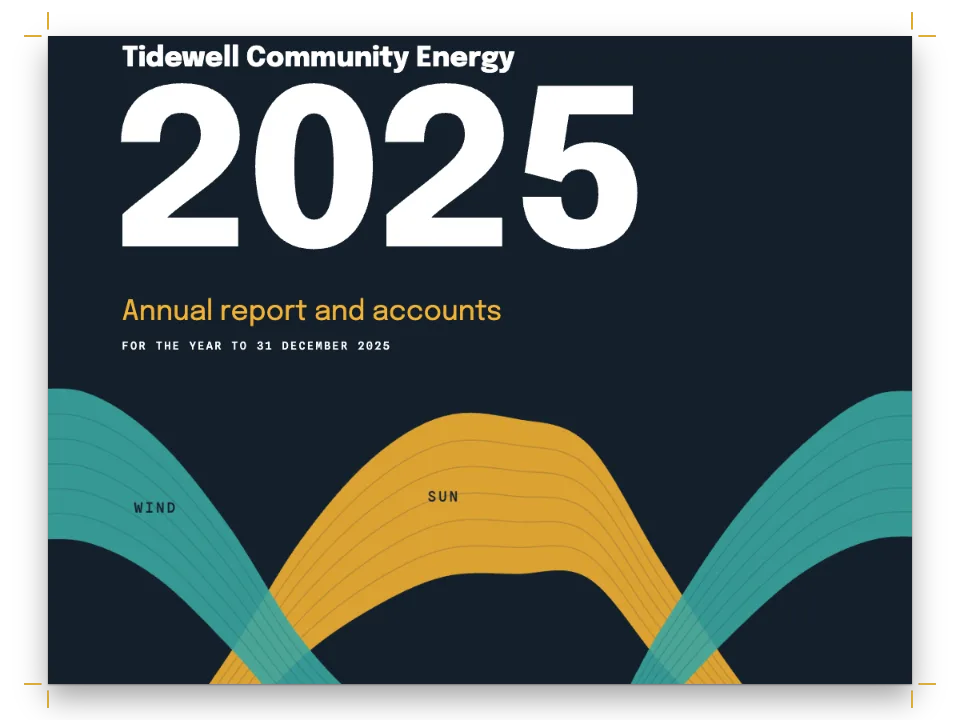
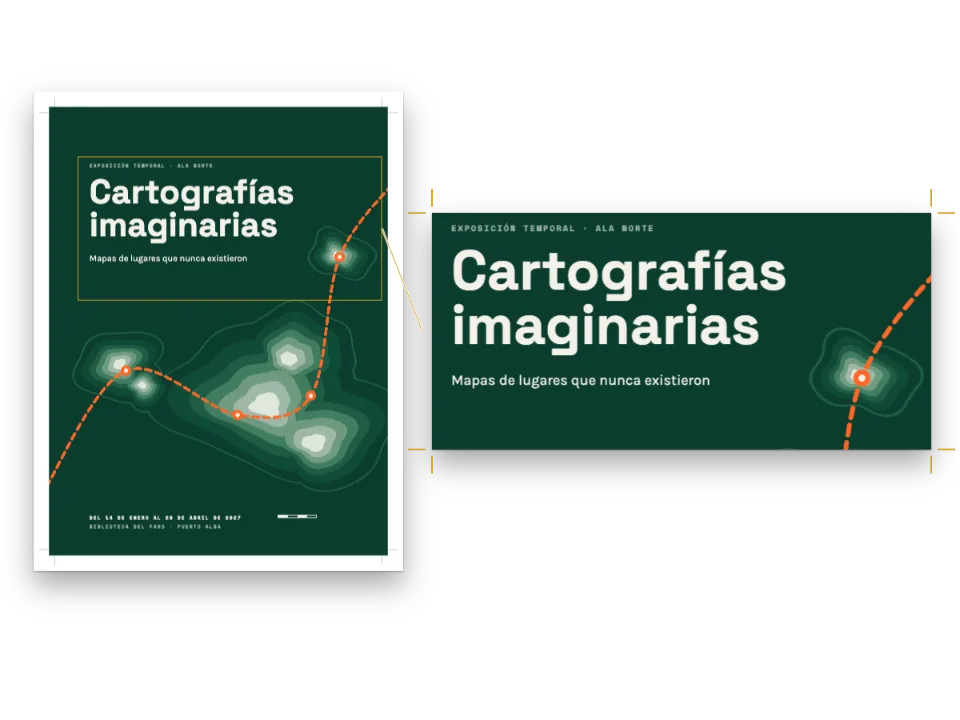
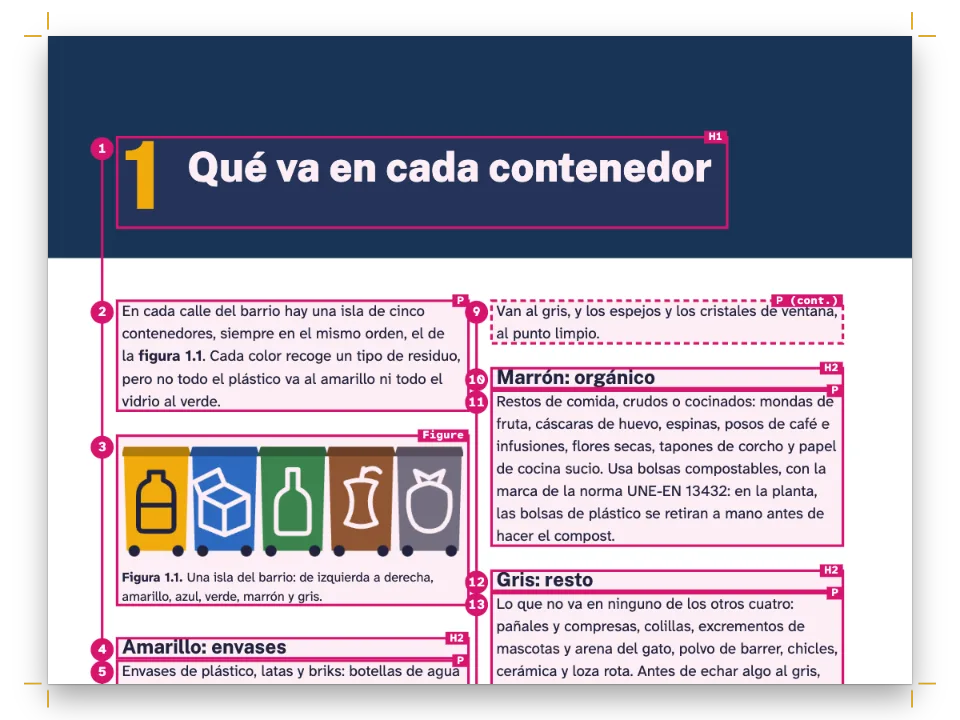
川を再生する架空の財団のための、A4で8ページの年次報告書です。4色に5色目のインキ、つまり財団のコーポレートブルーを加えて刷ります。青はブランドが置きそうな場所すべてにあります。表紙の帯、各セクションの上の帯、見出し、表の見出し行、グラフの棒、裏表紙です。40 %と12 %の網点は計画値の棒、合計行、主要な数字の囲みを埋め、同じインキの網点として刷られ、プロセスの掛け合わせにはなりません。写真と本文はプロセス4色のままです。PDF/X-4のファイルには版が5枚あり、5枚目は印刷所がそのインキを管理している名前PANTONE 286 Cになります。デザインのどこにもその名前は出てきません。
このレシピが答える質問
- 報告書をプロセス4色と自社のパントン特色で刷りたいが、ファイルごとにインキの名前が違うときは?
手短な答え
// The corporate blue as each source named it: the designer's swatch, an older palette that
// wrote it without the space, and the chart, drawn in Spanish, which says 'Azul Cauce'. The
// tints are the same ink at 40 % and 12 %: no process mix stands in for them.
const BLUE = { c: 100, m: 75, y: 0, k: 0 }; // what the ink looks like at 100 %, for a proof
const spot = (hex, name, tint) => ({ hex, model: 'spot', spot: { name, cmyk: BLUE, tint } });
const palette = {
  ink: { hex: '#1c2129', model: 'hex' }, // text, in process black
  muted: { hex: '#5d6573', model: 'hex' },
  blue: spot('#0033a0', 'Brand Blue'),
  blue40: spot('#99add9', 'Pantone 286C', 40),
  blue12: spot('#e0e6f3', 'Brand Blue', 12),
  ochre: { hex: '#c98a1b', model: 'hex' }, // the one process accent: the second data series
  paper: { hex: '#ffffff', model: 'hex' },
};
// The ink table: the plate's name is the printer's, and every other name prints on it.
const PRINT = { standard: 'pdfx4', outputProfile: 'fogra51', convertImages: false,
  inks: [{ name: 'PANTONE 286 C', aliases: ['Brand Blue', 'Pantone 286C', 'Azul Cauce'],
    cmyk: BLUE }] };
材料
- 機能
- 特色とインキ表CMYKとグレースケールのPDFセマンティックカラーパレット表紙、扉、奥付デザインした章扉ページデザインのテキスト・罫・ボックスページデザインの画像囲み表スタイルリソースとしての図と表PDFの書き出しキャンバス上のページ
- 併用する機能
- 囲みの中や本文中の段組みセルの塗り図を配置する参照見出しの属性見出しスタイルその場に置く図段抜きの章見出し帯用紙の色段落スタイルPDFに埋め込むフォント独自のリソースの種類節ごとのページ構成節ごとの柱段抜きの囲みデータから作る表番号のない章
- 種類
- Source Serif 4, Source Sans 3 (SIL OFL 1.1)
- 素材
director-800.jpgkingfisher-1050.jpgmeander-1120.jpgsample-900.jpgvolunteers-1200.jpg- The river from the air, on the cover (Generated With Diffusion Models, オリジナル)
- The director on the river bank (Generated With Diffusion Models, オリジナル)
- Volunteers planting willow stakes (Generated With Diffusion Models, オリジナル)
- A water sample at a gauging station (Generated With Diffusion Models, オリジナル)
- A kingfisher on a willow branch (Generated With Diffusion Models, オリジナル)
作り方
#1 · 3つの名前を持つ1つのインキ
コードは上の手短な答えにあります。実際の仕事でよくあるように、青は3つの名前で報告書に入ってきます。デザイナーのスウォッチはBrand Blue、古いパレットは40 %の網点にPantone 286Cと書き、スペインの事務所が描いたグラフはAzul Cauceです。インキ表がなければ名前ごとに別の版ができ、印刷所は調色する青を3つ受け取ることになります。インキ表の項目は版の名前を決め、ほかの名前を別名として並べます。名前は大文字と小文字、空白を区別せずに照合されるので、どの名前のどの網点も、ただ1つのPANTONE 286 Cの分版に載ります。cmykは校正刷りで見える代替色です。
#2 · グラフが自分のインキを名乗る
// Kilometres of bank restored each year: the bars in the blue (data-spot="Azul Cauce"), the
// plan in its 40 % tint, the labels in process black. An alias brings both onto the plate.
const YEARS = [[2021, 3.1, 4], [2022, 4.6, 5], [2023, 6.2, 6], [2024, 7.4, 8], [2025, 9.8, 9]];
function chartArt() {
  const [W, H, BASE, LEFT, MAX] = [84, 56, 46, 8, 12];
  const y = (v) => BASE - (v / MAX) * (BASE - 4);
  const lines = [0, 4, 8, 12].map((v) => `<path d="M${LEFT} ${y(v)}H${W}" stroke="#c4cad4" `
    + `stroke-width="0.2"/><text x="${LEFT - 1.5}" y="${y(v) + 1}" font-size="2.6" `
    + `text-anchor="end" fill="#5d6573">${v}</text>`).join('');
  const bars = YEARS.map(([year, done, plan], i) => {
    const x = LEFT + 3 + i * 15;
    return `<rect x="${x}" y="${y(plan)}" width="5" height="${BASE - y(plan)}" fill="#99add9" `
      + `data-spot="Azul Cauce" data-spot-tint="40"/><rect x="${x + 5.6}" y="${y(done)}" `
      + `width="5" height="${BASE - y(done)}" fill="#0033a0" data-spot="Azul Cauce"/>`
      + `<text x="${x + 5.3}" y="${BASE + 5}" font-size="2.8" text-anchor="middle" `
      + `fill="#1c2129">${year}</text>`;
  }).join('');
  return `<svg xmlns="http://www.w3.org/2000/svg" width="${W * 10}" height="${H * 10}" `
    + `viewBox="0 0 ${W} ${H}" font-family="'Source Sans 3'">${lines}${bars}</svg>`;
}
// Where each euro went: one bar across the text block, the river in the full ink, schools in
// its 40 % tint, the running costs in process grey.
const SPENT = [[1520, '#0033a0', 100, t({ en: 'Work on the river', es: 'Obras en el río' })],
  [340, '#99add9', 40, t({ en: 'Schools', es: 'Escuelas' })],
  [180, '#9aa1ad', 0, t({ en: 'Running costs', es: 'Funcionamiento' })]];
function euroArt() {
  const [W, H] = [174, 22];
  const total = SPENT.reduce((sum, [v]) => sum + v, 0);
  let x = 0;
  return `<svg xmlns="http://www.w3.org/2000/svg" width="${W * 10}" height="${H * 10}" `
    + `viewBox="0 0 ${W} ${H}" font-family="'Source Sans 3'">`
    + `${SPENT.map(([v, hex, tint, name], i) => {
      const w = (v / total) * W;
      const ink = tint ? ` data-spot="Azul Cauce" data-spot-tint="${tint}"` : '';
      const end = i === SPENT.length - 1; // the last label sets flush right, under its segment
      const tx = `x="${end ? W : x}" text-anchor="${end ? 'end' : 'start'}"`;
      const part = `<rect x="${x}" y="0" width="${w - 0.6}" height="10" fill="${hex}"${ink}/>`
        + `<text ${tx} y="15.5" font-size="3.2" font-weight="700" fill="#1c2129">`
        + `${Math.round((v / total) * 100)} %</text><text ${tx} y="20" font-size="2.8" `
        + `fill="#5d6573">${name}</text>`;
      x += w;
      return part;
    }).join('')}</svg>`;
}
SVGでは、色をどのインキで刷るかをdata-spotで、どの濃さで刷るかをdata-spot-tintでパーセントで指定します。グラフの棒はAzul Cauceを100 %と40 %で指定し、別名によってほかの青と同じ版に載ります。グリッドの線とラベルは普通の色で、プロセスの墨に残ります。会計のページの支出の帯も同じで、3つの区分のうち3つ目はプロセスのグレーです。
#3 · 青がデザインを支える
const BAND = 172; // mm from the top of the bleed to the top of the blue band
const cover = { id: 'cover', numbered: false, toc: false, span: 'page',
  header: { elements: [] }, footer: { elements: [] },
  margins: { top: mm(0), bottom: mm(0), left: mm(0), right: mm(0) },
  advancedDesign: { enabled: true, minHeight: mm(TRIM_H), slot: { elements: [
    { kind: 'image', id: 'photo', resourceId: 'meander', fit: 'cover',
      placement: at('bleed', 'top-left', 0, 0, { width: 'fill', height: mm(BAND + 1) }) },
    { kind: 'box', id: 'band', style: { backgroundColor: col('blue') },
      placement: at('bleed', 'top-left', 0, BAND, { width: 'fill', height: mm(TRIM_H) }) },
    text('name', '{author}', label(10, col('paper')), at('page', 'top-left', 20, BAND + 14)),
    text('title', '{titleText}', { fontFamily: SANS, fontWeight: 800, fontSize: pt(46),
      lineHeight: 1, color: col('paper') }, at('#name', 'below', 0, 6, { width: mm(170) })),
    { kind: 'rule', id: 'rule', direction: 'horizontal', thickness: pt(3), color: col('blue40'),
      placement: at('#title', 'below', 0, 7, { width: mm(24) }) },
    text('strap', '{attr.strap}', { fontFamily: 'Source Serif 4', italic: true, fontSize: pt(15),
      lineHeight: 1.3, color: col('paper') }, at('#rule', 'below', 0, 6, { width: mm(120) })),
    text('credit', '{attr.credit}', { fontFamily: SANS, fontSize: pt(7), color: col('blue40') },
      at('page', 'bottom-left', 20, -14, { width: mm(170) })),
  ] } } };
表紙の写真はfit: 'cover'で裁ち落としの上部を埋め、青の囲みが残りを埋めます。その上の文字は白で、版から抜けます。セクションの帯、ページの下の柱、表の見出し行はパレットの同じ項目を使うので、インキを変えるのは1行で済みます。
// A row whose first cell is bold is a total: it takes the tint. Figures align right.
function tsvTable(tsv, columnWidths) {
  let m = Object.assign(parseTSV(tsv, { headerRows: 1 }), { columnWidths });
  m.rows.forEach((row, r) => row.forEach((_, c) => {
    if (c > 0) m = setAlignment(m, { row: r, col: c }, 'right', 'middle');
    if (r && row[0].content.startsWith('**')) m = setCellBackground(m, { row: r, col: c },
      col('blue12'));
  }));
  return m;
}
表は本文の隣に置いたTSVファイルから作ります。最初のセルが太字の行は合計で、12 %の網点になります。数字は右揃えです。
#4 · 写真はRGBのまま
印刷の設定でconvertImages: falseにすると、写真はsRGBのタグが付いたRGBのJPEGのまま残ります。PDF/X-4ではこれが認められていて、印刷所のRIPが分版します。ファイルは小さく、青の版には写真から何も載りません。
レシピの全体
// ═══ Postext Cookbook · Nº 189 · A fifth ink for the corporate colour ═══════════════════
// https://postext.dev/en/cookbook/corporate-fifth-ink-report
// Code: MIT · Text: original (CC BY 4.0) · Photographs: diffusion models
// Fonts: Source Serif 4, Source Sans 3 (SIL OFL 1.1) · Needs postext ≥ 1.84.0
//
// An annual report printed in four colours and one exact corporate blue. The palette, the
// chart and an older swatch call the blue by three names; the ink table gathers them on one
// plate named as the printer stocks the ink, PANTONE 286 C.
import {
  buildDocumentWithFonts, renderPageToCanvas, registerResourceImage, parseTSV, setCellBackground,
  setAlignment, inlineSvgFonts,
} from 'https://esm.sh/postext';
import { renderToPdf, decompressWoff2 } from 'https://esm.sh/postext-pdf';

const LANG = 'en'; // @lang: the language of the sample document ('en' | 'es')
const RECIPE = 'corporate-fifth-ink-report';

// ─── 1 · Design ─────────────────────────────────────────────────────────────
// #region answer: one spot ink, three names: the ink table puts them on one plate
// The corporate blue as each source named it: the designer's swatch, an older palette that
// wrote it without the space, and the chart, drawn in Spanish, which says 'Azul Cauce'. The
// tints are the same ink at 40 % and 12 %: no process mix stands in for them.
const BLUE = { c: 100, m: 75, y: 0, k: 0 }; // what the ink looks like at 100 %, for a proof
const spot = (hex, name, tint) => ({ hex, model: 'spot', spot: { name, cmyk: BLUE, tint } });
const palette = {
  ink: { hex: '#1c2129', model: 'hex' }, // text, in process black
  muted: { hex: '#5d6573', model: 'hex' },
  blue: spot('#0033a0', 'Brand Blue'),
  blue40: spot('#99add9', 'Pantone 286C', 40),
  blue12: spot('#e0e6f3', 'Brand Blue', 12),
  ochre: { hex: '#c98a1b', model: 'hex' }, // the one process accent: the second data series
  paper: { hex: '#ffffff', model: 'hex' },
};
// The ink table: the plate's name is the printer's, and every other name prints on it.
const PRINT = { standard: 'pdfx4', outputProfile: 'fogra51', convertImages: false,
  inks: [{ name: 'PANTONE 286 C', aliases: ['Brand Blue', 'Pantone 286C', 'Azul Cauce'],
    cmyk: BLUE }] };
// #endregion
const col = (id) => ({ ...palette[id], paletteId: id });
const colorPalette = [...Object.entries(palette).map(([id, value]) => ({ id, name: id, value })),
  { id: 'main-color', name: 'blue (defaults)', value: palette.blue }];

const [TRIM_W, TRIM_H] = [210, 297]; // A4
const MARGIN = { top: 24, bottom: 24, inner: 20, outer: 16 };
const LEAD = 13.2; // pt
const SANS = 'Source Sans 3';
const at = (to, edge, x = 0, y = 0, size) => ({ anchor: { to, edge },
  offset: { x: mm(x), y: mm(y) }, ...(size && { size }) });
組み立てたscript.jsはそのまま動きます。任意のページのモジュールスクリプトに貼り付けるか、レシピをCodePenで開いてください。 GitHub上のレシピのフォルダー ↗ (新しいタブで開きます)
アレンジ
#青をプロセス4色で刷る
印刷機に5つ目のユニットがないときは、インキ表に1語足すと、青のすべての網点が代替色からCMYKで刷られます。
-  inks: [{ name: 'PANTONE 286 C', aliases: ['Brand Blue', 'Pantone 286C', 'Azul Cauce'],
-    cmyk: BLUE }] };
+  inks: [{ name: 'PANTONE 286 C', aliases: ['Brand Blue', 'Pantone 286C', 'Azul Cauce'],
+ cmyk: BLUE, output: 'process' }] };#別の印刷所に合わせて版に名前を付ける
印刷所によっては、版を自分たちの名前で受け取りたがります。pdfNameで版の名前を変えても、別名はそのまま残ります。
-  inks: [{ name: 'PANTONE 286 C', aliases: ['Brand Blue', 'Pantone 286C', 'Azul Cauce'],
+ inks: [{ name: 'PANTONE 286 C', pdfName: 'PANTONE 286 U', aliases: ['Brand Blue', 'Pantone 286C', 'Azul Cauce'],よくあるつまずき
- 画像の中の色が、インキを名乗っておらず、パレットの特色とも正確には一致しない場合は、青に見えてもプロセスに残ります。要素に
data-spotで印を付けるか、パレットにちょうどそのhexの特色を加えてください。 Source Sans 3のように数字を含むファミリー名は、SVGのfont-familyで引用符が必要です。引用符がないとブラウザーはその宣言を捨て、ラベルをセリフ体で組みます。
クレジット
- 本文
- 書き下ろしの文章, CC BY 4.0
- 画像
- The river from the air, on the cover · Generated With Diffusion Models · オリジナル
- The director on the river bank · Generated With Diffusion Models · オリジナル
- Volunteers planting willow stakes · Generated With Diffusion Models · オリジナル
- A water sample at a gauging station · Generated With Diffusion Models · オリジナル
- A kingfisher on a willow branch · Generated With Diffusion Models · オリジナル
- フォント
- Source Serif 4 (SIL OFL 1.1) · Source Sans 3 (SIL OFL 1.1)