かんたんな説明
段落をそこで分けられないために段がページ下端の 1 行手前で止まったとき、この設定はその段のどれかの段落を組み直して、段が下端まで届くようにします。
できあがり
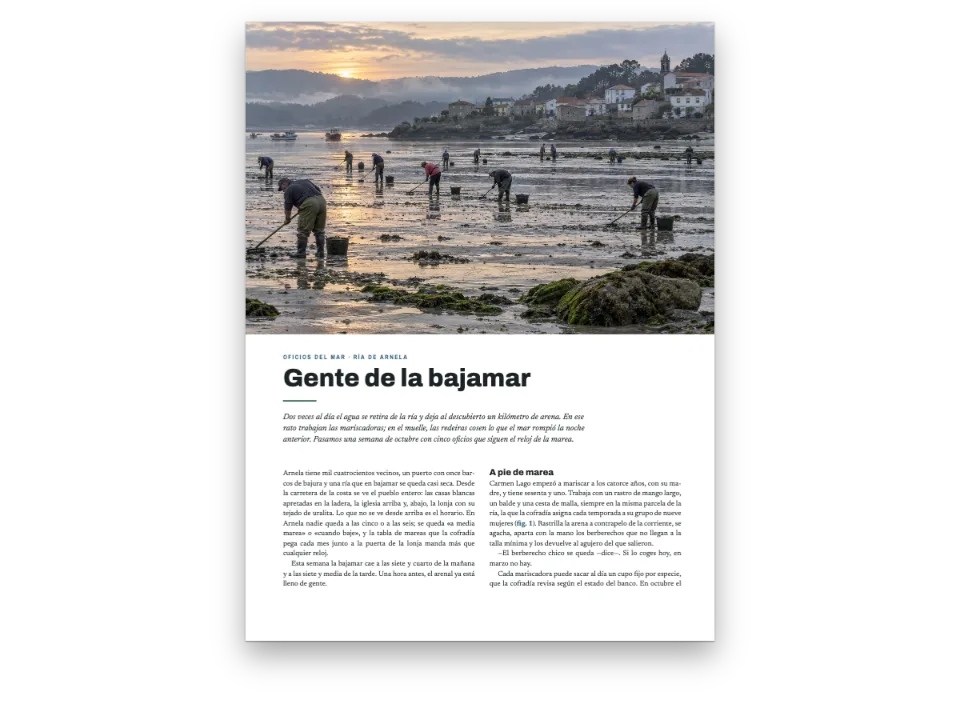
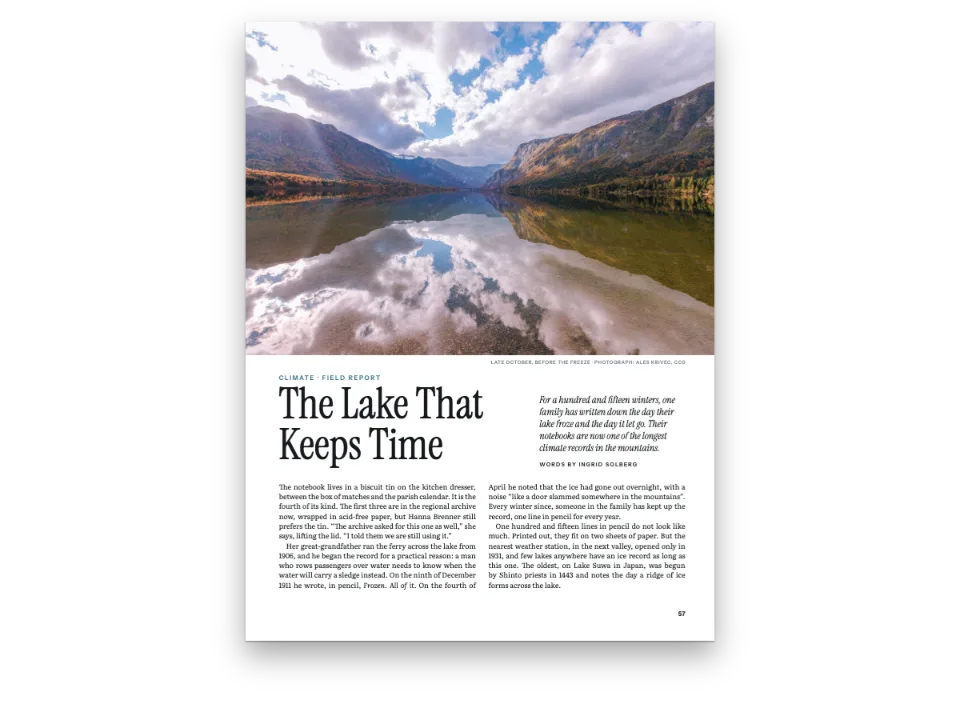
海辺の雑誌『Littoral』の 3 ページ。フレネルレンズについての長編記事で、灯室で光るレンズを描いた絵から始まります。本文は Public Sans の左寄せ 2 段組みで、段落のあいだにグリッド 1 行分の空きを入れ、ウィドウとオーファンの規則で、段落を分けるときは前後それぞれに少なくとも 2 行を残します。ペンはこの記事を 2 回組みます。設定なしでは、扉ページの左段が右段より 1 行早く終わります。次の段落を段末に 1 行だけ置くことができないからです。設定ありでは、同じページで最初の段落が 1 行増え、2 つの段がグリッドの最終行で終わります。次のページでは、段末そろえが 2 つの小見出しの上に足していた余分な空きも、この設定が引き取ります。
このレシピが答える質問
- 段が下端より 1〜2 行手前で終わるのはなぜ?ウィドウとオーファンの規則を守ったまま埋めるには?
- 段の下端をそろえ、最終ページの段の長さを均等にするには(垂直方向の両端そろえ)?
- ウィドウ、オーファン、最終行の一語(ラント)を避け、見出しを本文と離さないようにするには?
手短な答え
const balancing = {
  // A ragged column has no lever of its own when the widow and orphan rules hold its last
  // line back: no heading or list end to open, no justified paragraph to set looser. This
  // one lets a paragraph of the short column run a line long, within its own word spacing
  // (or a justified one no looser than maxWordSpacing), or, when none can, set one a line
  // short so the split after it takes the line. A change is kept only when the pages end
  // with fewer short columns; otherwise the column stays as it was.
  fillShortColumns: true, // default false
  // The paragraphs go first: a crosshead keeps its one line of air unless they cannot help.
  maxLinesBeforeLoose: 0,
};
const bodyText = {
  fontFamily: 'Public Sans', fontSize: pt(9.4), lineHeight: pt(LEAD), color: col('ink'),
  boldColor: col('ink'), italicColor: col('ink'), referenceColor: col('ink'),
  textAlign: 'left', firstLineIndent: pt(0), paragraphSpacing: true, // a grid line between
  hyphenation: { enabled: true }, optimalLineBreaking: true, optimalRagged: true,
  avoidWidows: true, widowMinLines: 2, avoidOrphans: true, orphanMinLines: 2, // the cause
  avoidRunts: true,
};
材料
- 機能
- 短い段を埋める段末そろえウィドウ、オーファン、ラント最適な改行(Knuth–Plass)デザインした章扉ページデザインの画像見出しの属性柱とノンブルページの役割ごとの柱セマンティックカラーパレット段落スタイル
- 併用する機能
- 段抜きの章見出し帯リソースとしての図と表
- 種類
- Public Sans, Libre Caslon Display, Libre Caslon Text (SIL OFL 1.1)
- 素材
lens-1400.jpg- A lit Fresnel lens in a lighthouse lantern at dusk (Generated With Diffusion Models, オリジナル)
作り方
#1 · 左寄せの段に専用の調整手段を与える
const balancing = {
  // A ragged column has no lever of its own when the widow and orphan rules hold its last
  // line back: no heading or list end to open, no justified paragraph to set looser. This
  // one lets a paragraph of the short column run a line long, within its own word spacing
  // (or a justified one no looser than maxWordSpacing), or, when none can, set one a line
  // short so the split after it takes the line. A change is kept only when the pages end
  // with fewer short columns; otherwise the column stays as it was.
  fillShortColumns: true, // default false
  // The paragraphs go first: a crosshead keeps its one line of air unless they cannot help.
  maxLinesBeforeLoose: 0,
};
const bodyText = {
  fontFamily: 'Public Sans', fontSize: pt(9.4), lineHeight: pt(LEAD), color: col('ink'),
  boldColor: col('ink'), italicColor: col('ink'), referenceColor: col('ink'),
  textAlign: 'left', firstLineIndent: pt(0), paragraphSpacing: true, // a grid line between
  hyphenation: { enabled: true }, optimalLineBreaking: true, optimalRagged: true,
  avoidWidows: true, widowMinLines: 2, avoidOrphans: true, orphanMinLines: 2, // the cause
  avoidRunts: true,
};
段末そろえは、見出しの上、リストの後、囲みや図の下にグリッド行を足し、最後の手段として両端そろえの段落を 1 行ゆるく組んで短い段を埋めます。左寄せの本文の段には、小見出しのあいだにそのどれもないため、ウィドウとオーファンの規則が残した 1 行は空いたままになります。fillShortColumns は、その段の左寄せの段落を自分の語間のまま 1 行長く組めるようにします。どの段落にもできないときは、1 つの段落を 1 行短く組み、分割点の後の段落を繰り上げてその行を埋めます。エンジンが変更を残すのは短い段が減るときだけなので、オンにしてページが悪くなることはありません。maxLinesBeforeLoose: 0 は見出しより先に段落を試すため、どの小見出しも上の空きはグリッド 1 行分のままです。
#2 · 2 回組んで比べる
const withFill = (fill) => ({ ...config, headings: { ...config.headings,
  balancing: { ...balancing, fillShortColumns: fill } } }); // a copy: config keeps true
const build = (fill) => buildDocumentWithFonts({ markdown, resources }, withFill(fill),
  kitFonts(FONTS));
const docs = { off: await build(false), on: await build(true) };
2 つの文書は同じ設定と同じ Markdown から組みます。2 回目は設定をそのまま渡し、1 回目は設定をオフにしたコピーを渡すので、Sandbox で開くバンドルには fillShortColumns: true が入ります。デスクの上の 2 つのボタンで組版を切り替えます。下端まで埋めるのは、本文が次へ続くページだけです。3 ページ目は記事の終わりで、どちらの組版でも段は同じ高さでそろえて切られます。
#3 · 絵で始める
const DEPTH = 150; // mm: how far down the page the painting bleeds
const sans = { fontFamily: 'Public Sans', fontWeight: 700, textTransform: 'uppercase' };
const at = (to, edge, x, y, width) => ({ anchor: { to, edge },
  offset: { x: mm(x), y: mm(y) }, ...(width && { size: { width: mm(width) } }) });
const air = { padding: { bottom: mm(6) } }; // counts: the text starts 6 mm under the byline
const opener = {
  enabled: true,
  slot: { elements: [
    { kind: 'image', id: 'art', resourceId: 'lens', placement: { anchor: { to: 'bleed',
      edge: 'top-left' }, size: { width: 'fill', height: mm(DEPTH) } } },
    { kind: 'text', id: 'credit', content: '{attr.credit}', ...sans, fontWeight: 500,
      fontSize: pt(6.5), letterSpacing: pt(0.6), color: col('muted'), align: 'right',
      placement: at('container', 'top-right', 0, DEPTH - TOP + 2) },
    { kind: 'text', id: 'kicker', content: '{attr.kicker}', ...sans, fontSize: pt(8.5),
      letterSpacing: pt(1.7), color: col('brass'), align: 'left',
      placement: at('container', 'top-left', 0, DEPTH - TOP + 9) },
    { kind: 'text', id: 'headline', content: '{titleText}', fontFamily: 'Libre Caslon Display',
      fontSize: pt(46), lineHeight: 1.02, color: col('ink'), align: 'left',
      placement: at('#kicker', 'below', 0, 2.5, 112) },
    { kind: 'text', id: 'standfirst', content: '{attr.standfirst}', fontFamily: 'Libre Caslon Text',
      italic: true, fontSize: pt(12), lineHeight: 1.3, color: col('sea'), align: 'left',
      placement: at('#headline', 'right-of', 8, 2.5) },
    { kind: 'text', id: 'byline', content: '{attr.byline}', ...sans, fontSize: pt(7.5),
      letterSpacing: pt(1.3), color: col('ink'), align: 'left', box: air,
      placement: at('#standfirst', 'below', 0, 3.5) },
  ] },
};
絵は塗り足しに固定した画像要素で、高さ 150 mm あり、3 辺で仕上がり線まで届きます。フロートではこうはなりません。リード上の小見出し、見出し、リード、署名は # 行の属性から取ります。署名の下には扉の高さに数えられる 6 mm のパディングがあり、段はその下の最初のグリッド行から始まります。
#4 · 扉ページには柱を出さない
const label = { ...sans, fontWeight: 600, fontSize: pt(7.5), letterSpacing: pt(1.3),
  color: col('muted') };
const folio = { fontFamily: 'Public Sans', fontWeight: 700, fontSize: pt(8.5), color: col('ink') };
const pin = (edge, x, y) => ({ anchor: { to: 'page', edge }, offset: { x: mm(x), y: mm(y) } });
const sides = [['even', 'left', 1], ['odd', 'right', -1]]; // 1: the outer edge is on the left
const header = { elements: sides.flatMap(([parity, edge, s]) => [
  { kind: 'text', id: `folio-${parity}`, content: '{pageNumber}', ...folio,
    placement: pin(`top-${edge}`, s * OUTER, 12) },
  { kind: 'text', id: `head-${parity}`, ...label,
    content: s > 0 ? '{title} · {subtitle}' : '{chapterTitle}',
    placement: pin(`top-${edge}`, s * (OUTER + 9), 12.35) }, // the smaller size's baseline
  { kind: 'rule', id: `rule-${parity}`, direction: 'horizontal', thickness: pt(0.5),
    color: col('rule'), placement: { ...pin(`top-${edge}`, s * OUTER, 17),
      size: { width: mm(197) } } },
].map((element) => ({ ...element, parity, pages: 'body' }))) }; // none on the opener
const footer = { elements: sides.map(([parity, edge, s]) => ({ kind: 'text', parity,
  id: `drop-folio-${parity}`, ...folio, content: '{pageNumber}', pages: 'opener', align: edge,
  placement: pin(`bottom-${edge}`, s * OUTER, -11) })) }; // the opener's only folio
偶数ページの柱は frontmatter から誌名と号を、奇数ページは記事名を出し、pages: 'body' で扉ページからは外します。扉ページは下端のノンブルだけです。ラベルはノンブルより 0.35 mm 下げ、2 つのサイズでベースラインを共有させます。その下の罫は版面の幅と同じ 197 mm です。
レシピの全体
// ═══ Postext Cookbook · Nº 177 · Filling the column the widow rule left short ═════
// https://postext.dev/en/cookbook/filling-short-columns
// Code: MIT · Text: original (CC BY 4.0) · Painting: diffusion model
// Fonts: Public Sans, Libre Caslon Display, Libre Caslon Text (OFL) · Needs postext ≥ 1.65.0
//
// A magazine long read in two ragged columns, set twice. Without fillShortColumns a column
// whose paragraph would split into a widow ends a line above the foot; with it, a paragraph
// of that column is set a line longer or shorter, and the column ends on the last grid line.
import {
  buildDocumentWithFonts, renderPageToCanvas, registerResourceImage,
} from 'https://esm.sh/postext';

const LANG = 'en'; // @lang: the language of the sample document ('en' | 'es')
const RECIPE = 'filling-short-columns';

// ─── 1 · Design ─────────────────────────────────────────────────────────────
// Every colour below is linked to this palette by id.
const palette = {
  ink: '#1b2026', // text: a slate near-black
  brass: '#875a14', // the accent: kicker and crossheads (6:1 on paper)
  sea: '#2c4a5e', // the standfirst
  rule: '#c9ccd0', // hairlines
  muted: '#5d656e', // running heads, credit, colophon
  paper: '#ffffff',
};
const col = (id) => ({ hex: palette[id], model: 'hex', paletteId: id });
const colorPalette = [
  ...Object.entries(palette).map(([id, hex]) => ({ id, name: id, value: { hex, model: 'hex' } })),
  // The engine's defaults link to 'main-color': point it at the accent, so nothing prints blue.
  { id: 'main-color', name: 'brass (defaults)', value: { hex: palette.brass, model: 'hex' } },
];
const TOP = 22; // top margin in mm: the opener's container starts here
const OUTER = 14; // outer margin in mm: folios and running heads align to it
const LEAD = 13.2; // body leading in pt: the baseline grid every column ends on

// #region answer: ragged columns that end on the grid: fillShortColumns
const balancing = {
  // A ragged column has no lever of its own when the widow and orphan rules hold its last
  // line back: no heading or list end to open, no justified paragraph to set looser. This
  // one lets a paragraph of the short column run a line long, within its own word spacing
  // (or a justified one no looser than maxWordSpacing), or, when none can, set one a line
  // short so the split after it takes the line. A change is kept only when the pages end
  // with fewer short columns; otherwise the column stays as it was.
  fillShortColumns: true, // default false
  // The paragraphs go first: a crosshead keeps its one line of air unless they cannot help.
  maxLinesBeforeLoose: 0,
};
const bodyText = {
組み立てたscript.jsはそのまま動きます。任意のページのモジュールスクリプトに貼り付けるか、レシピをCodePenで開いてください。 GitHub上のレシピのフォルダー ↗ (新しいタブで開きます)
アレンジ
#小見出しに先に空きを取らせる
既定の順序では、段落を長く組む前に見出しがグリッド行を 2 行まで取り、次のページの小見出しの上がまた広がります。
-  maxLinesBeforeLoose: 0,
+ maxLinesBeforeLoose: 2,#本文を両端そろえにする
両端そろえの段落は、設定なしでも maxWordSpacing の範囲で 1 行ゆるく組めました。fillShortColumns があると 1 行詰めて組むこともでき、その段落でいちばんゆるい行よりゆるく組まれることはありません。
-  textAlign: 'left', firstLineIndent: pt(0), paragraphSpacing: true, // a grid line between
+ textAlign: 'justify', firstLineIndent: pt(0), paragraphSpacing: true, // a grid line betweenよくあるつまずき
- この設定が埋めるのは 1 行分の空きです。2 行足りない段、たとえば段落間の空きの後に次の段落の 1 行分しか場所がない段は、短いまま残ることがあります。文を 1 つ足すか削って調整します。
- 組み直すと最終行が短くなりすぎる段落は使われません。短い段落しかない段は短いまま残ることがあります。
クレジット
- 本文
- 書き下ろしの文章, CC BY 4.0
- 画像
- A lit Fresnel lens in a lighthouse lantern at dusk · Generated With Diffusion Models · オリジナル
- フォント
- Public Sans (SIL OFL 1.1) · Libre Caslon Display (SIL OFL 1.1) · Libre Caslon Text (SIL OFL 1.1)