かんたんな説明
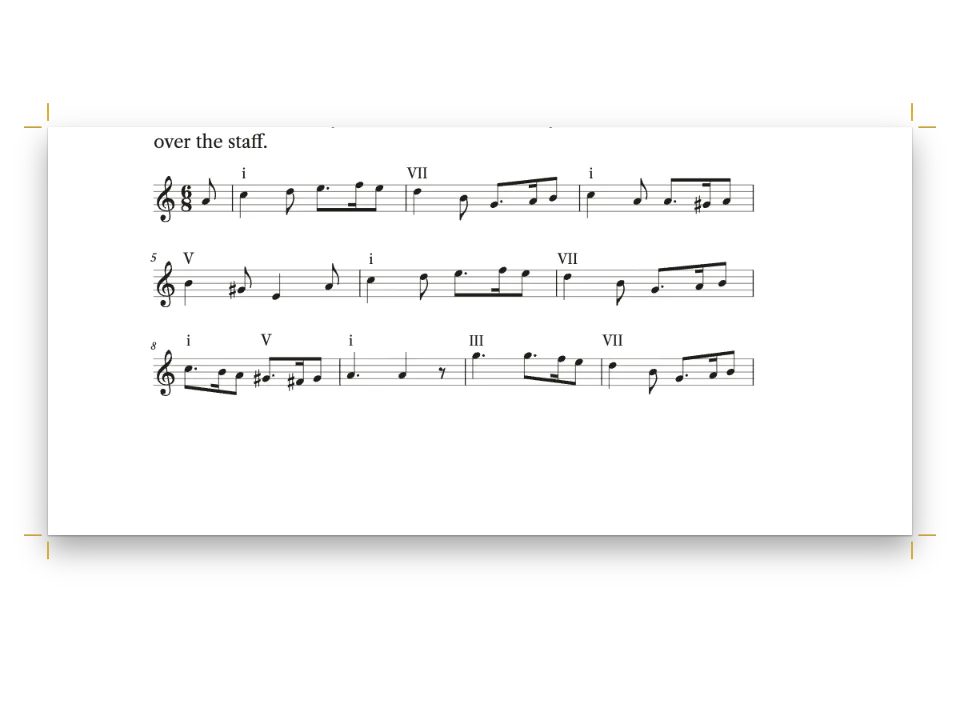
中世音楽の研究書の一章です。13世紀イングランドの輪唱曲の短い部分を本文中に楽譜として印刷し、各ページの下の注で、古い版どうしの食い違いを小節ごとに記録します。
できあがり
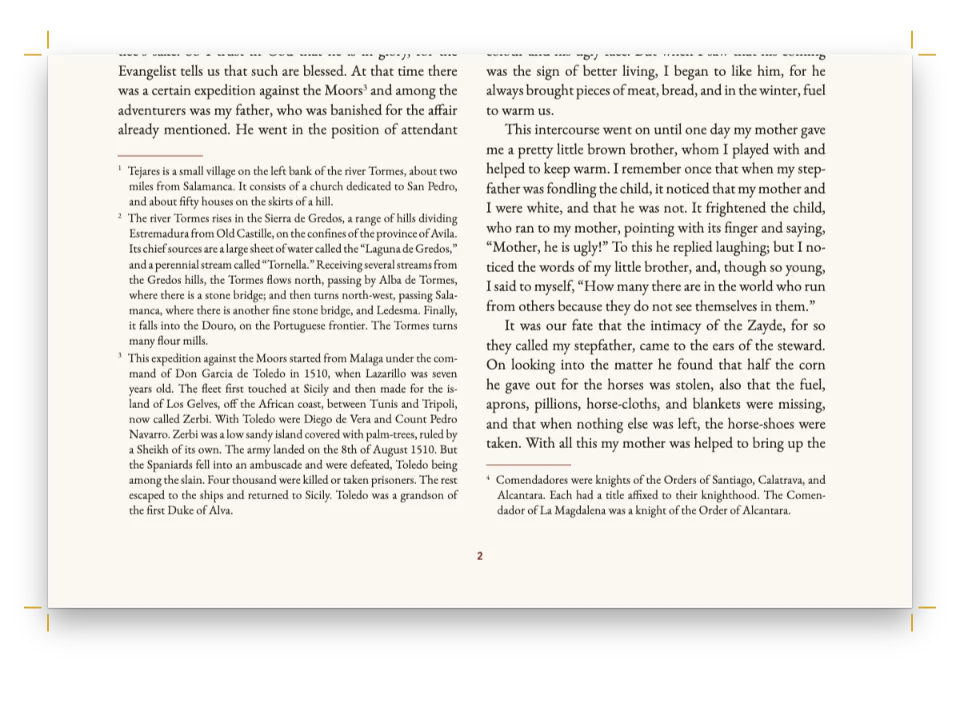
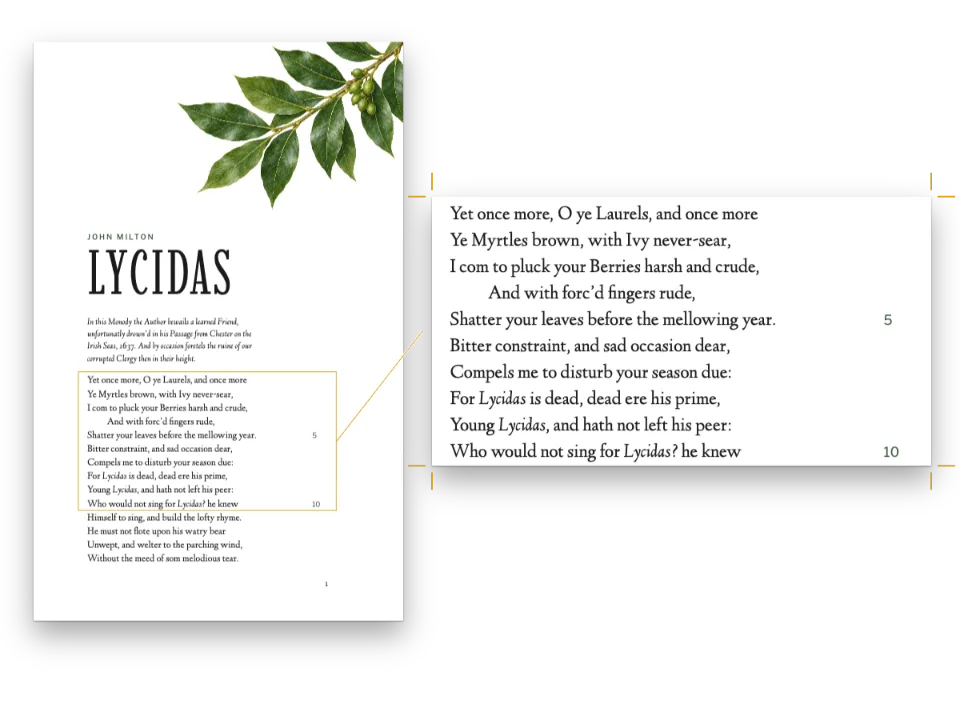
イングランドの好古家たちが中世音楽をどう読んだかを扱う研究書の第3章です。判型156 × 234 mmの5ページで、レディングの輪唱曲 Sumer is icumen in と、1776年から1889年にかけてこれを総譜にした編者たちを論じます。輪唱曲の3か所を、Leipzigの書体と5 mmの譜表で本文中に刻み、小節番号はW. S. Rockstroの総譜に合わせています。各段落はページの下の校異を引きます。「b. 40, n. 2 A ] G Hw, Bu」。注は校異らしく短く詰まり、楽譜は本文の行長いっぱいに収まります。どの異読もGroveの『音楽・音楽家事典』にRockstroが書いた項目によるもので、章の第2段落でそのことを明記しています。
このレシピが答える質問
- 譜例に、資料ごとの異同を記した校訂注を脚注で付けるには?
- 脚注を付けるには?
手短な答え
// In the Markdown each example is a ```mei fence. A variant is encoded where it stands,
// <app><lem>…</lem><rdg source="#Hw #Bu">…</rdg></app>: the staff shows the lemma, and
// the file keeps the reading for anyone who opens the encoding. The apparatus entry is a
// footnote cited from the paragraph that discusses the bar: `[^b40]: **b. 40, n. 2** A ] G`.
const scoreStyle = {
  staffSize: mm(5), // running-text examples: 4.5–5.5 mm
  musicFont: 'Leipzig', // lighter than Bravura, close to a 19th-century plate
  textFont: 'Crimson Pro', // the underlay in the book's own face
  barNumbers: 'system', // the apparatus is keyed by bar: number every system
  spacing: 0.95,
  systemGap: mm(4),
  marginTop: pt(4),
  marginBottom: pt(LEAD / 2),
  color: col('ink'),
  minSystemsAtBreak: 2, // never leave one system of an example alone at a page foot
};
const footnotes = {
  placement: 'column', // the foot of the page in one column
  numbering: 'chapter',
  fontSize: pt(8.5),
  lineHeight: pt(10.75),
  hangingIndent: em(1.2), // turnover lines align past the number
  spaceBetween: pt(2),
  separator: { width: 0.2, lineWidth: pt(0.5), color: col('rubric') },
};
材料
- 併用する機能
- コードリスト段末そろえPDFに埋め込むフォント
- 種類
- Crimson Pro, Cormorant Garamond, Source Sans 3 (SIL OFL 1.1)
- 素材
- なし:画像はすべてコードで描画
作り方
#1 · 譜例をMEIで書き、異読も書き込む
設定は上の手短な答えにあります。音楽はMarkdownの中に、譜例ごとに1つの ```mei ブロックで書きます。資料が食い違う箇所では、小節に <app> を置き、採った読みを <lem> に、もう一方を <rdg source="#Hw #Bu"> に入れます。刻まれるのは <lem> なので、譜例3.3の第40小節にはAが印刷され、HawkinsとBurneyのGは符号化を開く人のためにファイルに残ります。各ブロックにはページの言語で alt を付けます。スクリーンリーダーとタグ付きPDFが楽譜について読み上げるのはこの文です。
#2 · 校異を、読者に見える小節に結びつける
barNumbers: 'system' は各段の最初の小節に番号を付けます。各ブロックの <measure n="37"> は、依拠した版でその部分が始まる番号から数え始めるので、譜例3.3は37から始まり、注の「b. 40」は読者が見つけられる小節を指します。校異の項目は普通の脚注で、その小節を論じる段落から引きます。採った読み、閉じ角括弧、異読、斜体の略号の順です。楽譜の中からは注を引けないので、合印はその読みを挙げる文に付けます。
#3 · 本文に合う大きさで楽譜を組む
5 mmのLeipzigの譜表は116 mmの行長に、3/2拍子の小節を1段に5〜6小節入れて収まり、譜例3.3の11小節は2段になります。textFont は歌詞を本文の書体Crimson Proで組み、minSystemsAtBreak: 2 は、譜例の1段だけをページの終わりに残して残りを次のページへ送ることを防ぎます。譜例の見出しは第3レベルの見出しなので、楽譜を伴わずにページの下に取り残されることはありません。
#4 · 注のあるページは短く終わらせる
const opener = {
  enabled: true,
  minHeight: mm(50), // every chapter's text starts on the same grid line
  slot: { elements: [
    { kind: 'text', id: 'kicker', content: '{attr.kicker}', ...label, fontSize: pt(8.5),
      letterSpacing: pt(1.8), color: col('rubric'), align: 'left',
      placement: at('container', 'top-left', 0, 8) },
    { kind: 'text', id: 'title', content: '{titleText}', fontFamily: 'Cormorant Garamond',
      italic: true, fontWeight: 500, fontSize: pt(29), lineHeight: 1.05, color: col('ink'),
      align: 'left', overflow: 'wrap', // design text ends in an ellipsis by default
      placement: { ...at('#kicker', 'below', 0, 3), size: { width: mm(100), height: 'auto' } } },
    { kind: 'rule', id: 'rule', direction: 'horizontal', thickness: pt(1), color: col('rubric'),
      placement: { ...at('#title', 'below', 0, 5), size: { width: mm(14) } } },
  ] },
};
章扉は本文をCormorantのイタリックの題の下、50 mmまで下げます。その先で、次の行が長い注を連れてくるページは数行早く終わります。balancing: { maxLinesPerHeading: 1 } は、段の均等化がその空きを次の節見出しの上へ移すのを防ぎます。そこに空きがあると、論の流れが切れたように見えるからです。
#5 · 偶数ページに書名、奇数ページに章名
const head = (id, content, parity, edge, x, extra = {}) => ({
  kind: 'text', id, content, parity, pages: 'body', // never on the opener
  ...label, fontSize: pt(7.5), letterSpacing: pt(1.3), color: col('muted'),
  placement: at('page', edge, x, 13), ...extra,
});
const folio = { color: col('rubric'), fontWeight: 700 };
const header = { elements: [
  head('verso-folio', '{pageNumber}', 'even', 'top-left', MARGIN.outer,
    { ...folio, align: 'left' }),
  head('verso-title', '{title}', 'even', 'top-left', MARGIN.outer + 8, { align: 'left' }),
  head('recto-title', '{chapterTitle}', 'odd', 'top-right', -(MARGIN.outer + 8),
    { align: 'right', overflow: 'ellipsis' }),
  head('recto-folio', '{pageNumber}', 'odd', 'top-right', -MARGIN.outer,
    { ...folio, align: 'right' }),
] };
// The opener carries a drop folio instead, centred under the text block.
const footer = { elements: [{ ...head('drop-folio', '{pageNumber}', 'all', 'bottom', 0,
  { ...folio, align: 'center', placement: at('page', 'bottom', 0, -11) }), pages: 'opener' }] };
ノンブルは朱色で外側に置き、偶数ページに書名、奇数ページに章名を入れます。pages: 'body' で章扉からは外し、章扉にはページ下の中央にノンブルを置きます。
レシピの全体
// ═══ Postext Cookbook · Nº 165 · MEI music examples with a critical apparatus ═════
// https://postext.dev/en/cookbook/musicology-mei-apparatus
// Code: MIT · Text: original (CC BY 4.0) · Music: Sumer is icumen in, after Rockstro (PD)
// Fonts: Crimson Pro, Cormorant Garamond, Source Sans 3 (SIL OFL 1.1) · Needs postext ≥ 1.54.0
import {
  buildDocumentWithFonts, renderPageToCanvas, initMusicEngine,
} from 'https://esm.sh/postext';
import { renderToPdf, decompressWoff2 } from 'https://esm.sh/postext-pdf';

const LANG = 'en'; // @lang: the language of the sample document ('en' | 'es')
const RECIPE = 'musicology-mei-apparatus';

// ─── 1 · Design ─────────────────────────────────────────────────────────────
// #region palette: a rubric red for kickers, labels and the notes' rule; ink on cream
const palette = {
  ink: '#211d1a', // text and notation: a warm near-black
  rubric: '#8c2f1f', // the one accent, the red of the manuscript's rubrics
  muted: '#6c645b', // running heads, colophon
  rule: '#cbbfae', // hairlines
  paper: '#fcfaf6',
};
// col(id): a colour linked to its palette entry, with the entry's hex beside the id.
const col = (id) => ({ hex: palette[id], model: 'hex', paletteId: id });
const colorPalette = [
  ...Object.entries(palette).map(([id, hex]) => ({ id, name: id, value: { hex, model: 'hex' } })),
  // The engine's defaults link to main-color: point it at the accent, never the default blue.
  { id: 'main-color', name: 'accent (defaults)', value: { hex: palette.rubric, model: 'hex' } },
];
// #endregion
const MARGIN = { top: 22, bottom: 22, inner: 19, outer: 21 }; // 156 × 234 mm, mirrored
const LEAD = 14.5; // body leading in pt: the baseline grid
const at = (to, edge, x = 0, y = 0) => ({ anchor: { to, edge }, offset: { x: mm(x), y: mm(y) } });
const label = { fontFamily: 'Source Sans 3', fontWeight: 600, textTransform: 'uppercase' };

// #region answer: MEI examples engraved in the text, their apparatus in footnotes
// In the Markdown each example is a ```mei fence. A variant is encoded where it stands,
// <app><lem>…</lem><rdg source="#Hw #Bu">…</rdg></app>: the staff shows the lemma, and
// the file keeps the reading for anyone who opens the encoding. The apparatus entry is a
// footnote cited from the paragraph that discusses the bar: `[^b40]: **b. 40, n. 2** A ] G`.
const scoreStyle = {
  staffSize: mm(5), // running-text examples: 4.5–5.5 mm
  musicFont: 'Leipzig', // lighter than Bravura, close to a 19th-century plate
  textFont: 'Crimson Pro', // the underlay in the book's own face
  barNumbers: 'system', // the apparatus is keyed by bar: number every system
  spacing: 0.95,
  systemGap: mm(4),
  marginTop: pt(4),
  marginBottom: pt(LEAD / 2),
組み立てたscript.jsはそのまま動きます。任意のページのモジュールスクリプトに貼り付けるか、レシピをCodePenで開いてください。 GitHub上のレシピのフォルダー ↗ (新しいタブで開きます)
アレンジ
#すべての小節に番号を付ける
1段に校異の項目が多いときは、小節ごとに番号があるほうが追いやすくなります。
-  barNumbers: 'system', // the apparatus is keyed by bar: number every system
+ barNumbers: 'every',#譜例をBravuraで刻む
Bravuraの太めの符頭は、銅版彫刻風の社内様式によく合います。
-  musicFont: 'Leipzig', // lighter than Bravura, close to a 19th-century plate
+ musicFont: 'Bravura',よくあるつまずき
- MEI 5では調号を
scoreDefかstaffDefのkeysig="1f"で書きます。MEI 4の属性key.sigは知らせもなく無視され、フラットが消えます。 - どの
staffDefにもlines="5"を付けます。これがないと、音符と音部記号は譜線のないところに刻まれます。 - 刻まれるのは
<app>の<lem>で、<rdg>ではありません。ページ上で読者に見せたい異読は、校異の注か、もう1つの譜例に置きます。
クレジット
- 本文
- The chapter text and the apparatus notes, in English and Spanish · Ignacio Ferro · CC BY 4.0
- Sumer is icumen in (13th century), the music examples transcribed from W. S. Rockstro's score and the readings his article reports, in A Dictionary of Music and Musicians, ed. George Grove, vol. 3, pp. 765–768, and vol. 4, pp. 1–3 (Macmillan, 1900 printing), as transcribed on Wikisource · Anonymous; William Smyth Rockstro · パブリックドメイン
- The Latin rubric of Harley MS 978, f. 11v, and the folio, as quoted in the Wikipedia article (fact check) · Wikipedia contributors · CC BY-SA 4.0
- フォント
- Crimson Pro (SIL OFL 1.1) · Cormorant Garamond (SIL OFL 1.1) · Source Sans 3 (SIL OFL 1.1)