かんたんな説明
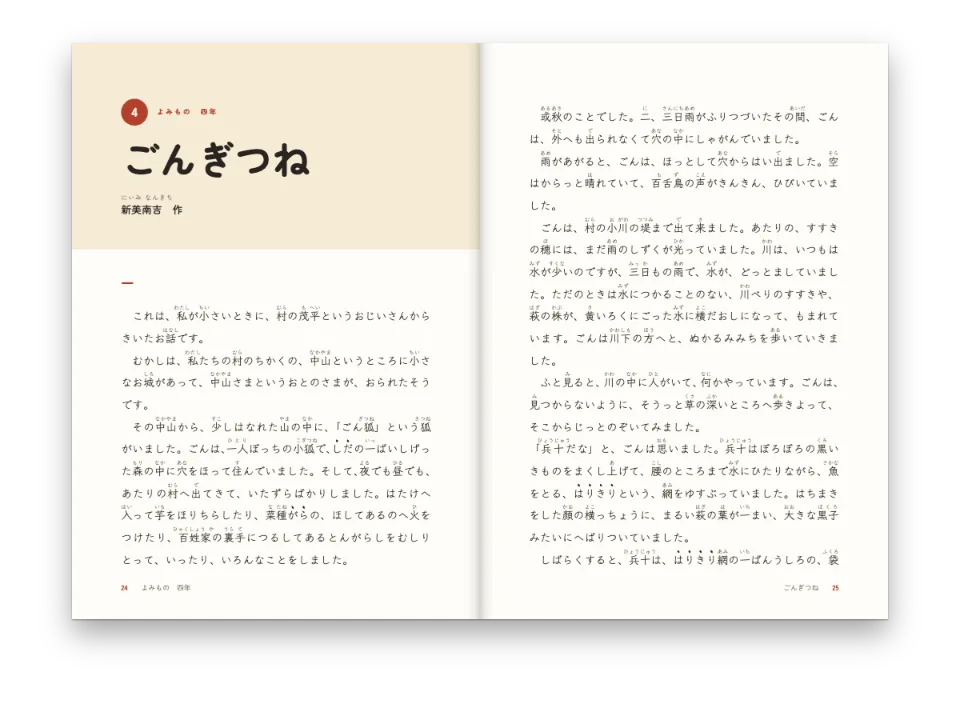
音楽理論の教科書のうち、フレーズの終わり方を扱う1章です。譜例は章の中に短い文字の行として書き、Postextがそれを五線と音符として描きます。いちばん長い譜例は、段落のように次のページへ続きます。
できあがり
鍵盤和声の講座の第5章です。180 × 250 mmの判型にLibre Caslonで組み、5つの終止を扱います。完全終止と不完全終止、半終止、変格終止、偽終止です。各終止には短い段落が2つと3声の譜例が1つ付き、譜表の下にローマ数字の度数を記します。譜例はMarkdownの中にABCで直接書きます。章はイ短調の『グリーンスリーヴス』(Greensleeves)で終わり、各小節の上に度数を1つずつ記します。この旋律は3ページに残った場所には長すぎるため、そこに3段を置き、最後の2段を4ページの頭に回します。段落が行と行のあいだで分かれるように、段と段のあいだで分かれます。譜表の大きさ、音楽フォント、間隔は設定で一度だけ決めるので、5つの譜例と旋律は同じ見た目になります。
このレシピが答える質問
- 教科書の本文に、記譜のテキストで書いた譜例を入れるには?
手短な答え
// Each ```abc fence in the chapter is engraved at the width of the text column and cut
// into systems. The style is set once here; the Markdown only holds the notation.
const scoreStyle = {
  staffSize: mm(5.5), // a textbook's rastral: examples read at arm's length on a desk
  musicFont: 'Bravura', // the traditional engraved look, heavy enough beside Caslon
  textFont: 'Libre Caslon Text', // the Roman numerals of `w:` lines, in the text face
  spacing: 1.6, // air between the chords: an example reads as a progression, not a cluster
  barNumbers: 'system',
  systemGap: mm(4),
  marginTop: pt(LEAD / 2),
  marginBottom: pt(LEAD / 2),
  color: col('ink'),
  // A long example runs on into the next page between two systems, never leaving one
  // system alone at the foot of a page or at the head of the next.
  minSystemsAtBreak: 2,
};
材料
- 種類
- Libre Caslon Text, Libre Caslon Display, Libre Franklin (SIL OFL 1.1)
- 素材
- なし:画像はすべてコードで描画
作り方
#1 · 本文が必要とする場所に譜例を書く
abcと記したブロックに記譜を書き、本文はその後に続けます。L:1/2は長さを付けない和音をすべて二分音符にし、[Bdg]は3つの音を1つの声部に重ね、w:の行は各和音の下に語を1つずつ置きます。ここではそれがローマ数字です。alt属性は、スクリーンリーダーとタグ付きPDFが画像の代わりに読み上げる内容です。
```abc {alt="ト長調の完全終止:I、IV、V、I"}
X:1
M:4/4
L:1/2
K:G
[Bdg] [ceg] | [Adf] [Bdg] |]
w: I IV V I
```#2 · どの楽譜にも本と同じ見た目を与える
手短な答えが楽譜のデザインのすべてです。譜表は5.5 mmで、鍵盤で読む譜例に和声の教科書が使う大きさです。Caslonの本文にはBravuraを合わせ、度数は浄書エンジンのTimesではなく本文の書体で組みます。spacing: 1.6は二分音符の和音4つを行長の3分の1に広げるので、和声進行を和音ごとに読めます。同じ設定が、『グリーンスリーヴス』の1段に何小節入るかも決めます。125 mmの行長で3小節です。
#3 · 長い譜例を次のページへ続ける
minSystemsAtBreak: 2が、ページをめくるところでも『グリーンスリーヴス』を読みやすく保ちます。旋律は5段になり、3段が3ページの地に収まるので、2段が4ページへ移ります。どちらのページにも1段だけが残ることはありません。4段に満たない楽譜はまるごと次のページへ移ります。短い終止の譜例もそうなります。
#4 · 組版の前に浄書エンジンを起動する
// The engraver (Verovio) loads only for books with music: start it before the build,
// or every score is laid out as a grey placeholder box.
await initMusicEngine();
const doc = await buildDocumentWithFonts({ markdown }, config, kitFonts(FONTS));
showPages(doc, { title: t({ en: 'Harmony textbook', es: 'Manual de armonía' }) });
// The PDF draws every system as vector paths, the numerals in the embedded text face.
offerPdf(() => renderToPdf(doc, { fontProvider: fontsourceProvider }), `${RECIPE}.pdf`);
VerovioはWebAssemblyで約3.7 MBあるので、エンジンは求められたときにだけ読み込みます。initMusicEngine()がなくてもレイアウトは進み、各楽譜は正しい大きさの灰色の箱になります。renderToPdfにはほかに何も要りません。PDFは各段をベクターのパスとして描き、度数は埋め込んだCaslonで組みます。
#5 · 下げた章題で章を始める
const opener = {
  enabled: true,
  minHeight: mm(48),
  slot: { elements: [
    { kind: 'text', id: 'kicker', content: '{attr.kicker}', fontFamily: LABEL, fontSize: pt(8.5),
      fontWeight: 700, letterSpacing: pt(1.7), textTransform: 'uppercase', color: col('accent'),
      align: 'left', placement: { anchor: { to: 'container', edge: 'top-left' },
        offset: { x: mm(0), y: mm(12) } } },
    { kind: 'text', id: 'title', content: '{titleText}', fontFamily: 'Libre Caslon Display',
      fontSize: pt(34), lineHeight: 1.05, color: col('ink'), align: 'left', overflow: 'wrap',
      placement: { anchor: { to: '#kicker', edge: 'below' }, offset: { x: mm(0), y: mm(3) },
        size: { width: mm(110), height: 'auto' } } },
    { kind: 'rule', id: 'rule', direction: 'horizontal', thickness: pt(1.5),
      color: col('accent'),
      placement: { anchor: { to: '#title', edge: 'below' }, offset: { x: mm(0), y: mm(5) },
        size: { width: mm(16) } } },
  ] },
};
章扉はキッカーを見出しのkicker属性から取り、48 mmを確保します。タイトルとその罫が収まり、最初の譜例も1ページに残る高さです。
レシピの全体
// ═══ Postext Cookbook · Nº 163 · Harmony textbook with ABC examples ═════════════
// https://postext.dev/en/cookbook/harmony-textbook-abc-examples
// Code: MIT · Text: original (CC BY 4.0) · Music: Greensleeves (traditional, PD)
// Fonts: Libre Caslon Text & Display, Libre Franklin (SIL OFL 1.1) · Needs postext ≥ 1.54.0
import {
  buildDocumentWithFonts, renderPageToCanvas, initMusicEngine,
} from 'https://esm.sh/postext';
import { renderToPdf, decompressWoff2 } from 'https://esm.sh/postext-pdf';

const LANG = 'en'; // @lang: the language of the sample document ('en' | 'es')
const RECIPE = 'harmony-textbook-abc-examples';

// ─── 1 · Design ─────────────────────────────────────────────────────────────
// #region palette: a conservatory green for the accents, warm ink for text and notes
const palette = {
  ink: '#1f1c19', // text and notation: a warm near-black
  accent: '#2f5d4f', // kickers, rules, Roman numerals in the table
  tint: '#edf2ef', // the box of key terms
  rule: '#c3cfc9', // hairlines
  muted: '#5c6863', // running heads, colophon
  paper: '#ffffff',
};
const col = (id) => ({ hex: palette[id], model: 'hex', paletteId: id });
const colorPalette = [
  ...Object.entries(palette).map(([id, hex]) => ({ id, name: id, value: { hex, model: 'hex' } })),
  // The engine's defaults link to main-color: point it at the accent, never the default blue.
  { id: 'main-color', name: 'accent (defaults)', value: { hex: palette.accent, model: 'hex' } },
];
// #endregion
const TRIM = { width: 180, height: 250 };
const MARGIN = { top: 22, bottom: 24, inner: 22, outer: 33 }; // a 125 mm measure
const LEAD = 14.5; // body leading in pt: the baseline grid
const LABEL = 'Libre Franklin';

// #region answer: one score style for every example in the text
// Each ```abc fence in the chapter is engraved at the width of the text column and cut
// into systems. The style is set once here; the Markdown only holds the notation.
const scoreStyle = {
  staffSize: mm(5.5), // a textbook's rastral: examples read at arm's length on a desk
  musicFont: 'Bravura', // the traditional engraved look, heavy enough beside Caslon
  textFont: 'Libre Caslon Text', // the Roman numerals of `w:` lines, in the text face
  spacing: 1.6, // air between the chords: an example reads as a progression, not a cluster
  barNumbers: 'system',
  systemGap: mm(4),
  marginTop: pt(LEAD / 2),
  marginBottom: pt(LEAD / 2),
  color: col('ink'),
  // A long example runs on into the next page between two systems, never leaving one
組み立てたscript.jsはそのまま動きます。任意のページのモジュールスクリプトに貼り付けるか、レシピをCodePenで開いてください。 GitHub上のレシピのフォルダー ↗ (新しいタブで開きます)
アレンジ
よくあるつまずき
- 和音の長さは角かっこの中に
[B2d2g2]と書くか、L:を和音の音価に合わせます。角かっこの後に書いた長さ([Bdg]2)は、既定の長さとして読まれます。 - VerovioのABCの読み込みは、
w:の行の各音節を次の音符に割り当て、*と_を無視します。そのためw:の行で音符を飛ばすことはできません。いくつかの小節だけに印を付けるには、『グリーンスリーヴス』の譜例のように、印を譜表の上のコードネームとして書きます。 - 本文の書体に♯と♭の記号があることはまれです。本文には「嬰ヘ」と書いてください。そうしないと、ブラウザがシステムのフォントから記号を組みます。
クレジット
- 本文
- The chapter on cadences and its examples, written for this recipe · Ignacio Ferro · CC BY 4.0
- Greensleeves, English tune of the sixteenth century, in its common modern form · Traditional · パブリックドメイン
- フォント
- Libre Caslon Text (SIL OFL 1.1) · Libre Caslon Display (SIL OFL 1.1) · Libre Franklin (SIL OFL 1.1)