かんたんな説明
物理の教科書の1章です。広い本文の段と、小口寄りの細い段があります。細い段には、図や短い注をそれが属する本文の横に置きます。
できあがり
物理の入門教科書『Lever and Lens』の第4章を、210 × 275 mmのページに組みます。本文は1つの広い段に流れ、53 mmの帯である小口側の余白には入りません。章番号の緑の4はその帯の中に表題と同じ高さで置き、その下に学習目標を入れます。光線の図は帯の頭から積み重ね、重要語はそれを定義する箇所の横のミント色の傍注に入れます。本文の段にとどまる図は暗い地か明るい地に置き、キャプションは余白の、図の下端と同じ高さに入れます。両段にまたがるのはプリズムのパネルだけです。余白は見開きで入れ替わるので、帯はどのページでも小口側、奇数ページでは右、偶数ページでは左に来ます。
このレシピが答える質問
- 幅の広い本文の段と幅の狭いサイド段からなる1段半のレイアウトにするには?
- 説明する段落の横に、傍注や注釈を置くには?
- 番号付きキャプションのある図を加え、本文で参照するには(「図3.2を参照」)?
- 図の位置を制御するには(ページの上端、2段をまたぐ、まさにこの位置、余白)?
- キャプションを図の横に、または表の上のキャプションバーに置くには?
- 見出しに番号(1、1.1、1.1.1)を振り、レベルごとに異なるスタイルにするには?
手短な答え
const layout = {
  layoutType: 'oneAndHalf', // a wide main column and a narrow side column
  sideColumnPercent: 30, // of the 176 mm content width: a 52.8 mm channel
  sideColumnRole: 'floats', // no body text: side figures, side captions and side boxes only
  sideColumnSide: 'outer', // right on a recto, left on a verso (the margins are mirrored)
  gutterWidth: mm(7), // the text column keeps the rest: 176 − 52.8 − 7 = 116 mm
};
// A figure placed with span 'side' stacks in the channel from the head of the page that cites it,
// under the numeral on a chapter's first page.
const side = { span: 'side' };
// A figure left in the text column (the default span) sets its caption in the channel beside
// it; page-wide floats ignore captionSide and keep theirs underneath.
const resourceTypes = defaultResourceTypes(LANG).map((type) => (type.id !== 'figure' ? type
  : { ...type, defaultPlacement: { captionSide: true } })); // the built-in types, in LANG
// A box fenced :::callout{type="term" span="side"} leaves the flow and lands in the channel at the
// height the text has reached: fence each gloss before the paragraph it should stand beside.
材料
- 機能
- フロート用の余白段横置きのキャプション欄外の注1段半組み見開きの余白図を配置する参照図の配置番号付きキャプションリソースとしての図と表「図」と「表」を文書の言語でデザインした章扉デザイン要素の基準位置見出しの属性番号付き見出し見出しスタイル奇数ページから始まる章囲み柱とノンブルページの役割ごとの柱セマンティックカラーパレット
- 種類
- Merriweather, Merriweather Sans (SIL OFL 1.1)
- 素材
- なし:画像はすべてコードで描画
作り方
#1 · 余白をフロートに充てる
この手順のコードは前出の手短な答えにあります。1段半組みでは、sideColumnPercent: 30で176 mmの内容幅の30 %(52.8 mm)をサイド段に割り当て、本文の段には7 mmの段間を引いた残り(116 mm、9.3 ptのMerriweatherでおよそ75字)が残ります。sideColumnRole: 'floats'で本文をサイド段に入れず、sideColumnSide: 'outer'でサイド段を小口側に置きます。見開きの余白により、小口側はページごとに入れ替わります。図はspan: 'side'でそこに置きます。囲みの開始行にspan="side"を付けた囲みは本文の流れから外れ、本文がその時点で達している高さで帯に入るので、各傍注は囲みに続くブロックと同じ高さから始まります。
#2 · 引用で各図の位置を決める
const drawings = new Map(); // fileId → SVG markup, registered before the build
const figure = (id, { width, height, markup }, placement) => {
  drawings.set(`${id}.svg`, markup);
  return { id, typeId: 'figure', kind: 'svg', createdAt: 0, updatedAt: 0, caption: t(captions[id]),
    altText: t(captions[id]), // read aloud in HTML and tagged PDF; the canvas does not use it
    svg: { fileId: `${id}.svg`, width, height }, ...(placement && { placement }) };
};
const resources = [ // no placement: a main-column float, its caption in the channel
  figure('burning-glass', burningGlass()),
  figure('refraction', refraction(), side),
  figure('critical-angle', criticalAngle(), side),
  figure('fibre', fibre()),
  figure('prism', prism(), { span: 'page', position: 'top' }), // across text column and channel
  figure('principal-rays', principalRays()),
  figure('diverging', diverging(), side),
];
図への最初の:refがその図に番号を振り、配置の指定どおりに置きます。span: 'side'の図は、引用がページのどれほど下にあっても、引用したページの帯の頭から積み重なり、帯の残りが足りなければ次のページへ移ります。どちらも88ページで引用される図4.2と図4.3は、そのページの帯を上から積み重なり、あいだに臨界角の傍注が入ります。プリズムは88ページで引用されるページ幅のtopフロートで、フロートは引用より上には置かれないので、89ページの頭で両段にまたがります。図4.1、4.4、4.6は本文の段にとどまり、図の種別のdefaultPlacementからcaptionSideを受け取ります。これらは段の下の位置を取るので、キャプションはそれぞれ図の下端と同じ高さに来ます。上の位置なら、図の上端にそろいます。
#3 · 余白で章を始める
// Every element counts toward the opener's depth, the page-anchored numeral too (gotcha:
// opener-reserves-anchored). minHeight fixes that depth at nine lines of the grid, room for a
// one-line title, the rule and a four-line standfirst (41.2 mm), so the text starts on the same
// line in every such chapter, however short its standfirst and even with a smaller numeral. Kicker
// and numeral (40.6 mm) reach the ninth line too; a deeper opener grows past it, line by line.
const [KICKER, NUMERAL] = [8, 104]; // pt
const opener = {
  enabled: true,
  minHeight: pt(LEAD * 9), // 42.9 mm: the text starts on the eleventh line, after marginBottom
  slot: {
    elements: [
      { kind: 'text', id: 'title', content: '{titleText}', fontFamily: SANS, fontWeight: 800,
        fontSize: pt(32), lineHeight: 1.05, color: col('ink'), align: 'left', overflow: 'wrap',
        placement: { anchor: { to: 'container', edge: 'top-left' }, size: { width: 'fill' } } },
      { kind: 'rule', id: 'rule', direction: 'horizontal', thickness: pt(1), color: col('accent'),
        placement: { anchor: { to: '#title', edge: 'below' }, offset: { y: mm(4) },
          size: { width: 'fill' } } },
      { kind: 'text', id: 'lead', content: '{attr.lead}', fontFamily: SERIF, italic: true,
        fontSize: pt(10.5), lineHeight: 1.45, color: col('ink'), align: 'left', overflow: 'wrap',
        placement: { anchor: { to: '#rule', edge: 'below' }, offset: { y: mm(3.5) },
          size: { width: 'fill' } } },
      // The kicker hangs from the page's top-right corner, not from the heading: the channel lies
      // outside the heading's column, and on the right only on a recto (so chapters open on one).
      // The numeral hangs from the kicker.
      { kind: 'text', id: 'kicker', content: t({ en: 'Chapter', es: 'Capítulo' }), ...label,
        fontSize: pt(KICKER), align: 'left', placement: { anchor: { to: 'page', edge: 'top-right' },
          offset: { x: mm(-OUTER), y: mm(TOP) }, size: { width: mm(CHANNEL) } } },
      { kind: 'text', id: 'numeral', content: '{chapterNumber}', fontFamily: SANS, fontWeight: 800,
        fontSize: pt(NUMERAL), lineHeight: 1, color: col('accent'), align: 'left',
        placement: { anchor: { to: '#kicker', edge: 'below' }, offset: { y: mm(0.5) },
          size: { width: mm(CHANNEL) } } },
    ],
  },
};
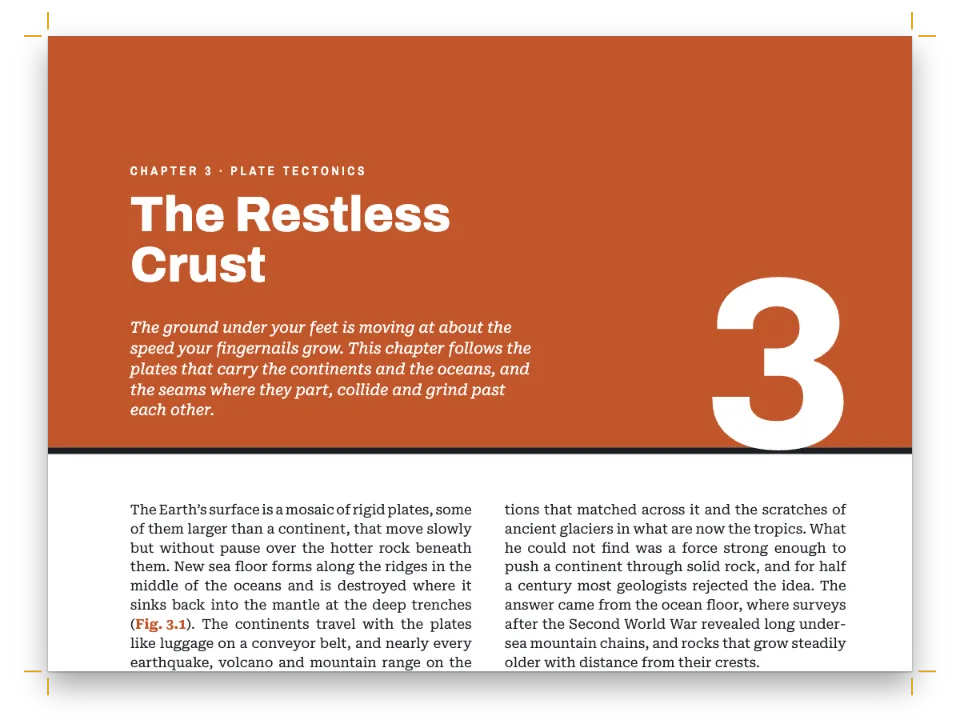
1レベル見出しは本文の段にとどまり、そこでデザイン枠が見出しのテキスト、罫、リードを積み重ねます。肩見出しはページの右上の角に、数字は肩見出しに固定し、どちらも帯と同じ幅にします。minHeightで章扉を9行(42.9 mm)に固定します。1行の表題、罫、4行のリードが収まる高さで、リードが短くなっても本文が上に引き上げられません。肩見出しと104 ptの数字は天の余白から40.6 mm下、つまりこの9行の内側で終わるので、本文を押し下げることもありません。帯が右に来るのは奇数ページだけなので、H1は奇数ページへ改ページします。学習目標の囲みは第1段落のあとに置き、それより前では余白の図を引用しないので、囲みは数字の下に来ます(「よくあるつまずき」を参照)。
#4 · ノンブルを帯の端に置く
const [HEAD_Y, FOOT_Y, HEAD_GAP] = [12.5, -12, 9]; // mm from the top and bottom trim; folio to head
// A text on the physical page: edge picks the corner, x and y are its offsets in mm.
const head = ({ edge, x, y = HEAD_Y, ...text }) => ({
  kind: 'text', pages: 'body', ...label, color: col('muted'), ...text,
  placement: { anchor: { to: 'page', edge }, offset: { x: mm(x), y: mm(y) } },
});
const folio = { content: '{pageNumber}', fontSize: pt(8.5), letterSpacing: pt(0),
  color: col('accent') };
const verso = { parity: 'even', edge: 'top-left' }; // x counts in from the left edge
const recto = { parity: 'odd', edge: 'top-right' }; // x counts back from the right edge
const header = { elements: [
  head({ id: 'verso-folio', ...verso, ...folio, x: OUTER }),
  head({ id: 'verso-title', ...verso, content: '{title}', x: OUTER + HEAD_GAP }),
  head({ id: 'recto-title', ...recto, x: -(OUTER + HEAD_GAP),
    content: t({ en: 'Chapter {chapterNumber} · {chapterTitle}',
      es: 'Capítulo {chapterNumber} · {chapterTitle}' }) }),
  head({ id: 'recto-folio', ...recto, ...folio, x: -OUTER }),
] };
// A chapter's first page, always a recto, carries a drop folio at the foot of the channel instead.
const footer = { elements: [
  head({ id: 'drop-folio', ...recto, ...folio, pages: 'opener', edge: 'bottom-right', x: -OUTER,
    y: FOOT_Y }),
] };
各要素は物理的なページに固定し、parityで絞り込むので、見開きのどちらの側でも、ノンブルと柱は帯と同じ側に来ます。pages: 'body'で章扉には出さず、章扉には代わりに帯の地にノンブルを置きます。
#5 · 本を第4章から始める
const continuation = { pageNumbering: { startAt: 87 }, // odd, like page 1: a recto
  headings: { h1: 3, h2: 0, h3: 0, h4: 0, h5: 0, h6: 0 } }; // the next # is chapter 4
const doc = await buildDocumentWithFonts({ markdown, resources, continuation }, config(),
  kitFonts(FONTS));
showPages(doc, { title: t({ en: 'Textbook with a margin column',
  es: 'Libro de texto con columna al margen' }) });
これらのページは、もっと長い本の第4章です。continuationで章カウンターを3にするので、{chapterNumber}は4を印刷し、レベル2のnumberingTemplate: '{1}.{2}'は節に4.1から4.3の番号を振ります。図は4.1から4.7までです。## Questions {style="plain"}はnumbered: falseのheadingStyles項目を使うので、その見出しには番号が付きません。最初のページは奇数ページで、奇数ページには奇数のノンブルが付くので、ノンブルは87から始まります。
#6 · 色の名前を一度だけ決める
const palette = {
  ink: '#1a222d', // text, and the dark panels of figures 4.1, 4.4 and 4.5
  accent: '#17774f', // the only accent colour: numerals, folios, section headings, labels
  ray: '#f2a516', // light rays in every diagram
  glass: '#cfe6dd', // glass in the diagrams
  tint: '#edf5f1', // the key-term glosses and the light plate of a construction diagram
  muted: '#5b6863', // running heads, the normals in the diagrams, the colophon
  paper: '#ffffff',
};
// A colour carries its id and its hex. The diagrams read `palette` as well, so retint the
// chapter by editing it: the text, the designs and the drawings change together.
const col = (id) => ({ hex: palette[id], model: 'hex', paletteId: id });
const colorPalette = [
  ...Object.entries(palette).map(([id, hex]) => ({ id, name: id, value: { hex, model: 'hex' } })),
  // The engine's defaults link to 'main-color': point it at the accent, so nothing prints blue.
  { id: 'main-color', name: 'accent (defaults)', value: { hex: palette.accent, model: 'hex' } },
];
設定の色はどれもパレットの項目にリンクし、さらに16進値も持ちます。col()は同じオブジェクトからその値を写します。章の色調を変えるにはpaletteを編集します。図も同じオブジェクトを参照するので、ガラス、光線、暗いパネル、明るい地が、数字、ラベル、傍注と一緒に変わります。main-colorはアクセント色を指すので、設定で指定していない文字スタイルの既定の色は、エンジンの青ではなく緑で印刷されます。
レシピの全体
// ═══ Postext Cookbook · Nº 001 · Textbook with a margin column ═══════════════════
// https://postext.dev/en/cookbook/textbook-margin-column
// Code: MIT · Text: original (CC BY 4.0) · Diagrams: generated in code (CC BY 4.0)
// Fonts: Merriweather, Merriweather Sans (SIL OFL 1.1) · Needs postext ≥ 1.25.0
// A chapter of a physics textbook in the column-and-a-half layout: the body text keeps to
// the main column, and the outer margin is a channel for diagrams, captions and glosses.
import {
  buildDocumentWithFonts, renderPageToCanvas, registerResourceImage, defaultResourceTypes,
} from 'https://esm.sh/postext';

const LANG = 'en'; // @lang: the language of the sample document ('en' | 'es')
const RECIPE = 'textbook-margin-column';

// ─── 1 · Design ─────────────────────────────────────────────────────────────
// #region palette: semantic colours, each linked by id and written out in hex
const palette = {
  ink: '#1a222d', // text, and the dark panels of figures 4.1, 4.4 and 4.5
  accent: '#17774f', // the only accent colour: numerals, folios, section headings, labels
  ray: '#f2a516', // light rays in every diagram
  glass: '#cfe6dd', // glass in the diagrams
  tint: '#edf5f1', // the key-term glosses and the light plate of a construction diagram
  muted: '#5b6863', // running heads, the normals in the diagrams, the colophon
  paper: '#ffffff',
};
// A colour carries its id and its hex. The diagrams read `palette` as well, so retint the
// chapter by editing it: the text, the designs and the drawings change together.
const col = (id) => ({ hex: palette[id], model: 'hex', paletteId: id });
const colorPalette = [
  ...Object.entries(palette).map(([id, hex]) => ({ id, name: id, value: { hex, model: 'hex' } })),
  // The engine's defaults link to 'main-color': point it at the accent, so nothing prints blue.
  { id: 'main-color', name: 'accent (defaults)', value: { hex: palette.accent, model: 'hex' } },
];
// #endregion
// The page in mm, named once: the channel, the opener and the running heads derive from it.
const [TRIM_W, TRIM_H] = [210, 275];
const [TOP, BOTTOM, INNER, OUTER] = [24, 22, 20, 14]; // inner and outer swap on a verso
const LEAD = 13.5; // body leading in pt
const [SERIF, SANS] = ['Merriweather', 'Merriweather Sans'];

// #region answer: a float-only channel on the outer edge, and what goes into it
const layout = {
  layoutType: 'oneAndHalf', // a wide main column and a narrow side column
  sideColumnPercent: 30, // of the 176 mm content width: a 52.8 mm channel
  sideColumnRole: 'floats', // no body text: side figures, side captions and side boxes only
  sideColumnSide: 'outer', // right on a recto, left on a verso (the margins are mirrored)
  gutterWidth: mm(7), // the text column keeps the rest: 176 − 52.8 − 7 = 116 mm
};
// A figure placed with span 'side' stacks in the channel from the head of the page that cites it,
組み立てたscript.jsはそのまま動きます。任意のページのモジュールスクリプトに貼り付けるか、レシピをCodePenで開いてください。 GitHub上のレシピのフォルダー ↗ (新しいタブで開きます)
アレンジ
#キャプションを図の下に置く
図の種別の素の既定値のままだと、図4.1、4.4、4.6のキャプションは本文の段の行を使い、帯には図と傍注だけが入ります。
-const resourceTypes = defaultResourceTypes(LANG).map((type) => (type.id !== 'figure' ? type
-  : { ...type, defaultPlacement: { captionSide: true } })); // the built-in types, in LANG
+const resourceTypes = defaultResourceTypes(LANG); // what the engine uses when none are set#帯をどのページでも右に置く
画面で1ページずつ読む文書なら、余白の見開き設定をやめ、偶数ページのノンブルと柱を右端に移します。章はどちらのページからでも始められるようになります。
-  sideColumnSide: 'outer', // right on a recto, left on a verso (the margins are mirrored)
+  sideColumnSide: 'right', // what 'outer' means anyway once the margins stop mirroring
-    bottom: mm(BOTTOM), left: mm(INNER), right: mm(OUTER), mirror: true } }, // left: recto's inner
+    bottom: mm(BOTTOM), left: mm(INNER), right: mm(OUTER), mirror: false } },
-      { level: 1, breakBefore: { enabled: true, parity: 'odd' }, marginBottom: pt(LEAD),
+      { level: 1, breakBefore: { enabled: true, parity: 'any' }, marginBottom: pt(LEAD),
-const verso = { parity: 'even', edge: 'top-left' }; // x counts in from the left edge
+const verso = { parity: 'even', edge: 'top-right' };
-  head({ id: 'verso-folio', ...verso, ...folio, x: OUTER }),
-  head({ id: 'verso-title', ...verso, content: '{title}', x: OUTER + HEAD_GAP }),
+  head({ id: 'verso-folio', ...verso, ...folio, x: -OUTER }),
+  head({ id: 'verso-title', ...verso, content: '{title}', x: -(OUTER + HEAD_GAP) }),
-  head({ id: 'drop-folio', ...recto, ...folio, pages: 'opener', edge: 'bottom-right', x: -OUTER,
+ head({ id: 'drop-folio', ...folio, pages: 'opener', edge: 'bottom-right', x: -OUTER,#色の帯の下で章を始める
裁ち落としの帯を敷いた章扉は、ページの上端から色の帯を裁ち落としにし、その上に表題と168 ptの章番号を組みます。
よくあるつまずき
つまずき
サイド段の囲みはフロートしない。空きができるまで待つ
span: 'side'の囲みはフロートしません。直前のブロックの横に置かれ、サイド段が埋まっているときは次のページまで待ちます。注釈はそれぞれ、説明する段落の直後に置いてください。囲みが待ったまま章が終わると、それぞれがフェンスの順に本文の後のページのサイド段に置かれ、ビルドがafterTextで知らせます。postext 1.24までは、そうしたページは1ページしか開かれず、残りの囲みは警告なしに失われていました。 欄外の注 →
つまずき
'top'のフロートは参照ページの先頭を許さない限り次のページに置かれる
既定では、フロートが自分の参照より上に置かれることはありません。そのため、Nページで参照したページ幅の'top'フロートはN+1ページの頭に置かれます。リソースまたはその種類のdefaultPlacementにplacement.citingPage: trueを設定すると(本全体ならlayout.floatsAtCitingPage、postext 1.25から)、layout.maxTopFraction以内に収まり参照行がそのページに残る場合は代わりにNページの先頭に置かれ、参照より前の本文はその下に送られます。章の最初のページと強制改ページの後のページの先頭には置かれません。その場合は次のページに置かれ、'auto'または'bottom'なら参照したページの下端に入れられます。 図の配置 →
つまずき
章扉はページに固定した要素のうち最も下のものまで高さを確保する
詳細デザインの章扉は、最も下にある要素までの高さを確保します。見出しより下にあるページや裁ち落としに固定した要素もこれに含まれるため、ページの下端に置いた装飾があると本文が次のページへ押し出されます。こうした要素にはreserve: falseを与えてください(postext 1.5から)。固定した位置に描かれ、高さは何も確保しません。帯そのものに従う要素(帯の下端に固定したものや、高さが'fill'のもの)が帯の高さを決めることはありません。 デザインした章扉 →
つまずき
SVGの図に<marker>やフィルターを使わない(ラスターにフォールバックする)
SVGの図がPDFでベクターのまま残るのは、<marker>、フィルター、マスクを使っていない場合だけです。使っているとラスターにフォールバックし、深く入れ子にしたフィルターはChromeで図を真っ白にすることがあります。矢じりはパスで描いてください。 リソースとしての図と表 →
- 図と傍注は、本文がそこに達した順に帯の中で積み重なり、横に並ぶことはありません。臨界角の傍注はスネルの法則の段落のあと、図4.3を引用する段落の前に書いているので、88ページでは図4.2と図4.3のあいだ、その語を導入する段落の横に積まれます。その引用のあとに書くと、図4.3の下に来ます。
- 章の最初のページでは、サイドの図は肩見出しと数字の下に積み重なります。第1段落で引用した図はその位置を取り、学習目標の囲みを帯の下のほうへ押し下げます。そのためこの章では、最初の余白の図を囲みのあとで引用しています。
クレジット
- 本文
- 書き下ろしの文章, CC BY 4.0
- フォント
- Merriweather (SIL OFL 1.1) · Merriweather Sans (SIL OFL 1.1)