简单来说
一本日文编程书中的一章,日文句子里夹满英文单词、代码和数字。Postext按日本的规则排标点、断行,并在日文与拉丁字母相接处自动加一个窄的间距。
成品一览
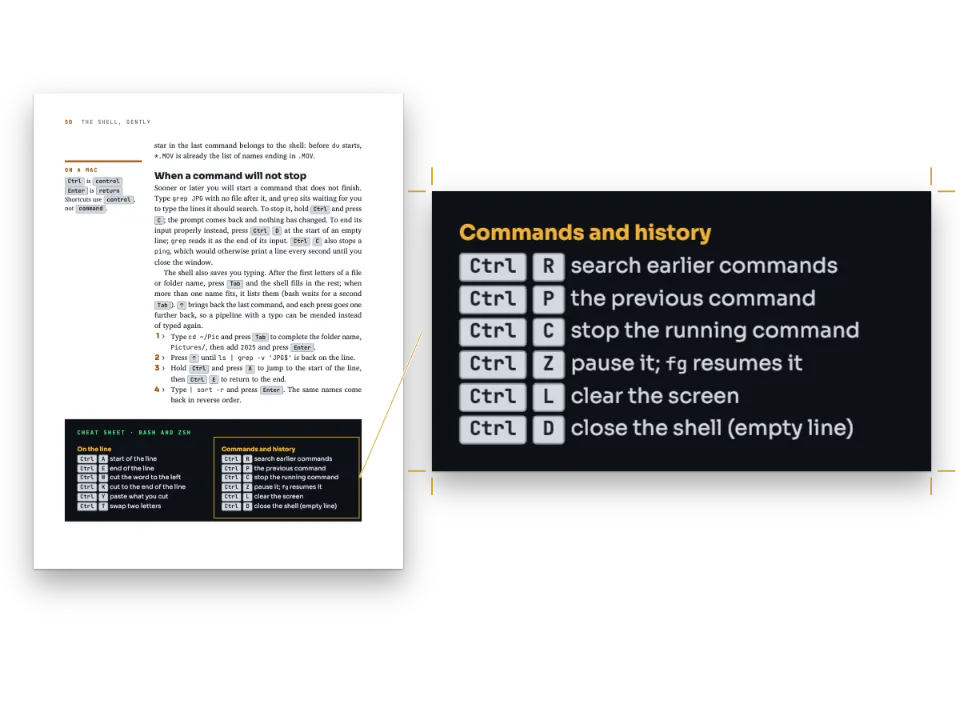
一本虚构的日文编程书《実践 日本語テキスト処理》(日文文本处理实践)第3章中的五页,讲Unicode规范化。版式照日本计算机图书的做法:A5开本,单栏,每行36字,每页29行,正文是9 pt的Noto Serif JP,标题用Noto Sans JP,代码用BIZ UDGothic。这种文本是日文排版里最难排的一类,因为几乎每句话里都有一个拉丁单词、一个码位、一个数字或一个函数名:断行遵守JLReq中最严格的禁則処理(kinsoku shori,即禁则),标点保持全角间距,日文与拉丁字母之间自动留出四分之一em,作者不用输入空格。图、表、代码清单和脚注都用日文标签:図3-1、表3-1,脚注序号为上标,每页从1编起。代码清单与键帽是同一类页面的英文版。
这道食谱解答
- 日文标点的间距怎样处理:、。「」相邻时挤压,?!后空格,段首的开括号?
- 为什么日文的小假名、ー和闭括号不能出现在行首?怎样选择规则的严格程度?
- 为什么我的日文按中文规则排了:标签是图、小假名出现在行首、汉字是中文字形?
简短回答
// locale 'ja' turns on JLReq composition: kinsoku at its strictest, full-width marks squeezed
// where two meet (」、 takes one em, not two), a closing mark keeps its half em at a line
// end, 、。 may hang past it, and a paragraph opening with 「 sets the bracket in the indent.
// The values below are the ones 'auto' picks for 'ja'; they are spelled out to be seen.
const cjk = {
  lineBreak: 'ja-very-strict', // no line starts with ー, small kana, 々, 」、。?・ or :
  punctuationWidth: 'fullwidth', // 、。「」 keep their em inside the line (JLReq §3.1.2)
  hangingPunctuation: 'allow', // 、。 hang only when the line would otherwise break before them
  paragraphStartBracket: 'half', // 「 at a paragraph start sits in the indent's second half
  latinSpacing: em(0.25), // 四分アキ between kana or kanji and Latin letters or digits
  grid: { enabled: true, charsPerLine: CHARS, linesPerPage: LINES }, // whole ems, whole lines
};
// The Latin is the Japanese face's own proportional Latin, at the text's size: never
// full-width A or a second face for the words in parentheses.
const bodyText = {
  fontFamily: MINCHO, fontSize: pt(BODY), lineHeight: pt(PITCH), color: col('ink'),
  boldColor: col('ink'), italicColor: col('ink'), referenceColor: col('ink'),
  textAlign: 'justify', firstLineIndent: em(1), indentAfterHeading: true, // 1 字下げ
  referenceBold: false, // 図3-1 and 表3-1 in the text weight: the face loads no bold
  hyphenation: { enabled: false }, avoidRunts: true, // no one-character last line
  // The grid cuts a list where the page ends: the four forms stay in one piece.
  shortListSplit: 'avoid', shortListMaxItems: 4,
};
用料
做法
#1 · 日文规则随语言标签而来
代码就是上面的简短回答。locale: 'ja'启用JLReq,即W3C的《日文排版需求》(Requirements for Japanese Text Layout),cjk下写出的值就是'auto'为日文选择的值(东亚排版)。在ja-very-strict级别下,ー、小写假名、々和闭合标点都不能出现在行首,开括号不能出现在行尾。标点(約物,yakumono)在行内保持一个em的宽度,两个标点相遇时,比如」、,二者合占一个em。第41页上以実際に変換し、结尾的那一行,把、排到了行长之外:这就是ぶら下げ(burasage,标点悬挂),只有在不悬挂就得把这个标点推到下一行时,引擎才这样做。latinSpacing在Unicode与では之间、U+304C与を之间各加四分之一em(四分アキ,shibun aki),而Markdown里这两处都没有空格。这个间距只加在字母或数字旁边:normalize()和is_normalized()以括号结尾,所以Markdown在它们与関数之间打了一个空格。
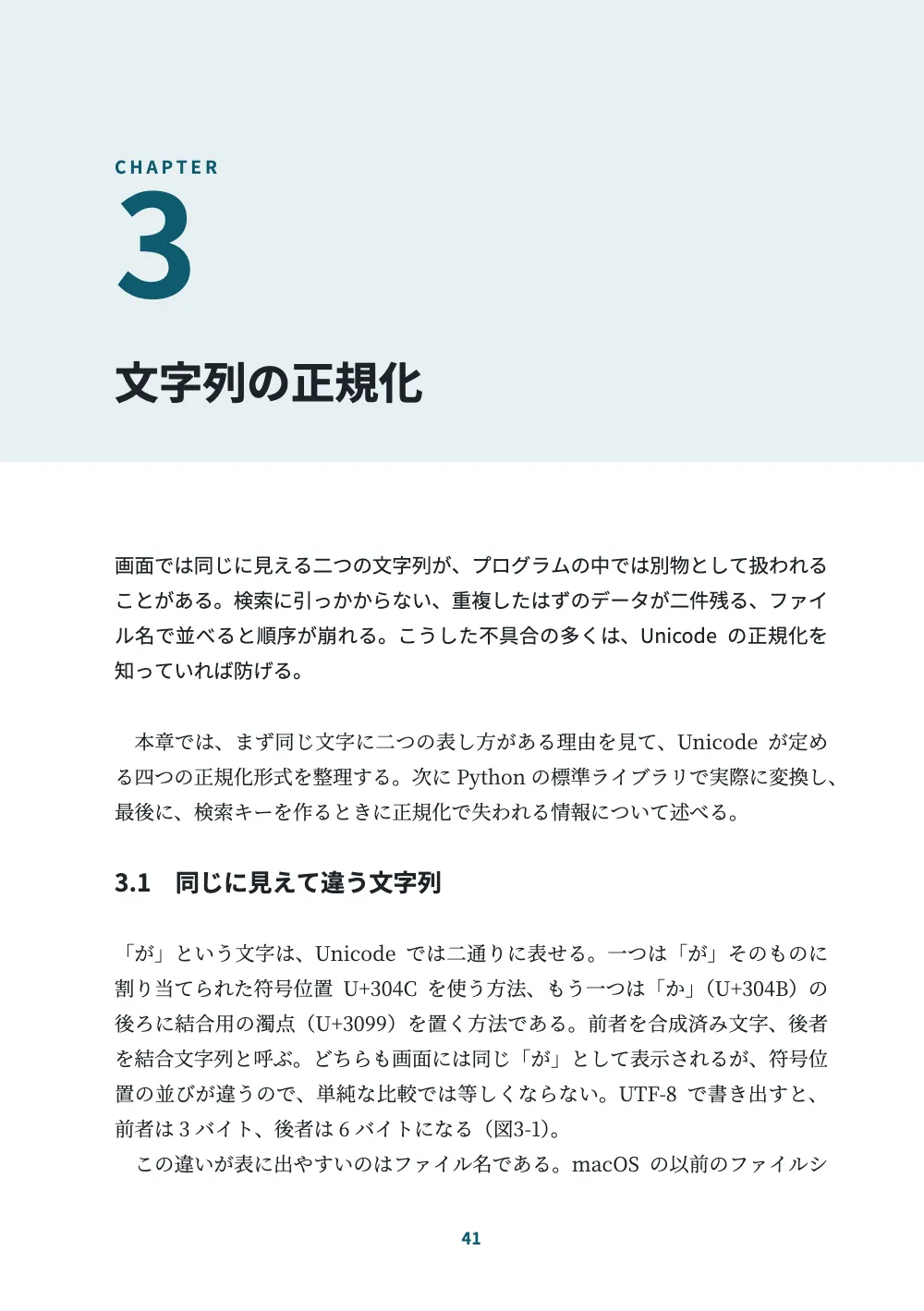
与中文的区别在标点上。大陆图书默认用开明式,句号占一个字,顿号和逗号只占半个字;日文书把、。都排成全角,只在两个标点相遇时挤压。中文的避头尾规则里没有小写假名和ー需要挡在行首之外,所以ja-very-strict是一个单独的级别。
#2 · 代码用一款带假名的等宽字体
// A ``` fence is set line by line as written, in codeStyle's face: the monospaced face,
// which has kana and kanji too, so a full-width character takes two half-width cells.
// The rest of the fence line (normalize.py) is the listing's title. Inline `code` is set
// in the same face, in the accent.
const codeStyle = {
  fontFamily: CODE, fontSize: pt(8), lineHeight: pt(12), color: col('ink'),
  background: col('tint'), snapToGrid: false, highlight: 'none', // one ink, as in print
  padding: { top: mm(2.5), right: mm(4), bottom: mm(3), left: mm(4) },
  marginTop: mm(2), marginBottom: mm(2),
  titleStyle: { fontFamily: CODE, fontSize: pt(7), fontWeight: 400, color: col('teal') },
  inline: { fontSize: pt(8.5), color: col('teal') },
};
这段围栏是一个代码块:Postext按原样排它的各行,用codeStyle指定的字体,排在一个浅色框里,框上的标题normalize.py取自围栏那一行(代码清单)。highlight: 'none'让清单只用一种墨色,与页面其他部分一样;codeStyle.inline把每个`name`用同一种字体排成青绿色。字体要选对:示例里的字符串ガイド ABC ①需要半角片假名、全角字母和带圈数字,西文的代码字体没有这些字。BIZ UDGothic把半角拉丁字母和全角假名都排成固定字宽,清单又把每个全角字符算作两格,所以各列保持对齐。
#3 · 図3-1和表3-1
const FORMS = `入力\tNFC\tNFD\tNFKC
が(U+304C)\tU+304C\tU+304B U+3099\tU+304C
ガ(U+FF76 U+FF9E)\tそのまま\tそのまま\tガ(U+30AC)
ABC(全角)\tそのまま\tそのまま\tABC
①\tそのまま\tそのまま\t1
㍻\tそのまま\tそのまま\t平成`;
const resources = [
  { id: 'tbl:forms', typeId: 'table', kind: 'table', createdAt: 0, updatedAt: 0,
    placement: { position: 'here' }, // at its ::resource line, under the paragraph citing it
    caption: '日本語の文字と四つの正規化形式(NFKDは、NFKCで合成された文字を分解した形になる)',
    table: { model: { ...parseTSV(FORMS), headerRowCount: 1, columnWidths: [34, 18, 26, 22] } } },
  { id: 'fig:bytes', typeId: 'figure', kind: 'svg', createdAt: 0, updatedAt: 0,
    caption: '「が」の二つの表し方。上段が符号位置、下段がUTF-8のバイト列',
    altText: 'が as one code point U+304C, three UTF-8 bytes E3 81 8C; and as U+304B and the '
      + 'combining voiced mark U+3099, six bytes E3 81 8B E3 82 99.',
    svg: { fileId: 'bytes.svg', width: 1175, height: 400 } },
];
defaultResourceTypes('ja')把两种资源类型命名为図和表,按章编号,章号与序号之间用连字符;continuation.headings把这一章设为第3章,所以第一幅图是図3-1。ja文档默认标签与序号之间不留空格,序号后放一个全角空格,就像日文书印的図3-1 「が」の二つの表し方,所以题注样式只需选字体和颜色。表格放在'here',即引述它的段落下方。图中的标签只有拉丁字符,U+304C和E3 81 8C:SVG在样式里写出代码字体的名字,loadSvg在绘制图片之前把字体文件嵌进去。
#4 · 按日文习惯每页编号的脚注
  footnotes: { fontSize: pt(7.5), lineHeight: pt(12), color: col('ink'),
    separator: { color: col('rule') } }, // at the column foot, 1 on each page, superscript
  // A link in a note prints its address after the text, in parentheses: the reader of the
  // printed book can type it. 'short' drops https:// and www.; the PDF keeps the full link.
  links: { print: 'inline', urlDisplay: 'short' },
脚注只需设定字号:在日文横排文档里,默认值就是JLReq为横排书描述的做法,注文排在引用它的那一栏底部,每页从1编号,序号为上标,注线长为行长的三分之一(脚注)。序号放在句号之前,保存していた[^hfs]。,这样。永远不会和序号分开、跑到下一行行首。
注2引用定义四种形式的Unicode报告,引文是一个链接:[Unicode Standard Annex #15「…」](https://www.unicode.org/reports/tr15/)。脚注不能再带自己的脚注,所以脚注里的链接会在文字后面用括号印出地址;links.urlDisplay: 'short'去掉https://和www.,PDF里仍保留完整链接。links.print: 'inline'对正文里的链接也这样处理(印刷版中的链接)。这条注以日文开头,长长的拉丁文标题之前,第一行就能排满。
#5 · 占三行位置的节标题
const BAND = 74; // mm from the trim's top
const opener = { enabled: true, minHeight: pt(PITCH * 10), slot: { elements: [ // text: line 11
  { kind: 'box', id: 'band', reserve: false, style: { backgroundColor: col('tint') },
    placement: { anchor: { to: 'page', edge: 'top-left' },
      size: { width: 'fill', height: mm(BAND) } } },
  { kind: 'text', id: 'kicker', content: 'CHAPTER', fontFamily: GOTHIC, fontSize: pt(8),
    fontWeight: 700, letterSpacing: pt(1.6), color: col('teal'), align: 'left',
    placement: { anchor: { to: 'container', edge: 'top-left' }, offset: { y: mm(0) } } },
  { kind: 'text', id: 'number', content: '{numberDecimal}', fontFamily: GOTHIC, fontSize: pt(64),
    lineHeight: 1, fontWeight: 700, color: col('teal'), align: 'left',
    placement: { anchor: { to: '#kicker', edge: 'below' }, offset: { y: mm(1) } } },
  { kind: 'text', id: 'title', content: '{titleText}', fontFamily: GOTHIC,
    fontSize: pt(20), fontWeight: 700, color: col('ink'), align: 'left', overflow: 'wrap',
    placement: { anchor: { to: '#number', edge: 'below' }, offset: { y: mm(5) },
      size: { width: mm(MEASURE) } } },
] } };
章首页是一级标题上的设计:一条青绿色色带,取自{numberDecimal}的64 pt章号,以及标题。节标题用lineSpan: 3,即行取り(gyōdori):每个节标题恰好占三行正文的位置,文字在其中居中,所以后面的正文仍然落在字格上。headings.balancing.enabled: false不让引擎为了齐底在标题上方加行。
完整食谱
// ═══ Postext Cookbook · Nº 123 · A Japanese technical manual: kana, kanji and Latin ═══
// https://postext.dev/en/cookbook/japanese-technical-manual
// Code: MIT · Text: original (CC BY 4.0) · Pictures: drawn in code
// Fonts: Noto Serif JP, Noto Sans JP, BIZ UDGothic (SIL OFL 1.1) · Needs postext ≥ 1.65.0
import {
  buildDocument, withLoadedFonts, renderPageToCanvas, defaultResourceTypes, parseTSV,
  registerResourceImage, inlineSvgFonts,
} from 'https://esm.sh/postext';
import { renderToPdf, decompressWoff2 } from 'https://esm.sh/postext-pdf';

const LANG = 'en'; // @lang: the language of the frame; the chapter is Japanese in both
const RECIPE = 'japanese-technical-manual';

// ─── 1 · Design ─────────────────────────────────────────────────────────────
// #region palette: ink, one deep teal for numbers, rules and labels, a pale tint for code
const palette = {
  ink: '#1d2327', // text: a cool near-black
  teal: '#0e5a6e', // the one accent: chapter number, heads' numbers, labels, the point box
  tint: '#e7f0f2', // the opener band, the listing's ground
  rule: '#b9c6cc', // hairlines: table rules, the note rule
  muted: '#5b666d', // running heads, folios, colophon
  paper: '#ffffff',
};
const col = (id) => ({ hex: palette[id], model: 'hex', paletteId: id });
const colorPalette = Object.entries({ ...palette, 'main-color': palette.teal })
  .map(([id, hex]) => ({ id, name: id, value: { hex, model: 'hex' } }));
// #endregion
const [MINCHO, GOTHIC, CODE] = ['Noto Serif JP', 'Noto Sans JP', 'BIZ UDGothic'];
const [BODY, PITCH] = [9, 16]; // pt: 9 pt text on a 16 pt line, 1.78 × the size
const [CHARS, LINES] = [36, 29]; // the type area in characters: 36 to a line, 29 lines
const MEASURE = CHARS * BODY * 25.4 / 72; // mm: 114.3

// #region answer: Japanese rules from the tag, written out; the quarter-em Latin space
// locale 'ja' turns on JLReq composition: kinsoku at its strictest, full-width marks squeezed
// where two meet (」、 takes one em, not two), a closing mark keeps its half em at a line
// end, 、。 may hang past it, and a paragraph opening with 「 sets the bracket in the indent.
// The values below are the ones 'auto' picks for 'ja'; they are spelled out to be seen.
const cjk = {
  lineBreak: 'ja-very-strict', // no line starts with ー, small kana, 々, 」、。?・ or :
  punctuationWidth: 'fullwidth', // 、。「」 keep their em inside the line (JLReq §3.1.2)
  hangingPunctuation: 'allow', // 、。 hang only when the line would otherwise break before them
  paragraphStartBracket: 'half', // 「 at a paragraph start sits in the indent's second half
  latinSpacing: em(0.25), // 四分アキ between kana or kanji and Latin letters or digits
  grid: { enabled: true, charsPerLine: CHARS, linesPerPage: LINES }, // whole ems, whole lines
};
// The Latin is the Japanese face's own proportional Latin, at the text's size: never
// full-width A or a second face for the words in parentheses.
const bodyText = {
组合好的script.js可以直接运行:把它粘贴到任何页面的模块脚本中,或在CodePen上打开这道食谱。 GitHub上的食谱文件夹 ↗ (在新标签页中打开)
变化
#允许小写假名和ー出现在行首
ja-strict是JLReq为一般图书规定的规则:っ、ゃ和ー可以出现在行首,断行时可选的断点更多,被拉开的行更少。
-  lineBreak: 'ja-very-strict', // no line starts with ー, small kana, 々, 」、。?・ or :
+ lineBreak: 'ja-strict', // small kana, ー and 々 may open a line#日文与拉丁字母之间不留间距
有些出版社让拉丁单词紧贴假名排,不加四分之一em。
-  latinSpacing: em(0.25), // 四分アキ between kana or kanji and Latin letters or digits
+ latinSpacing: em(0), // Unicodeでは, set solid常见问题
易错点
日文文本标记为'ja',不要用zh-Hans或LANG
食谱的版本是en和es,但日文示例在两个版本里都是日文:`locale: LANG`会把它标记为英文或西班牙文,中文标记则会按中文规则排它(开明式标点、小假名可以出现在行首、图代替図、PDF中用中文字形)。postext 1.30起,这个标记也是文字成形所用的语言(测量、绘制和嵌入都按它进行),所以'ja'以外的标记给出的不是日文字形(中文标记给出中文字形),断行的位置也不同。写'ja':它选用日本地区(JLReq断行和标点、芝麻着重号、振假名的分布、図和表标签),并关闭断词。lint会让带假名却标记为zh或ko的文本失败。 日文禁则处理 →
易错点
日文要用日文字体排
Noto Serif SC和TC里有假名,但汉字是中文字形(直、骨、角都不同),假名也是中文字体的设计。正文用Noto Serif JP或Shippori Mincho B1,标题用Noto Sans JP,用loadCjkFonts加载。Fontsource的日文文件里没有变体假名等历史假名(U+1B000–1B16F):loadCjkFonts遇到它们会失败,PDF里印出空框,所以要写现代假名,或者把含有这些字的字体放进食谱的assets。Shippori Mincho也没有带长音符号的ō和ū:罗马字要用拉丁字体排。 假名、汉字与罗马字 →
易错点
中文字体通过cjk块分片加载
Fontsource把一个中文、日文或韩文字体家族按每个字重约一百个文件提供,每个文件覆盖一段字符范围。loadFonts只获取latin文件,所以屏幕上的汉字来自系统字体,测量不准;fontsourceProvider交给PDF的也是这个latin文件,汉字印出来是空框。列出kit中的cjk块,在loadFonts之后调用loadCjkFonts(FONTS, markdown)(书中用到几种CJK字体时,每种字体调用一次,并传入它所排的文字),并给renderToPdf传fontProvider: cjkPdfProvider:两者都会取用包含文中字符的那些文件。 中日韩字体 →
- 拉丁单词在日文行里不能断开,所以行尾一个长单词被挤到下一行时,前一行只能在字与字之间拉开。这一章的初稿给术语附了英文,正準等価(canonical equivalence),结果有两行排得很松;不能帮助读者的英文术语后来都删掉了。
- 按代码里的字符选代码字体。这里最先试用的M PLUS 1 Code没有半角片假名:屏幕上ガイド回退到了系统字体,PDF里则缺了这些字形。
- 代码清单跨页时在行与行之间拆分,每侧至少两行(
codeStyle.splitMinLines)。第43页3.3节下面剩下的空间放不下标题加两行,所以整个清单从第44页开始;keepTogether: true让每个清单都不拆分。 - 字符网格上的页面不管段落或列表在换页处怎样断开,都排满29行,所以四种规范化形式的列表会把第一项NFC单独留在第42页的页脚。
shortListSplit: 'avoid'加上shortListMaxItems: 4把整个列表移到第43页,第42页在脚注上方少排一行。
致谢
- 文本
- 原创文字, CC BY 4.0
- 图片
- Figure 3-1, the bytes of が, drawn in code in the page’s palette · Postext Cookbook · CC BY 4.0
- 字体
- Noto Serif JP (SIL OFL 1.1) · Noto Sans JP (SIL OFL 1.1) · BIZ UDGothic (SIL OFL 1.1)