简单来说
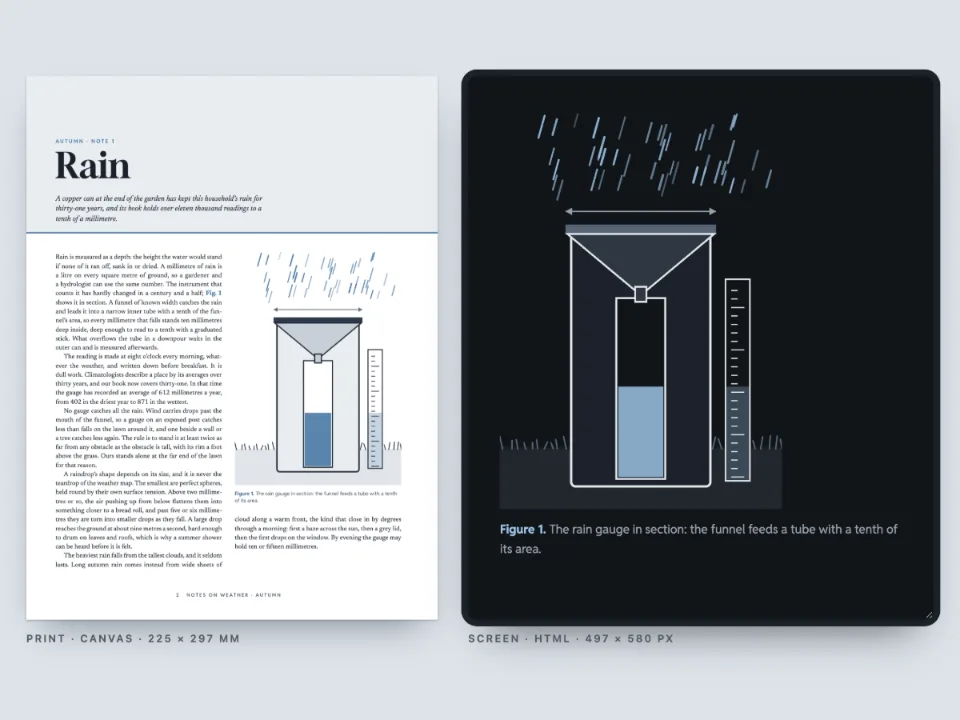
一份物理实验报告单,附两段单摆的短视频。纸上每段视频是一张静止画面和一个可扫的码;在屏幕上和电子书里,视频就在页面上播放。
成品一览
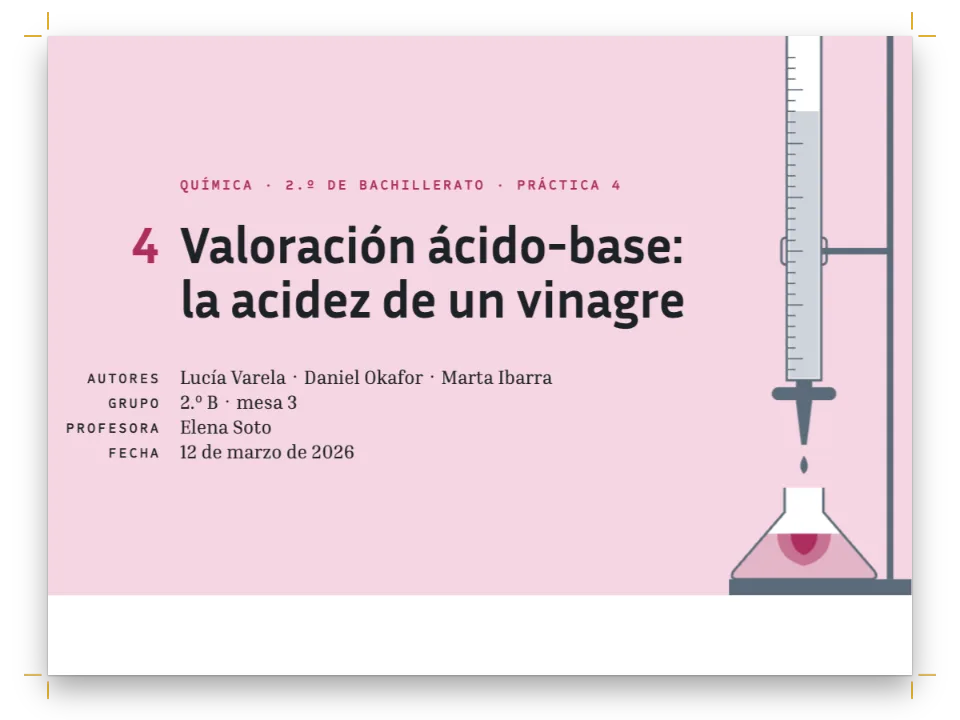
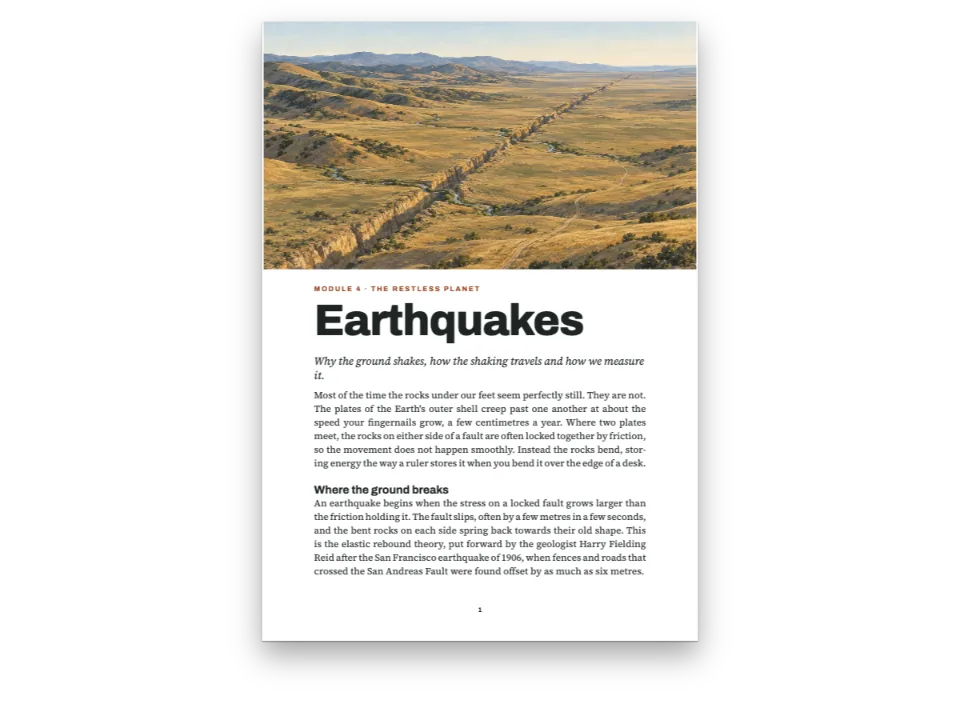
《Bench Physics》是一本给16到18岁学生用的A4实验练习册,这里是其中的实验4.2:单摆的周期。砖红色色带上印着标题和姓名、小组、日期三个填写栏。第一页页脚并排放着同一个单摆的两段视频,一段从10°释放,一段从80°释放。纸上每段视频是它的首帧,带播放标记和一个能打开MP4的二维码。在页面旁边的屏幕版里,以及代码写出的EPUB里,这两个资源在读者自己的视频播放器里播放。第二页是步骤、一张待填的表、代码算出的精确周期,以及四道带答题框的问题。
这道食谱解答
- HTML版和EPUB怎样播放书中的视频?怎样隐藏下载按钮?
- 怎样把视频放进印刷书里,让读者能从页面上打开它?
简短回答
const clip = (id, file, poster, caption, altText) => ({
  id, typeId: 'video', kind: 'video', createdAt: 0, updatedAt: 0, caption: t(caption),
  note: t({ en: '8.00 s, 25 frames per second · Postext Cookbook, CC BY 4.0',
    es: '8,00 s, 25 fotogramas por segundo · Postext Cookbook, CC BY 4.0' }),
  altText: t(altText), placement: { position: 'bottom', span: 'column' },
  video: { source: 'file', fileId: file, format: 'mp4', width: 640, height: 360, duration: 8,
    url: asset(file), // the production address: printed as the QR code, linked from the PDF
    poster: { fileId: poster, format: 'jpeg', width: 640, height: 360 }, // the first frame
  },
});
const videoStyle = {
  playMark: { shape: 'rounded', position: 'top-left', size: mm(7), inset: mm(3),
    background: col('ink'), color: col('paper') },
  qr: { position: 'bottom-right', size: mm(19), inset: mm(2.5), // 111 characters: 45 modules
    color: col('ink'), background: col('paper'), radius: mm(1) },
  // The HTML5 player of a file honours every option. download: false writes
  // controlslist="nodownload": it hides the button, and the file stays at its address.
  player: { download: false, loop: true, muted: true, preload: 'auto',
    pictureInPicture: false, remotePlayback: false },
};
const clips = [
  clip('small', 'pendulum-small.mp4', 'pendulum-small-poster.jpg',
    { en: 'Released from rest at 10°.', es: 'Soltado desde el reposo a 10°.' },
    { en: 'A rust bob on a dark string hangs a few degrees off the vertical, under a short bar.',
      es: 'Una lenteja roja cuelga de un hilo oscuro a pocos grados de la vertical.' }),
  clip('large', 'pendulum-large.mp4', 'pendulum-large-poster.jpg',
    { en: 'Released from rest at 80°.', es: 'Soltado desde el reposo a 80°.' },
    { en: 'The same pendulum pulled out almost level with its pivot, a pale arc below it.',
      es: 'El mismo péndulo, casi a la altura de su eje, sobre un arco pálido.' }),
];
用料
- 功能
- 视频封面:播放标记和二维码作为资源的视频导出EPUBHTML阅读版为屏幕简化的设计由数据生成的表表格样式标注框嵌套框显式竖向间距设计过的章首页标题属性页面设计中的文字、线条和框书眉与页码按页面角色显示书眉自定义资源类型语义调色板嵌入PDF的字体
- 类型
- Source Serif 4, Red Hat Display, Red Hat Mono(SIL OFL 1.1)
- 素材
pendulum-large-poster.jpgpendulum-large.mp4pendulum-small-poster.jpgpendulum-small.mp4- Video 1: a pendulum 1 m long released from 10°, 8 s at 25 frames per second, rendered from an RK4 solution of the pendulum equation (1 ms steps) with Python and encoded with ffmpeg (Postext Cookbook, CC BY 4.0)
- Video 2: the same pendulum released from 80°, rendered and encoded the same way (Postext Cookbook, CC BY 4.0)
- The first frame of Video 1, its printed poster (Postext Cookbook, CC BY 4.0)
- The first frame of Video 2, its printed poster (Postext Cookbook, CC BY 4.0)
做法
#1 · 给每段视频一个正式地址和一个文件
代码就是上面的简短回答。自己的视频有两个地址。video.url是出版后的书找到它的地方:二维码印的是它,PDF把海报帧链接到它,所以这里用的是视频在jsDelivr上的地址,手机现在就能打开。video.fileId指文件本身,像位图一样另外存放,供能够携带它或从别处播放它的输出使用(见文档格式 › 视频)。videoStyle.player里的选项对所有视频生效:循环播放、静音开始、整段预载(27 KB和61 KB),不提供下载、画中画和投屏,让视频留在这张单子上。
#2 · 用同一份源文件排屏幕版
const [PANE_W, PANE_H] = [400, 640]; // px
const screen = {
  page: { width: px(PANE_W), height: px(PANE_H), dpi: 122, // so the 9.4 pt text is 16 px
    margins: { top: px(28), bottom: px(28), left: px(22), right: px(22), mirror: false } },
  layout: { layoutType: 'single' }, bodyText: { textAlign: 'left' }, // ragged in a narrow pane
  headings: { levels: [{ level: 1, span: 'column', breakBefore: { enabled: false },
    fontSize: px(28), lineHeight: px(32), fontWeight: 800, marginBottom: px(16),
    advancedDesign: { enabled: false } }] }, // the title alone: the band and fields are print's
  header: { elements: [] }, footer: { elements: [] } };
屏幕版放在配置的htmlViewer.overrides里,画布和PDF不读它。在122 dpi下,所有以点为单位的尺寸都比96 dpi时大约大四分之一,所以9.4 pt的正文在面板里是16 px,题注、框和表格也随之放大。章首页保留标题,去掉色带和填写栏,那是纸面上的东西。
#3 · 在面板里播放视频
// A shadow root keeps the page's styles out, so the pane shows the lines as they were measured.
const pane = desk.querySelector('#screen').attachShadow({ mode: 'open' });
pane.innerHTML = renderToHtml(buildDocument({ markdown, resources },
  applyHtmlViewerOverrides(config())), { mode: 'single', padding: 0, background: '#ffffff',
  resourceImageUrl: imageUrl, // the posters, until a clip plays
  resourceVideoUrl: (fileId) => asset(fileId) }); // the file each <video> plays: the asset here
const top = (el) => el.getBoundingClientRect().top; // open the pane on the first player
pane.host.scrollTop = top(pane.querySelector('video')) - top(pane.host) - 48;
renderToHtml把每个视频资源排成一个HTML5的<video>,播放器选项成为它的属性:controls、muted、loop、playsinline、preload="auto"、disablepictureinpicture、disableremoteplayback和controlslist="nodownload"。最后这个只是隐藏按钮。知道地址的人照样可以保存文件,所以它只是界面上的整洁,不是保护。resourceVideoUrl为每个fileId给出可播放的地址,就像resourceImageUrl为海报帧做的那样。这里给的是已发布的资源文件;把文件存在别处的网站返回自己的URL,或者字节的blob URL。没有它,播放器就用video.url;两者都没有,面板显示海报帧。
#4 · 把视频装进固定版式的EPUB
const bytesOf = async (url) => new Uint8Array(await (await fetch(url)).arrayBuffer());
const media = new Map(await Promise.all(clips.map(async ({ video }) =>
  [video.fileId, { bytes: await bytesOf(asset(video.fileId)), mediaType: 'video/mp4' }])));
// Every face as bytes (gotcha: epub-embeds-given-fonts): the files loadFonts loaded, latin
// for each face and greek for the text face, limited to the Greek block and listed after
// latin, so a reading system tries it first for θ and π.
const faces = Object.entries(FONTS).flatMap(([family, specs]) => specs.map((spec) =>
  ({ family, weight: parseInt(spec, 10), style: spec.endsWith('i') ? 'italic' : 'normal' })));
const fonts = await Promise.all([...faces.map((face) => [face, 'latin']),
  ...faces.filter(({ family }) => family === TEXT)
    .map((face) => [{ ...face, unicodeRange: 'U+0370-03FF' }, 'greek'])]
  .map(async ([face, subset]) => ({ ...face, format: 'woff2', bytes: await bytesOf(
    `https://cdn.jsdelivr.net/npm/@fontsource/${fontsourceId(face.family)}@5/files/`
    + `${fontsourceId(face.family)}-${subset}-${face.weight}-${face.style}.woff2`) })));
const epub = await renderToEpub([doc], { layout: 'fixed', fonts,
  metadata: { title: doc.metadata.title, creators: ['Postext Cookbook'], language: LANG,
    rights: 'CC BY 4.0', modified: new Date('2026-10-05T00:00:00Z') }, // the same bytes each run
  // The clips as video/mp4 and the posters as pictures; the book packs both under media/.
  resourceBytes: (fileId) => media.get(fileId)
    ?? { bytes: imageBytes(fileId), mediaType: 'image/jpeg' },
});
这张单子围绕并排的两段视频和留给学生书写的空框来安排,所以用固定版式保留它:每一页都和印刷时一样,海报帧的位置换成播放器。流式EPUB也能播放这些视频,只是一个在另一个下面,宽度与正文相同。resourceBytes为每段视频返回video/mp4,为每张海报帧返回JPEG,写入器把它们分别放在media/和images/下。EPUB只保留其规范承认的属性(controls、autoplay、muted、loop、playsinline、preload),下载按钮之类交给阅读系统决定。这个文件通过EPUBCheck,没有错误也没有警告。
#5 · 在画布、PDF和EPUB里排出θ和π
Source Serif 4的希腊字母放在Fontsource单独的greek文件里,与latin文件并列。kitFonts(FONTS)在正文里发现希腊字母,就为这个字体族的每种字体加载这个文件;哪种字体排了θ或π,fontsourceProvider就把它和latin文件一起嵌入PDF,所以这两个字母不需要另写代码。EPUB只嵌入代码交给它的字体,因此第4步把正文字体的greek文件排在拉丁文件之后,各用自己的unicodeRange限定在希腊字母区段。
#6 · 在代码里算出这张表
// The arithmetic-geometric mean gives the elliptic integral K of the exact period in a few steps.
const T0 = 2 * Math.PI * Math.sqrt(1 / 9.81); // s: L = 1 m, g = 9.81 m/s²
const agm = (a, b) => (Math.abs(a - b) < 1e-15 ? a : agm((a + b) / 2, Math.sqrt(a * b)));
const period = (degrees) => T0 / agm(1, Math.cos((degrees * Math.PI) / 360));
const num = (x, digits) => x.toFixed(digits).replace('.', t({ en: '.', es: ',' }));
const cell = (content, align = 'right') => ({ content, align, verticalAlign: 'middle' });
const table = (id, caption, head, rows, columnWidths) => ({ id, typeId: 'table', kind: 'table',
  createdAt: 0, updatedAt: 0, caption: t(caption), placement: { position: 'here' },
  table: { model: { headerRowCount: 1, columnWidths, rows: [head.map((h, i) =>
    ({ ...cell(h, i ? 'right' : 'left'), isHeader: true })), ...rows] } } });
const periods = table('periods', { en: 'Exact periods of a pendulum 1.00 m long.',
  es: 'Periodos exactos de un péndulo de 1,00 m.' },
['Amplitude|Amplitud', 'T (s)', 'T/T~0~', 'Longer by|Aumento'].map((h) =>
  t({ en: h.split('|')[0], es: h.split('|').at(-1) })),
[5, 10, 20, 30, 45, 60, 80, 90].map((d) => [cell(`${d}°`, 'left'), cell(num(period(d), 3)),
  cell(num(period(d) / T0, 3)), cell(`${num((period(d) / T0 - 1) * 100, 2)} %`)]),
[1.2, 1, 1, 1.1]);
const blank = cell(' \n '); // two empty lines: room to write
const data = table('data', { en: 'Your measurements.', es: 'Tus medidas.' },
  t({ en: ['Clip', 'Swings in 8 s', 'T (s)'], es: ['Vídeo', 'Oscilaciones en 8 s', 'T (s)'] }),
  [10, 80].map((d, i) => [cell(`${t({ en: 'Video', es: 'Vídeo' })} ${i + 1} · ${d}°`, 'left'),
    blank, blank]), [1.2, 1.5, 0.8]);
精确周期需要第一类完全椭圆积分K,算术几何平均几步就能求出:T = T~0~ / AGM(1, cos ½θ~0~)。表格保留三位小数,西班牙语版用小数逗号;10°和80°两行与视频一致:2.010 s和2.282 s,比T~0~ = 2.006 s长0.2 %和13.8 %。8秒里,第一段视频差一点就是四次完整摆动,第二段是三次半。
完整食谱
// ═══ Postext Cookbook · Nº 132 · A lab sheet whose clips play on screen and in the EPUB ════
// https://postext.dev/en/cookbook/pendulum-lab-video-players
// Code: MIT · Text: original (CC BY 4.0) · Clips: rendered in code (CC BY 4.0)
// Fonts: Source Serif 4, Red Hat Display, Red Hat Mono (SIL OFL 1.1) · Needs postext ≥ 1.25.0
import {
  buildDocument, buildDocumentWithFonts, prepareFonts, renderPageToCanvas, renderToHtml,
  applyHtmlViewerOverrides, registerResourceImage, defaultResourceTypes, resourceVideoLink,
} from 'https://esm.sh/postext';
import { renderToPdf, decompressWoff2 } from 'https://esm.sh/postext-pdf';
import { renderToEpub, readEpub } from 'https://esm.sh/postext-epub';

const LANG = 'en'; // @lang: the language of the sample document ('en' | 'es')
const RECIPE = 'pendulum-lab-video-players';

// ─── 1 · Design ─────────────────────────────────────────────────────────────
const palette = { // the clips' own colours: a cream ground, the rust bob, warm black ink
  ink: '#22201b', // text, the play mark, the QR modules, table heads
  rust: '#a8432b', // the accent: the band, labels, list numbers (the bob's red, darker)
  cream: '#f6f1e4', rule: '#cbc2ae', // box fills, a shade deeper than the clips; hairlines
  muted: '#68625a', paper: '#ffffff' }; // muted: running heads, notes, prompts
const col = (id) => ({ hex: palette[id], model: 'hex', paletteId: id });
const colorPalette = Object.entries({ ...palette, 'main-color': palette.rust }) // defaults: rust
  .map(([id, hex]) => ({ id, name: id, value: { hex, model: 'hex' } }));
const [TEXT, DISPLAY, MONO] = ['Source Serif 4', 'Red Hat Display', 'Red Hat Mono'];
const [TOP, INNER, OUTER, BAND, LEAD] = [22, 20, 17, 84, 13.2]; // mm, A4; LEAD in pt
const px = (value) => ({ value, unit: 'px' }); // the screen edition's sizes
const at = (to, edge, x, y, size) => ({ anchor: { to, edge }, offset: { x, y }, size });
const label = (size, color = 'rust') => ({ fontFamily: MONO, fontSize: pt(size), fontWeight: 600,
  letterSpacing: pt(size * 0.16), textTransform: 'uppercase', color: col(color) });

// #region answer: two clips of the book's own: a poster and a QR code, or a player
const clip = (id, file, poster, caption, altText) => ({
  id, typeId: 'video', kind: 'video', createdAt: 0, updatedAt: 0, caption: t(caption),
  note: t({ en: '8.00 s, 25 frames per second · Postext Cookbook, CC BY 4.0',
    es: '8,00 s, 25 fotogramas por segundo · Postext Cookbook, CC BY 4.0' }),
  altText: t(altText), placement: { position: 'bottom', span: 'column' },
  video: { source: 'file', fileId: file, format: 'mp4', width: 640, height: 360, duration: 8,
    url: asset(file), // the production address: printed as the QR code, linked from the PDF
    poster: { fileId: poster, format: 'jpeg', width: 640, height: 360 }, // the first frame
  },
});
const videoStyle = {
  playMark: { shape: 'rounded', position: 'top-left', size: mm(7), inset: mm(3),
    background: col('ink'), color: col('paper') },
  qr: { position: 'bottom-right', size: mm(19), inset: mm(2.5), // 111 characters: 45 modules
    color: col('ink'), background: col('paper'), radius: mm(1) },
  // The HTML5 player of a file honours every option. download: false writes
  // controlslist="nodownload": it hides the button, and the file stays at its address.
组合好的script.js可以直接运行:把它粘贴到任何页面的模块脚本中,或在CodePen上打开这道食谱。 GitHub上的食谱文件夹 ↗ (在新标签页中打开)
变化
#让一段视频自动开始
每段视频自己的player叠加在videoStyle.player之上。自动播放总是静音开始,这是浏览器的要求。
 ];
+clips[0].video.player = { autoplay: true }; // the 10° clip starts as the pane opens#在屏幕上显示印刷用的海报帧
设为html: 'poster'时,HTML版排出带播放标记和二维码的海报帧,链接到正式地址,代替播放器。
 const videoStyle = {
+ html: 'poster',#改用YouTube或Vimeo视频
source: 'youtube'加上视频地址,会从youtube-nocookie.com嵌入YouTube的播放器(privacy默认开启)。这个播放器能遵守的选项更少:控件、全屏、自动播放、静音和循环;Vimeo的播放器还支持倍速菜单和画中画,两者都不提供下载。EPUB不能嵌入网页的播放器,所以在EPUB里视频是链接到视频的海报帧。各选项及其适用范围见配置 › 视频样式。
常见问题
易错点
renderToEpub只嵌入你交给它的字体
浏览器加载的字体不是postext-epub能读取的文件:把页面用到的每款字体的字节放进options.fonts(页面加载的同一批Fontsource woff2文件)。缺少的字体会报告为missingFont,阅读系统会用自己的字体排这段文字,在固定版式中就不再符合页面排版时的行。只嵌入许可证允许嵌入的字体。 导出EPUB →
易错点
Fontsource的文件只覆盖字母,不含符号
工具包嵌入每种字体在Fontsource的latin文件;正文用到č、ł、†时再嵌入latin-ext文件,用到α、χ时再嵌入greek文件(字体族须有该文件:Lora和Gelasio没有),屏幕和PDF都一样。→、≈、✓、★等符号不在这些文件里,会在PDF中缺失:把它们画出来、写成数学公式,或换用文件中包含它们的字体。 嵌入PDF的字体 →
这两个MP4是H.264编码。Chrome、Edge、Safari和Firefox都能播放,截图用的Chrome for Testing也能。不带专有编解码器编译的Chromium(开源项目的默认做法)不能播放;如果你的读者用得到,就把视频编码成WebM(format: 'webm')。
致谢
- 文本
- 原创文字, CC BY 4.0
- 图片
- Video 1: a pendulum 1 m long released from 10°, 8 s at 25 frames per second, rendered from an RK4 solution of the pendulum equation (1 ms steps) with Python and encoded with ffmpeg · Postext Cookbook · CC BY 4.0
- Video 2: the same pendulum released from 80°, rendered and encoded the same way · Postext Cookbook · CC BY 4.0
- The first frame of Video 1, its printed poster · Postext Cookbook · CC BY 4.0
- The first frame of Video 2, its printed poster · Postext Cookbook · CC BY 4.0
- 字体
- Source Serif 4 (SIL OFL 1.1) · Red Hat Display (SIL OFL 1.1) · Red Hat Mono (SIL OFL 1.1)