简单来说
一课讲地震的内容:先读课文,想练多少遍就练多少遍,然后做一份小测验,每个答案只能检查一次。它可以印成练习册,也能在屏幕上、电子书里和学习平台上使用。
成品一览
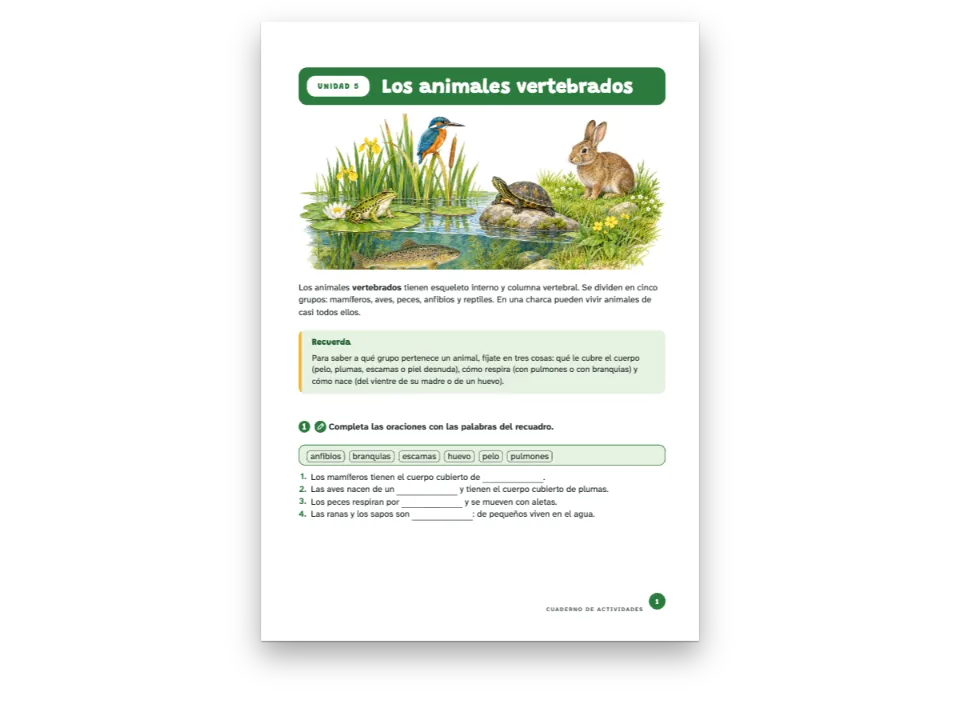
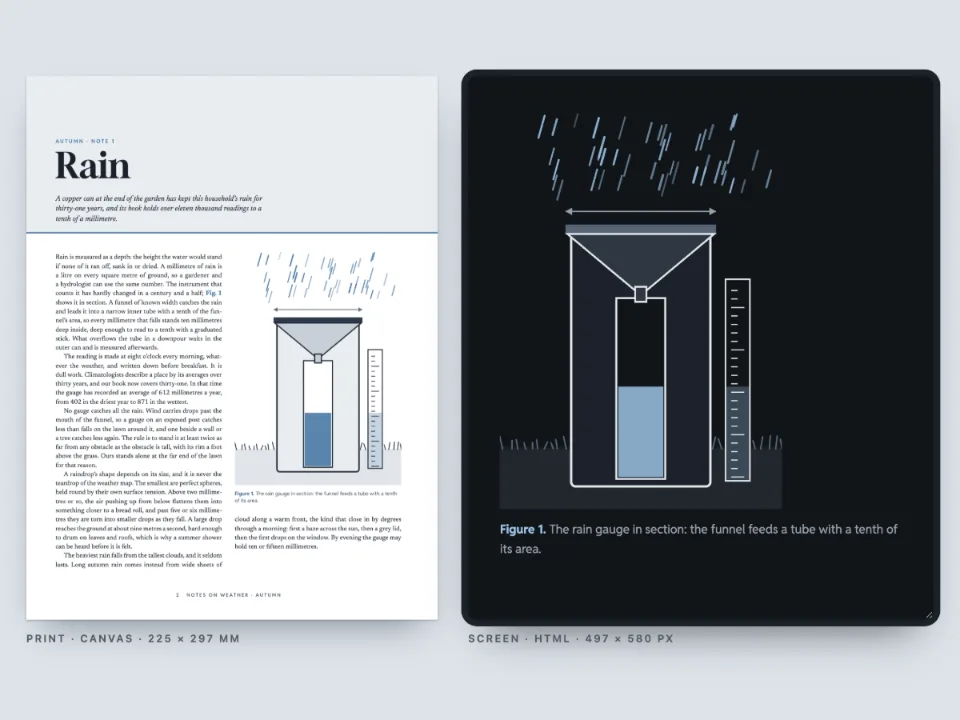
The Restless Planet 是一门地球科学入门课,这里是它的第四单元:四页讲地震,开本 176 × 250 mm,开篇是一幅断层横穿干旱平原的画。读完课文后是一组练习和一份测验,在 Markdown 里写成带答案的 :::exercise 块。印出来的单元附有练习答案,测验答案不印。在屏幕上,同样的页面可以直接作答:练习可以随意检查、重新开始;测验的每道题只能检查一次,不能重来,检查用完后才显示答案。页面旁边的面板汇总学习平台会记录的内容:得分、测验是否做完,以及按 70 % 判定的通过与否。 同样的页面还写成固定版式 EPUB 和 SCORM 2004 包:一门课程,课文与测验是平台分别评分的两个部分。
这道食谱解答
- 怎样让读者在 HTML 或 EPUB 版中作答并检查练习?
- 怎样把书中的练习做成向学习平台上报分数的 SCORM 课程,并设一份只能检查一次的测验?
简短回答
// Practice: check, start again and see the solution as often as the learner likes.
const practice = {
  id: 'practice',
  number: { shape: 'disc', background: col('rust'), fontFamily: SANS, fontWeight: 700 },
  instruction: { fontFamily: SANS, bold: true, fontSize: pt(10) },
  options: { marker: 'circle' },
  blank: { look: 'line', color: col('ink'), weight: pt(0.6) },
  match: { look: 'dots', gap: em(3), color: col('rust') },
  bank: { box: 'bank' },
  marginTop: mm(5), marginBottom: mm(1), itemSpacing: em(0.15),
};
// The test: one check, no fresh start, the solution only once the check is spent. On paper
// the same questions print without their key.
const test = {
  id: 'test', extends: 'practice', box: 'test',
  number: { shape: 'square', background: col('slate') },
  match: { color: col('slate') },
  solutions: { placement: 'none' },
  digital: { maxChecks: 1, reset: false, showSolution: 'noChecksLeft' },
};
const exercises = {
  solutions: { placement: 'directive', layout: 'key' }, // the practice key where :::solutions is
  // The pass mark the course's results are judged against (a SCORM package reports passed or
  // failed with it); the HTML and EPUB editions carry it with the exercise data.
  digital: { passingScore: 70 },
};
用料
- 类型
- Source Serif 4, Archivo(SIL OFL 1.1)
- 素材
fault-1500.jpg- A fault across a dry plain in late afternoon light (the module's opener) (Generated With Diffusion Models, 原创)
做法
#1 · 两种样式,两套规则
代码见简短回答。练习本身只写问什么,块上的 style 决定它怎样表现。practice 沿用书里的默认值,所以工具栏提供检查、显示答案和重新开始,不限次数。test 在它的基础上加了 digital 块:maxChecks: 1、reset: false、showSolution: 'noChecksLeft',工具栏一直数到“检查次数已用完”,然后才给出答案。印在纸上时,这个样式不印答案(placement: 'none'),练习答案则印在 :::solutions 那一行所在的位置。
#2 · 存过的作答从存储里取回
// The platform keeps each exercise's answers under its key; this learner checked three
// questions of the test, with two mistakes, and left the ordering one to do.
const tests = doc.exercises.filter((ex) => ex.style === 'test');
const mistakes = { 'test-statements': 2, 'test-distance': 1 }; // a wrong slot in each
const attempt = (ex) => ({ checked: true, n: 1, v: Object.fromEntries(ex.slots.map((slot, i) => {
  const right = exerciseSolutionValue(slot, ex);
  const wrong = slot.kind === 'truefalse' ? 3 - right : '180'; // 25 s × 8 km, slipped
  return [slot.key, mistakes[ex.anchor] === i ? wrong : right];
})) });
const kept = new Map(tests.filter((ex) => ex.anchor !== 'test-sequence')
  .map((ex) => [ex.anchor, JSON.stringify(attempt(ex))]));
const saved = new Map();
const platform = { // the three calls of localStorage, over the platform's record
  getItem: (key) => saved.get(key) ?? kept.get(key.split(':').pop()) ?? null,
  setItem: (key, value) => saved.set(key, value),
  removeItem: (key) => saved.delete(key),
};
attachExercises 用 getItem 读取每道题的作答,用 setItem 写回,键由 storageKey 加上这道题的锚点组成。任何带有这三个方法的对象都能代替 localStorage;学习平台会把同样的 JSON 存在学生的数据里。这里交回三道已经检查过的测验题,其中有两处错误(第 3 句判成正确,距离填成 180 km),于是页面打开时就像学生回来时看到的那样:这几道题已锁定,答案可以查看,排序题还没有做。
#3 · 在页面上作答,接收每一次检查
const el = (tag, css, text) => Object.assign(document.createElement(tag),
  { textContent: text ?? '' }, { style: css });
const course = el('section', 'display: flex; flex-wrap: wrap; gap: 16px; justify-content: center;'
  + 'padding: 24px 16px 0; font: 13px/1.5 system-ui, sans-serif; color: #d9d5cc');
course.id = 'course';
const frame = el('div', 'width: min(700px, 94vw); height: 720px; overflow: auto;'
  + 'border-radius: 6px; background: #2a2e35');
frame.innerHTML = renderToHtml(doc, { mode: 'single', background: palette.paper, padding: 16,
  resourceImageUrl: imageUrl });
const card = el('aside', 'width: min(300px, 94vw); padding: 14px 16px; border-radius: 6px;'
  + 'border: 1px solid #2c3038; background: #15181d');
const results = new Map();
function report(result) { // every check, fresh start and solution shown
  if (result.style !== 'test') return;
  results.set(result.key, result);
  const all = [...results.values()];
  const [right, total] = all.reduce(([r, n], x) => [r + x.right, n + x.total], [0, 0]);
  const score = Math.round((100 * right) / total);
  const done = all.length === tests.length && all.every((x) => x.checked || x.locked);
  const verdict = !done ? t({ en: 'incomplete', es: 'sin terminar' })
    : score >= exercises.digital.passingScore ? t({ en: 'passed', es: 'aprobado' })
      : t({ en: 'failed', es: 'suspenso' });
  card.replaceChildren(el('h2', 'margin: 0; font-size: 15px; color: #f4f1ea',
    t({ en: 'What the platform hears', es: 'Lo que recibe la plataforma' })),
  el('p', 'margin: 6px 0; font-size: 22px; color: #f4f1ea', `${score} % · ${verdict}`),
  el('p', 'margin: 0 0 8px', t({ en: `${right} of ${total} answers right in the test, pass `
    + `mark ${exercises.digital.passingScore} %`, es: `${right} de ${total} respuestas bien en el `
    + `examen, aprueba con el ${exercises.digital.passingScore} %` })),
  ...all.map((x) => el('p', 'margin: 0; font-variant-numeric: tabular-nums',
    `${t({ en: 'Exercise', es: 'Ejercicio' })} ${x.number} · `
    + `${x.right}/${x.total} · ${x.checked || x.locked ? t({ en: 'checked', es: 'comprobado' })
      : t({ en: 'to do', es: 'por hacer' })}`)));
}
attachExercises(frame, { storageKey: 'restless-planet:4', store: platform, onResult: report });
course.append(frame, card);
document.getElementById('pages').before(course);
const first = frame.querySelector(`[data-pt-ex="${tests[0].id}"]`);
frame.scrollTop = first.getBoundingClientRect().top - frame.getBoundingClientRect().top - 120;
renderToHtml 写出页面和练习数据;attachExercises 在上面放置输入框、选项和工具栏。onResult 在每道题准备好时,以及每次检查、重新开始和显示答案之后都会收到结果:答对的评分空数(right)、评分空总数(total)、已用的检查次数,以及作答是否锁定(locked)。面板像 SCORM 播放器那样汇总测验:整份测验答对数除以评分空数,每道题都检查过或已锁定就算做完,达到 passingScore 即通过。页面使用 dpi: 96,所以印刷页上的一毫米就是屏幕上的一个 CSS 毫米。
#4 · 同样的练习放进 EPUB
const epubFonts = (faces) => Promise.all(Object.entries(faces).flatMap(([family, specs]) =>
  specs.map(async (spec) => {
    const [weight, style, id] = [parseInt(spec, 10), spec.endsWith('i') ? 'italic' : 'normal',
      fontsourceId(family)];
    const res = await fetch(`${await fontsourceAt(id)}files/${id}-latin-${weight}-${style}.woff2`);
    if (!res.ok) throw new Error(`Fontsource has no ${family} ${weight} ${style}`);
    const bytes = new Uint8Array(await res.arrayBuffer());
    return { family, weight, style, format: 'woff2', bytes };
  })));
const metadata = { title: doc.metadata.title, subtitle: doc.metadata.subtitle, language: LANG,
  modified: new Date('2026-10-31T00:00:00Z') }; // fixed: the same bytes on every run
const fonts = await epubFonts(FONTS);
const resourceBytes = (fileId) => ({ bytes: imageBytes(fileId), mediaType: 'image/jpeg' });
const epub = await renderToEpub([doc], { layout: 'fixed', metadata, fonts, resourceBytes });
const offer = (bytes, name, type) => {
  const link = el('a', 'color: #d8a21a', `${name} · ${Math.round(bytes.length / 1024)} KB`);
  link.href = URL.createObjectURL(new Blob([bytes], { type }));
  link.download = name;
  document.getElementById('pt-actions').append(link);
};
offer(epub, `${RECIPE}.epub`, 'application/epub+zip');
固定版式 EPUB 带着练习数据和让它们可作答的脚本:能运行脚本的阅读系统提供同样的输入框和同样的限制,不运行脚本的阅读系统则保留写出器附上的答案。字体以字节形式传入,用的是页面加载过的同一批 Fontsource 文件。
#5 · 测验单独成 SCO 的 SCORM 课程
// The module's headings as postext-scorm reads them; the last one, the test, runs to the end.
const sections = treeLeaves(scormTree([{ markdown }], config)[0]);
const exam = sections.at(-1);
const items = [
  { title: t({ en: 'Lesson and practice', es: 'Lección y práctica' }), doc: 0,
    range: { start: sections[0].range.start, end: exam.range.start } },
  { title: exam.title, doc: 0, range: exam.range }, // its score is the test's alone
];
const scorm = await renderToScorm([doc], { version: '2004', layout: 'fixed', items, metadata,
  fonts, resourceBytes }); // the pass mark comes from exercises.digital.passingScore
offer(scorm, `${RECIPE}-scorm.zip`, 'application/zip');
renderToScorm 接收 renderToEpub 的文档和选项,另加 SCORM 的 version 和课程的 items。每个 item 是一个 SCO,即学习平台单独启动、单独评分的课程部分;一个 SCO 会统计它包含的所有练习。scormTree 读出单元的各级标题以及每个标题覆盖的 Markdown 范围,于是第一个 SCO 从标题到测验之前(练习在这里评分),第二个只含测验,直到结尾。每个 SCO 都按 exercises.digital.passingScore 上报通过与否。包里的播放器起的作用,就是本页 platform 的作用:它把答案存进平台的记录,并上报每次检查,学习者回来时,测验还是离开时的样子。
完整食谱
// ═══ Postext Cookbook · Nº 179 · A course module with a test answered on screen ═══
// https://postext.dev/en/cookbook/self-checking-course-module
// Code: MIT · Text: original (CC BY 4.0) · Painting: generated with diffusion models
// Fonts: Source Serif 4, Archivo (SIL OFL 1.1) · Needs postext ≥ 1.65.0
import {
  buildDocumentWithFonts, renderPageToCanvas, registerResourceImage, renderToHtml,
  attachExercises, exerciseSolutionValue,
} from 'https://esm.sh/postext';
import { renderToEpub } from 'https://esm.sh/postext-epub';
import { renderToScorm, scormTree, treeLeaves } from 'https://esm.sh/postext-scorm';

const LANG = 'en'; // @lang: the language of the sample document ('en' | 'es')
const RECIPE = 'self-checking-course-module';

// ─── 1 · Design ─────────────────────────────────────────────────────────────
const palette = {
  ink: '#1f2523', // text: a green-tinted near-black
  rust: '#9c4420', // the course's accent: kicker, practice numbers, rules
  slate: '#2f5266', // the test: its numbers and its frame
  tint: '#f5efe4', // the safety box, the word bank
  rule: '#d6cdbf', // hairlines
  muted: '#646d69', // running heads, colophon
  paper: '#ffffff',
};
const col = (id) => ({ hex: palette[id], model: 'hex', paletteId: id });
const colorPalette = [
  ...Object.entries(palette).map(([id, hex]) => ({ id, name: id, value: { hex, model: 'hex' } })),
  { id: 'main-color', name: 'rust (defaults)', value: { hex: palette.rust, model: 'hex' } },
];
const [TEXT, SANS] = ['Source Serif 4', 'Archivo'];
const [TOP, OUTER, LEAD] = [22, 21, 15.5]; // mm, mm, pt
const BAND = 100; // mm: the painting's depth from the trim, over 3 mm of bleed

// #region answer: practice and test from one Markdown: the test style limits each attempt
// Practice: check, start again and see the solution as often as the learner likes.
const practice = {
  id: 'practice',
  number: { shape: 'disc', background: col('rust'), fontFamily: SANS, fontWeight: 700 },
  instruction: { fontFamily: SANS, bold: true, fontSize: pt(10) },
  options: { marker: 'circle' },
  blank: { look: 'line', color: col('ink'), weight: pt(0.6) },
  match: { look: 'dots', gap: em(3), color: col('rust') },
  bank: { box: 'bank' },
  marginTop: mm(5), marginBottom: mm(1), itemSpacing: em(0.15),
};
// The test: one check, no fresh start, the solution only once the check is spent. On paper
// the same questions print without their key.
const test = {
组合好的script.js可以直接运行:把它粘贴到任何页面的模块脚本中,或在CodePen上打开这道食谱。 GitHub上的食谱文件夹 ↗ (在新标签页中打开)
变化
#SCORM 1.2,或重排文本
较老的平台往往只能导入 SCORM 1.2,这时及格线写成每个 SCO 的掌握分数。layout: 'reflowable' 发送重排的文本而不是印刷页面,适合用手机学习的人。
-const scorm = await renderToScorm([doc], { version: '2004', layout: 'fixed', items, metadata,
+const scorm = await renderToScorm([doc], { version: '1.2', layout: 'reflowable', items, metadata,#每填一个答案就批改
想要没有检查按钮的小测验,就在 exercises.digital 里设 check: 'instant'。即时批改会取消检查次数限制;测验样式仍保留 showSolution。
-  digital: { passingScore: 70 },
+ digital: { passingScore: 70, check: 'instant' },常见问题
给每道要评分的题加上锚点(:::exercise{#test-scales})。作答按锚点保存;没有锚点时,键取自这道题在文档里的位置,前面一旦插入新题,回来的学生就会拿到另一道题存下的作答。
致谢
- 文本
- 原创文字, CC BY 4.0
- 图片
- A fault across a dry plain in late afternoon light (the module's opener) · Generated With Diffusion Models · 原创
- 字体
- Source Serif 4 (SIL OFL 1.1) · Archivo (SIL OFL 1.1)