简单来说
一本给八岁孩子用的活动练习册,讲脊椎动物。题目和答案都写在正文里;每道题在页面上长什么样,由一个样式决定。
成品一览
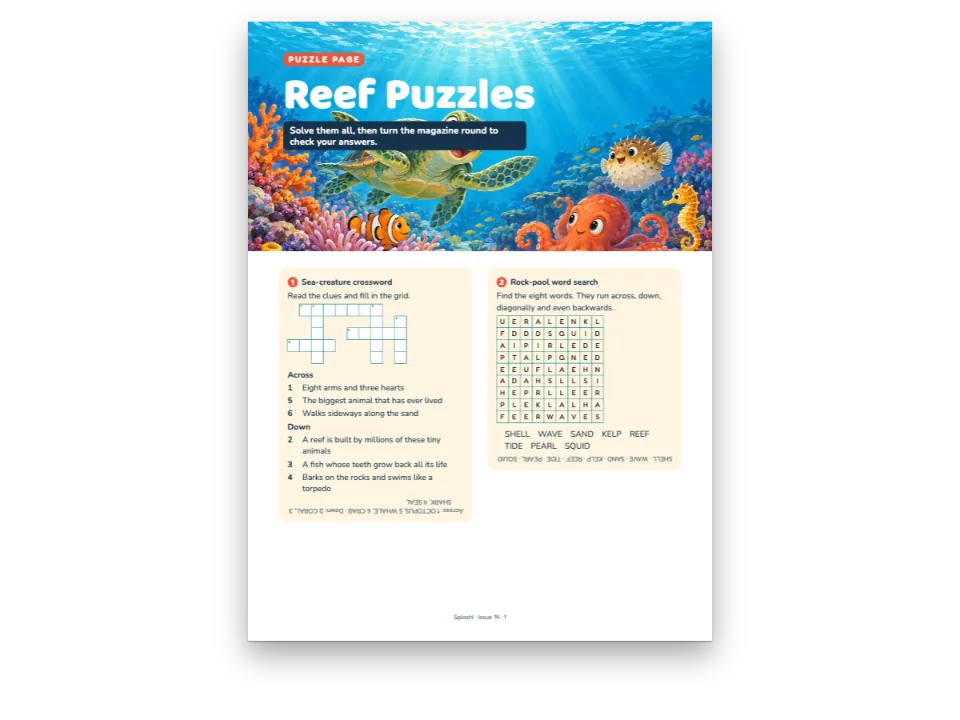
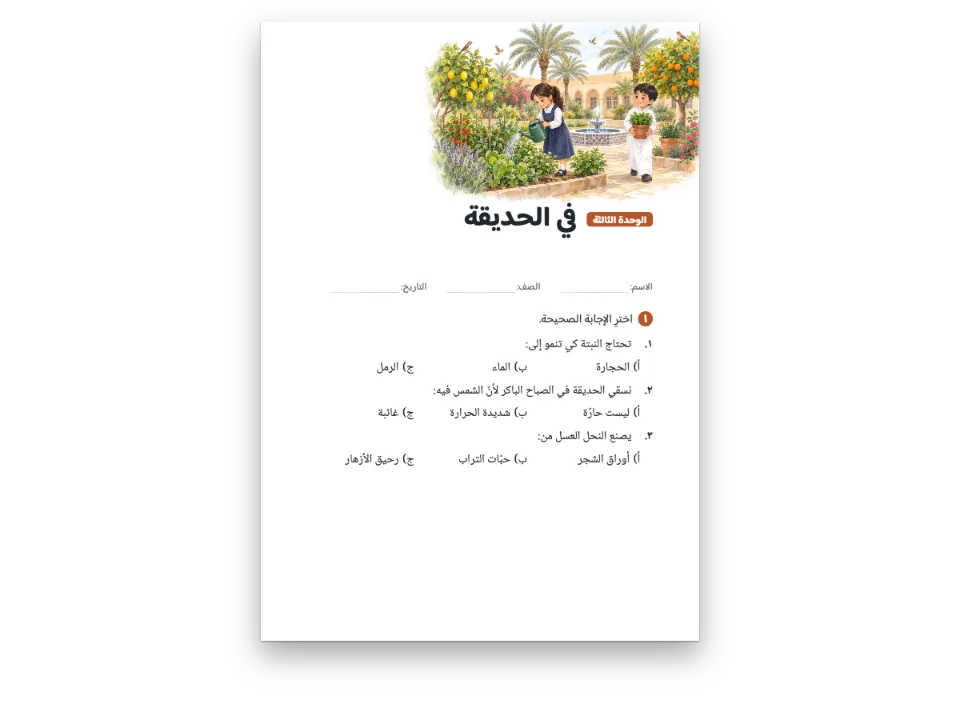
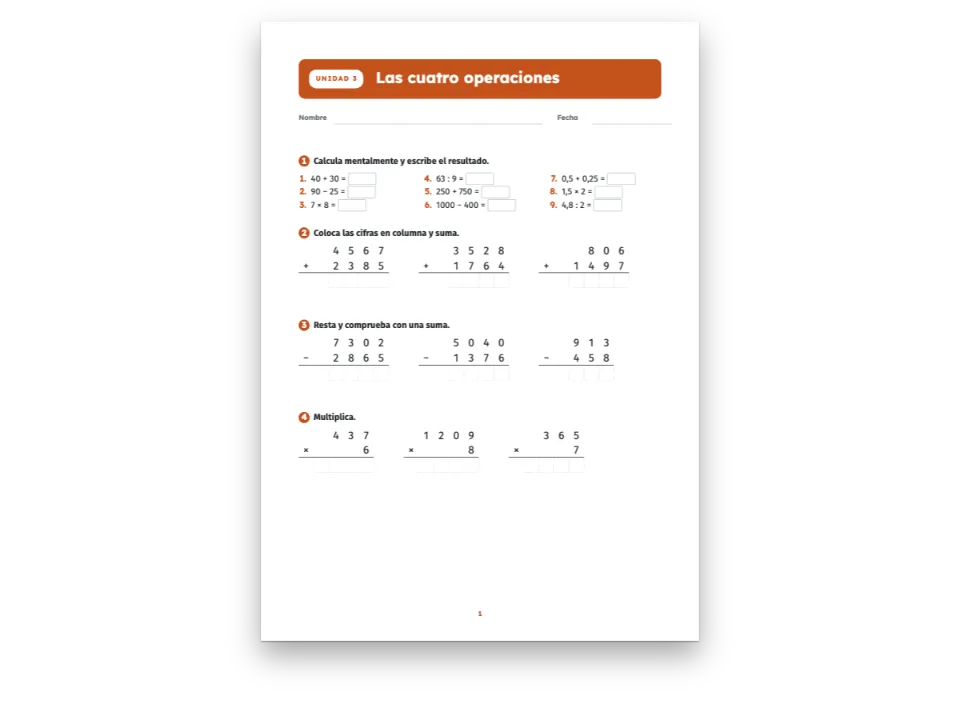
一本三年级科学活动练习册的第 5 单元,A4 开本:Animals with backbones(脊椎动物)。开篇把单元放在一条绿色色带里,下面是一幅池塘的画;接着是十一道活动题,每道题的题号在一个绿色圆块里,旁边是铅笔、对话气泡或两人合作的图标。题目有:着色虚线框里的词库,打 T 或 F 的句子,用线把动物连到所属的类别,在一句话和一段短文里圈出词语,给青蛙的成长阶段标序号,找词游戏,给动物分类,一道写在横线上的开放题,还有一道写在方格纸上。西班牙文版按西班牙学校的习惯排同一个单元,判断题用 V 和 F,连线题写作 une con flechas。三幅插图用扩散模型生成。
这道食谱解答
- 怎样排一页练习册:圆圈题号、词库、判断题、连线题?
- 怎样在题号旁加上活动图标(写、说、同桌合作)?
- 怎样做练习页:填空横线、答题框、词库、清单?
简短回答
// The Markdown says what each activity asks (:::exercise, [[answers]], - A -> B, - [x]);
// this style says how a Spanish workbook prints it: the number in a disc of the unit
// colour, the instruction in bold, blanks on a line, V/F boxes at the line's end, dots to
// join, the bank in a tinted box, squared paper for writing and the activity icons.
const icon = (id, alt) => ({ resourceId: `icon-${id}`, alt, size: 1.05 });
const actividad = {
  id: 'actividad',
  number: { shape: 'disc', background: col('unit'), color: col('paper'),
    fontFamily: DISPLAY, fontSize: em(1.05), fontWeight: 800 },
  instruction: { bold: true, color: col('ink') },
  options: { marker: 'circle' },
  blank: { look: 'line', color: col('ink'), weight: pt(0.75), extra: em(2) },
  trueFalse: { look: 'boxes' }, // V F in Spanish, T F in English: the language's own words
  match: { look: 'dots', gap: em(7), dotSize: em(0.42), color: col('unit') },
  bank: { box: 'banco', order: 'alpha', separator: ' ' },
  area: { kind: 'lines', spacing: mm(9), color: col('rule'), weight: pt(0.6) },
  grid: { cell: mm(9.5), fontFamily: DISPLAY, fontSize: pt(13), rule: col('rule'),
    color: col('ink') },
  icons: {
    escribe: icon('write', t({ es: 'Escribe', en: 'Write' })),
    oral: icon('oral', t({ es: 'Actividad oral', en: 'Speaking' })),
    pareja: icon('pair', t({ es: 'En pareja', en: 'In pairs' })),
  },
  marginTop: mm(7), marginBottom: mm(2), itemSpacing: em(0.8),
};
// The same activity written on squared paper (cuadrícula): `style="cuadricula"`.
const cuadricula = { id: 'cuadricula', extends: 'actividad',
  area: { kind: 'grid', spacing: mm(5), weight: pt(0.4) } };
用料
- 功能
- 练习样式填空与词库连线与分类练习选择题与判断题圈画词语排序找词游戏与填字游戏开放题与书写区设计过的章首页标题属性标注框语义调色板对称页边距按页面角色显示书眉在Canvas上绘制页面导出PDF作为资源的图和表自定义资源类型
- 类型
- Atkinson Hyperlegible Next, Grandstander(SIL OFL 1.1)
- 素材
charca-1088.jpgciclo-1088.jpgnina-720.jpg- Animals at a pond: a frog, a kingfisher, a trout, a turtle and a rabbit. (Generated With Diffusion Models, 原创)
- Five stages of a frog's life, in a jumbled order. (Generated With Diffusion Models, 原创)
- A girl with a magnifying glass watching a sparrow and a lizard on a wall. (Generated With Diffusion Models, 原创)
做法
#1 · 在 Markdown 里写活动题,样式只定一次
// The Markdown says what each activity asks (:::exercise, [[answers]], - A -> B, - [x]);
// this style says how a Spanish workbook prints it: the number in a disc of the unit
// colour, the instruction in bold, blanks on a line, V/F boxes at the line's end, dots to
// join, the bank in a tinted box, squared paper for writing and the activity icons.
const icon = (id, alt) => ({ resourceId: `icon-${id}`, alt, size: 1.05 });
const actividad = {
  id: 'actividad',
  number: { shape: 'disc', background: col('unit'), color: col('paper'),
    fontFamily: DISPLAY, fontSize: em(1.05), fontWeight: 800 },
  instruction: { bold: true, color: col('ink') },
  options: { marker: 'circle' },
  blank: { look: 'line', color: col('ink'), weight: pt(0.75), extra: em(2) },
  trueFalse: { look: 'boxes' }, // V F in Spanish, T F in English: the language's own words
  match: { look: 'dots', gap: em(7), dotSize: em(0.42), color: col('unit') },
  bank: { box: 'banco', order: 'alpha', separator: ' ' },
  area: { kind: 'lines', spacing: mm(9), color: col('rule'), weight: pt(0.6) },
  grid: { cell: mm(9.5), fontFamily: DISPLAY, fontSize: pt(13), rule: col('rule'),
    color: col('ink') },
  icons: {
    escribe: icon('write', t({ es: 'Escribe', en: 'Write' })),
    oral: icon('oral', t({ es: 'Actividad oral', en: 'Speaking' })),
    pareja: icon('pair', t({ es: 'En pareja', en: 'In pairs' })),
  },
  marginTop: mm(7), marginBottom: mm(2), itemSpacing: em(0.8),
};
// The same activity written on squared paper (cuadrícula): `style="cuadricula"`.
const cuadricula = { id: 'cuadricula', extends: 'actividad',
  area: { kind: 'grid', spacing: mm(5), weight: pt(0.4) } };
每道活动题是一个 :::exercise 围栏。学生读到的内容和正确答案都写在正文里:[[hair]] 是答案为 hair 的空,- [x] 是一句正确的陈述,- Dolphin -> Mammal 是一组连线,[[pelo | (plumas)]] 是一道选择题,正确的词放在括号里。样式只管外观,所以十一道题共用一个 actividad,另一个样式 cuadricula 用 extends 继承它,把横线换成方格纸。引擎给题目编号,用一个种子打乱连线题的右栏和排序题的各项,把每个空都做得和最长的答案一样宽,免得空的宽度泄露答案;英文版印 T 和 F,西班牙文版印 V 和 F,配置里一个字也不用写。
#2 · 给活动题配图标
const disc = (body) => '<svg xmlns="http://www.w3.org/2000/svg" width="240" height="240" '
  + `viewBox="0 0 24 24"><circle cx="12" cy="12" r="12" fill="${palette.unit}"/>`
  + `<g fill="none" stroke="#fff" stroke-width="1.7" stroke-linecap="round" `
  + `stroke-linejoin="round">${body}</g></svg>`;
const ICONS = {
  write: disc('<path d="M7 17l1-4 7.5-7.5 3 3L11 16l-4 1z"/><path d="M14 7l3 3"/>'),
  oral: disc('<path d="M6 7.5h12v7.5H11l-3.5 3v-3H6z"/><path d="M9.5 11.2h.01M12 11.2h.01M14.5'
    + ' 11.2h.01" stroke-width="2.2"/>'),
  pair: disc('<circle cx="9" cy="9" r="2.3"/><circle cx="15.3" cy="9.6" r="2"/>'
    + '<path d="M4.8 17.5c.4-2.8 2.1-4.3 4.2-4.3s3.8 1.5 4.2 4.3M13.6 13.9c.6-.3 1.1-.4 1.7-.4'
    + ' 1.9 0 3.3 1.3 3.7 3.8"/>'),
};
exerciseStyles[].icons 里的一个图标指向书中的一张图片,:::exercise{icon="oral pareja"} 把这些图片按书写顺序放在题号后面,朗读时读出它们的 alt。这些图标是用代码画在单元色圆块上的平面符号,所以在 PDF 里依然清晰,也会随调色板变色。练习册还会在要动笔的题旁边印一支铅笔;说话和两人合作的图标标出最后一题,这道题没有书写区(area="none")。
#3 · 用色带和插图开启单元
const at = (to, edge, x = 0, y = 0, size) => ({ anchor: { to, edge },
  offset: { x: mm(x), y: mm(y) }, ...(size && { size }) });
const PIC = 75; // mm: the painting's height (it is 176 × 75 mm, 2.35:1)
const opener = { enabled: true, minHeight: mm(20 + PIC + 4), slot: { elements: [
  { kind: 'box', id: 'band', style: { backgroundColor: col('unit'), borderRadius: mm(4) },
    placement: at('container', 'top-left', 0, 0, { width: mm(176), height: mm(18) }) },
  { kind: 'text', id: 'unit', content: '{attr.unidad}', fontFamily: DISPLAY, fontSize: pt(11),
    fontWeight: 800, color: col('unit'), align: 'center', verticalAlign: 'middle',
    textTransform: 'uppercase', letterSpacing: pt(1.4), lineHeight: 1.1,
    box: { backgroundColor: col('paper'), borderRadius: mm(4) },
    placement: at('container', 'top-left', 4, 4, { width: mm(30), height: mm(10) }) },
  { kind: 'text', id: 'title', content: '{titleText}', fontFamily: DISPLAY, fontSize: pt(27),
    fontWeight: 800, color: col('paper'), align: 'left', lineHeight: 1,
    placement: at('container', 'top-left', 40, 4.4, { width: mm(132) }) },
  { kind: 'image', id: 'picture', resourceId: '{attr.pic}', decorative: true,
    placement: at('container', 'top-left', 0, 22, { width: mm(176), height: mm(PIC) }) },
] } };
单元的一级标题根据自己的属性(unidad="Unit 5" pic="charca")画出色带、单元编号的圆角块和标题,并在色带下面放一幅 176 × 75 mm 的插图。活动题里的图片用一种不带图注、也不编号的资源类型(dibujo),练习册里的图就是这样印的。正文照顾小读者:Atkinson Hyperlegible Next,字号 12 pt,行距 17 pt,不断词,左齐右不齐。
完整食谱
// ═══ Postext Cookbook · Nº 168 · Primary workbook unit of activities ═══════════
// https://postext.dev/en/cookbook/primary-workbook-activities
// Code: MIT · Text: original (CC BY 4.0) · Pictures: generated with diffusion models
// Fonts: Atkinson Hyperlegible Next, Grandstander (SIL OFL 1.1) · Needs postext ≥ 1.59.0
import {
  buildDocumentWithFonts, renderPageToCanvas, registerResourceImage,
} from 'https://esm.sh/postext';
import { renderToPdf, decompressWoff2 } from 'https://esm.sh/postext-pdf';

const LANG = 'es'; // @lang: the language of the sample document ('es' | 'en')
const RECIPE = 'primary-workbook-activities';

// ─── 1 · Design ─────────────────────────────────────────────────────────────
// #region palette: one unit colour (green for this unit), a pale tint of it, a sun yellow
const palette = {
  ink: '#1f2b27', // text: a green-tinted near-black
  unit: '#2b7a3d', // the unit's colour: discs, band, folio, dots to join
  deep: '#1d5a2b', // the bank's words and the kicker on white
  tint: '#e6f2e2', // the reminder box, the bank
  sun: '#f2b330', // the reminder's stripe
  rule: '#9cc3a2', // writing lines, the squared paper
  muted: '#5c6b64', // running heads, colophon
  paper: '#ffffff',
};
const col = (id) => ({ hex: palette[id], model: 'hex', paletteId: id });
const colorPalette = [
  ...Object.entries(palette).map(([id, hex]) => ({ id, name: id, value: { hex, model: 'hex' } })),
  { id: 'main-color', name: 'unit (defaults)', value: { hex: palette.unit, model: 'hex' } },
];
// #endregion
const [TEXT, DISPLAY] = ['Atkinson Hyperlegible Next', 'Grandstander'];

// #region answer: the workbook's activity style, one for every kind of exercise
// The Markdown says what each activity asks (:::exercise, [[answers]], - A -> B, - [x]);
// this style says how a Spanish workbook prints it: the number in a disc of the unit
// colour, the instruction in bold, blanks on a line, V/F boxes at the line's end, dots to
// join, the bank in a tinted box, squared paper for writing and the activity icons.
const icon = (id, alt) => ({ resourceId: `icon-${id}`, alt, size: 1.05 });
const actividad = {
  id: 'actividad',
  number: { shape: 'disc', background: col('unit'), color: col('paper'),
    fontFamily: DISPLAY, fontSize: em(1.05), fontWeight: 800 },
  instruction: { bold: true, color: col('ink') },
  options: { marker: 'circle' },
  blank: { look: 'line', color: col('ink'), weight: pt(0.75), extra: em(2) },
  trueFalse: { look: 'boxes' }, // V F in Spanish, T F in English: the language's own words
  match: { look: 'dots', gap: em(7), dotSize: em(0.42), color: col('unit') },
  bank: { box: 'banco', order: 'alpha', separator: ' ' },
组合好的script.js可以直接运行:把它粘贴到任何页面的模块脚本中,或在CodePen上打开这道食谱。 GitHub上的食谱文件夹 ↗ (在新标签页中打开)
变化
#为老师印出答案
同一份 Markdown 就能排出教师用书:所有空都填好,正确陈述的方框打上勾,正确的词用品红色圈出。
   exerciseStyles: [actividad, cuadricula],
+ exercises: { edition: 'teacher' },#用方块给活动题编号
换成单元色的圆角方块,看起来就是另一家出版社的版式。
-  number: { shape: 'disc', background: col('unit'), color: col('paper'),
+ number: { shape: 'rounded', background: col('unit'), color: col('paper'),常见问题
- 在连续文字里要圈的词,两侧各留一点空隙给圆圈,所以紧挨在逗号或句号前的词会和标点稍稍分开。
致谢
- 文本
- 原创文字, CC BY 4.0
- 图片
- Animals at a pond: a frog, a kingfisher, a trout, a turtle and a rabbit. · Generated With Diffusion Models · 原创
- Five stages of a frog's life, in a jumbled order. · Generated With Diffusion Models · 原创
- A girl with a magnifying glass watching a sparrow and a lizard on a wall. · Generated With Diffusion Models · 原创
- 字体
- Atkinson Hyperlegible Next (SIL OFL 1.1) · Grandstander (SIL OFL 1.1)