简单来说
一份地方周报上的新闻稿,检查了两遍错误。示例演示怎样把每处问题在页面上用红色标出,并链接回出错的那行原文。
成品一览
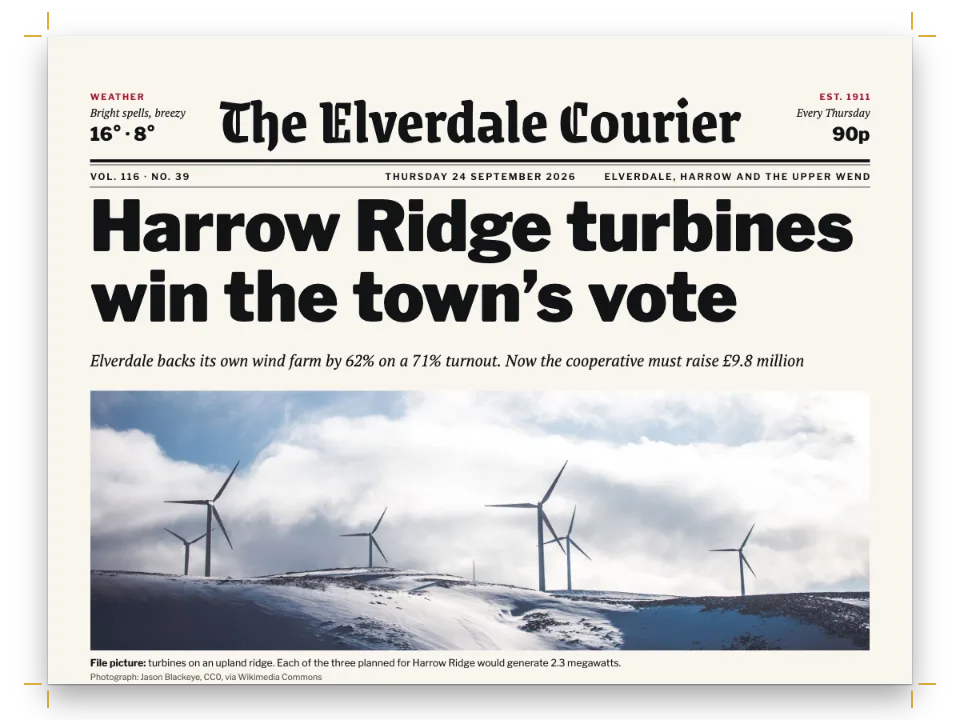
县里的周报《The Tideline》第41期,头条是夜班渡轮恢复横渡Sawyer河,示例把这篇稿子校对两遍。第一遍是原始来稿:以改好的稿件为底,放回七处笔误,其中包括一个被写成不存在的指令的印章,以及一个始终没有闭合的资料框。这七处笔误留下十一个标记。和卡片上一样,每处错误都在它所在的行下画红线(松行改为整行铺底色),页边的编号对应页面旁列表中的条目。点击某一行或某个条目,就会选中它的Markdown。下面的页面是第二遍。检查什么也没发现,右上角钉着一个PROOF · 2ND PASS印章。
这道食谱解答
- 怎样找出文档哪里出了问题(警告、溢出、版面不收敛)?
- 怎样把渲染页面上的点击映射回Markdown源文,用来做编辑器?
- 为什么有一行排得不齐或被拉得过宽(URL、长复合词、单元格里的长词)?
简短回答
const MM = DPI / 25.4; // page px per mm
function proof(md, doc) {
  const faults = [];
  const add = (kind, from, to, detail, at) => faults.push({ kind, from, to, detail, at });
  const { blocks, issues } = parseMarkdownWithIssues(md); // a $, $$ or ::: left open
  for (const i of issues) add(i.kind, i.sourceStart, i.sourceEnd);
  for (const w of doc.warnings ?? []) { // calloutOverflow: a box no cut could split
    add(w.kind, w.sourceStart, w.sourceEnd, Math.round(w.overflowPx / MM), w);
  }
  if (!doc.converged) add('unsettled', 0, 1, doc.iterationCount); // the layout never settled
  // The pen's own readings of the source and the lines, in the same list and shape.
  const ids = new Set(resources.map((r) => r.id)); // an unknown id prints '?'
  for (const m of md.matchAll(/:ref\{id="([^"]*)"|^::resource\{id="([^"]*)"/gm)) {
    if (!ids.has(m[1] ?? m[2])) add('unknownResourceId', m.index, m.index + m[0].length);
  }
  for (const m of md.matchAll(/^:::?([a-z][\w-]*)/gim)) { // an unknown fence prints as text
    const known = KNOWN_CONTAINERS.has(m[1]) || KNOWN_DIRECTIVES.has(m[1]) || m[1] === 'resource';
    if (!known) add('unknownDirective', m.index, m.index + m[0].length);
  }
  for (const b of blocks) { // formulas count as faults only because this story has none
    if (b.startNumber > 999) add('yearList', b.sourceStart, b.sourceEnd); // 1971. opens a list
    for (const s of b.spans ?? []) if (s.math) add('formula', s.math.sourceStart, s.math.sourceEnd);
  }
  // The lines as set: spaces past maxWordSpacing, a line set ragged, a hyphen in an address.
  const max = doc.config.bodyText.maxWordSpacing;
  for (const l of doc.pages.flatMap((p) => p.columns.flatMap((c) => c.blocks))
    .flatMap((b) => b.lines ?? [])) {
    const ratio = Math.round(lineWordSpacing(l) * 100) / 100; // as the report prints it
    if (ratio > max) add('looseLine', l.sourceStart, l.sourceEnd, ratio);
    if (l.ragged) add('raggedLine', l.sourceStart, l.sourceEnd); // past 3×: no ratio left
    if (l.hyphenated && /[./]\S+-$/.test(l.text)) add('addressHyphen', l.sourceStart, l.sourceEnd);
  }
  return faults.sort((a, b) => a.from - b.from);
}
用料
- 功能
- 警告与诊断转义与字面字符拆分或保持完整的框最优断行(Knuth–Plass)固定位置的框与徽标决定图位置的引用放浮动体的边栏旁注框内或正文中的分栏标注框设计过的章首页通栏章首色带标题属性书眉与页码按页面角色显示书眉在Canvas上绘制页面作为资源的图和表自定义资源类型语义调色板纸张颜色
- 还用到
- 一栏半
- 类型
- Charis SIL, Chivo, Fragment Mono(SIL OFL 1.1)
- 素材
crossing-1590.jpg- The night crossing at the head of page 1 (Generated With Diffusion Models, 原创)
- The route map, drawn in code in the page's palette (Ignacio Ferro, CC BY 4.0)
做法
#1 · 先读引擎的报告,再检查其余部分
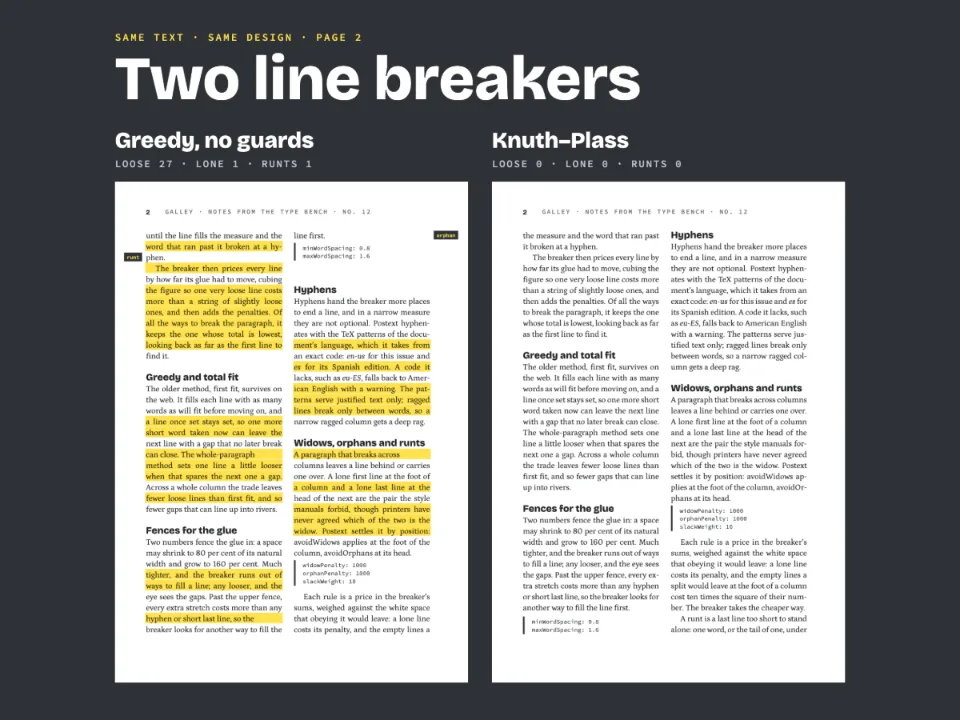
代码见上文的简短回答。parseMarkdownWithIssues()会为每个未闭合的$、$$或:::返回一条问题,doc.warnings为每个无法拆分的框记录一条calloutOverflow。doc.converged和doc.iterationCount说明版面是否已稳定,这篇稿子无论有没有错误,都在一次迭代后稳定。引擎还把未知id和未知指令记在doc.contentWarnings里,findLooseLines返回松行,沙盒的检查面板(见侧边栏面板)显示的就是这些检查。proof()自己做这几项读取,好让所有错误进入同一个列表、有同样的结构:类型、Markdown中的范围和细节。它把:ref和::resource的id与这次构建的resources比对,把围栏名称与KNOWN_CONTAINERS和KNOWN_DIRECTIVES比对。针对这篇稿子,它还会标出startNumber是年份的列表块,以及任何公式,因为这篇稿子本来没有公式;它还会检查排好的行,找出空格被拉宽到超过maxWordSpacing的行、排成齐左的行,以及网址中被加了连字符的地方。
#2 · 把错误放回改好的稿件
const FIRST_PASS = [ // [corrected, faulty], replaced wherever it occurs
  [':::callout{type="stamp"}\n:::', t({ en: ':::stamp', es: ':::sello' })], // no such directive
  [':ref{id="route"}', ':ref{id="route-map"}'], // an id no resource has
  ['\\$', '$'], // bare dollars (gotcha: dollar-math)
  [' https://', ' '], // a web address without its scheme
  [':::\n:::\n', ''], // the fact box's two closing fences
  ['\u20601971.', '1971.'], // the word joiner before 1971 (gotcha: digit-period-list)
  [t({ en: 'October 2.\n:::', es: 'octubre.\n:::' }), t({ en: 'October 2.', es: 'octubre.' })],
]; // last: the timeline's closing fence, so its box stays open inside the open fact box
const firstPass = (md) => FIRST_PASS.reduce((out, [fix, fault]) => out.replaceAll(fix, fault), md);
示例只保留一个Markdown文件,即改好的稿件,第一遍由它撤销七处修改得到,所以两个版本不会彼此脱节,每个标记都有已知的原因。改好的稿件最后构建,下面的页面就是这次构建的结果。\$对价格中的美元符号进行转义,这样就不会开启公式。第2页年表中每个年份前的单词连接符(U+2060)防止1971. The Tern…这样的条目开启一个从该年份起编号的列表;第一遍只删掉了1971前的那一个。带上https://协议头时,网址被当作网址来排,从不断词,只在其连接处断开,比如第1页上.example前的断点。没有协议头,网址就是一个普通单词,第一遍把它断成了night-ferry。第七项删掉年表框的结束行,排版怎样处理它,见第3步。
#3 · 在错误所在处做标记
const linesOf = (page) => [...page.columns.flatMap((c) => c.blocks), ...(page.floats ?? [])]
  .flatMap((b) => (b.lines ?? []).map((l) => ({ ...l.bbox, from: l.sourceStart, to: l.sourceEnd,
    width: l.justifiedSpaceRatio // a bbox is the natural width; a justified line fills the block
      ? b.bbox.x + b.bbox.width - l.bbox.x : l.bbox.width })));
const REACH = 80; // characters after a fence where its first line may start
function spotOf(page, f) { // where a fault shows on this page: its first line, in page px
  if (f.at) { // a box that ran off its column: a bar under the column's foot
    const c = page.columns[f.at.columnIndex]?.bbox;
    return f.at.pageIndex === page.index ? { ...c, y: c.y + c.height, height: 1.6 * MM } : null;
  }
  const lines = linesOf(page); // a fence sets no line of its own: then the first line after it
  return lines.find((r) => r.from < f.to && r.to > f.from)
    ?? lines.find((r) => r.from >= f.from && r.from - f.to < REACH);
}
function paintMarks(canvas, page, faults, scale) {
  const ctx = canvas.getContext('2d');
  ctx.setTransform(scale, 0, 0, scale, 0, 0); // page px from here on
  Object.assign(ctx, { font: `${3 * MM}px "${MONO}"`, textAlign: 'center' });
  const taken = []; // the numbers set so far: two on one line sit side by side
  faults.forEach((f, n) => {
    const r = spotOf(page, f);
    if (!r) return;
    const wash = f.kind === 'looseLine'; // a loose line is washed, any other fault underlined
    Object.assign(ctx, { fillStyle: palette.proof, globalAlpha: wash ? 0.2 : 1 });
    ctx.fillRect(r.x, wash ? r.y : r.y + r.height, r.width, wash ? r.height : 0.45 * MM);
    const [left, y] = [r.x + r.width / 2 < page.width / 2, r.y + r.height / 2]; // nearest margin
    const shift = taken.filter((ty) => Math.abs(ty - y) < 4.5 * MM).length * 5.2 * MM;
    const [x, edge] = [left ? 6.5 * MM + shift : page.width - 6.5 * MM - shift,
      left ? r.x : r.x + r.width]; // the number, and a leader from it to the text
    taken.push(y);
    ctx.globalAlpha = 1;
    ctx.fillRect(Math.min(x, edge), y - 0.12 * MM, Math.abs(x - edge), 0.24 * MM);
    ctx.beginPath();
    ctx.arc(x, y, 2.4 * MM, 0, 2 * Math.PI);
    ctx.fill();
    ctx.fillStyle = palette.paper;
    ctx.fillText(String(n + 1), x, y + 1.05 * MM);
  });
}
VDT中的每一行都带有sourceStart和sourceEnd,所以错误的源码范围能找到印出它的那一行。容器围栏本身不印出任何行,它的标记放在其后REACH(80)个字符以内开始的第一行上。calloutOverflow在它指明的那一栏底部画一条横杠。一处笔误可能留下好几个标记。未转义的美元符号把$2.50 on foot, $变成一个公式,因为这个示例从不加载数学引擎,公式什么也不印;第三个美元符号又开启了一个永不闭合的公式。这段文字被吞掉后,票价段落中有一行的空格变成正常宽度的1.9倍。资料框缺失的两个围栏让它和它的:::columns组一直开到稿件末尾,后面的内容都排在它们里面,落在分栏组的第二栏。分栏组和包着它的框一样,可以在栏与栏之间切开,所以单凭这两个围栏不会有内容超出栏底。造成超出的是年表的围栏。年表框在资料框里一直开着,把最后五段和版权说明都收了进去,而框中之框从不切开。它排在第3页,超出栏底69毫米;栏底以下的部分不会印出,第一遍是三页,而不是两页。这条警告带的是资料框的源码范围,因为排版放置的是资料框,所以第8个条目选中的是外层的框,从它的围栏直到稿件末尾。proof()把词间距(lineWordSpacing(line))超过maxWordSpacing(这里是1.6)的行判为松行。空格会超过3倍的行没有比值可比,因为引擎改为把它排成齐左,所以proof()还要检查ragged。
#4 · 选中一行背后的Markdown
function selectSource(from, to) {
  const all = source.value; // measure the wrapped height of the text before the selection
  source.value = all.slice(0, from);
  const top = source.scrollHeight;
  source.value = all;
  source.focus({ preventScroll: true });
  source.setSelectionRange(from, to); // the offsets the parser and the layout give
  source.scrollTop = top > source.clientHeight ? top - source.clientHeight / 3 : 0;
}
function onPageClick(canvas, page) {
  canvas.onclick = ({ clientX, clientY }) => {
    const box = canvas.getBoundingClientRect(); // CSS px to page px
    const [x, y] = [(clientX - box.left) * (page.width / box.width),
      (clientY - box.top) * (page.height / box.height)];
    const hit = linesOf(page).find((r) => x >= r.x && x <= r.x + r.width && y >= r.y
      && y <= r.y + r.height);
    if (hit?.from !== undefined) selectSource(hit.from, hit.to);
  };
}
点击坐标以CSS像素给出。onPageClick()把它换算成页面像素,找到bbox包含该点的那一行,并在textarea中选中那一行的源码范围;列表中的条目也以同样方式选中其错误的范围。selectSource()让textarea获得焦点而不滚动页面,并根据选区之前文本的高度设置它的scrollTop。两端对齐行的bbox保留该行的自然宽度,而不是绘制时的宽度,所以linesOf()把它延伸到所在块的右边缘。否则底色会在页边距之前就停下,在右边缘附近点击也选不中任何东西。
#5 · 让资料框拆分,把印章钉住
const boxes = [
  // keepTogether: false: cut between two blocks at the page foot; a line of white closes it.
  { id: 'facts', keepTogether: false, backgroundEnabled: false, marginBottom: pt(LEAD),
    stripe: { enabled: true, side: 'top', width: pt(2.5), color: col('proof') },
    padding: { ...NONE, top: mm(2.6) }, titleStyle: { ...caps(8), color: col('proof') },
    body: { fontSize: pt(9), lineHeight: pt(LEAD), textAlign: 'left', firstLineIndent: pt(0) },
    lists: { bulletChar: '•', color: col('proof') } },
  // 'fixed': pinned to the page its fence falls on, out of the flow; 'auto': as wide as its title.
  { id: 'stamp', placement: 'fixed', width: 'auto', backgroundEnabled: false,
    title: t({ en: 'Proof · 2nd pass', es: 'Segundas pruebas' }),
    fixed: { anchor: { to: 'page', edge: 'top-right' }, offset: { x: mm(-OUTER), y: mm(8) } },
    border: { enabled: true, color: col('proof'), width: pt(1.2) }, borderRadius: mm(1),
    padding: { top: mm(1.4), right: mm(2.4), bottom: mm(1.2), left: mm(2.4) },
    titleStyle: { ...caps(9), color: col('proof'), gap: mm(0) } },
];
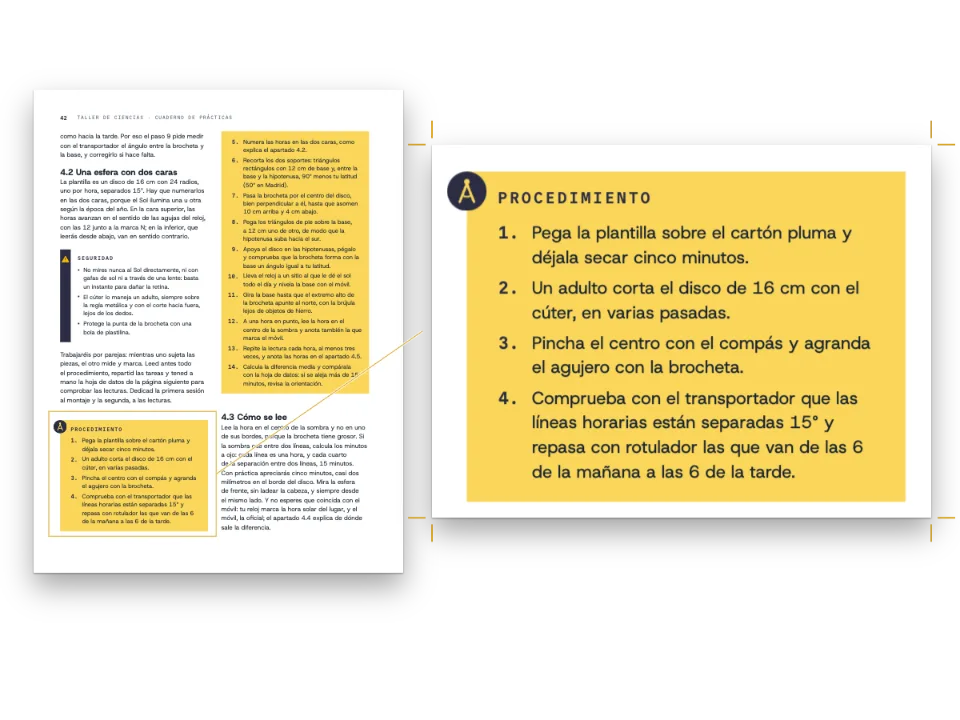
keepTogether: false让资料框从第1页底部开始,在下一页的红线下接续,不带标题。这个框没有背景,底部也没有线,所以在第2页上只有空白把时刻表和正文隔开;marginBottom是整整一行行距,即14 pt;如果用4 pt,时刻表会在下一段上方1.5 mm处结束。印章设为placement: 'fixed',脱离文本流,钉在距上边缘8 mm处;width: 'auto'让它收缩到标题的宽度,42 mm,而不是主栏的110 mm。
完整食谱
// ═══ Postext Cookbook · Nº 055 · A galley proof with every fault marked in red ══════
// https://postext.dev/en/cookbook/proof-sheet-diagnostics
// Code: MIT · Text: original (CC BY 4.0) · Map: code (CC BY 4.0) · Photo: diffusion models
// Fonts: Charis SIL, Chivo, Fragment Mono (SIL OFL 1.1) · Needs postext ≥ 1.34.0
import { buildDocumentWithFonts, prepareFonts, renderPageToCanvas, registerResourceImage,
  parseMarkdownWithIssues, KNOWN_DIRECTIVES, KNOWN_CONTAINERS, lineWordSpacing,
} from 'https://esm.sh/postext';

const LANG = 'en'; // @lang: the language of the sample document ('en' | 'es')
const RECIPE = 'proof-sheet-diagnostics';

// ─── 1 · Design ─────────────────────────────────────────────────────────────
// col() links a colour to its palette entry; the hex is the value the entry holds.
const palette = { // proof: the one accent and the marks; rule: the map's banks; muted: furniture
  ink: '#1d1d1b', proof: '#d7263d', paper: '#f6f3ea', rule: '#bdb8aa', muted: '#76726a' };
const col = (id) => ({ hex: palette[id], model: 'hex', paletteId: id });
const colorPalette = [...Object.entries(palette), ['main-color', palette.proof]] // every default
  .map(([id, hex]) => ({ id, name: id, value: { hex, model: 'hex' } })); // on main-color: red
const [TEXT, DISPLAY, MONO] = ['Charis SIL', 'Chivo', 'Fragment Mono'];
const [TRIM_W, TRIM_H, TOP, BOTTOM, INNER, OUTER] = [190, 253, 22, 20, 17, 14]; // mm, mirrored
const MEASURE = TRIM_W - INNER - OUTER; // mm: 159, the text block the opener spans
const [LEAD, ART_H, DPI] = [14, 50, 150]; // pt: leading; mm: the photograph; page px/inch
const NONE = { top: mm(0), right: mm(0), bottom: mm(0), left: mm(0) };
const caps = (size) => ({ fontFamily: MONO, fontSize: pt(size), letterSpacing: pt(size * 0.12),
  textTransform: 'uppercase', fontWeight: 400 });

const below = (id, gap, width = MEASURE) => ({ anchor: { to: id, edge: id === 'container'
  ? 'top-left' : 'below' }, offset: { x: mm(0), y: mm(gap) }, size: { width: mm(width) } });
const text = (id, content, family, size, color, placement, extra) => ({ kind: 'text', id,
  content, fontFamily: family, fontSize: pt(size), color: col(color), align: 'left',
  overflow: 'wrap', placement, ...extra });
const opener = { enabled: true, slot: { elements: [ // the drawing, then the words under it
  { kind: 'image', id: 'art', resourceId: 'crossing', placement: { ...below('container', 0),
    size: { width: mm(MEASURE), height: mm(ART_H) } } },
  // The words start 6 mm under the drawing, and the opener reserves down to the byline.
  text('kicker', '{attr.kicker}', MONO, 8, 'proof', below('container', ART_H + 6), caps(8)),
  text('title', '{titleText}', DISPLAY, 50, 'ink', below('#kicker', 1.4),
    { fontWeight: 900, lineHeight: 0.96 }), // a multiple of the size
  text('standfirst', '{attr.standfirst}', TEXT, 11.5, 'ink', below('#title', 4, 136),
    { italic: true, lineHeight: 1.3 }),
  text('byline', '{attr.byline}', MONO, 7.5, 'muted', below('#standfirst', 3), caps(7.5))] } };
const head = (id, content, parity, edge, x, y = 12) => text(id, content, MONO, 7.5, 'muted',
  { anchor: { to: 'page', edge }, offset: { x: mm(x), y: mm(y) } }, { ...caps(7.5), parity,
    pages: 'body', align: edge.split('-')[1] ?? 'center' }); // y: mm from the trim
const RUNNING = t({ en: ['The Tideline · issue 41', 'News · the night ferry'],
  es: ['La Marea · número 41', 'Noticias · la barcaza nocturna'] });
const header = { elements: [
  head('verso', `{pageNumber}   ${RUNNING[0]}`, 'even', 'top-left', OUTER),
<section id="proof">
  <header>
    <p id="slug" data-en="The Tideline 41 · news galley · proof desk" data-es="La Marea 41 · galerada · mesa de pruebas"></p>
    <h2 id="verdict"></h2>
    <p id="passes"></p>
  </header>
  <div class="desk">
    <div id="galley"></div>
    <ol id="report"></ol>
  </div>
  <div class="source">
    <label for="source" data-en="The galley’s Markdown: click a line on a page to select it here" data-es="El Markdown de la galerada: pulsa una línea de una página para seleccionarla aquí"></label>
    <textarea id="source" spellcheck="false"></textarea>
    <p>
      <button id="again" type="button" data-en="Proof again" data-es="Revisar de nuevo"></button>
      <button id="fixed" type="button" data-en="Load the second pass" data-es="Cargar las segundas pruebas"></button>
    </p>
  </div>
  <template id="words"><!-- the report's words, in the language of the sample -->
    <i data-key="unclosedMath" data-en="Unclosed maths" data-es="Fórmula sin cerrar"></i>
    <i data-key="unclosedMathBlock" data-en="Unclosed display maths" data-es="Fórmula en bloque sin cerrar"></i>
    <i data-key="formula" data-en="Stray formula" data-es="Fórmula perdida"></i>
    <i data-key="unclosedContainer" data-en="Unclosed fence" data-es="Valla sin cerrar"></i>
    <i data-key="calloutOverflow" data-en="Box runs {} mm past its column" data-es="El recuadro desborda su columna en {} mm"></i>
    <i data-key="unknownResourceId" data-en="Unknown id: prints “?”" data-es="Id desconocido: imprime «?»"></i>
    <i data-key="unknownDirective" data-en="Unknown directive: prints as text" data-es="Directiva desconocida: sale como texto"></i>
    <i data-key="yearList" data-en="A year opened a numbered list" data-es="Un año abrió una lista numerada"></i>
    <i data-key="looseLine" data-en="Loose line, {}×" data-es="Línea floja, {}×"></i>
    <i data-key="raggedLine" data-en="Line set ragged: its spaces would pass 3×" data-es="Línea en bandera: sus espacios pasarían de 3×"></i>
    <i data-key="addressHyphen" data-en="Hyphen added inside an address" data-es="Guion añadido dentro de una dirección"></i>
    <i data-key="unsettled" data-en="Layout did not settle in {} passes" data-es="La composición no se asentó en {} pasadas"></i>
    <i data-key="faults" data-en="{} faults" data-es="{} fallos"></i>
    <i data-key="fault" data-en="{} fault" data-es="{} fallo"></i>
    <i data-key="clean" data-en="Nothing to mark" data-es="Nada que marcar"></i>
    <i data-key="first" data-en="on the first pass" data-es="en las primeras pruebas"></i>
    <i data-key="second" data-en="on the second pass" data-es="en las segundas pruebas"></i>
    <i data-key="edited" data-en="in the edited copy" data-es="en la copia editada"></i>
    <i data-key="page" data-en="Proof, page {}" data-es="Prueba, página {}"></i>
    <i data-key="title" data-en="The Tideline · galley proof" data-es="La Marea · galerada"></i>
  </template>
</section>
<main id="pages"></main>
/* The proof desk: the first pass marked in red beside its report, the Markdown under them.
   Colours repeat the palette in script.js: newsprint, ink, the proofreader's red. */
#proof {
  background: #e6e0d2; color: #1d1d1b; padding: 36px 32px 40px;
  font: 15px/1.45 "Charis SIL", Georgia, serif;
}
#proof > * { max-width: 1216px; margin-inline: auto; }
#proof header { margin-bottom: 24px; }
#slug, #passes {
  margin: 0; font: 12px/1.2 "Fragment Mono", monospace; letter-spacing: .14em;
  text-transform: uppercase;
}
#slug { color: #b81d31; margin-bottom: 10px; }
#passes { color: #5f5b54; margin-top: 12px; text-transform: none; letter-spacing: .04em; }
#verdict { margin: 0; font: 900 clamp(38px, 6vw, 72px)/.95 Chivo, sans-serif; letter-spacing: -.01em; }
.desk { display: grid; grid-template-columns: auto minmax(0, 1fr); gap: 32px; align-items: start; }
#galley { display: flex; flex-wrap: wrap; gap: 14px; max-width: 854px; } /* two pages a row */
#galley canvas {
  display: block; width: 420px; aspect-ratio: 190 / 253; cursor: text; /* DESK_W */
  box-shadow: 0 1px 2px rgb(40 30 20 / .25), 0 18px 36px -18px rgb(40 30 20 / .55);
}
#report { list-style: none; margin: 0; padding: 0; border-top: 3px solid #d7263d; }
#report button {
  all: unset; box-sizing: border-box; display: grid; grid-template-columns: 30px minmax(0, 1fr);
  column-gap: 12px; width: 100%; padding: 9px 0 10px; border-bottom: 1px solid #bdb8aa; cursor: pointer;
}
#report button:hover span, #report button:focus-visible span { color: #b81d31; }
#report b {
  grid-row: span 2; width: 26px; height: 26px; border-radius: 50%; background: #d7263d;
  color: #f6f3ea; font: 13px/26px "Fragment Mono", monospace; text-align: center;
}
#report span { font: 400 16px/1.25 Chivo, sans-serif; }
#report code {
  font: 12px/1.5 "Fragment Mono", monospace; color: #5f5b54;
  overflow: hidden; white-space: nowrap; text-overflow: ellipsis;
}
.source { margin-top: 28px; }
.source label {
  display: block; margin-bottom: 8px; font: 12px/1.3 "Fragment Mono", monospace; color: #5f5b54;
}
#source {
  display: block; width: 100%; height: 280px; box-sizing: border-box; padding: 14px 16px;
  font: 13px/1.6 "Fragment Mono", monospace; color: #1d1d1b; background: #f6f3ea;
  border: 1px solid #bdb8aa; resize: vertical;
}
#source::selection { background: #d7263d; color: #f6f3ea; }
.source p { margin: 12px 0 0; display: flex; gap: 10px; flex-wrap: wrap; }
.source button {
组合好的script.js可以直接运行:把它粘贴到任何页面的模块脚本中,或在CodePen上打开这道食谱。 GitHub上的食谱文件夹 ↗ (在新标签页中打开)
变化
#让资料框保持完整
使用默认的keepTogether,资料框会整体移到第2页;第1页在离底部33 mm处结束,稿件排到第三页。
-  { id: 'facts', keepTogether: false, backgroundEnabled: false, marginBottom: pt(LEAD),
+ { id: 'facts', backgroundEnabled: false, marginBottom: pt(LEAD),#仍有错误时中止构建
在构建脚本或测试中,对最终稿件运行proof(),只要发现问题就抛出异常。
 const doc = await build(markdown); // 最后构建:改好的长条校样,即下面的页面
+if (proof(markdown, doc).length) throw new Error('The second pass still has faults.');常见问题
版面警告 · calloutOverflow
标注框超出所在栏
原因. 某个无法在任何位置切开的标注框(比栏还高的图、表或嵌套在其中的框,或splitMinLines设得太高)放下后超出了所在栏;引擎把它记在doc.warnings中,沙盒会列出它。比空侧栏还高的span: 'side'框同样会超出。
解决. 缩短这个框、用keepTogether: false让它可以拆分、调低splitMinLines,或换一个span值。 文档 →
沙盒检查 · unknownResourceId
未知资源
原因. 某个:ref或::resource指定的id没有对应的资源;引用处印出“?”,也不会放置任何内容。
解决. 改正id(只能用双引号),或添加该资源。 文档 →
版面警告 · unknownDirective
未知指令
原因. 某个:::name行不是Postext的指令或容器,因此被当作文字印出。
解决. 对照支持的名称检查拼写(pagebreak、columnbreak、numbering、space、toc、callout、paragraphs、part、columns、paper)。 文档 →
沙盒检查 · looseLine
松散行
原因. 某个两端对齐的行把空格拉得超过了阈值,通常是长单词、URL或行长太窄造成的。
解决. 按正确的语言开启断词、加大行长、改写句子,或把这段排成齐左。 文档 →
- 调整稿件,让资料框把第1页填到最后一行。收尾一页的框会在各栏齐底时下移到页脚(
headings.balancing.closingBox,默认'first'):删掉第一段的最后一句,框的线就会落在票价段落下方6.4 mm处,而不是2.4 mm。
致谢
- 文本
- 原创文字, CC BY 4.0
- 图片
- The night crossing at the head of page 1 · Generated With Diffusion Models · 原创
- The route map, drawn in code in the page's palette · Ignacio Ferro · CC BY 4.0
- 字体
- Charis SIL (SIL OFL 1.1) · Chivo (SIL OFL 1.1) · Fragment Mono (SIL OFL 1.1)