باختصار
فصل من كتاب مدرسي في الفيزياء، فيه عمود نص عريض وعمود ضيق عند الحافة الخارجية. يضم العمود الضيق الرسوم والملاحظات القصيرة إلى جانب النص الذي تخصّه.
ما الذي ستنضده
الفصل 4 من Lever and Lens، كتاب مدرسي تمهيدي في الفيزياء على صفحة بقياس 210 × 275 مم. يجري نص المتن في عمود عريض واحد ولا يدخل الهامش الخارجي أبدًا، وهو ممر بعرض 53 مم. يقع رقم الفصل، 4 خضراء، في ذلك الممر على مستوى العنوان، وتأتي أهداف التعلم تحته. وتتراكم رسوم مسارات الأشعة من رأس الممر، وتذهب المصطلحات الأساسية إلى حواشٍ شارحة بلون النعناع إلى جانب المقاطع التي تعرّفها. والأشكال التي تبقى في عمود النص، على ألواح داكنة أو فاتحة، تعليقاتها في الهامش، على مستوى أسفل الشكل. وحده لوح الموشور يعبر العمودين. الهوامش متناظرة، فيقع الممر عند الحافة الخارجية لكل صفحة، على يمين الصفحة الفردية وعلى يسار الزوجية.
تجيب هذه الوصفة عن
- كيف أصمم تخطيط عمود ونصف، فيه عمود نص عريض وعمود جانبي ضيق؟
- كيف أنضد ملاحظات هامشية أو شروحًا بجانب الفقرة التي تشرحها؟
- كيف أضيف شكلًا بتعليق مرقّم وأحيل إليه في النص («انظر الشكل 3.2»)؟
- كيف أتحكم في موضع الشكل: أعلى الصفحة، أو بعرض العمودين، أو هنا تمامًا، أو في الهامش؟
- كيف أنضد تعليقًا بجانب الشكل، أو فوق الجدول على شريط تعليق؟
- كيف أرقّم العناوين (1، 1.1، 1.1.1) وأنسّق كل مستوى بطريقة مختلفة؟
الجواب المختصر
const layout = {
  layoutType: 'oneAndHalf', // a wide main column and a narrow side column
  sideColumnPercent: 30, // of the 176 mm content width: a 52.8 mm channel
  sideColumnRole: 'floats', // no body text: side figures, side captions and side boxes only
  sideColumnSide: 'outer', // right on a recto, left on a verso (the margins are mirrored)
  gutterWidth: mm(7), // the text column keeps the rest: 176 − 52.8 − 7 = 116 mm
};
// A figure placed with span 'side' stacks in the channel from the head of the page that cites it,
// under the numeral on a chapter's first page.
const side = { span: 'side' };
// A figure left in the text column (the default span) sets its caption in the channel beside
// it; page-wide floats ignore captionSide and keep theirs underneath.
const resourceTypes = defaultResourceTypes(LANG).map((type) => (type.id !== 'figure' ? type
  : { ...type, defaultPlacement: { captionSide: true } })); // the built-in types, in LANG
// A box fenced :::callout{type="term" span="side"} leaves the flow and lands in the channel at the
// height the text has reached: fence each gloss before the paragraph it should stand beside.
المكونات
- الميزات
- عمود هامشي للعناصر العائمةتعليقات جانبيةملاحظات الهامشعمود ونصفهوامش متناظرةاستشهادات تضع الأشكالموضع الأشكالتعليقات مرقّمةالأشكال والجداول بوصفها موارد«شكل» و«جدول» بلغتكصفحات افتتاح مصمَّمةتثبيت عناصر التصميمسمات العنوانالعناوين المرقّمةأنماط العناوينفصول تبدأ في صفحة فرديةإطارات التنبيهالترويسات وأرقام الصفحاتالترويسات بحسب دور الصفحةلوحة ألوان دلالية
- الخطوط
- Merriweather, Merriweather Sans (SIL OFL 1.1)
- الأصول
- لا شيء: كل صورة مرسومة بالشيفرة
طريقة التحضير
#1 · أعطِ الهامش للعناصر العائمة
شيفرة هذه الخطوة هي الجواب المختصر أعلاه. في تخطيط العمود ونصف، تمنح الخاصية sideColumnPercent: 30 العمودَ الجانبي 30 % من عرض المحتوى البالغ 176 مم (52.8 مم)، ويحتفظ عمود النص بما يبقى بعد الفاصل بين العمودين البالغ 7 مم (116 مم، نحو 75 حرفًا من Merriweather بحجم 9.3 نقطة). يُبقي sideColumnRole: 'floats' نص المتن خارج العمود الجانبي، ويضعه sideColumnSide: 'outer' في الجهة الخارجية، التي تبدّلها الهوامش المتناظرة من صفحة إلى أخرى. وتذهب الأشكال إليه بـspan: 'side'. والإطار الذي تُكتب span="side" في سطر فتحه يغادر التدفق ويدخل الممر عند الارتفاع الذي بلغه النص، فتبدأ كل حاشية شارحة على مستوى الكتلة التي تليها.
#2 · دع الإحالة تضع كل شكل
const drawings = new Map(); // fileId → SVG markup, registered before the build
const figure = (id, { width, height, markup }, placement) => {
  drawings.set(`${id}.svg`, markup);
  return { id, typeId: 'figure', kind: 'svg', createdAt: 0, updatedAt: 0, caption: t(captions[id]),
    altText: t(captions[id]), // read aloud in HTML and tagged PDF; the canvas does not use it
    svg: { fileId: `${id}.svg`, width, height }, ...(placement && { placement }) };
};
const resources = [ // no placement: a main-column float, its caption in the channel
  figure('burning-glass', burningGlass()),
  figure('refraction', refraction(), side),
  figure('critical-angle', criticalAngle(), side),
  figure('fibre', fibre()),
  figure('prism', prism(), { span: 'page', position: 'top' }), // across text column and channel
  figure('principal-rays', principalRays()),
  figure('diverging', diverging(), side),
];
أول :ref إلى شكل يرقّمه ويضعه حيث يقول موضعه. يتراكم الشكل ذو span: 'side' من رأس الممر في الصفحة التي تحيل إليه، مهما انخفضت الإحالة، وينتقل إلى الصفحة التالية حين يقصر ما بقي من الممر عنه. الشكلان 4.2 و4.3، وكلاهما محال إليه في الصفحة 88، يتراكمان في ممر تلك الصفحة وبينهما حاشية الزاوية الحرجة. والموشور عنصر عائم بعرض الصفحة في موضع top محال إليه في الصفحة 88، والعنصر العائم لا يصعد أبدًا فوق إحالته، فيفتتح الصفحة 89 عبر العمودين. وتبقى الأشكال 4.1 و4.4 و4.6 في عمود النص وتأخذ captionSide من defaultPlacement في نوع الشكل. وهي تأخذ الخانة السفلى من العمود، فيقع كل تعليق على مستوى أسفل شكله؛ أما في خانة علوية فكان سيُحاذى مع أعلى الشكل.
#3 · افتتح الفصل في الهامش
// Every element counts toward the opener's depth, the page-anchored numeral too (gotcha:
// opener-reserves-anchored). minHeight fixes that depth at nine lines of the grid, room for a
// one-line title, the rule and a four-line standfirst (41.2 mm), so the text starts on the same
// line in every such chapter, however short its standfirst and even with a smaller numeral. Kicker
// and numeral (40.6 mm) reach the ninth line too; a deeper opener grows past it, line by line.
const [KICKER, NUMERAL] = [8, 104]; // pt
const opener = {
  enabled: true,
  minHeight: pt(LEAD * 9), // 42.9 mm: the text starts on the eleventh line, after marginBottom
  slot: {
    elements: [
      { kind: 'text', id: 'title', content: '{titleText}', fontFamily: SANS, fontWeight: 800,
        fontSize: pt(32), lineHeight: 1.05, color: col('ink'), align: 'left', overflow: 'wrap',
        placement: { anchor: { to: 'container', edge: 'top-left' }, size: { width: 'fill' } } },
      { kind: 'rule', id: 'rule', direction: 'horizontal', thickness: pt(1), color: col('accent'),
        placement: { anchor: { to: '#title', edge: 'below' }, offset: { y: mm(4) },
          size: { width: 'fill' } } },
      { kind: 'text', id: 'lead', content: '{attr.lead}', fontFamily: SERIF, italic: true,
        fontSize: pt(10.5), lineHeight: 1.45, color: col('ink'), align: 'left', overflow: 'wrap',
        placement: { anchor: { to: '#rule', edge: 'below' }, offset: { y: mm(3.5) },
          size: { width: 'fill' } } },
      // The kicker hangs from the page's top-right corner, not from the heading: the channel lies
      // outside the heading's column, and on the right only on a recto (so chapters open on one).
      // The numeral hangs from the kicker.
      { kind: 'text', id: 'kicker', content: t({ en: 'Chapter', es: 'Capítulo' }), ...label,
        fontSize: pt(KICKER), align: 'left', placement: { anchor: { to: 'page', edge: 'top-right' },
          offset: { x: mm(-OUTER), y: mm(TOP) }, size: { width: mm(CHANNEL) } } },
      { kind: 'text', id: 'numeral', content: '{chapterNumber}', fontFamily: SANS, fontWeight: 800,
        fontSize: pt(NUMERAL), lineHeight: 1, color: col('accent'), align: 'left',
        placement: { anchor: { to: '#kicker', edge: 'below' }, offset: { y: mm(0.5) },
          size: { width: mm(CHANNEL) } } },
    ],
  },
};
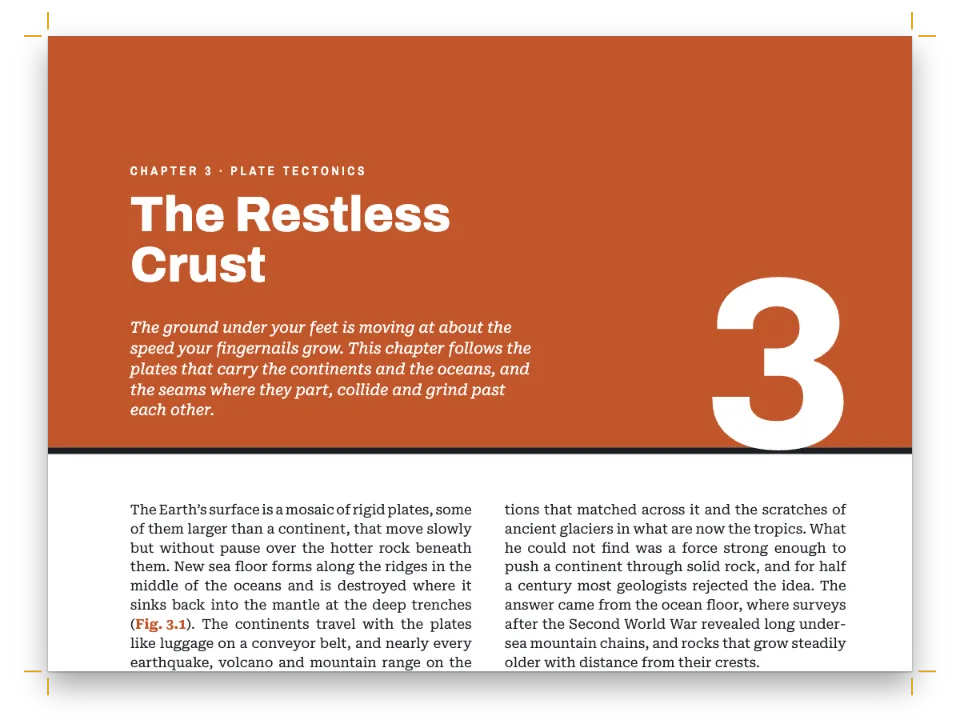
يبقى عنوان المستوى 1 في عمود النص، حيث تراكم خانة التصميم نصه والخط والمقدمة؛ ويتدلى العنوان التمهيدي من الزاوية العليا اليمنى للصفحة، والرقم من العنوان التمهيدي، وكلاهما بعرض الممر. يحدّد minHeight ارتفاع الافتتاح بتسعة أسطر من الشبكة (42.9 مم)، وهي تكفي لعنوان من سطر واحد والخط ومقدمة من أربعة أسطر، فلا تسحب مقدمةٌ أقصر النصَّ إلى الأعلى. وينتهي العنوان التمهيدي والرقم بحجم 104 نقاط على بعد 40.6 مم تحت الهامش العلوي، داخل تلك الأسطر التسعة، فلا يدفعان النص إلى الأسفل أيضًا. لا يقع الممر على اليمين إلا في الصفحة الفردية، فينتقل H1 إلى صفحة فردية. ويأتي إطار الأهداف بعد الفقرة الأولى، ولا يُحال إلى أي شكل هامشي قبله، فيقع تحت الرقم (انظر الأخطاء الشائعة).
#4 · أبقِ أرقام الصفحات على حافة الممر
const [HEAD_Y, FOOT_Y, HEAD_GAP] = [12.5, -12, 9]; // mm from the top and bottom trim; folio to head
// A text on the physical page: edge picks the corner, x and y are its offsets in mm.
const head = ({ edge, x, y = HEAD_Y, ...text }) => ({
  kind: 'text', pages: 'body', ...label, color: col('muted'), ...text,
  placement: { anchor: { to: 'page', edge }, offset: { x: mm(x), y: mm(y) } },
});
const folio = { content: '{pageNumber}', fontSize: pt(8.5), letterSpacing: pt(0),
  color: col('accent') };
const verso = { parity: 'even', edge: 'top-left' }; // x counts in from the left edge
const recto = { parity: 'odd', edge: 'top-right' }; // x counts back from the right edge
const header = { elements: [
  head({ id: 'verso-folio', ...verso, ...folio, x: OUTER }),
  head({ id: 'verso-title', ...verso, content: '{title}', x: OUTER + HEAD_GAP }),
  head({ id: 'recto-title', ...recto, x: -(OUTER + HEAD_GAP),
    content: t({ en: 'Chapter {chapterNumber} · {chapterTitle}',
      es: 'Capítulo {chapterNumber} · {chapterTitle}' }) }),
  head({ id: 'recto-folio', ...recto, ...folio, x: -OUTER }),
] };
// A chapter's first page, always a recto, carries a drop folio at the foot of the channel instead.
const footer = { elements: [
  head({ id: 'drop-folio', ...recto, ...folio, pages: 'opener', edge: 'bottom-right', x: -OUTER,
    y: FOOT_Y }),
] };
كل عنصر مربوط بالصفحة الفعلية ومُرشَّح بـparity، فيقع رقم الصفحة والترويسة على حافة الممر نفسها في جانبي الصفحتين المتقابلتين. ويُبعدهما pages: 'body' عن صفحة الافتتاح، التي تأخذ بدلًا منهما رقم صفحة منخفضًا في أسفل الممر.
#5 · ابدأ الكتاب من الفصل 4
const continuation = { pageNumbering: { startAt: 87 }, // odd, like page 1: a recto
  headings: { h1: 3, h2: 0, h3: 0, h4: 0, h5: 0, h6: 0 } }; // the next # is chapter 4
const doc = await buildDocumentWithFonts({ markdown, resources, continuation }, config(),
  kitFonts(FONTS));
showPages(doc, { title: t({ en: 'Textbook with a margin column',
  es: 'Libro de texto con columna al margen' }) });
هذه الصفحات هي الفصل 4 من كتاب أطول. تضبط المتابعةُ عدّاد الفصول على 3، فيطبع {chapterNumber} الرقم 4، ويرقّم numberingTemplate: '{1}.{2}' في المستوى 2 الأقسام من 4.1 إلى 4.3؛ وتمتد الأشكال من 4.1 إلى 4.7. ويأخذ ## Questions {style="plain"} مدخلًا في headingStyles فيه numbered: false، فلا رقم لذلك العنوان. وتبدأ أرقام الصفحات من 87 لأن الصفحة الأولى فردية، ورقم الصفحة الفردية فردي.
#6 · سمِّ الألوان مرة واحدة
const palette = {
  ink: '#1a222d', // text, and the dark panels of figures 4.1, 4.4 and 4.5
  accent: '#17774f', // the only accent colour: numerals, folios, section headings, labels
  ray: '#f2a516', // light rays in every diagram
  glass: '#cfe6dd', // glass in the diagrams
  tint: '#edf5f1', // the key-term glosses and the light plate of a construction diagram
  muted: '#5b6863', // running heads, the normals in the diagrams, the colophon
  paper: '#ffffff',
};
// A colour carries its id and its hex. The diagrams read `palette` as well, so retint the
// chapter by editing it: the text, the designs and the drawings change together.
const col = (id) => ({ hex: palette[id], model: 'hex', paletteId: id });
const colorPalette = [
  ...Object.entries(palette).map(([id, hex]) => ({ id, name: id, value: { hex, model: 'hex' } })),
  // The engine's defaults link to 'main-color': point it at the accent, so nothing prints blue.
  { id: 'main-color', name: 'accent (defaults)', value: { hex: palette.accent, model: 'hex' } },
];
كل لون في الإعدادات مربوط بمدخل في لوحة الألوان ومعه أيضًا قيمته الست عشرية، التي ينسخها col() من الكائن نفسه. لتعيد تلوين الفصل، عدّل palette: تقرأ الرسوم الكائن نفسه، فيتغير زجاجها وأشعتها وألواحها الداكنة ولوحها الفاتح مع الأرقام والتسميات والحواشي. ويشير main-color إلى اللون المميِّز، فكل لون افتراضي في أنماط النص تتركه الإعدادات بلا قيمة يُطبع أخضر، لا بأزرق المحرّك.
الوصفة كاملة
// ═══ Postext Cookbook · Nº 001 · Textbook with a margin column ═══════════════════
// https://postext.dev/en/cookbook/textbook-margin-column
// Code: MIT · Text: original (CC BY 4.0) · Diagrams: generated in code (CC BY 4.0)
// Fonts: Merriweather, Merriweather Sans (SIL OFL 1.1) · Needs postext ≥ 1.25.0
// A chapter of a physics textbook in the column-and-a-half layout: the body text keeps to
// the main column, and the outer margin is a channel for diagrams, captions and glosses.
import {
  buildDocumentWithFonts, renderPageToCanvas, registerResourceImage, defaultResourceTypes,
} from 'https://esm.sh/postext';

const LANG = 'en'; // @lang: the language of the sample document ('en' | 'es')
const RECIPE = 'textbook-margin-column';

// ─── 1 · Design ─────────────────────────────────────────────────────────────
// #region palette: semantic colours, each linked by id and written out in hex
const palette = {
  ink: '#1a222d', // text, and the dark panels of figures 4.1, 4.4 and 4.5
  accent: '#17774f', // the only accent colour: numerals, folios, section headings, labels
  ray: '#f2a516', // light rays in every diagram
  glass: '#cfe6dd', // glass in the diagrams
  tint: '#edf5f1', // the key-term glosses and the light plate of a construction diagram
  muted: '#5b6863', // running heads, the normals in the diagrams, the colophon
  paper: '#ffffff',
};
// A colour carries its id and its hex. The diagrams read `palette` as well, so retint the
// chapter by editing it: the text, the designs and the drawings change together.
const col = (id) => ({ hex: palette[id], model: 'hex', paletteId: id });
const colorPalette = [
  ...Object.entries(palette).map(([id, hex]) => ({ id, name: id, value: { hex, model: 'hex' } })),
  // The engine's defaults link to 'main-color': point it at the accent, so nothing prints blue.
  { id: 'main-color', name: 'accent (defaults)', value: { hex: palette.accent, model: 'hex' } },
];
// #endregion
// The page in mm, named once: the channel, the opener and the running heads derive from it.
const [TRIM_W, TRIM_H] = [210, 275];
const [TOP, BOTTOM, INNER, OUTER] = [24, 22, 20, 14]; // inner and outer swap on a verso
const LEAD = 13.5; // body leading in pt
const [SERIF, SANS] = ['Merriweather', 'Merriweather Sans'];

// #region answer: a float-only channel on the outer edge, and what goes into it
const layout = {
  layoutType: 'oneAndHalf', // a wide main column and a narrow side column
  sideColumnPercent: 30, // of the 176 mm content width: a 52.8 mm channel
  sideColumnRole: 'floats', // no body text: side figures, side captions and side boxes only
  sideColumnSide: 'outer', // right on a recto, left on a verso (the margins are mirrored)
  gutterWidth: mm(7), // the text column keeps the rest: 176 − 52.8 − 7 = 116 mm
};
// A figure placed with span 'side' stacks in the channel from the head of the page that cites it,
يعمل ملف script.js المجمّع كما هو: الصقه في سكربت الوحدة (module) لأي صفحة، أو افتح الوصفة على CodePen. مجلد الوصفة على GitHub ↗ (يفتح في تبويب جديد)
تنويعات
#أبقِ التعليقات تحت الأشكال
مع القيم الافتراضية البسيطة لنوع الشكل، تأخذ تعليقات الأشكال 4.1 و4.4 و4.6 أسطرًا من عمود النص، ولا يبقى في الممر إلا الرسوم والحواشي الشارحة.
-const resourceTypes = defaultResourceTypes(LANG).map((type) => (type.id !== 'figure' ? type
-  : { ...type, defaultPlacement: { captionSide: true } })); // the built-in types, in LANG
+const resourceTypes = defaultResourceTypes(LANG); // what the engine uses when none are set#ضع الممر على يمين كل صفحة
لمستند يُقرأ صفحة صفحة على الشاشة، أوقف تناظر الهوامش وانقل رقم الصفحة الزوجية وترويستها إلى الحافة اليمنى؛ ويمكن حينئذ أن تُفتتح الفصول على أي صفحة.
-  sideColumnSide: 'outer', // right on a recto, left on a verso (the margins are mirrored)
+  sideColumnSide: 'right', // what 'outer' means anyway once the margins stop mirroring
-    bottom: mm(BOTTOM), left: mm(INNER), right: mm(OUTER), mirror: true } }, // left: recto's inner
+    bottom: mm(BOTTOM), left: mm(INNER), right: mm(OUTER), mirror: false } },
-      { level: 1, breakBefore: { enabled: true, parity: 'odd' }, marginBottom: pt(LEAD),
+      { level: 1, breakBefore: { enabled: true, parity: 'any' }, marginBottom: pt(LEAD),
-const verso = { parity: 'even', edge: 'top-left' }; // x counts in from the left edge
+const verso = { parity: 'even', edge: 'top-right' };
-  head({ id: 'verso-folio', ...verso, ...folio, x: OUTER }),
-  head({ id: 'verso-title', ...verso, content: '{title}', x: OUTER + HEAD_GAP }),
+  head({ id: 'verso-folio', ...verso, ...folio, x: -OUTER }),
+  head({ id: 'verso-title', ...verso, content: '{title}', x: -(OUTER + HEAD_GAP) }),
-  head({ id: 'drop-folio', ...recto, ...folio, pages: 'opener', edge: 'bottom-right', x: -OUTER,
+ head({ id: 'drop-folio', ...folio, pages: 'opener', edge: 'bottom-right', x: -OUTER,#افتتح الفصل تحت شريط ملون
تمدّ وصفة افتتاح فصل على شريط بنزف كامل شريطًا ملونًا خارج أعلى الصفحة، وتنضّد عليه العنوان ورقم فصل بحجم 168 نقطة.
أخطاء شائعة
خطأ شائع
الإطارات الجانبية لا تطفو أبدًا: إنها تنتظر المساحة
الإطار span: 'side' لا يطفو: يقف بجانب الكتلة التي يتبعها، وإذا امتلأت قناة الهامش انتظر الصفحة التالية. ضع كل حاشية جانبية بعد الفقرة التي تشرحها مباشرةً. وإذا انتهى الفصل وما زالت إطارات تنتظر، أخذ كلٌّ منها العمود الجانبي لصفحة بعد النص، بترتيب أسوارها، ونبّه التنضيد إلى ذلك (afterText)؛ حتى postext 1.24 لم تكن تُفتح إلا صفحة واحدة من هذا النوع وتسقط الإطارات الباقية بلا تنبيه. ملاحظات الهامش →
خطأ شائع
العنصر العائم 'top' يذهب إلى الصفحة التالية لإحالته ما لم يُسمح له بتصدر صفحة الإحالة
افتراضيًا لا يصعد العنصر العائم أبدًا فوق الإحالة إليه، فالعنصر العائم 'top' الممتد بعرض الصفحة والمُحال إليه في الصفحة N يفتتح الصفحة N+1. اضبط placement.citingPage: true على المورد أو على defaultPlacement لنوعه (أو layout.floatsAtCitingPage للكتاب كله، منذ postext 1.25) فيتصدر الصفحة N بدلًا من ذلك، وينزل النص الذي فوق الإحالة تحته، إذا اتسع له المكان في حدود layout.maxTopFraction وبقي سطر الإحالة في تلك الصفحة. ولا يتصدر أبدًا الصفحة الأولى من فصل ولا صفحة بعد فاصل قسري: فهناك يظل يفتتح الصفحة التالية، ويمكن للموضع 'auto' أو 'bottom' أن يشغل أسفل صفحة الإحالة. موضع الأشكال →
خطأ شائع
تحجز الافتتاحية ارتفاعًا يصل إلى أدنى عناصرها المثبّتة على الصفحة
تحجز الافتتاحية ذات التصميم المتقدّم ارتفاع أدنى عناصرها، وتُحتسب كذلك العناصر المثبّتة على الصفحة أو على النزف تحت العنوان، فالزخرفة في أسفل الصفحة تدفع النص إلى الصفحة التالية. أعطِ مثل هذا العنصر reserve: false (منذ postext 1.5): يُرسَم حيث ثُبّت ولا يحجز شيئًا. أما العناصر التي تتبع الشريط نفسه (المثبّتة على أسفله، أو التي ارتفاعها 'fill') فلا تحدّد ارتفاعه أبدًا. صفحات افتتاح مصمَّمة →
خطأ شائع
لا <marker> ولا مرشِّحات في رسوم SVG (وإلا البديل النقطي)
لا يبقى شكل SVG متّجهيًا في PDF إلا إذا خلا من <marker> والمرشِّحات والأقنعة؛ وإلا عاد إلى صورة نقطية، والمرشِّحات المتداخلة بعمق قد تجعله فارغًا في Chrome. ارسم رؤوس الأسهم مسارات. الأشكال والجداول بوصفها موارد →
- تتراكم الأشكال والحواشي الشارحة في الممر بالترتيب الذي يبلغها فيه النص، ولا تتجاور أبدًا. حاشية الزاوية الحرجة مسيّجة بعد فقرة قانون سنل وقبل الفقرة التي تحيل إلى الشكل 4.3، فتتراكم في الصفحة 88 بين الشكلين 4.2 و4.3، إلى جانب الفقرة التي تقدّم المصطلح. ولو سُيّجت بعد تلك الإحالة لوقعت تحت الشكل 4.3.
- في الصفحة الأولى من الفصل، تتراكم الأشكال الجانبية تحت العنوان التمهيدي والرقم. والشكل المحال إليه في الفقرة الأولى يأخذ ذلك الموضع ويدفع إطار الأهداف إلى أسفل الممر، ولذا يحيل هذا الفصل إلى أول شكل هامشي بعد الإطار.
الحقوق
- الوصفة
- Ignacio Ferro
- النص
- نص أصلي, CC BY 4.0
- الخطوط
- Merriweather (SIL OFL 1.1) · Merriweather Sans (SIL OFL 1.1)
- الشيفرة
- MIT، مثل Postext
حرّر هذا الشرح ↗ (يفتح في تبويب جديد)مجلد الوصفة على GitHub ↗ (يفتح في تبويب جديد)