Kurz gesagt
Ein vierseitiger Saatgutkatalog mit Bestellschein. Gedruckt hat er Kästchen zum Ausfüllen; im PDF-Reader tippt man die Zahl der Tütchen ein, und die Summen rechnen sich selbst aus.
Was Sie setzen
Long Furrow Heritage Seeds ist die Saatgutliste für das Frühjahr 2027: vier Seiten im Format 210 × 270 mm von einem erfundenen Saatguthaus, das fünfundzwanzig echte samenfeste Sorten verkauft. Ein Gemälde der Ernte nimmt die obere Hälfte des Umschlags ein. Die Preisliste läuft als eine einzige Tabelle über die Seiten 2 und 3, mit einem Mengenfeld und einer Zeilensumme in jeder Zeile und einer Zwischensumme am Ende jeder Gruppe. Kundendaten und Zahlung folgen auf Seite 4. Gedruckt ist das Blatt ein gewöhnlicher Bestellschein zum Ausfüllen mit dem Stift. Jedes Kästchen ist zugleich ein Chip mit dem Attribut field, daher ist das PDF, das renderToPdf schreibt, ein AcroForm: Man tippt im PDF-Reader die Zahl der Tütchen ein, und die Summen rechnen sich aus, auf Englisch in Dollar, auf Spanisch in Euro.
Dieses Rezept beantwortet
- Wie erstelle ich ein PDF-Formular, das Leser ausfüllen können und das seine Summen selbst berechnet?
Die kurze Antwort
// The currency and its side; the separators follow the document's language (1,234.50 in
// English, 1.234,50 in Spanish). The canvas and the PDF take the same object.
const FORMS = t({ en: { currency: '$' }, es: { currency: '€', currencyBefore: false } });
// A row of the list: a quantity the reader types, and a total the PDF reader computes as
// quantity × price. The price is a number in the calculation, so it needs no field.
const qty = (code) => `:chip[ ]{style="qty" field="${code}.qty" kind="number" format="integer"}`;
const lineTotal = (code, price) => `:chip[ ]{style="amount" field="${code}.total" `
  + `format="currency" calc="product(${code}.qty, ${price})"}`;
// A subtotal sums its group's line totals (AFSimple_Calculate); a computed field is read-only.
const subtotal = (group, codes) => `:chip[ ]{style="sum" field="sub.${group}" format="currency" `
  + `calc="sum(${codes.map((code) => `${code}.total`).join(', ')})"}`;
Zutaten
- Funktionen
- Ausfüllbare PDF-FormularfelderInline-ChipsPDF-ExportIm PDF eingebettete SchriftenTabellen aus DatenTabellenformatTabulatoren und FüllzeichenAbsatzformateÜberschriftenformateÜberschriftenattributeGestaltete AuftakteBilder in SeitengestaltungenKolumnentitel und SeitenzahlenKopfzeilen nach SeitenrolleGespiegelte RänderSemantische Farbpalette
- Nutzt außerdem
- Spalten in einem Kasten oder im TextZitate in einem ZitierstilAbbildungen genau hierAbbildung und Tabelle in Ihrer SpracheEigene RessourcentypenAbbildungen und Tabellen als RessourcenKolumnentitel je AbschnittKapitel ohne Nummer
- Schrift
- Libre Caslon Text, Libre Caslon Display, Barlow Semi Condensed (SIL OFL 1.1)
- Dateien
seed-table-1440.jpg- The still life of heirloom vegetables on the first page, a painting (Generated With Diffusion Models, eigener Text)
Zubereitung
#1 · Ein Chip-Stil für jede Art von Kästchen
const box = { fontFamily: SANS, fontSize: pt(9), color: col('ink'), borderRadius: pt(1.2),
  paddingX: mm(1.4), paddingTop: pt(1.4), paddingBottom: pt(0.6), gap: mm(1), minWidth: mm(16) };
const fill = { ...box, background: col('paper'), borderColor: col('muted'), borderWidth: pt(0.6) };
const computed = { ...box, background: col('tint'), borderWidth: pt(0) };
const line = (id, width) => ({ id, fontFamily: SANS, fontSize: pt(10), color: col('ink'),
  backgroundEnabled: false, underline: 'solid', borderColor: col('muted'), borderWidth: pt(0.5),
  paddingX: mm(0.6), minWidth: mm(width) });
const chipStyles = [
  { id: 'qty', ...fill, minWidth: mm(11) }, // a packet count
  { id: 'entry', ...fill }, // an amount the reader types
  { id: 'amount', ...computed }, // an amount the form computes
  { id: 'sum', ...computed, borderColor: col('accent'), borderWidth: pt(0.6), bold: true },
  { id: 'total', ...computed, background: col('accent'), color: col('paper'), bold: true },
  line('line', 145.5), line('mid', 64), line('short', 59.5), // name, address, town…
  { id: 'tick', ...fill, paddingX: pt(0), minWidth: mm(3.9) }, // a check box: a square
];
Der Stil gibt dem Feld sein Aussehen und seine Mindestbreite, und das PDF legt das Widget des Felds genau auf das Kästchen, das der Chip malt. Kästchen zum Ausfüllen sind weiß mit grauem Rand, berechnete Kästchen kraftfarben ohne Rand, damit man sieht, wo der Stift hingehört. Die Adresszeilen sind Chips mit einer Linie nur unten, 145,5 mm breit für den Namen und 64 oder 59,5 mm für die halben Zeilen; so treffen ihre Enden die Tabulatoren des Absatzstils field. Das Kontrollkästchen behält seine Mindestbreite von 3,9 mm ohne Innenabstand, und im PDF wird das Feld zu einem Kontrollkästchen.
#2 · Das TSV einer Tabellenkalkulation, die Kästchen vom Skript
const style = formNumberStyle(FORMS, t({ en: 'en-us', es: 'es' })), right = { align: 'right' };
const money = (price) => formatFieldNumber(price, 'currency', style); // "$ 3.75", "3,40 €"
// A cell across `span` columns; the cells it covers stay in the grid, marked hiddenBy.
const across = (row, content, extra, span = 6) => [{ content, colSpan: span, ...extra },
  ...Array.from({ length: span - 1 }, () => ({ content: '', hiddenBy: { row, col: 0 } }))];
const table = (id, altText, model) => ({ id, typeId: 'list', kind: 'table', createdAt: 0,
  updatedAt: 0, placement: { position: 'here' }, altText, table: { model } });
// The sheet: a header row, then '= group<TAB>name<TAB>subtotal label' before each group's
// varieties (code, name, note, seeds in a packet, price). The pen adds the boxes.
function priceList(tsv) {
  const [head, ...lines] = tsv.trim().split('\n').map((l) => l.split('\t'));
  const rows = [head.map((content, c) => ({ content, isHeader: true, ...(c > 1 && right) }))];
  let group;
  lines.forEach((cells, i) => {
    if (cells[0].startsWith('=')) {
      // A row of one cell heads its group; a split never leaves it alone at a page foot.
      rows.push(across(rows.length, `**${cells[1]}**`, { background: col('leaf') }));
      group = { id: cells[0].slice(1).trim(), label: cells[2], codes: [] };
      return;
    }
    const [code, variety, note, packet, price] = cells;
    group.codes.push(code);
    rows.push([{ content: code }, { content: `**${variety}** ${note}` },
      { content: packet, ...right }, { content: money(price), ...right },
      { content: qty(code), align: 'center' }, { content: lineTotal(code, price), ...right }]);
    if (lines[i + 1]?.[0].startsWith('=') !== false) { // the group's last variety
      rows.push([...across(rows.length, group.label, right, 5),
        { content: subtotal(group.id, group.codes), ...right }]);
    }
  });
  return table('list', t({ en: 'Price list', es: 'Lista de precios' }),
    { headerRowCount: 1, columnWidths: [0.95, 7.65, 1.4, 1.2, 1.2, 1.6], rows });
}
const summaryTable = (tsv) => table('summary', t({ en: 'Order total', es: 'Total' }), {
  columnWidths: [8, 2], rows: tsv.trim().split('\n')
    .map((l) => l.split('\t').map((content, c) => ({ content, ...(c && right) }))) });
Die Sorten kommen als Tabelle: ein Code, der Name mit seiner Notiz, die Samen pro Tütchen und ein Preis. priceList() fügt jeder Zeile die beiden Feld-Chips hinzu und am Ende jeder Gruppe eine Zwischensummenzeile. Die Preiszelle druckt formatFieldNumber(price, 'currency', style), dieselbe Funktion, die die Summen formatiert; so haben gedruckter Preis und berechnete Summe dieselben Trennzeichen. Die Kopfzeile jeder Gruppe ist eine einzige Zelle über alle sechs Spalten, und ein Tabellenumbruch lässt sie nie allein am Seitenfuß stehen. Die Tabelle auf Seite 3 nimmt ihre fünf Zeilen aus dem Markdown von content.summary.en.md, die Chips stehen in den Zellen.
#3 · Der Umschlag: erst das Gemälde, dann der Titel
const at = (to, edge, x, y, size) => ({ anchor: { to, edge },
  offset: { x: mm(x), y: mm(y) }, size });
const cover = { id: 'cover', numbered: false, header: { elements: [] }, footer: { elements: [] },
  advancedDesign: { enabled: true, minHeight: mm(164), slot: { elements: [
    { kind: 'image', id: 'painting', resourceId: 'seed-table', fit: 'cover',
      placement: at('page', 'top-left', 0, 0, { width: mm(210), height: mm(134) }) },
    { kind: 'text', id: 'kicker', content: '{attr.kicker}', fontFamily: SANS, fontWeight: 700,
      fontSize: pt(9), letterSpacing: pt(1.8), textTransform: 'uppercase', color: col('accent'),
      align: 'left', placement: at('container', 'top-left', 0, 120) },
    { kind: 'text', id: 'title', content: '{titleText}', fontFamily: DISPLAY, fontSize: pt(48),
      lineHeight: 0.98, color: col('ink'), align: 'left',
      placement: at('#kicker', 'below', 0, 3, { width: mm(110), height: 'auto' }) },
    { kind: 'text', id: 'standfirst', content: '{attr.standfirst}', fontFamily: SERIF,
      italic: true, fontSize: pt(11), lineHeight: 15 / 11, color: col('ink'), align: 'left',
      placement: at('#title', 'align-top', 116, 2, { width: mm(54), height: 'auto' }) },
  ] } },
};
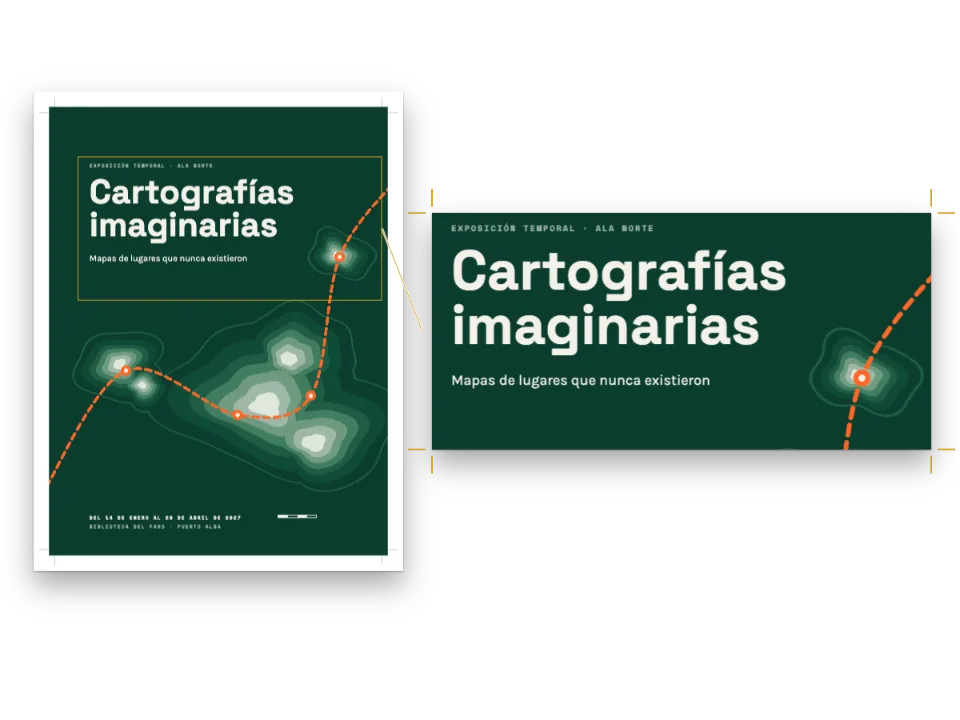
Das Bildelement ist an der Seite verankert, 210 × 134 mm groß, und läuft an drei Kanten in den Anschnitt. Die Dachzeile steht 120 mm unter dem Anfang des Containers, Titel und Vorspann hängen an ihr. Die Mindesthöhe des Stils von 164 mm hält die zweispaltige Einleitung unter dem Titel, wie lang er auch ist.
#4 · Kolumnentitel, die den Umschlag frei lassen
const head = (id, content, parity, edge, x, extra = {}) => ({ kind: 'text', id, content, parity,
  fontFamily: SANS, fontSize: pt(8), fontWeight: 600, letterSpacing: pt(1.3),
  textTransform: 'uppercase', color: col('muted'), placement: at('page', edge, x, 12), ...extra });
const folio = { fontWeight: 700, color: col('accent') };
const header = { elements: [
  head('verso-folio', '{pageNumber}', 'even', 'top-left', OUTER, folio),
  head('verso-title', '{title}', 'even', 'top-left', OUTER + 8),
  head('recto-title', '{chapterTitle}', 'odd', 'top-right', -(OUTER + 8)),
  head('recto-folio', '{pageNumber}', 'odd', 'top-right', -OUTER, folio),
] };
const footer = { elements: [] };
Die gerade Seite trägt den Namen des Saatguthauses, die ungerade den Abschnitt, jeweils neben der Seitenzahl. Der Überschriftenstil des Umschlags hat leere Kopf- und Fußzeilen, daher hat Seite 1 keinen Kolumnentitel.
#5 · Eine Palette mit eigener Farbe für berechnete Beträge
const palette = {
  ink: '#22201c', paper: '#fffdf8', rule: '#cbc2ae', // warm near-black, cream, row hairlines
  accent: '#2f5a3c', // leaf green: table heads, kickers, the total
  tint: '#efe9da', // kraft paper: the boxes the form fills in by itself
  leaf: '#e1e9dc', // pale green: the rows that head each group of the list
  muted: '#6a6355', // running heads, colophon, the outlines of the boxes to fill
};
const col = (id) => ({ hex: palette[id], model: 'hex', paletteId: id });
const colorPalette = [
  ...Object.entries(palette).map(([id, hex]) => ({ id, name: id, value: { hex, model: 'hex' } })),
  { id: 'main-color', name: 'accent (defaults)', value: { hex: palette.accent, model: 'hex' } },
];
Blattgrün kennzeichnet, was zum Haus gehört: die Kopfzeile, die Dachzeilen, die Ränder der Zwischensummen und das volle Kästchen des Gesamtbetrags. Kraft bleibt den Kästchen vorbehalten, die das PDF berechnet; auf Papier liest man sie als die Kästchen, die man frei lässt.
Das ganze Rezept
// ═══ Postext Cookbook · Nº 181 · A printed order form that is also a fillable PDF ════
// https://postext.dev/en/cookbook/fillable-order-form
// Code: MIT · Text: original (CC BY 4.0) · Picture: painting made for the recipe
// Fonts: Libre Caslon, Barlow Semi Condensed (SIL OFL 1.1) · Needs postext ≥ 1.73.0
import {
  buildDocumentWithFonts, renderPageToCanvas, registerResourceImage, defaultResourceTypes,
  formatFieldNumber, formNumberStyle,
} from 'https://esm.sh/postext';
import { renderToPdf, decompressWoff2 } from 'https://esm.sh/postext-pdf?bundle';

const LANG = 'en'; // @lang: the language of the sample document ('en' | 'es')
const RECIPE = 'fillable-order-form';

// ─── 1 · Design ─────────────────────────────────────────────────────────────
// #region palette: a seed-house green, a kraft tint for the computed amounts
const palette = {
  ink: '#22201c', paper: '#fffdf8', rule: '#cbc2ae', // warm near-black, cream, row hairlines
  accent: '#2f5a3c', // leaf green: table heads, kickers, the total
  tint: '#efe9da', // kraft paper: the boxes the form fills in by itself
  leaf: '#e1e9dc', // pale green: the rows that head each group of the list
  muted: '#6a6355', // running heads, colophon, the outlines of the boxes to fill
};
const col = (id) => ({ hex: palette[id], model: 'hex', paletteId: id });
const colorPalette = [
  ...Object.entries(palette).map(([id, hex]) => ({ id, name: id, value: { hex, model: 'hex' } })),
  { id: 'main-color', name: 'accent (defaults)', value: { hex: palette.accent, model: 'hex' } },
];
// #endregion
const [SERIF, DISPLAY] = ['Libre Caslon Text', 'Libre Caslon Display'];
const SANS = 'Barlow Semi Condensed';
const [OUTER, LEAD] = [18, 13.5]; // outer margin (mm; the running heads align to it), leading (pt)

// #region answer: field chips: the quantity, the line total it computes, the subtotal
// The currency and its side; the separators follow the document's language (1,234.50 in
// English, 1.234,50 in Spanish). The canvas and the PDF take the same object.
const FORMS = t({ en: { currency: '$' }, es: { currency: '€', currencyBefore: false } });
// A row of the list: a quantity the reader types, and a total the PDF reader computes as
// quantity × price. The price is a number in the calculation, so it needs no field.
const qty = (code) => `:chip[ ]{style="qty" field="${code}.qty" kind="number" format="integer"}`;
const lineTotal = (code, price) => `:chip[ ]{style="amount" field="${code}.total" `
  + `format="currency" calc="product(${code}.qty, ${price})"}`;
// A subtotal sums its group's line totals (AFSimple_Calculate); a computed field is read-only.
const subtotal = (group, codes) => `:chip[ ]{style="sum" field="sub.${group}" format="currency" `
  + `calc="sum(${codes.map((code) => `${code}.total`).join(', ')})"}`;
// #endregion

// #region chips: one chip style per kind of box: to fill, computed, to write on, to tick
const box = { fontFamily: SANS, fontSize: pt(9), color: col('ink'), borderRadius: pt(1.2),
Das zusammengesetzte script.js läuft unverändert: Fügen Sie es in das Modulskript einer beliebigen Seite ein, oder öffnen Sie das Rezept auf CodePen. Ordner des Rezepts auf GitHub ↗ (öffnet sich in einem neuen Tab)
Varianten
#Das Porto als Feld abfragen
Machen Sie aus dem gedruckten Porto ein Feld, das der Leser ausfüllt, und addieren Sie es statt des festen Betrags zur Summe.
-Postage and packing, any size of order	:chip[$ 4.50]{style="amount"}
+Postage and packing, any size of order	:chip[ ]{style="entry" field="order.postage" format="currency"}
-**Total to pay**	:chip[ ]{style="total" field="order.total" format="currency" calc="sum(order.seeds, order.circleFee, 4.50, order.gift)"}
+**Total to pay** :chip[ ]{style="total" field="order.total" format="currency" calc="sum(order.seeds, order.circleFee, order.postage, order.gift)"}Häufige Fehler
Die erfassten Seiten zeigen die Kästchen leer, denn die Wörter eines Felds sind sein Vorgabewert, und hier beginnen alle Felder leer. Das Porto ist gedruckter Text in einem Chip ohne field, und die Summe addiert es als die Zahl 4.50 in ihrer Berechnung, deshalb kann der Leser es nicht ändern.
Die Summen sind Skripte (AFSimple_Calculate und kurze Ausdrücke), die Acrobat, Foxit, Chrome und Firefox ausführen. Vorschau unter macOS zeigt die Felder und speichert, was man eintippt, führt aber keine Skripte aus; dort bleiben die Summen leer.
Das Kästchen für den Kreis hat on="1", den Wert, den eine Berechnung liest, wenn es angekreuzt ist. Mit dem Standardwert Yes ergäbe product(order.circle, 12) immer 0, und postext-pdf warnt davor.
Das Rezept importiert https://esm.sh/postext-pdf?bundle. Der Standard-Build von pdf-lib auf esm.sh legt die Annotationsklassen in ein eigenes Modul, und pdf-lib weist dann das Widget jedes Felds zurück: Das PDF behält die Kästchen, aber ohne Zahlenformat, ohne Summen und ohne schreibgeschützte Felder, mit einer formField-Warnung in der Konsole. ?bundle baut pdf-lib als ein Modul und lässt postext draußen, geteilt mit dem Rest der Seite.
Nachweise
- Rezept
- Ignacio Ferro
- Text
- The seed list, its notes on each variety and the order form · Ignacio Ferro · CC BY 4.0
- Bilder
- The still life of heirloom vegetables on the first page, a painting · Generated With Diffusion Models · eigener Text
- Schriften
- Libre Caslon Text (SIL OFL 1.1) · Libre Caslon Display (SIL OFL 1.1) · Barlow Semi Condensed (SIL OFL 1.1)
- Code
- MIT, wie Postext
Diesen Text bearbeiten ↗ (öffnet sich in einem neuen Tab)Ordner des Rezepts auf GitHub ↗ (öffnet sich in einem neuen Tab)