かんたんな説明
寓話の小さな本を印刷用に一度だけ組み、2つの電子書籍として保存します。1つは印刷したページをそのまま保ち、もう1つはスマートフォンや電子書籍リーダーが自分の文字サイズで組み直します。
できあがり
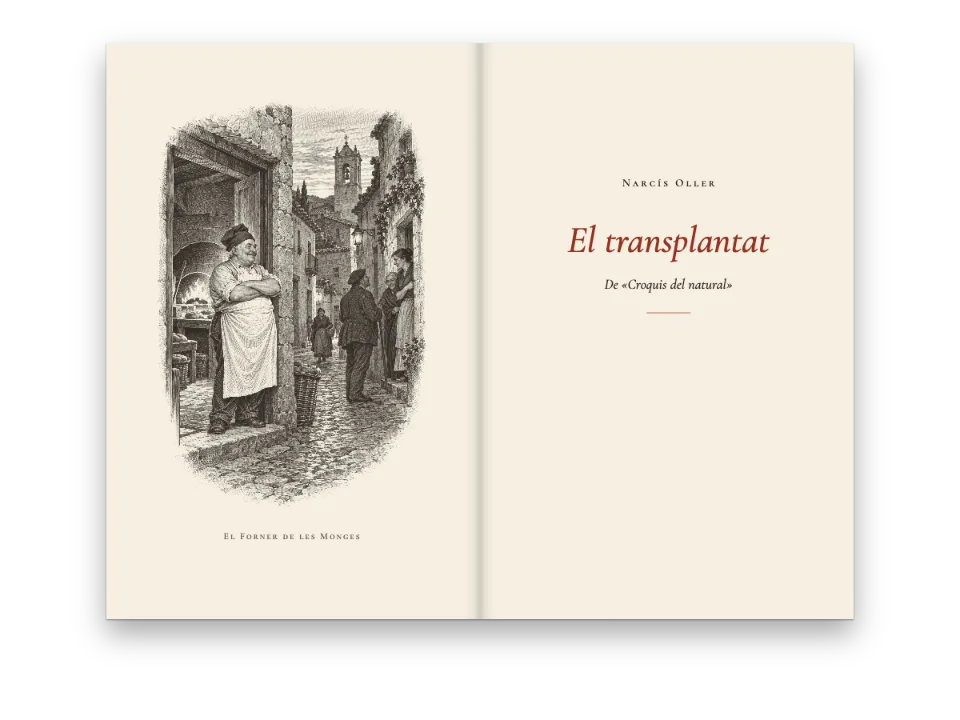
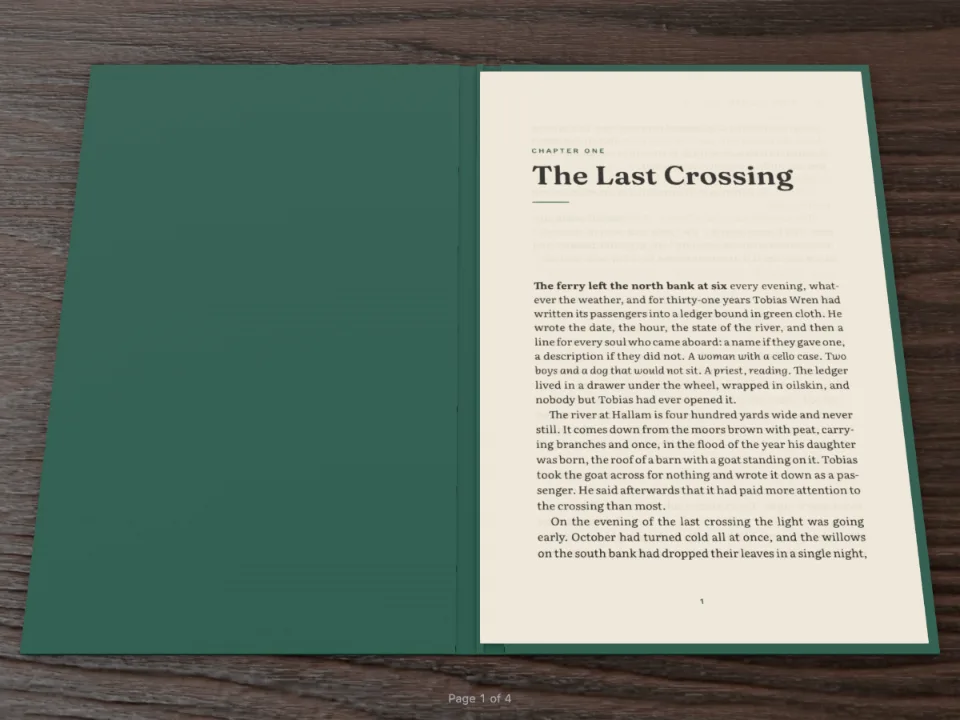
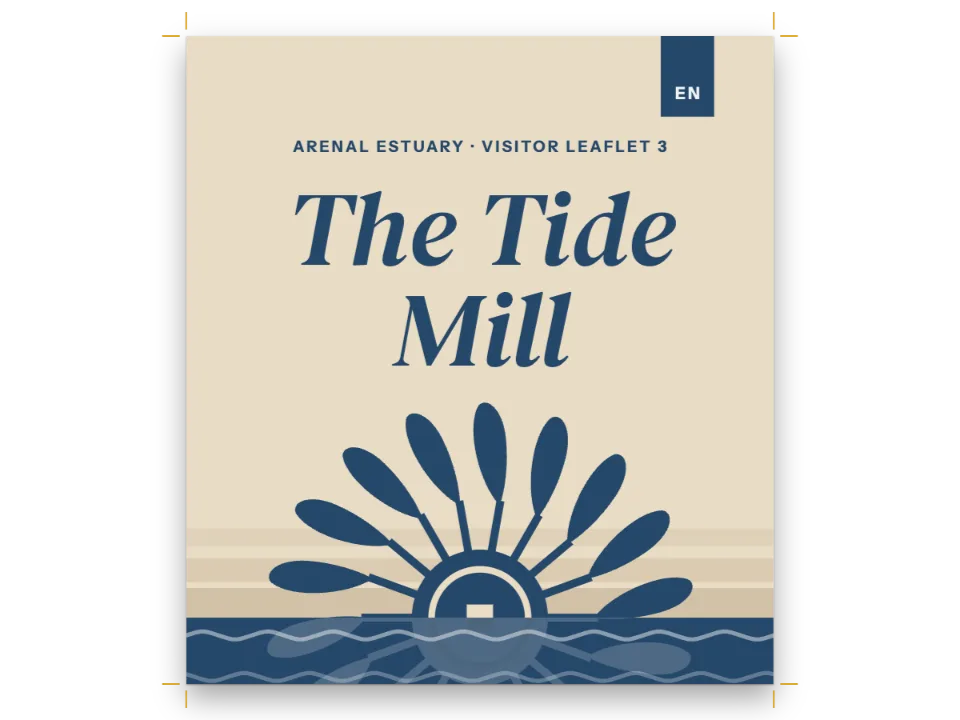
『Fables of Aesop』の寓話18編を3巻に分け、120 × 190 mmのページに組みます。扉とその裏の刊記、各巻の頭には天を大きく空けた章扉が付きます。スペイン語版では、同じページにクラリンの『¡Adiós, Cordera!』を3章で組みます。本は章ごとに一度だけ組まれ、そのレイアウトから2つのEPUB 3ファイルが生まれます。固定レイアウトは印刷したページをすべて保ちます。章扉、柱、改行位置まで、埋め込んだCaslonでそのまま再現します。リフロー型のファイルはテキストとその構造を保ち、スマートフォンや電子ペーパーの画面でリーディングシステムが組み直します。どちらもページからダウンロードでき、どちらもW3CのEPUBCheckを通ります。
このレシピが答える質問
- 本を、固定ページまたはリフロー型のテキストのEPUBとして書き出すには?
手短な答え
const { title, subtitle, author } = docs[0].metadata; // the first chapter's front matter
const book = {
  metadata: { title, subtitle, creators: [author], language: LANG,
    rights: t({ en: 'Public domain', es: 'Dominio público' }),
    // A fixed date gives the same bytes on every run; the identifier (a urn:uuid) comes
    // from the title, the author and the language, so a new version keeps its place.
    modified: new Date('2026-10-04T00:00:00Z') },
  // Every face the pages use, as bytes: a face left out is set in the reader's own
  // (gotcha: epub-embeds-given-fonts).
  fonts: await epubFonts(FONTS),
  onWarning: (w) => console.warn(`[epub] ${w.kind}`, w.family ?? w.fileId ?? w.detail),
};
// The same documents renderToPdf would print: one per chapter, in book order.
const fixed = await renderToEpub(docs, { ...book, layout: 'fixed' });
const reflowable = await renderToEpub(docs, { ...book, layout: 'reflowable' });
材料
- 機能
- EPUBの書き出し章ごとに組む本デザインした章扉見出しスタイル見出しの属性柱とノンブルページの役割ごとの柱見開きの余白用紙の色段落スタイルウィドウ、オーファン、ラント文書のメタデータセマンティックカラーパレットレイアウト前のフォント読み込み
- 種類
- Libre Caslon Text, Libre Caslon Display, Jost (SIL OFL 1.1)
- 素材
- なし:画像はすべてコードで描画
作り方
#1 · 本を章ごとに組む
// Each line spans the measure and centres its text; the rule centres under the title.
const text = (id, content, fontFamily, size, placement, extra = {}) => ({ kind: 'text', id,
  content, fontFamily, fontSize: pt(size), color: col('ink'), align: 'center',
  overflow: 'wrap', lineHeight: 1.15, ...extra,
  placement: { ...placement, size: { width: 'fill', height: 'auto' } } });
const rule = (id, below, y) => ({ kind: 'rule', id, direction: 'horizontal', thickness: pt(0.75),
  color: col('accent'),
  placement: { ...at(below, 'below', (MEASURE - 10) / 2, y), size: { width: mm(10) } } });
const titlePage = { id: 'title-page', header: { elements: [] }, footer: { elements: [] },
  marginBottom: pt(0), advancedDesign: { enabled: true, minHeight: mm(120), slot: { elements: [
    text('author', '{author}', LABEL, 9, at('container', 'top-left', 0, 30), caps(9)),
    text('title', '{titleText}', DISPLAY, 34, at('#author', 'below', 0, 8)),
    rule('rule', '#title', 6),
    text('subtitle', '{subtitle}', TEXT, 11, at('#title', 'below', 0, 13), { italic: true }),
  ] } } };
const opener = { enabled: true, minHeight: mm(56), slot: { elements: [
  text('kicker', '{attr.kicker}', LABEL, 8, at('container', 'top-left', 0, 14), caps(8)),
  text('title', '{titleText}', DISPLAY, 28, at('#kicker', 'below', 0, 4)),
  rule('rule', '#title', 5),
] } };
buildBundleは各章を独立した文書として組み、ページ番号と奇数・偶数の別を次の章へ引き継ぎます。そのためdocsは、renderToPdfが印刷するのと同じ配列になります。EPUBの書き出し側も同じ配列を読みます。各章はナビゲーションの項目になり、リフロー型のファイルでは章ごとに1つのXHTML文書が書き出されます。扉と刊記は最初の章で、そのフロントマターが本の書名、副題、著者になります。
#2 · 書き出し側にフォントファイルを渡す
// Only the latin files: they hold every letter of both samples. A text beyond Latin-1 would
// add each family's latin-ext file with its unicodeRange.
const epubFonts = (faces) => Promise.all(Object.entries(faces).flatMap(([family, specs]) =>
  specs.map(async (spec) => {
    const [weight, style] = [parseInt(spec, 10), spec.endsWith('i') ? 'italic' : 'normal'];
    const id = fontsourceId(family);
    const res = await fetch(`https://cdn.jsdelivr.net/npm/@fontsource/${id}@5/files/`
      + `${id}-latin-${weight}-${style}.woff2`);
    if (!res.ok) throw new Error(`Fontsource has no ${family} ${weight} ${style}`);
    const bytes = new Uint8Array(await res.arrayBuffer());
    return { family, weight, style, format: 'woff2', bytes };
  })));
ブラウザーが読み込んだ書体は、書き出し側が読めるファイルではありません。そこでCodePenのサンプルは、同じFontsourceのwoff2ファイルをもう一度取得します。ブラウザーのキャッシュに残っているので負担はわずかです。各ファイルはEPUBの中のフォントファイルと@font-faceルールになります。これがないと、固定レイアウトはCaslonで組んだテキストをリーダー側の書体で表示し、行が行長に収まらなくなります。
#3 · 2つの版を書き出す
コードは上の手短な答えにあります。layout: 'fixed'は印刷したページ1枚ごとに、仕上がりサイズのXHTML文書を1つ書き出します。テキストは本物の、選択できる文字です。layout: 'reflowable'は組まれた行から段落を組み立て直し、改行のために加えたハイフンを取り除き、設定からスタイルシートを導き出します。modifiedの日付を固定すると、何度実行しても同じバイト列になります。メタデータは最初の章のフロントマターから取るので、ファイルの書名と著者は扉に印刷されたものと一致します。
#4 · 各ファイルを読み戻す
const el = (tag, css, text) => Object.assign(document.createElement(tag),
  { textContent: text ?? '' }, { style: css });
const shelf = el('section', 'display: flex; flex-wrap: wrap; gap: 16px; justify-content: center;'
  + 'padding: 24px 16px 0; color: #d9d5cc; font: 13px/1.5 system-ui, sans-serif');
shelf.id = 'epub';
for (const [layout, bytes] of [['fixed', fixed], ['reflowable', reflowable]]) {
  const epub = readEpub(bytes); // what a reading system opens: spine, contents, page list
  const file = `${RECIPE}-${layout}.epub`;
  const card = el('article', 'width: min(420px, 92vw); padding: 16px 18px;'
    + 'border: 1px solid #2c3038; border-radius: 6px; background: #15181d');
  const spine = el('ol', 'margin: 8px 0; padding-left: 22px; max-height: 9em; overflow: auto');
  spine.append(...epub.spine.map((item) => el('li', '', item.path.slice(epub.root.length))));
  const link = el('a', 'color: #d8a21a', `Download ${file}`);
  link.href = URL.createObjectURL(new Blob([bytes], { type: 'application/epub+zip' }));
  link.download = file;
  card.append(el('h2', 'margin: 0; font-size: 15px; color: #f4f1ea', `EPUB 3 · ${epub.layout}`),
    el('p', 'margin: 4px 0 0', `${epub.spine.length} documents in the spine · `
      + `${epub.toc.length} contents entries · ${epub.pageList.length} print pages · `
      + `${Math.round(bytes.length / 1024)} KB`), spine, link);
  shelf.append(card);
}
document.getElementById('pages').before(shelf);
kitStatus(`${docs.length} documents laid out · two EPUB 3 files`);
readEpubはリーディングシステムと同じようにファイルを開きます。読む順のスパイン、目次、ページリスト、レイアウトです。固定レイアウトのファイルはページごとに1つ、リフロー型のファイルは章ごとに1つ、計4つのスパイン項目になります。どちらも印刷したノンブルのページリストを含むので、どちらの版でも読者は9ページへの引用をたどれます。<a download>のリンクがバイト列にファイル名を与えます。サーバーを経由するものはありません。
レシピの全体
// ═══ Postext Cookbook · Nº 115 · One book, two EPUB 3 files: fixed and reflowable ════
// https://postext.dev/en/cookbook/epub-fixed-and-reflowable
// Code: MIT · Text: Aesop, tr. G. F. Townsend, 1867; L. Alas, Clarín, 1893 (PD) · Pictures: none
// Fonts: Libre Caslon Text, Libre Caslon Display, Jost (SIL OFL 1.1) · Needs postext ≥ 1.65.0
//
// A small book of three chapters, laid out once with buildBundle and written as two EPUB 3
// files with postext-epub: a fixed layout that keeps every printed page, and reflowable text
// that a phone or an e-reader sets again. Each file is read back with readEpub to list what
// a reading system will open, with a link to download it.
import {
  buildBundle, prepareFonts, withLoadedFonts, renderPageToCanvas,
} from 'https://esm.sh/postext';
import { renderToEpub, readEpub } from 'https://esm.sh/postext-epub';

const LANG = 'en'; // @lang: the language of the sample document ('en' | 'es')
const RECIPE = 'epub-fixed-and-reflowable';

// ─── 1 · Design ─────────────────────────────────────────────────────────────
// #region palette: semantic colours, every one linked by id
const palette = {
  ink: '#211e1b', // text: a warm near-black
  accent: '#2d5872', // Prussian blue: kickers, rules, folios
  rule: '#c8c0b4', // the title page's hairline
  muted: '#6b645d', // running heads and the imprint
  paper: '#fbf8f1', // an off-white page, kept in the fixed-layout EPUB
};
const col = (id) => ({ hex: palette[id], model: 'hex', paletteId: id });
const colorPalette = [
  ...Object.entries(palette).map(([id, hex]) => ({ id, name: id, value: { hex, model: 'hex' } })),
  { id: 'main-color', name: 'accent (defaults)', value: { hex: palette.accent, model: 'hex' } },
];
// #endregion
const [TEXT, DISPLAY, LABEL] = ['Libre Caslon Text', 'Libre Caslon Display', 'Jost'];
const [TRIM_W, TRIM_H, TOP, BOTTOM, INNER, OUTER] = [120, 190, 20, 22, 16, 15]; // mm
const MEASURE = TRIM_W - INNER - OUTER; // 89 mm: about 62 characters of Libre Caslon Text
const LEAD = 13.5; // pt: the body leading
const at = (to, edge, x = 0, y = 0) => ({ anchor: { to, edge }, offset: { x: mm(x), y: mm(y) } });
const caps = (size, color = 'accent') => ({ fontFamily: LABEL, fontSize: pt(size),
  fontWeight: 600, letterSpacing: pt(size * 0.2), textTransform: 'uppercase', color: col(color) });

// #region openers: a title page, then each chapter sunk under its kicker and a short rule
// Each line spans the measure and centres its text; the rule centres under the title.
const text = (id, content, fontFamily, size, placement, extra = {}) => ({ kind: 'text', id,
  content, fontFamily, fontSize: pt(size), color: col('ink'), align: 'center',
  overflow: 'wrap', lineHeight: 1.15, ...extra,
  placement: { ...placement, size: { width: 'fill', height: 'auto' } } });
const rule = (id, below, y) => ({ kind: 'rule', id, direction: 'horizontal', thickness: pt(0.75),
  color: col('accent'),
組み立てたscript.jsはそのまま動きます。任意のページのモジュールスクリプトに貼り付けるか、レシピをCodePenで開いてください。 GitHub上のレシピのフォルダー ↗ (新しいタブで開きます)
アレンジ
#固定レイアウトに表紙画像を付ける
扉をcanvasに描いて表紙として渡します。showsFirstPageを指定すると、書き出し側はそれを独立したページとして加えません。
+const canvas = document.createElement('canvas');
+renderPageToCanvas(docs[0].pages[0], docs[0], canvas, { scale: 2 });
+const png = await new Promise((done) => canvas.toBlob(done, 'image/png'));
+const cover = { bytes: new Uint8Array(await png.arrayBuffer()), mediaType: 'image/png',
+  showsFirstPage: true };
-const fixed = await renderToEpub(docs, { ...book, layout: 'fixed' });
+const fixed = await renderToEpub(docs, { ...book, layout: 'fixed', cover });#同じ章をPDFとして印刷する
postext-pdfのrenderToPdf(docs, …)は同じ配列を受け取るので、PDF、EPUB、画面表示が1つのレイアウトから生まれます。PDF側の例はカタルーニャ語のポケット判小説にあります。
よくあるつまずき
つまずき
renderToEpubは渡されたフォントしか埋め込まない
ブラウザーが読み込んだフォントは、postext-epubが読めるファイルではありません。ページが使うすべてのフォントのバイト列をoptions.fontsで渡してください(ページが読み込んだのと同じFontsourceのwoff2ファイル)。省いたフォントはmissingFontとして報告され、リーディングシステムはそのテキストを独自の書体で組みます。固定レイアウトでは、ページを組んだときの行に収まらなくなります。ライセンスが許すフォントだけを埋め込んでください。 EPUBの書き出し →
リフロー型のファイルは見出しのテキストを保ちますが、デザインは保ちません。各章扉の肩書き(「Book I」)はデザイン要素なので、テキストには含まれません。読者に必ず見せたい言葉は、見出しそのものか本文に入れてください。
クレジット
- 本文
- Eighteen fables from Three Hundred Æsop’s Fables, translated from the Greek by George Fyler Townsend (London, 1867), the opening capitals of each fable set in lower case · Aesop, tr. George Fyler Townsend · パブリックドメイン
- ¡Adiós, Cordera!, complete, from El Señor y lo demás, son cuentos (Madrid, 1893), its five parts grouped in three chapters, with dialogue dashes and « » quotation marks · Leopoldo Alas, Clarín · パブリックドメイン
- フォント
- Libre Caslon Text (SIL OFL 1.1) · Libre Caslon Display (SIL OFL 1.1) · Jost (SIL OFL 1.1)