かんたんな説明
『タイム・マシン』の小さな文庫版を編集するライブエディターです。入力するたびにページが裏で組み直されるので、画面は反応し続けます。
できあがり
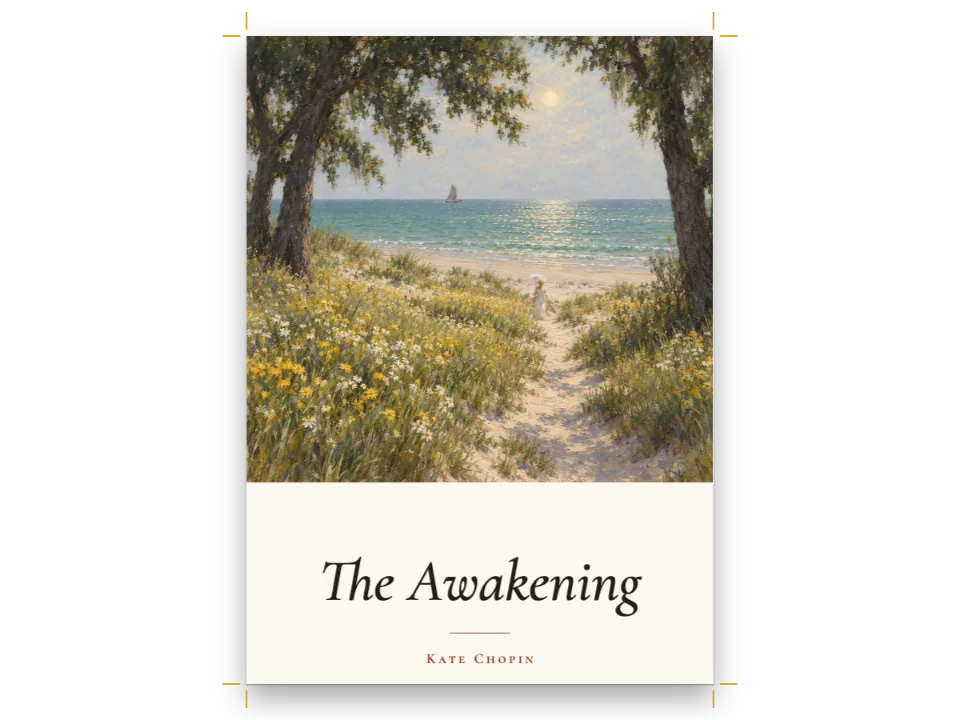
H. G. ウェルズの『タイム・マシン』の第I章を110 × 147 mmの文庫版に組み、その横にMarkdownを置きます。扉には、拡散モデルで生成した、4つの小さな目盛り盤をもつ真鍮の計器の写真があり、コードで描いたオックスブラッドの地に載って、その下にCinzelの題が入ります。章の本文はローマ数字と真鍮色の罫の下、9行目から始まり、Baskervvilleの9.5/13 ptで、スモールキャピタルの柱の下を流れます。キーを打つたびにWeb Workerが章全体を組み直し、右のCanvasはキャレットのあるページに切り替わります。エディターの下では、メインスレッドが毎フレーム回す針があり、そのスレッドがふさがっている間は止まります。ステータス行には、ビルドの時間、最も長かったフレーム、新しいキー入力によって取り消されたビルドの数が出ます。右上のメニューで、比較のためにビルドをメインスレッドへ移せます。
このレシピが答える質問
- 長い本のレイアウト中もページの反応を保つには(Web Worker、キャンセル)?
- 行の分割が変わったりPDFで単語が重なったりするのはなぜですか?フォントを正しく読み込むには?
- サーバーやCLI(Node)でページやPDFを生成できますか?
手短な答え
async function startLayoutWorker(faces) {
  // No options: from a CDN the engine starts its worker entry, at the page's own version,
  // through a same-origin blob; in a bundle it starts the worker file next to the module.
  const layout = createLayoutWorker();
  // The worker measures with its own FontFaceSet, not the page's. Without the bytes of every
  // face it measures in a fallback font, and the console names each missing family once.
  const payloads = await Promise.all(faces.map(async ({ family, weight, style, url }) => {
    // Check the status: a 404 page sent as a font only logs a warning inside the worker.
    const response = await fetch(url);
    if (!response.ok) throw new Error(`${family} ${weight} ${style}: HTTP ${response.status}`);
    return { family, weight, style, buffer: await response.arrayBuffer() };
  }));
  await layout.registerFonts(payloads); // the buffers move to the worker, not copied
  let inFlight = null;
  return async function typeset(content) {
    inFlight?.abort(); // cancel the build that the previous keystroke asked for
    const build = (inFlight = new AbortController());
    try {
      return await layout.build(content, config(), { signal: build.signal });
    } catch (error) {
      if (error.name === 'AbortError') return null; // superseded: a newer build is on its way
      throw error;
    }
  };
}
材料
- 機能
- Web Workerでのレイアウトレイアウト前のフォント読み込みキャンバス上のページ仕上がりサイズ見開きの余白本文の書体奇数ページから始まる章デザインした章扉番号付き見出し見出しスタイル番号のない章節ごとの柱柱とノンブルページの役割ごとの柱ページデザインの画像リソースとしての図と表段落スタイル用紙の色明示的な縦のアキ
- 併用する機能
- 見出しの属性
- 種類
- Baskervville, Baskervville SC, Cinzel (SIL OFL 1.1)
- 素材
dial-1120.jpg- The title page’s brass dial, a photograph (Generated With Diffusion Models, オリジナル)
- The title page’s oxblood cloth and gilt frame, drawn in code in the page’s palette (Ignacio Ferro, MIT)
作り方
#1 · 1回の呼び出しでワーカーを起動する
この手順のコードは上の手短な答えにあります。createLayoutWorker()にオプションは渡しません。モジュールをesm.shから読み込むと、ワーカーファイルはesm.shのオリジンにあり、Workerコンストラクターはそれを受け付けません。そこでエンジンは、ページと同じオリジンのblobを通して、ページが読み込んだのと同じバージョンのワーカーエントリーを起動します。バンドルしたアプリでは、同じ呼び出しがモジュールの横にあるワーカーファイルを起動します。ハンドルのbuild()はbuildDocument()と同じコンテンツと設定を受け取り、同じ種類の文書を返します(Web Workerでレイアウトを実行する)。
#2 · すべての書体を2回読み込む
const FONTS = { // every face the pages use: the page loads them, and so must the worker
  Baskervville: ['400', '400i'], // text, folios, subtitle, colophon
  'Baskervville SC': ['500'], // running heads, the author
  Cinzel: ['700'], // title, numeral, chapter title
};
// The worker gets the same Fontsource files the page loads: identical metrics on both threads.
const faces = Object.entries(FONTS).flatMap(([family, specs]) => specs.map((spec) => {
  const [id, weight, style] = [family.toLowerCase().replace(/ /g, '-'), parseInt(spec, 10),
    spec.endsWith('i') ? 'italic' : 'normal'];
  const file = `${id}@5/files/${id}-latin-${weight}-${style}.woff2`;
  return { family, weight: String(weight), style,
    url: `https://cdn.jsdelivr.net/npm/@fontsource/${file}` };
}));
ワーカーは自分専用のFontFaceSetをもち、ページが読み込んだ書体を見られません。そこで手短な答えでは同じFontsourceのファイルを取得し、そのバイト列をregisterFonts()に渡します。ウェイトはそれぞれ文字列('400')で指定します。この呼び出しを省くと、ワーカーはフォールバックのフォントで測ります。この章は190行ではなく175行で組まれ、1行目は「of」ではなく「him)」で終わり、ページのコンソールには足りないファミリーが1回ずつ表示されます。ダウンロードに失敗したフォントファイルは、もっと気づきにくくなります。ローマン体のBaskervvilleの代わりに404のページを受け取っても、registerFonts()はそのまま完了し、章は186行で組まれ、警告はワーカーのコンソールにしか出ません。そのため手短な答えでは、バイト列を送る前に各レスポンスのステータスを確かめ、書体名とHTTPステータスを付けて例外を投げます。ページ側でもloadFonts()で同じ書体を読み込みます。Canvasはページのフォントで描画するからです。
#3 · キーを打つたびにビルドし、メインスレッドで描画する
let [doc, shown, builds, cancelled] = [null, 0, 0, 0];
// For the comparison, the main thread keeps a measurement cache between keystrokes, as the
// worker does: both threads then time a build that measures only what changed.
const mainCache = createMeasurementCache();
function paint(n = shown) { // the canvas is sized to its box, in device pixels
  shown = Math.max(0, Math.min(doc.pages.length - 1, n));
  const vdtPage = doc.pages[shown]; // a laid-out page, not the page config above
  const height = ($('proof').clientHeight || 640) * Math.min(devicePixelRatio || 1, 2);
  renderPageToCanvas(vdtPage, doc, $('proof'), { scale: height / vdtPage.height });
  $('proof').setAttribute('aria-label', `Page ${vdtPage.pageLabel}`);
  $('folio').value = `${shown + 1} / ${doc.pages.length}`;
}
function follow() { // turn to the page that holds the caret: every block keeps its source offset
  const caret = $('source').selectionStart;
  paint(doc.pages.findLastIndex((vdtPage) => vdtPage.columns.some((column) =>
    column.blocks.some((block) => block.sourceStart <= caret))));
}
async function refresh() {
  const [ticket, onMain, started] = [++builds, $('thread').value === 'main', performance.now()];
  frames.worst = 0;
  const content = { markdown: $('source').value, resources };
  const next = onMain ? buildDocument(content, config(), mainCache) : await typeset(content);
  await new Promise(requestAnimationFrame); // the first frame after the build shows any stall
  if (!next || ticket !== builds) { cancelled++; return; } // a newer build has been asked for
  doc = next;
  if (document.activeElement === $('source')) follow(); else paint();
  showPages(doc, { title: 'The Time Machine · chapter I, set in a Web Worker' });
  $('clock').value = `${onMain ? 'Main thread' : 'Worker'} · ${doc.pages.length} pages in `
    + `${Math.round(performance.now() - started)} ms · longest frame ${Math.round(frames.worst)}`
    + ` ms · ${builds} ${builds === 1 ? 'build' : 'builds'}, ${cancelled} cancelled`;
}
$('source').addEventListener('input', refresh);
for (const type of ['click', 'keyup']) $('source').addEventListener(type, () => doc && follow());
$('thread').addEventListener('change', refresh);
$('prev').addEventListener('click', () => paint(shown - 1));
$('next').addEventListener('click', () => paint(shown + 1));
// A dial the main thread turns on every frame: it stops while that thread is busy.
const frames = { last: 0, worst: 0 };
requestAnimationFrame(function turn() { // the clock, not the frame's timestamp: a late frame
  const now = performance.now(); // keeps the time it was due, which hides the stall
  frames.worst = Math.max(frames.worst, now - (frames.last || now));
  frames.last = now;
  const deg = ((now * 0.06) % 360).toFixed(1); // a turn in 6 s
  $('hand').setAttribute('transform', `rotate(${deg})`);
  requestAnimationFrame(turn);
});
await refresh();
typeset()は次のビルドを依頼する前に、進行中のビルドを中止します。中止されたビルドのPromiseはすぐにAbortErrorで拒否され、typeset()はそれをnullに変えます。ワーカーの中では、キューで待っているビルドはただちに捨てられ、実行中のビルドは現在の配置パスの終わりで止まります。ビルドが取り消しを確かめるのはパスの合間だけだからです。refresh()はビルドに番号を振り、いちばん新しいものだけを描画するので、遅れて届いたワーカーのビルドがメインスレッドのビルドの上に描かれることはありません。文書はメインスレッドに戻り、そこでrenderPageToCanvas()が、メインスレッドに登録した画像を使って描画します。ワーカーが必要とするのは各画像の大きさだけで、それはリソースの項目がもっています(1100 × 840)。どのブロックもMarkdown内のオフセット(sourceStart)を保持しており、follow()は、キャレットの位置かそれより前で始まるブロックを含む最後のページを表示します。
#4 · 見出しスタイルとしての扉
// # The Time Machine {style="title"}: numbered false, so the Introduction is still chapter I.
const PLATE = TRIM.width * (840 / 1100); // mm: the plate's depth at full width (84 mm)
const DIAL = { x: 20, y: 7, size: 70 }; // mm: the dial's photograph, centred on the plate
const titlePage = {
  id: 'title', numbered: false,
  span: 'page', // the author's name stands below the column's foot, which would cut it
  header: { elements: [] }, footer: { elements: [] }, // no running head, no folio
  advancedDesign: { enabled: true, slot: { elements: [
    { kind: 'image', id: 'plate', resourceId: 'plate',
      placement: { anchor: { to: 'bleed', edge: 'top-left' }, size: { width: 'fill' } } },
    { kind: 'image', id: 'dial', resourceId: 'dial', placement: { anchor: { to: 'bleed',
      edge: 'top-left' }, offset: { x: mm(DIAL.x), y: mm(DIAL.y) },
      size: { width: mm(DIAL.size), height: mm(DIAL.size) } } },
    text('title', '{titleText}', DISPLAY, 28, { fontWeight: 700, lineHeight: 1.04,
      overflow: 'wrap' }, // the title takes two lines
    onPage(PLATE + 11)),
    text('subtitle', '{subtitle}', TEXT, 12, { italic: true, color: col('oxblood') },
      onPage(PLATE + 34.5)),
    brassRule('rule', onPage(PLATE + 43), 12),
    text('author', '{author}', LABEL, 10, { fontWeight: 500, letterSpacing: pt(2) },
      onPage(PLATE + 46.5)),
  ] } },
};
# The Time Machine {style="title"}の行は、1ページ目をtitle見出しスタイルで組みます。このスタイルのheaderとfooterは空なので、ページには柱もノンブルも入りません。numbered: falseで題は章の数に入らず、Introductionは第I章のままです。図版は塗り足しの左上の角に固定し、著者名は段の地より下に組みます。段の中にとどまるデザインは段の地で切り取られるので、スタイルにspan: 'page'を指定します。これがないと著者名は描かれません。
#5 · ページの役割で決める柱
// pages: 'body' keeps the heads off the title page and the opener; parity puts the book's
// title on the verso and the chapter on the recto, folios on the outer edge.
const HEAD_Y = 8.2; // mm from the top edge to the top of the running heads
const SHIFT = (INNER - OUTER) / 2; // mm: the text block's centre is off the page's centre
const head = (id, content, parity, edge, x, style) => ({ kind: 'text', id, content, parity,
  pages: 'body', fontSize: pt(8), color: col('oxblood'), ...style,
  placement: { anchor: { to: 'page', edge }, offset: { x: mm(x), y: mm(HEAD_Y) } } });
const smallCaps = { fontFamily: LABEL, fontWeight: 500, letterSpacing: pt(1.2) };
const folio = { fontFamily: TEXT, color: col('ink') }; // the heads' size: the same baseline
const header = { elements: [
  head('verso-folio', '{pageNumber}', 'even', 'top-left', OUTER, folio),
  head('verso-title', '{title}', 'even', 'top', -SHIFT, smallCaps),
  head('recto-chapter', '{chapterTitle}', 'odd', 'top', SHIFT, smallCaps),
  head('recto-folio', '{pageNumber}', 'odd', 'top-right', -OUTER, folio),
] };
const footer = { elements: [{ ...text('drop-folio', '{pageNumber}', TEXT, 8,
  { color: col('muted') }, inColumn(6.5)), pages: 'opener' }] };
pages: 'body'で柱は扉と章扉に入らず、parityで偶数ページに書名、奇数ページに章名を置き、ノンブルは小口側に置きます。章扉には代わりに、pages: 'opener'をもつフッター要素から地側のノンブルが入ります。ノンブルも柱もすべて8 ptで、天から8.2 mm下に下がるので、ノンブルの数字は柱のベースラインに立ちます。
#6 · 章扉
const chapter = { level: 1, numberingTemplate: '{1:I}', // {number} prints 'I'
  breakBefore: { enabled: true, parity: 'any' }, // the next page, on either side
  marginTop: pt(0), marginBottom: pt(0),
  advancedDesign: { enabled: true, minHeight: line(8), slot: { elements: [
    text('numeral', '{number}', DISPLAY, 24, { fontWeight: 700, color: col('oxblood') },
      inColumn(5)),
    brassRule('rule', inColumn(18.5), 10),
    text('chapter', '{titleText}', DISPLAY, 12, { fontWeight: 700, letterSpacing: pt(1.8),
      textTransform: 'uppercase', overflow: 'wrap' }, inColumn(22.5)), // a longer title wraps
  ] } } };
const colophon = { id: 'colophon', fontSize: pt(7.5), lineHeight: pt(10.5), color: col('muted'),
  textAlign: 'center', firstLineIndent: pt(0) };
デザインの{number}は、numberingTemplate: '{1:I}'が与える形、つまりローマ数字のIで章番号を印刷します。minHeightは少なくとも8行を確保するので、題が1行か2行のうちは本文は9行目から始まり、長い題でより多くの高さが要るときはさらに下から始まります。breakBeforeのparity: 'any'で章は2ページ目から始まり、章の2ページ目と向かい合います。初期設定のままなら、章は奇数ページの3ページ目に送られます。
レシピの全体
// ═══ Postext Cookbook · Nº 056 · Live editor with layout in a Web Worker ═══════════
// https://postext.dev/en/cookbook/web-worker-live-editor
// Code: MIT · Text: H. G. Wells, The Time Machine, 1895 (PD, Gutenberg #35) · Dial: generated
// Fonts: Baskervville, Baskervville SC, Cinzel (SIL OFL 1.1) · Needs postext ≥ 1.25.0
import {
  buildDocument, createMeasurementCache, renderPageToCanvas, registerResourceImage,
} from 'https://esm.sh/postext';
import { createLayoutWorker } from 'https://esm.sh/postext/worker';

const LANG = 'en'; // @lang: the language of the sample document (this recipe is English only)
const RECIPE = 'web-worker-live-editor';

// ─── 1 · Design ─────────────────────────────────────────────────────────────
const palette = { // every colour in the config links to one of these
  ink: '#231f1a', // the text: a warm near-black
  oxblood: '#7a1f1f', // the accent: running heads, the numeral, the subtitle, the plate's cloth
  brass: '#a88a4a', // rules (never text: 2.7:1 on the paper)
  gilt: '#d8bd7c', // the plate's frame, on the oxblood
  muted: '#6b5d4b', // the drop folio and the colophon (5.3:1 on the paper)
  paper: '#f2ead8', // a cream pocket-book paper
};
// Each colour names its palette entry and carries its hex.
const col = (id) => ({ hex: palette[id], model: 'hex', paletteId: id });
const colorPalette = [
  ...Object.entries(palette).map(([id, hex]) => ({ id, name: id, value: { hex, model: 'hex' } })),
  // The engine's defaults link to 'main-color'. The editor takes any Markdown, and without this
  // entry a list typed into it gets the default blue markers.
  { id: 'main-color', name: 'oxblood (defaults)', value: { hex: palette.oxblood, model: 'hex' } },
];
const [TEXT, LABEL, DISPLAY] = ['Baskervville', 'Baskervville SC', 'Cinzel'];

// The page: 110 × 147 mm, a text block of 25 whole lines.
const TRIM = { width: 110, height: 147 }; // mm: a Victorian pocket size, close to A6
const [BODY, LEAD, LINES] = [9.5, 13, 25]; // pt, pt, lines: the text block is LINES leads deep
const [TOP, INNER, OUTER] = [15, 11, 9]; // mm; mirrored, so INNER is the spine side
const MM_PER_PT = 25.4 / 72;
const MEASURE = TRIM.width - INNER - OUTER; // 90 mm: about 60 characters of Baskervville
const line = (n) => pt(n * LEAD); // n grid lines
const page = {
  sizePreset: 'custom', width: mm(TRIM.width), height: mm(TRIM.height), dpi: 150,
  backgroundColor: col('paper'),
  margins: { top: mm(TOP), bottom: mm(TRIM.height - TOP - LINES * LEAD * MM_PER_PT),
    left: mm(INNER), right: mm(OUTER), mirror: true },
};

const onPage = (y) => ({ anchor: { to: 'page', edge: 'top' }, offset: { y: mm(y) } }); // centred
const inColumn = (y) => ({ anchor: { to: 'container', edge: 'top' }, offset: { y: mm(y) } });
const text = (id, content, fontFamily, fontSize, style, placement) => ({ kind: 'text', id,
/* The editor: the Markdown on the left, the page it sets on the right, on a walnut desk. */
#editor {
  --desk: #1c1814; --well: #120f0c; --text: #e4d9c1; --dim: #a39680; --brass: #c9a75e;
  display: grid; grid-template-columns: minmax(0, 1fr) auto; grid-template-rows: auto 1fr auto;
  gap: 0 30px; box-sizing: border-box; width: min(1152px, 100% - 32px); margin: 24px auto 0;
  padding: 0 30px; background: var(--desk); border-radius: 14px;
  box-shadow: 0 0 0 1px #2c261f, 0 30px 60px -30px rgb(0 0 0 / .9);
  font: 500 12px/1.4 system-ui, sans-serif; color: var(--dim);
}
#editor > header, #editor > footer {
  grid-column: 1 / -1; display: flex; align-items: center; gap: 12px; min-height: 58px;
  letter-spacing: .12em; text-transform: uppercase;
}
#editor > header { justify-content: space-between; }
#editor select {
  margin-left: 8px; padding: 5px 8px; border: 1px solid #3a3229; border-radius: 6px;
  background: var(--well); color: var(--text); font: inherit; letter-spacing: .06em;
}
#source {
  box-sizing: border-box; width: 100%; height: 100%; min-height: 360px; resize: none;
  padding: 20px 22px; border: 0; border-radius: 8px; outline: 1px solid #2c261f;
  background: var(--well); color: var(--text); caret-color: var(--brass);
  font: 13.5px/1.7 ui-monospace, 'SF Mono', Menlo, Consolas, monospace;
  scrollbar-width: thin; scrollbar-color: #3a3229 transparent;
}
#source:focus { outline-color: var(--brass); }
#source::selection { background: rgb(201 167 94 / .35); }
#editor figure { margin: 0; display: flex; flex-direction: column; align-items: center; }
/* The page at 110 × 147 mm, as tall as the desk allows. */
#proof {
  display: block; height: min(700px, 100vh - 170px); aspect-ratio: 110 / 147; background: #f2ead8;
  box-shadow: 0 1px 2px rgb(0 0 0 / .6), 0 24px 44px -18px rgb(0 0 0 / .9);
}
#editor figcaption { display: flex; align-items: center; gap: 14px; margin-top: 12px; }
#editor figcaption button {
  width: 30px; height: 30px; border: 1px solid #3a3229; border-radius: 50%; padding: 0;
  background: none; color: var(--text); font: 16px/1 system-ui, sans-serif; cursor: pointer;
}
#editor figcaption button:hover { border-color: var(--brass); color: var(--brass); }
#folio { min-width: 56px; text-align: center; font-variant-numeric: tabular-nums; }
#editor > footer { color: var(--text); font-variant-numeric: tabular-nums; }
/* The heartbeat: a hand the main thread turns every frame. */
#beat { width: 24px; height: 24px; flex: none; }
#beat circle { fill: none; stroke: var(--brass); stroke-width: 1.5; }
#beat path { stroke: var(--brass); stroke-width: 2; stroke-linecap: round; }
@media (max-width: 760px) {
  #editor { grid-template-columns: 1fr; padding: 0 16px; gap: 0; }
  #editor > header { flex-direction: column; align-items: flex-start; padding: 14px 0; }
組み立てたscript.jsはそのまま動きます。任意のページのモジュールスクリプトに貼り付けるか、レシピをCodePenで開いてください。 GitHub上のレシピのフォルダー ↗ (新しいタブで開きます)
よくあるつまずき
つまずき
レイアウトのワーカーは自分のフォントで計測する
ワーカーは独自のFontFaceSetを持つため、ページが読み込んだフォントはワーカーからは見えません。最初のビルドの前に、registerFonts()ですべてのフォントのバイト列を送ってください。ウェイトは文字列('400')で指定でき、postext 1.5からは数値でも指定できます。送らないと、ワーカーは代替フォントで計測し、改行位置とページ数が変わります。1.5からは、欠けたファミリーごとに一度、コンソールがそれを知らせます。 Web Workerでのレイアウト →
クレジット
- 本文
- The Time Machine, chapter I · H. G. Wells · パブリックドメイン
- 画像
- The title page’s brass dial, a photograph · Generated With Diffusion Models · オリジナル
- The title page’s oxblood cloth and gilt frame, drawn in code in the page’s palette · Ignacio Ferro · MIT
- フォント
- Baskervville (SIL OFL 1.1) · Baskervville SC (SIL OFL 1.1) · Cinzel (SIL OFL 1.1)