かんたんな説明
小さな雑誌に載る旅の記事の最初の2ページで、色の帯と画像が入ります。見出しがいくつかあるだけのテキストが、自分の色でデザインしたページになるまでを示します。
できあがり
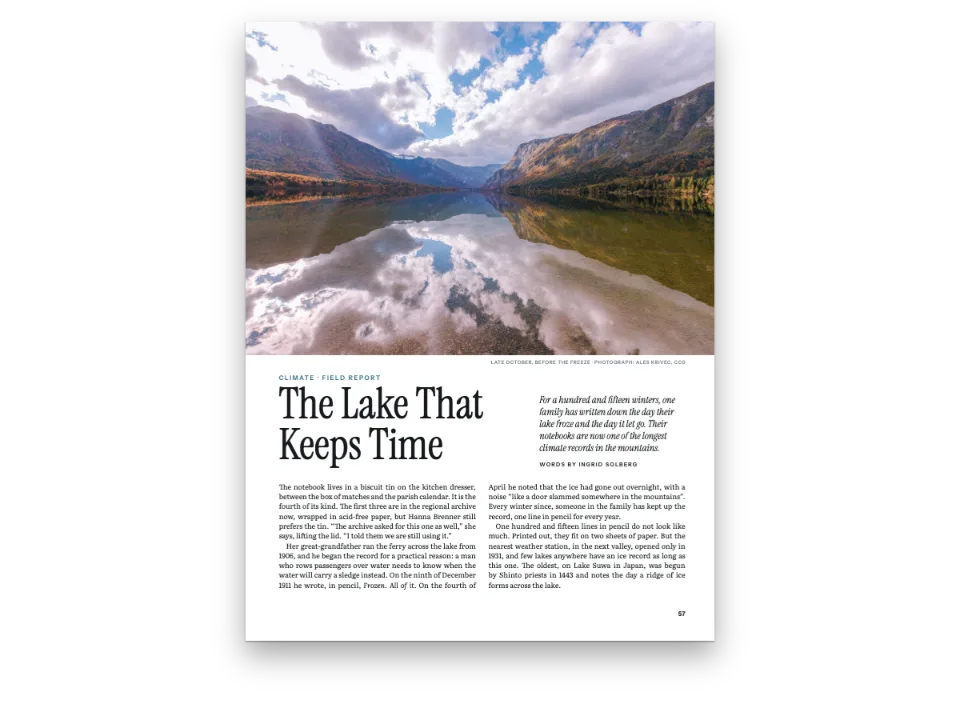
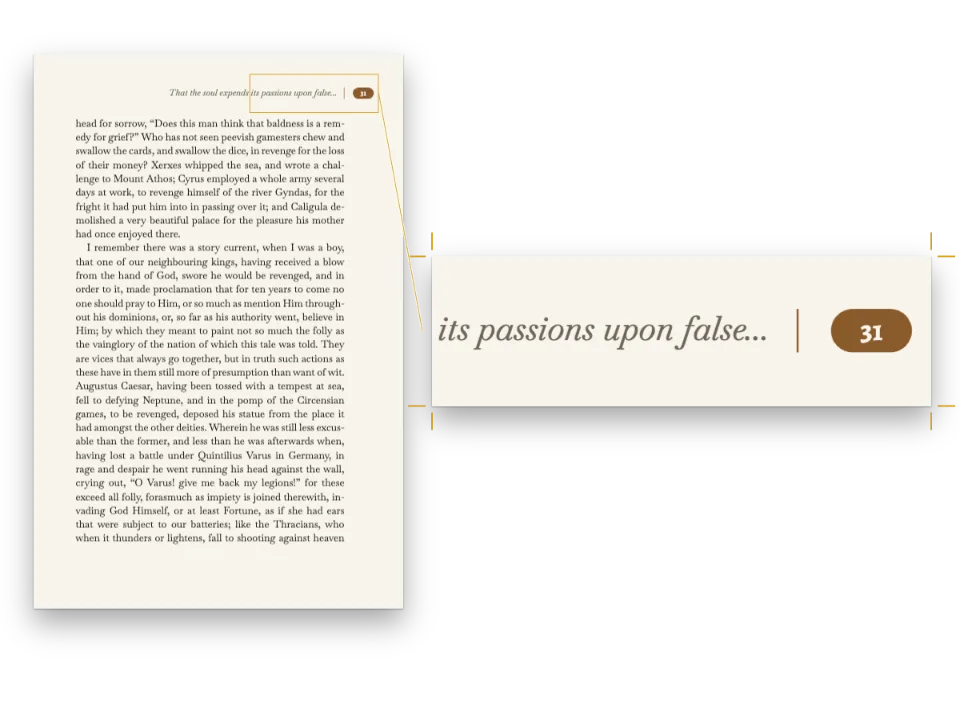
小さな雑誌『Field Notes』に載る旅の記事の最初のページです。1ページ目は奇数ページの扉で、夕暮れの塩田と砂丘の写真がページの上部58%を占め、54 ptのYoung Serifの題と、その下で太字の書き出しから本文を始める両端そろえの2段が入ります。裏の2ページ目は字間を空けた大文字の柱の下で本文が続き、終わりのマークと奥付で終わります。デザインは1つの設定ファクトリーと6色のパレットで決まります。題は1レベルの見出しから、リード文、筆者、日付はMarkdown文字列のフロントマターから取るので、題が2行に収まる記事ならどれでも同じCodePenのサンプルで組めます。この記事に固有なのは写真だけです。
このレシピが答える質問
- 見出し、太字、箇条書きの記号が青く出ないようにするには?
- 本のページを設定するには(仕上がりサイズ、左右対称ののどと小口の余白、2段組みと段間)?
- Markdownの文字列をページに組み、そのうち1ページをCanvasに描画するには?
手短な答え
const config = () => ({
  locale: t({ en: 'en-us', es: 'es', pt: 'pt', fr: 'fr', de: 'de', it: 'it' }), // the hyphenation
  colorPalette: colorPalette(),
  page: { // mirror: left is the inner margin and right the outer one; versos swap them
    width: mm(PAGE.width), height: mm(PAGE.height),
    margins: { top: mm(MARGIN.top), bottom: mm(MARGIN.bottom), left: mm(MARGIN.inner),
      right: mm(MARGIN.outer), mirror: true },
  },
  // 'double' is the default, stated so that the whole page setup reads in one place
  layout: { layoutType: 'double', gutterWidth: mm(6) },
  bodyText: { // justified, hyphenated and broken by paragraph: all on by default
    fontFamily: 'Newsreader', // one family name: there is no fallback chain
    fontSize: pt(9.5), lineHeight: pt(LEAD), color: col('ink'),
    boldColor: col('ink'), italicColor: col('ink'), referenceColor: col('ink'),
    firstLineIndent: mm(4), indentAfterHeading: false,
    // Optional, for 70 mm columns: word spaces from 0.8 to 1.8 × the normal one, and runts
    // tightened by at most 4 thousandths of an em, so the grey of the text stays even.
    minWordSpacing: 0.8, maxWordSpacing: 1.8, maxRuntTracking: 4,
  },
  headings: {
    fontFamily: 'Young Serif', fontWeight: 400, color: col('band'), // it has one weight
    levels: [
      // span: 'page' opens the H1 on a new page, across both columns. Parity 'odd' puts the
      // next article pasted in on a recto, with a blank verso only when one is needed.
      { level: 1, span: 'page', breakBefore: { enabled: true, parity: 'odd' },
        advancedDesign: opener() },
      // A line of margin and a line and a half of head: 2.5 lines, which snapToGrid (on by
      // default) rounds up to 3, so the text below lands back on the grid.
      { level: 2, fontSize: pt(13), lineHeight: pt(1.5 * LEAD), marginTop: pt(LEAD),
        marginBottom: pt(0) },
    ],
  },
  unorderedLists: { color: col('ink'), fontWeight: 400, bulletChar: '–',
    marginTop: pt(0), marginBottom: pt(0) },
  calloutStyles: [colophon()],
  header: header(),
  footer: footer(),
  // The magazine's name is its masthead, the same on every story (#849).
  checks: { contentInConfig: { allow: [MAGAZINE] } },
});
材料
- 機能
- 文書のメタデータセマンティックカラーパレット柱とノンブルキャンバス上のページデザインした章扉段抜きの章見出し帯ページデザインの画像デザイン要素の基準位置ページの役割ごとの柱レイアウト前のフォント読み込み仕上がりサイズ見開きの余白1段組みと2段組み本文の書体太字・イタリックとその色色見本ハイフネーションと文書の言語箇条書きとチェックリスト囲みタイトル内の改行
- 併用する機能
- リソースとしての図と表
- 種類
- Newsreader, Young Serif, Inter Tight (SIL OFL 1.1)
- 素材
salt-road-1440.jpg- The salt pans and the dune at dusk on the opener, a photograph (Generated With Diffusion Models, オリジナル)
作り方
#1 · 最初のビルドの前に、すべての書体を
const FONTS = {
  Newsreader: ['400', '400i', '700'], // text
  'Young Serif': ['400'], // display: it ships one weight, so the headings ask for 400
  'Inter Tight': ['400', '600'], // labels: kicker, byline, running heads, colophon
};
Postextは、レイアウトの時点でブラウザーにあるフォントで文字を測ります。そのため、フォントが届く前に走ったビルドには代替フォントの改行が残ります。buildDocumentWithFontsは、設定に書かれた書体とFONTSの書体を最初のビルドの前にすべて読み込みます。ファイルはkitFonts(FONTS)がFontsourceから渡します。PDFが埋め込むのと同じファイルです。続いてページで使われている書体を調べ、まだ足りないものを読み込んでもう一度ビルドします。Fontsourceが配信していない書体は代替フォントのままになり、doc.contentWarningsにfontFallbackとして載ります。本文書体の太字とイタリックは、ファミリーにそれがある場合に限って読み込まれます。
#2 · 色に名前を付け、その名前を指す
const palette = {
  ink: '#1b1e23', // text: a cool near-black, never #000
  band: '#2b3a67', // the one accent (an indigo): the folios, the subheads, the end mark
  sand: '#e9dcc0', // the kicker, the title and the byline
  salt: '#f7f4ee', // the standfirst
  rule: '#d6d3cc', // the hairline over the colophon
  muted: '#66686e', // running heads and the colophon
};
// Each colour carries its palette id and its hex. The design objects below are functions
// that config() calls, so col() copies the hex out of `palette` on every build: one edit
// to `palette` reaches the text, the folios and the drop folio alike.
const col = (id) => ({ hex: palette[id], model: 'hex', paletteId: id });
const colorPalette = () => [
  ...Object.entries(palette)
    .map(([id, hex]) => ({ id, name: id, value: { hex, model: 'hex' } })),
  // The engine's defaults (headings, bold, italic, bullets, the default running head) link
  // to 'main-color': point it at the accent, so nothing left unset prints blue.
  { id: 'main-color', name: 'defaults', value: { hex: palette.band, model: 'hex' } },
];
設定の中の色はすべてcol('id')、つまりパレットのidの横にその16進値を添えたものです。bodyText.boldColor、italicColor、referenceColor、unorderedLists.colorはinkを指し、headings.colorはアクセントを指します。エンジンの初期設定では見出し、太字、イタリック、行頭記号がmain-colorに結び付いており、このパレットはその項目をアクセントに向けているので、指定を省いたものは青ではなく藍色で出ます。デザインのオブジェクトは関数になっています。config()がビルドのたびにそれらを呼び、col()がそのつどpaletteから現在の16進値を写すので、paletteを1か所直せば本文にもノンブルにも章扉にも届きます。終わりのマークはbandを指すインラインのスウォッチなので、色を変えればそこにも届きます。初期設定の柱もmain-colorに結び付いているので、置き換えるまではアクセントの色で出ます(手順5)。
#3 · 枠に合わせて切った写真
// A JPEG in assets/, cut to PAGE.width × BAND (180 × 140 mm) and declared at its pixels, so at
// full width it fills the band exactly. A deeper band needs a picture cut to the new frame.
const landscape = { id: 'landscape', typeId: 'figure', kind: 'bitmap', createdAt: 0,
  updatedAt: 0, bitmap: { fileId: 'salt-road-1440.jpg', format: 'jpeg', width: 1440,
    height: 1120 },
  altText: 'Salt pans at dusk, a dune with a cairn of white stones on its crest, and a line of '
    + 'footprints crossing the pans towards it.' };
塩田、砂丘、ケルンは拡散モデルで生成した写真で、淡い色の題が暗い空に映えるよう夕暮れの光景にしてあります。JPEGは帯の枠、PAGE.width × BANDミリメートルに合わせて切り、リソースはそのピクセル数1440 × 1120を宣言するので、全幅にすると写真は帯をちょうど埋めます。帯を深くするなら、新しい枠に合わせて切った写真が必要です。章扉は、idでリソースを指す画像要素を通してこれを表示します。
#4 · フロントマターが章扉を書く
const BAND = 140; // mm from the top edge: the band holds the top 58% of the page
const TITLE_W = 130; // mm: room for two lines of the title; a third would push the byline
// down onto the pale salt pans: keep titles short
const DECK_W = 104; // mm: the standfirst stops short of the dune and its cairn
const MAGAZINE = t({ en: 'Field notes', es: 'Cuaderno de campo', pt: 'Caderno de campo',
  fr: 'Carnet de terrain', de: 'Unterwegs', it: 'Quaderno di campo' });
const label = { fontFamily: 'Inter Tight', fontSize: pt(7.5), fontWeight: 600,
  letterSpacing: pt(1.4), textTransform: 'uppercase' };
const below = (id, y, width) => ({ anchor: { to: `#${id}`, edge: 'below' },
  offset: { y: mm(y) }, ...(width && { size: { width: mm(width) } }) });
const opener = () => ({
  enabled: true,
  minHeight: mm(BAND - MARGIN.top + 5), // from the top margin to the band's foot, plus 5 mm
  slot: {
    elements: [
      // The photograph is PAGE.width × BAND (see art): at full width it fills the band.
      { kind: 'image', id: 'art', resourceId: 'landscape',
        placement: { anchor: { to: 'bleed', edge: 'top-left' }, size: { width: 'fill' } } },
      { kind: 'text', id: 'kicker', content: MAGAZINE, ...label, color: col('sand'),
        placement: { anchor: { to: 'page', edge: 'top-left' }, // recto: inner on the left
          offset: { x: mm(MARGIN.inner), y: mm(20) } } },
      // {titleText} is the H1; {subtitle}, {author} and {publishDate} are frontmatter. A bare
      // lineHeight multiplies the text's size: 1 sets the title solid. Both texts wrap.
      { kind: 'text', id: 'title', content: '{titleText}', fontFamily: 'Young Serif',
        fontSize: pt(54), lineHeight: 1, color: col('sand'), align: 'left',
        placement: below('kicker', 3, TITLE_W) },
      { kind: 'text', id: 'deck', content: '{subtitle}', fontFamily: 'Newsreader',
        fontSize: pt(12), lineHeight: 1.3, italic: true, color: col('salt'), align: 'left',
        placement: below('title', 5, DECK_W) },
      { kind: 'text', id: 'byline', ...label, color: col('sand'),
        content: t({ en: 'By {author} · {publishDate}',
          es: 'Por {author} · {publishDate}', pt: 'Por {author} · {publishDate}',
          fr: 'Par {author} · {publishDate}', de: 'Von {author} · {publishDate}', it: 'Di {author} · {publishDate}' }),
        placement: below('deck', 4.5) },
    ],
  },
});
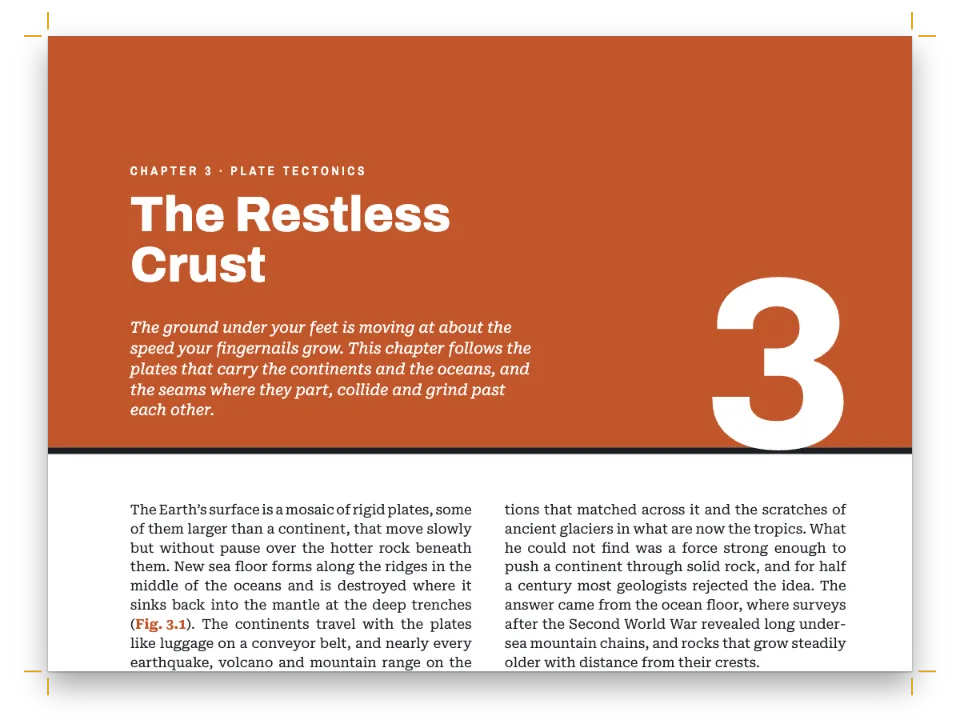
1レベルの見出しは両段にまたがり、その章扉は要素を並べたスロットです。塗り足しまでの写真と、上から順に連なる4つのテキストからなります。題が長くなるとリード文と署名は重ならずに下へ押されますが、2行を超えると署名が淡い塩田の上に来てしまいます。{titleText}は見出しのテキスト、{subtitle}、{author}、{publishDate}はフロントマターの項目です。見出しの中の\\は、置いた位置で題を改行します(タイトル内の改行)。minHeightは天の余白から数えるので、確保した高さは帯の5 mm下で終わります。
#5 · 青い初期設定に代わる柱
const HEAD = 12; // mm: the running heads from the top edge, the drop folio from the foot
const GAP = 3; // mm between a folio and its label, however many digits the folio has
const head = (id, content, parity, placement, color = col('muted')) => ({
  kind: 'text', id, content, parity, pages: 'body', ...label, color, placement,
});
const outer = (edge, x) => ({ anchor: { to: 'page', edge }, offset: { x: mm(x), y: mm(HEAD) } });
const beside = (id, edge, x) => ({ anchor: { to: `#${id}`, edge }, offset: { x: mm(x) } });
const header = () => ({
  elements: [ // folios on the outer margin's edge; each label hangs off its folio
    head('verso-folio', '{pageNumber}', 'even', outer('top-left', MARGIN.outer), col('band')),
    head('verso-title', '{title}', 'even', beside('verso-folio', 'right-of', GAP)),
    head('recto-folio', '{pageNumber}', 'odd', outer('top-right', -MARGIN.outer), col('band')),
    head('recto-title', MAGAZINE, 'odd', beside('recto-folio', 'left-of', -GAP)),
  ],
});
const footer = () => ({
  elements: [{ kind: 'text', id: 'drop-folio', content: '{pageNumber}', pages: 'opener',
    ...label, color: col('band'),
    placement: { anchor: { to: 'page', edge: 'bottom' }, offset: { y: mm(-HEAD) } } }],
});
headerを省くとエンジンの初期設定が戻ります。全幅の罫の上にOpen Sansの柱が、すべてのページに入ります。ここではノンブルを物理的なページに固定し、奇数・偶数で振り分けるので、つねに小口側に来ます。ラベルはノンブルに固定し、right-ofまたはleft-ofでGAPミリメートル離します。ノンブルが3桁や4桁になっても、ラベルは押されて動くのでぶつかりません。pages: 'body'で4つの要素はどれも章扉に入りません。フッターには章扉用の地側のノンブルが1つだけあり、footerを指定したので、本文のページからは初期設定の中央のノンブルが消えます。
#6 · 新しい設定でビルドしてから描画する
await loadImage(landscape.bitmap.fileId, asset(landscape.bitmap.fileId));
const doc = await buildDocumentWithFonts({ markdown, resources }, config(), kitFonts(FONTS));
// showPages paints each page with renderPageToCanvas(page, doc, canvas, { scale }).
showPages(doc, {
  title: t({ en: 'From a Markdown string to a designed page',
    es: 'De una cadena Markdown a una página diseñada',
    pt: 'De uma string Markdown a uma página diagramada',
    fr: 'D’une chaîne Markdown à une page mise en forme',
    de: 'Von einem Markdown-String zur gestalteten Seite',
    it: 'Da una stringa Markdown a una pagina progettata' }),
});
config()を関数にしてあるのは、ビルドのたびにその時点のパレットを参照するためです。手順2のデザイン用の関数を毎回呼び直します。設定オブジェクトを1つだけ持ち、その場で書き換えてもかまいません。postext 1.25からは、エンジンが次のビルドでその変更に気づきます。buildDocumentWithFontsはコンテンツ、その設定、キットのフォント用オプションを受け取り、文書を返します。showPagesはページを製本した本と同じ並びに置き、1ページ目は右に単独で置いて、それぞれをrenderPageToCanvasで描画します。
レシピの全体
// ═══ Postext Cookbook · Nº 012 · From a Markdown string to a designed page ══════════
// https://postext.dev/en/cookbook/first-page-from-markdown
// Code: MIT · Text: original (CC BY 4.0) · Photo: diffusion models
// Fonts: Newsreader, Young Serif, Inter Tight (SIL OFL 1.1) · Needs postext ≥ 1.34.0
//
// This pen sets a Markdown string with a frontmatter block on two magazine pages and paints
// them on canvases. The whole design is in config(); swap config() for {} in the build
// below to see the engine's defaults.
import {
  buildDocumentWithFonts, renderPageToCanvas, registerResourceImage,
} from 'https://esm.sh/postext';

const LANG = 'en'; // @lang: the sample document's language ('en' | 'es' | 'pt' | 'fr' | 'de' | 'it')
const RECIPE = 'first-page-from-markdown';

// ─── 1 · Design ─────────────────────────────────────────────────────────────
// Every setting that shapes the pages is in this part, from PAGE down to config().
const PAGE = { width: 180, height: 240 }; // mm: a 3:4 magazine page
const MARGIN = { top: 22, bottom: 22, inner: 20, outer: 14 }; // mm; inner is the spine side
const LEAD = 13.5; // pt: the body leading, the grid every vertical space steps on

// #region palette: six named colours; every colour in the config links to one of them
const palette = {
  ink: '#1b1e23', // text: a cool near-black, never #000
  band: '#2b3a67', // the one accent (an indigo): the folios, the subheads, the end mark
  sand: '#e9dcc0', // the kicker, the title and the byline
  salt: '#f7f4ee', // the standfirst
  rule: '#d6d3cc', // the hairline over the colophon
  muted: '#66686e', // running heads and the colophon
};
// Each colour carries its palette id and its hex. The design objects below are functions
// that config() calls, so col() copies the hex out of `palette` on every build: one edit
// to `palette` reaches the text, the folios and the drop folio alike.
const col = (id) => ({ hex: palette[id], model: 'hex', paletteId: id });
const colorPalette = () => [
  ...Object.entries(palette)
    .map(([id, hex]) => ({ id, name: id, value: { hex, model: 'hex' } })),
  // The engine's defaults (headings, bold, italic, bullets, the default running head) link
  // to 'main-color': point it at the accent, so nothing left unset prints blue.
  { id: 'main-color', name: 'defaults', value: { hex: palette.band, model: 'hex' } },
];
// #endregion

// #region art: a photograph of the salt pans and the dunes at Sorra, cut for a page × band frame
// A JPEG in assets/, cut to PAGE.width × BAND (180 × 140 mm) and declared at its pixels, so at
// full width it fills the band exactly. A deeper band needs a picture cut to the new frame.
const landscape = { id: 'landscape', typeId: 'figure', kind: 'bitmap', createdAt: 0,
  updatedAt: 0, bitmap: { fileId: 'salt-road-1440.jpg', format: 'jpeg', width: 1440,
組み立てたscript.jsはそのまま動きます。任意のページのモジュールスクリプトに貼り付けるか、レシピをCodePenで開いてください。 GitHub上のレシピのフォルダー ↗ (新しいタブで開きます)
アレンジ
#設定が何を置き換えているかを見る
空の設定でビルドすると、同じMarkdownが17 × 24 cmのページに8 ptのEB Garamondで組まれ、見出しは青いOpen Sans、柱は罫の上の青になります。既定の設定がこの2つのファミリーを指定しているので、エンジンはそれらも読み込みます。
-const doc = await buildDocumentWithFonts({ markdown, resources }, config(), kitFonts(FONTS));
+const doc = await buildDocumentWithFonts({ markdown, resources }, {}, kitFonts(FONTS));#ページ全体の色を変える
アクセントを変えると、次の実行でノンブル、小見出し、終わりのマークが新しい色で描かれます。config()が走るたびにcol()がidの横の新しい16進値を写すからです。写真は元の色のままです。
-  band: '#2b3a67', // the one accent (an indigo): the folios, the subheads, the end mark
+ band: '#3f5b3a', // the one accent (a pine green): the folios, the subheads, the end mark#自分のCanvasに1ページを描く
renderPageToCanvasはCanvasの大きさを、文書のdpi(初期値300)におけるページのピクセル数にscaleを掛けた値にします。scale: 0.5ならおよそ150 dpiで描かれ、画面上での見た目の大きさはCSSで決まります。
-showPages(doc, {
-  title: t({ en: 'From a Markdown string to a designed page',
-    es: 'De una cadena Markdown a una página diseñada',
-    pt: 'De uma string Markdown a uma página diagramada',
-    fr: 'D’une chaîne Markdown à une page mise en forme',
-    de: 'Von einem Markdown-String zur gestalteten Seite',
-    it: 'Da una stringa Markdown a una pagina progettata' }),
-});
+const canvas = document.body.appendChild(document.createElement('canvas'));
+renderPageToCanvas(doc.pages[0], doc, canvas, { scale: 0.5 });よくあるつまずき
- Young Serifにはウェイトが1つしかありません。見出しの初期値は太字なので、ここでは
headings.fontWeight: 400が必要です。これがないと、見出しはFontsourceにない太字のYoung Serifを求め、ブラウザーがレギュラーを太らせて代用し、doc.contentWarningsにその書体がfontFallbackとして載ります。
クレジット
- 本文
- 書き下ろしの文章, CC BY 4.0
- 画像
- The salt pans and the dune at dusk on the opener, a photograph · Generated With Diffusion Models · オリジナル
- フォント
- Newsreader (SIL OFL 1.1) · Young Serif (SIL OFL 1.1) · Inter Tight (SIL OFL 1.1)